A backup camera is one of the most important safety features in modern vehicles, especially for Chevrolet owners who rely on it daily when reversing in tight spaces or crowded parking lots. But what happens when your Chevy backup camera suddenly stops working right when you need it most? A black screen, blurry image, or delayed response can quickly turn a simple parking maneuver into a stressful and potentially dangerous situation.
If you are dealing with the issue of Chevy Backup Camera Not Working, you are not alone. Many Chevy drivers experience this problem across different models, from Silverado to Equinox and Malibu. The good news is that not every camera failure means an expensive repair. In many cases, the issue can be traced back to simple causes such as a dirty lens, a blown fuse, or a temporary software glitch.
In this guide, you will discover the 7 most common causes behind this issue, along with quick fixes you can try at home without technical expertise. You will also learn how to reset your system properly and understand when it is time to repair or replace the camera. By the end of this article, you will have a clear and practical roadmap to get your backup camera working again safely and efficiently.
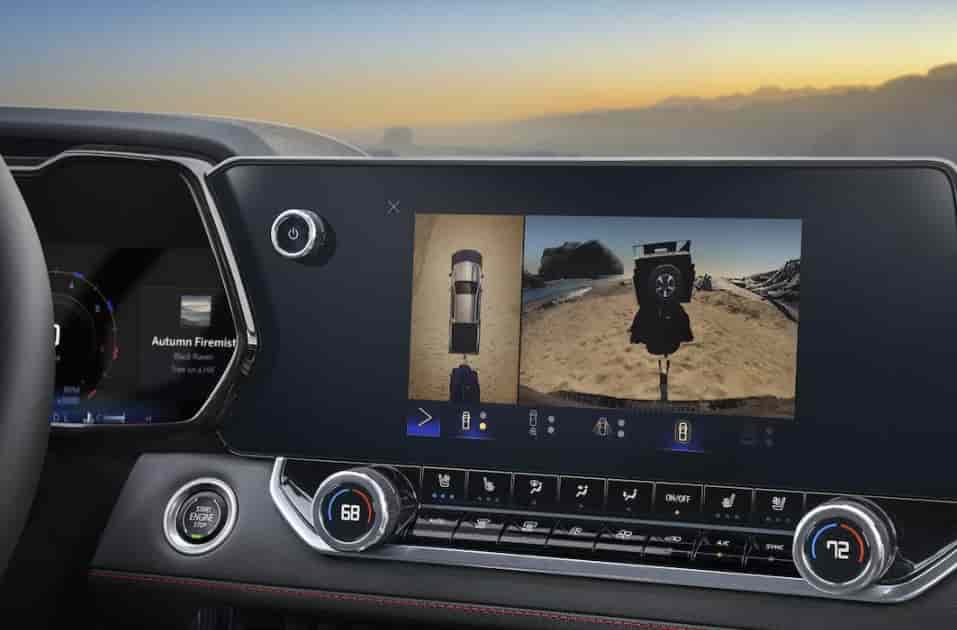
What Happens When Your Chevy Backup Camera Stops Working?
When you encounter the issue of Chevy Backup Camera Not Working, the problem does not always appear the same way. In fact, the symptoms can vary depending on the root cause, which is why identifying the exact behavior of your camera is the first step toward fixing it effectively.
One of the most common signs is a completely black screen when shifting into reverse. Instead of seeing a clear rear view, the display shows nothing or remains stuck on the previous screen. This often indicates a power issue, a faulty connection, or a software glitch within the infotainment system.
Another frequent problem is a blurry, distorted, or flickering image. In this case, the camera is technically working, but the visual output is compromised. This usually points to a dirty or damaged lens, moisture buildup, or even early signs of hardware failure. Many drivers overlook this symptom at first, but it can gradually worsen over time.
Some users also report a delayed response when shifting into reverse. The camera may take several seconds to activate, or it might turn on and off intermittently. This inconsistency can be frustrating and may be linked to software instability or loose wiring.
In more severe cases, the camera does not activate at all. No image, no signal, and no warning message. This scenario often suggests a deeper electrical issue, such as a blown fuse or a failed camera module.
Understanding these symptoms is crucial because each one leads to a different diagnosis. Instead of guessing or immediately replacing the camera, recognizing how your system behaves will help you pinpoint the real cause faster and avoid unnecessary costs.
7 Causes of Chevy Backup Camera Not Working
Understanding the root cause behind the issue of Chevy Backup Camera Not Working is the most important step before attempting any repair. Different symptoms often point to different underlying problems, so identifying the correct cause will save time and prevent unnecessary replacement costs.
Faulty wiring or loose connection
One of the most common causes is a problem with the wiring system connected to the rear camera. Over time, vibrations from driving, rough roads, or minor rear impacts can loosen connections or damage wires. When this happens, the camera may work intermittently or fail completely because the signal cannot travel properly to the display screen.
Blown fuse in the electrical system
The backup camera relies on a fuse to receive power. If this fuse is blown, the camera will stop functioning entirely. This is often one of the easiest issues to fix, but many drivers overlook it because they assume the problem is more complex than it actually is.
Dirty or damaged camera lens
Dirt, dust, road salt, or water spots can significantly reduce camera visibility. In some cases, the lens may also become scratched or physically damaged. This results in a blurry or unclear image, even though the system is technically working.
Software glitch in the infotainment system
Modern Chevy vehicles use an integrated infotainment system to control the backup camera. Sometimes the system experiences temporary bugs or freezes. When this happens, the camera may not activate or may display incorrectly until the system is reset.
Water or moisture damage
Exposure to heavy rain, car washes, or humidity can allow moisture to enter the camera housing. This can cause foggy images, flickering, or complete failure if internal components are affected.
Faulty display screen
In some cases, the camera itself is working properly, but the issue lies in the dashboard display. If the screen is malfunctioning, the video feed from the camera cannot be shown correctly, leading to a black screen or frozen image.
Camera hardware failure
If all other causes are eliminated, the problem may be a complete failure of the camera unit itself. Over time, electronic components degrade, and the camera may simply reach the end of its lifespan, requiring replacement.
Quick Fixes You Can Try at Home
If you are facing the issue of Chevy Backup Camera Not Working, not every case requires professional repair. In many situations, the problem comes from simple and temporary factors that you can fix at home without special tools or technical experience.
The first and easiest step is to clean the camera lens. Dirt, dust, rain residue, or road grime can easily block the view and make the image unclear or completely invisible. A soft microfiber cloth with a gentle cleaning solution is usually enough to restore normal visibility.
Next, you should check if the problem is caused by a temporary electrical glitch. Turning off the vehicle completely, waiting a few minutes, and restarting it can sometimes reset minor system errors. This simple reboot often restores the backup camera functionality.
Another important step is to inspect the fuse related to the camera system. If the fuse is blown, the camera will not receive power at all. Replacing a fuse is relatively inexpensive and can immediately bring the system back to life if this is the root cause.
You should also test the infotainment system responsiveness. If the screen is frozen or slow, it may be affecting the camera feed. In this case, a system reset can help clear temporary software issues and restore normal operation.
Finally, check the rear area of your vehicle for any visible signs of damage or loose wiring near the trunk or tailgate. Even small disconnections can interrupt the signal and cause the camera to stop working intermittently.
These quick fixes are not only simple but also highly effective in many real-world cases. By trying them step by step, you can often resolve the issue without needing an expensive repair visit.
How to Reset Chevy Backup Camera Step by Step
When dealing with Chevy Backup Camera Not Working, a reset is often one of the most effective solutions, especially if the issue comes from a software glitch in the infotainment system. Modern Chevrolet vehicles rely heavily on electronic control modules, so even a small system error can interrupt the camera feed.
The first method is a simple power reset. Turn off your vehicle completely, remove the key or press the start button to shut everything down, then wait for about five to ten minutes. This allows the electronic systems to fully discharge and clear temporary memory errors. After that, restart the vehicle and shift into reverse to check if the camera returns to normal.
If the problem persists, you can try resetting the infotainment system directly. Depending on your Chevy model, you may need to press and hold the power button on the display unit for several seconds until the system reboots. This action helps clear frozen software processes that may be affecting the camera feed.
Another effective method is a battery reset. Disconnecting the negative terminal of the battery for a few minutes can force a full system reset across all electronic modules, including the backup camera system. Once reconnected, the system will restart from a clean state, which often resolves hidden software conflicts.
After performing any reset, it is important to test the camera multiple times. Shift into reverse in different conditions such as with the engine running and after short driving sessions to confirm the issue has been fully resolved.
A proper reset does not fix hardware damage, but in many real-world cases, it restores full functionality without needing repairs or replacement.
Repair or Replace Cost Breakdown
When dealing with Chevy Backup Camera Not Working, one of the most common questions is whether you should repair the system or replace it entirely. The right choice depends on the severity of the issue, the specific faulty component, and the overall condition of your vehicle’s camera system.
In many minor cases, repair is the most cost effective solution. Simple fixes such as replacing a blown fuse, repairing a loose wiring connection, or cleaning corroded terminals usually cost between 50 and 150 dollars depending on labor rates. These types of issues are common and typically do not require full component replacement.
If the problem is related to software or the infotainment system, the cost may still remain relatively low. A professional reset, software update, or diagnostic scan can range from 80 to 200 dollars. In some situations, dealerships may even perform a system update as part of a scheduled service.
However, if the camera module itself is damaged, replacement becomes necessary. A new Chevy backup camera unit typically costs between 150 and 500 dollars, depending on the model and whether OEM parts are used. Luxury trims or advanced camera systems with wider angles and additional sensors may cost even more.
Labor costs also play a significant role. Professional installation can add another 100 to 300 dollars, especially if the wiring harness needs to be replaced or re-routed. This is why total replacement costs can vary widely from one case to another.
In general, if the issue is isolated and simple, repairing is the smarter choice. But if the camera repeatedly fails or shows multiple symptoms such as black screen, distortion, and no signal, replacement is usually the more reliable long term solution.
Model Specific Issues Silverado Equinox Malibu
When you face Chevy Backup Camera Not Working, the issue often behaves differently depending on the model. Each Chevrolet vehicle uses different wiring paths, software systems, and camera hardware. Because of this, the failure pattern changes from model to model.
In the Chevrolet Silverado, wiring issues cause most problems. The tailgate moves often during daily use. This movement can loosen connections or damage wires. As a result, the camera may stop working or turn on and off randomly.
In the Chevrolet Equinox, software issues appear more frequently. Many drivers report a black screen when they shift into reverse. Others notice a delay before the camera appears. A simple system reset often restores the camera. In some cases, a software update also solves the issue.
In the Chevrolet Malibu, the problem often comes from the display or camera module. Some users see a frozen image. Others get no signal when reversing. These issues usually come from worn electronic parts or unstable connections inside the system.
Each model shows a different weak point. When you understand these patterns, you can diagnose the issue faster. You also avoid replacing parts that still work correctly.
How to Prevent Backup Camera Problems
If you already dealt with Chevy Backup Camera Not Working, the next step is to prevent it from happening again. Most issues do not appear suddenly. They develop over time due to neglect, weather exposure, or electrical wear.
Start by keeping the camera lens clean. Dirt, dust, and road grime build up quickly on the rear camera. Clean it regularly with a soft cloth. This simple habit keeps the image clear and reduces strain on the system.
Next, protect the rear camera area from moisture. Water and humidity can enter the housing and damage internal components. Avoid high pressure washing directly at the camera. After heavy rain, check the lens for fog or water spots.
You should also inspect wiring connections during regular maintenance. Loose or worn cables often cause intermittent camera failure. A quick check during oil changes or service visits helps catch problems early.
Keep your vehicle software updated. Chevrolet often releases infotainment updates that fix bugs and improve system stability. Updating the system reduces the risk of glitches that affect the camera feed.
Finally, avoid ignoring small warning signs. Delays, flickering images, or weak signals often appear before full failure. Fixing these early prevents more expensive repairs later.
Conclusion
The issue of Chevy Backup Camera Not Working can feel stressful, especially when it affects your driving safety. However, most problems come from a limited number of causes such as wiring issues, software glitches, fuse failure, or camera wear.
In many cases, you can solve the issue without replacing the entire system. Simple actions like cleaning the lens, resetting the infotainment system, or checking the fuse can restore normal function quickly. More serious cases may require professional repair or camera replacement, but these are less common than most drivers expect.
The key is to diagnose the symptoms correctly. A black screen often points to power or software issues. A blurry image usually comes from the lens or moisture. A complete failure may indicate hardware damage.
When you understand these patterns, you save both time and money. You also avoid unnecessary part replacements and reduce the risk of recurring issues.
If your Chevy backup camera stops working again, use this guide as a step-by-step reference. It will help you identify the cause, apply the right fix, and keep your vehicle safe when reversing.