Is your dashboard still showing a tire pressure warning even after you have carefully inflated all four tires? This is one of the most frustrating issues many Chevy owners face. You check the pressure, everything looks correct, yet the TPMS light refuses to turn off. It can make you wonder whether there is a serious problem or just a simple system error.
In reality, this situation is very common with Chevrolet vehicles. The tire pressure monitoring system, also known as TPMS, does not always reset automatically after adjustments. Without a proper reset or relearn process, the system may continue to display incorrect warnings, causing unnecessary stress and confusion.
The good news is that you do not always need to visit a mechanic or spend money on diagnostics. In most cases, you can reset the tire pressure sensor on your Chevy yourself with just a few simple steps. Whether you drive a sedan, SUV, or truck, the process is easier than most people expect.
In this guide, you will learn exactly how to reset tire pressure sensor on Chevy models step by step. You will also understand why the issue happens and how to prevent it in the future.
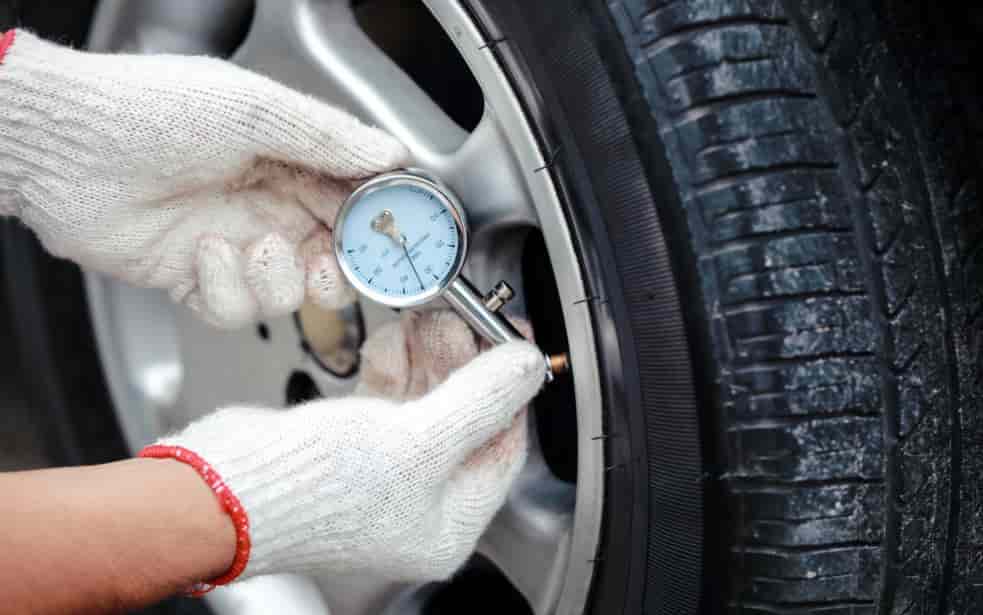
What Is a Tire Pressure Sensor (TPMS) on Chevy?
The tire pressure monitoring system, often called TPMS, is a built in safety feature designed to alert you when your tire pressure is too low or inconsistent. In modern vehicles from Chevrolet, this system plays a critical role in maintaining driving safety, fuel efficiency, and tire longevity.
Each tire is equipped with a small sensor that measures air pressure in real time. This data is sent directly to your vehicle’s onboard computer. When the pressure drops below the recommended level, the system triggers a warning light on your dashboard. This helps you react quickly before the problem becomes dangerous.
There are two main types of TPMS used in Chevy vehicles. The first is direct TPMS, which uses physical sensors inside each tire to provide accurate readings. The second is indirect TPMS, which estimates pressure based on wheel speed and ABS data. Most modern Chevy models use the direct system because it offers higher precision and reliability.
Resetting the TPMS is necessary because the system does not always update automatically after changes. For example, after inflating your tires, rotating them, or replacing a sensor, the system may still display old data. This is why learning how to reset tire pressure sensor on Chevy is essential for every owner.
Understanding how this system works will make the reset process much easier and help you avoid unnecessary trips to the repair shop.
When Do You Need to Reset the TPMS on a Chevy?
Knowing when to reset the tire pressure monitoring system is just as important as knowing how to do it. Many Chevy owners think the system only needs attention when a tire is flat, but in reality the sensor can require a reset in several everyday situations.
One of the most common cases is after inflating your tires. Even if all tires are set to the correct pressure, the system may still store old readings and keep the warning light on. Another frequent situation is after a tire rotation, which changes the position of each wheel. Since the system tracks each sensor individually, it may become confused without a relearn process.
You may also need to reset the system after replacing a tire or installing a new sensor. In vehicles from Chevrolet, the TPMS does not automatically recognize new components in all cases. This is especially true if one or more sensors were replaced due to battery failure or damage.
Another sign that a reset is needed is when the TPMS light stays on even though all tires are correctly inflated. This often indicates that the system is not syncing properly with the current readings.
In some situations, even temperature changes can affect tire pressure enough to trigger the system, especially during seasonal transitions. If the warning persists after adjustment, a reset is usually required to clear outdated data and restore accurate monitoring.
Understanding these triggers helps you avoid confusion and ensures your TPMS always reflects real tire conditions.
How to Reset Tire Pressure Sensor on Chevy (Step-by-Step)
Resetting the tire pressure sensor on a Chevy is not as complicated as many drivers think. In most cases, you can complete the process in a few minutes without special tools, as long as your tires are already inflated to the correct pressure recommended for your vehicle from Chevrolet.
Step 1: Turn the ignition on
Start by turning your vehicle to the ON position without starting the engine. This allows the system to access the TPMS settings.
Step 2: Enter TPMS relearn mode
Depending on your Chevy model, you can enter relearn mode in different ways. Some vehicles require using the dashboard settings menu, while others use a key fob sequence or steering wheel controls. Once activated, the horn may sound or the TPMS light will blink, indicating the system is ready.
Step 3: Start with the front left tire
Begin the relearn process at the front driver side tire. Use a TPMS reset tool if required, or follow the vehicle prompt if it is automatic. The horn will usually confirm when the sensor is recognized.
Step 4: Continue clockwise
Move to the front right tire, then rear right, and finally rear left. Each tire must be activated in sequence so the system can correctly map sensor positions.
Step 5: Confirm completion
Once all four tires are registered, the horn will sound twice or the TPMS light will turn off. This signals that the reset process is complete.
After finishing these steps, your system should now display accurate tire pressure readings. If the warning light remains on, it may indicate a sensor issue or incorrect pressure in one of the tires.
Model-Specific TPMS Reset for Chevy Vehicles
Although the general process for resetting the tire pressure sensor is similar across most vehicles, each model from Chevrolet may have slightly different controls and menu layouts. Understanding these differences helps you complete the reset faster and avoid unnecessary confusion.
Chevy Silverado
In the Silverado, the TPMS relearn process is often initiated through the dashboard menu or by using the key fob sequence depending on the model year. Once relearn mode is active, you will typically hear a horn confirmation. The system then requires you to follow the tire order clockwise starting from the front left tire.
Chevy Malibu
For the Malibu, the reset is usually accessed through the vehicle settings on the infotainment screen. After entering TPMS relearn mode, the system will guide you step by step. This model is generally more user friendly and may not require any external tool for most years.
Chevy Equinox
The Equinox often uses a steering wheel control sequence to activate relearn mode. Once activated, the process is similar to other models, but some versions may require a TPMS reset tool to complete the sensor registration successfully.
Why Model Differences Matter
Even though the TPMS system works on the same principle across all Chevy vehicles, small differences in software and hardware design mean that the reset process is not always identical. Knowing your exact model helps you avoid incorrect steps and ensures the system updates properly after tire adjustments.
If you are unsure about your specific model, always refer to your vehicle manual before starting the reset process.
TPMS Light Still On? Here’s Why
Even after you follow the correct steps, there are situations where the tire pressure warning light does not turn off immediately. This is a common issue for many drivers using vehicles from Chevrolet, and it does not always mean something serious is broken.
One of the most common reasons is incorrect tire pressure in one or more tires. Even a small deviation from the recommended PSI can keep the system active. In some cases, drivers assume all tires are properly inflated, but one tire may still be slightly under or over the required level.
Another possible cause is a faulty or aging sensor. TPMS sensors have internal batteries that eventually wear out over time. When the battery is weak, the sensor may fail to send accurate signals, causing the warning light to stay on even after a reset.
System delay is also a factor. After completing a reset, the TPMS may take a short driving period to recalibrate and fully update the readings. This means the light may not disappear instantly but should clear after a short drive.
In some cases, external conditions such as extreme temperature changes can temporarily affect tire pressure readings. Cold weather in particular can reduce pressure quickly, triggering the system again even after a reset.
If the TPMS light remains on for an extended period despite correct tire pressure and proper reset, it may indicate a deeper issue that requires diagnostic inspection.
Tips to Avoid TPMS Problems
Once you understand how the system works, preventing tire pressure issues becomes much easier. Regular maintenance is the key to keeping the TPMS system stable and avoiding repeated warning lights in vehicles from Chevrolet.
The first important habit is to check your tire pressure at least once a month. Even if your dashboard shows no warning, slow air leaks can still happen over time. Keeping all tires at the recommended PSI helps the system stay accurate and reduces false alerts.
Another useful tip is to always reset the TPMS after any tire-related service. Whether you rotate tires, replace one tire, or adjust pressure significantly, a quick reset ensures the system has updated information. This prevents confusion between old and new sensor data.
You should also pay attention to seasonal temperature changes. Cold weather can naturally reduce tire pressure, while hot weather can increase it. Monitoring these changes helps you avoid unexpected TPMS warnings.
Finally, avoid ignoring the TPMS light for too long. Even if the car feels normal, driving with incorrect tire pressure can lead to uneven tire wear, reduced fuel efficiency, and lower safety performance.
Conclusion
Resetting the tire pressure sensor on a Chevy is a simple process once you understand how the system works and when it needs to be recalibrated. Most issues come from small misunderstandings such as incorrect tire pressure, skipped relearn steps, or temporary sensor delays rather than serious mechanical failures.
By following the step-by-step method in this guide, you can confidently handle TPMS resets at home without needing expensive tools or frequent visits to the mechanic. Whether you drive a Silverado, Malibu, Equinox, or any other model from Chevrolet, the core process remains similar and easy to perform once you are familiar with it.
The most important takeaway is consistency. Regular tire checks and proper resets after maintenance will keep your TPMS system accurate, reliable, and stress free. This not only improves safety but also helps extend tire life and optimize fuel efficiency.
If your TPMS light ever comes on again, you now have a clear, practical method to fix it quickly and correctly.