Volvo Sound Not Working is a common issue that frustrates many drivers. The problem often appears suddenly. One moment the audio system works normally, the next moment the car becomes completely silent or partially silent.
This issue affects many Volvo models, including Volvo XC60, Volvo XC90, and Volvo S60. Drivers often notice the problem after a software update, Bluetooth connection, or infotainment restart.
Modern Volvo vehicles use an advanced infotainment system. This system controls music, phone calls, navigation voice, and media from Apple CarPlay and Android Auto. When sound stops working, the speakers are not always the cause. In many cases, the system fails due to software errors or incorrect audio routing.
Some cases come from simple glitches in the infotainment system. Others come from deeper hardware problems such as a damaged amplifier, a blown fuse, or wiring faults inside the audio system. Both types of issues can produce the same symptom, which makes diagnosis difficult for most drivers.
This guide shows you a clear diagnostic process for Volvo Sound Not Working issues. You will learn how to identify software-related problems, detect hardware failures, and restore audio step by step. The goal is to help you move from guessing to a structured troubleshooting method that works across different Volvo models.
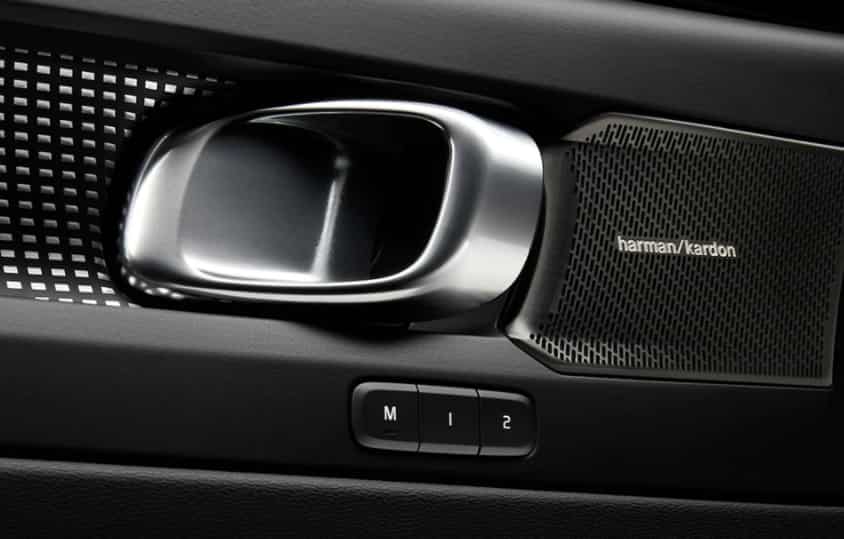
What Volvo Sound Not Working Actually Means
Volvo Sound Not Working does not always refer to a single type of failure. It describes a group of audio-related problems that affect the infotainment system. Each problem looks similar from the driver’s perspective, but the root cause can be different.
The first type is complete sound loss. In this case, the car produces no audio at all. Music, navigation prompts, and phone calls all become silent. The infotainment screen still works, but no sound comes from any speaker.
The second type is partial audio failure. Only some speakers work, or sound comes from one side of the car. This usually indicates a hardware imbalance or a wiring issue inside the audio system.
The third type is Bluetooth audio failure. The phone connects successfully, but no sound plays through the car speakers. This often happens when the system routes audio to the wrong output source.
The fourth type is Apple CarPlay or Android Auto sound failure. The connection appears normal, but media audio does not play. Navigation voice or calls may still work in some cases, which makes the issue more confusing.
The fifth type is infotainment active with no audio output. The screen responds normally, menus load, and apps work, but the system does not send sound to the amplifier or speakers. This situation often points to a software routing error inside the infotainment system.
Understanding these categories is important because each one requires a different diagnostic approach. A software issue needs a reset or update. A hardware issue needs physical inspection. Without correct classification, many drivers replace parts that are still working properly.
Software Related Causes of Volvo Sound Not Working
Software issues are the most common reason for Volvo Sound Not Working. Modern Volvo vehicles rely on a complex infotainment system that manages all audio output. When the software fails, the sound system often stops working even if all hardware components are still functional.
One common cause is a temporary infotainment system glitch. The system may freeze or enter an unstable state during normal use. When this happens, the audio service stops responding and the car becomes silent. The screen may still work normally, which makes the issue confusing for drivers.
Another frequent cause is a software update error. Volvo vehicles often receive over the air updates that improve performance and fix bugs. However, if the update does not install correctly, it can break audio routing inside the system. After this, the infotainment system may fail to send sound to the amplifier.
System cache corruption can also cause sound failure. The infotainment system stores temporary data to speed up operations. When this data becomes corrupted, it can interfere with media playback and audio distribution.
In some cases, the system enters an incorrect audio profile. The infotainment unit may route sound to a disconnected output channel. This makes it look like the speakers are broken, even though the system is simply sending audio to the wrong source.
These software related problems usually do not require hardware replacement. Most of them can be fixed with a system restart, a soft reset, or a full infotainment reset. In more serious cases, a software reinstallation or dealer level update may be required to restore normal audio function.
Connectivity Issues
Connectivity problems are another major cause of Volvo Sound Not Working. In many cases, the infotainment system itself works correctly, but the audio fails because the connection between the phone and the car is not properly configured.
One common issue comes from Bluetooth pairing errors. The phone connects to the car, but the audio channel does not activate. This usually happens when the system selects the wrong media output or when the Bluetooth profile does not sync correctly with the infotainment system.
Another frequent cause involves audio routing conflicts. Volvo infotainment systems can handle multiple input sources at the same time, such as radio, Bluetooth, and navigation apps. When the system switches between these sources, it may fail to update the active audio path. As a result, the car shows a connected status, but no sound is produced.
Apple CarPlay and Android Auto can also trigger sound issues. The connection may appear normal on the screen, but media audio does not transfer to the vehicle speakers. In some cases, phone permissions block audio access, especially after a system update or iOS and Android version change.
Do Not Disturb mode or silent mode on the phone can also affect audio output. Even if the infotainment system is working correctly, the phone may prevent media or call audio from being transmitted to the car.
These connectivity issues are usually not hardware related. Most of them can be resolved by removing the Bluetooth device, reconnecting the phone, or resetting CarPlay and Android Auto settings. In some cases, clearing network settings on the phone also helps restore proper audio routing.
Hardware Failures
Hardware problems can also cause Volvo Sound Not Working, especially when software and connectivity fixes do not solve the issue. In these cases, the audio system fails because one or more physical components stop working correctly.
One common hardware cause is a blown fuse. The fuse protects the audio system from electrical overload. When it burns out, the amplifier or infotainment audio circuit loses power. This results in complete silence even though the infotainment screen still functions normally.
Another possible issue is a faulty amplifier. Volvo vehicles often use a dedicated amplifier to process and distribute sound to all speakers. When the amplifier fails, the system may turn on, but no audio reaches the speakers. In some cases, the failure affects only certain channels, which creates uneven or partial sound loss.
Speaker damage is another factor. Over time, speakers can wear out due to heat, vibration, or moisture exposure. A damaged speaker may produce distorted sound or no sound at all. If only one speaker fails, the issue may appear as partial audio loss inside the vehicle.
Wiring problems can also interrupt sound output. Loose or damaged wiring inside the door panels or dashboard can break the connection between the amplifier and the speakers. This type of issue often appears after repairs, accidents, or water exposure inside the car.
Unlike software issues, hardware failures usually require physical inspection. A technician may need to test the fuse box, inspect wiring continuity, or measure amplifier output. In more severe cases, replacement of the damaged component is necessary to restore normal audio performance.
Infotainment Reset Methods
When Volvo Sound Not Working is caused by software or temporary system errors, resetting the infotainment system is often the fastest solution. Volvo vehicles use a centralized system, so a reset can restore audio routing and fix hidden glitches without replacing any parts.
The first method is a soft reset. This method restarts the infotainment system without affecting saved settings. In many Volvo models, drivers can hold the home button or power button until the screen restarts. After reboot, the audio system often returns to normal if the issue came from a temporary software freeze.
The second method is a full system restart through the vehicle settings. This option closes all running applications and reloads the infotainment environment. It helps clear internal errors that may block sound output or disrupt Bluetooth and CarPlay audio.
The third method involves a battery reset. Disconnecting the car battery for a short period can force the entire electrical system to restart. This can clear deeper system errors, but it may also reset some vehicle settings, so it should be used carefully.
The fourth method is a factory reset of the infotainment system. This process restores the system to its original state. It removes corrupted settings, incorrect audio routing profiles, and software conflicts. However, it also deletes saved data such as paired devices and preferences.
After each reset, it is important to test audio sources one by one. Check radio, Bluetooth, and CarPlay separately to confirm whether the sound system is fully restored. If sound returns after a reset, the issue is likely software related rather than hardware failure.
Model Specific Issues
Volvo Sound Not Working can vary depending on the vehicle model. Each model uses a slightly different infotainment setup and audio architecture. This means the same symptom can come from different root causes in different cars.
In Volvo XC60, sound issues often appear after software updates or when using Apple CarPlay. The system may still show that the phone is connected, but media audio does not pass through the speakers. In many cases, this relates to temporary infotainment routing errors or Bluetooth profile conflicts inside the system.
In Volvo XC90, audio problems are more frequently linked to the amplifier system. The XC90 often uses a more complex multi channel audio setup. When the amplifier develops a fault, the entire vehicle can lose sound or only specific zones may stop working. This makes diagnosis more focused on hardware inspection compared to software resets.
In Volvo S60, sound issues are often related to Bluetooth and phone connectivity. The system may connect correctly, but audio does not switch to the correct output source. This issue often appears after phone operating system updates or changes in media permissions on the device.
Across all three models, the infotainment system plays a central role in audio distribution. However, the way each model handles sound routing and amplification is different. This is why the same symptom of no sound can require different troubleshooting steps depending on the vehicle.
Understanding model specific behavior helps reduce unnecessary repairs. It also helps identify whether the issue is more likely caused by software configuration or hardware failure before replacing any components.
When You Need Professional Repair
Not every Volvo Sound Not Working issue can be solved with resets or basic troubleshooting. In some cases, the problem goes deeper into the electrical or audio hardware system. At this stage, professional diagnosis becomes necessary to avoid unnecessary part replacement or repeated system failures.
If the sound does not return after multiple infotainment resets, the issue is likely not caused by software. When Bluetooth, CarPlay, radio, and all audio sources remain silent, the amplifier or internal audio control module may be damaged. These components require specialized tools to test and cannot be fully verified through basic user-level methods.
Another clear sign is inconsistent audio behavior. If sound appears and disappears randomly, or if only certain speakers work intermittently, there may be wiring damage or internal amplifier instability. These issues often require detailed electrical testing to locate the exact fault.
Water damage or electrical short circuits also require professional inspection. Moisture inside door panels or the dashboard can slowly damage speaker wiring or connectors. In these cases, the problem may worsen over time if not repaired correctly.
A certified technician or Volvo service center can run diagnostic scans on the infotainment system and audio control modules. They can also measure amplifier output, check fuse integrity under load, and inspect wiring continuity across the system.
In many situations, early professional diagnosis helps reduce repair costs. It prevents unnecessary replacement of functional parts and ensures the correct component is fixed from the beginning. This is especially important in modern Volvo vehicles where audio systems are tightly integrated with the overall vehicle electronics.
Preventing Volvo Audio System Failures
Preventing Volvo Sound Not Working issues starts with proper system usage and regular maintenance habits. Modern Volvo infotainment systems are stable, but they still depend heavily on software updates, correct device connections, and stable electrical conditions.
One important practice is keeping the infotainment system software updated. Volvo regularly releases updates that fix bugs and improve audio performance. Installing updates on time helps reduce the risk of system crashes, Bluetooth errors, and audio routing failures.
It is also important to manage Bluetooth and phone connections correctly. Removing old or unused devices can prevent conflicts inside the system. When connecting a new phone, users should ensure that media audio permissions are enabled so the system can route sound properly.
Avoid forcing multiple audio sources at the same time. Switching rapidly between Bluetooth, CarPlay, and radio can sometimes confuse the infotainment system. Allowing the system a few seconds to stabilize when changing sources helps maintain consistent audio output.
Proper battery maintenance also plays a role. Voltage instability can affect the infotainment system and cause temporary sound loss. Keeping the car battery in good condition reduces the chance of electrical interruptions that impact the audio system.
Regular vehicle inspections can also help detect early signs of hardware issues. Checking wiring, fuses, and speaker performance during service intervals can prevent small issues from turning into complete audio failure.
By following these preventive steps, drivers can significantly reduce the risk of experiencing Volvo Sound Not Working issues and maintain a stable infotainment experience over time.
Conclusion
Volvo Sound Not Working is a problem that can come from many different sources. Some cases are caused by simple software glitches inside the infotainment system. Other cases come from connectivity issues such as Bluetooth or CarPlay routing errors. More serious cases involve hardware failures like blown fuses, damaged amplifiers, or faulty wiring.
The key to solving this issue is proper diagnosis. Drivers should always start with software checks and system resets before moving to hardware inspection. This approach helps avoid unnecessary repairs and reduces costs.
Each Volvo model can show slightly different symptoms, but the diagnostic logic remains the same. XC60 often shows software or CarPlay issues, XC90 may involve amplifier problems, and S60 can be affected by Bluetooth routing errors.
By understanding these patterns, drivers can identify the real cause faster and restore audio performance more efficiently. A structured troubleshooting process is always more effective than random part replacement.