When your Volvo infotainment system freezes or stops responding, it can quickly become frustrating. You rely on this system for navigation, music, and vehicle controls while driving, so any disruption affects your entire driving experience. Modern vehicles from Volvo use advanced infotainment technology that combines many functions into one interface. However, like any software system, it can still experience errors, lag, or sudden crashes.
Many drivers face common issues such as a frozen touchscreen, slow response, or a black screen. In some cases, the system does not react to touch or button input at all. These problems usually appear without warning and can interrupt normal use. In most situations, software glitches, memory overload, or failed updates cause these issues rather than hardware damage.
This Volvo Infotainment System Reset Guide: Step by Step Fix for Frozen or Unresponsive Screens shows you how to fix these problems in a simple and safe way. You will learn how to perform a soft reset and a hard reset depending on the situation. Each method helps restore system performance without unnecessary risk.
This guide also helps you understand when to use each reset method. By following the correct steps, you can bring your infotainment system back to normal and reduce the chance of the issue returning.
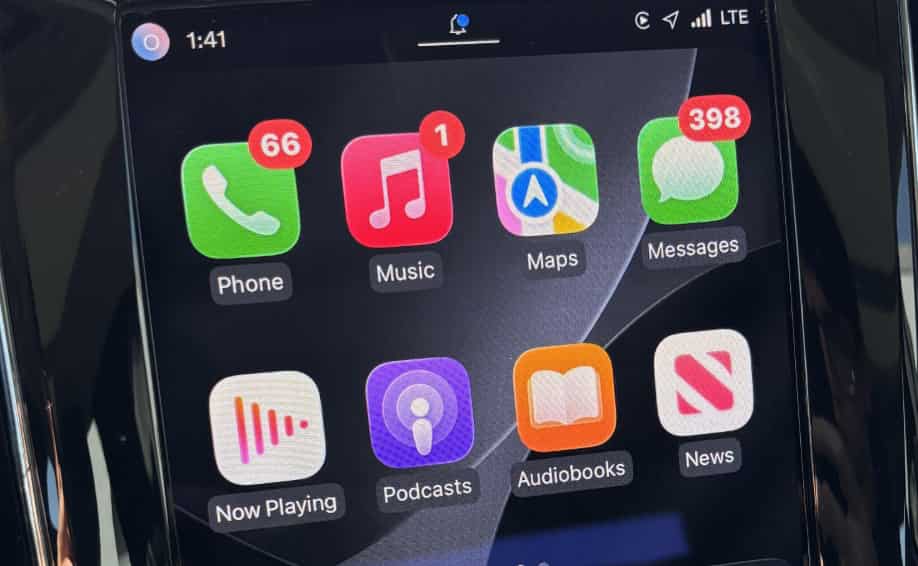
UNDERSTANDING VOLVO INFOTAINMENT SYSTEM ISSUES
Before applying any reset method, it is important to understand how the infotainment system works and why problems occur. The infotainment system in Volvo vehicles acts as the central control hub for navigation, media, phone connectivity, and vehicle settings. It runs on a software based platform, which means performance depends heavily on system stability and memory usage.
Most issues appear when the system becomes overloaded or when software processes fail in the background. In many cases, drivers notice that the screen freezes during use or becomes slow when switching between menus. Some users also experience delayed touch response, where the system reacts several seconds after input. In more serious cases, the display turns black or stops responding completely.
These problems usually come from a few common causes. Software bugs are one of the main reasons, especially after system updates. When an update does not install correctly, it can create instability in the interface. Another frequent cause is memory overload. The system stores temporary data while running, and when this data builds up, performance drops significantly. Electrical fluctuations or weak battery voltage can also trigger random crashes in the infotainment system.
In some situations, the issue is temporary and disappears after a simple reboot. However, if the system continues to freeze or crash repeatedly, it indicates a deeper software conflict that requires a proper reset. Understanding these causes helps you choose the correct fix method instead of randomly restarting the system without a clear approach.
SOFT RESET VOLVO INFOTAINMENT SYSTEM
A soft reset is the first and simplest method you should try when the infotainment system becomes slow or temporarily frozen. This method does not delete any settings or personal data, so it is safe for everyday troubleshooting. It often resolves minor software glitches without requiring deeper system intervention in Volvo vehicles.
You should use a soft reset when the screen still responds but feels laggy or unstable. It also works well when the system delays input or freezes for a short time. In many cases, this quick restart restores normal performance within seconds.
To perform a soft reset, press and hold the center display button or the home button depending on your Volvo model. Keep holding it until the screen turns off and the system begins to restart. After a few moments, the infotainment system will reboot automatically. Once it powers back on, check if the screen responds normally.
This process clears temporary system memory and stops background processes that may cause lag or freezing. It acts like a refresh for the operating system without affecting stored data or settings. Because of this, many drivers use the soft reset as their first troubleshooting step before trying more advanced solutions.
If the system still does not respond after a soft reset, then the issue may require a more advanced method such as a hard reset. That will be explained in the next section.
HARD RESET VOLVO INFOTAINMENT SYSTEM
When a soft reset does not fix the problem, a hard reset becomes the next step. This method is more powerful and can resolve deeper software issues that affect the infotainment system in Volvo vehicles. It is useful when the screen keeps freezing, the system crashes repeatedly, or the display becomes completely unresponsive.
A hard reset works by restarting the system at a deeper level. In some cases, it also helps clear system errors that a normal reboot cannot fix. You should use this method only when the system shows persistent problems after multiple soft resets.
One common way to perform a hard reset is to turn off the vehicle completely and wait for a few minutes before restarting it. This allows the system to fully shut down and clear temporary processes. In some situations, you may need to lock the car and leave it for a short period to ensure the system powers down completely.
If the issue still continues, another method involves disconnecting the vehicle battery. This step forces the entire electrical system to reset. However, this approach should be used carefully because it may reset additional vehicle settings. If you are not familiar with vehicle electronics, it is better to seek professional assistance.
After completing a hard reset, start the vehicle and check if the infotainment system responds normally. In many cases, this method resolves deeper software conflicts and restores full functionality.
If the system still does not work after a hard reset, the problem may be related to hardware or a serious software fault. In that case, professional diagnosis is recommended.
MODEL SPECIFIC RESET GUIDE XC60 XC90 S60
Different Volvo models may have slight variations in how the infotainment system behaves and how it resets. While the core system logic remains similar across vehicles from Volvo, the button layout, software version, and interface design can affect the exact reset steps.
In the Volvo XC60, the infotainment system usually responds well to a standard soft reset using the center display button. Most issues such as screen lag or temporary freezing can be resolved quickly with this method. The XC60 system is designed to reboot smoothly without affecting other vehicle functions.
In the Volvo XC90, the infotainment system is more complex due to its larger display and additional features. When issues occur, a soft reset still works in most cases. However, if the system becomes fully unresponsive, a full vehicle restart may be required to restore normal operation.
In the Volvo S60, the infotainment system is more compact but follows the same reset logic. Users often experience minor glitches after software updates, and a simple restart usually fixes the issue. If the screen freezes completely, a longer power cycle is often more effective.
Although the reset process is similar across these models, the response time and recovery behavior may differ slightly. Understanding your specific model helps you choose the right reset method and avoid unnecessary steps.
VOLVO INFOTAINMENT SYSTEM FROZEN SCREEN FIX
A frozen screen is one of the most common problems drivers face in modern infotainment systems in Volvo vehicles. In this situation, the display stops responding to touch input, and the system may become stuck on a single screen. This issue often happens while switching menus, using navigation, or after starting the car.
In many cases, a frozen screen does not indicate hardware damage. It usually comes from temporary software errors or system overload. When too many processes run at the same time, the infotainment system can stop responding properly. A weak system restart cycle or delayed software response can also trigger this issue.
The first step to fix a frozen screen is to perform a soft reset. This clears temporary system memory and forces the interface to reload. In most cases, the screen becomes responsive again within a few seconds after reboot.
If the soft reset does not work, you should move to a full system restart. This helps clear deeper software conflicts that may be blocking system response. In some cases, turning off the vehicle completely and waiting for a short period can restore normal function.
If the screen remains frozen even after a restart, you should check for software updates. Outdated system software can create compatibility issues and lead to repeated freezing problems. In rare cases, persistent freezing may indicate a deeper system fault that requires professional diagnosis.
PREVENTING FUTURE INFOTAINMENT SYSTEM ISSUES
After fixing a frozen or unresponsive screen, the next important step is preventing the issue from happening again. The infotainment system in Volvo vehicles relies heavily on software stability and regular system maintenance. Without proper care, small glitches can gradually turn into repeated system failures.
One of the most effective ways to prevent problems is to keep the system software updated. Updates often include bug fixes, performance improvements, and compatibility enhancements. When you ignore updates, the system may become more vulnerable to freezing or lag issues over time.
It is also important to avoid forcing the system to shut down while it is still processing tasks. Sudden interruptions can create temporary memory errors that affect future performance. Allowing the system to complete its operations helps maintain long term stability.
Another useful habit is to restart the infotainment system periodically. A simple restart helps clear cached data and refresh system processes. This reduces the chance of slow response or screen freezing during daily use.
You should also avoid running too many applications at the same time. Overloading the system increases memory usage and can slow down performance. Keeping usage simple and focused helps the system run more smoothly.
By following these practices, you can significantly reduce the risk of future infotainment issues and maintain a more stable driving experience.
WHEN TO VISIT A VOLVO SERVICE CENTER
In some cases, infotainment issues cannot be resolved through a simple reset or basic troubleshooting. When this happens, it is important to recognize that the problem may go beyond software glitches. Vehicles from Volvo use complex electronic systems, and certain failures require professional diagnosis.
You should consider visiting a service center when the infotainment system continues to freeze even after multiple soft resets and hard resets. If the screen repeatedly becomes unresponsive within a short period, it often indicates a deeper system instability that cannot be fixed through standard methods.
Another clear warning sign is a system reboot loop. This happens when the infotainment system keeps restarting without reaching the home screen. In this case, internal software or hardware components may be damaged or corrupted.
You should also seek professional help if the display remains black even after a full restart. This may point to issues with the display unit, wiring, or internal control modules. These problems require diagnostic tools that only authorized technicians can access.
A service center is also necessary if software updates fail repeatedly or cannot be installed correctly. In such cases, the system may need a full software reinstallation or hardware inspection.
By visiting an authorized Volvo service center, you ensure that the problem is diagnosed accurately and resolved safely without risking further damage to the vehicle system.
CONCLUSION
Understanding how to handle a frozen or unresponsive infotainment system is essential for maintaining a smooth driving experience. In most cases, issues in Volvo vehicles are caused by temporary software glitches rather than serious hardware failures. This means that simple reset methods can often restore full system functionality without requiring professional intervention.
The soft reset is usually the first and safest step. It helps clear temporary memory issues and refresh the system without affecting any settings. When that is not enough, a hard reset can resolve deeper software conflicts by restarting the system at a more complete level. These two methods cover the majority of common infotainment problems, including freezing screens, lag, and unresponsive touch controls.
However, it is also important to recognize when a problem is beyond basic troubleshooting. If the system continues to fail after repeated resets, or if it enters a reboot loop or shows a persistent black screen, then professional diagnosis becomes necessary. Acting early can prevent further complications and reduce repair costs.
By following the steps in this Volvo Infotainment System Reset Guide: Step by Step Fix for Frozen or Unresponsive Screens, you can handle most issues confidently and keep your system running smoothly. Regular maintenance and proper usage habits will also help you avoid similar problems in the future.