People often expect full smartphone integration when they buy a new electric car. Android users usually assume their vehicle will support Android Auto by default. This leads to a frequent search query: Does Tesla have Android Auto?
The answer is no. Tesla does not support Android Auto in any of its vehicles in 2026. Many drivers find this surprising because Android Auto has become a standard feature in most modern cars. Tesla takes a different approach to in car software.
Tesla builds its own integrated infotainment system instead of using third party platforms. The company designs the entire user experience inside its own ecosystem. This includes navigation, media, and vehicle controls. As a result, Tesla does not include Android Auto or Apple CarPlay.
This strategy changes how drivers interact with the car. Some users prefer Tesla’s clean and unified interface. They also like the built in features and fast updates. Other users miss the flexibility and familiarity of Android Auto. They rely on Google services in their daily driving experience.
This difference matters when you choose a Tesla. You need to understand how the system works before you buy. Tesla focuses on a closed software ecosystem. Android Auto focuses on open smartphone integration.
In this article, we explain the full compatibility status in 2026. We also break down why Android Auto is not supported. Then we compare both systems and explore real alternatives for Tesla owners.
Does Tesla Have Android Auto in 2026?
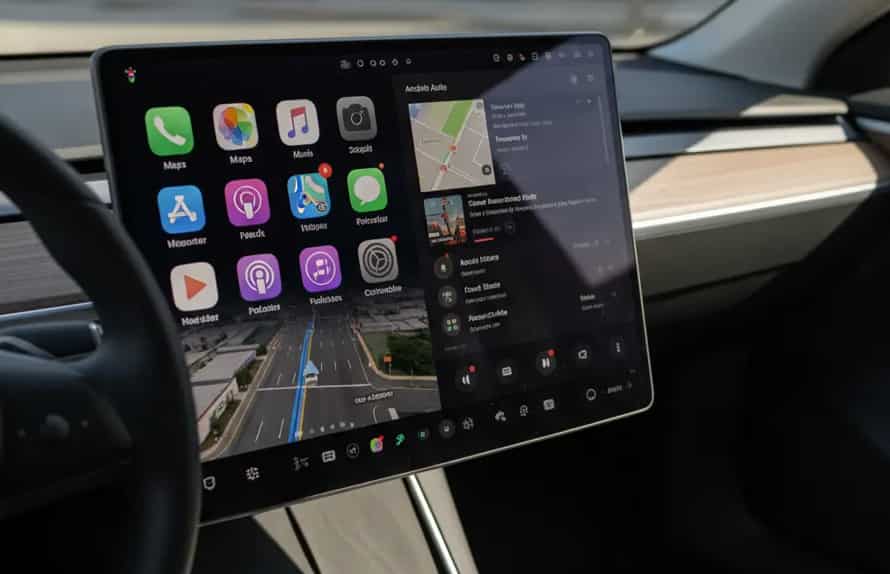
The direct answer remains no. Tesla does not support Android Auto in 2026. This applies to all current Tesla models, including Model 3, Model Y, Model S, and Model X.
Tesla also does not offer any hidden or partial Android Auto integration. You cannot connect your phone and project Android Auto onto the car screen. You also cannot access Android Auto features through Bluetooth or USB connection. The system is completely separate from Google’s in car ecosystem.
Instead, Tesla uses its own built in infotainment platform. The system runs on Tesla’s proprietary software and controls all digital functions inside the vehicle. This includes navigation, entertainment, communication, and vehicle settings.
The key point is that Tesla does not treat the car screen as an extension of your phone. It treats the screen as a fully independent computing system. This design choice removes the need for Android Auto entirely.
For Android users, this often creates confusion at first. Many expect plug and play compatibility similar to other car brands. However, Tesla follows a different philosophy that prioritizes full software control within its own ecosystem.
As a result, the question is not whether Android Auto works with Tesla. The real answer is that Tesla was never designed to support it in the first place.
Why Tesla Does Not Support Android Auto
The main reason comes from Tesla’s product strategy. Tesla builds its vehicles as fully integrated software platforms. The company does not want the car experience to depend on external systems like Android Auto.
Tesla focuses on a closed ecosystem. This means the company controls both hardware and software. This approach allows Tesla to optimize performance across the entire system. It also helps the company deliver frequent over the air updates without relying on third party approvals.
Another key reason is user experience consistency. Tesla designs one unified interface for all drivers. The company wants every feature to follow the same visual style and interaction logic. Android Auto would introduce a separate interface layer, which could break that consistency.
Data control is also an important factor. Tesla collects and processes driving and navigation data inside its own system. This supports features like route optimization, energy efficiency, and driver assistance improvements. Integrating Android Auto would reduce Tesla’s control over this data flow.
Finally, Tesla prioritizes direct software development. Instead of supporting multiple external platforms, the company invests in its own navigation and entertainment tools. This reduces dependency on Google services and simplifies system architecture.
In short, Tesla avoids Android Auto because it wants full control over the driving software experience. This decision shapes everything from interface design to long term feature development.
Tesla Infotainment System vs Android Auto
To understand the difference clearly, you need to compare both systems directly. Tesla uses a fully built in infotainment system, while Android Auto relies on smartphone projection.
Tesla’s system runs independently inside the car. It includes navigation, media streaming, climate controls, and vehicle settings in one interface. Everything is designed specifically for Tesla hardware and software. The system does not require a phone connection for core functions.
Android Auto works differently. It mirrors selected apps from your Android phone onto the car display. It focuses on bringing familiar Google services into the driving environment. This includes Google Maps, music apps, messaging, and voice control.
In navigation, Tesla uses its own built in maps with real time traffic data. Android Auto depends on Google Maps or Waze through your phone. In media, Tesla offers native apps like Spotify and streaming services depending on region. Android Auto relies on third party apps running from your phone.
The user experience also differs. Tesla provides a consistent full screen interface designed for driving. Android Auto provides a simplified version of your phone interface optimized for safety and quick access.
The biggest difference is independence. Tesla does not require a smartphone for its main functions. Android Auto always depends on a connected phone.
Both systems aim to improve driving convenience, but they follow completely different philosophies. Tesla builds a self contained ecosystem, while Android Auto extends your smartphone into the car.
What You Lose Without Android Auto in Tesla
When you choose Tesla, you also accept that you will not use Android Auto inside the vehicle. This creates some clear gaps for users who are used to Google’s ecosystem.
One of the biggest losses is seamless Google Maps integration. Android Auto allows real time navigation with Google Maps directly on the car screen. It also syncs your saved places, search history, and personalized recommendations from your phone. Tesla offers its own navigation system, but it does not fully replicate the Google ecosystem experience.
Another limitation is app familiarity. Android Auto lets you use apps you already know, such as WhatsApp, Telegram, Spotify, and Waze in a unified interface. Tesla replaces this with its built in apps, which may not match the same workflow or preferences you are used to on your phone.
Messaging integration is also reduced. Android Auto supports voice based messaging through Google Assistant. This allows hands free communication using your phone’s contacts and apps. Tesla offers voice features, but they are tied to its own system and are more limited in third party messaging support.
Customization is another area where users may feel restricted. Android Auto adapts to your smartphone environment. It reflects your installed apps and personal settings. Tesla uses a fixed interface that is the same for all users, with limited personalization.
Finally, ecosystem continuity is missing. Android Auto creates a smooth transition between your phone and your car. Tesla breaks this continuity by separating the car system from your mobile device.
These gaps matter most for users who rely heavily on Google services in daily driving. For others, Tesla’s native system may still feel sufficient and even more streamlined.
What Tesla Gives You Instead
Even though Tesla does not support Android Auto, it replaces that experience with a fully integrated software ecosystem built directly into the car.
One of the strongest advantages is the native navigation system. Tesla provides real time routing with traffic awareness built into the system. It continuously updates routes based on road conditions and driving efficiency. This helps drivers avoid delays without needing a phone based map app.
Tesla also offers a growing set of built in entertainment features. Depending on region and software updates, drivers can access streaming services like Spotify or other media platforms directly on the screen. This reduces the need to rely on a connected smartphone for everyday entertainment.
Another key benefit is system integration. Tesla connects navigation, driving data, energy usage, and vehicle controls into one unified interface. This allows the car to adjust suggestions based on battery status, driving behavior, and route efficiency.
Over the air updates are another major strength. Tesla continuously improves its software without requiring dealership visits. New features, interface improvements, and system optimizations are delivered directly to the car over time.
Voice control also plays a role in the experience. Tesla allows drivers to interact with core functions hands free. While it differs from Google Assistant, it is tightly integrated with vehicle functions like climate control, navigation, and media playback.
The overall result is a self contained driving ecosystem. Instead of mirroring your phone, Tesla focuses on building everything inside the car itself. This creates a more unified but less flexible experience compared to Android Auto.
Workarounds
Even though Tesla does not support Android Auto, some users still look for ways to bring a similar experience into the car. These solutions are unofficial and vary in reliability, but they exist in the ecosystem.
One common workaround is using the Tesla web browser to access Android Auto style interfaces. Some third party developers create web based dashboards that mimic Android Auto functionality. These can sometimes display maps, music controls, or messaging tools inside the browser. However, performance depends heavily on network stability and browser limitations.
Another approach is using external hardware devices. Some aftermarket adapters claim to enable Android Auto through wireless bridging systems. These devices act as intermediaries between your phone and the car display. They are not officially supported by Tesla and may not work consistently across software updates.
A third option involves using phone based mounts or secondary screens. Instead of integrating Android Auto into the Tesla display, drivers simply use their Android phone directly. This keeps full access to Google apps like Maps and WhatsApp, but outside the main infotainment screen.
Some users also experiment with remote desktop style apps. These tools attempt to mirror phone content into the Tesla browser. In practice, latency and interface limitations often reduce usability, especially while driving.
It is important to understand the trade off here. These workarounds may partially replicate Android Auto features, but they do not offer a stable or officially supported experience. Tesla software updates can also break compatibility at any time.
For most drivers, these solutions are considered experimental rather than practical replacements.
Should You Care About Android Auto When Buying Tesla?
When deciding whether to buy Tesla, the lack of Android Auto is an important factor, but it is not equally relevant for every driver.
If you rely heavily on Google apps for daily driving, this limitation may feel significant. Users who depend on Google Maps, Waze, and Android messaging integration often prefer Android Auto because it keeps everything familiar and connected. In this case, switching to Tesla means adapting to a different software ecosystem.
If you value a simple and integrated driving experience, Tesla may feel more natural. The system is designed to work without a smartphone layer. Navigation, media, and vehicle controls are built into one interface. This reduces the need to switch between apps or devices while driving.
Tech focused users often appreciate Tesla’s approach. The system receives frequent over the air updates and continues to evolve over time. It also integrates deeply with vehicle data, which supports features like energy efficient routing and smart driving assistance.
However, users who prioritize app flexibility may feel restricted. Android Auto allows you to bring your entire phone ecosystem into the car. Tesla replaces that with its own curated set of applications and services.
The decision ultimately depends on your expectations. If you want a smartphone centered driving experience, Android Auto remains more suitable. If you prefer a self contained digital ecosystem with tight integration, Tesla offers a different kind of value.
Conclusion
In 2026, the answer to the question “Does Tesla have Android Auto?” is still clear. Tesla does not support Android Auto in any of its vehicles. This is not a missing feature or temporary limitation. It is a deliberate product decision based on Tesla’s software philosophy.
Tesla focuses on building a fully integrated in car ecosystem. Everything runs inside its own system, from navigation to media and vehicle controls. This approach removes the need for smartphone projection platforms like Android Auto. Instead of mirroring your phone, Tesla creates a standalone digital environment designed specifically for driving.
This design choice creates a clear trade off. On one side, Android Auto offers familiarity, flexibility, and deep connection with Google services. On the other side, Tesla provides a unified system that is tightly integrated with the car and optimized through continuous updates.
There is no universal “better” option. The right choice depends on how you use technology in daily life. If you rely heavily on Android apps and want full phone integration, Android Auto may feel essential. If you prefer a self contained system with minimal phone dependency, Tesla’s approach may feel more streamlined.
Understanding this difference helps you make a more informed decision before buying a vehicle. It is not just about features. It is about which digital ecosystem fits your driving habits and long term expectations.
In the end, Tesla does not aim to replicate Android Auto. It aims to replace the need for it entirely.