Chevy MyLink Not Working is a frustrating problem for many drivers who depend on the infotainment system every day. The system controls navigation, Bluetooth, music, and the backup camera, so any failure quickly affects both convenience and driving safety. When MyLink stops responding, drivers often lose access to key functions they rely on during travel.
Many users notice symptoms such as a frozen touchscreen, a black screen, or Bluetooth that refuses to connect. Sometimes the system becomes slow or completely unresponsive without any warning. In other cases, the issue appears after a software update or a battery replacement. These situations create confusion because the cause is not always obvious.
In most cases, drivers can fix Chevy MyLink Not Working issues without professional tools. Simple resets, Bluetooth re-pairing, or system checks often restore normal function. However, some cases require deeper troubleshooting when software glitches or electrical problems affect the system.
This guide explains all common causes in a clear structure. You will learn how to identify symptoms, apply basic fixes, and move step by step into advanced solutions when needed. The goal is to help you restore your Chevy infotainment system quickly and avoid unnecessary repair costs.
By following this guide, you will understand why Chevy MyLink fails and how to fix it using practical methods that work across most Chevrolet models.
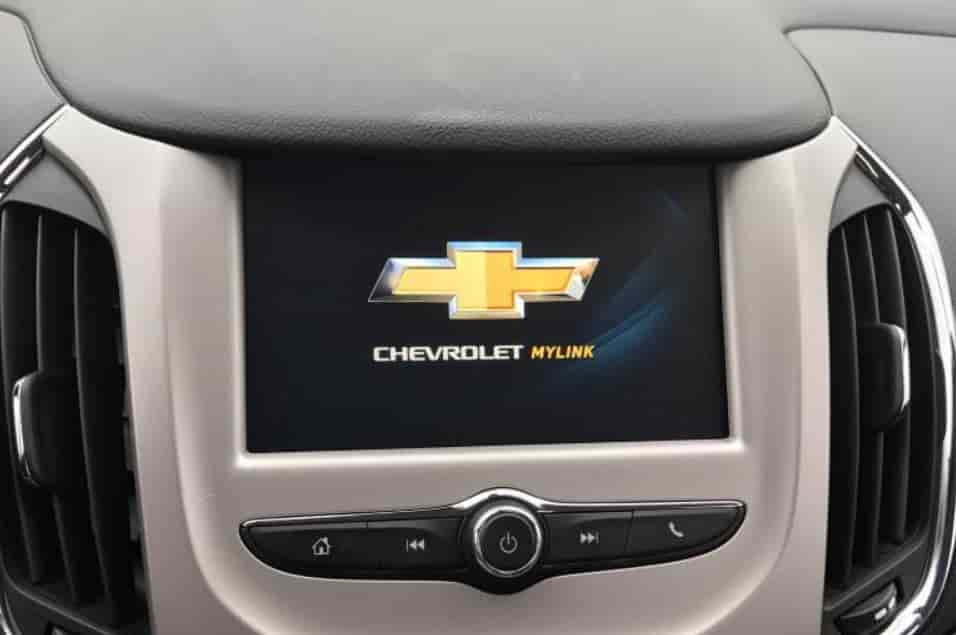
Why Chevy MyLink Stops Working
Chevy MyLink does not usually fail for a single reason. Most problems come from a mix of software glitches, system conflicts, or electrical interruptions. Understanding the root causes helps you fix the issue faster and avoid repeated failures.
One common cause is a software glitch inside the infotainment system. The system runs on internal firmware that can freeze or crash during normal operation. This often happens after long usage without a restart or when multiple apps run in the background.
Bluetooth conflicts also create frequent problems. MyLink connects to multiple devices, and pairing errors can block normal system response. When the system struggles to switch between devices, it may freeze or stop responding completely.
Electrical issues also play a major role. A weak battery or unstable voltage can interrupt the infotainment system. Even a small power drop can force MyLink to restart or shut down unexpectedly. This is why problems often appear after battery replacement or engine start issues.
Outdated firmware is another key factor. Chevrolet releases updates to improve system stability, but older versions may still contain bugs. When the system runs outdated software, it becomes more prone to freezing and connection errors.
In some cases, internal hardware damage can cause failure. A faulty display unit, damaged fuse, or loose wiring can stop the system from working entirely. These cases are less common but usually require professional inspection.
By identifying these root causes, you can narrow down the problem more efficiently. This makes the troubleshooting process faster and more accurate before moving to actual fixes.
Symptoms of Chevy MyLink Not Working
Chevy MyLink shows clear warning signs before it stops working completely. Recognizing these symptoms helps you diagnose the problem early and choose the right fix.
One of the most common symptoms is a frozen touchscreen. The display may stay stuck on one screen and stop responding to touch inputs. Drivers often notice this when trying to switch menus, adjust settings, or open apps.
A black or blank screen is another frequent issue. In this case, the infotainment system appears powered off even though the vehicle is running. This usually points to a power interruption or a system crash.
Bluetooth failure is also a strong indicator. The system may fail to detect your phone or disconnect repeatedly during use. This often happens when pairing data becomes corrupted or conflicts appear between devices.
Some drivers also experience delayed system response. The screen may react slowly when tapping buttons or switching functions. This lag usually signals software overload or internal processing errors.
Audio system failure can also occur. Music may stop playing, or the system may lose sound completely even though media is still running. This issue often connects to internal software or connection faults.
In more severe cases, the system may reboot repeatedly on its own. This looping restart pattern often indicates deeper software instability or electrical inconsistency.
By identifying these symptoms early, you can quickly determine whether the issue is minor or requires advanced troubleshooting steps.
Basic DIY Fixes for Chevy MyLink Not Working
Many Chevy MyLink issues can be fixed at home without special tools. These basic solutions help restore system function when the problem comes from minor software glitches or temporary errors.
The first step is to restart the infotainment system. Turn off the vehicle completely, open the driver door, and wait a few minutes. This process allows the system to fully shut down and clear temporary memory errors. After restarting the car, check if MyLink responds normally.
If the screen still does not work properly, try a simple power cycle. Turn off the engine and remove the key or fob from the vehicle. Wait at least five minutes before starting the car again. This helps reset internal system processes.
Bluetooth issues often fix themselves by removing old connections. Open your phone settings and delete the saved Chevy MyLink connection. Then reconnect the device from scratch. This removes corrupted pairing data that may block normal connection.
You should also check if your phone is the source of the issue. Test another device if possible. If MyLink works with another phone, the problem likely comes from your original device settings.
Touchscreen response problems can sometimes improve after cleaning the screen. Dirt or moisture may affect touch sensitivity and create false input issues. Use a soft cloth to clean the display carefully.
These basic fixes solve many common Chevy MyLink Not Working problems. If the system still fails after these steps, the issue may require deeper troubleshooting in the next section.
Advanced Troubleshooting Fixes for Chevy MyLink Not Working
If basic fixes do not solve the issue, the problem often sits deeper in the system. At this stage, you need more advanced troubleshooting to restore proper function.
A factory reset is one of the most effective solutions. This process returns the infotainment system to its original settings and removes corrupted data. You can access the reset option through the settings menu if the screen still responds. After the reset, the system will restart and reload default configurations.
If the system still fails, check the vehicle fuse box. A blown fuse can cut power to the infotainment unit and cause a black screen. Replacing a damaged fuse can immediately restore system function in some cases. Always check the owner’s manual to locate the correct fuse position.
Software updates also play an important role. Outdated firmware can create bugs and system instability. Connect the vehicle to a stable WiFi source or visit a dealership to install the latest update. Updated software often fixes hidden errors that cause freezing or lagging.
Battery condition should also be inspected. A weak or unstable battery can interrupt system performance. Even small voltage drops during engine start can trigger MyLink failures. If the battery is old or recently replaced, a system recalibration may help.
In rare cases, you may need to disconnect the battery for a full system reset. Remove the negative terminal and wait several minutes before reconnecting it. This clears residual electrical charge and forces a full reboot of the system.
These advanced methods address deeper causes of Chevy MyLink Not Working. If the system still does not recover, the issue may involve hardware damage that requires professional inspection.
Bluetooth and Connectivity Issues Fix
Bluetooth problems are one of the most common reasons behind Chevy MyLink Not Working complaints. These issues usually come from pairing errors, corrupted device data, or unstable connections between the phone and the vehicle system.
The first step is to remove all saved devices from MyLink. Old or duplicated connections can create conflicts and block new pairings. After clearing the list, restart both the vehicle system and your phone before trying again.
Next, reset Bluetooth settings on your phone. Turn Bluetooth off for a few seconds, then turn it back on. You should also remove the Chevy system from your phone’s saved devices list to avoid hidden connection errors.
After resetting, try pairing the devices again from scratch. Make sure the phone is close to the dashboard screen during pairing. This helps the system detect a stable signal and complete the connection process correctly.
If the connection still fails, test another phone. This helps you identify whether the issue comes from the vehicle system or the mobile device. If another phone works normally, the original device likely has software or network configuration issues.
Interference can also affect connectivity. Other active Bluetooth devices in the car may block pairing signals. Turn off unnecessary devices and try again in a clean connection environment.
In some cases, a full infotainment reset is required to clear hidden Bluetooth bugs. This helps remove corrupted cache data that manual deletion cannot fix.
By following these steps, most Chevy MyLink Bluetooth problems can be resolved without professional repair. If issues persist, the system may have deeper software or hardware faults.
Black Screen and Frozen Display Issues
A black screen or frozen display is one of the most alarming Chevy MyLink Not Working problems. It usually makes the system look completely dead even when the vehicle is running normally. In most cases, the issue comes from power interruption, software failure, or display system errors.
The first thing to check is whether the system has power. If the screen stays black, restart the vehicle and observe if the display lights up during startup. A temporary power glitch can sometimes prevent the system from booting correctly.
If the screen freezes instead of turning off, the system may have crashed due to software overload. In this situation, a simple restart often helps. Turn off the engine completely, wait a few minutes, and restart the vehicle to force a system reboot.
Another possible cause is a fuse issue. The infotainment system depends on specific fuses to operate. If a fuse is damaged, the display may lose power completely. Replacing a blown fuse can restore normal function quickly if this is the root cause.
Heat and internal system stress can also trigger freezing. When the system overheats, it may stop responding to protect internal components. Letting the vehicle cool down for a short period may help restore operation.
In some cases, the issue comes from internal display failure or corrupted system firmware. If the screen remains black after all resets and fuse checks, the problem likely requires professional diagnosis.
Understanding these causes helps you determine whether the issue is temporary or hardware related. This makes it easier to decide the next step without unnecessary repair costs.
When to Visit a Dealership for Chevy MyLink Not Working
Some Chevy MyLink Not Working issues cannot be solved with basic or advanced home fixes. At this point, professional diagnosis becomes necessary to prevent further damage and avoid wasting time on ineffective repairs.
You should consider visiting a dealership when the infotainment system remains completely unresponsive after multiple resets. If the screen stays black, freezes repeatedly, or fails to power on even after checking fuses and battery condition, the issue is likely beyond software troubleshooting.
Hardware failure is another strong indicator. A damaged display unit, internal wiring issue, or faulty control module requires specialized diagnostic tools. Dealership technicians can test system components that are not accessible to regular users.
Persistent electrical problems also require professional attention. If the system keeps restarting, disconnecting, or behaving inconsistently, the vehicle may have unstable voltage or grounding issues. These problems need proper electrical inspection to avoid repeated failures.
You should also seek professional help after unsuccessful software updates. If an update fails or causes system instability, the infotainment unit may need reprogramming using factory-level tools.
In some cases, warranty coverage may apply. If your vehicle is still under warranty, dealership repair can reduce or eliminate costs. This is especially important when dealing with complex infotainment failures.
Professional diagnosis ensures accurate identification of the root cause. It prevents unnecessary part replacement and helps restore the Chevy MyLink system safely and correctly.
Conclusion
Chevy MyLink Not Working is a common issue that affects many drivers, but most cases follow predictable patterns. The system often fails due to software glitches, Bluetooth conflicts, electrical instability, or outdated firmware. In more serious situations, hardware damage or internal system faults can also cause complete failure.
This guide has shown how to identify the main symptoms and understand the root causes behind each problem. You also learned how to apply basic fixes such as restarting the system, repairing Bluetooth connections, and checking simple settings. When these solutions are not enough, advanced troubleshooting steps like factory reset, fuse inspection, and software updates help restore system performance.
In cases where the system remains unresponsive, professional diagnosis becomes the safest option. Dealership technicians can identify deeper electrical or hardware issues that are not visible through standard troubleshooting methods. This helps avoid unnecessary repairs and ensures the system is fixed correctly.
The key takeaway is that most Chevy MyLink issues are not permanent failures. With a structured approach, you can often restore the system without high repair costs. The important step is to diagnose symptoms correctly and move from simple fixes to advanced solutions in a logical order.
If your Chevy MyLink is still not working after trying these methods, it is a clear sign that deeper inspection is needed. Acting early helps protect your infotainment system and keeps your driving experience smooth and reliable.