Finding the diagnostic connector on your vehicle should be a simple task, but many Honda Civic owners still struggle when they need to connect an OBD2 scanner. The connector can appear hidden under the dashboard, especially when you are searching for it for the first time or working on a model with a different interior design.
The Honda Civic OBD2 Port Location is usually easy to find once you know where to look. In most models from 1996 to 2026, the OBD2 port is located beneath the driver’s side dashboard, close to the steering column, lower dashboard panel, or interior fuse box. This standardized connector allows you to connect diagnostic tools, read trouble codes, monitor vehicle data, and better understand potential issues with your Civic.
Whether you own an older sixth generation Civic or a newer eleventh generation model, knowing the exact location of the OBD2 port can save time and prevent unnecessary frustration. Many drivers waste time checking the engine bay, removing interior panels, or searching for the wrong connector because they are unfamiliar with the diagnostic system.
This complete guide explains the Honda Civic OBD2 Port Location by generation, shows how to identify the correct connector, explains how to use an OBD2 scanner, and covers common problems when the diagnostic port does not work properly.
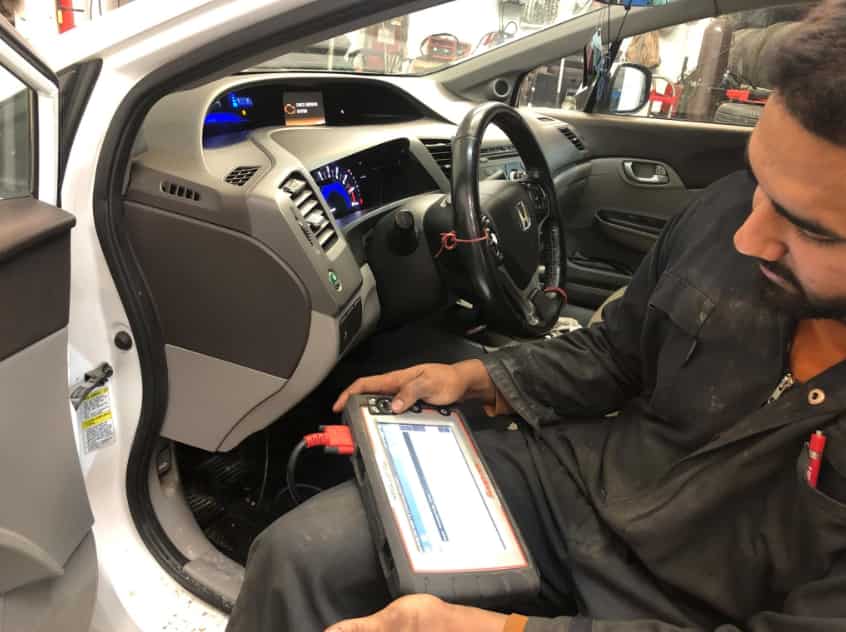
Where Is the Honda Civic OBD2 Port Located?
Finding the Honda Civic OBD2 port is usually simple when you know the right area to check. In most models from 1996 to 2026, the connector sits inside the cabin on the driver’s side. You can usually find it under the dashboard near the steering column, lower dash panel, interior fuse box, or hood release area. This placement gives drivers and technicians quick access to diagnostic tools without removing any interior components.
The exact Honda Civic OBD2 Port Location may change slightly depending on the model year, trim level, and market. Some Civic models place the connector directly below the steering wheel, while others position it closer to the fuse box. The port may also face downward, which makes it harder to see from a normal sitting position. A flashlight can help you locate it faster.
The OBD2 connector has a unique trapezoid shape with 16 pin slots inside. It usually appears as a small black, gray, or blue socket under the dashboard. Before connecting a scanner, make sure the connector matches the shape of your OBD2 plug. Avoid forcing the scanner because you may damage the pins or the connector housing.
Once you find the Honda Civic OBD2 port, you can connect a diagnostic scanner to read trouble codes, monitor vehicle data, and check potential issues. Most owners can access the port within minutes without special tools or dashboard removal.
Honda Civic OBD2 Port Location by Model Year
The Honda Civic has used the OBD2 diagnostic system since 1996, but the exact connector position can change between generations. Honda keeps the port inside the driver’s area for easy access, but dashboard layouts have changed over time. Knowing the Civic generation helps you find the connector faster.
For the 1996 to 2005 Honda Civic models, the OBD2 port usually sits below the driver’s side dashboard near the steering column. These generations often have a more open dashboard design, which makes the connector easier to spot. Some models place the port close to the interior fuse box or lower dash trim. You normally do not need to remove any panels to access it.
For the 2006 to 2015 Honda Civic models, Honda moved toward a more integrated dashboard design. The OBD2 connector remains under the driver’s side dashboard, but it may sit slightly higher or closer to the fuse panel. Using a flashlight can help you find the connector because it may blend with the surrounding interior trim.
For the 2016 to 2021 Honda Civic models, the OBD2 port stays in the same general area below the steering column. Sedan, coupe, hatchback, Si, and Type R versions follow a similar placement. However, additional accessories such as tracking devices or aftermarket electronics may make the connector harder to access.
For the 2022 to 2026 Honda Civic models, the diagnostic connector continues to sit beneath the driver’s side dashboard. The modern interior design may hide the port more effectively, but owners can still reach it easily once they know where to look.
Across all generations, the Honda Civic OBD2 Port Location follows the same basic pattern. Check below the steering wheel first, then inspect the area near the fuse box and lower dashboard panel.
How to Find and Use the OBD2 Port
Finding the Honda Civic OBD2 port does not require special tools or advanced mechanical knowledge. Most owners can locate the connector by following a few simple steps. Start by parking the vehicle in a safe location and turning off the engine. Move the driver’s seat backward to create more space under the dashboard.
Next, look below the steering wheel and inspect the lower dashboard area. The OBD2 port usually appears as a small trapezoid shaped connector with 16 pin slots. If you cannot find it immediately, check near the interior fuse box or the hood release handle. A flashlight can make the search much easier, especially in vehicles with dark interior panels.
After locating the connector, you can connect an OBD2 scanner. Hold the scanner plug correctly and insert it into the port without using excessive force. The plug should fit smoothly into the connector. A poor fit may indicate that you are using the wrong socket or placing the scanner incorrectly.
Once the scanner connects successfully, turn the ignition to the recommended position according to the scanner instructions. Most tools require the ignition to be on while the engine remains off. The scanner can then communicate with the vehicle’s computer system and display diagnostic information.
The Honda Civic OBD2 port allows you to read trouble codes, check engine data, and monitor vehicle performance. However, an OBD2 scanner does not repair problems by itself. It only provides information that helps you understand possible issues and decide on the next repair step.
Common OBD2 Port Problems
Although the Honda Civic OBD2 port works reliably in most situations, some owners may experience problems when connecting a diagnostic scanner. These issues can prevent the scanner from reading data or communicating with the vehicle’s computer system. In many cases, the problem comes from a simple connection issue, a power supply problem, or an accessory connected to the port.
One common issue occurs when the OBD2 scanner does not connect. First, check that the scanner fits correctly into the connector. A loose connection can interrupt communication between the tool and the vehicle. You should also confirm that the ignition is in the correct position because many scanners need the ignition turned on before they can communicate with the vehicle.
Another common problem involves a Honda Civic OBD2 port with no power. The diagnostic connector needs electrical power to operate most scanners. A blown fuse, damaged wiring, or a faulty connector can prevent the port from supplying power. Checking the vehicle’s fuse box and inspecting the connector for visible damage can help identify the cause.
Some owners also experience connection problems because of aftermarket devices. Bluetooth adapters, tracking systems, insurance monitors, and performance devices can remain connected to the OBD2 port. These accessories may block the connector or create communication conflicts.
If your scanner still cannot connect after basic checks, avoid forcing the connector or modifying the wiring. A professional technician can test the power supply, ground connection, and communication lines to find the problem safely.
Understanding these common issues helps Honda Civic owners troubleshoot OBD2 problems faster and avoid unnecessary repairs.
Frequently Asked Questions
Where is the Honda Civic OBD2 port located?
The Honda Civic OBD2 port is usually located under the driver’s side dashboard near the steering column. Most models place the connector close to the interior fuse box or lower dashboard panel. You can access it from the driver’s seat without removing any major interior parts.
Does every Honda Civic have an OBD2 port?
Most Honda Civic models from 1996 onward use an OBD2 diagnostic connector. This standard allows owners and technicians to connect scanners, read trouble codes, and check vehicle information. Earlier Honda models may use different diagnostic systems.
What does the Honda Civic OBD2 port look like?
The OBD2 port has a trapezoid shape with 16 pin slots inside. It usually appears as a small black, gray, or blue connector under the dashboard. The shape helps prevent incorrect connections with other electrical plugs.
Can I leave an OBD2 scanner plugged into my Honda Civic?
You can leave some low power Bluetooth OBD2 adapters connected, but it depends on the device and your driving habits. Some adapters may continue using battery power when the vehicle is off. If the car remains unused for a long period, removing the adapter is a safer choice.
Why is my Honda Civic OBD2 scanner not connecting?
A scanner may fail to connect because of a loose connection, incorrect ignition position, low battery voltage, blown fuse, damaged connector, or incompatible scanner. Check the basics first before looking for more complex electrical problems.
Can an OBD2 scanner clear the check engine light?
Many OBD2 scanners can clear compatible engine trouble codes, but clearing a code does not fix the original problem. If the issue remains, the check engine light may return after the vehicle detects the same fault again.
Do I need to remove dashboard panels to access the OBD2 port?
In most Honda Civic models, you do not need to remove dashboard panels. The connector is designed for easy access and usually sits in an open area below the driver’s dashboard.
Conclusion
Finding the Honda Civic OBD2 port becomes much easier when you know the common locations to check. In most models from 1996 to 2026, the connector sits under the driver’s side dashboard near the steering column, interior fuse box, or lower dashboard panel. Although the exact position can change between generations, Honda keeps the diagnostic port in an accessible area for vehicle owners and technicians.
The Honda Civic OBD2 Port Location plays an important role in modern vehicle maintenance. With a compatible scanner, you can read trouble codes, monitor engine information, and understand potential issues before making repair decisions. However, diagnostic tools only provide information. They do not replace proper inspection or professional repairs when serious problems appear.
If you cannot find the connector or your scanner does not communicate with the vehicle, check the basic causes first. Confirm the scanner connection, inspect the fuse, and look for aftermarket devices that may affect the port.
Knowing where to find and how to use the OBD2 connector helps Honda Civic owners save time and manage vehicle maintenance more effectively. If you own a specific Civic model year and still cannot locate the port, checking the exact generation details can help you find the correct position quickly.