A Tesla that won’t charge at a Supercharger does not always indicate a serious battery or vehicle failure. In many cases, the problem is caused by temporary conditions such as an unconditioned battery, a charging connector that is not fully seated, a software issue, or a malfunctioning Supercharger stall. Identifying the actual cause before requesting service can save time, avoid unnecessary repairs, and get you back on the road more quickly.
This guide explains how to diagnose and fix a Tesla that is not charging at a Supercharger using a step-by-step troubleshooting process. You’ll learn how to distinguish between vehicle-related and station-related issues, recognize the most common warning signs, and apply practical solutions for problems involving the charging port, battery temperature, charge limit, software, and Supercharger availability. The guide also explains when a charging issue can be resolved on your own and when it requires assistance from Tesla Service.
Whether your charging session never starts, stops unexpectedly, or delivers little to no charging power, following the correct troubleshooting sequence helps eliminate common causes efficiently. By the end of this article, you’ll know how to restore Supercharging safely, reduce the risk of future charging interruptions, and maintain reliable charging performance during both daily driving and long-distance trips.
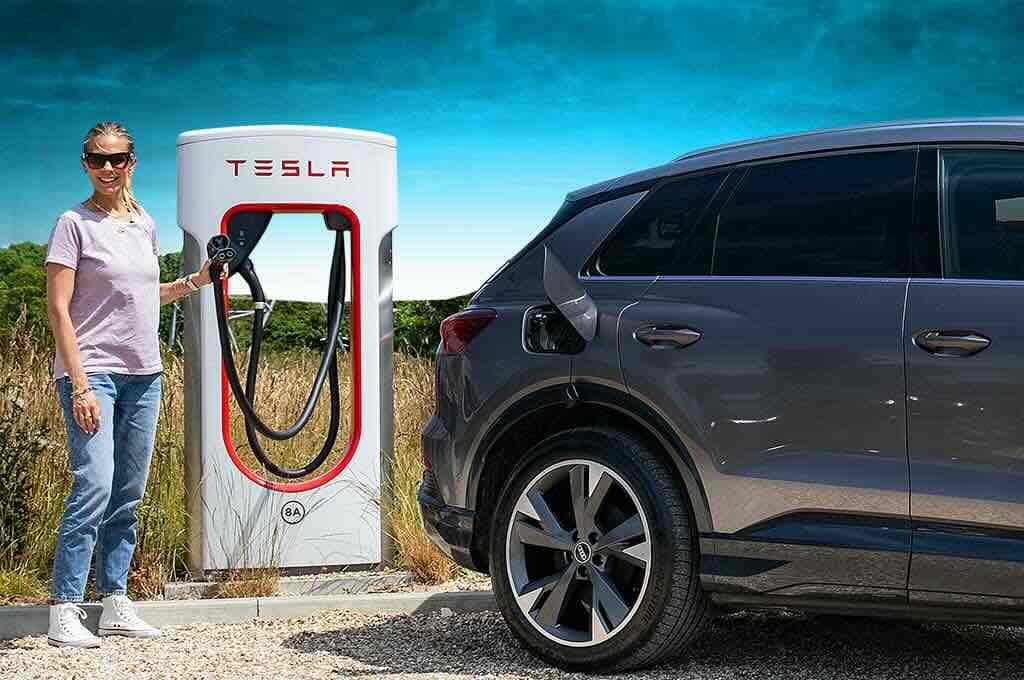
Why Is My Tesla Not Charging at a Supercharger?
A Tesla may fail to charge at a Supercharger because of battery conditions, charging equipment issues, vehicle software, or temporary problems at the charging station. In most cases, the issue does not indicate a failed high-voltage battery. Instead, it results from safety systems that prevent DC fast charging until specific conditions are met.
One of the first signs of a charging failure is that the charging session never starts after connecting the cable. In other cases, the connector locks into the charging port, but the touchscreen displays messages such as “Charging Equipment Not Ready,” “Unable to Charge,” or “Charging Stopped.” Some drivers may also notice that charging begins normally before stopping unexpectedly after a few minutes or that the charging power remains close to zero despite being connected to a Supercharger.
Determining whether the problem originates from the vehicle or the Supercharger is the first step in troubleshooting. If nearby Tesla vehicles are charging normally while your vehicle cannot start a session, the issue is more likely related to your Tesla. If multiple vehicles experience the same problem or several charging stalls are unavailable, the Supercharger site may be experiencing a temporary outage or reduced capacity. Switching to another charging stall is one of the fastest ways to eliminate a station-related issue.
The Tesla touchscreen provides valuable diagnostic information before any repairs are attempted. Charging notifications, warning icons, and service alerts often identify whether the problem involves battery temperature, the charging port, communication between the vehicle and the charger, or a software-related interruption. Reading these messages carefully helps narrow down the cause and prevents unnecessary troubleshooting steps.
Environmental conditions can also prevent a Supercharging session from starting immediately. A battery that is extremely cold requires preconditioning before accepting high-power DC charging, while excessive battery temperatures after aggressive driving or repeated fast charging may temporarily reduce or delay charging. Tesla automatically manages battery temperature, but charging performance depends on the battery reaching its optimal operating range.
Because several different factors can produce similar symptoms, the most effective approach is to troubleshoot the vehicle systematically. The following section explains the most common reasons a Tesla will not charge at a Supercharger and how to identify each one.
What Are the Most Common Reasons a Tesla Won’t Charge at a Supercharger?
Several factors can prevent a Tesla from charging at a Supercharger. The most common causes include an unconditioned battery, an issue with the charging port or connector, a temporary Supercharger malfunction, incorrect charging settings, or outdated vehicle software. Identifying the correct cause is essential because each issue requires a different solution.
A battery that is too cold or too hot is one of the most frequent reasons Supercharging cannot begin. Tesla’s Battery Management System automatically limits or delays DC fast charging when the battery temperature falls outside its optimal operating range. During winter, a cold battery may require preconditioning before it can accept high charging power. After extended highway driving or repeated fast charging sessions, an overheated battery may also temporarily reduce charging performance until its temperature decreases.
A dirty, wet, or damaged charging port can interrupt communication between the vehicle and the Supercharger. Dust, debris, moisture, corrosion, or bent connector pins may prevent the charging cable from establishing a secure electrical connection. Even if the connector appears locked, the vehicle may immediately terminate the charging session when communication fails.
Incomplete battery preconditioning is another common cause of charging delays. Tesla automatically prepares the battery for DC fast charging when you navigate to a Supercharger using the in-car navigation system. If you drive directly to the station without setting it as your destination, the battery may not reach the optimal temperature, causing charging to start slowly or fail temporarily until the battery warms up.
Charging settings can also prevent a Supercharging session from starting as expected. If the battery has already reached the configured charge limit or the state of charge is extremely high, the vehicle may significantly reduce charging power or refuse to initiate another fast-charging session. Reviewing the charge limit on the touchscreen or in the Tesla app helps eliminate this possibility before investigating more complex issues.
Some charging failures originate from the Supercharger rather than the vehicle. A charging stall may be temporarily offline because of maintenance, a hardware fault, or a communication problem. At busy charging locations, certain stalls may also experience reduced output because power is shared between paired chargers. Moving to another available stall is often the quickest way to determine whether the issue is related to the charging station.
Vehicle software also plays an important role in Supercharging reliability. Tesla regularly releases firmware updates that improve charging performance, communication with charging infrastructure, and battery management. If the vehicle software is outdated or a temporary system error occurs, restarting the vehicle or installing the latest software version may restore normal charging behavior.
Finally, the charging connector itself should not be overlooked. If the connector is not fully inserted or becomes slightly misaligned while locking into the charging port, the vehicle may fail the initial safety checks and immediately stop the charging session. Disconnecting the cable, inspecting the connector, and reconnecting it firmly often resolves this type of issue without additional repairs.
How Do You Troubleshoot a Tesla That Won’t Charge at a Supercharger?
Troubleshooting a Tesla that will not charge at a Supercharger should follow a logical sequence, starting with the simplest checks before moving to more advanced diagnostics. This approach helps identify temporary issues quickly and avoids unnecessary service appointments.
Begin by checking the charging status on the vehicle’s touchscreen. Tesla displays detailed charging notifications that can help identify the source of the problem. Messages indicating a charging equipment fault often point to an issue with the Supercharger, while battery or system warnings may suggest the vehicle requires further inspection. Recording the exact message is useful if Tesla Support needs to review the issue later.
Next, inspect the charging connector and charging port. Make sure the connector is fully inserted and locked into place. Look for dirt, ice, water, leaves, or any foreign objects inside the charging port that could interrupt communication between the vehicle and the charger. If moisture is present after heavy rain or a car wash, dry the area carefully before attempting another charging session.
If the connection appears normal, move the vehicle to another Supercharger stall. Charging stations occasionally experience hardware failures or communication problems that affect only a single stall. Successfully charging at a different stall confirms that the original charger was likely the cause rather than the vehicle itself.
Restarting the vehicle is another effective troubleshooting step. A soft reboot refreshes several onboard systems that control charging communication and may resolve temporary software glitches. Restart the center display using the steering wheel scroll buttons, then reconnect the charging cable after the system has fully restarted. If necessary, perform a complete vehicle power-off through the Safety menu before trying again.
Verify the current charging settings before assuming a hardware fault exists. Open the Charging menu and confirm that the charge limit has not already been reached. A battery with a very high state of charge naturally accepts less power, and once the configured limit is reached, the vehicle will not begin another charging session until the limit is increased.
Battery temperature should also be considered during diagnosis. If the vehicle has been parked in freezing conditions or driven only a short distance before arriving at the Supercharger, the battery may still be too cold for fast charging. Navigating to the Supercharger through Tesla Navigation activates automatic battery preconditioning, allowing the Battery Management System to prepare the battery for high-power charging before arrival.
Software issues should not be overlooked. Open the Software menu and check whether a pending firmware update is available. Tesla frequently releases updates that improve charging reliability, battery management, and communication with Supercharger infrastructure. Installing the latest software version may resolve charging problems without requiring any mechanical repairs.
If none of these steps restore charging, test the vehicle at another Supercharger location. Successfully charging at a different station indicates that the original site may have been experiencing a temporary outage or equipment fault. If the vehicle fails to charge at multiple Supercharger locations after completing all troubleshooting steps, the issue is more likely related to the vehicle and should be diagnosed by Tesla Service.
How Do You Fix Tesla Supercharger Charging Problems?
The correct solution depends on the underlying cause of the charging failure. Most Supercharger issues can be resolved by restoring proper battery conditions, correcting charging settings, reconnecting the charging equipment, or eliminating temporary software and charging station problems before professional service is required.
If the battery is too cold, allow Tesla’s battery preconditioning system to prepare the battery before charging. The easiest way to do this is by entering the Supercharger as your destination in the vehicle’s navigation system. Tesla automatically heats the battery while driving to the charger, allowing it to accept higher charging power once you arrive. During extremely cold weather, driving for a longer period before charging may also help bring the battery closer to its optimal operating temperature.
If the battery is excessively hot after long-distance driving, repeated DC fast charging, or aggressive acceleration, allow the vehicle to cool naturally before attempting another charging session. Parking in the shade or waiting several minutes often allows the Battery Management System to reduce battery temperature and safely resume high-power charging.
When the charging port or connector is contaminated, inspect both components carefully before reconnecting. Remove dust, sand, leaves, or other debris that could interfere with the electrical connection. If moisture or ice is present, dry the charging port completely before plugging in the connector again. Never use excessive force or metal tools inside the charging port because they may damage sensitive electrical contacts.
A loose or partially connected charging connector can also prevent Supercharging from starting. Disconnect the charging cable completely, inspect the connector for visible damage, and insert it firmly until the connector locks securely into the charging port. If charging still fails, repeat the process at another Supercharger stall to determine whether the issue is related to the charging equipment.
If the problem is caused by a malfunctioning Supercharger, moving to another charging stall is usually the fastest solution. Some charging stalls may be temporarily unavailable because of maintenance, communication errors, or hardware failures. If multiple stalls are unavailable at the same location, navigate to another nearby Supercharger site and attempt charging there.
Review your charging settings if the vehicle refuses to begin charging despite establishing a successful connection. Verify that the charge limit has not been set lower than the current battery level and confirm that charging has not been paused through the Tesla app. Restoring the appropriate charging limit often allows the charging session to begin immediately.
Keeping vehicle software up to date is another important part of resolving charging issues. Tesla regularly improves Supercharger compatibility, charging stability, and Battery Management System performance through over-the-air software updates. Installing pending updates can eliminate known software bugs without requiring any hardware replacement.
If none of these solutions restore charging after testing multiple Supercharger locations, contact Tesla Support through the Tesla app. Remote diagnostics allow Tesla technicians to review charging logs, identify hardware faults, and determine whether the vehicle requires service. This approach reduces unnecessary visits because many charging-related issues can be diagnosed remotely before an appointment is scheduled.
When Should You Contact Tesla Service?
Most Supercharger charging problems can be resolved through basic troubleshooting, but some situations require professional diagnosis. If your Tesla consistently fails to charge after testing multiple Supercharger locations, restarting the vehicle, checking the charging port, and verifying charging settings, the issue is likely related to the vehicle rather than the charging infrastructure.
A high-voltage battery warning is one of the clearest indicators that Tesla Service is required. Messages referring to the battery, charging system, or reduced vehicle performance often indicate that the Battery Management System has detected a fault that cannot be corrected by the driver. Continuing to operate the vehicle without inspection may result in additional charging limitations or reduced driving performance.
Physical damage to the charging port also requires professional repair. Bent connector pins, cracked plastic components, burn marks, corrosion, or signs of overheating can prevent a safe electrical connection and should never be ignored. Attempting to force the charging connector into a damaged port may worsen the problem and increase repair costs.
Repeated charging interruptions at different Supercharger stations are another sign that the vehicle should be inspected. If charging starts normally but repeatedly stops after several minutes at multiple locations, Tesla technicians can review the vehicle’s charging logs through remote diagnostics and determine whether the issue involves the charging hardware, battery system, or onboard charging controls.
How Can You Prevent Supercharger Charging Problems?
Preventing Supercharger charging issues is easier than resolving them after they occur. Following a few best practices helps maintain reliable charging performance and reduces the likelihood of unexpected interruptions during daily driving or long-distance travel.
Always navigate to the Supercharger using Tesla Navigation instead of driving there manually. This allows the vehicle to activate battery preconditioning before arrival, ensuring the battery reaches the optimal temperature for DC fast charging. Proper preconditioning not only improves charging reliability but also reduces the time required to reach maximum charging speed.
Keep the charging port clean and inspect it regularly for dirt, moisture, or physical damage. A quick visual inspection before connecting the charging cable can prevent communication errors caused by debris or contaminated electrical contacts. If you frequently drive in snowy, dusty, or muddy environments, cleaning the charging port periodically becomes even more important.
Install Tesla software updates as soon as they become available. Over-the-air updates frequently improve charging algorithms, battery management, Supercharger compatibility, and system stability. Running the latest software reduces the likelihood of charging failures caused by outdated firmware.
Avoid arriving at a Supercharger with an extremely cold battery whenever possible. If the vehicle has been parked outdoors during freezing weather, allow enough driving time for battery preconditioning before attempting to fast charge. Similarly, after several consecutive Supercharging sessions, allowing the battery to cool briefly can improve charging consistency.
Before starting a long trip, check Supercharger availability through the vehicle navigation system or the Tesla app. Selecting a station with available stalls helps reduce waiting times and minimizes the chance of encountering temporary congestion or maintenance-related outages.
Frequently Asked Questions
Why does my Tesla recognize the charger but not start charging?
This usually indicates that communication between the vehicle and the Supercharger has been established, but one or more charging conditions have not been satisfied. Common causes include a battery that requires preconditioning, a charging connector that is not fully seated, charging settings that prevent the session from starting, or a temporary communication fault between the vehicle and the charging equipment.
Why is my Tesla charging very slowly at a Supercharger?
Charging speed depends on several variables, including battery temperature, battery state of charge, charger output, and Supercharger utilization. Charging naturally slows as the battery approaches full capacity, while extremely cold or hot batteries may temporarily receive lower charging power until they reach the optimal operating temperature.
Can a faulty charging cable stop Supercharging?
Yes. Although Supercharger cables are regularly maintained, physical damage, worn connectors, or internal communication faults can prevent a charging session from starting. Testing another charging stall is the fastest way to determine whether the cable or charging equipment is responsible.
Can I reset Supercharging without visiting a Service Center?
In many cases, yes. Restarting the vehicle, reconnecting the charging cable, checking charging settings, and trying another Supercharger location can resolve temporary charging issues. If the same problem continues at multiple locations, Tesla Service should inspect the vehicle.
Does battery health affect Supercharger performance?
Yes. Battery condition influences charging behavior, particularly on older vehicles with high mileage. While battery degradation typically reduces maximum charging speed rather than preventing charging altogether, underlying battery faults detected by the Battery Management System may limit or disable Supercharging until the issue is repaired.