Nothing is more frustrating than pressing the remote start button and getting no response from your Kia. Many drivers expect the engine to start instantly, especially on cold mornings or hot afternoons. When nothing happens, it is easy to think the system has failed. In reality, most remote start problems have simple causes that you can identify within minutes.
Your Kia remote start system checks several safety conditions before starting the engine. The vehicle must stay locked, the transmission must remain in Park, and every door, the hood, and the trunk must close completely. The system also checks battery voltage and other operating conditions. If one requirement is missing, the remote start feature will not activate.
Many owners also use Kia Connect or the Kia Access app to start their vehicles. These services depend on a stable internet connection, an active subscription, and proper communication with the vehicle. A weak signal or an outdated app can stop the command from reaching your car. A weak key fob battery can create similar symptoms when you use the remote control.
The good news is that you can solve many of these problems without special tools. A few quick checks often reveal the real cause. Simple fixes, such as replacing the key fob battery or locking the vehicle correctly, may restore the system within minutes.
This guide explains why your Kia remote start is not working and how to fix it step by step. You will learn the most common causes, practical solutions, and the warning signs that require professional service. By the end of this article, you will know exactly what to check before visiting a Kia dealership.
How Kia Remote Start Works
Understanding how the remote start system works makes troubleshooting much easier. Many owners focus on the key fob or the mobile app when a problem appears. However, the system depends on several components that work together. If one part fails, the remote start feature may stop working.
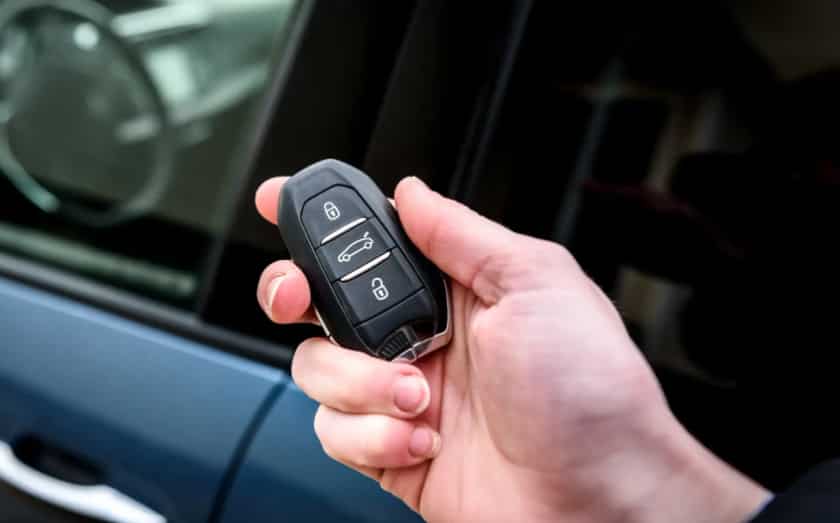
Most modern Kia models offer two ways to start the engine remotely. The first method uses the smart key fob. The second method uses the Kia Access app with Kia Connect services. Both options perform the same basic task, but they communicate with the vehicle in different ways.
The key fob sends a radio signal directly to the vehicle. This method works only within a limited distance. Buildings, electronic devices, and other obstacles can reduce the signal range. A weak key fob battery may also prevent the signal from reaching the vehicle.
The Kia Access app works differently. It sends a remote command through the internet instead of a direct radio signal. The command travels through Kia Connect before reaching your vehicle. This process allows you to start the engine from much farther away. However, it also depends on a stable cellular connection, an active Kia Connect subscription, and proper communication between the app and the vehicle.
Before the engine starts, the remote start system checks several safety conditions. The vehicle must remain locked. Every door, the hood, and the trunk must stay fully closed. The transmission must remain in Park, and the vehicle battery must provide enough power for the system. Some models may also block remote start if the fuel level becomes too low or if a warning light indicates a problem that could affect safe operation.
These safety checks protect both the driver and the vehicle. They also explain why the remote start feature may stop working even when the engine starts normally with the push button inside the cabin. Understanding these operating requirements helps you identify the real cause before replacing parts or scheduling a service appointment.
Quick Checklist Before Troubleshooting
Before you assume that your Kia has a serious mechanical problem, perform a few simple checks. Many remote start failures happen because the system detects an unsafe operating condition rather than a faulty component. Kia designed the remote start feature to protect both the vehicle and the driver, so it verifies several conditions before allowing the engine to start. Spending a few minutes on these basic inspections can help you avoid unnecessary repairs and quickly identify the real cause of the problem.
Start by confirming that the vehicle is locked completely. Next, check that every door, the hood, and the trunk are fully closed. Even a slightly open panel or a faulty latch sensor can stop the remote start system from working. The transmission should also remain in the Park position because the system blocks remote starting whenever it detects another gear. If you use the smart key, make sure the key fob battery still has enough power to send a strong signal. A weak battery often reduces the operating range and may prevent the remote start command from reaching the vehicle.
You should also inspect the vehicle battery and the fuel level before moving to more advanced troubleshooting. Low battery voltage can interrupt communication between electronic control modules, while some Kia models disable remote start when the fuel level becomes too low. Look at the instrument cluster for warning lights because an active check engine light or another critical system alert may temporarily disable the feature until the underlying problem is resolved.
If you start your vehicle through the Kia Access app, verify that your Kia Connect subscription remains active and that your smartphone has a stable internet connection. Closing and reopening the app or installing the latest update may also resolve temporary communication issues. After completing these checks, test the remote start feature again. If the system still fails to respond, you can continue with the common causes below and narrow down the exact source of the problem.
The Vehicle Is Not Locked
One of the most common reasons a Kia remote start system fails is that the vehicle is not locked before you press the remote start button. Although this requirement seems simple, many drivers overlook it during their daily routine. The remote start system follows strict safety rules and checks the lock status before it allows the engine to start. If the system detects that any door remains unlocked, it immediately rejects the remote start request.
This situation often happens when someone unlocks the vehicle to grab an item and forgets to lock it again. It can also occur if the lock command does not register because the key fob battery is weak or the driver stands outside the effective operating range. In some cases, a faulty door lock actuator or an inaccurate door sensor may incorrectly report that the vehicle is still unlocked, even when every door appears closed.
The quickest way to rule out this problem is to lock the vehicle again and wait a few seconds before trying the remote start feature. Watch for the confirmation lights or listen for the locking sound to make sure the command succeeds. If you use the Kia Access app, check that the vehicle status shows every door as locked before sending another remote start request. If the system still refuses to respond after confirming the lock status, continue with the next troubleshooting step because another safety condition may prevent the engine from starting remotely.
A Door, the Hood, or the Trunk Is Not Fully Closed
A door, the hood, or the trunk that is not fully closed can also prevent your Kia remote start system from working. Many drivers assume that every panel is secure because nothing appears unusual from the outside. However, the remote start system relies on sensors instead of visual inspection. If one sensor detects that a door, the hood, or the trunk remains open, the system blocks the remote start request to prevent potential safety risks.
This problem often occurs after loading groceries, performing routine maintenance, or checking the engine compartment. The hood may rest in place without locking completely, while a door or the trunk may remain slightly open after being closed too quickly. Dirt, worn latches, or damaged switches can also cause a sensor to send incorrect information to the vehicle’s control module. As a result, the remote start system may believe that part of the vehicle remains open even though everything appears normal.
Begin by opening and closing every door one at a time. Repeat the same process with the hood and the trunk, making sure each latch clicks securely into place. If the interior warning light or dashboard message continues to indicate that a panel is open, inspect the latch for dirt or visible damage. Cleaning the latch and checking for obstructions may solve the problem. If the warning remains after these basic checks, the latch sensor may require professional inspection or replacement. Restoring accurate sensor communication often brings the remote start system back to normal operation without any additional repairs.
The Transmission Is Not in Park
The remote start system will not activate unless the transmission is in the Park position. This safety feature prevents the vehicle from moving unexpectedly after the engine starts. Even if the engine operates normally when you press the start button inside the cabin, the remote start system follows stricter safety rules. It checks the gear selector before processing every remote start request. If the system detects any position other than Park, it immediately cancels the command.
Many drivers encounter this issue without realizing it. The gear selector may not engage fully after parking, especially if the vehicle rests on a steep incline. A quick stop at a gas station or a busy parking lot can also leave the shifter slightly out of position. In less common cases, a worn shift linkage or a faulty transmission range sensor may send incorrect information to the control module. The dashboard may still appear normal, but the remote start system recognizes the gear position as unsafe and refuses to start the engine.
The easiest way to troubleshoot this issue is to start the vehicle normally and move the gear selector through each position before returning it firmly to Park. Apply the parking brake and turn the engine off. Exit the vehicle, lock every door, and test the remote start feature again. If the system begins working, the gear selector was likely not seated correctly. If the problem continues, pay attention to any transmission warning messages or unusual shifting behavior. These symptoms may indicate a failing range sensor or another transmission related issue that requires professional diagnosis. Fixing the underlying problem will restore the safety checks and allow the remote start system to operate as intended.
Low Fuel Level
A low fuel level can stop your Kia remote start from working, even if the engine starts normally when you are inside the vehicle. Many Kia owners overlook this condition because the vehicle still drives without any obvious problem. However, the remote start system follows additional safety rules that help protect the engine and reduce the risk of running out of fuel while idling. When the fuel level drops below a predefined limit, some Kia models automatically disable remote start until you add more fuel.
This situation usually becomes confusing because there are few warning signs beyond the low fuel indicator on the dashboard. Drivers often replace the key fob battery, restart the mobile app, or look for electrical problems before checking the fuel gauge. As a result, they spend unnecessary time troubleshooting a system that is working exactly as designed. The remote start feature simply refuses to activate because the vehicle considers the remaining fuel insufficient for safe operation.
Start by checking the fuel gauge before moving on to more advanced troubleshooting. If the low fuel warning light is on, add enough fuel to move well above the reserve level. After refueling, lock the vehicle and wait a few moments before testing the remote start feature again. In many cases, the system returns to normal without any additional action. If the problem continues after refueling, continue with the next troubleshooting step because another operating condition may still prevent remote start from activating. Following a logical process helps you eliminate simple causes first and makes it easier to identify more complex issues later in the diagnosis.
Weak or Dead Key Fob Battery
A weak or dead key fob battery is one of the most common reasons a Kia remote start stops working. The battery inside the key fob powers every wireless command that communicates with the vehicle. As the battery loses power, the signal becomes weaker and less reliable. You may still unlock the doors from a short distance, but the remote start feature often stops responding first because it requires a strong and stable signal.
Several warning signs can help you identify this problem. You may notice that you need to stand much closer to the vehicle before the buttons respond. The lock and unlock functions may work only after pressing the buttons several times. In some cases, the remote start works one day and fails the next without any other change to the vehicle. These symptoms usually indicate that the battery is reaching the end of its service life rather than a fault in the remote start system itself.
Replacing the key fob battery is one of the quickest and most affordable troubleshooting steps. Most Kia smart keys use a small coin cell battery that is easy to replace with basic tools. Install the correct battery type, make sure it is positioned properly, and close the key fob securely before testing it again. Once the new battery is installed, stand within normal operating range and try the remote start feature. If the engine starts successfully, the old battery was the source of the problem.
If replacing the battery does not solve the issue, inspect the key fob for physical damage or signs of water exposure. A damaged circuit board or worn buttons can interrupt communication even when the battery is new. When both the battery and the key fob appear to be in good condition, continue with the next troubleshooting step to identify another possible cause of the remote start failure.
You Are Outside the Remote Start Range
Distance can also explain why your Kia remote start is not working. Every key fob has a limited operating range, and the signal becomes weaker as you move farther away from the vehicle. Many drivers expect the remote start feature to work from almost anywhere, but the key fob communicates through radio frequency rather than the internet. Once you move beyond its effective range, the vehicle no longer receives the command.
The surrounding environment can reduce the signal even when you are relatively close to your Kia. Large buildings, underground parking garages, metal structures, and heavy electronic interference can block or weaken radio signals. Weather conditions rarely cause the problem by themselves, but physical obstacles between you and the vehicle often reduce the communication distance. A weak key fob battery can make the situation even worse because it decreases the strength of the transmitted signal.
Move closer to your vehicle before testing the remote start feature again. Stand where you have a clear line of sight to the vehicle and avoid placing walls or large objects between you and the key fob. Press the lock button first, then follow the correct remote start sequence recommended for your Kia model. If the engine starts after you reduce the distance, the system is operating normally and the issue relates to signal range rather than a mechanical fault.
If you use the Kia Access app instead of the key fob, distance is usually not the limiting factor because the command travels through the Kia Connect network. In that situation, focus on your cellular connection, the vehicle’s network coverage, and your account status instead of your physical location. Understanding the difference between key fob communication and app based communication helps you troubleshoot the problem more efficiently and avoid replacing parts that are working correctly.
Your Kia Connect Subscription Has Expired
If you use the Kia Access app to start your vehicle, an expired Kia Connect subscription may explain why your Kia remote start is not working. Unlike the key fob, the mobile app depends on Kia Connect services to send remote commands to your vehicle. When the subscription expires, the app may still open and display vehicle information, but remote functions such as engine start may no longer work.
Many owners become confused because there is no obvious mechanical problem. The vehicle starts normally with the push button, and the key fob may continue to lock and unlock the doors. Only the app based remote start feature stops responding. In some cases, the app displays an error message or asks you to renew your subscription. In other cases, the command simply fails without providing a clear explanation. This behavior often leads drivers to believe that the vehicle has developed an electrical fault when the real issue is related to account access.
Open the Kia Access app and review your account information. Check that your Kia Connect subscription is active and that your payment details remain up to date if automatic renewal is enabled. You should also verify that your vehicle is still linked to your account. If you recently changed your phone or reset the app, signing in again may restore the connection between your account and the vehicle.
After confirming that your subscription is active, send another remote start request. If the feature still does not work, continue by checking your internet connection and the vehicle’s network coverage. App based remote start depends on several online services, so an active subscription alone does not guarantee successful communication. Eliminating account related issues first makes it easier to identify whether the problem lies with the network, the application, or the vehicle itself.
Poor Cellular Signal or App Connection
A poor cellular signal or an unstable app connection can prevent your Kia remote start from working. Unlike the key fob, the Kia Access app sends commands through the internet. The request travels through Kia Connect before it reaches your vehicle. If the connection fails at any point, the remote start command cannot be completed. In many situations, the vehicle is not the source of the problem. The communication simply stops before the command reaches the vehicle.
Several signs can help you recognize this issue. The app may keep loading for a long time. It may display a connection error instead of confirming the request. Sometimes the app reports that it cannot communicate with the vehicle. These problems often appear in underground parking garages or remote areas with weak cellular coverage. Temporary network outages can also interrupt communication. Heavy traffic on the mobile network may produce the same result. Even if your phone shows a signal, the vehicle may still struggle to stay connected.
Begin by checking your phone’s internet connection. Switch between mobile data and a trusted WiFi network if one is available. Close the Kia Access app completely, then open it again. Send another remote start request after the app reconnects. If the problem continues, move to an area with stronger cellular coverage and try again. Waiting a few minutes may also help because some network interruptions resolve on their own.
If the connection still fails, test the other remote features in the Kia Access app. Check whether you can lock or unlock the doors or refresh the vehicle status. If every remote function stops working, the problem most likely involves the network or the Kia Connect service. Once the connection returns to normal, test the remote start feature again. If it still does not work, continue with the next troubleshooting step.
The Kia Access App Is Outdated or Glitching
An outdated or unstable Kia Access app can stop the remote start feature from working. The app depends on regular updates to improve performance, fix software bugs, and maintain compatibility with your vehicle. If you use an older version, the app may fail to send commands correctly. Temporary software glitches can produce the same result. In both cases, the vehicle may never receive the remote start request.
Several symptoms can point to an app related problem. The app may freeze during startup or close without warning. It may display an unexpected error after you tap the remote start button. Some users notice that vehicle information does not refresh. Others find that every remote feature stops responding at the same time. These signs usually indicate a software issue instead of a mechanical fault.
Start by checking for updates in your device’s app store. Install the latest version if one is available. After the update finishes, close the app completely and open it again. Sign out of your account and sign back in if the problem continues. This simple step often refreshes the connection between the app and your Kia Connect account.
You should also restart your smartphone before testing the remote start feature again. A fresh restart clears temporary system errors that may affect the app. If the issue remains, uninstall the app and install it again. Then verify that the required permissions remain enabled, including location services and mobile data. If the app still cannot communicate with your vehicle, continue with the next troubleshooting step. The problem may involve the vehicle instead of the application.
The Check Engine Light or Another Warning Light Is On
A warning light on the dashboard can prevent your Kia remote start from working. Many drivers ignore this possibility because the vehicle still starts and drives normally. However, the remote start system follows strict safety rules. It checks the vehicle for active faults before starting the engine. If the system detects a problem that could affect safe operation, it blocks the remote start feature until the issue is resolved.
The check engine light is the most common warning linked to remote start problems. Even a minor fault can trigger this light and disable the feature. Problems with the emission system, engine sensors, ignition components, or fuel delivery may all produce the same result. Other warning lights can also affect remote start if they indicate a fault in a critical vehicle system. The exact behavior depends on the Kia model and the type of warning.
Begin by looking at the instrument cluster before testing the remote start feature again. If you see the check engine light or another warning, do not ignore it. Use an OBD2 scanner to read the diagnostic trouble codes if one is available. The stored codes can help identify the source of the problem. You can also visit a repair shop or a Kia dealership for a complete diagnostic inspection.
Once the underlying fault is repaired, clear the diagnostic codes if required and test the remote start system again. In many cases, the feature returns to normal as soon as the vehicle no longer detects an active fault. If no warning lights appear and the remote start still fails, continue with the next troubleshooting step. The problem may involve the battery or another electrical component instead of the engine management system.
A Weak or Failing Vehicle Battery
A weak vehicle battery can stop your Kia remote start from working even when the engine still starts normally. Many drivers assume the battery is in good condition because the vehicle does not struggle during a normal start. However, the remote start system depends on stable voltage to power several electronic control modules at the same time. If the battery voltage drops below the required level, the system may cancel the remote start request to protect the vehicle.
Battery problems usually develop over time. You may notice slower engine cranking, dim headlights, or electrical accessories that respond more slowly than usual. These warning signs often appear before the battery fails completely. Cold weather can make the situation even worse because low temperatures reduce battery performance. An older battery may provide enough power for a manual start but not enough for the remote start system.
Check the battery terminals for corrosion or loose connections before replacing the battery. Dirty terminals can reduce electrical flow and create communication problems between different control modules. Clean the terminals if necessary and make sure every connection is secure. If you have access to a battery tester, measure the battery voltage and overall condition. Most auto parts stores also offer free battery testing if you do not have the required equipment.
Replace the battery if the test shows poor performance or if it no longer holds a proper charge. After installing a healthy battery, lock the vehicle and test the remote start feature again. If the system still does not respond, move to the final troubleshooting step. At this point, the problem may involve a faulty module, damaged wiring, or another component that requires professional diagnosis.
The Remote Start System Needs Professional Diagnosis
If you have completed every troubleshooting step and your Kia remote start is still not working, the problem may require professional diagnosis. At this stage, the issue often involves a component that cannot be inspected without specialized equipment. Replacing random parts is unlikely to solve the problem. It may also increase your repair costs without addressing the real cause.
Several components can prevent the remote start system from operating correctly. A faulty body control module may fail to process the remote start command. A damaged wiring harness can interrupt communication between control modules. Failed hood latch sensors, defective door switches, or a malfunctioning immobilizer can produce similar symptoms. In some cases, outdated software inside the vehicle may also affect remote start performance. These faults usually require advanced diagnostic tools to identify accurately.
A qualified technician can connect a professional scan tool to the vehicle and check every control module for stored fault codes. The technician can also test sensor signals, inspect wiring connections, and verify that each module communicates correctly. This process helps identify the exact cause instead of relying on trial and error. Accurate testing saves time and reduces the risk of replacing parts that still work properly.
If your Kia is still covered by the factory warranty, contact an authorized Kia dealership before paying for repairs. Warranty coverage may include software updates or repairs for certain electronic components. Even if your warranty has expired, a professional inspection can prevent unnecessary expenses and restore the remote start system more quickly. Once the underlying fault is repaired, the remote start feature should operate normally again, allowing you to enjoy the convenience it was designed to provide.
Kia Remote Start Not Working by Method
The best way to troubleshoot a Kia remote start problem is to identify how you normally start the vehicle. Some owners use the smart key fob, while others prefer the Kia Access app with Kia Connect services. Although both methods perform the same function, they communicate with the vehicle in different ways. This difference explains why one method may fail while the other continues to work without any issues. Understanding which system is affected allows you to narrow the possible causes and find the right solution much faster.
If you use the smart key fob, begin by checking the operating range and the battery inside the remote. A weak battery often reduces the signal strength before it stops working completely. You may notice that the lock and unlock buttons respond only when you stand close to the vehicle. Physical damage, worn buttons, or water exposure can also interrupt communication between the key fob and the vehicle. After replacing the battery, lock the vehicle and test the remote start feature again. If the problem remains, inspect the key fob for visible damage or have it tested by a qualified Kia technician.
If you start your vehicle through the Kia Access app, focus on your phone, your Kia Connect account, and your network connection. Make sure the app is updated to the latest version and that your subscription remains active. Check whether the app refreshes the vehicle status because outdated information often indicates a communication problem. A weak cellular signal, temporary server interruption, or account synchronization issue can also prevent the remote start command from reaching the vehicle. If the key fob works but the app does not, the problem almost always involves the mobile service rather than the vehicle itself. However, if both methods fail at the same time, inspect the vehicle for battery, sensor, or control module problems before scheduling professional service.
How to Reset Kia Remote Start
Resetting the remote start system can solve temporary communication problems when your Kia remote start is not working. This process refreshes the connection between the key fob, the vehicle’s electronic control modules, and Kia Connect. While a reset cannot repair damaged components, it often clears minor software issues that interrupt normal operation.
Start the vehicle with the push button or the ignition system and let the engine idle for a few minutes. Turn the engine off completely before leaving the vehicle. Next, confirm that every door, the hood, and the trunk are fully closed. Lock the vehicle with the key fob and wait for about one minute. This brief pause allows the electronic modules to finish their shutdown cycle before receiving another remote start command.
Once the waiting period is over, stand within the normal operating range of the key fob. Press the lock button once, then press and hold the remote start button for the recommended amount of time. A successful engine start indicates that the system has restored normal communication. Owners who use the Kia Access app should also close the application, open it again, and verify that the vehicle status updates correctly before sending another remote start request.
When the reset does not solve the problem, avoid replacing parts without proper testing. The issue may involve a weak battery, a faulty sensor, outdated software, or a malfunctioning control module. Professional diagnostic equipment can identify these faults much more accurately than trial and error. A complete inspection also helps prevent unnecessary repairs and restores the remote start system more efficiently.
When to Contact a Kia Dealer
Most Kia remote start problems have simple solutions that you can handle at home. A weak key fob battery, poor network coverage, or an unlocked door often explains why the system fails. After completing the troubleshooting steps in this guide, many owners restore the remote start feature without replacing any parts. However, some problems require professional equipment and technical expertise.
Contact a Kia dealer if the remote start system continues to fail after you complete every basic check. Repeated failures may point to a faulty body control module, a damaged wiring harness, or a defective sensor. Software problems can also prevent the system from working correctly. These issues are difficult to diagnose without advanced scan tools and manufacturer specific software.
Dashboard warning lights provide another reason to schedule a professional inspection. A persistent check engine light, battery warning, or security system alert may disable remote start until the underlying problem is repaired. Ignoring these warnings can lead to additional performance issues and higher repair costs over time.
Owners with an active factory warranty should contact an authorized Kia dealer before paying for repairs. Warranty coverage may include software updates, electronic components, or repairs related to the remote start system. Bringing a record of the symptoms can also speed up the diagnostic process. Note when the problem occurs, how often it happens, and whether the key fob, Kia Access app, or both methods fail. Clear information helps technicians identify the root cause more quickly and restore the remote start system with the correct repair.
Frequently Asked Questions
Why Is My Kia Remote Start Not Working Even Though the Car Starts Normally?
A Kia can start normally with the push button and still reject a remote start request. The remote start system follows additional safety rules before it allows the engine to start. It checks whether the vehicle is locked, the transmission is in Park, and every door, the hood, and the trunk are fully closed. The system also verifies battery voltage and looks for active warning lights that may affect safe operation. If one of these conditions is not satisfied, the remote start feature will remain disabled even though the engine starts without any problem from inside the vehicle.
Can a Weak Car Battery Stop Kia Remote Start?
Yes. A weak vehicle battery is one of the most common causes of remote start failure. Modern Kia vehicles rely on several electronic control modules that require stable voltage during the remote start process. When battery voltage drops below the required level, the system may cancel the request to protect the electrical system. If the engine cranks slowly, the headlights appear dim, or the battery is several years old, testing the battery should be one of your first troubleshooting steps.
Does the Check Engine Light Disable Kia Remote Start?
In many situations, the answer is yes. The check engine light often indicates that the vehicle has detected a fault that requires attention. Depending on the type of fault and the Kia model, the remote start system may disable itself until the issue is repaired. Reading the diagnostic trouble codes with an OBD2 scanner can help identify the underlying problem and determine whether it affects the remote start feature.
Does Kia Remote Start Require Kia Connect?
The answer depends on how you start the vehicle. Remote start with the smart key fob does not require Kia Connect because the key communicates directly with the vehicle. However, remote start through the Kia Access app depends on an active Kia Connect subscription and a stable cellular connection. If the subscription expires or the service cannot communicate with the vehicle, the app based remote start feature will stop working.
How Long Does Kia Remote Start Keep the Engine Running?
Most Kia models keep the engine running for about ten minutes after a successful remote start. Some vehicles allow the running time to be extended through the Kia Access app, depending on the model and available features. The engine also shuts off automatically if the driver does not enter the vehicle within the allowed time. This design improves safety, reduces unnecessary fuel consumption, and helps prevent unauthorized vehicle use.
Should I Visit a Kia Dealer If Remote Start Stops Working?
You should visit a Kia dealer only after completing the basic troubleshooting steps. Simple issues such as a weak key fob battery, low fuel, poor cellular coverage, or an unlocked door are much more common than major electrical faults. Professional service becomes necessary when warning lights remain active, software updates fail to solve the problem, or the remote start system continues to malfunction after every recommended check.
Conclusion
Dealing with a Kia remote start not working can be frustrating, but the problem is often easier to solve than many drivers expect. In most cases, the issue comes from a simple operating condition rather than a major mechanical failure. A weak key fob battery, an unlocked door, low battery voltage, poor cellular coverage, or an inactive Kia Connect subscription can all prevent the system from starting the engine remotely. Checking these common causes first can save time, reduce repair costs, and help you avoid an unnecessary visit to the dealership.
Following a logical troubleshooting process also makes it easier to identify the real source of the problem. Start with the basic inspections, then move to the more advanced checks if the remote start system still fails. This step by step approach allows you to eliminate the most common causes before considering professional repairs. It also reduces the risk of replacing parts that still work correctly.
If every troubleshooting step fails, schedule a diagnostic inspection with a qualified Kia technician. Professional testing can identify software issues, faulty sensors, wiring problems, or control module failures that are difficult to detect without specialized equipment. Early diagnosis often prevents larger repairs and helps restore the remote start system more efficiently.
We hope this guide has helped you understand why your Kia remote start not working issue occurs and how to fix it with confidence. Save this article for future reference, and share it with other Kia owners who may face the same problem. A systematic approach and the right information can make remote start troubleshooting much faster and far less stressful.