A Uconnect reset is a process that restarts or restores the vehicle’s infotainment system when the screen freezes, Bluetooth fails to connect, Apple CarPlay or Android Auto stops working, or the system becomes slow and unresponsive. Resetting Uconnect helps restore normal system operation without immediately requiring a visit to a dealership.
There are two main ways to reset a Uconnect system: a soft reset and a factory reset. A soft reset restarts the infotainment system to fix temporary software issues, while a factory reset removes saved settings and returns Uconnect to its original default configuration.
The correct reset method depends on the Uconnect version, vehicle model, and production year. Vehicles from Jeep, Ram, Dodge, and Chrysler may use different reset procedures. Some models require pressing physical buttons, while newer Uconnect systems allow users to reset settings directly through the touchscreen menu.
This guide explains how to reset Uconnect correctly, when to use each reset method, and how to troubleshoot common problems that remain after resetting the system.
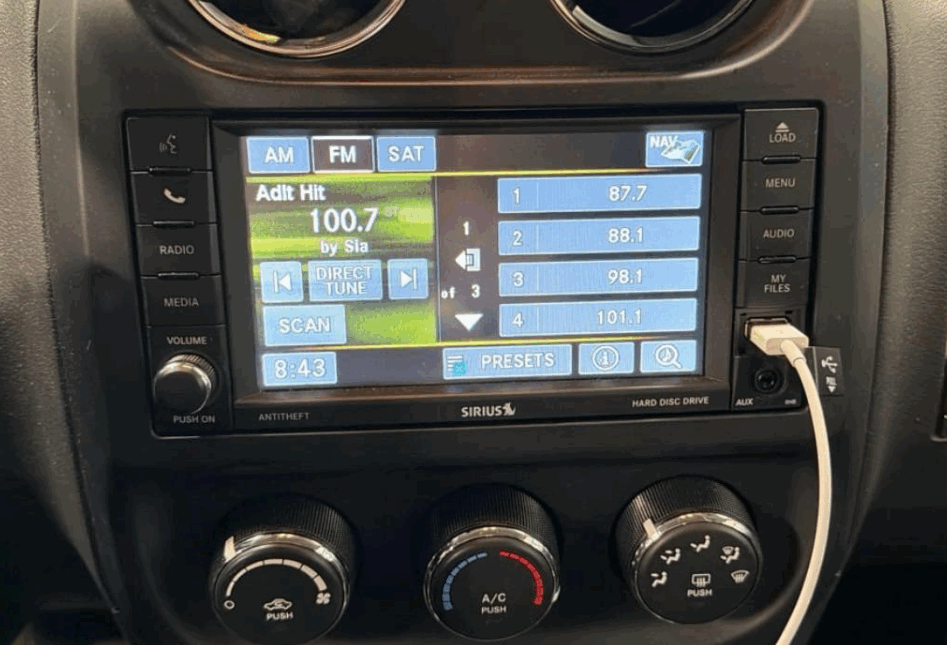
How Do You Reset Uconnect?
Resetting Uconnect means restarting or restoring the vehicle’s infotainment system. The correct reset method depends on the type of problem you are experiencing. Uconnect has two main reset options: a soft reset and a factory reset.
A soft reset restarts the system without removing personal data. It keeps saved phones, radio stations, and user settings. This method works well for temporary issues. Common examples include a frozen touchscreen, slow response, audio errors, and Bluetooth connection problems.
A factory reset removes stored information and restores Uconnect to its original settings. It deletes paired devices, saved preferences, and user profiles. This option is useful when software problems continue after a restart. It is also recommended before selling the vehicle because it removes personal information.
Before resetting Uconnect, prepare the vehicle properly. Park in a safe location and keep the ignition system active. Allow the system enough time to complete the reset process. Turning off the vehicle during the reset may interrupt the recovery procedure.
The reset steps depend on the Uconnect version and vehicle model. Jeep, Ram, Dodge, and Chrysler vehicles may have different procedures. Some models use physical buttons for a reset. Newer systems allow users to reset settings through the touchscreen menu.
Most drivers should start with a soft reset. It solves many temporary software problems without removing personal settings. A factory reset should only be used when a soft reset does not fix the issue or when a complete system restoration is required.
How Do You Perform a Soft Reset on Uconnect?
A soft reset restarts the Uconnect system without deleting saved information. It is the first troubleshooting step for most temporary Uconnect problems because it refreshes the software without changing user settings. This process is similar to restarting a smartphone or computer after a system freeze.
A soft reset can fix several common issues. These include a frozen touchscreen, delayed system response, missing audio output, and temporary connection failures. The reset clears temporary software errors that may prevent Uconnect features from working correctly.
The soft reset procedure depends on the Uconnect version and vehicle model. Many Uconnect systems allow a reset by pressing and holding specific physical buttons on the dashboard. Common button combinations include holding the power button and volume button together for several seconds until the screen turns off and restarts.
Some Uconnect systems may require a different method. The vehicle year, infotainment generation, and hardware configuration determine the correct reset process. For example, Uconnect 5 systems may have different controls compared with older Uconnect 3 or Uconnect 4 systems.
After the reset starts, the screen may go black for a short period before the Uconnect logo appears. This is a normal part of the reboot process. Drivers should wait until the system fully loads before testing Bluetooth, navigation, radio, or smartphone connections.
A soft reset does not remove paired devices or personal settings. This makes it the safest option when troubleshooting everyday problems. If the issue returns after multiple soft resets, the next step is checking for software updates or considering a factory reset.
How Do You Factory Reset Uconnect?
A factory reset restores Uconnect to its original default settings. It removes stored data and returns the infotainment system to the condition it had before personal customization. This reset is different from a soft reset because it affects saved information and user preferences.
A factory reset removes several types of stored data. These include paired Bluetooth devices, saved radio stations, user profiles, navigation preferences, and customized system settings. The process is useful when the system has persistent software problems or when the vehicle changes ownership.
To perform a factory reset, access the Uconnect settings menu through the touchscreen. Select the system settings option and look for a reset or restore function. Choose the factory reset option and confirm the action when the system requests approval. The exact menu names may vary depending on the Uconnect version.
Drivers should understand that a factory reset cannot fix every Uconnect problem. It mainly resolves issues caused by incorrect settings, corrupted user data, or software conflicts. Problems caused by damaged hardware, battery issues, or physical screen failures require additional diagnosis.
A factory reset is recommended in several situations. Vehicle owners should consider this option before selling or transferring a vehicle because it removes personal information. It is also useful when Uconnect continues showing errors after a soft reset or when multiple system features stop working at the same time.
After completing a factory reset, users need to configure Uconnect again. This includes reconnecting smartphones, setting preferences, and restoring navigation or audio options. The process takes additional time but provides a clean starting point for troubleshooting ongoing system problems.
How Do You Reset Uconnect on Jeep, Ram, Dodge, and Chrysler Vehicles?
Uconnect reset procedures vary between vehicle brands and model years. Jeep, Ram, Dodge, and Chrysler vehicles use different Uconnect versions, so the reset method depends on the specific infotainment system installed in the vehicle. Checking the vehicle manual is the most accurate way to identify the correct procedure.
Jeep vehicles commonly use Uconnect systems with touchscreen controls and physical buttons for basic resets. A soft reset is often used when the display freezes, the audio system stops responding, or connected devices fail. Newer Jeep models with Uconnect 5 may include additional touchscreen options for managing system settings.
Ram trucks use Uconnect systems designed for both daily driving and work applications. Drivers may experience issues with navigation, Bluetooth, or smartphone integration. A reset can refresh the infotainment software and restore normal operation without affecting vehicle performance.
Dodge vehicles also use Uconnect across models such as the Charger, Challenger, Durango, and other vehicles. The reset process depends on the Uconnect generation and available features. Older systems may rely more on button combinations, while newer versions provide more settings through the touchscreen interface.
Chrysler vehicles use Uconnect as the central system for entertainment, communication, and navigation functions. Models equipped with different Uconnect generations may have different reset menus. Users should identify their system version before performing a factory reset.
The main difference between Uconnect systems is the software version and hardware configuration. Uconnect 3, Uconnect 4, and Uconnect 5 may have different menus and reset methods. Using the correct procedure prevents unnecessary data loss and helps restore the system efficiently.
Why Is My Uconnect Not Working After Reset?
A Uconnect reset does not always solve every system problem. If Uconnect still does not work after a reset, the cause may be related to software, settings, connectivity, or hardware issues. Identifying the source of the problem helps determine the next troubleshooting step.
One common cause is outdated Uconnect software. Older software versions may create compatibility problems with newer smartphones, Bluetooth connections, or navigation features. Checking for available software updates can improve system stability and restore missing functions.
Another possible cause is a failed device connection. A reset removes temporary system errors, but it does not automatically repair every Bluetooth or smartphone pairing problem. Users may need to delete the previous connection and pair their phone again through the Uconnect Bluetooth menu.
Low vehicle battery voltage can also affect Uconnect performance. The infotainment system requires stable electrical power to operate correctly. A weak battery may cause screen freezes, unexpected restarts, or slow system loading. Checking the vehicle battery condition can help identify electrical-related problems.
Some issues remain after resetting because they involve hardware components. A damaged touchscreen, faulty control module, or internal system failure cannot be repaired through software resets. These problems usually require professional inspection from a qualified technician or dealership.
When Uconnect continues showing errors after multiple reset attempts, follow a structured troubleshooting process. First, perform a soft reset. Next, check software updates and reconnect devices. If the problem remains, consider a factory reset or professional diagnosis.
When Should You Reset Uconnect Instead of Updating the Software?
Resetting Uconnect and updating the software solve different types of problems. A reset fixes system errors caused by settings or temporary software issues, while a software update improves the system by installing a newer version of Uconnect software. Choosing the correct solution prevents unnecessary troubleshooting steps.
A Uconnect reset is useful when the system suddenly stops responding. Common situations include a frozen touchscreen, missing audio, slow performance, or connection problems. These issues often happen because temporary software processes become unstable during normal vehicle use.
A software update is needed when the problem comes from an outdated system version. Updates can improve compatibility with smartphones, fix known software bugs, and add improvements to Uconnect features. For example, an older Uconnect version may have difficulty connecting with newer mobile devices.
Drivers should check for software updates when problems continue after a successful reset. Repeated system freezes, recurring Bluetooth failures, or navigation errors may indicate that the installed software version needs improvement.
The best approach is to use both solutions in the correct order. Start with a soft reset to remove temporary errors. Check for available updates if the issue returns. Use a factory reset only when saved settings or corrupted data are causing continued problems.
Understanding the difference between resetting and updating Uconnect helps vehicle owners solve problems more efficiently. A reset restores system operation, while an update improves long-term software performance.
Conclusion
Resetting Uconnect is an effective way to restore the vehicle’s infotainment system when common software problems affect daily use. A soft reset should be the first solution because it restarts the system without removing personal settings or connected devices. This method often fixes temporary issues such as frozen screens, slow responses, and Bluetooth connection errors.
A factory reset is a more advanced option that removes stored information and returns Uconnect to its default configuration. Vehicle owners should use this method when problems continue after a soft reset, when selling the vehicle, or when a complete system restoration is needed.
The correct troubleshooting process starts with identifying the type of issue. Drivers should reset the system first, check for software updates, reconnect devices, and seek professional assistance if hardware problems are suspected.
Understanding how Uconnect reset methods work helps Jeep, Ram, Dodge, and Chrysler owners maintain their infotainment systems more effectively. Regular software updates and proper system management can reduce recurring problems and improve the overall driving experience.