If you own a GMC Sierra, you’ve probably experienced the Auto Stop system shutting off the engine every time you come to a complete stop. While General Motors introduced this feature to improve fuel economy and reduce emissions, not every driver appreciates the experience. Many Sierra owners find the repeated engine restarts distracting, especially in stop-and-go traffic, when towing heavy loads, or while navigating busy intersections. For some, the brief hesitation before the engine restarts can make the truck feel less responsive than expected.
The frustration is that pressing the Auto Stop button only disables the feature for the current drive. Once you restart your truck, the system automatically turns itself back on. If you’ve been searching for how to permanently turn off GMC Sierra Auto Stop, you’re certainly not alone.
The good news is that there are several ways to disable the Auto Start-Stop system for the long term. Some methods involve installing a dedicated memory module that remembers your preferred setting, while others use programmable OBD devices or ECU tuning. Each option comes with its own advantages, limitations, installation requirements, and potential warranty considerations.
In this guide, we’ll explain how the GMC Sierra Auto Stop system works, why many owners choose to disable it, and compare the most effective methods for turning it off permanently. We’ll also discuss whether disabling Auto Stop affects fuel economy, vehicle reliability, or your factory warranty, helping you choose the solution that best fits your driving habits and your truck.
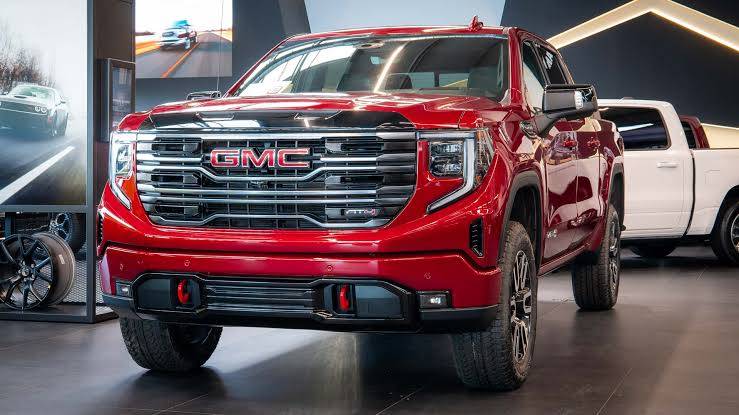
What Is GMC Sierra Auto Stop?
The GMC Sierra Auto Stop system, also known as Auto Start Stop, is a fuel saving feature that automatically shuts off the engine when the truck comes to a complete stop. As soon as you release the brake pedal, the engine restarts almost instantly so you can continue driving without manually turning the ignition.
General Motors introduced this technology to help improve fuel efficiency and reduce exhaust emissions during idle time. Since engines consume fuel even when a vehicle is not moving, temporarily shutting the engine off at traffic lights or in heavy traffic can lower fuel consumption over the course of thousands of miles.
The system does not activate every time you stop. Instead, it monitors multiple operating conditions before deciding whether to turn off the engine. Factors such as engine temperature, battery charge level, cabin climate control demand, outside temperature, transmission status, and vehicle speed all play a role. If any of these conditions fall outside the required range, Auto Stop will remain inactive to ensure reliable performance.
In most GMC Sierra models, the system operates automatically and requires no driver input. Although there is a dashboard button that temporarily disables Auto Stop, the setting resets every time the truck is restarted. This behavior often leads owners to search for a more permanent solution that better matches their driving preferences.
Why Do Many GMC Sierra Owners Want to Disable Auto Stop?
While Auto Stop was designed to improve efficiency, many GMC Sierra owners feel that it compromises the driving experience. One of the most common complaints is the slight hesitation that occurs when the engine restarts. Although the delay usually lasts less than a second, it can feel noticeable when pulling into fast moving traffic or making a quick turn at a busy intersection.
Drivers who regularly tow trailers or haul heavy loads often prefer the engine to remain running at all times. They appreciate having immediate throttle response without waiting for the engine to restart, particularly when precise control is important.
Stop and go traffic is another situation where Auto Stop can become frustrating. In congested urban environments, the engine may shut off and restart dozens of times during a single commute. Some drivers find the repeated cycling distracting, while others simply prefer the smoother and more predictable feel of a continuously running engine.
Long term reliability is another concern frequently discussed among truck owners. Although General Motors engineered the system with reinforced starters and AGM batteries designed for repeated restarts, some owners worry about accelerated wear on these components over time. Whether these concerns significantly affect long term durability remains a topic of debate, but they are one of the primary reasons many people look for ways to permanently disable the feature.
Ultimately, the decision comes down to personal preference. For drivers who prioritize comfort, consistent throttle response, and a more traditional driving experience, disabling Auto Stop can make the truck feel more natural behind the wheel.
Can You Permanently Turn Off GMC Sierra Auto Stop?
The short answer is yes, but not by using the factory Auto Stop button alone.
Every time you start your GMC Sierra, the vehicle’s control system automatically restores the default Auto Stop setting. This design helps General Motors comply with fuel economy and emissions regulations, ensuring the feature remains active unless the driver manually disables it for that specific trip.
Because of this built in behavior, there is currently no factory menu option that permanently remembers your preference after the ignition has been turned off. Pressing the Auto Stop button each time you drive is the only solution provided by the manufacturer.
Fortunately, aftermarket solutions have been developed specifically for owners who want a permanent fix. Devices such as Auto Stop Eliminators and programmable OBD modules can retain your preferred setting or disable the system without requiring permanent modifications to the vehicle’s wiring. Many of these products are designed for plug and play installation, allowing them to be removed later if necessary.
Some owners also choose ECU tuning to disable Auto Stop through software changes. While this approach can be effective, it typically involves greater cost and may have implications for warranty coverage or future software updates. For most drivers, a dedicated Auto Stop memory device offers the best balance between convenience, ease of installation, and reversibility.
Before selecting any method, it is important to verify compatibility with your GMC Sierra’s model year and trim level. You should also review your vehicle’s warranty documentation and consult a qualified technician if you are unsure whether a particular modification is appropriate for your truck.
5 Ways to Permanently Disable GMC Sierra Auto Stop
Method 1: Install an Auto Stop Eliminator
For most GMC Sierra owners, installing an Auto Stop Eliminator is the easiest and most reliable way to permanently disable the Auto Start Stop system. Unlike software modifications, this small plug and play device simply remembers your last Auto Stop setting. If you turned the feature off before shutting down the truck, the module automatically restores that preference the next time you start the engine.
Installation is typically straightforward and can often be completed in less than thirty minutes using basic hand tools. Most products are designed specifically for GM trucks, allowing them to connect directly to the factory switch without cutting wires or making permanent modifications.
One of the biggest advantages of an Auto Stop Eliminator is that it is completely reversible. If you ever decide to sell your truck or return it to its factory configuration, the module can usually be removed within minutes. Because it does not reprogram the vehicle’s computer, many owners consider it a lower risk option than ECU tuning, although you should always verify compatibility with your specific model year and review your warranty documentation.
The primary drawback is cost. Depending on the manufacturer and your GMC Sierra model, these devices generally range from $80 to $150. However, many drivers consider the convenience well worth the investment because it eliminates the need to press the Auto Stop button every time they start the truck.
Overall, an Auto Stop Eliminator is the solution most experts recommend for drivers who want a permanent, hassle free way to disable Auto Stop while preserving the ability to restore the factory setup at any time.
Method 2: Use a Programmable OBD Module
Another popular option is using a programmable OBD module. These devices connect through the vehicle’s onboard diagnostic port and provide access to various configurable features beyond simply disabling Auto Stop.
Products such as the Pulsar LT have become popular among GMC Sierra owners because they offer multiple performance and convenience functions in one package. Depending on the model, an OBD module may allow you to customize throttle response, tire size settings, transmission behavior, lighting options, and other vehicle parameters in addition to managing the Auto Stop system.
The biggest advantage of this approach is flexibility. Instead of purchasing a device that performs only one task, you gain access to a broader range of vehicle customization features. Many modules can also restore the factory settings whenever necessary, making them attractive to owners who enjoy experimenting with different vehicle configurations.
However, programmable OBD devices are generally more expensive than dedicated Auto Stop memory modules. Prices often range from $250 to $500 depending on the available features. Some products may also require periodic firmware updates to remain compatible with the latest GM software revisions.
Before purchasing an OBD module, confirm that it specifically supports your GMC Sierra’s model year, engine, and trim level. Compatibility can vary between different generations of the truck, and not every module supports every GM platform.
For drivers who want both Auto Stop control and additional customization options, a programmable OBD module can provide excellent long term value.
Method 3: ECU Programming or Custom Tuning
Custom ECU programming is another method that can disable the Auto Stop system, although it is generally recommended only for experienced enthusiasts or owners already planning other performance modifications.
Unlike plug and play devices, ECU tuning changes the software stored within the vehicle’s engine control module. Depending on the tuning platform, Auto Stop can often be disabled alongside other adjustments such as throttle sensitivity, transmission shift points, speed limiter settings, and engine performance calibrations.
The greatest advantage of ECU tuning is the level of customization it offers. Professional tuners can optimize multiple aspects of the truck’s performance to match specific driving needs, making it an appealing option for off road enthusiasts or owners seeking additional power.
Despite these benefits, ECU tuning also carries the highest level of risk. Software modifications may affect future dealer updates, complicate warranty claims if a modification is found to have contributed to a problem, and in some regions may not comply with local emissions regulations. Reverting the vehicle to its factory software may also require professional assistance.
In addition, custom tuning is usually the most expensive solution. Costs vary widely depending on the tuning platform and the services provided, but professional ECU tuning can easily exceed several hundred dollars.
For the average GMC Sierra owner whose only goal is disabling Auto Stop, ECU tuning is often more than necessary. A dedicated Auto Stop Eliminator or programmable OBD module usually provides a simpler, more practical, and more cost effective solution.
Method 4: Press the Auto Stop Button Every Time You Drive
The simplest way to disable the Auto Stop system is to press the Auto Stop button after starting your GMC Sierra. This immediately deactivates the feature for the current drive, allowing the engine to remain running whenever the truck comes to a stop.
The biggest advantage of this method is that it is completely free. It requires no additional hardware, software, or installation, and it has no impact on your vehicle’s factory configuration. Because nothing is modified, there are generally no concerns about compatibility or warranty implications.
However, this method is also the least convenient. The setting is not saved once the ignition is turned off, meaning you must remember to press the button every time you start the truck. For drivers who use their Sierra every day, this routine quickly becomes repetitive and frustrating.
If you only occasionally find the Auto Stop feature annoying, manually pressing the button may be perfectly adequate. On the other hand, if you dislike the system every time you drive, investing in a permanent solution will save time and provide a more consistent driving experience.
Method 5: Battery Voltage Tricks (Why They’re Not Recommended)
If you’ve spent time browsing automotive forums or watching videos online, you’ve probably come across various “battery tricks” that claim to disable the Auto Stop system. Some people suggest disconnecting battery sensors, installing voltage modifiers, or intentionally reducing the battery’s state of charge so the vehicle automatically prevents Auto Stop from activating.
While these methods may appear to work temporarily on certain vehicles, they are generally not recommended.
Modern GMC Sierra trucks rely on sophisticated electronic systems that constantly monitor battery health, charging performance, and electrical loads. Interfering with these systems can trigger warning lights, diagnostic trouble codes, or unexpected vehicle behavior. In some cases, it may also affect other features that rely on accurate battery management.
Another issue is reliability. Battery related workarounds often stop working after software updates or battery replacement. Since they were never intended as permanent solutions, their effectiveness can vary significantly between different model years and trim levels.
There is also the possibility of creating unnecessary maintenance issues. An improperly functioning battery management system may shorten battery life or make diagnosing future electrical problems more difficult.
For these reasons, most automotive professionals recommend avoiding battery voltage tricks altogether. If your goal is to permanently disable Auto Stop, a purpose built aftermarket device is a far safer and more dependable solution.
Which Method Is Best?
Choosing the best method depends on your priorities, budget, and how you use your GMC Sierra. Some drivers simply want to avoid pressing the Auto Stop button every day, while others are looking for additional performance customization.
For most owners, an Auto Stop Eliminator offers the best balance of convenience, affordability, and ease of installation. It requires no permanent modifications, preserves the factory driving experience, and can usually be removed whenever necessary.
A programmable OBD module is an excellent choice if you also want access to advanced vehicle settings. Although it costs more, it provides greater flexibility and additional customization features that many truck enthusiasts appreciate.
ECU tuning should generally be reserved for drivers who are already planning performance upgrades or custom engine calibrations. While it can permanently disable Auto Stop, it is the most expensive option and may have implications for warranty coverage and future software updates.
Using the factory Auto Stop button remains the safest free option, but it does not solve the inconvenience of having to disable the system every time you start the truck. Battery voltage tricks are the least desirable approach because they are inconsistent and may create unnecessary electrical complications.
| Method | Permanent Solution | Installation Difficulty | Approximate Cost | Warranty Risk | Overall Recommendation |
|---|---|---|---|---|---|
| Auto Stop Eliminator | Yes | Easy | $80 to $150 | Low | Excellent |
| Programmable OBD Module | Yes | Easy | $250 to $500 | Low to Moderate | Very Good |
| ECU Programming | Yes | Advanced | $400 and up | Moderate to High | Good for enthusiasts |
| Factory Auto Stop Button | No | None | Free | None | Acceptable |
| Battery Voltage Tricks | Unreliable | Varies | Minimal | Moderate | Not Recommended |
Will Disabling Auto Stop Void Your Warranty?
One of the most common questions GMC Sierra owners ask is whether disabling the Auto Stop system will void the vehicle’s factory warranty. The answer is not always straightforward because it depends on how the feature is disabled and whether a modification is related to a warranty claim.
Simply pressing the factory Auto Stop button every time you drive has no effect on your warranty because you are using a feature that General Motors intentionally provides. Likewise, installing a removable Auto Stop memory device typically does not automatically void your warranty. However, if a dealer determines that an aftermarket device directly caused or contributed to a specific mechanical or electrical problem, warranty coverage for that particular repair could potentially be affected.
ECU tuning deserves additional consideration. Because this method changes the vehicle’s factory software, dealerships may detect that the engine control module has been modified. Depending on the nature of the repair, software changes could complicate warranty claims, particularly if they involve the powertrain or emissions related systems.
Before installing any aftermarket product, carefully review your GMC Sierra warranty documentation and consult your dealer if you have concerns. Choosing products specifically designed for your model year and following the manufacturer’s installation instructions can help minimize potential issues.
If your truck is still covered by its factory warranty, a removable Auto Stop Eliminator is generally considered a more conservative option than permanent software modifications.
Does Turning Off Auto Stop Affect Fuel Economy?
The Auto Stop system was developed to reduce fuel consumption by eliminating unnecessary engine idling. In theory, every second that the engine remains off at a traffic light or railroad crossing saves a small amount of fuel.
In real world driving, however, the difference is often smaller than many people expect. Drivers who spend most of their time on highways may notice almost no measurable change because Auto Stop rarely activates during steady speed cruising. On the other hand, commuters who regularly encounter heavy urban traffic may see a modest improvement in fuel economy when the system is enabled.
Driving style also plays an important role. Gentle acceleration, proper tire pressure, routine maintenance, and avoiding excessive idling typically have a much greater impact on fuel efficiency than the Auto Stop system alone.
Many GMC Sierra owners decide that the improved driving experience outweighs the relatively small amount of fuel saved by Auto Stop. Others prefer to leave the system enabled to maximize efficiency during city driving. Ultimately, the best choice depends on your personal priorities, driving conditions, and expectations.
Frequently Asked Questions
Can I permanently disable Auto Stop without installing a module?
Most GMC Sierra models do not include a factory setting that permanently remembers your Auto Stop preference. Without an aftermarket device or software modification, you will generally need to press the Auto Stop button every time you start the truck.
Does disabling Auto Stop damage the engine?
No. Disabling Auto Stop does not damage the engine by itself. The engine simply continues idling when the vehicle is stopped, just as vehicles without Auto Stop have done for decades.
Is Auto Stop bad for the starter motor?
General Motors designs the Auto Start Stop system with heavy duty starters and batteries that are intended to handle frequent engine restarts. While these components are built for additional use, some owners still prefer to reduce unnecessary restart cycles by disabling the feature.
Can a GMC dealership permanently turn off Auto Stop?
In most cases, dealerships cannot permanently disable the Auto Stop system through factory programming because the feature is integrated into the vehicle’s emissions and fuel economy strategy. Availability may vary depending on model year and local regulations.
Which GMC Sierra model years support Auto Stop Eliminators?
Compatibility depends on the specific product and your truck’s model year, engine, trim level, and electrical architecture. Always verify compatibility with the device manufacturer before purchasing.
Is it legal to disable Auto Stop?
Laws vary by country, state, and region. While using an aftermarket memory device is generally intended to restore your preferred driving settings, modifications affecting emissions related systems may be regulated in some jurisdictions. Check your local regulations before making any permanent vehicle modifications.
Conclusion
The GMC Sierra Auto Stop system was designed with good intentions, helping improve fuel efficiency and reduce emissions during idle time. However, not every driver enjoys the experience of the engine shutting off and restarting throughout the day. Whether you frequently drive in city traffic, tow heavy loads, or simply prefer a more consistent driving experience, it’s understandable why so many owners look for a permanent solution.
Fortunately, there are several ways to permanently turn off GMC Sierra Auto Stop. For most drivers, an Auto Stop Eliminator offers the best combination of simplicity, reliability, and reversibility. If you’re interested in additional vehicle customization, a programmable OBD module may be worth the extra investment. ECU tuning can also disable the feature, but it is generally better suited for enthusiasts who are already planning performance modifications.
Before making any changes, always confirm compatibility with your GMC Sierra’s model year and carefully consider any potential warranty or regulatory implications. Choosing a reputable product and following the manufacturer’s installation instructions will help ensure the modification is both safe and reliable.
Ultimately, the best solution depends on your driving habits, budget, and personal preferences. By understanding the available options, you can choose the method that delivers the driving experience you want while maintaining the long term reliability of your truck.
Have you permanently disabled Auto Stop on your GMC Sierra? Share your experience, the method you chose, and any tips that helped you in the comments below. Your insights could help other Sierra owners make a more informed decision.