Why does your Chevy infotainment system stop working at the worst possible moment? One moment it works normally and the next you see a frozen screen, a black display, or a system that does not respond at all. This issue frustrates many Chevrolet drivers because the infotainment system is no longer just for entertainment. It controls navigation, phone connection, audio, and several key vehicle functions.
Chevrolet builds modern infotainment systems like Chevrolet Infotainment 3 and older MyLink platforms with both software and hardware components. These parts work together to deliver a smooth driving experience. When one part fails, the entire system can break down. In many cases, the screen stops responding or the system shuts down completely.
Many drivers think the system is permanently damaged. Some even assume they need a full replacement. In reality, most problems come from software glitches, power interruptions, or simple connectivity errors. These issues often look serious but they are usually easy to fix.
This guide explains the main reasons behind a Chevy infotainment system not working. It also shows how to identify each symptom and apply the correct fix. You will learn step by step solutions that start from simple resets and go up to advanced troubleshooting. The goal is to help you restore your system quickly without unnecessary repair costs.
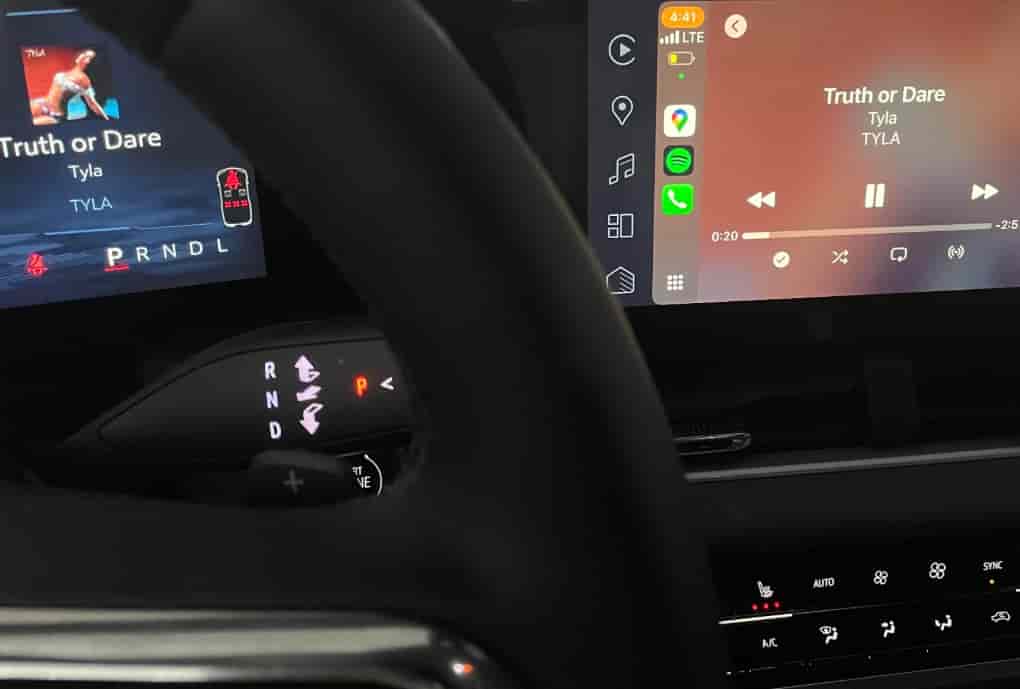
Understanding Chevy Infotainment System
The Chevy infotainment system acts as the central control hub inside modern Chevrolet vehicles. It manages entertainment, communication, and several vehicle settings through a single touchscreen interface. Most Chevrolet models use systems such as Chevrolet Infotainment 3 or earlier MyLink versions. These platforms are designed to connect drivers with navigation, music, phone calls, and smartphone apps in one place.
The system works through a combination of software and hardware. The software includes the operating system, firmware, and user interface that drivers interact with on the screen. The hardware includes the display unit, control modules, wiring, and power supply from the vehicle’s electrical system. Both sides must function correctly for the system to work without interruption.
When a driver touches the screen or uses voice commands, the system processes the input through its software layer. Then it sends signals to internal modules to perform actions such as changing music, opening maps, or connecting to a phone. This process happens in seconds, which creates a smooth user experience when everything is working properly.
The system also depends heavily on stable electrical power. Even a small voltage drop or interruption from the car battery can affect performance. Software updates also play an important role because they fix bugs, improve compatibility, and enhance system stability. Without updates, the system may become slow or unstable over time.
Understanding how the Chevy infotainment system works is important because it helps identify where problems start. A failure can come from software glitches, hardware faults, or even external factors like phone compatibility. Once you understand this structure, troubleshooting becomes much easier and more accurate.
Common Symptoms of Infotainment Failure
When the Chevy infotainment system stops working, it usually shows clear warning signs before a complete failure happens. Recognizing these symptoms early helps you identify the problem faster and avoid unnecessary repairs. Most issues fall into a few common patterns that affect the screen, software response, or connectivity features.
One of the most frequent symptoms is a black screen. In this case, the display does not turn on at all even though the vehicle is running. This often points to a power issue, a software crash, or a blown fuse. Another common problem is a frozen or unresponsive touchscreen. The screen may stay on, but it does not react when you tap or swipe. This usually indicates a software glitch or system overload.
Some drivers experience a reboot loop. The system keeps restarting repeatedly without fully loading. This issue often comes from corrupted firmware or unstable software updates. It can also happen when the internal module fails to complete startup processes.
Bluetooth and smartphone connection failures are also very common. The system may not detect the phone, or it disconnects randomly during use. This usually comes from software incompatibility or pairing errors rather than hardware damage. In some cases, audio works but the screen stays black, or the screen works but sound disappears. These mixed symptoms often indicate partial system failure.
Lagging performance is another warning sign. The system responds slowly to commands, navigation freezes, or apps take too long to load. This often happens when the software is outdated or the system memory is overloaded.
Understanding these symptoms helps you narrow down the root cause before applying any fix. Each symptom points to a different type of issue, so correct diagnosis is important for effective troubleshooting.
Main Causes of Chevy Infotainment Not Working
The Chevy infotainment system can stop working for several reasons, and most of them are not as serious as they first appear. Problems usually come from software instability, electrical issues, hardware faults, or simple connection conflicts. Identifying the correct cause is important because each one requires a different solution.
Software glitches are one of the most common causes. The system runs on embedded firmware that can sometimes crash or become corrupted. This often happens after an incomplete update or long periods of continuous use without restarting the system. When this occurs, the screen may freeze, go black, or stop responding completely.
Electrical issues are another major factor. The infotainment system depends on stable power from the vehicle battery and fuse system. If the battery voltage drops or a fuse becomes damaged, the system may shut down or behave unpredictably. Even small fluctuations in power can interrupt normal operation.
Hardware failure can also cause serious problems. The display screen itself may become defective, or internal control modules may stop functioning. In these cases, the system often shows no response at all or only partial functionality. Hardware issues are less common but usually more serious than software problems.
Connectivity conflicts can also trigger system errors. Problems with Bluetooth pairing, USB connections, or smartphone integration like Apple CarPlay or Android Auto may cause the system to freeze or disconnect repeatedly. These issues often come from compatibility errors between devices rather than the vehicle itself.
Environmental conditions such as extreme heat inside the dashboard can also affect performance. Excessive temperature can slow down processing or damage sensitive electronic components over time.
Understanding these causes helps narrow down the problem quickly. Once you know what is triggering the failure, you can move to the correct troubleshooting method instead of guessing.
Step by Step Troubleshooting Guide
When the Chevy infotainment system is not working, you can often fix the problem without visiting a dealership. Many issues come from temporary software glitches, unstable connections, or minor electrical interruptions. The best approach is to start with simple fixes and move gradually toward more advanced checks.
The first step is to perform a soft reset. Press and hold the power button on the infotainment system for about 10 to 15 seconds until the screen turns off and restarts. This action clears temporary system errors and often restores normal operation. If the system is only frozen due to a minor software issue, this step is usually enough to fix it.
If the problem continues, try a full reboot of the vehicle system. Turn off the engine completely, open the driver door, and wait a few minutes. This allows all electronic modules to shut down fully. Then restart the vehicle and check if the infotainment system responds correctly. This method helps when the system is stuck in a background process or partial crash state.
Next, check the vehicle battery and fuses. A weak battery or unstable voltage can cause the system to freeze or shut down. Inspect the battery condition and ensure it is supplying stable power. Also check the fuse box for any blown fuses related to the infotainment system. Replacing a damaged fuse can immediately restore functionality.
You should also update the infotainment software if updates are available. Outdated firmware can cause bugs, slow response, or system instability. Finally, reset Bluetooth connections by removing paired devices and reconnecting them to fix compatibility issues.
Advanced Diagnostic Methods
When basic troubleshooting does not fix the Chevy infotainment system, the issue may require more advanced diagnostics. At this stage, the problem is often related to deeper software corruption, electrical instability, or hardware malfunction that cannot be resolved with a simple reset.
One of the most effective methods is using dealer diagnostic tools. Chevrolet technicians use specialized OBD scanning systems to read error codes from the vehicle’s electronic control modules. These codes help identify whether the issue comes from the infotainment unit, power system, or communication network inside the vehicle. This step is important because it removes guesswork and points directly to the failing component.
In some cases, a software reinstallation may be required. If the system firmware becomes corrupted or unstable after an update, reinstalling or re-flashing the software can restore normal function. This process must be done carefully because incorrect installation can cause further system failure. It is usually performed at a dealership or authorized service center.
Electrical system inspection is another advanced step. Technicians check wiring connections, voltage stability, and communication between modules. A weak connection or damaged wiring harness can interrupt signals between the infotainment system and other vehicle components. Even a small electrical fault can cause the screen to freeze or go black.
If all diagnostic steps confirm no software or electrical issues, the problem is likely hardware related. This may involve a faulty infotainment module or a damaged display unit. In this case, replacement or professional repair becomes necessary to restore full system functionality.
DIY Fix vs Dealership Repair
When the Chevy infotainment system is not working, one of the most important decisions is whether to fix it yourself or take the vehicle to a dealership. The right choice depends on the type of issue, your technical ability, and how persistent the problem is.
In many cases, DIY fixes are enough to solve common problems. If the issue is caused by a software glitch, temporary freeze, or minor connectivity error, you can usually fix it with a reset, reboot, or Bluetooth reconnection. Software updates also fall into this category and can often be done at home if your vehicle supports USB or over the air updates. These solutions are low cost and quick, making them ideal for simple infotainment failures.
However, dealership repair becomes necessary when the problem is more serious. If the screen stays black after multiple resets, or the system keeps restarting in a loop, the issue may involve corrupted firmware or hardware failure. Electrical faults such as damaged wiring or unstable voltage also require professional inspection because they involve the vehicle’s internal power system.
Another key factor is cost versus risk. DIY methods are almost free but carry the risk of incomplete fixes if the root cause is not correctly identified. Dealership repair is more expensive, but it provides accurate diagnostics and warranty backed solutions. Technicians can also access manufacturer tools that are not available to regular users.
In general, simple issues should always be tried at home first. If the system still does not respond after basic and advanced troubleshooting, professional repair is the safest option to prevent further damage.
Prevention Tips
Preventing Chevy infotainment system issues is easier than fixing them after they happen. Most failures come from software instability, power interruptions, or improper usage habits over time. By maintaining the system correctly, you can significantly reduce the chance of screen freezes, black displays, or system crashes.
One of the most important habits is keeping the infotainment software updated. Chevrolet regularly releases updates to fix bugs, improve performance, and enhance compatibility with smartphones. Running outdated software increases the risk of glitches and slow response times. Checking for updates periodically helps maintain system stability.
It is also important to manage the vehicle’s electrical health. A weak or aging battery can directly affect the infotainment system. When voltage becomes unstable, the system may freeze or shut down unexpectedly. Regular battery checks and timely replacement help prevent these issues.
Avoid overheating the dashboard area whenever possible. Extreme heat can negatively impact electronic components inside the infotainment unit. Parking in shaded areas or using sun protection helps protect the system from long term damage.
You should also restart the system occasionally. Just like a smartphone or computer, the infotainment system benefits from a reset that clears temporary memory and background processes. This helps maintain smooth performance over time.
Finally, avoid using incompatible or unstable third party accessories. Faulty USB devices or poorly optimized smartphone connections can trigger system errors. Always use approved cables and ensure your phone software is compatible with Apple CarPlay or Android Auto standards.
Conclusion
The Chevy infotainment system plays a central role in modern driving by managing navigation, communication, entertainment, and vehicle settings in one interface. When it stops working, it can feel like a major failure because so many driving functions depend on it. However, most issues are not caused by permanent damage but by software glitches, electrical instability, or temporary connectivity errors.
Throughout this guide, we have broken down the main reasons behind a Chevy infotainment system not working, from frozen screens and black displays to reboot loops and Bluetooth failures. We also explored how the system works, what causes it to fail, and how each symptom points to a different type of issue. This makes it easier to diagnose problems accurately instead of guessing.
The troubleshooting steps show that many problems can be solved at home. Simple actions like soft resets, system reboots, software updates, and Bluetooth reconnection often restore full functionality. More advanced issues may require battery checks, fuse inspection, or professional diagnostic tools. In rare cases, hardware repair or replacement becomes necessary.
The key takeaway is that early diagnosis and correct troubleshooting can save both time and money. Instead of immediately assuming a major failure, it is better to follow a structured process to identify the real cause.
If your Chevy infotainment system is not working, start with the simplest fixes and move step by step toward advanced solutions. This approach gives you the best chance of restoring your system quickly and avoiding unnecessary dealership costs.