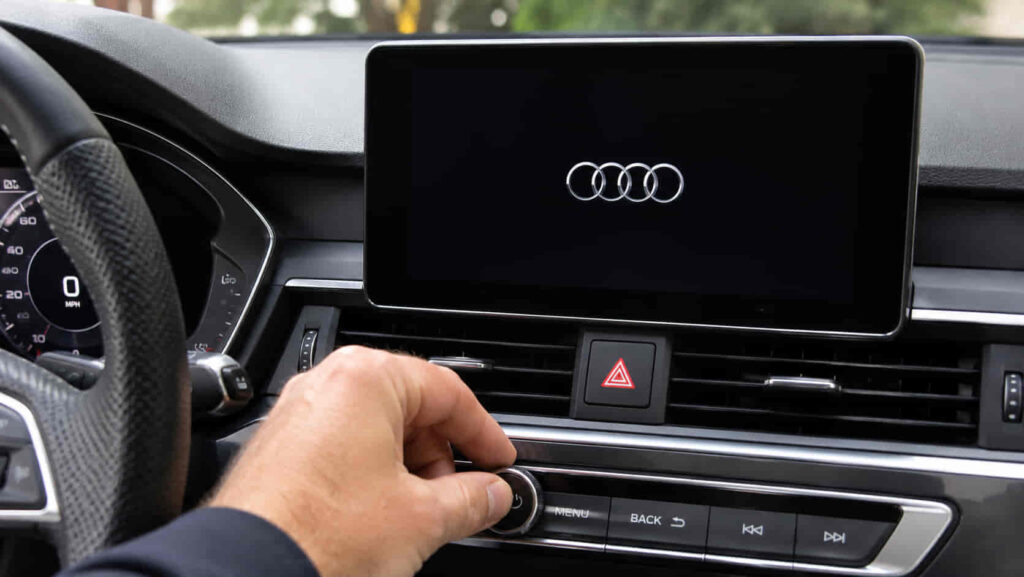
Audi MMI not working is a malfunction of the vehicle’s Multi Media Interface (MMI) caused by software glitches, electrical faults, hardware failures, or communication network problems. These faults disrupt infotainment functions such as navigation, audio playback, Bluetooth connectivity, Apple CarPlay, Android Auto, and vehicle settings. The symptoms range from a temporarily frozen touchscreen to a complete infotainment system failure.
The most appropriate repair depends on the underlying cause of the malfunction. Temporary software errors are often resolved by restarting the MMI, whereas recurring software faults require compatible firmware updates. For example, Audi Technical Service Bulletin 2055591/6 identifies a software defect in certain MIB2 High infotainment systems that causes intermittent blank screens and unexpected system reboots. NHTSA Static
Electrical and hardware faults require a different diagnostic approach. A weak 12-volt battery, blown fuse, damaged wiring, or defective MMI head unit can interrupt the power supply or communication between electronic control modules. A black screen alone does not necessarily indicate that the entire infotainment system needs replacement.
To fix an Audi MMI that is not working, start by identifying the symptoms, checking the power supply, and performing a model-specific system restart. Understanding the differences between MMI generations, diagnostic procedures, and repair options helps identify the underlying fault, avoid unnecessary component replacement, and restore infotainment functionality.
What Are the Symptoms of an Audi MMI Not Working?
The eight main symptoms of an Audi MMI not working are a black display, failure to power on, screen freezing, repeated system restarts, loss of audio, a stuck loading screen, unresponsive controls, and connectivity failures. These symptoms indicate different types of infotainment malfunctions, ranging from isolated component faults to complete system failure. Identifying the affected functions helps narrow down the underlying cause before performing repairs.
A black MMI screen and a system that fails to power on represent two distinct symptoms. A black screen occurs when the display stops presenting visual information while other infotainment functions remain operational. For example, the radio continues playing despite the absence of navigation graphics or menu information. In contrast, a complete failure to power on affects multiple functions simultaneously, indicating a potential power supply or head unit fault.
Screen freezing, unresponsive controls, and a stuck loading screen indicate that the MMI cannot process user commands or complete system initialization. The display remains illuminated, but the interface fails to respond to touchscreen inputs or control buttons. Audi’s 2024 Technical Service Bulletin 2075325/1 documents an MIB3 malfunction in which the infotainment display remains stuck on a loading message, preventing normal touchscreen operation. NHTSA Static
Repeated system restarts occur when the MMI shuts down unexpectedly and initiates another boot sequence. The Audi startup logo may repeatedly appear before the display becomes unresponsive again. Audi has documented software-related reboot problems in both MIB2 High and MIB3 infotainment systems. NHTSA Static+1
Loss of audio and connectivity failures indicate partial infotainment malfunctions when other MMI functions remain operational. Audio failure affects radio playback, navigation announcements, and telephone calls, while connectivity problems interrupt Bluetooth pairing, Apple CarPlay, or Android Auto. Audi’s technical service documentation identifies audio loss and blank Apple CarPlay displays among the software-related problems affecting certain MIB2 High systems.
Why Is My Audi MMI Not Working?
The seven main reasons why an Audi MMI stops working are software glitches, insufficient battery voltage, blown fuses, head unit failure, defective displays, communication network faults, and water damage. These problems interrupt the power supply, data processing, or communication between infotainment components. The severity of the malfunction depends on the affected component and the architecture of the MMI system.
Software glitches cause Audi MMI malfunctions by disrupting system initialization, data processing, and communication between infotainment applications. Software bugs and corrupted firmware prevent the system from executing commands correctly, resulting in frozen screens, unexpected restarts, or incomplete loading sequences. Unlike permanent hardware damage, temporary software glitches can be resolved through a system restart, while persistent software defects require a compatible firmware update.
Audi Technical Service Bulletin 2060524/1 identifies a software defect in certain MIB3 infotainment systems that causes the display to become blank before the system automatically reboots. This documented fault demonstrates why software diagnosis is necessary before replacing infotainment hardware. OEMDTC
Insufficient battery voltage prevents the Audi MMI from receiving the stable electrical power required for normal operation. A deteriorating 12-volt battery or charging system fault creates voltage fluctuations that interfere with control module initialization. Audi’s energy management system also restricts certain electrical consumers to preserve available battery power. Consequently, infotainment functions may become unavailable when the vehicle experiences insufficient electrical energy. lemon-manuals.la
A blown fuse interrupts the electrical circuit supplying power to an MMI component. Fuses protect infotainment modules against excessive electrical current caused by short circuits or electrical overloads. When an MMI-related fuse blows, the head unit, display, or audio amplifier loses its power supply. A repeatedly blown fuse indicates an underlying electrical fault that requires diagnosis rather than repeated fuse replacement.
MMI head unit failure disrupts the central processing functions of the infotainment system. On applicable Audi models, the Information Electronics Control Module (J794) manages infotainment functions, processes user commands, and exchanges data with other electronic modules. Damage to internal processors, memory components, or printed circuit boards interferes with these operations. A defective head unit can cause persistent boot loops, simultaneous failure of multiple infotainment functions, or complete system unresponsiveness.
A defective MMI display prevents visual information from reaching the driver without necessarily affecting the entire infotainment system. Display failure results from damaged LCD panels, defective backlight circuits, or interrupted video signal transmission. For example, an Audi MMI that continues playing music while displaying a black screen suggests a potential fault within the display assembly or its associated connections rather than a complete head unit failure.
Communication network faults prevent infotainment control modules from exchanging operational data. Depending on the MMI generation, Audi vehicles use communication technologies such as Media Oriented Systems Transport (MOST), Controller Area Network (CAN bus), and automotive Ethernet. In a MOST fiber-optic ring network, a defective module or damaged optical cable interrupts communication between connected components. Ross-Tech documents an Audi A6 (4F) example in which optical bus diagnostics identify a communication break within the MOST network. Optical Bus Diagnostics
Water damage causes MMI failure through electrical short circuits, connector corrosion, and deterioration of electronic components. Water entering the passenger compartment or luggage compartment can reach infotainment modules installed in these areas, depending on the vehicle configuration. Moisture increases the risk of electrical leakage and corrosion, eventually interrupting power or data transmission. An affected amplifier, for example, can cause audio loss or broader infotainment communication problems on vehicles equipped with a MOST network.
Read more: how to clean weathertech mats
How Do You Fix an Audi MMI That Is Not Working?
To fix an Audi MMI that is not working, check the power supply, restart the infotainment system, verify software compatibility, inspect system connections, and perform diagnostic testing if the malfunction persists. This troubleshooting sequence starts with reversible procedures before progressing to advanced electrical and hardware inspections. Following this approach reduces unnecessary component replacement and helps isolate the underlying fault.
Checking the power supply establishes whether the MMI receives sufficient electrical energy to operate. Begin by checking the condition of the 12-volt battery, particularly if the infotainment malfunction occurs alongside slow engine cranking or electrical warning messages. A battery voltage measurement of approximately 12.6 volts under resting conditions generally indicates a fully charged conventional lead-acid battery, although voltage alone does not confirm battery health. Inspect the relevant infotainment fuses using the vehicle-specific fuse assignment diagram. Replace a blown fuse with one of the same amperage rating, and investigate the electrical circuit if the replacement fuse blows again.
Restarting the Audi MMI clears temporary software errors without intentionally deleting stored user settings. A soft reset terminates active infotainment processes and initiates a new system boot sequence, allowing the operating software to reload. This procedure is particularly useful when the display freezes, navigation becomes unresponsive, or infotainment applications fail to load. The restart procedure varies according to the MMI generation and control panel configuration.
Updating the Audi MMI software addresses documented firmware defects that cause recurring infotainment malfunctions. Identify the installed software version through the MMI system information menu, if accessible, and verify whether Audi provides a compatible update. Audi Technical Service Bulletin 2055591/6 specifies software updates for certain MIB2 High infotainment systems experiencing intermittent blank screens and unexpected restarts. Installing incompatible firmware or interrupting the programming process risks making the infotainment system inoperable. Software updates requiring specialist programming equipment should be performed by a qualified Audi technician. OEMDTC
Checking MMI connections helps identify whether the malfunction originates from an external device or an internal communication fault. For Bluetooth connectivity problems, remove the existing smartphone pairing and establish a new connection. For wired Apple CarPlay or Android Auto failures, test a compatible USB data cable and check the associated USB port. When multiple infotainment functions fail simultaneously, a technician should inspect the wiring harnesses, electrical connectors, and communication networks. Loose connectors, damaged cables, and corroded terminals interrupt electrical power or data transmission between infotainment components.
Performing advanced diagnostic testing identifies persistent MMI faults that cannot be resolved through basic troubleshooting. Audi-compatible diagnostic tools such as VCDS and ODIS retrieve diagnostic trouble codes (DTCs), check control module communication, and provide access to relevant system parameters. For example, DTC B13B901 identifies an electrical error associated with the information electronics video connection. However, Audi also documents this code alongside software-related MMI problems, demonstrating that a stored fault code alone does not confirm hardware failure. OEMDTC
If the diagnostic results confirm a defective display, amplifier, or head unit, repairing or replacing the affected component restores system functionality. Replacement modules may require coding, parameterization, or component protection adaptation, depending on the vehicle’s electronic architecture. Complete MMI replacement should only be considered after the underlying fault has been identified.
How Do You Reset Audi MMI?
To reset Audi MMI, perform a system restart using the corresponding control button combination or infotainment power button, depending on the MMI generation. A soft reset restarts the infotainment operating system without intentionally deleting stored navigation destinations, paired devices, radio presets, or personalized settings. This procedure resolves temporary software malfunctions associated with frozen displays, unresponsive controls, and interrupted system initialization.
To reset Audi MMI 2G, switch on the ignition and infotainment system while the vehicle is stationary. On compatible control panels, simultaneously press the SETUP button, central rotary control knob, and upper-right soft key surrounding the rotary knob. Release the buttons after briefly holding them together and allow the MMI to restart. The display temporarily switches off before the system reloads. Manualzz+1
To reset Audi MMI 3G and 3G+, simultaneously press the SETUP or MENU button, central rotary control knob, and upper-right soft key, depending on the control panel configuration. Audi MMI 3G systems commonly use the SETUP button, while certain MMI 3G+ configurations use the MENU button. Release the buttons and wait for the infotainment system to complete its startup sequence. Manualzz+1
To reset Audi MIB1 and MIB2, identify the restart procedure specified for the vehicle’s infotainment control panel. Systems equipped with physical controllers use designated button combinations, whereas certain touchscreen configurations support a restart through the volume control knob. The procedure varies according to the hardware configuration rather than the infotainment generation alone. MMIUpdates+1
To reset Audi MIB3, press and hold the infotainment power or volume control button for at least 10 seconds on supported systems. Release the button when the display switches off and allow the infotainment system to reboot. Consult the vehicle’s owner’s manual to confirm the applicable procedure.
An Audi MMI soft reset differs from a factory reset in its effect on stored data. A soft reset restarts system processes, whereas a factory reset restores default settings and removes selected or all personalized data, including paired devices, radio favorites, navigation destinations, and user profiles. A factory reset should only be performed when necessary. If the MMI remains unresponsive after a correctly performed restart, further diagnostic testing is required to identify persistent software, electrical, or hardware faults.
How Do You Diagnose Audi MMI Problems?
To diagnose Audi MMI problems, perform a control module scan, analyze diagnostic trouble codes (DTCs), verify electrical power and network communication, and distinguish software malfunctions from hardware failures. Unlike basic troubleshooting, advanced diagnostics provide technical evidence of which infotainment components or system processes are malfunctioning.
Diagnosing Audi MMI with VCDS (VAG-COM Diagnostic System) involves connecting a compatible diagnostic interface to the vehicle’s OBD-II port and performing a complete Auto-Scan. On applicable Audi models, control module 5F (Information Electronics) provides access to infotainment fault codes, software identification, and supported measurement values. Diagnostic results should be saved before clearing fault codes to preserve information about intermittent malfunctions. On vehicles equipped with a MOST fiber-optic network, the Optical Bus Diagnostics function helps locate communication interruptions between infotainment modules. For example, Ross-Tech documents an Audi A6 (4F) diagnostic case in which an optical communication fault was identified between the sound system and voice control modules despite both modules passing electrical checks. Optical Bus Diagnostics+1
Diagnosing Audi MMI with ODIS (Offboard Diagnostic Information System) enables technicians to perform manufacturer-specific diagnostic procedures. ODIS integrates vehicle identification, control module diagnostics, and Guided Fault Finding (GFF) to establish an appropriate testing procedure. Technicians use the applicable wiring diagrams, electrical measurements, and diagnostic test plans to determine whether an infotainment fault originates from the power supply, communication network, operating software, or an individual control module. This approach reduces the risk of replacing functional components based solely on stored fault codes. audi.erwin-store.com+2
Distinguishing Audi MMI software problems from hardware failures requires comparing system behavior, diagnostic results, electrical measurements, and firmware compatibility. A system that temporarily recovers after a restart suggests a software-related malfunction, although intermittent hardware faults produce similar symptoms. Conversely, a control module that remains inaccessible despite verified power, ground, and network connections requires further hardware testing. A defective display is more likely when the head unit continues processing audio and responding to diagnostic requests but fails to produce visible information.
Accurate MMI diagnosis requires confirming the underlying fault rather than interpreting symptoms or diagnostic trouble codes in isolation. This distinction determines whether the system requires software reprogramming, electrical repair, or component replacement.
When Does Audi MMI Need Professional Repair?
Audi MMI requires professional repair when infotainment malfunctions persist after basic troubleshooting, diagnostic tests reveal communication failures, or physical damage affects electronic components. These conditions require specialized diagnostic equipment, electrical testing, and access to vehicle-specific technical documentation to identify faults that cannot be resolved through a standard system restart.
Persistent black screens, repeated reboot cycles, and simultaneous failure of multiple infotainment functions indicate the need for advanced diagnosis. When an MMI control module fails to communicate despite having a verified power supply, ground connection, and functional communication network, technicians must investigate internal hardware defects. Electrical faults involving damaged wiring, repeated fuse failures, or water intrusion also require professional attention to prevent further component damage.
Professional Audi MMI repair involves restoring the defective component or replacing it when internal damage is irreparable. Component-level repair addresses damaged circuit boards, power supply circuits, and defective electronic components while retaining the original control module when technically feasible. Module replacement becomes necessary when the original unit cannot be repaired reliably or economically.
Replacing an Audi MMI head unit requires more than installing a compatible electronic module. Depending on the vehicle configuration, the replacement unit requires coding, parameterization, component protection adaptation, and restoration of navigation activation. Audi’s technical service documentation specifies these procedures when replacing the Information Electronics Control Module (J794) on applicable vehicles. Incorrect configuration can restrict infotainment functions even when the replacement hardware is operational. NHTSA Static+1
Choosing an Audi specialist with manufacturer-compatible diagnostic equipment and experience in automotive electronics helps ensure that the repair addresses the underlying fault rather than its symptoms. Professional diagnosis also establishes whether repairing the original MMI unit is more cost-effective than replacing it.
Do Audi MMI Problems Vary by Model and Generation?
Yes, Audi MMI problems vary by vehicle model, production year, infotainment generation, and electronic system architecture. Audi has introduced multiple infotainment platforms, including MMI 2G, MMI 3G, MMI 3G+, MIB1, MIB2, and MIB3. Each platform uses different hardware configurations, software versions, and communication protocols, which influence the types of malfunctions, diagnostic procedures, and available repair solutions.
Audi A3 (8V) MMI problems include intermittent black screens and unexpected system restarts on vehicles equipped with MIB2 High infotainment systems. Audi Technical Service Bulletin 2055591 identifies a software defect affecting certain 2017–2018 A3 models. The prescribed software update differs from those used on other Audi models, demonstrating the importance of identifying the installed infotainment version before performing firmware updates. NHTSA Static+1
Audi A4 (B9) MMI problems differ between MIB2 and MIB3 configurations. Audi has documented unexpected system restarts on certain 2017–2018 A4 models equipped with MIB2 High. Similarly, a documented MIB3 software defect affecting the 2020 Audi A4 causes temporary infotainment shutdowns followed by automatic system reboots. Although both generations exhibit similar symptoms, they require different software updates. NHTSA Static+1
Audi A6 MMI problems reflect the differences between older distributed infotainment architectures and newer integrated systems. On the A6 C6 (4F), interruptions within the MOST fiber-optic network disrupt communication between connected infotainment modules. On applicable 2021–2022 A6 models equipped with MIB3, documented software problems include lost navigation destinations, missing favorites, and occasional blue screens. Optical Bus Diagnostics+1
Audi Q5 (FY) MMI problems include unexpected system reboots on certain 2018 models equipped with MIB2 High. Audi has also documented a software malfunction affecting certain 2023 Q5 models equipped with MIB3, causing the infotainment interface to remain stuck during system initialization. NHTSA Static+1
Audi Q7 MMI problems vary significantly between the first-generation 4L and second-generation 4M platforms. Older configurations equipped with MOST networks require optical communication diagnostics when interconnected modules fail to communicate. In comparison, Audi has documented software-related blank screens and unexpected restarts on certain 2017–2018 Q7 models equipped with MIB2 High. Ross-Tech Wiki+1
Identifying the vehicle identification number (VIN), model year, MMI generation, and installed firmware version is essential for selecting the correct diagnostic and repair procedure. Vehicles displaying identical infotainment symptoms do not necessarily require identical repairs.
How Much Does It Cost to Fix an Audi MMI?
The cost of fixing an Audi MMI depends on the underlying fault, infotainment generation, replacement parts, programming requirements, and labor rates. Basic electrical repairs and software corrections generally cost less than display, amplifier, or head unit replacement. An accurate repair estimate requires identifying the defective component before purchasing replacement parts.
Audi MMI head unit repair costs approximately $250–$850, depending on the infotainment generation and extent of internal electronic damage. For example, specialist repair estimates for MMI 3G+ head units installed in certain Audi A4 and Q5 models range from $300 to $500. Repairing the original module also reduces the need for additional programming and component protection adaptation in applicable configurations. go-parts.com+1
Audi MMI screen repair costs approximately $350–$600, while amplifier repair costs $250–$450 in selected repair service estimates. Display repair expenses depend on the screen technology, internal circuit damage, and replacement component availability. Amplifier repair costs vary according to the audio system configuration, including standard Audi sound systems, Bose, and Bang & Olufsen systems. go-parts.com+1
Replacing an Audi MMI head unit with a new OEM component is considerably more expensive, with indicative parts prices ranging from $2,000 to over $4,000. Installation labor, software programming, and component protection adaptation increase the total repair expense. Refurbished modules provide a less expensive alternative when their hardware and software specifications match the vehicle’s infotainment architecture. go-parts.com
The final Audi MMI repair cost also includes diagnostic fees and any necessary electrical repairs. Obtaining an itemized repair estimate after professional diagnosis helps determine whether repairing the original component or installing a replacement offers better long-term value.
How Can You Prevent Audi MMI Problems?
Audi MMI problems can be prevented or reduced through regular battery maintenance, compatible software updates, moisture protection, appropriate aftermarket accessories, and early diagnosis of electrical faults. These preventive measures maintain stable operating conditions for infotainment hardware, software, and communication networks.
Maintaining the 12-volt battery ensures a stable power supply for infotainment control modules. Regular battery health assessments help identify declining battery capacity before voltage fluctuations interfere with MMI initialization. Installing manufacturer-approved software updates also addresses documented firmware defects and improves system stability. Software compatibility must be verified against the vehicle’s infotainment generation and hardware configuration.
Protecting infotainment components from moisture reduces the risk of connector corrosion, short circuits, and circuit board damage. Regular inspection of sunroof drains, door seals, and luggage compartment seals helps identify potential water entry points. This is particularly relevant to vehicles with audio amplifiers or infotainment modules installed in moisture-prone areas.
Using compatible aftermarket accessories prevents unintended interference with infotainment communication and electrical systems. Incorrectly installed multimedia interfaces, aftermarket amplifiers, and smartphone integration modules can introduce electrical or communication faults. Investigating intermittent screen freezing, audio interruptions, and unexpected system restarts before these symptoms become persistent helps identify developing faults and reduce the risk of further damage.
Is It Safe to Drive With an Audi MMI That Is Not Working?
Driving with a malfunctioning Audi MMI is generally safe when the fault affects only entertainment functions and does not interfere with essential vehicle controls or safety-related systems. An Audi MMI malfunction requires immediate attention when it prevents access to safety-related information or essential vehicle functions. The safety implications depend on the vehicle model, infotainment generation, and affected features.
Infotainment malfunctions that affect radio playback, Bluetooth connectivity, or smartphone integration do not directly compromise braking, steering, or engine operation. However, a defective MMI display can prevent the driver from accessing rearview camera images, parking assistance graphics, and navigation instructions on applicable Audi models. The loss of these features reduces situational awareness, particularly when reversing or maneuvering in confined spaces.
Newer Audi models integrate additional vehicle settings and climate control functions into their infotainment interfaces. An unresponsive touchscreen can restrict access to these functions, depending on the vehicle configuration. Drivers should also avoid repeatedly attempting to restart or operate a malfunctioning MMI while driving, as these actions increase visual and cognitive distraction.
Arrange professional diagnosis when infotainment failures affect safety-related functions. If the MMI malfunction occurs alongside critical dashboard warnings, broader electrical failures, or impaired essential vehicle controls, stop driving when it is safe to do so and have the vehicle inspected.