Bluetooth makes every drive more convenient. It lets you make hands free calls, stream music, hear navigation directions, and use voice assistants without taking your hands off the wheel. When Kia Bluetooth stops working, these features disappear and quickly turn a comfortable drive into a frustrating experience.
Many Kia owners experience Bluetooth problems at some point. Your phone may fail to pair with the vehicle, disconnect without warning, or connect without playing any audio. In some cases, the infotainment system cannot detect your phone at all. These issues can affect many Kia models and often have simple causes.
Several factors can interrupt the Bluetooth connection. Outdated infotainment software, incorrect phone settings, corrupted pairing data, and compatibility issues are among the most common reasons. Fortunately, you can solve most of these problems without professional assistance.
This guide explains why Kia Bluetooth is not working and shows you how to fix it step by step. You will learn how to identify the root cause, reconnect your phone, reset the infotainment system, update the software, and resolve common issues on both Android and iPhone devices. By following these practical solutions, you can restore a stable Bluetooth connection and enjoy all of your Kia’s connected features again.
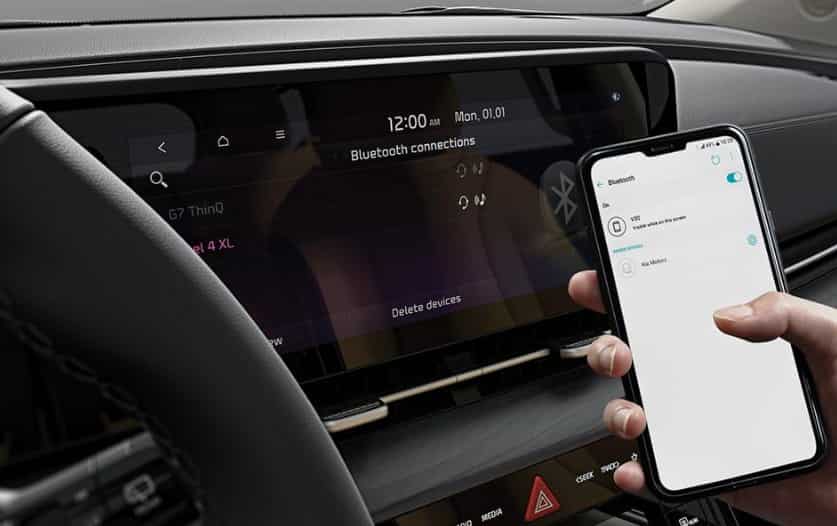
Why Is Your Kia Bluetooth Not Working?
Bluetooth issues can appear at any time, even if your phone connected without problems before. Many drivers assume that the infotainment system has failed, but that is rarely the case. Most Bluetooth problems result from software conflicts, outdated settings, or temporary communication errors between your smartphone and the vehicle. Identifying the exact cause is the first step toward restoring a stable connection and preventing the same issue from happening again.
Your Kia infotainment system uses Bluetooth to create a wireless connection with your smartphone. Once both devices pair successfully, they automatically reconnect whenever Bluetooth is enabled. This connection supports hands free calling, music streaming, contact synchronization, and voice commands. If either device cannot complete the connection process, Bluetooth features may stop working or become unreliable. A small change, such as a software update or an incorrect permission, can interrupt the pairing process and prevent the system from functioning correctly.
Bluetooth problems often appear in different ways. Your phone may fail to find the vehicle, or the infotainment system may not recognize your device. In other situations, the connection succeeds, but music does not play or phone calls have no audio. Some drivers notice frequent disconnections while driving, while others cannot pair a new phone after replacing their old one. These symptoms usually point to issues such as corrupted pairing data, outdated infotainment software, phone compatibility problems, or Bluetooth settings that require adjustment.
These issues can affect many Kia models, including the Sportage, Sorento, Telluride, K5, Forte, Soul, Seltos, Carnival, and Niro. Although each model uses a different infotainment system, the troubleshooting process remains similar. Once you understand how Bluetooth works and recognize the symptoms, you can diagnose the problem more quickly and apply the most effective solution.
The Most Common Causes of Kia Bluetooth Problems
Understanding what causes Bluetooth problems can save you time and prevent unnecessary repairs. While the symptoms may seem similar, the underlying reason often differs from one vehicle to another. In most cases, the problem does not involve damaged hardware. Instead, a simple software issue or an incorrect setting interrupts the connection between your phone and the infotainment system.
One of the most common causes is outdated software. Both your smartphone and the Kia infotainment system receive regular updates that improve performance, security, and compatibility. If either device runs an older version, Bluetooth may fail to pair, disconnect unexpectedly, or lose important functions such as audio streaming and hands free calling. Keeping both systems updated reduces the risk of compatibility issues.
Corrupted Bluetooth pairing data can also prevent a successful connection. Every time you pair a phone, the infotainment system stores connection information in its memory. Over time, this data may become corrupted or conflict with new software updates. The system may also reach its limit for saved devices, making it difficult to pair another smartphone. Deleting unused devices and creating a fresh Bluetooth connection often resolves these issues.
Phone settings also play an important role. Disabled Bluetooth permissions, battery optimization features, or restricted background activity can interrupt communication between your phone and the vehicle. Android Auto and Apple CarPlay may also create temporary conflicts, especially after a system update. In addition, nearby wireless devices can cause signal interference and reduce connection stability.
Although software related issues account for most Bluetooth failures, hardware problems can occur in rare cases. A faulty Bluetooth module, damaged infotainment components, or wiring issues may prevent the system from detecting nearby devices. If every troubleshooting step fails and Bluetooth remains unavailable, professional diagnostics can determine whether a hardware repair is necessary. Identifying the correct cause before replacing parts helps you save money and restore your Kia Bluetooth connection more efficiently.
How to Fix Kia Bluetooth Not Working Step by Step
If your Kia Bluetooth is not working, start with the simplest solutions before moving to more advanced troubleshooting methods. Many connection problems disappear after a basic reset or a new pairing process. Following the steps in the correct order also helps you identify the exact cause without wasting time or changing settings that are not related to the problem.
Begin by restarting both your smartphone and the Kia infotainment system. A restart clears temporary software errors that may interrupt Bluetooth communication. After both devices turn back on, enable Bluetooth on your phone and make sure it remains visible to nearby devices. Open the Bluetooth menu on the infotainment screen and check whether your phone appears in the list of available devices. If the connection succeeds, test both phone calls and music streaming to confirm that Bluetooth works correctly.
If the problem continues, remove the existing Bluetooth connection from both your phone and the infotainment system. Old pairing information can become corrupted after software updates or operating system changes. Delete the saved connection, restart both devices again, and complete the pairing process from the beginning. During setup, allow access to contacts, call history, and media audio when your phone requests permission. Missing permissions often prevent Bluetooth from working as expected.
Next, check for available software updates. Install the latest operating system on your smartphone and update the Kia infotainment software if a newer version is available. Software updates often include bug fixes, improved Bluetooth stability, and better compatibility with newer mobile devices. If you recently updated your phone and Bluetooth stopped working afterward, a fresh pairing process usually restores the connection.
If Bluetooth still fails, test the infotainment system with another smartphone. This simple step helps determine whether the issue comes from the vehicle or your original device. If another phone connects without difficulty, review your phone’s Bluetooth settings, network configuration, and battery optimization features. If no phone can establish a connection, perform a soft reset or a factory reset on the infotainment system after backing up any important settings.
After completing these steps, most Bluetooth problems should disappear. If your Kia still cannot detect any devices or continues to disconnect during normal use, the issue may involve the Bluetooth module or another hardware component. At that point, professional diagnostics can identify the fault and confirm whether the system requires repair or replacement.
How to Reset Bluetooth in a Kia Vehicle
Resetting the Bluetooth system is one of the most effective ways to solve persistent connection problems. Over time, the infotainment system stores pairing information for every connected device. This information can become outdated or corrupted, especially after software updates or when you switch to a new smartphone. A reset removes old connection data and allows the system to establish a fresh Bluetooth connection.
Start with a soft reset if Bluetooth suddenly stops working or the infotainment screen becomes unresponsive. Turn off the engine and wait until the infotainment system shuts down completely. Restart the vehicle and allow the system to load before enabling Bluetooth again. Some Kia models also include a small reset button near the infotainment display. Pressing and holding this button for several seconds restarts the system without deleting personal settings. After the restart, try pairing your phone again and check whether the connection remains stable.
If a soft reset does not solve the problem, remove every paired device from the infotainment system and delete the Kia connection from your smartphone. Once both device lists are empty, restart your phone and create a new Bluetooth connection from scratch. This process removes corrupted pairing records that often prevent successful communication between the vehicle and your mobile device.
A factory reset provides a more complete solution when Bluetooth problems continue after multiple troubleshooting attempts. Open the Settings menu on the infotainment system and locate the Reset or Factory Reset option. Confirm the action and wait for the system to restore its original settings. Keep in mind that this process removes saved Bluetooth devices, navigation preferences, radio presets, and other personalized settings. After the reset finishes, pair your phone again and test phone calls, music streaming, and contact synchronization.
Most Bluetooth issues disappear after a successful reset because the infotainment system starts with clean configuration data. If Bluetooth still cannot detect nearby devices or repeatedly fails to connect after a factory reset, the problem may involve outdated firmware or a hardware fault that requires professional inspection.
How to Fix Bluetooth Problems on Android and iPhone
Although Bluetooth follows the same wireless standard on every smartphone, Android and iPhone devices manage Bluetooth connections differently. As a result, the troubleshooting process may vary depending on the operating system. Understanding these differences can help you restore a stable connection more quickly and avoid repeating the same steps.
Android users often experience Bluetooth problems after a major system update or when battery optimization limits background activity. Start by opening the Bluetooth settings and forgetting the Kia connection. Restart the phone before pairing it with the vehicle again. If the problem continues, reset the network settings to remove corrupted Bluetooth and WiFi data. You should also verify that Bluetooth has permission to access contacts, nearby devices, and media audio. If you use Android Auto, disconnect it temporarily and test Bluetooth on its own. This simple check can reveal whether Android Auto is creating a software conflict.
iPhone users should follow a similar process. Remove the Kia connection from the Bluetooth menu and restart the device before creating a new pairing. If Bluetooth still fails, reset the network settings to restore the default wireless configuration. Installing the latest version of iOS can also resolve compatibility problems, especially after Apple releases updates that improve Bluetooth performance. If you regularly use Apple CarPlay, disconnect it for a short time and test the Bluetooth connection separately. This approach helps determine whether CarPlay is affecting the pairing process.
Regardless of which smartphone you use, keep the operating system updated and remove Bluetooth connections that you no longer need. Limiting the number of saved devices reduces connection conflicts and improves pairing reliability. If your phone connects successfully to other Bluetooth devices but still cannot communicate with your Kia, the infotainment system may require a software update or additional troubleshooting. Testing another smartphone remains one of the fastest ways to identify whether the problem originates from the vehicle or the mobile device.
Kia Bluetooth Problems by Vehicle Model
Bluetooth issues can affect almost every Kia model, but the symptoms may vary depending on the infotainment system and software version. Some vehicles struggle to detect a smartphone, while others connect successfully but lose audio or disconnect during a drive. Knowing the common issues reported for your specific model can make troubleshooting faster and more accurate.
The Kia Sportage is one of the most popular models, and many owners report occasional pairing failures after updating their smartphones. In most cases, removing the old Bluetooth connection, restarting both devices, and pairing them again restores normal operation. Updating the infotainment software can also improve compatibility with newer Android and iPhone versions.
Owners of the Kia Sorento sometimes experience Bluetooth connections that work for phone calls but fail to stream music. This issue often occurs when the media audio permission is disabled or the phone selects the wrong audio output. Checking the Bluetooth profile settings and reconnecting the device usually solves the problem.
Drivers of the Kia Telluride and Kia Carnival occasionally notice random Bluetooth disconnections during long trips. Battery optimization features on the smartphone, background application restrictions, or outdated infotainment software are common causes. Disabling aggressive power saving settings and installing the latest software updates often improves connection stability.
The Kia K5, Forte, Soul, Seltos, and Niro can also experience Bluetooth pairing problems after a major operating system update on Android or iPhone. In many cases, resetting the network settings on the phone and deleting all saved Bluetooth devices from the infotainment system resolves the issue. If the problem appears immediately after a software update, waiting for the next system patch may also help because manufacturers regularly release compatibility improvements.
Although each Kia model uses different hardware and software, the basic troubleshooting process remains the same. Restart both devices, remove old pairing information, update all available software, and test the connection again. If Bluetooth continues to fail across multiple smartphones, the infotainment system may require professional diagnostics to identify a hardware or firmware problem.
Bluetooth Audio Problems in Kia Vehicles
A successful Bluetooth connection does not always guarantee that audio will work correctly. Many Kia owners can pair their phones without difficulty but still cannot hear music, navigation prompts, or phone calls through the vehicle speakers. In most situations, the connection itself is active, but another setting prevents the audio from reaching the infotainment system.
One common problem occurs when the phone connects only for hands free calling while media audio remains disabled. Open the Bluetooth settings on your smartphone and select the paired Kia device. Make sure both phone calls and media audio are enabled. If only one option is active, the infotainment system may support calls but fail to play music or other audio content.
Another frequent issue involves the selected audio source. Even after Bluetooth connects successfully, the infotainment system may remain on FM radio, USB, or another media source. Switch the audio source to Bluetooth Audio and start playing music from your phone. If sound still does not play, increase the volume on both the smartphone and the infotainment system because some devices maintain separate volume levels for Bluetooth playback.
Audio interruptions can also occur while driving. Wireless interference, outdated software, or multiple Bluetooth devices attempting to connect at the same time may cause the music to pause or skip. Disconnect smartwatches, wireless earbuds, or other nearby Bluetooth accessories if they are not needed. Reducing the number of active Bluetooth connections often improves audio stability.
Phone calls with no sound usually indicate an audio routing issue rather than a Bluetooth failure. During an active call, confirm that the audio output remains set to your Kia instead of the phone speaker. If the problem continues, delete the Bluetooth connection, restart both devices, and complete the pairing process again. Updating the infotainment software and your phone operating system can also resolve audio related bugs introduced by previous software versions.
If Bluetooth connects successfully but every audio function continues to fail, test another smartphone before assuming that the infotainment system is defective. This simple comparison helps determine whether the issue comes from your mobile device or the vehicle itself. Once you identify the source of the problem, choosing the correct solution becomes much easier and prevents unnecessary repairs.
Bluetooth Keeps Disconnecting
A Bluetooth connection that repeatedly disconnects can become just as frustrating as one that never connects at all. The problem may appear during phone calls, while streaming music, or even when the vehicle is parked. In most cases, random disconnections result from software conflicts, unstable wireless communication, or settings that interrupt the connection after it has already been established.
The first thing to check is the distance between your phone and the infotainment system. Bluetooth works best when the phone remains inside the vehicle without physical obstacles blocking the signal. Metal objects, electronic accessories, and other wireless devices can reduce signal strength and increase the chance of unexpected disconnections. Removing unnecessary Bluetooth accessories such as wireless earbuds or smartwatches may improve connection stability.
Power management features on smartphones also play an important role. Many Android devices automatically restrict background activity to extend battery life. These features can disconnect Bluetooth when the phone remains inactive for several minutes. Review your battery settings and allow Bluetooth related services to run without restrictions. iPhone users should also install the latest iOS version because Apple regularly releases updates that improve wireless performance and compatibility.
Saved Bluetooth connections can create another source of conflict. If several phones attempt to connect to the vehicle at the same time, the infotainment system may switch between devices or disconnect unexpectedly. Remove old devices that you no longer use and keep only the phones that require regular access. This simple step often improves connection reliability without changing any advanced settings.
Software updates provide another effective solution. Manufacturers frequently release updates that correct Bluetooth bugs, improve wireless stability, and increase compatibility with newer smartphones. Check for updates on both your phone and the Kia infotainment system before trying more advanced troubleshooting methods. Installing the latest software can resolve problems that earlier versions cannot handle.
If Bluetooth continues to disconnect after completing these steps, test the connection with another smartphone. A stable connection on a different device usually indicates that the original phone requires additional troubleshooting. If every phone disconnects in the same way, the infotainment system may have a firmware issue or a hardware fault that requires professional diagnosis. Identifying the source of the problem early can save time and help restore a reliable Bluetooth connection.
Bluetooth Not Working After a Kia Software Update
Software updates improve security, fix known bugs, and add new features, but they can also introduce unexpected Bluetooth problems. Many Kia owners notice that Bluetooth stops working immediately after updating the infotainment system, installing a new version of Android, or upgrading to the latest iOS release. In most cases, the update changes the way the two devices communicate, which prevents the existing Bluetooth connection from working properly.
The first step is to remove the current Bluetooth pairing from both your phone and the Kia infotainment system. Restart both devices before creating a new connection. This process allows the system to generate fresh pairing data that matches the updated software. Many Bluetooth problems disappear after completing this simple procedure because the old connection information is no longer compatible with the latest software version.
If Bluetooth still fails, check whether another software update is available. Manufacturers often release follow up updates to fix compatibility issues discovered after a major release. Installing the newest version of the infotainment software or your phone operating system may restore normal Bluetooth performance without requiring additional troubleshooting.
You should also review your Bluetooth permissions after updating your phone. Some operating system updates reset privacy settings or disable permissions that Bluetooth needs to access contacts, media audio, nearby devices, or phone calls. Open your phone settings and confirm that every required permission remains enabled. Missing permissions can prevent the connection from working correctly even when the devices appear to pair successfully.
If you use Android Auto or Apple CarPlay, disconnect these services temporarily and test Bluetooth by itself. New software versions occasionally create conflicts between Bluetooth and smartphone integration features. Testing each feature separately helps determine whether the update affected Bluetooth directly or whether another application is responsible for the connection failure.
When Bluetooth continues to malfunction after every software update and reset, perform a factory reset on the infotainment system if you have not already done so. Remember that this process removes all saved settings and paired devices, so you will need to configure the system again afterward. If the issue remains unresolved, contact a Kia service center because the update may require a firmware correction or professional diagnosis. Acting early can prevent minor software issues from becoming long term connectivity problems.
Prevent Future Bluetooth Problems
Once you restore your Bluetooth connection, taking a few preventive steps can reduce the chance of future problems. Most Bluetooth failures develop gradually because of outdated software, accumulated pairing data, or changes to phone settings. Regular maintenance helps your Kia infotainment system communicate with your smartphone more reliably and improves the overall driving experience.
Keep both your smartphone and the Kia infotainment system updated with the latest available software. Manufacturers release updates to improve Bluetooth performance, increase device compatibility, and fix known software bugs. Installing updates as they become available helps your vehicle work smoothly with newer Android and iPhone models.
Review your list of paired Bluetooth devices from time to time. Many infotainment systems store several phones in memory, even if they are no longer used. Removing old or unused devices reduces the possibility of connection conflicts and allows the system to recognize your primary phone more quickly. If multiple family members use the same vehicle, connect only the devices that require regular access.
Check your phone settings after installing major operating system updates. Some updates modify Bluetooth permissions, battery optimization settings, or privacy controls without notifying you. Confirm that Bluetooth has permission to access contacts, media audio, and nearby devices. If you rely on Android Auto or Apple CarPlay, verify that these features continue to work correctly alongside Bluetooth.
Restarting your phone and infotainment system occasionally can also improve long term performance. A simple restart clears temporary software errors before they develop into persistent connectivity problems. This habit becomes especially useful after installing updates or connecting a new smartphone for the first time.
Finally, avoid pairing unnecessary Bluetooth accessories while driving. Wireless earbuds, smartwatches, tablets, and other nearby devices can compete for Bluetooth resources and reduce connection stability. Keeping your Bluetooth environment simple makes it easier for your Kia and smartphone to maintain a strong and reliable connection. By following these best practices, you can minimize future interruptions and enjoy consistent hands free calling, music streaming, and wireless connectivity every time you drive.
When Should You Visit a Kia Dealership?
Most Bluetooth problems can be resolved at home with basic troubleshooting. Restarting your phone, updating the infotainment software, resetting Bluetooth, and creating a new pairing often restore the connection within a few minutes. If you have completed every recommended step and Bluetooth still fails to work, it may be time to seek professional assistance.
A dealership can perform advanced diagnostics that are not available through the infotainment menu. Technicians can inspect the Bluetooth module, check the vehicle software for hidden faults, and identify communication errors that require specialized equipment. They can also install firmware updates that may not be available through standard software downloads.
You should consider visiting a Kia dealership if the infotainment system cannot detect any Bluetooth devices, freezes every time you open the Bluetooth menu, or continues to disconnect after multiple factory resets. These symptoms may indicate a hardware failure or a software issue that requires professional repair. If your vehicle is still covered by the manufacturer’s warranty, repairing the infotainment system may cost little or nothing. Scheduling a service appointment early can prevent a minor issue from becoming a more expensive repair in the future.
Frequently Asked Questions
Many Kia owners ask similar questions when Bluetooth stops working. The answers below address the most common concerns and provide quick solutions.
Why is my Kia Bluetooth not working?
The most common causes include outdated software, corrupted Bluetooth pairing data, disabled permissions, phone compatibility issues, or temporary software glitches. Restarting both devices and creating a new Bluetooth connection often resolves the problem.
Why does my Kia Bluetooth keep disconnecting?
Frequent disconnections usually result from battery optimization settings, wireless interference, outdated software, or multiple paired devices competing for the connection. Updating both devices and removing unused Bluetooth connections often improves stability.
How do I reset Bluetooth in my Kia?
Delete the existing Bluetooth connection from both your phone and the infotainment system. Restart both devices and pair them again. If the issue continues, perform a factory reset through the infotainment settings after saving any important preferences.
Why does Bluetooth connect but no audio plays?
This issue often occurs when media audio is disabled or the infotainment system uses a different audio source. Enable media audio in your phone’s Bluetooth settings and switch the infotainment system to Bluetooth Audio before testing the connection again.
Can Android Auto or Apple CarPlay affect Bluetooth?
Yes. Both systems can occasionally create software conflicts after major updates. Disconnect Android Auto or Apple CarPlay temporarily and test Bluetooth separately to determine whether either feature is causing the problem.
Does updating the infotainment system fix Bluetooth problems?
In many cases, yes. Software updates often improve Bluetooth stability, fix known bugs, and increase compatibility with newer smartphones. Always install the latest available updates for both your phone and the infotainment system.
Final Thoughts
Bluetooth connectivity plays an important role in the modern driving experience, and even a small connection problem can affect navigation, entertainment, and hands free communication. Fortunately, most Kia Bluetooth issues have simple solutions that you can complete without professional assistance. Restarting your devices, removing old pairing information, updating the software, and resetting the infotainment system solve the majority of connection problems.
If the issue continues after completing every troubleshooting step, professional diagnostics can identify hardware or firmware faults that require repair. Taking a systematic approach allows you to eliminate possible causes one by one and restore a reliable Bluetooth connection more efficiently. By keeping your smartphone and infotainment system updated and following the preventive tips in this guide, you can enjoy a stable wireless connection and make the most of your Kia’s connected features for years to come.