If your oil light stays on after an oil change, you are not alone. Many drivers of the Chevrolet Silverado face this issue. It often causes confusion and unnecessary concern.
The oil light does not always show a real engine problem. In most cases, the Oil Life Monitoring System triggers it. This system tracks driving conditions, engine temperature, and mileage. It estimates oil quality instead of measuring oil directly.
Because of this system, you must reset the oil light after every oil change. If you skip the reset, the warning will stay active. Your dashboard will continue to show incorrect maintenance alerts.
In this guide, you will learn how to reset oil light on Chevy Silverado step by step. The methods work across different model years. You can follow them on older trucks or newer digital dashboards.
Each section explains the exact buttons and menu steps. You do not need special tools or a scanner. You only need to follow the correct sequence for your model.
By the end of this guide, you will reset the oil light in minutes. You will also understand how the system works. This helps you maintain your Silverado more effectively and avoid future warning confusion.
Understanding the Oil Light System in Chevy Silverado
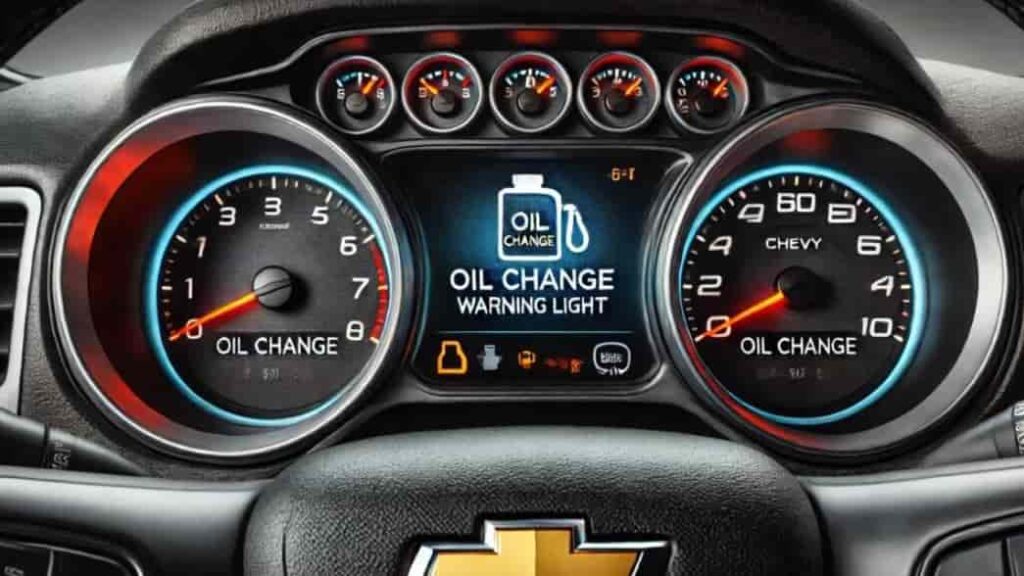
The oil light in the Chevrolet Silverado is part of a modern maintenance technology called the Oil Life Monitoring System. This system does not simply detect low oil levels. Instead, it calculates oil condition based on driving behavior and engine performance data.
The system continuously analyzes factors such as engine temperature, trip distance, idle time, and overall driving conditions. Based on this information, it estimates how quickly the engine oil degrades. This approach allows the system to provide more accurate maintenance timing compared to traditional mileage-based reminders.
Unlike older vehicles, the Silverado does not rely on a basic oil sensor alone. It uses an internal algorithm to predict oil life. Because of this, the oil light does not always mean there is an immediate mechanical issue. In many cases, it only indicates that the oil has reached the end of its estimated useful life.
There is also an important difference between the oil light and other maintenance indicators. The oil light focuses specifically on oil life percentage, while the maintenance reminder covers general service intervals. Many drivers confuse these alerts and assume there is a serious engine problem when the warning appears.
One key reason the oil light stays on after an oil change is because the system does not reset automatically. It requires a manual reset to update the oil life percentage back to 100 percent. If this step is skipped, the dashboard will continue showing outdated maintenance data. Incorrect reset steps or incomplete ignition cycles can also prevent the system from updating properly.
Understanding how this system works is essential before learning how to reset it correctly.
How to Reset Oil Light on Chevy Silverado (General Step-by-Step Method)
Resetting the oil light on the Chevrolet Silverado is a simple process when you follow the correct steps. Most model years use a built-in system inside the dashboard or Driver Information Center. You do not need any special tools or a diagnostic scanner for this procedure.
First, turn the ignition key to the “ON” position without starting the engine. If your Silverado has a push-button start, press the button once without pressing the brake pedal. This activates the electrical system and allows the dashboard menu to function.
Next, use the steering wheel controls or dashboard buttons to navigate to the “Oil Life” menu. On most models, you will find this under “Vehicle Information” or “Settings.” Once you locate the oil life screen, press and hold the “Check” or “Reset” button. In some versions, you may need to confirm the selection using the center button.
Hold the button for a few seconds until the oil life percentage resets to 100%. The system will usually display a confirmation message such as “Oil Life Reset” or show the value returning to full. This indicates the reset is successful.
After that, turn off the ignition completely. Wait a few seconds, then restart the vehicle to confirm the warning light is gone. If the light remains, repeat the process and ensure you follow each step carefully.
This method works for most Silverado models, but menu layouts may vary slightly depending on the year.
Model Year-Specific Oil Light Reset Guide (2007–2025)
The reset process for the Chevrolet Silverado can vary depending on the model year. While the system follows the same logic, the dashboard layout and button controls change across generations. Understanding your specific model helps you complete the reset faster and avoid mistakes.
For 2007–2013 Silverado models, the system is more basic. You typically use the ignition key and the trip or reset button on the dashboard. Turn the key to the “ON” position without starting the engine. Then press the trip button repeatedly until you see “Oil Life.” Hold the reset button until the display shows 100%.
For 2014–2018 models, the Silverado introduces a more advanced Driver Information Center. You use steering wheel controls to access the “Vehicle Information” menu. Scroll to “Oil Life Remaining,” then press and hold the check or select button until the system resets.
For 2019–2025 models, the process becomes fully digital. Use the infotainment or digital instrument cluster. Go to “Settings,” then “Vehicle,” and select “Oil Life Reset.” Confirm the reset using the touchscreen or steering wheel controls. The system will immediately update the oil life to 100%.
Although the interface changes, the principle stays the same across all models. You must manually reset the system after every oil change. This ensures the oil life monitoring system tracks accurate maintenance intervals and prevents false warning lights from staying active.
How to Reset Oil Light on Chevy Silverado Without Tools
You can reset the oil light on the Chevrolet Silverado without any special tools or a scanner. The truck already includes a built-in system that lets you complete the reset manually through the dashboard or steering wheel controls.
First, turn the ignition to the “ON” position without starting the engine. For push-button models, press the start button once without pressing the brake. This activates the electronic system and allows access to the vehicle menu.
Next, use the steering wheel buttons or dashboard controls to open the Driver Information Center. Scroll through the menu until you find “Oil Life” or “Oil Life Remaining.” This option shows the current oil condition percentage.
Once you reach the oil life screen, press and hold the “OK” or “Check” button. Hold it for several seconds until the display changes. The oil life should reset to 100%. Some models will also show a confirmation message such as “Oil Life Reset Successful.”
After that, turn the ignition off completely. Wait a few seconds, then start the engine again. Check the dashboard to confirm the oil light is gone.
This method works on most Silverado model years. It does not require an OBD scanner or dealership support. However, you must follow each step carefully. If the reset fails, repeat the process and ensure the correct menu is selected.
This simple manual method allows drivers to maintain accurate oil tracking without additional tools or cost.
Why Your Oil Light Won’t Reset on Chevy Silverado
Sometimes the oil light on the Chevrolet Silverado does not reset even after you follow the correct steps. This usually does not indicate a serious engine problem. Instead, it often comes from small mistakes during the reset process or system limitations in the dashboard software.
One common issue is incorrect button timing. Many drivers do not hold the reset or “OK” button long enough. The system requires a continuous press until the oil life percentage changes to 100%. If you release too early, the reset will fail.
Another frequent mistake is selecting the wrong menu. Some Silverado models have multiple settings inside the Driver Information Center. If you do not navigate to the correct “Oil Life” screen, the system will not update.
In some cases, the ignition cycle also affects the reset. The system may not register changes if the vehicle is not fully in “ON” mode. Push-button start models are especially sensitive to this step.
There are also system-related reasons. A temporary software glitch in the instrument cluster can prevent updates. In rare cases, the oil change may not have been recorded properly by the technician, so the system continues tracking old data.
If the oil light still does not reset, repeat the process carefully. Make sure you follow each step in the correct order. Most issues are resolved once the reset sequence is done correctly.
What to Do After Resetting the Oil Light on Chevy Silverado
After you reset the oil light on the Chevrolet Silverado, your job is not completely finished. The reset only updates the system. You still need to make sure the engine stays in good condition and the oil monitoring system continues working correctly.
First, check the engine oil level manually using the dipstick. Even though the system tracks oil life, a physical check ensures there is enough oil in the engine. This step helps you avoid low oil situations that the system may not detect immediately.
Next, confirm that the oil you used meets the manufacturer’s specification. Using the wrong oil type can affect engine performance and reduce oil life accuracy. Always follow the recommended viscosity and standard listed for your Silverado model.
It is also important to track your next maintenance interval. The Oil Life Monitoring System estimates when the next oil change is needed, but you should still keep a personal record. This helps you stay ahead of maintenance and avoid unexpected engine wear.
After resetting, monitor the dashboard during your next few drives. Make sure the oil life percentage decreases normally and no warning lights reappear. If something looks unusual, repeat the reset process or inspect the system again.
Finally, maintain a consistent oil change routine. Regular maintenance keeps the engine clean, improves performance, and extends vehicle lifespan. A properly maintained system ensures that future oil light alerts remain accurate and reliable.
Frequently Asked Questions (FAQ)
This section answers the most common questions drivers ask about the oil light on the Chevrolet Silverado. These FAQs help clarify confusion and improve understanding of the oil life system.
How often should I reset the oil light on Chevy Silverado?
You should reset the oil light every time you change the engine oil. The system does not reset automatically. If you skip the reset, the dashboard will continue showing incorrect maintenance data.
Does the oil light mean low oil level?
Not always. In most cases, the oil light reflects oil life percentage, not actual oil level. The system estimates oil condition based on driving habits and engine usage.
Can I drive with the oil light on?
Yes, but only for a short time if you are close to an oil change. However, ignoring the warning for too long can increase engine wear. You should check and service the vehicle as soon as possible.
Why does my oil light stay on after an oil change?
This usually happens because the system was not reset. It can also result from incorrect reset steps or selecting the wrong menu in the dashboard settings.
Do I need a scanner to reset the oil light?
No. Most Silverado models allow manual reset through the dashboard or steering wheel controls. A scanner is not required in normal situations.
Will disconnecting the battery reset the oil light?
No. Disconnecting the battery does not reliably reset the Oil Life Monitoring System. You must use the proper reset procedure inside the vehicle menu.
Conclusion
Resetting the oil light on the Chevrolet Silverado is a simple but important maintenance step. The system does not turn off automatically after an oil change, so you must reset it manually to keep the oil life tracking accurate.
Across all model years, the process follows the same core principle. You access the dashboard or Driver Information Center, navigate to the oil life menu, and reset the value back to 100%. Newer models use digital menus, while older versions rely on physical buttons. However, the goal remains the same in every case.
Understanding how the Oil Life Monitoring System works helps you avoid confusion. The oil light does not always indicate a serious engine issue. In most cases, it only reminds you that the system needs an update after service. When you reset it correctly, your Silverado can continue tracking oil condition accurately and efficiently.
Regular maintenance and correct reset habits help protect your engine over time. They also ensure your dashboard warnings stay reliable and meaningful. If you follow the steps in this guide, you can reset the oil light quickly without tools or professional assistance.
Keeping your Silverado well-maintained improves performance, extends engine life, and prevents unnecessary repairs. A few minutes spent on the correct reset process can save you from long-term issues and confusion on the road.