If your Tesla is not beeping when parking, the problem is usually caused by disabled parking chimes, limitations of Tesla Vision, blocked cameras or sensors, a temporary software glitch, or a hardware fault. In many cases, the issue can be resolved without visiting a Tesla Service Center by checking a few settings and performing basic troubleshooting.
Tesla’s parking assistance system has changed significantly in recent years. Older models rely on Ultrasonic Sensors (USS) to measure the distance between the vehicle and nearby objects, while newer models primarily use Tesla Vision, which estimates distances through cameras and computer vision. Because these systems operate differently, drivers may notice changes in when, how, or even whether parking alerts are triggered.
Understanding how your Tesla detects obstacles is the first step toward identifying why parking chimes have stopped working. Some causes are as simple as muted audio settings or dirty cameras, while others involve software updates, sensor calibration, or hardware failures.
This guide explains the most common reasons your Tesla does not beep when parking, shows you how to diagnose each possible cause, and provides step-by-step solutions to restore normal parking alerts. You’ll also learn when the problem can be fixed at home and when professional service is the safest option.
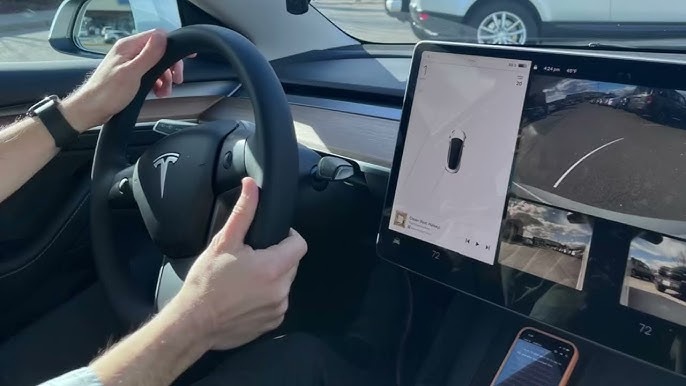
Why Is My Tesla Not Beeping When Parking?
Your Tesla may stop beeping when parking because the parking chimes are disabled, Tesla Vision cannot detect the obstacle, the cameras or sensors are obstructed, the software has developed a temporary fault, or a hardware component has failed. Identifying the actual cause requires checking the vehicle’s settings, parking assistance system, and recent software changes before assuming a mechanical problem.
One of the most common causes is that Parking Chimes or Park Assist settings have been turned off. Tesla allows drivers to customize several safety alerts through the touchscreen. After a software update, profile change, or factory reset, some settings may return to their default values or behave differently than before. If parking alerts are disabled, the vehicle can still display visual distance indicators on the screen without producing an audible warning.
Another frequent reason is the transition from Ultrasonic Sensors (USS) to Tesla Vision. Older Tesla models use ultrasonic sensors to measure the distance to nearby objects, while many newer Model 3 and Model Y vehicles rely entirely on cameras and computer vision. Because Tesla Vision estimates distance differently, parking alerts may activate later, behave differently, or fail to recognize certain obstacles that USS-equipped vehicles could detect more consistently.
Blocked cameras or damaged sensors can also prevent obstacle detection. Dirt, mud, snow, heavy rain, or road salt can partially cover cameras and reduce the accuracy of Tesla Vision. On vehicles equipped with ultrasonic sensors, even a thin layer of debris or minor bumper damage may interfere with sensor readings, causing the parking assistance system to stop issuing warning sounds.
Software issues are another common explanation. A recent firmware update, a temporary operating system glitch, or incomplete camera calibration can affect Park Assist functionality. In many cases, restarting the touchscreen or installing the latest software version restores normal operation without requiring any hardware repair.
Hardware failures are less common but should not be ignored. A malfunctioning speaker, damaged camera module, faulty ultrasonic sensor, or wiring issue can prevent parking chimes from working even when obstacle detection is functioning correctly. If warning messages appear on the touchscreen or the problem persists after completing basic troubleshooting, professional diagnosis through Tesla Service is usually required.
The fastest way to identify the problem is to begin with the simplest checks, including parking alert settings, camera cleanliness, and software status, before moving on to more advanced troubleshooting steps. This approach eliminates the most common causes first and reduces the chance of unnecessary repairs.
Is the Parking Beep Turned Off in Tesla Settings?
A disabled parking chime is one of the most common reasons a Tesla stops beeping while parking. Before assuming there is a hardware or software failure, verify that the parking alert settings are still enabled. Tesla allows drivers to customize several safety features through the touchscreen, and certain settings may change after a software update, profile switch, or factory reset.
Start by shifting the vehicle into Park and opening Controls on the center display. Navigate to the Safety or Autopilot menu, depending on your Tesla model and software version, then locate the Park Assist or parking alert settings. Confirm that parking assistance is enabled and that audible parking chimes have not been muted. If your vehicle supports obstacle detection, the feature should provide both visual distance indicators and warning sounds as you approach nearby objects.
Driver profiles can also affect parking behavior. Tesla stores many vehicle preferences, including some safety and convenience settings, within each driver profile. If another driver recently used the vehicle or a different profile was selected automatically, your preferred parking alert configuration may no longer be active. Switching back to your primary profile or reviewing each profile’s settings often restores the expected behavior.
The vehicle’s audio system is another area worth checking. Parking warnings are played through the cabin speakers, so extremely low media volume, audio system issues, or speaker malfunctions may make the chimes difficult or impossible to hear. If navigation prompts, turn signal sounds, or other system alerts also seem unusually quiet, the issue may be related to the audio system rather than Park Assist itself.
If all settings appear correct but your Tesla still does not produce parking warnings, continue with a physical inspection of the cameras and sensors. Environmental conditions, dirt buildup, or hardware damage can prevent the system from detecting nearby obstacles even when every software setting is configured correctly.
Does Tesla Vision or Ultrasonic Sensors Affect Parking Alerts?
Yes, the parking assistance technology installed in your Tesla directly affects when and how parking alerts are triggered. Vehicles equipped with Ultrasonic Sensors (USS) detect nearby obstacles differently from models that rely on Tesla Vision, so drivers may notice significant differences in parking chimes, obstacle recognition, and distance estimation.
Tesla vehicles manufactured before the transition to Tesla Vision generally use 12 ultrasonic sensors mounted around the front and rear bumpers. These sensors emit ultrasonic waves that bounce off nearby objects and calculate their distance based on the returning signal. Because USS measures physical distance directly, it performs reliably in tight parking spaces and can detect many objects regardless of lighting conditions. As a vehicle approaches an obstacle, the warning beeps become more frequent until they turn into a continuous tone when the distance becomes critically short.
Newer Tesla models, particularly many Model 3 and Model Y vehicles produced without USS, depend primarily on Tesla Vision. Instead of measuring distance with ultrasonic waves, Tesla Vision analyzes images from multiple cameras and uses neural networks to estimate the position and distance of surrounding objects. This approach allows Tesla to reduce hardware complexity while continuously improving detection through software updates, but its performance depends heavily on camera visibility and environmental conditions.
Because Tesla Vision relies on visual data, parking alerts may not behave exactly like they did on USS-equipped vehicles. Small obstacles, narrow poles, low curbs, transparent objects, or items located outside the cameras’ effective field of view may be detected later or with lower confidence. Drivers transitioning from an older Tesla often interpret these behavioral differences as a malfunction when the system is actually operating according to the capabilities of Tesla Vision.
Software updates have also changed Tesla Vision several times since its introduction. Tesla continues refining object recognition, distance estimation, and parking visualization through over-the-air updates, meaning the parking experience may improve over time without any hardware modifications. However, some updates can temporarily introduce unexpected behavior until subsequent releases address reported issues.
To determine which parking assistance technology your vehicle uses, check your Tesla’s production year and specifications. If your vehicle includes ultrasonic sensors on both bumpers, it uses USS-based Park Assist. If those sensors are absent, your Tesla relies primarily on Tesla Vision for obstacle detection and parking alerts. Knowing which system your vehicle uses makes troubleshooting significantly easier because each technology has different limitations and failure points.
What Can Prevent Tesla From Detecting Obstacles?
A Tesla may fail to detect obstacles when its cameras or ultrasonic sensors cannot accurately collect environmental data. Dirt, weather conditions, physical damage, poor lighting, and certain types of objects can all reduce detection accuracy, preventing the vehicle from displaying distance warnings or sounding parking chimes.
Dirty cameras are one of the most common causes of reduced parking performance on Tesla Vision-equipped vehicles. Dust, mud, road salt, water spots, or insect residue can partially block the camera lenses, making it difficult for the system to identify nearby objects. Since Tesla Vision depends entirely on camera images, even a small obstruction can reduce confidence in object detection. Cleaning every exterior camera with a soft microfiber cloth before troubleshooting more complex issues is a quick and effective first step.
Vehicles equipped with ultrasonic sensors can experience similar problems when the sensors become covered with dirt, snow, ice, or thick road grime. Unlike cameras, ultrasonic sensors transmit sound waves to measure distance. Any material covering the sensor surface can weaken or distort these signals, causing delayed warnings or preventing obstacle detection altogether. Regularly cleaning the front and rear bumpers helps maintain consistent sensor performance.
Minor collisions can also interfere with the parking assistance system. A light impact against a curb, pole, or another vehicle may slightly misalign a camera, crack a sensor housing, or damage wiring hidden behind the bumper. Even if no visible exterior damage is present, the system may lose accuracy or stop generating parking alerts. If the problem begins immediately after a minor accident, a physical inspection is recommended.
Environmental conditions can temporarily reduce detection accuracy even when all hardware is functioning normally. Heavy rain, dense fog, snowfall, direct sunlight, or poor nighttime visibility may limit what Tesla Vision can recognize. Ultrasonic sensors are generally less affected by lighting conditions but may struggle when covered by ice or exposed to standing water. In these situations, the vehicle may display reduced Park Assist performance until conditions improve.
Certain obstacles are inherently more difficult for parking assistance systems to detect. Very low curbs, thin metal poles, hanging chains, transparent glass panels, narrow bicycle racks, or objects positioned outside the camera’s viewing angle may not generate timely warnings. Drivers should always rely on mirrors, cameras, and direct observation rather than depending exclusively on audible parking alerts.
If the cameras and sensors are clean, weather conditions are favorable, and no physical damage is visible, the next step is to investigate possible software-related issues. Temporary system glitches or incomplete software updates can also prevent Tesla from detecting obstacles correctly.
How Do You Fix a Tesla That Doesn’t Beep When Parking?
You can usually restore Tesla parking alerts by checking the vehicle’s settings, cleaning the cameras and sensors, restarting the infotainment system, updating the software, and testing the parking assistance system in a safe environment. Following these steps in order helps eliminate the most common causes before considering professional repairs.
Begin by verifying that Park Assist and parking chimes are enabled. Open the center touchscreen, navigate to the Safety or Autopilot settings, and confirm that parking assistance features have not been disabled. If your Tesla supports multiple driver profiles, switch to your primary profile and review its settings because preferences may vary between profiles. Also ensure that the vehicle is not operating in a mode that temporarily changes safety notifications.
Next, inspect every exterior camera and, if your vehicle is equipped with them, the ultrasonic sensors. Remove dirt, mud, snow, ice, or water spots using a clean microfiber cloth. Avoid abrasive cleaning materials or high-pressure water aimed directly at cameras and sensors because they may damage protective coatings or seals. After cleaning, drive the vehicle for a short distance to allow Tesla Vision or Park Assist to refresh its environmental data.
If the problem remains, perform a touchscreen restart. Press and hold both scroll wheels on the steering wheel until the Tesla logo appears on the display. Wait for the system to reboot completely before testing the parking alerts again. This process resolves many temporary software glitches without affecting your personal settings or vehicle data.
If a simple restart does not help, check for available software updates. Tesla regularly improves Tesla Vision, Park Assist, and vehicle stability through over-the-air updates. Install any pending firmware release, then repeat the parking test in an open area with clearly visible obstacles. In some cases, newly installed software may require a short driving period before camera-based features complete their calibration.
You should also test the system under normal operating conditions. Drive slowly toward a large stationary object, such as a garage wall or a parked vehicle, while keeping full control of the car. Verify whether the touchscreen displays distance indicators, whether visual obstacle warnings appear, and whether audible parking chimes activate as expected. This simple test helps determine whether the issue affects only the warning sound or the entire obstacle detection system.
If none of these steps restores normal operation, inspect the vehicle for warning messages related to cameras, Park Assist, or safety systems. Persistent errors after cleaning, restarting, and updating usually indicate a hardware fault, sensor calibration issue, or speaker malfunction that requires professional diagnosis. At that stage, scheduling a service appointment is the most effective solution.
When Should You Contact Tesla Service?
You should contact Tesla Service if basic troubleshooting does not restore parking alerts or if the vehicle reports hardware-related warnings. Persistent problems after checking settings, cleaning cameras, restarting the system, and installing software updates usually indicate an issue that requires professional diagnosis.
The clearest sign that service is necessary is the appearance of warning messages on the touchscreen. Notifications related to Park Assist Unavailable, Camera Obstructed, Camera Calibration Required, or other safety system errors often indicate that the vehicle has detected a fault it cannot correct automatically. While some warnings disappear after cleaning the cameras or driving for a short period, recurring alerts should not be ignored.
Camera calibration problems are another common reason to schedule a service appointment. Tesla Vision depends on accurately calibrated cameras to estimate the position and distance of nearby objects. After replacing a windshield, repairing body panels, or experiencing a collision, one or more cameras may require recalibration. Until calibration is complete, parking visualization and audible alerts may become inaccurate or unavailable.
Owners of Tesla vehicles equipped with ultrasonic sensors should also consider hardware inspection if one or more sensors stop responding. A failed ultrasonic sensor may prevent the entire Park Assist system from functioning correctly, especially if the vehicle detects inconsistent distance measurements. Physical impacts, moisture intrusion, or electrical faults are among the most common causes of sensor failure.
A faulty speaker can produce similar symptoms even when obstacle detection is working properly. If visual parking indicators appear on the touchscreen but no warning sound is heard, the issue may involve the speaker responsible for safety alerts rather than the parking assistance system itself. Comparing parking chimes with other system sounds, such as turn signal clicks, navigation guidance, or seat belt warnings, can help determine whether the audio hardware is functioning normally.
Repeated software failures may also require professional assistance. If parking alerts stop working immediately after multiple software updates or the system repeatedly becomes unavailable despite restarting the vehicle, Tesla technicians can review diagnostic logs that are not accessible to vehicle owners. These logs often reveal software conflicts, communication errors between control modules, or hidden hardware faults.
Delaying repairs is not recommended when parking assistance becomes unreliable. Although Park Assist is designed as a driver assistance feature rather than a replacement for attentive driving, an unresolved fault reduces an important layer of safety during low-speed maneuvering. Scheduling service as soon as persistent issues appear helps ensure the system continues operating as designed.
How Does Tesla Parking Assist Work?
Tesla Parking Assist helps drivers avoid low-speed collisions by detecting nearby obstacles and providing visual and audible warnings while parking. Depending on the vehicle’s hardware, the system uses either Ultrasonic Sensors (USS) or Tesla Vision to estimate the distance between the vehicle and surrounding objects.
On Tesla models equipped with ultrasonic sensors, Park Assist continuously measures the distance to nearby obstacles using high-frequency sound waves. As the vehicle approaches an object, the center display shows distance indicators while the warning chimes become progressively faster. A continuous tone is generated when the obstacle is extremely close, reminding the driver to stop immediately.
On newer Tesla models without ultrasonic sensors, Tesla Vision performs the same function using cameras and artificial intelligence. Multiple exterior cameras capture the vehicle’s surroundings, while neural network models identify objects and estimate their distance. The system then displays parking visualization on the touchscreen and generates audible alerts when an obstacle enters the warning zone.
Parking Assist only operates under specific conditions. The feature becomes active when driving at low speeds, selecting Reverse, or approaching an obstacle while maneuvering into a parking space. It is designed to assist drivers rather than replace visual checks, so the driver remains responsible for monitoring mirrors, cameras, and the surrounding environment throughout the parking process.
Why Doesn’t Tesla Beep in Every Parking Situation?
Tesla does not generate parking warnings in every situation because obstacle detection depends on object visibility, vehicle speed, environmental conditions, and the limitations of the sensing technology. A missing warning does not always indicate that the parking assistance system is malfunctioning.
Object size is one of the biggest factors affecting detection. Very low curbs, narrow poles, hanging chains, thin fences, and transparent glass surfaces may not provide enough information for Tesla Vision or ultrasonic sensors to identify them consistently. Some obstacles also remain outside the effective detection area until the vehicle moves closer.
Vehicle speed also influences parking alerts. Park Assist is designed primarily for low-speed maneuvering. If the vehicle is moving faster than the system’s intended operating range, obstacle warnings may activate later or not activate until the driver slows down.
Environmental conditions can further reduce detection performance. Heavy rain, snow, fog, bright sunlight, dirty camera lenses, or ice covering ultrasonic sensors may prevent the system from collecting accurate environmental data. Tesla may temporarily reduce Park Assist functionality until visibility improves or the sensors become unobstructed.
The position of the obstacle also matters. Objects located outside the cameras’ field of view or beyond the sensing range of ultrasonic sensors may not trigger an immediate warning. Similarly, moving objects such as pedestrians, shopping carts, or bicycles may produce different alert timing depending on their direction and speed relative to the vehicle.
Because of these limitations, Tesla recommends treating Park Assist as a supplementary safety feature instead of relying on it as the only method of avoiding obstacles. Drivers should always combine parking alerts with direct observation, mirrors, and camera views to maintain full awareness of their surroundings.
Does Tesla Vision Perform Differently From Ultrasonic Sensors?
Yes, Tesla Vision and Ultrasonic Sensors differ in how they detect obstacles, estimate distance, and generate parking alerts. Although both systems support parking assistance, they rely on different technologies and therefore have different strengths and limitations.
Ultrasonic Sensors measure distance directly by emitting sound waves and calculating the time required for those waves to return after striking an object. This method provides consistent short-range distance measurements and performs well in dark environments because it does not rely on visible light. However, ultrasonic sensors have a limited detection range and require additional hardware mounted around the vehicle.
Tesla Vision estimates distance using camera images and computer vision algorithms. Instead of measuring physical distance directly, the system analyzes multiple camera feeds to recognize objects and calculate their position relative to the vehicle. This software-based approach allows Tesla to improve detection through over-the-air updates without replacing hardware, but its accuracy depends on camera visibility, image quality, and environmental conditions.
In everyday parking situations, both systems perform well when operating within their intended conditions. However, Tesla Vision may take longer to recognize low or unusual objects, while ultrasonic sensors can occasionally struggle with soft, angled, or highly absorbent surfaces. Understanding these differences helps drivers develop realistic expectations and recognize that changes in parking behavior do not necessarily indicate a fault with the vehicle.
Frequently Asked Questions
Why doesn’t my Tesla beep when reversing?
Your Tesla may not beep when reversing if no obstacle is detected, parking chimes are disabled, Tesla Vision cannot accurately recognize the object, or the parking assistance system is temporarily unavailable. First, confirm that Park Assist is enabled and test the vehicle in an open parking area with a large stationary object. If the issue persists, inspect the cameras or ultrasonic sensors for dirt or damage and check for any active system warnings.
Can I increase the parking alert volume?
No, Tesla does not provide a dedicated setting to adjust the volume of parking chimes independently. The alert sound is controlled by the vehicle’s system audio. If parking warnings seem unusually quiet, verify that other system sounds, such as turn signal clicks, navigation guidance, and seat belt reminders, are functioning normally. If every system sound is affected, the problem may be related to the audio hardware instead of Park Assist.
Does Tesla always beep before hitting an obstacle?
No, Tesla cannot guarantee that every obstacle will trigger a parking warning. Park Assist is designed to assist drivers, not replace careful observation. Small objects, low curbs, narrow poles, transparent surfaces, or obstacles outside the detection area may not generate an audible alert. Drivers should always use mirrors, camera views, and direct visual checks when maneuvering in tight spaces.
Why did parking alerts disappear after a software update?
Parking alerts may behave differently after a software update because Tesla regularly modifies Park Assist and Tesla Vision through over-the-air releases. Some updates introduce new obstacle detection algorithms, while others temporarily affect feature availability until installation is complete or camera calibration finishes. Restarting the vehicle, confirming all updates have completed successfully, and driving for a short period often restores normal operation.
Can cold weather affect Park Assist?
Yes, cold weather can temporarily reduce parking assistance performance. Snow, ice, frost, and road salt may cover cameras or ultrasonic sensors, while condensation can reduce camera visibility. Cleaning the affected components and allowing the vehicle to reach normal operating conditions usually restores obstacle detection. If Park Assist remains unavailable after the weather improves, further troubleshooting or professional inspection may be necessary.