There’s nothing more frustrating than starting your GMC, turning on the radio, and being greeted with silence, a frozen touchscreen, or a completely black display. Whether you drive a GMC Sierra, Yukon, Acadia, Terrain, or Canyon, a malfunctioning infotainment system can quickly turn an enjoyable drive into an inconvenient experience. Modern GMC vehicles rely on sophisticated infotainment technology that controls not only the radio but also Bluetooth connectivity, Apple CarPlay, Android Auto, navigation, and even some vehicle settings. When the system stops working, it affects far more than your music.
If you’re searching for answers because your GMC radio is not working, you’re not alone. This is one of the most common issues reported by GMC owners, and the good news is that many radio problems can be resolved without replacing expensive components or visiting a dealership. In many cases, the culprit is something as simple as a temporary software glitch, a blown fuse, or a battery-related issue.
This comprehensive troubleshooting guide will walk you through the most common causes of GMC radio failures, explain how to diagnose the problem based on its symptoms, and provide step-by-step solutions you can try at home. You’ll also learn when a simple reset is enough, when professional repair is necessary, and how to prevent similar issues from happening again. By the end of this guide, you’ll have a clear understanding of what caused your GMC radio to stop working and the best way to get it back up and running quickly.
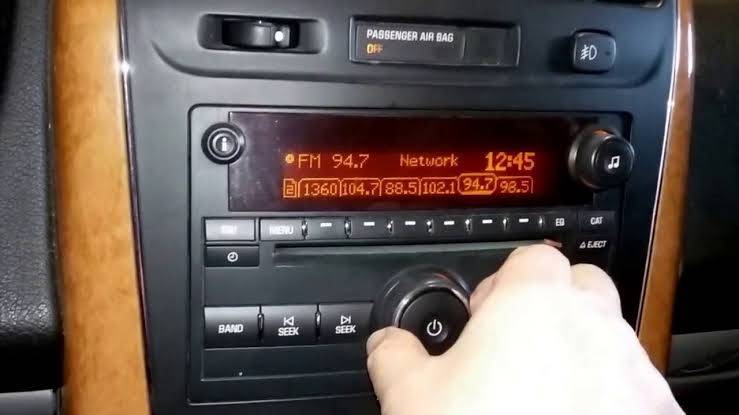
Why Is My GMC Radio Not Working?
A GMC radio can stop working for many different reasons, ranging from a simple software glitch to a failed infotainment module. Because today’s GMC vehicles integrate the radio with Bluetooth, navigation, Apple CarPlay, Android Auto, voice commands, and vehicle settings, even a minor system issue can affect multiple functions at once.
The first step in troubleshooting is identifying the exact symptom. Different symptoms often point to different underlying causes, helping you avoid unnecessary repairs and save both time and money.
Here are the most common signs that your GMC radio may be experiencing a problem:
Radio Won’t Turn On
If the radio remains completely off after starting the engine, the issue may be related to a blown fuse, insufficient battery voltage, damaged wiring, or a faulty infotainment control module. Before assuming the radio has failed, verify that other electrical accessories are functioning properly.
Black or Blank Screen
A black touchscreen is one of the most frequently reported infotainment issues in GMC vehicles. While the screen appears dead, the radio may still be operating in the background. This symptom is often caused by temporary software crashes, failed firmware updates, loose display connections, or an internal hardware malfunction.
Frozen Touchscreen
Sometimes the display powers on but becomes completely unresponsive. You may be unable to change stations, adjust the volume, or access navigation and phone functions. In many cases, a soft reset or infotainment reboot restores normal operation.
No Sound from the Speakers
If the display appears normal but no audio is coming from the speakers, the problem may involve the amplifier, speaker wiring, audio settings, or the vehicle’s premium sound system. Certain GMC models equipped with Bose audio systems can experience amplifier-related failures that leave the radio functioning visually but completely silent.
Radio Keeps Restarting
An infotainment system that repeatedly reboots usually indicates unstable power delivery or corrupted software. Battery problems, voltage fluctuations, or outdated firmware are among the most common causes.
Bluetooth, Apple CarPlay, or Android Auto Stops Working
Sometimes the radio itself works perfectly while smartphone connectivity suddenly fails. This often results from outdated software, damaged USB cables, incompatible devices, or temporary communication errors between the infotainment system and the connected phone.
Understanding these symptoms makes it much easier to narrow down the root cause. Instead of replacing expensive components immediately, you can focus on the most likely issue and apply the appropriate fix.
Most Common Causes of a GMC Radio Not Working
Once you’ve identified the symptoms, the next step is determining what caused the problem. Most GMC radio issues fall into one of several common categories. Some are quick DIY fixes, while others require professional diagnosis.
Software Glitches
Modern GMC infotainment systems operate much like a smartphone, relying on software to control nearly every entertainment and connectivity feature. Like any computer, the system can occasionally freeze, crash, or become unresponsive.
Common signs of a software glitch include:
- Frozen touchscreen
- Black display that later turns back on
- Random system reboots
- Delayed response to touch inputs
- Bluetooth pairing failures
Software-related issues often occur after interrupted updates, prolonged vehicle inactivity, or unexpected power interruptions. Fortunately, many of these problems can be resolved with a simple system reset.
Blown Radio Fuse
A blown fuse is one of the easiest and least expensive issues to fix. The fuse protects the radio and infotainment system from electrical overload. If excessive current passes through the circuit, the fuse breaks to prevent damage to more expensive components.
Symptoms of a blown fuse include:
- Radio will not power on
- Display remains completely black
- No response when pressing the power button
- Other accessories on the same circuit may also stop working
Replacing the fuse only takes a few minutes, but if the new fuse blows immediately, there is likely an underlying electrical problem that should be inspected by a qualified technician.
Weak Battery or Recent Battery Replacement
Many GMC owners notice radio issues shortly after replacing or disconnecting the vehicle’s battery. During a battery replacement, the infotainment system temporarily loses power, which can cause software synchronization problems or require the system to reboot.
A weak battery can also create unstable voltage, causing the infotainment unit to freeze, restart unexpectedly, or fail to start altogether.
If your radio stopped working after battery service, performing a soft reset is often the first troubleshooting step worth trying.
Loose or Damaged Wiring
The radio relies on several wiring harnesses to receive power, communicate with vehicle modules, and transmit audio signals. Over time, connectors can loosen due to vibration, corrosion, or previous repair work.
Signs of wiring problems include:
- Intermittent radio operation
- Audio cutting in and out
- Screen flickering
- Radio working only after hitting bumps
- Random system shutdowns
Physical inspection of the wiring is recommended if other troubleshooting steps fail.
Amplifier Failure
Vehicles equipped with premium audio systems, including Bose sound systems found in many GMC models, use an external amplifier to power the speakers. If the amplifier fails, the infotainment display may function normally while producing no sound at all.
Typical symptoms include:
- Radio appears fully operational
- Volume controls respond normally
- Navigation voice guidance is silent
- No sound from any speaker
Amplifier replacement generally requires professional diagnosis because similar symptoms can also result from damaged wiring or failed speakers.
Faulty Infotainment Control Module
In rare cases, the infotainment control module itself may fail. Since this module manages the touchscreen, media playback, Bluetooth, navigation, and communication with other vehicle systems, hardware failure can produce a wide variety of symptoms.
Common indicators include:
- Permanent black screen
- Continuous reboot cycle
- Touchscreen completely unresponsive
- Radio not detected during vehicle diagnostics
- Multiple infotainment features failing simultaneously
This type of repair is usually more expensive and often requires dealer-level diagnostic equipment.
Quick Fixes You Can Try Before Visiting a Mechanic
Before scheduling an appointment at the dealership, there are several troubleshooting steps you can safely perform at home. Many GMC radio issues are temporary and can be resolved without replacing any parts.
Restart the Vehicle
It may sound simple, but turning the engine off completely, locking the vehicle for several minutes, and restarting it can clear temporary software glitches. Allow all vehicle modules to shut down before restarting to give the infotainment system a fresh boot cycle.
Perform a Soft Reset
A soft reset restarts the infotainment system without erasing your personal settings. Depending on the GMC model, this can often be done by holding the Power and Home buttons simultaneously or by following the reset procedure described in the owner’s manual.
After the reboot, test the radio, touchscreen, Bluetooth, and navigation system to see whether functionality has returned.
Disconnect the Battery
If the radio remains frozen, disconnecting the negative battery terminal for approximately 10 to 15 minutes can force the infotainment system to perform a complete restart.
After reconnecting the battery, allow the vehicle several minutes to initialize all electronic modules before testing the radio again.
Inspect the Radio Fuse
Locate the radio fuse inside the engine compartment or interior fuse box using your owner’s manual. Carefully remove the fuse and inspect the metal strip inside.
If the strip is broken or burned, replace it with another fuse of the exact same amperage rating. Never install a higher-rated fuse, as doing so could damage the electrical system.
Check for Software Updates
GMC periodically releases infotainment software updates that improve stability and fix known bugs. If your vehicle supports over-the-air updates, verify that the latest version has been installed. Older models may require updates to be performed at a dealership.
Remove and Reconnect Bluetooth Devices
Corrupted Bluetooth pairings can occasionally interfere with infotainment performance. Delete all paired devices, restart both the vehicle and your smartphone, then reconnect the phone from scratch.
Test Every Audio Source
Switch between AM radio, FM radio, SiriusXM, Bluetooth audio, USB media, Apple CarPlay, and Android Auto. If only one source fails while the others function normally, the issue is likely isolated to that specific connection rather than the radio hardware itself.
By working through these simple troubleshooting steps, many GMC owners are able to restore normal radio operation without paying for expensive diagnostics or unnecessary component replacements. If none of these solutions resolve the issue, the next step is performing a complete infotainment reset and checking the radio fuse location in detail.
How to Reset a GMC Radio
Resetting your GMC radio is often the fastest and most effective solution when the infotainment system freezes, displays a black screen, or stops responding altogether. A reset clears temporary software errors and allows the system to reboot without replacing any components. Depending on the severity of the issue, you can perform either a soft reset or a factory reset.
Soft Reset
A soft reset restarts the infotainment system while preserving your saved settings, paired phones, radio presets, and navigation data. This method should always be your first troubleshooting step.
Although the exact procedure varies slightly by model year, most recent GMC vehicles allow you to perform a soft reset using one of these methods:
Method 1: Power Button Reset
- Turn the ignition to the ON position.
- Press and hold the Power button for approximately 10 to 20 seconds.
- Wait until the infotainment screen turns off.
- Release the button once the GMC logo appears.
- Allow the system to complete the reboot process.
Method 2: Home + Fast Forward Buttons
Some GMC infotainment systems can be restarted by pressing and holding the Home button together with the Fast Forward button for about 10 seconds. The display should go black before restarting automatically.
After the system reboots, test the radio, Bluetooth, touchscreen, navigation, and Apple CarPlay to confirm that all functions have returned to normal.
Hard Reset (Factory Reset)
If a soft reset does not solve the problem, a factory reset may be necessary. This process restores the infotainment system to its original factory settings, which means all saved data will be erased.
To perform a factory reset:
- Start the vehicle.
- Open the Settings menu.
- Select System.
- Choose Return to Factory Settings.
- Select Erase All Settings or Factory Data Reset.
- Confirm the reset and wait for the process to complete.
Depending on the vehicle model, the reset may take several minutes.
Before Performing a Factory Reset
Keep these precautions in mind before resetting the system:
- Save important navigation destinations.
- Make note of your favorite radio stations.
- Record Bluetooth pairing information.
- Be prepared to reconnect your smartphone.
- Ensure the battery is fully charged during the reset.
In many cases, resetting the infotainment system resolves problems caused by software corruption or interrupted updates. However, if the radio remains unresponsive after both a soft and factory reset, the issue is more likely related to hardware or electrical components.
GMC Radio Fuse Location
If your GMC radio still refuses to turn on after performing a reset, the next component to inspect is the radio fuse. A blown fuse is one of the simplest and least expensive causes of infotainment failure, and checking it only takes a few minutes.
Most GMC vehicles contain two primary fuse boxes:
Engine Compartment Fuse Box
Located under the hood near the battery, this fuse box protects many of the vehicle’s primary electrical systems. Certain infotainment and amplifier circuits may receive power from this location.
Interior Fuse Box
The interior fuse panel is commonly found:
- Beneath the driver’s side dashboard
- Behind the side dashboard trim panel
- Near the passenger footwell
- Inside the center console on some models
The exact location depends on your GMC model and production year.
Finding the Correct Radio Fuse
The radio fuse may be labeled with names such as:
- RADIO
- INFOTAINMENT
- AUDIO
- AMP
- DISPLAY
- BCM
- HMI
Consult your owner’s manual or the fuse box diagram to identify the correct fuse before removing it.
How to Inspect the Fuse
- Turn off the vehicle completely.
- Remove the fuse using the fuse puller provided inside the fuse box.
- Examine the metal strip inside the fuse.
A good fuse will have an unbroken metal strip.
A blown fuse will have a visible break or burn mark.
If the fuse is damaged, replace it with another fuse that has exactly the same amperage rating.
Never install a fuse with a higher amperage than specified. Doing so may damage the infotainment system or create a fire hazard.
When Replacing the Fuse Doesn’t Help
If the replacement fuse blows immediately after installation, do not continue replacing fuses repeatedly. This usually indicates a deeper electrical problem, such as:
- Short circuits
- Damaged wiring harnesses
- Water intrusion
- Failed amplifier
- Faulty infotainment module
Professional diagnosis is recommended in these situations to prevent additional damage.
GMC Radio Problems by Vehicle Model
Although many infotainment issues are common across the GMC lineup, certain models have developed recurring problems that owners report more frequently. Knowing the typical issues associated with your vehicle can make troubleshooting much easier.
GMC Sierra
The GMC Sierra is one of the most frequently discussed models when it comes to infotainment concerns.
Common issues include:
- Frozen touchscreen
- Random radio restarts
- Bluetooth disconnecting unexpectedly
- Apple CarPlay failing to connect
- Black display after software updates
Many Sierra owners find that software updates or infotainment resets resolve these problems, although some older models may eventually require HMI module replacement.
GMC Yukon
The Yukon features one of GMC’s most advanced infotainment systems, which also means additional electronic complexity.
Frequently reported problems include:
- Screen freezing during startup
- Delayed touchscreen response
- Navigation failing to load
- No audio despite the display functioning normally
- Bose amplifier failures
Electrical issues related to battery voltage can also trigger temporary infotainment malfunctions in the Yukon.
GMC Acadia
Acadia owners commonly experience connectivity-related problems rather than complete radio failure.
Typical complaints include:
- Bluetooth pairing failures
- Android Auto disconnecting
- Apple CarPlay not launching
- Touchscreen lag
- Radio changing stations unexpectedly
Most of these issues can be corrected through software updates or by clearing and re-pairing connected devices.
GMC Terrain
Terrain models occasionally experience infotainment software instability, especially after battery replacement or extended battery discharge.
Common symptoms include:
- Black screen
- Radio not turning on
- Backup camera failing to display
- Touchscreen becoming unresponsive
- Slow system startup
Performing a system reset often restores normal operation without requiring hardware replacement.
GMC Canyon
The GMC Canyon shares many infotainment components with the Chevrolet Colorado, making their radio problems quite similar.
Owners frequently report:
- Audio cutting in and out
- Screen flickering
- Intermittent Bluetooth connectivity
- USB ports not recognizing devices
- Radio rebooting while driving
If software updates fail to correct these symptoms, technicians typically inspect the HMI module, wiring connections, and amplifier for hardware-related faults.
Understanding the common issues associated with your specific GMC model can significantly reduce troubleshooting time and help determine whether a software update, fuse replacement, reset, or professional repair is the most appropriate next step.
When Should You Visit a Repair Shop?
While many GMC radio problems can be fixed with a simple reset or fuse replacement, some issues indicate a more serious electrical or hardware failure that requires professional diagnosis. Continuing to troubleshoot these problems at home could lead to additional damage or unnecessary replacement of expensive components.
Here are the warning signs that it’s time to schedule an appointment with a qualified mechanic or GMC dealership.
The Radio Remains Completely Dead
If the infotainment system does not power on after checking the battery, replacing the fuse, and performing both a soft and factory reset, the issue is likely beyond basic troubleshooting.
Possible causes include:
- Failed infotainment control module
- Damaged power supply circuit
- Faulty Body Control Module (BCM)
- Wiring harness failure
Professional diagnostic equipment is usually required to identify the exact cause.
The Fuse Keeps Blowing
Replacing a blown fuse once is normal. However, if the replacement fuse blows immediately or repeatedly, it usually indicates an electrical short somewhere in the system.
Potential causes include:
- Damaged wiring
- Water intrusion
- Defective amplifier
- Internal radio failure
Repeatedly replacing the fuse without fixing the underlying issue may cause further electrical damage.
The Touchscreen Is Permanently Black
If the display never turns on but other vehicle systems continue operating normally, the infotainment display or Human Machine Interface (HMI) module may have failed.
Technicians can determine whether the problem lies with:
- LCD display
- Display cable
- HMI module
- Infotainment processor
- Power supply
No Audio After Multiple Troubleshooting Steps
If the radio appears to function normally but no sound comes from any speaker, even after performing resets and checking audio settings, the amplifier or speaker circuitry may be defective.
Professional diagnosis is recommended because amplifier replacement can be expensive, and similar symptoms may also result from wiring faults.
Water Damage
Water is one of the biggest enemies of automotive electronics.
If your vehicle recently experienced:
- Flooding
- Windshield leaks
- Sunroof leaks
- Water entering the dashboard
The radio may have suffered corrosion or short circuits. Water-damaged electronic components should be inspected immediately before corrosion spreads.
Burning Smell or Overheating
Never ignore electrical burning odors coming from the dashboard.
Turn off the vehicle immediately if you notice:
- Burning plastic smell
- Smoke
- Excessive heat around the radio
- Melting fuse
These symptoms could indicate a serious electrical fault that presents a fire risk.
Software Update Failed
Occasionally an interrupted infotainment software update can leave the system stuck in a continuous reboot loop.
Dealerships have specialized software capable of reinstalling or reprogramming the infotainment operating system without replacing hardware.
If your radio stopped working immediately after a failed update, professional reprogramming may solve the issue.
How Much Does It Cost to Repair a GMC Radio?
Repair costs vary significantly depending on the root cause of the problem. Fortunately, many GMC radio issues are inexpensive to fix, especially when diagnosed early.
Below are typical repair cost estimates in the United States.
| Repair Type | Estimated Cost |
|---|---|
| Replace radio fuse | $10 to $40 |
| Battery replacement | $150 to $350 |
| Software update or reprogramming | $0 to $200 |
| Wiring repair | $100 to $500 |
| Amplifier replacement | $300 to $900 |
| Touchscreen replacement | $400 to $1,200 |
| HMI module replacement | $600 to $1,500 |
| Complete infotainment unit replacement | $800 to $2,500 |
| Aftermarket radio installation | $400 to $1,500 |
Several factors influence repair costs, including:
- Vehicle model and model year
- Warranty coverage
- Labor rates in your area
- OEM versus aftermarket replacement parts
- Availability of replacement components
Is the Repair Covered Under Warranty?
If your GMC is still covered by the factory warranty or an extended protection plan, infotainment repairs may be partially or fully covered.
Coverage often depends on:
- Vehicle age
- Mileage
- Cause of failure
- Maintenance history
Before paying for repairs, check your warranty documentation or contact your local GMC dealer to verify coverage.
Is Repair Better Than Replacement?
In many cases, repairing the existing infotainment system is significantly less expensive than replacing the entire unit.
Repair is usually recommended when the issue involves:
- Software corruption
- Blown fuse
- Loose wiring
- Faulty amplifier
- Minor electrical faults
Replacement becomes the better option when the infotainment module has suffered severe hardware failure or water damage.
Tips to Prevent Future GMC Radio Problems
Although not every infotainment issue can be avoided, regular maintenance and good electrical practices greatly reduce the likelihood of future radio failures.
Keep Infotainment Software Updated
Manufacturers frequently release software updates that improve system stability, eliminate known bugs, and enhance compatibility with smartphones.
Installing updates promptly helps prevent freezing, unexpected reboots, and connectivity issues.
Maintain a Healthy Battery
A weak battery is responsible for many intermittent infotainment problems.
To reduce electrical issues:
- Replace aging batteries before they fail.
- Clean battery terminals regularly.
- Ensure battery connections remain tight.
- Test battery voltage during routine maintenance.
Stable voltage allows electronic modules to operate reliably.
Use High-Quality Charging Accessories
Cheap USB cables and low-quality charging adapters may interfere with Apple CarPlay or Android Auto communication.
Whenever possible:
- Use original manufacturer cables.
- Replace damaged USB cables.
- Avoid overloaded USB hubs.
Reliable accessories help maintain stable data connections.
Protect the Dashboard from Extreme Heat
High cabin temperatures can shorten the lifespan of electronic components.
During hot weather:
- Use windshield sunshades.
- Park in shaded areas.
- Crack windows slightly when safe.
- Consider ceramic window tint to reduce interior heat.
Lower operating temperatures help protect sensitive infotainment hardware.
Avoid Disconnecting the Battery Unnecessarily
Disconnecting the battery resets numerous electronic modules and may temporarily affect infotainment functionality.
If battery removal is required:
- Follow manufacturer procedures.
- Allow the vehicle to complete module initialization after reconnecting the battery.
- Avoid interrupting software updates during the process.
Keep Moisture Away from Electronics
Even small amounts of moisture can damage infotainment components over time.
Regularly inspect for:
- Windshield leaks
- Sunroof leaks
- Door seal damage
- Water entering the dashboard
Repairing leaks early can prevent expensive electronic failures.
Perform Routine System Checks
Every few months, test all infotainment features, including:
- AM and FM radio
- Bluetooth connectivity
- Apple CarPlay
- Android Auto
- Navigation
- Voice recognition
- USB ports
- Backup camera
Detecting small issues early often prevents larger and more costly repairs later.
By following these preventive maintenance practices, you can extend the lifespan of your GMC infotainment system, reduce unexpected failures, and enjoy reliable performance every time you get behind the wheel.
Frequently Asked Questions (FAQs)
Why is my GMC radio not working all of a sudden?
A GMC radio can stop working unexpectedly for several reasons, including software glitches, a blown fuse, a weak battery, loose wiring, or a malfunctioning infotainment module. If the problem appears after replacing the battery or installing a software update, performing a soft reset is often the quickest solution.
How do I reset my GMC infotainment system?
The easiest way to reset the infotainment system is by performing a soft reset. Depending on your vehicle model, press and hold the Power button for about 10 to 20 seconds until the screen turns off and the GMC logo reappears. If the issue persists, you can perform a factory reset through the Settings menu, but keep in mind that this will erase your saved preferences and paired devices.
Can a bad battery cause my GMC radio to stop working?
Yes. A weak or failing battery can cause unstable voltage, which may prevent the infotainment system from starting correctly. Low battery voltage can also lead to symptoms such as a frozen touchscreen, repeated system restarts, or a completely black display. If your battery is several years old or has recently been discharged, testing or replacing it may resolve the issue.
Which fuse controls the GMC radio?
The radio fuse location varies depending on the GMC model and model year. It is typically located in either the engine compartment fuse box or the interior fuse panel beneath the dashboard. The fuse may be labeled as RADIO, AUDIO, INFOTAINMENT, DISPLAY, AMP, HMI, or BCM. Always consult your owner’s manual to identify the correct fuse before replacing it.
Why does my GMC radio have power but no sound?
If the display turns on but no sound comes from the speakers, the problem may involve the amplifier, speaker wiring, audio settings, or premium Bose audio system. In some cases, a software malfunction can mute all audio outputs even though the infotainment system appears to function normally. Restarting the system and testing multiple audio sources can help determine whether the issue is software or hardware related.
Why is my GMC touchscreen frozen?
A frozen touchscreen is commonly caused by temporary software errors, interrupted updates, or insufficient battery voltage. Performing a soft reset usually restores normal operation. If the touchscreen remains frozen after multiple resets, the infotainment module or display hardware may require professional inspection.
Does disconnecting the battery reset the radio?
Yes. Disconnecting the negative battery terminal for approximately 10 to 15 minutes forces many electronic control modules, including the infotainment system, to restart. Although this method can resolve temporary software issues, it may also reset certain vehicle settings, requiring you to reconnect Bluetooth devices and restore radio presets.
Why does my GMC radio keep rebooting?
Continuous rebooting usually indicates unstable electrical power or corrupted software. Common causes include a weak battery, charging system problems, damaged wiring, or a failed software update. If software resets do not resolve the issue, a dealership may need to reinstall the infotainment software or inspect the HMI module.
Can I drive my GMC if the radio isn’t working?
Yes. A non-functioning radio will not normally prevent the vehicle from operating safely. However, if the infotainment system also controls the backup camera, navigation, parking sensors, or other integrated safety features, you should have the issue diagnosed as soon as possible.
How much does it cost to replace a GMC infotainment system?
Replacing an entire infotainment unit typically costs between $800 and $2,500, depending on the vehicle model, model year, and whether OEM or aftermarket components are used. Before replacing the system, it is worth checking for software issues, blown fuses, or wiring problems, as these repairs are often much less expensive.
Final Thoughts
Experiencing a GMC radio not working issue can be frustrating, especially when your infotainment system controls much more than music. From navigation and Bluetooth connectivity to Apple CarPlay and backup camera functions, today’s GMC vehicles rely heavily on integrated electronics. Fortunately, many radio problems stem from relatively simple issues such as software glitches, blown fuses, weak batteries, or temporary communication errors between vehicle modules.
The best approach is to start with the simplest troubleshooting steps. Restart the vehicle, perform a soft reset, inspect the radio fuse, verify the battery’s condition, and check for available software updates. These basic procedures resolve a large percentage of infotainment problems without requiring expensive repairs. If the issue continues after completing these steps, professional diagnostics can determine whether the amplifier, HMI module, wiring, or infotainment control unit needs attention.
Regular maintenance also plays an important role in preventing future problems. Keeping your infotainment software updated, maintaining a healthy battery, using quality USB accessories, and protecting the dashboard from excessive heat can significantly improve the reliability of your GMC’s electronic systems.
If your GMC radio is not working, don’t assume the entire system needs to be replaced. In many cases, the solution is much simpler and more affordable than expected. By following the troubleshooting methods outlined in this guide, you can identify the root cause, avoid unnecessary repair costs, and restore your infotainment system to full functionality.
Have you experienced a GMC radio problem? Let us know your GMC model, model year, and the symptoms you’re seeing in the comments below. Sharing those details can help other owners facing similar issues, and our team may be able to suggest additional troubleshooting steps specific to your vehicle.