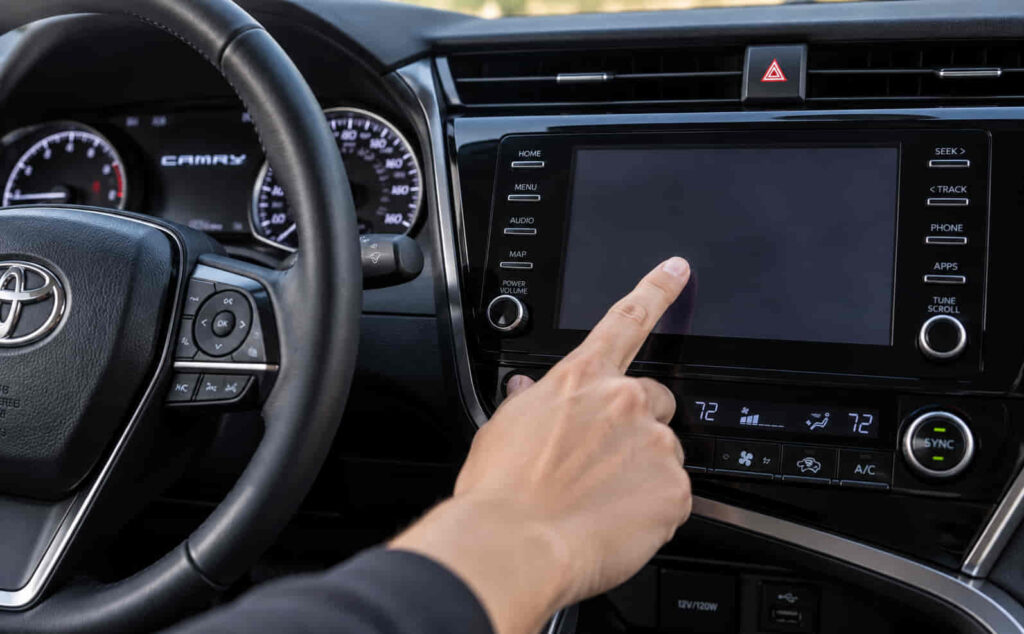
A Toyota Camry touch screen can stop working because of a software freeze, interrupted power supply, blown fuse, damaged wiring, failed digitizer, display fault, or malfunctioning head unit. The correct repair depends on what the screen is doing when the problem occurs. A screen that still displays menus but does not respond to touch points to a different fault than a completely black screen with no audio or infotainment functions.
The first step is to identify whether the problem comes from software, electrical power, the touch-sensitive layer, or the complete infotainment unit. Temporary software errors can often be corrected with a system restart, while repeated freezing, ghost touches, partial touch response, or a screen that remains unresponsive after rebooting can indicate a digitizer or head-unit problem. A black screen may require checking the battery condition, multimedia-related fuse, wiring connection, display, and power supply before replacing any component.
This guide explains why a Toyota Camry touch screen stops working, what you should check first, how to reset the infotainment system, and how to distinguish a simple software problem from a failed digitizer or head unit. It also explains when a repair can be handled at home and when professional diagnosis is the safer option.
Why Is My Toyota Camry Touch Screen Not Working?
A Toyota Camry touch screen usually stops working because of a software problem, an electrical power issue, a failed touchscreen digitizer, a display fault, damaged wiring, or a malfunctioning head unit. The symptom shown by the infotainment system is the fastest way to narrow down the cause. A screen that remains illuminated but ignores touch commands does not have the same failure pattern as a screen that is completely black, repeatedly restarts, or loses both display and audio at the same time.
A temporary software freeze is one of the first causes to consider when the display still has power. The infotainment software controls the interface, touch commands, connected devices, audio functions, and other multimedia operations. When the system becomes unresponsive, the image may remain visible while touch inputs stop working or respond several seconds late. The screen may also freeze after starting the vehicle, switching between menus, connecting a phone, or using Apple CarPlay or Android Auto. A successful reboot that restores normal touch operation indicates that the problem was more likely related to the software state than to a physically damaged touchscreen.
A Toyota Camry screen that displays normally but does not respond to touch can indicate a failed digitizer. The display panel and digitizer perform different functions. The display produces the image, while the digitizer detects where the driver touches the screen and converts that contact into an input command. Because these components perform separate jobs, the radio menu, navigation screen, backup camera, or other visual information can remain visible even when touch control no longer works. A deteriorating digitizer can also create partial dead zones, incorrect touch positions, delayed response, or ghost touches where the system registers inputs without the driver intentionally touching that location.
Electrical faults produce a different group of symptoms. The multimedia system requires a stable power supply, so a blown fuse, poor electrical connection, low system voltage, damaged wiring, or interrupted power can prevent the screen from starting correctly. A completely black screen combined with loss of audio and other infotainment functions points more strongly toward a power-supply or head-unit problem than an isolated digitizer failure. Battery-related electrical problems should receive greater attention when the touchscreen issue begins after a weak battery, battery replacement, jump-start, or another event that interrupts electrical power.
The head unit becomes a stronger suspect when several infotainment functions fail together. The head unit acts as the central control hardware for the multimedia system, so an internal failure can affect the screen, audio, Bluetooth connection, phone integration, system startup, and other functions at the same time. Repeated boot loops, random shutdowns, a unit that does not power on despite a correct external power supply, or persistent freezing after basic software and electrical checks can indicate an internal head-unit fault. Replacing the entire unit should not be the first repair, however, because a failed fuse, loose connection, software error, or damaged digitizer can produce similar symptoms at a much lower repair cost.
What Should You Check First When a Toyota Camry Touch Screen Stops Working?
Check what still works before resetting or replacing anything when a Toyota Camry touch screen stops working. The combination of working and failed functions provides more diagnostic value than the touchscreen symptom alone. Observe whether the screen is illuminated, whether the image is frozen or moving normally, whether physical audio controls still respond, whether sound is available, and whether the backup camera image appears when reverse gear is selected. These observations help separate a touch-input fault from a display, software, power, or complete head-unit failure.
Start with the screen condition. A display that shows menus normally but does not register any touch input directs diagnosis toward the touchscreen layer, touch-processing system, or a temporary software freeze. If only specific areas of the screen fail to respond while other areas continue to work, the digitizer becomes a stronger possibility because physical touch layers can develop localized dead zones. Ghost touches or commands appearing without deliberate input also fit a touch-sensing fault more closely than a simple loss of electrical power.
Next, determine whether the rest of the infotainment system still operates. A black screen with functioning audio indicates that at least part of the multimedia unit continues to receive power, so the display, display connection, or internal screen circuitry requires more attention. A black screen combined with no audio, no multimedia controls, and no visible startup activity creates a different diagnostic path because the entire unit may have lost power. In that situation, the multimedia-related fuse, power supply, battery condition, wiring, and head-unit power input should be checked before assuming the LCD or digitizer itself has failed.
A system restart should come before component replacement when the touchscreen still has power but is frozen or unresponsive. Restarting clears the current software state and can restore operation when the failure comes from a temporary infotainment crash. The exact reset procedure can differ between Toyota Camry model years and multimedia systems, so a reset method should match the vehicle’s specific configuration rather than treating one button sequence as universal for every Camry. If the touchscreen works normally after restarting but repeatedly freezes again, the recurring behavior suggests that further software, electrical, or head-unit diagnosis is necessary rather than repeatedly relying on rebooting as a permanent repair.
The fuse and electrical system should be checked when the multimedia unit appears to have lost power completely. Toyota Camry fuse assignments differ by model year, trim level, and audio configuration, which means the correct radio or multimedia fuse should be identified through the vehicle-specific fuse diagram or owner’s information. A replacement fuse must use the specified amperage. A fuse that blows again shortly after replacement indicates an underlying electrical fault, such as a short circuit or wiring problem, rather than a fuse that simply failed on its own.
The most efficient troubleshooting sequence therefore moves from symptom identification to software checks, power verification, and then hardware diagnosis. This order prevents unnecessary replacement of the touchscreen or head unit before simpler causes have been eliminated. It also makes the symptoms more useful: a visible screen with no touch response points in one direction, a black screen with working audio points in another, and complete loss of the multimedia system points toward the power circuit or head unit.
Read more: Toyota P1300
How Do You Reset a Toyota Camry Touch Screen?
Resetting the Toyota Camry infotainment system is appropriate when the touch screen is powered on but frozen, slow, or temporarily unresponsive. A restart reloads the multimedia software and clears the active system state without immediately replacing hardware. This makes it one of the first corrective actions to try when the display still shows an image, the radio continues to work, or the problem started suddenly without visible physical damage to the screen.
The reset procedure depends on the Camry model year and the multimedia unit installed in the vehicle. On systems that support a manual reboot through the audio power control, holding the power or volume knob for several seconds may force the infotainment unit to restart. Other Camry multimedia systems may use a different control sequence or menu-based reset process. The correct method should therefore be matched to the specific model year and head unit rather than assuming that one reset sequence applies to every Toyota Camry.
A soft reset should be attempted before a factory reset because the two procedures serve different purposes. A soft reset restarts the operating state of the infotainment system and is intended to correct temporary freezes, delayed responses, or software crashes. A factory reset returns supported settings to their original configuration and can remove paired phones, saved preferences, Bluetooth connections, or other personalized data. Factory reset is more appropriate when the system continues to malfunction after a normal reboot and the problem appears to be software-related rather than electrical or physical.
Resetting the screen does not repair a failed digitizer, damaged display, loose connection, or defective head unit. If the Toyota Camry touch screen remains unresponsive after rebooting, the next step is to compare what the display shows with what the touch layer is doing. A screen that continues to show menus normally but ignores all touch input points toward a different fault than a screen that repeatedly reboots or remains completely black.
Why Is My Toyota Camry Touch Screen Frozen?
A Toyota Camry touch screen can freeze when the infotainment software stops processing commands correctly while the display remains powered. The screen may stay on the same menu, ignore touch commands, respond several seconds late, or stop switching between audio, phone, navigation, and vehicle settings. This type of failure is more consistent with a software or system-state problem when it appears suddenly and disappears after a restart.
Connected devices can also be involved when the freezing occurs during phone integration. Apple CarPlay, Android Auto, Bluetooth, or USB connections add another layer of communication between the phone and the infotainment system. If the touchscreen operates normally until a device is connected and then freezes, disconnecting the phone and restarting the multimedia unit helps determine whether the issue is associated with the connection rather than the physical screen. If the Toyota interface itself remains responsive without the phone connected, the touchscreen hardware is less likely to be the primary cause.
Repeated freezing requires deeper diagnosis because a recurring problem is different from a one-time software crash. A system that freezes on most drives, restarts without input, becomes unresponsive shortly after startup, or enters a repeated reboot cycle may have an unstable software environment, interrupted electrical supply, or an internal head-unit fault. The important diagnostic distinction is persistence. A temporary freeze that disappears after one restart is less concerning than a failure that returns immediately after every reboot.
Temperature, battery condition, and electrical interruptions can also affect how the multimedia system starts and operates, but these factors should not be assumed to be the cause without supporting symptoms. A touchscreen problem that appears together with weak starting, recent battery replacement, jump-starting, or other abnormal electrical behavior deserves an electrical check. In contrast, a screen that has stable power and a normal image but repeatedly loses touch response directs more attention toward the digitizer or touch-processing hardware.
Why Does My Toyota Camry Screen Turn On but Not Respond to Touch?
A Toyota Camry screen that turns on and displays information normally but does not respond to touch most strongly indicates a problem with touch input rather than a complete loss of power. The display and touchscreen digitizer perform separate functions. The display produces the visible image, while the digitizer detects finger contact and converts the touch location into an electronic command. This separation explains why the radio interface, map, clock, or backup camera can remain visible even when the driver cannot select anything on the screen.
A failing digitizer does not always stop working across the entire display at once. The first sign can be a dead area where certain buttons no longer respond, while other sections continue to work. As the fault progresses, the touchscreen may register a touch in the wrong position, respond only after repeated presses, or generate ghost touches without deliberate input. These symptoms provide stronger evidence of a touch-layer problem because they involve inaccurate touch detection rather than a failure to generate an image.
Software problems can imitate digitizer failure, which is why rebooting remains an important diagnostic step before replacing the touchscreen. If the screen becomes fully responsive immediately after restarting and continues working normally, the failure was more consistent with a temporary software state. If the same areas remain unresponsive after repeated restarts, or the touchscreen consistently registers commands in the wrong locations, a hardware-level touch problem becomes more likely.
Physical damage also strengthens the case for digitizer failure. Cracks, impact damage, liquid intrusion, or deterioration of the touch layer can disrupt the electrical grid used to detect input. A visually intact screen can still have a failed digitizer because the outer appearance does not confirm that the underlying touch-sensing layer is functioning correctly. For that reason, diagnosis should be based on behavior as well as visible condition.
Touchscreen calibration is not a universal repair for an unresponsive Camry screen. Calibration only helps when the system supports calibration and the touch layer is still capable of accurately detecting input after adjustment. It cannot restore a digitizer that has electrically failed or developed dead zones. When the display remains normal but touch response is consistently absent or inaccurate after software checks, digitizer repair or replacement becomes a more relevant next step than repeated resets.
Why Is My Toyota Camry Touch Screen Black?
A black Toyota Camry touch screen usually indicates a loss of display output, interrupted electrical power, a display connection problem, or a fault inside the infotainment head unit. The most useful diagnostic clue is whether other multimedia functions still work while the screen remains black. A black screen with working audio points to a different failure path than a black screen combined with complete loss of radio, Bluetooth, and multimedia controls.
When the radio still produces sound but the screen remains black, the infotainment unit is receiving enough power to operate at least part of the system. In this situation, the display panel, backlight, display connection, or internal video circuitry becomes more relevant than the main power supply. The same logic applies if steering-wheel audio controls continue to change volume or stations while no image appears on the screen. Functional audio shows that the entire head unit has not necessarily failed, even though the visual section of the system is not operating correctly.
A black screen with no audio or multimedia response requires more attention to the power circuit. The head unit depends on a stable supply from the vehicle electrical system, so a blown fuse, interrupted power connection, low voltage, damaged wiring, or internal head-unit fault can prevent the system from starting. The problem should be treated as a complete infotainment failure when the screen remains dark and the unit produces no sound, no startup activity, and no response from related controls.
The backup camera can provide another useful diagnostic signal. If the normal infotainment interface is black but the rear camera image appears when the vehicle is shifted into reverse, part of the display path is still functioning. That behavior can point away from a completely failed screen and toward an infotainment software, input, or head-unit problem. If the display remains black during both normal operation and reverse-camera use, the screen, its connection, power supply, or head unit requires further investigation.
A temporary black screen can also occur when the multimedia system fails to boot correctly after an electrical interruption. This is more relevant when the problem begins after battery replacement, a jump-start, a weak battery event, or another interruption in vehicle power. Restarting the system can correct a temporary boot failure, but a screen that repeatedly turns black after successful restarts should not be treated as a simple software glitch. Repeated failure indicates that the underlying electrical, display, or head-unit problem still needs to be identified.
Replacing the screen should therefore not be the first response to every black-display condition. The correct diagnosis depends on whether audio works, whether physical controls respond, whether the backup camera produces an image, and whether the infotainment unit receives stable electrical power. These observations help distinguish a display-specific problem from a full multimedia-system failure before expensive components are replaced.
Which Fuse Should You Check When the Toyota Camry Touch Screen Is Not Working?
The correct fuse to check depends on the Toyota Camry model year, trim level, and multimedia system installed in the vehicle. Toyota Camry generations do not use one universal fuse assignment for every radio or touchscreen configuration, so the relevant circuit should be identified from the fuse diagram or owner documentation for the specific vehicle. Depending on the configuration, the multimedia system may be associated with circuits labeled for the radio, audio system, accessory power, ECU, or related electronics.
A blown infotainment fuse can cause the touch screen to remain completely black because the head unit no longer receives the electrical supply required to start. The failure may also affect the radio, Bluetooth, USB functions, or other multimedia features powered through the same circuit. This differs from a digitizer problem, where the screen normally continues to display information even though touch commands are not detected. Complete loss of both display and audio therefore gives the fuse and power supply greater diagnostic priority.
The fuse should be inspected only after the correct circuit has been identified for the vehicle. A fuse with a broken internal element indicates an open circuit and should be replaced only with another fuse of the specified amperage. Installing a higher-rated fuse is not an appropriate repair because the fuse is designed to protect wiring and electronic components from excessive current. Using a fuse with a different rating can allow an electrical fault to damage the circuit before the replacement fuse opens.
A replacement fuse that fails again is evidence of an underlying electrical problem rather than evidence that the vehicle simply needed another fuse. Repeated fuse failure can result from a short circuit, damaged wiring, a faulty accessory, or an internal problem within the multimedia unit. Continuing to replace the fuse without identifying the cause removes the symptom temporarily while leaving the electrical fault unresolved.
A fuse that appears intact also does not prove that the head unit is receiving correct power. Wiring faults, connector problems, poor ground connections, or low electrical voltage can interrupt operation without visibly damaging a fuse. If the correct fuse is functional but the Toyota Camry screen and radio remain completely dead, diagnosis should move from the fuse itself to the power and ground connections supplying the infotainment system.
Fuse inspection is therefore most useful as one step in a broader electrical diagnosis. It can quickly identify a simple loss-of-power cause, but it should not replace symptom-based troubleshooting. A screen that has power but no touch response directs attention toward software or digitizer failure, while a completely dead multimedia system justifies checking the fuse, battery condition, wiring, and head-unit power supply before considering component replacement.
Can the Battery Cause a Toyota Camry Touch Screen to Stop Working?
A weak battery or unstable electrical supply can cause a Toyota Camry touch screen to freeze, restart, fail to boot, or remain black even when the screen itself is not damaged. The infotainment system depends on stable vehicle voltage during startup and operation. When voltage drops below the level required by the multimedia unit, the system can boot incorrectly, lose stored operating state, or shut down unexpectedly.
Battery-related touchscreen problems are more likely when the infotainment failure appears together with other electrical symptoms. Slow engine cranking, dim interior lighting, repeated electronic resets, warning messages, or intermittent accessory operation indicate that the touchscreen problem may be part of a wider voltage issue rather than an isolated display failure. The same suspicion becomes stronger when the screen starts malfunctioning immediately after a weak-battery event, battery replacement, jump-start, or prolonged period without vehicle use.
A battery problem can also create intermittent behavior that resembles a software fault. The screen may work normally on one drive but freeze or restart on another because system voltage changes during engine startup or accessory use. This makes battery condition relevant when the malfunction is inconsistent and affects more than one electronic system. In contrast, a stable display that consistently fails to register touch in the same screen areas is more characteristic of a digitizer problem than a battery problem.
Battery disconnection should not be treated as a universal touchscreen repair. Removing power can force some infotainment systems to restart, but it does not correct defective touch hardware, damaged wiring, or an internal head-unit failure. It can also reset vehicle or multimedia settings depending on the Camry configuration. A standard infotainment restart is therefore a more appropriate first step when the screen is powered but frozen.
Electrical diagnosis should continue beyond the battery when voltage is adequate but the multimedia system still loses power. Power and ground connections, wiring harnesses, connectors, and relevant circuits can interrupt the head unit even when the battery itself is healthy. If the Toyota Camry touch screen and radio repeatedly shut down together, diagnosis should focus on the complete power path rather than replacing the touchscreen based only on the visible symptom.
Can Apple CarPlay or Android Auto Cause the Toyota Camry Screen to Freeze?
Apple CarPlay or Android Auto can be associated with a frozen Toyota Camry infotainment screen when the problem occurs during phone connection, but this does not automatically mean the touchscreen hardware has failed. Phone integration requires communication between the mobile device, USB or wireless connection, infotainment software, and supported applications. A problem at any point in that connection can make the interface slow, disconnected, or temporarily unresponsive.
The easiest way to separate a phone-integration problem from a Toyota touchscreen problem is to test the native infotainment interface without the phone connected. If the Toyota menus respond normally after CarPlay or Android Auto is disconnected, the physical touchscreen remains capable of receiving touch input. Diagnosis should then focus on the phone connection, cable, USB port, Bluetooth state, software compatibility, or multimedia software rather than immediately replacing the digitizer.
The failure pattern is different when the Toyota interface remains unresponsive even after the phone is disconnected and the infotainment unit is restarted. A screen that does not respond in Toyota menus, audio controls, settings, and other native functions indicates that the issue extends beyond CarPlay or Android Auto. Persistent touch failure under those conditions increases the likelihood of a digitizer, touch-processing, or head-unit problem.
A defective cable or unstable USB connection can also produce symptoms that appear to come from the screen. Repeated connecting and disconnecting can interrupt CarPlay or Android Auto sessions and make the interface appear frozen. If changing the cable or connection method resolves the problem while the Toyota interface remains fully responsive, the infotainment display itself was not the primary failure point.
CarPlay and Android Auto troubleshooting should therefore remain separate from touchscreen hardware diagnosis. A phone-integration failure affects the connected interface, while a digitizer failure affects touch input across the screen regardless of which application is displayed. This distinction prevents a connectivity problem from being misdiagnosed as an expensive screen or head-unit failure.
How Can You Tell Whether the Toyota Camry Touch Screen or Head Unit Is Bad?
The difference between a bad Toyota Camry touch screen and a bad head unit is determined by which infotainment functions still operate. A touch screen consists of the visible display and touch-sensitive input layer, while the head unit controls a broader group of multimedia functions. When the image and audio continue to work but touch input fails, the touchscreen or digitizer deserves more attention. When multiple infotainment functions fail together, the head unit or its electrical supply becomes more likely.
A digitizer problem usually produces touch-specific symptoms. The display may remain clear, radio information may update normally, the backup camera may still appear, and physical controls may continue to work while the screen ignores touch commands. Partial dead zones, ghost touches, delayed touch response, or commands registering in the wrong location also support a digitizer diagnosis because these symptoms involve the system’s ability to detect touch rather than its ability to generate audio or video.
A display failure produces a different pattern. The screen can remain black while the radio and physical controls continue to work normally. In that situation, the head unit may still be processing audio and other commands even though the visual output is unavailable. A display, backlight, internal screen connection, or related video circuit is more relevant than a failed digitizer because a digitizer controls touch detection rather than image generation.
A head-unit problem becomes more likely when the display, audio, Bluetooth, phone integration, and other multimedia functions stop working together. Repeated spontaneous reboots, failure to complete startup, loss of several functions at the same time, or a completely inactive unit despite verified power and ground can indicate an internal head-unit fault. The head unit should still be diagnosed only after external electrical causes have been excluded because a power interruption can create the same complete-system symptom.
The most reliable diagnosis comes from matching the failure pattern to the component responsible for that function. Normal image with no touch response points toward the digitizer. Black screen with working audio points toward the display or display circuit. Loss of both screen and audio directs attention toward power supply or the head unit. Repeated rebooting after software and electrical checks increases suspicion of an internal head-unit problem. This symptom-based approach reduces unnecessary replacement and keeps troubleshooting focused on the component most closely connected to the failure.
Should You Repair the Toyota Camry Touch Screen Yourself or Take It to a Technician?
You can handle basic Toyota Camry touch screen troubleshooting yourself when the problem is limited to software resets, connected-device issues, or a clearly identified fuse, but internal electrical and hardware repairs should be handled by a qualified technician. The dividing line is whether the repair requires opening the dashboard, testing circuits, separating the screen assembly, or replacing internal infotainment components. Simple troubleshooting can confirm the cause without creating additional risk, while invasive repairs can damage connectors, trim panels, wiring, or the multimedia unit if performed incorrectly.
A system restart is one of the safest DIY steps because it does not require removing components. It is appropriate when the screen remains powered but freezes, responds slowly, or temporarily stops accepting commands. Disconnecting a phone, changing a USB cable, and testing the native Toyota interface are also reasonable owner-level checks when the problem appears during Apple CarPlay, Android Auto, or Bluetooth use. These steps help determine whether the failure comes from the connected device or from the infotainment system itself.
Fuse inspection can also be handled without specialist equipment when the correct fuse has been identified from the vehicle-specific diagram and the owner understands the required amperage. The key limitation is recurrence. Replacing one confirmed blown fuse is different from repeatedly replacing a fuse that fails again. A fuse that opens a second time indicates an electrical fault that requires diagnosis rather than another replacement.
Professional diagnosis is more appropriate when the screen has persistent dead zones, ghost touches, repeated boot loops, intermittent total shutdown, or complete loss of both display and audio. These symptoms can involve the digitizer, wiring, power and ground circuits, internal head-unit electronics, or multiple components at once. Identifying the failed part may require electrical testing and access to the rear of the multimedia unit.
Digitizer and display replacement are also better treated as component-level repairs rather than basic DIY maintenance. Removing the screen assembly can require dashboard trim removal, connector disconnection, and separation of delicate display components. A damaged LCD, incorrectly seated cable, contaminated adhesive surface, or misaligned touch layer can turn a limited touchscreen problem into a larger repair.
The same principle applies to head-unit replacement. A replacement unit must be compatible with the specific Toyota Camry model year and equipment configuration, and the installation may involve steering-wheel controls, factory cameras, microphones, amplifiers, USB interfaces, or other vehicle systems. Professional installation becomes more valuable when preserving these factory functions is important.
The practical decision is therefore based on repair depth. Software checks, connection tests, and a correctly identified fuse can be handled at home. Persistent hardware, wiring, power-supply, digitizer, display, or head-unit failures justify technician diagnosis because the cost of misdiagnosis can exceed the cost of confirming the failed component first.
How Can You Prevent Toyota Camry Touch Screen Problems?
You can reduce the risk of Toyota Camry touch screen problems by maintaining stable electrical power, avoiding physical damage to the display, keeping connected devices and infotainment software functioning correctly, and addressing intermittent faults before they become complete failures. Preventive maintenance cannot eliminate every digitizer or head-unit failure, but it can reduce problems caused by voltage instability, damaged connections, moisture, or repeated stress on the screen.
Battery condition is important because the infotainment system depends on consistent voltage during startup and operation. A weak battery can affect more than engine starting and may cause electronic systems to reset or boot incorrectly. If the Camry develops slow cranking, repeated electronic resets, or other low-voltage symptoms, checking the battery and charging system can prevent recurring infotainment behavior from being misdiagnosed as a screen failure.
The touchscreen should also be protected from excessive pressure, impact, and moisture. The digitizer relies on a thin touch-sensitive layer, so physical damage can produce dead areas, inaccurate input, or ghost touches even when the LCD beneath it still displays a clear image. Cleaning the screen with an appropriate soft material and avoiding excessive liquid around the display reduces the chance of damaging the touch surface or allowing moisture to reach the screen assembly.
Connected devices should be considered when problems repeatedly begin during phone integration. Stable USB cables, clean ports, compatible mobile software, and properly functioning Bluetooth connections reduce interruptions that can make CarPlay or Android Auto appear to be a touchscreen failure. If one phone or cable consistently causes freezing while the native Toyota interface remains responsive, correcting that connection is more useful than repeatedly resetting the entire infotainment system.
Intermittent symptoms should not be ignored when they become predictable. A screen that occasionally develops a dead zone, reboots every few drives, or loses power over bumps can provide an early indication of a deteriorating digitizer, unstable electrical connection, or internal head-unit problem. Diagnosing the pattern before total failure can make the repair more targeted because the technician still has functioning components and repeatable symptoms to test.
Preventive care is therefore less about performing regular touchscreen maintenance and more about protecting the conditions the multimedia system depends on. Stable electrical power, careful screen use, reliable device connections, and early diagnosis of recurring symptoms reduce the chance that a minor infotainment issue develops into a complete loss of touch, display, or head-unit operation.