Tesla factory reset not working is usually caused by software issues, account connection problems, incomplete reset conditions, or communication errors between the vehicle and Tesla systems. A factory reset is an important function for Tesla owners because it removes personal data, restores vehicle settings, and prepares the car for a new owner.
When a Tesla cannot complete the factory reset process, the issue is not always caused by a serious hardware failure. Common problems include outdated vehicle software, an active Tesla account connection, unstable network access, or a temporary system error affecting the touchscreen and vehicle software.
This guide explains why Tesla factory reset fails and provides practical troubleshooting steps to fix the issue. It covers the checks owners should complete before resetting, the solutions that can restore the reset function, and the situations where Tesla Service support may be required.
Understanding the cause of a failed factory reset helps Tesla owners protect their personal information, manage vehicle ownership transfers correctly, and resolve software-related problems without unnecessary service visits.
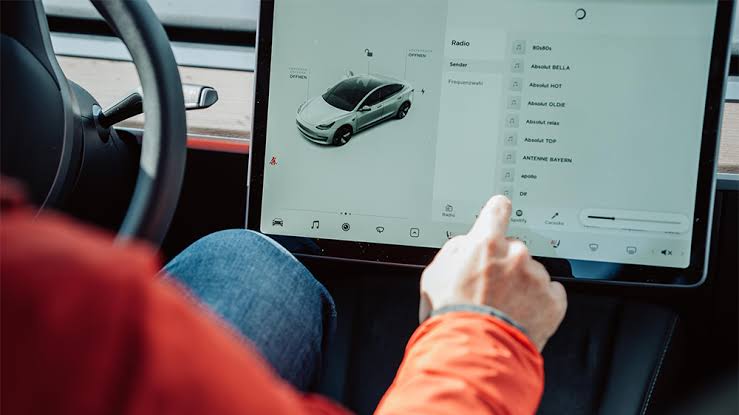
Why is Tesla factory reset not working?
Tesla factory reset not working is usually caused by software errors, account restrictions, network problems, or incomplete reset requirements. The factory reset process depends on communication between the vehicle software, touchscreen system, Tesla account, and Tesla backend services. When one of these components does not work correctly, the reset process may fail or stop before completion.
One of the most common causes is a temporary software problem inside the Tesla vehicle system. Tesla vehicles rely on firmware and the central touchscreen interface to manage settings, user profiles, and vehicle data. If the software process becomes unresponsive, the factory reset command may not execute correctly even when the owner follows the correct steps.
Software-related problems often appear after a recent update, during a failed update installation, or when the vehicle system experiences a temporary processing error. For example, a Tesla touchscreen that freezes, delays commands, or fails to load settings menus can prevent the owner from accessing the factory reset option.
Another common reason Tesla factory reset fails is an active Tesla account connection. A Tesla vehicle is linked to an owner account to manage access, driver profiles, and vehicle information. If the vehicle is still connected to an existing account, especially before a sale or ownership transfer, the reset process may not complete properly.
Tesla ownership data is an important part of the factory reset process because the vehicle must remove personal information while maintaining secure communication with Tesla systems. Removing the vehicle from the Tesla account and completing ownership transfer steps may be required before the reset can finish successfully.
Network communication problems can also prevent a Tesla factory reset from working. Tesla vehicles communicate with Tesla servers for account verification, software functions, and vehicle management features. If the car has weak connectivity or cannot communicate with Tesla services, the reset request may fail or remain incomplete.
A factory reset failure caused by connection issues is more likely when the vehicle is in an area with poor cellular coverage, when Tesla services are temporarily unavailable, or when the vehicle software cannot complete server authentication. Checking the vehicle connection status before attempting another reset can help identify this issue.
You should also consider whether the reset process was interrupted. A Tesla factory reset requires the vehicle to complete multiple internal steps, including removing stored settings and restoring default configurations. Interrupting power, leaving the vehicle in an unstable software state, or repeatedly pressing controls during the process can interfere with completion.
Understanding the cause of Tesla factory reset failure helps owners choose the correct solution instead of repeating the same reset attempt. In most cases, checking software status, account connection, and vehicle communication issues can identify the problem before professional service is needed.
What should you check before resetting a Tesla?
Before attempting another Tesla factory reset, owners should check the vehicle software status, account connection, network access, and stored personal data. These checks identify the most common conditions that prevent the reset process from completing and help avoid repeated failed attempts.
The first step is checking the Tesla software version. Tesla vehicles depend on firmware updates to maintain system stability, touchscreen performance, and vehicle control functions. An outdated or incomplete software installation can create conflicts with system commands, including factory reset operations.
Owners should check the software section on the Tesla touchscreen to confirm whether the vehicle has pending updates. If a software update is available, installing the latest version before attempting a factory reset can resolve temporary system errors caused by outdated firmware.
The Tesla account connection should also be verified before starting the reset process. A Tesla vehicle remains connected to an owner account to manage vehicle access, driver profiles, settings, and ownership information. If the account connection is incomplete or the vehicle has not been removed correctly from the previous owner’s account, the reset process may not work as expected.
This check is especially important when preparing a Tesla for sale. The previous owner should remove the vehicle from their Tesla account and complete the ownership transfer process because factory reset alone does not replace all ownership management steps.
Network connectivity is another important condition for a successful Tesla factory reset. Tesla vehicles use wireless communication to access online services, verify account information, and synchronize certain vehicle functions. A weak cellular connection or unavailable service connection can interrupt the reset process.
Before resetting, owners should park the vehicle in an area with reliable connectivity and confirm that the vehicle can access Tesla online services. This simple step can prevent reset failures caused by communication interruptions between the vehicle and Tesla systems.
Owners should also prepare the vehicle by removing unnecessary personal information. Tesla vehicles store user-related data, including driver profiles, saved locations, phone connections, and customized settings. Reviewing this information before resetting ensures that important data is handled correctly.
Preparing the vehicle before a factory reset is particularly important when transferring ownership. A properly completed reset helps protect personal privacy while allowing the next owner to configure the vehicle with a clean system.
How do you fix Tesla factory reset not working?
To fix Tesla factory reset not working, owners should follow a troubleshooting process that starts with simple software checks and moves toward account or service-related solutions. The most effective solutions include restarting the touchscreen system, performing a vehicle power cycle, updating Tesla software, and verifying ownership settings.
The first solution is restarting the Tesla touchscreen system. The touchscreen controls many vehicle settings, including access to factory reset functions. If the interface becomes frozen or unresponsive, restarting the touchscreen can clear temporary software errors and restore normal operation.
To restart the touchscreen, Tesla owners can hold both steering wheel scroll buttons until the screen turns off and restarts. This process does not delete vehicle data or settings. It only refreshes the touchscreen system and can resolve temporary interface problems that prevent access to reset options.
A full vehicle power cycle is another troubleshooting method when a touchscreen restart does not solve the issue. A power cycle allows Tesla systems to shut down completely before restarting, which can clear deeper software processes that remain active after a normal reboot.
During a power cycle, the vehicle should be parked safely, all doors should be closed, and unnecessary interactions with the vehicle should be avoided. After the waiting period, owners can restart the vehicle and attempt the factory reset process again.
Updating Tesla software can also fix factory reset problems caused by firmware issues. Tesla regularly releases software updates that improve vehicle performance, fix bugs, and modify system behavior. A failed reset attempt may happen when the vehicle software contains an unresolved error.
Owners should check the software update section on the Tesla touchscreen and install any available updates before trying another reset. After the update is completed, the vehicle should be restarted before running the factory reset process again.
If software troubleshooting does not work, owners should verify Tesla account and ownership information. A factory reset removes personal settings, but it does not replace the ownership transfer process. The vehicle may still require account changes through Tesla services before the reset can complete.
Contacting Tesla Service is the correct next step when the reset failure continues after software, connection, and account checks. Persistent problems may indicate issues that require access to Tesla diagnostic systems, account verification tools, or technical support.
Tesla Service support is especially important when the vehicle cannot communicate with Tesla servers, displays repeated software errors, or remains stuck during the reset process. Professional assistance prevents unnecessary attempts that could delay ownership transfer or vehicle setup.
How do you factory reset a Tesla before selling it?
To factory reset a Tesla before selling it, owners need to remove personal information, disconnect their Tesla account, and prepare the vehicle for the next owner. A factory reset helps restore default settings, but it is only one part of the ownership transfer process because Tesla vehicles also store account-related information that must be managed separately.
The first step before selling a Tesla is removing personal data from the vehicle system. Tesla vehicles store information such as driver profiles, saved locations, phone connections, navigation history, and customized settings. Removing this information protects the previous owner’s privacy and prevents another user from accessing stored data.
Driver profiles should be reviewed before completing the reset process because they contain personalized settings such as seat position, steering preferences, and driving adjustments. Deleting these profiles ensures that the next owner receives a clean vehicle configuration without previous user preferences.
Connected devices should also be removed before transferring ownership. Tesla vehicles can connect with smartphones, Bluetooth devices, and other digital services. Disconnecting these devices prevents unauthorized access and ensures that personal accounts are no longer associated with the vehicle.
After removing personal information, the owner should unlink the Tesla vehicle from their Tesla account. The account connection is important because Tesla uses it to manage vehicle access, mobile app features, remote controls, and ownership information.
Removing the vehicle from the Tesla account allows the next owner to register the vehicle under their own account. This step is necessary because a factory reset does not automatically transfer ownership or remove all account permissions connected to the previous owner.
The ownership transfer process should be completed after the reset preparation. The seller should provide the required vehicle information and ensure that the Tesla account status is updated correctly. The new owner can then connect the vehicle to their own Tesla account and configure personal settings.
A proper factory reset before selling a Tesla provides two main benefits: protecting personal data and creating a clean setup experience for the next owner. Completing both the reset process and account transfer steps prevents common problems where a buyer cannot access vehicle features or the previous owner remains connected to the car.
Tesla owners should avoid relying only on the touchscreen reset option when selling a vehicle. A complete ownership transition requires managing both the vehicle software settings and the digital account connection associated with the car.
Tesla factory reset issues are often connected to broader vehicle software and account management problems. A failed reset is not always an isolated problem because the same systems responsible for resetting the vehicle also control software updates, touchscreen functions, mobile app access, and ownership settings.
One related problem is Tesla software update failure. Tesla vehicles depend on firmware updates to improve performance, add features, and fix system errors. When a software update is incomplete or interrupted, some vehicle functions may become unstable, including settings management and factory reset operations.
Software problems can affect communication between different vehicle systems. For example, a Tesla may still operate normally for driving functions while experiencing problems with menus, account synchronization, or reset commands because these features depend on separate software processes.
Tesla touchscreen problems are another issue that can affect factory reset functions. The touchscreen acts as the main interface for controlling many vehicle settings, including user profiles, connectivity options, and reset commands. If the display freezes, becomes slow, or fails to respond, owners may not be able to complete the reset process.
Touchscreen issues can result from temporary system errors, software conflicts, or hardware-related problems. Restarting the touchscreen may solve temporary failures, but repeated freezing or unresponsive behavior may require further diagnosis.
Tesla mobile app problems can also affect factory reset-related tasks. The Tesla app connects owners with vehicle functions such as remote access, vehicle information, and account management. If the app cannot communicate correctly with the vehicle, ownership changes and account-related actions may become difficult.
Account synchronization problems are especially important when selling or transferring a Tesla. The vehicle, Tesla account, and mobile app must all reflect the correct ownership status to ensure that the previous owner no longer has access and the new owner can activate the vehicle successfully.
Vehicle ownership transfer problems are another common area connected with factory reset issues. A reset removes stored settings and personal information, but ownership transfer requires separate account management steps. A vehicle that remains linked to the previous owner may create access problems even after the reset is completed.
Understanding these related Tesla problems helps owners identify whether the issue is limited to the factory reset feature or part of a larger software, account, or connectivity problem. This approach prevents unnecessary reset attempts and helps determine the correct troubleshooting method.
How long does Tesla factory reset take?
Tesla factory reset usually takes a few minutes to complete, but the exact time depends on the vehicle condition, software status, account connection, and whether the system can communicate correctly with Tesla services. A reset that takes significantly longer than expected may indicate that the process is stuck or another issue is preventing completion.
The reset duration depends on several factors inside the Tesla software system. A vehicle with stable software, active connectivity, and correct account settings can complete the process faster because the system can remove stored information and restore default configurations without interruptions.
Software updates and background system processes can also affect reset time. If the vehicle is processing an update, synchronizing data, or recovering from a previous software error, the factory reset may take longer because the system must complete other operations first.
A Tesla factory reset may appear stuck when the touchscreen does not update, the reset screen remains unchanged, or the vehicle does not return to normal operation after waiting. These signs usually indicate that the reset process has not completed correctly rather than a normal delay.
Owners should avoid interrupting the vehicle immediately if the reset appears slow. Turning off power, repeatedly pressing controls, or attempting multiple reset commands can create additional system conflicts. Allowing the vehicle time to complete the process helps prevent unnecessary interruptions.
If the factory reset remains incomplete after waiting and basic troubleshooting steps do not solve the problem, owners should restart the vehicle system and check software, account, and connectivity conditions again. Persistent reset failures may require Tesla Service support.
Understanding normal reset behavior helps Tesla owners distinguish between a slow process and an actual failure. A completed factory reset should restore the vehicle to a clean configuration where previous personal settings and account information have been removed according to the reset procedure.
A Tesla factory reset not working problem is usually related to software, account, connectivity, or ownership settings rather than a single reset button failure. Identifying the correct cause helps owners choose the right solution and avoid repeating unsuccessful reset attempts.
For most Tesla owners, the recommended troubleshooting order is checking software updates, restarting the touchscreen, verifying account status, confirming network connectivity, and then attempting the factory reset again. This process resolves common system issues while protecting vehicle data and maintaining correct ownership information.
A factory reset is especially important when selling or transferring a Tesla because the vehicle contains personal settings, connected devices, and account-related information. Completing both the reset process and ownership transfer steps ensures that the previous owner’s data is removed and the next owner can configure the vehicle properly.
When basic troubleshooting does not resolve the issue, Tesla Service support may be required. Persistent reset failures can indicate deeper software communication problems or account-related restrictions that require access to Tesla’s diagnostic systems.
Understanding how Tesla factory reset works allows owners to manage their electric vehicle more effectively, protect personal information, and solve common software problems with a structured troubleshooting approach.