You are driving your Mini Cooper on your usual route when you suddenly realize something is missing. The radio will not turn on, the screen stays black, or there is simply no sound coming from the speakers. While it may seem like a minor inconvenience at first, a malfunctioning radio can quickly become frustrating, especially if you rely on it for entertainment, hands-free calls, or navigation instructions.
The good news is that a Mini Cooper radio not working does not always mean an expensive trip to the repair shop. In many cases, the issue can be traced back to a simple problem such as a blown fuse, a weak battery, incorrect audio settings, or a temporary software glitch within the infotainment system. Understanding the possible causes can help you identify the problem early and potentially save hundreds of dollars in unnecessary repairs.
In this guide, we will explore the most common reasons why a Mini Cooper radio stops working and provide practical, easy-to-follow solutions. Whether you own an older Mini Cooper model or one of the latest versions, these troubleshooting tips can help you get your audio system back up and running so you can enjoy every drive once again.
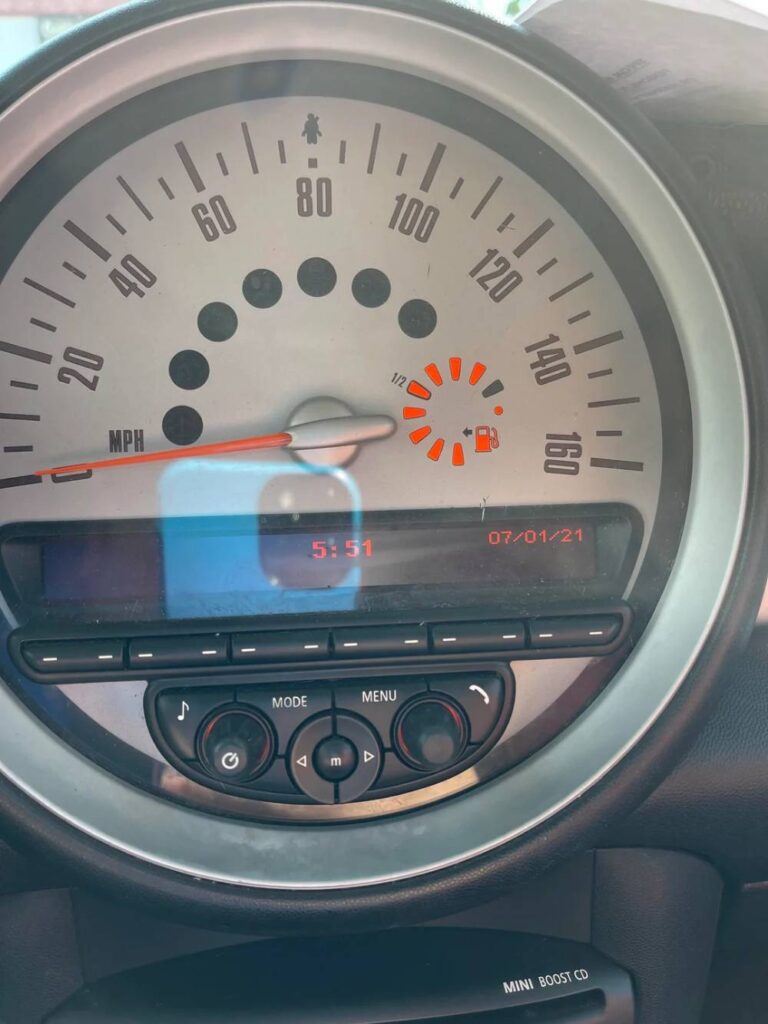
1. Blown Fuse
One of the most common reasons behind a Mini Cooper radio not working is a blown fuse. Fuses are designed to protect your vehicle’s electrical system from power surges and short circuits. When too much electrical current flows through the circuit, the fuse sacrifices itself to prevent damage to more expensive components.
If your radio suddenly stops working without any warning signs, checking the fuse should be your first step. Depending on the Mini Cooper model you own, the radio fuse may be located in the fuse box under the dashboard, inside the glove compartment, or in the engine bay. Your owner’s manual can help you identify the exact location and fuse number associated with the infotainment system.
After locating the fuse, inspect it carefully. A broken metal strip inside the fuse usually indicates that it has blown. Replacing the damaged fuse with one that has the same amperage rating is often enough to restore the radio’s functionality.
Since replacement fuses are inexpensive and widely available, this is one of the quickest and most affordable fixes. However, if the new fuse blows again shortly after installation, it may point to a deeper electrical issue that requires professional diagnosis.
2. Weak or Dead Battery
A weak battery can affect much more than your Mini Cooper’s ability to start. Modern vehicles rely heavily on electronic systems, and the infotainment unit is particularly sensitive to voltage fluctuations. If the battery is failing, the radio may behave unpredictably or stop working altogether.
Common signs of a weak battery include dim interior lights, slow engine cranking, dashboard warning messages, and intermittent electrical problems. If you notice these symptoms alongside radio failure, it is worth testing the battery’s condition.
You can use a multimeter to check the battery voltage or visit an auto parts store that offers free battery testing services. In many cases, charging the battery may temporarily solve the problem. If the battery no longer holds a proper charge, replacement is the best long term solution.
This issue often occurs after a vehicle has been parked for an extended period without being driven. Seasonal temperature changes can also contribute to battery deterioration. Addressing battery problems promptly not only restores radio performance but also helps prevent unexpected breakdowns.
3. Software Glitches in the Infotainment System
As vehicle technology becomes more advanced, infotainment systems have started functioning much like computers. While they offer impressive features such as Bluetooth connectivity, smartphone integration, and navigation support, they can occasionally experience software related issues.
A software glitch may cause the radio screen to freeze, restart repeatedly, lose audio output, or fail to respond to button inputs. Fortunately, these problems can sometimes be resolved without replacing any hardware components.
One of the simplest solutions is performing a system reset. Depending on your Mini Cooper model, this may involve pressing and holding the power button for several seconds until the system reboots. Some owners also report success after disconnecting the vehicle battery for a short period to allow the system to reset completely.
If software problems occur frequently, checking for available infotainment updates may be worthwhile. Dealerships can install manufacturer approved updates that address known bugs and improve system stability.
Although software glitches can be frustrating, they are often less serious than they initially appear. Taking a few troubleshooting steps before assuming the worst could save you both time and unnecessary repair expenses.
4. Problems After Battery Replacement
Many Mini Cooper owners are surprised to discover that their radio stops working shortly after replacing the car battery. This situation can be alarming because the audio system may have been functioning perfectly before the battery service. Fortunately, the issue is often related to the vehicle’s electronic systems needing time to reinitialize rather than a permanent hardware failure.
When power is disconnected, certain settings stored within the infotainment system can be reset. In some cases, the radio may remain unresponsive, display a blank screen, or fail to produce sound until the system completes its startup sequence. Certain Mini Cooper models may also require battery registration procedures to ensure all electronic modules communicate properly.
Before assuming that the head unit has failed, try restarting the vehicle and allowing the system a few minutes to initialize. Performing a radio reset according to the manufacturer’s recommendations may also restore functionality. If the problem persists, a diagnostic scan performed by a qualified technician can identify whether additional coding or software adjustments are necessary.
Although it can be frustrating to encounter new issues after a routine battery replacement, many of these cases have relatively straightforward solutions. Addressing the problem early can help prevent unnecessary expenses and restore normal operation quickly.
5. Faulty Wiring or Loose Connections
Electrical wiring serves as the communication network for your Mini Cooper’s various systems, including the radio and infotainment unit. When wires become damaged or connectors loosen over time, the flow of power and data can be interrupted, resulting in radio malfunctions.
Loose connections may develop due to vehicle vibrations, previous repair work, or improper installation of aftermarket accessories. In other situations, wiring damage can occur because of corrosion, moisture exposure, rodent activity, or general wear associated with aging vehicles.
Symptoms related to wiring problems often vary. Some drivers experience intermittent audio loss, while others notice that the radio shuts off unexpectedly during operation. In more severe cases, the system may fail to turn on altogether.
If you have experience working with automotive electronics, a visual inspection of accessible connectors may reveal obvious issues. However, diagnosing hidden wiring faults frequently requires specialized equipment and technical expertise. Attempting complex electrical repairs without proper knowledge can potentially create additional problems.
Professional technicians can perform continuity tests and inspect the vehicle’s electrical network to pinpoint the exact source of the malfunction. Although wiring repairs may involve additional labor costs, resolving the issue properly helps ensure long term reliability and prevents recurring radio failures.
6. Amplifier Failure
If your Mini Cooper radio appears to be functioning normally but no sound comes from the speakers, a failing amplifier could be responsible. The amplifier plays a crucial role in the vehicle’s audio system by boosting signals from the head unit and distributing sound throughout the cabin.
One of the most recognizable signs of amplifier failure is the presence of a working display combined with complete audio loss. In some situations, drivers may notice distorted sound quality, crackling noises, or certain speakers cutting in and out before the amplifier stops working entirely.
Diagnosing amplifier problems often involves testing electrical inputs and outputs to determine whether the component is receiving power and transmitting signals correctly. Because amplifier locations vary between Mini Cooper models, accessing the unit may require partial removal of interior panels.
Repair options depend on the extent of the damage. Minor issues involving connectors or moisture intrusion may be repairable, while severe internal failures typically require replacement. Choosing a high quality replacement component can help restore the listening experience and maintain compatibility with the existing audio system.
Although amplifier replacement is generally more expensive than replacing a fuse, it is often considerably less costly than installing an entirely new infotainment system. Understanding the role of the amplifier can help Mini Cooper owners narrow down the source of radio related problems and make informed repair decisions.
7. Defective Head Unit
The head unit serves as the control center of your Mini Cooper’s entire audio and infotainment system. It manages radio functions, Bluetooth connectivity, navigation features, and communication with various electronic components throughout the vehicle. When this unit begins to fail, a wide range of problems can occur.
A defective head unit may cause the radio to shut down unexpectedly, freeze during operation, restart repeatedly, or become completely unresponsive. Some owners report that the screen remains black even though other vehicle functions appear normal. Others experience situations where the radio powers on but refuses to respond to touch controls or button commands.
Head unit failure is more likely to occur in older Mini Cooper models where years of heat exposure, vibration, and general wear have affected internal electronic components. However, newer vehicles are not entirely immune, especially if they have experienced electrical surges or previous water damage.
Diagnosing a faulty head unit often requires professional equipment. Technicians can determine whether the issue originates from the unit itself or from another connected component within the infotainment system. In some cases, software updates or minor repairs may resolve the problem. If the damage is extensive, replacement becomes the most practical option.
Owners considering replacement generally have two choices. They can install an original equipment manufacturer unit to maintain factory specifications, or they can choose a compatible aftermarket system with upgraded features such as enhanced smartphone integration and improved display capabilities. Comparing costs and functionality can help determine which solution best suits individual needs and budgets.
Although head unit replacement represents one of the more expensive radio repairs, accurately identifying the root cause prevents unnecessary spending on components that are not actually responsible for the malfunction.
8. Bluetooth or Audio Source Settings Issues
Not every case of a Mini Cooper radio not working is caused by a mechanical or electrical failure. Sometimes the explanation is surprisingly simple and involves nothing more than incorrect audio settings or source selection errors.
Modern Mini Cooper vehicles support multiple audio inputs, including AM and FM radio, Bluetooth streaming, USB connections, and auxiliary devices. If the system is connected to an inactive source, it may appear as though the radio has stopped functioning even though all hardware components remain in good condition.
Bluetooth related issues are especially common. A smartphone may connect automatically but fail to transmit audio due to application settings, software conflicts, or volume adjustments. In some situations, another previously paired device may take priority without the driver’s knowledge.
Before assuming that a major repair is necessary, take a few moments to review the system settings. Verify that the correct audio source is selected and ensure that both the vehicle volume and connected device volume are set appropriately. Disconnecting and reconnecting Bluetooth devices can often restore normal functionality.
It is also helpful to remove outdated paired devices from the system and complete the pairing process again from the beginning. This simple step frequently resolves communication issues between smartphones and the infotainment unit.
Because these troubleshooting procedures require little time and no specialized tools, they should be among the first solutions attempted when investigating radio problems. A few minor adjustments may be all that is needed to bring your Mini Cooper’s audio system back to life.
Step by Step Troubleshooting Checklist
If your Mini Cooper radio stops working, following a structured troubleshooting process can help you identify the cause without immediately resorting to costly repairs. Starting with the simplest solutions often saves both time and money.
Begin by restarting the vehicle completely. Turn off the engine, remove the key, exit the car, and wait a few minutes before starting it again. Temporary software glitches can sometimes resolve themselves through a full system reboot.
Next, check the condition of the battery. A weak battery can interfere with the proper operation of electronic systems, including the infotainment unit. If the battery appears old or shows signs of deterioration, testing its voltage is recommended.
Inspect the radio fuse carefully. Refer to your owner’s manual to locate the appropriate fuse and determine whether it has blown. Replacing a damaged fuse with one of the correct amperage may immediately restore functionality.
Attempt to reset the infotainment system using the procedure specific to your Mini Cooper model. A reset can often eliminate software related problems that affect radio performance.
Test multiple audio sources such as FM radio, Bluetooth streaming, USB devices, and auxiliary inputs. If one source works while another does not, the issue may be related to settings rather than hardware failure.
If the display functions normally but there is no sound, consider the possibility of amplifier failure. Should none of these steps resolve the issue, professional diagnostic assistance may be necessary.
When Should You Visit a Mechanic?
While many radio problems can be addressed through basic troubleshooting, certain situations require expert evaluation. Recognizing when to seek professional help can prevent further damage and reduce the likelihood of unnecessary repairs.
You should consult a qualified technician if the radio repeatedly stops working despite multiple reset attempts. Persistent electrical issues often indicate underlying faults that require specialized equipment to diagnose accurately.
Professional assistance is also advisable when several electronic systems begin malfunctioning simultaneously. Problems affecting dashboard displays, lighting systems, central locking functions, and the infotainment unit may point to more complex electrical concerns.
Wiring related repairs should generally be handled by experienced professionals. Modern vehicles contain intricate electrical networks, and improper repairs can lead to additional complications or safety risks.
If diagnostic procedures reveal that the head unit requires coding or replacement, dealership level tools may be needed to ensure compatibility with your Mini Cooper’s existing systems.
Seeking professional advice does not necessarily mean facing excessive expenses. In many cases, an accurate diagnosis early in the process can prevent costly trial and error component replacements.
How Much Does It Cost to Fix a Mini Cooper Radio?
Repair costs vary significantly depending on the underlying cause of the problem and the specific Mini Cooper model involved.
Replacing a blown fuse is typically the least expensive solution, often costing only a few dollars for the part itself. Battery replacement represents a moderate expense, with pricing influenced by battery specifications and labor requirements.
Software updates or system resets may involve little to no cost if performed independently. However, dealership services may charge diagnostic fees depending on local rates.
Wiring repairs can become more expensive because technicians must spend time tracing faults within the vehicle’s electrical system. The extent of the damage largely determines the final cost.
Amplifier replacement generally falls within a mid range price category. Costs depend on whether an original manufacturer component or an aftermarket alternative is selected.
Head unit replacement tends to be the most costly option. Factory infotainment systems often command premium prices due to their advanced functionality and integration with other vehicle systems.
Obtaining estimates from multiple reputable repair facilities can help ensure fair pricing and allow owners to make informed financial decisions.
Frequently Asked Questions
Why did my Mini Cooper radio suddenly stop working?
Several factors can contribute to sudden radio failure, including blown fuses, battery issues, software glitches, amplifier problems, and defective head units. Identifying accompanying symptoms can help narrow down the most likely cause.
Can I reset my Mini Cooper radio myself?
Yes. Many Mini Cooper models allow owners to perform a basic infotainment reset without specialized tools. Consult your owner’s manual for instructions specific to your vehicle.
Will disconnecting the battery fix the radio?
Disconnecting the battery may resolve certain software related issues by forcing the system to restart. However, this approach is unlikely to solve hardware failures involving components such as amplifiers or head units.
Is it expensive to repair a Mini Cooper radio?
Repair costs vary considerably. Minor issues such as fuse replacement are inexpensive, while head unit replacement can represent a more substantial investment.
How can I prevent future radio problems?
Routine battery maintenance, prompt attention to electrical concerns, and keeping infotainment software updated can help minimize the risk of future malfunctions.
Conclusion
Experiencing a Mini Cooper radio not working can be frustrating, especially when it disrupts daily commutes and long road trips. Fortunately, not every radio malfunction signals a major or expensive repair. Many issues stem from relatively simple causes such as blown fuses, weak batteries, software glitches, or incorrect audio settings.
Approaching the problem systematically is the most effective strategy. By starting with basic troubleshooting steps and progressing toward more advanced diagnostics only when necessary, Mini Cooper owners can often resolve the issue efficiently and economically.
Understanding the common causes behind radio failure also empowers drivers to communicate more effectively with repair professionals when expert assistance becomes necessary. Rather than replacing components based on guesswork, informed decisions can lead to faster solutions and reduced repair expenses.
Whether your Mini Cooper requires a simple reset or a more comprehensive repair, addressing the issue promptly can restore the comfort and convenience that make every journey more enjoyable. With the guidance provided in this article, you are better equipped to diagnose the problem, explore practical solutions, and get your Mini Cooper’s audio system performing at its best once again.
Have you dealt with a Mini Cooper radio issue in the past? Share your experience and the solution that worked for you. Your insights may help other Mini Cooper owners facing similar challenges.