A Mercedes-Benz vehicle is designed with advanced technology, premium comfort, and intelligent features that make every journey more convenient. However, when your Mercedes screen stops working, the experience can quickly become frustrating. A black display, frozen touchscreen, or unresponsive infotainment system can affect important functions such as navigation, entertainment, vehicle settings, smartphone connectivity, and driver information.
The problem behind a Mercedes Screen Not Working issue is not always a serious hardware failure. In many cases, the cause can be related to software glitches, system freezes, weak battery voltage, electrical problems, or outdated infotainment software. Understanding the possible reasons can help Mercedes owners identify the problem and avoid unnecessary repair costs.
Modern Mercedes vehicles use advanced infotainment platforms such as MBUX and COMAND, which combine multiple digital features into one integrated system. Because these systems rely on both software and electronic components, troubleshooting requires a structured approach to find the real cause.
In this guide, we will explore the most common reasons why a Mercedes screen may stop working, explain effective reset methods, provide practical troubleshooting steps, and discuss repair options. Whether your display is completely black, frozen, or not responding to touch commands, this guide will help you understand the problem and find the right solution.
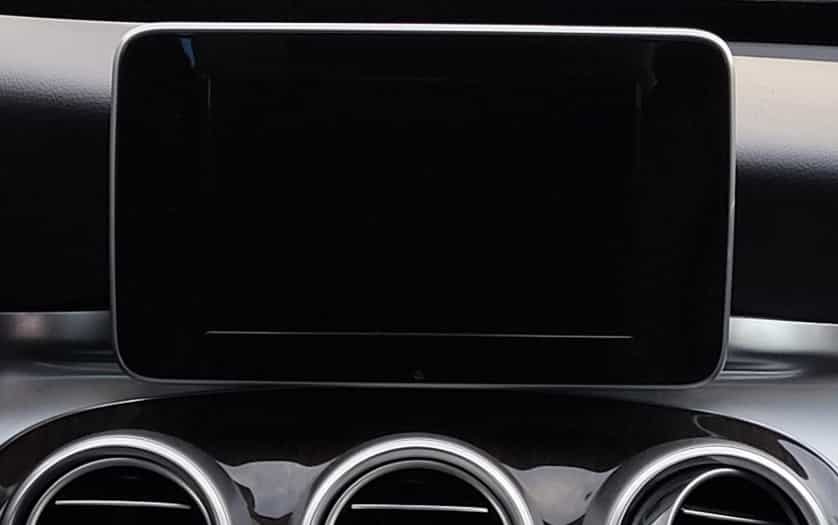
Why Is My Mercedes Screen Not Working?
A Mercedes screen can stop working for several reasons. Some issues are temporary software problems. Others are caused by electrical faults or hardware damage. Finding the correct cause is the first step toward an effective solution.
One common reason behind a Mercedes Screen Not Working problem is a software glitch. Modern Mercedes vehicles use advanced infotainment systems such as MBUX and COMAND. These systems work like computers. They can freeze, restart unexpectedly, or fail to load correctly.
A software issue may prevent the screen from turning on. It can also cause slow responses or touchscreen failures. In many situations, a simple system restart can solve the problem without expensive repairs.
Another possible cause is low battery voltage. Mercedes vehicles have complex electronic systems. The infotainment system needs stable power to operate correctly. When the battery becomes weak, some electronic features may stop working.
A weak battery can create symptoms such as a black screen, slow performance, random system restarts, or warning messages. Checking the battery condition is an important troubleshooting step.
Electrical problems can also affect the Mercedes display system. A damaged fuse, loose connection, or wiring issue may interrupt power to the screen. The vehicle may still drive normally, even when specific electronic functions fail.
Software updates can create another potential issue. Mercedes regularly improves its infotainment software with new features and bug fixes. However, outdated software or an interrupted update may cause system instability.
In some cases, the problem comes from hardware failure. The display unit, internal components, or infotainment control module may become damaged. Common causes include age, moisture exposure, physical impact, or electronic faults.
Hardware problems usually require professional diagnosis. Replacing parts without confirming the cause can lead to unnecessary expenses.
Understanding these possible causes helps Mercedes owners make better decisions. Some screen problems can be fixed with a reset. Others may require professional repair or component replacement.
Common Mercedes Screen Problems and Symptoms
A Mercedes Screen Not Working issue can appear in different ways. Some drivers experience a completely black display. Others may notice slow responses, frozen controls, or missing features. Understanding the symptoms can help identify the possible cause before starting repairs.
One of the most common problems is a Mercedes screen that stays completely black. The vehicle may start normally, but the display does not turn on. This issue can happen because of a software crash, power supply problem, weak battery voltage, or a damaged display component.
A black screen does not always mean the screen needs replacement. Many cases are caused by temporary system failures. A proper reset or power cycle may restore normal operation.
Another frequent issue is a frozen or unresponsive touchscreen. In this situation, the display may turn on, but it does not respond to touch commands. The problem is often related to software errors, system overload, or communication problems between the touchscreen and infotainment control unit.
Mercedes vehicles with MBUX or COMAND systems may also experience startup problems. The system may remain stuck on the Mercedes logo or take an unusually long time to load. This can happen after software updates, battery issues, or system errors.
Connectivity problems are another common symptom. Some owners find that Apple CarPlay, Android Auto, or Bluetooth features stop working correctly. The screen may function normally, but connected devices cannot communicate with the infotainment system.
Navigation and audio functions can also be affected. The display may show incorrect information, fail to load maps, or lose connection with other vehicle systems. These problems often point to software or communication issues rather than a damaged screen.
Identifying the exact symptom is important before choosing a repair method. A Mercedes display problem caused by software may only require a reset or update. A hardware issue may need professional inspection and replacement parts.
By understanding these common symptoms, Mercedes owners can avoid unnecessary repairs. The next step is learning how to reset the Mercedes screen and restore the infotainment system.
How to Reset a Mercedes Screen and Infotainment System
A reset is one of the first solutions to try when your Mercedes screen stops working. Many display problems are caused by temporary software errors. Restarting the infotainment system can often restore normal operation without requiring professional repairs.
The reset method depends on the Mercedes model and the infotainment system installed in the vehicle. Newer models usually use MBUX, while older vehicles may use the COMAND system. Both systems can experience temporary freezes or software-related issues.
For Mercedes vehicles with MBUX, a soft reset is usually the safest first step. Turn on the vehicle and locate the power button on the infotainment system. Press and hold the button for several seconds until the system turns off and restarts. After the reboot, check if the screen responds normally.
Some Mercedes models may restart automatically after holding the power button. The process allows the system to close background operations and reload the software. This can fix issues such as a frozen display, slow response, or a black screen.
Older Mercedes vehicles with COMAND systems may require a different reset process. The exact method depends on the model year and equipment package. Owners should check the vehicle manual or follow manufacturer recommendations before performing a reset.
Another method is a power cycle. Turn off the vehicle completely and remove the key or switch off the ignition. Wait for several minutes before restarting the car. This allows the electronic control modules to shut down and restart properly.
A battery reset is another possible solution, but it should be used carefully. Disconnecting the battery can reset some vehicle systems. However, it may also affect settings, stored information, or electronic functions. It is better to consider this method only when simpler solutions do not work.
A reset can solve many software-related problems, but it cannot repair damaged hardware. If the screen remains black, continues freezing, or shows repeated errors after a reset, professional diagnosis may be required.
Knowing the correct reset method can save time and reduce unnecessary repair costs. However, understanding when to move from a simple reset to professional troubleshooting is equally important.
Mercedes Screen Not Working Troubleshooting Guide
When your Mercedes screen stops working, a structured troubleshooting process can help identify the cause. Some problems can be fixed at home with simple checks. Other issues may require professional diagnosis. Following the correct steps can prevent unnecessary repairs and expenses.
The first step is checking the vehicle battery condition. A weak battery is one of the most common reasons for electronic problems in modern Mercedes vehicles. Low voltage can affect the infotainment system and cause display failures.
Look for other warning signs such as slow engine starting, electrical errors, or multiple dashboard alerts. If the battery is weak, charging or replacing it may restore normal screen operation.
The next step is restarting the infotainment system. A simple reboot can fix temporary software problems. Turn off the vehicle, wait briefly, and restart the system. If your Mercedes uses MBUX, holding the power button may force a system restart.
Checking the related fuses is another important step. The infotainment system depends on electrical power from specific circuits. A damaged fuse can stop power from reaching the display or control module.
The fuse location depends on the Mercedes model. Always check the vehicle manual before inspecting or replacing a fuse. Installing the wrong fuse can create additional electrical problems.
Software updates should also be considered during troubleshooting. Mercedes infotainment systems receive updates to improve performance and fix software issues. An outdated system may cause screen freezes, connection problems, or unexpected errors.
Check whether your vehicle has available software updates. Some updates can be installed through official Mercedes services. Others may require assistance from a qualified technician.
If basic troubleshooting does not solve the problem, professional diagnostic testing may be necessary. Mercedes specialists use advanced diagnostic tools to identify error codes and communication failures.
The diagnostic process can reveal problems with the infotainment control unit, display module, wiring system, or internal electronics. This information helps technicians repair the correct component instead of replacing parts unnecessarily.
A Mercedes Screen Not Working problem does not always require a complete screen replacement. Many issues are related to software, battery voltage, or electrical connections. A careful troubleshooting process can help determine the most effective solution.
By following these steps, Mercedes owners can understand the problem better and make informed repair decisions. The right diagnosis is the key to restoring the display system safely and efficiently.
Mercedes MBUX and COMAND Screen Issues by Model
Mercedes screen problems can vary depending on the vehicle model and infotainment system generation. Different Mercedes models use different technologies, including MBUX and COMAND systems. Understanding these differences can help owners identify common display issues more accurately.
The Mercedes C-Class is one of the most popular models with advanced digital features. Newer C-Class vehicles use MBUX technology with a central touchscreen display. Common problems include frozen screens, slow system response, and occasional software errors. These issues are often related to system updates or temporary software failures.
The Mercedes E-Class offers a more advanced infotainment experience with larger displays and additional digital features. Some owners report problems with screen startup, connectivity, or touchscreen response. These issues may involve software communication between the display, control modules, and connected devices.
The Mercedes S-Class includes some of the most advanced technology in the Mercedes lineup. With multiple digital displays and complex electronic systems, troubleshooting can be more complicated. Screen failures may involve software errors, communication problems, or electronic component issues.
Mercedes SUVs such as the GLC and GLE also use advanced infotainment systems. Owners may experience similar problems, including black screens, delayed responses, or connectivity failures. Battery condition is especially important because these vehicles rely on many electronic systems.
Older Mercedes models may use the COMAND infotainment system instead of MBUX. COMAND systems can experience different issues, including frozen displays, navigation errors, and outdated software problems. In many cases, a system reset or software update can improve performance.
Mercedes EQ models use advanced digital interfaces designed for electric vehicles. Their infotainment systems control many vehicle functions, which makes display reliability important. Screen issues may affect charging information, energy monitoring, navigation, and connected services.
Although each Mercedes model has different technology, many screen problems share similar causes. Software errors, battery issues, electrical faults, and hardware failures can affect almost any Mercedes infotainment system.
Identifying the vehicle model and infotainment system is an important step during troubleshooting. It helps owners choose the correct reset method, repair approach, and diagnostic process for their specific Mercedes vehicle.
Mercedes Screen Repair Cost and Replacement Options
The cost of fixing a Mercedes screen problem depends on the actual cause of the failure. A screen issue caused by software, battery problems, or electrical faults may require a simple repair. A damaged display or infotainment module may require more expensive replacement parts.
Software-related repairs are usually the most affordable option. A system reset, software update, or diagnostic service can often solve problems such as frozen displays, slow responses, or temporary system crashes. These solutions usually take less time and do not require replacing any hardware.
Diagnostic testing is an important step before spending money on repairs. Mercedes specialists use professional scanning tools to identify error codes and communication problems. This helps determine whether the issue comes from the display, control unit, wiring, or software.
If the screen itself is damaged, replacement costs can be higher. The final price depends on the Mercedes model, screen type, and whether the replacement part is new or refurbished. Vehicles with advanced MBUX displays may have higher repair costs because the system includes more integrated technology.
Replacing a complete infotainment display module is usually more expensive than fixing a software problem. This option is typically considered only when the screen has physical damage or internal electronic failure.
Mercedes owners can choose between dealership service and independent Mercedes specialists. A dealership provides factory-level equipment and original replacement parts. However, the repair cost is often higher.
Independent specialists may offer more affordable solutions. Many experienced Mercedes technicians can diagnose infotainment problems and repair specific components instead of replacing the entire system. Choosing a trusted specialist is important to ensure quality results.
Before approving any repair, ask for a complete diagnosis and cost estimate. Avoid replacing the screen immediately without confirming the actual cause. Many Mercedes Screen Not Working problems are related to software or electrical issues that can be fixed without expensive replacements.
Understanding the possible repair options helps owners make better decisions. The right solution depends on the cause of the problem, the vehicle model, and the condition of the infotainment system.
How to Prevent Mercedes Screen Problems
Preventing Mercedes screen problems is easier and less expensive than repairing a failed infotainment system. Regular maintenance and proper usage can help keep the display and digital systems working reliably.
One of the most important steps is maintaining a healthy vehicle battery. Modern Mercedes vehicles depend on stable electrical power for many functions. A weak battery can create voltage problems that affect the infotainment system, touchscreen, and other electronic components.
Drivers should pay attention to early warning signs. Slow engine starts, unusual electronic behavior, or repeated system resets may indicate battery or electrical issues. Checking the battery condition regularly can prevent unexpected screen failures.
Keeping the infotainment software updated is also important. Mercedes releases software improvements to fix bugs, improve system performance, and maintain compatibility with connected devices. Using outdated software may increase the chance of system errors.
Avoiding unauthorized electrical modifications can protect the vehicle’s electronic systems. Aftermarket accessories or incorrect wiring changes may interfere with communication between vehicle modules. These modifications can create problems with the display, sensors, and infotainment functions.
Regular diagnostic checks can also help identify potential issues early. Professional Mercedes technicians can scan the vehicle for hidden error codes and communication problems. Early detection may prevent small issues from becoming expensive repairs.
Owners should also avoid forcing the infotainment system when it becomes slow or unresponsive. Repeatedly pressing the screen or using incorrect reset methods may create additional problems. A proper restart is usually the safest first step.
A Mercedes Screen Not Working problem can often be prevented with simple maintenance habits. Keeping the battery strong, updating software, and monitoring electronic performance can improve system reliability.
Taking care of the infotainment system protects both the vehicle experience and long term ownership value. A well maintained Mercedes is more likely to provide smooth performance from its advanced digital features.
Frequently Asked Questions About Mercedes Screen Problems
Why is my Mercedes screen black but the car is running?
A black Mercedes screen can happen because of a software crash, low battery voltage, electrical problems, or a damaged display component. In many cases, restarting the infotainment system can restore normal operation. If the problem continues, professional diagnosis may be needed.
How do I restart my Mercedes MBUX screen?
To restart a Mercedes MBUX screen, turn on the vehicle and press the infotainment power button. Hold it for several seconds until the system restarts. This process can fix temporary software problems such as frozen displays or slow responses.
Can a weak battery cause Mercedes screen problems?
Yes, a weak battery can affect the Mercedes infotainment system. Modern Mercedes vehicles require stable voltage to operate digital features correctly. Low battery power may cause screen failures, system resets, or electronic warnings.
Why is my Mercedes touchscreen not responding?
A Mercedes touchscreen may stop responding because of software errors, system freezes, or communication problems between electronic modules. A system reset or software update may solve the issue. If the touchscreen hardware is damaged, professional repair may be required.
How much does it cost to repair a Mercedes display?
The repair cost depends on the cause of the problem. Software updates and system resets are usually less expensive than replacing a damaged display module. The Mercedes model and type of infotainment system also affect the final repair cost.
Conclusion
A Mercedes Screen Not Working problem can be frustrating, especially when the display controls important vehicle features. However, not every screen failure requires an expensive replacement. Many issues are caused by software glitches, battery problems, or electrical faults that can be fixed with proper troubleshooting.
Modern Mercedes vehicles use advanced systems such as MBUX and COMAND. These technologies provide a better driving experience but also require correct maintenance and diagnosis. Understanding the possible causes can help owners avoid unnecessary repairs and make better decisions.
The best approach is to start with simple solutions. Check the battery condition, restart the infotainment system, and review possible software issues. If the screen remains unresponsive, professional diagnostic testing can identify the exact cause.
Regular maintenance also plays an important role in preventing future problems. Keeping the battery healthy, installing software updates, and monitoring electronic performance can improve the reliability of the Mercedes infotainment system.
Have you experienced a Mercedes screen problem before? Share your symptoms, vehicle model, and solution in the comments. Your experience may help other Mercedes owners find the right fix faster.