The Mercedes COMAND system creates a smarter and more convenient driving experience. It helps drivers control navigation, Bluetooth connections, audio features, and vehicle settings. When the Mercedes COMAND system stops working, these useful functions can become unavailable and create daily frustrations.
Many Mercedes owners face common issues such as a black screen, frozen display, missing sound, Bluetooth connection failures, or navigation errors. Some problems come from temporary software glitches. Other issues may involve battery voltage, electrical connections, or damaged hardware components.
Finding the correct cause is important before starting any repair. A wrong diagnosis can lead to unnecessary expenses and time-consuming repairs. In many situations, owners can solve simple COMAND problems with a system reset, software update, or basic electrical checks.
This troubleshooting guide explains why a Mercedes COMAND system is not working and provides practical solutions to restore its performance. You will learn about common failures, reset methods, repair options, and the warning signs that show when you need professional Mercedes service.
What Is the Mercedes COMAND System and How Does It Work?
The Mercedes COMAND system is an integrated infotainment platform designed to control many digital functions inside Mercedes vehicles. The name COMAND stands for Cockpit Management and Data System. Mercedes introduced this technology to provide drivers with easier access to entertainment, navigation, communication, and vehicle information.
The system combines several important features into one central interface. Drivers can use COMAND to access GPS navigation, connect smartphones through Bluetooth, control music playback, manage radio functions, and adjust selected vehicle settings. Depending on the Mercedes model and production year, the system may include a display screen, rotary controller, touchpad, voice control, and additional multimedia connections.
The main components of the Mercedes COMAND system work together to deliver a smooth user experience. The COMAND head unit processes information and controls different functions. The display shows menus and visual information, while the controller or touchpad allows drivers to navigate through available options. The system also communicates with other vehicle modules through electronic networks.
Although Mercedes later introduced the newer MBUX system, many vehicles still rely on COMAND technology. Models equipped with COMAND can continue to provide reliable performance when the software, electrical system, and hardware components work correctly.
Understanding how the Mercedes COMAND system works helps owners identify problems more accurately. When the system stops responding, the issue may come from software errors, power supply problems, connection failures, or internal component damage.
Why Is Your Mercedes COMAND System Not Working?
A Mercedes COMAND system can stop working for several reasons. Some issues appear suddenly, while others develop slowly over time. The cause may come from software problems, electrical failures, or damaged internal components. Identifying the source of the problem helps owners choose the right solution and avoid unnecessary repair costs.
Software and System Issues
Software problems are one of the most common reasons a Mercedes COMAND system stops working. Like any electronic system, COMAND depends on software to control different functions. A software glitch can cause the screen to freeze, menus to stop responding, or the system to restart repeatedly.
An outdated software version can also create compatibility problems. For example, Bluetooth connections may fail after a phone update, or navigation features may become unreliable because of outdated system data. In many cases, a simple system reset or software update can restore normal operation.
Power Supply and Electrical Problems
The Mercedes COMAND system requires stable electrical power to operate correctly. A weak battery or unstable voltage can affect the infotainment system and create unexpected failures. Owners may notice symptoms such as a black screen, random shutdowns, slow responses, or repeated system reboots.
Electrical problems can also come from damaged fuses, loose connections, or communication issues between vehicle modules. Since modern Mercedes vehicles rely on complex electronic networks, a small electrical fault can affect multiple functions at the same time.
Hardware Failure and Component Damage
Some COMAND problems come from physical damage inside the system. The COMAND head unit contains electronic components that can wear out after years of use. Internal failures may cause permanent screen issues, missing audio, or complete system failure.
The display screen, controller, touchpad, and other connected modules can also develop faults. When hardware damage occurs, a reset or software update usually cannot solve the problem. A professional diagnosis may be required to determine whether the component needs repair or replacement.
Understanding these three main causes makes troubleshooting easier. Before replacing expensive parts, Mercedes owners should check simple solutions first and confirm the exact source of the failure.
Common Mercedes COMAND System Problems and How to Fix Them
Mercedes COMAND system problems can appear in different ways. Some owners experience minor issues that require a quick reset, while others face failures that need professional diagnosis. Recognizing the symptoms can help identify the right solution and prevent unnecessary repairs.
Mercedes COMAND Screen Is Black or Does Not Turn On
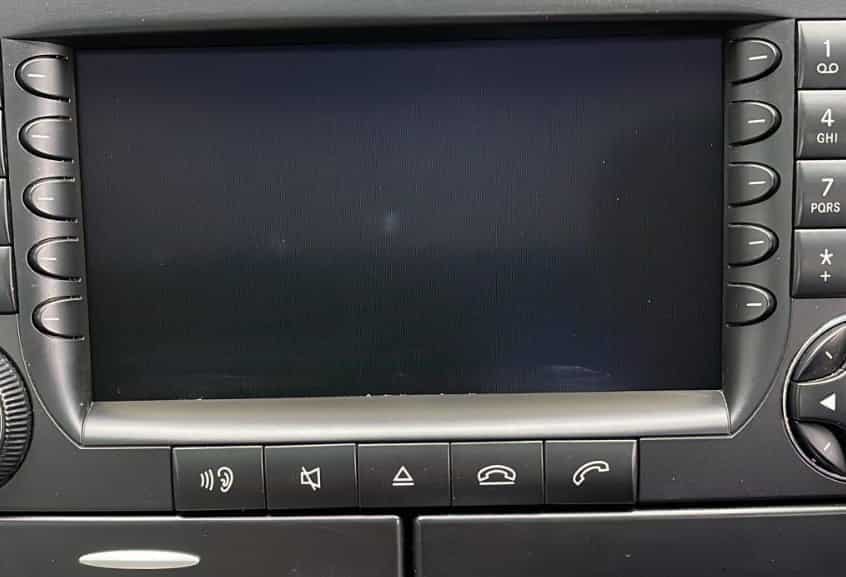
A black screen is one of the most common Mercedes COMAND problems. The display may stop working while other vehicle functions continue to operate normally. This issue can happen because of software errors, low battery voltage, fuse problems, or display component failure.
Owners can start by checking the vehicle battery condition and restarting the COMAND system. If the screen remains inactive after a reset, the problem may involve the display unit, wiring connections, or the main COMAND module.
COMAND System Freezes or Becomes Unresponsive
A frozen COMAND system usually happens when the software fails to process commands correctly. The screen may stay stuck on one menu, buttons may not respond, or the system may take a long time to load.
A system restart often solves temporary software problems. However, repeated freezing can indicate outdated software, corrupted data, or an internal hardware issue. A diagnostic scan can help identify the exact cause.
Mercedes Bluetooth Connection Is Not Working
Bluetooth problems are another common issue among Mercedes owners. The system may fail to connect with a smartphone, disconnect frequently, or refuse to recognize a paired device.
The problem may come from phone compatibility, incorrect settings, outdated software, or a faulty Bluetooth module. Removing old devices and pairing the phone again can often restore the connection.
Navigation problems can affect route guidance, GPS accuracy, or map loading. Some owners may notice that the system cannot find their location or provides incorrect directions.
Possible causes include outdated navigation data, GPS signal problems, or software errors. Updating the navigation system and checking the GPS antenna can help restore normal operation.
Mercedes Audio System Has No Sound
When the COMAND audio system stops producing sound, the issue may involve software settings, amplifier problems, or communication failures between modules. Owners should check audio settings and restart the system before looking for deeper issues.
If the problem continues, the amplifier, wiring, or COMAND head unit may require inspection.
COMAND System Keeps Restarting or Losing Functions
A COMAND system that repeatedly restarts may have unstable power supply, software corruption, or hardware problems. This issue often appears with other symptoms, such as screen freezing or missing features.
Checking battery health, updating software, and performing a complete diagnosis can help determine the correct repair approach.
USB and Media Functions Are Not Working
Some Mercedes owners experience problems when connecting USB devices or playing media files. The system may not recognize the device or fail to play supported content.
These issues often relate to incompatible file formats, damaged cables, outdated software, or connection problems. Testing another device can help determine whether the issue comes from the media source or the COMAND system.
Understanding these common Mercedes COMAND system problems allows owners to perform basic troubleshooting before seeking professional support. Simple solutions may resolve minor software issues, while complex failures require a detailed inspection.
How to Reset Mercedes COMAND System
Resetting the Mercedes COMAND system is one of the simplest solutions when the infotainment system stops responding. A reset can help remove temporary software errors, fix frozen screens, and restore normal system performance without replacing any components.
Before resetting the system, owners should understand that a reset only fixes software related issues. Problems caused by damaged hardware, electrical failures, or faulty modules may require professional diagnosis.
The first step is a soft reset. Turn off the vehicle, remove the key, and wait several minutes before restarting the engine. This allows the electronic systems to shut down and restart properly. Some Mercedes models also support a button combination reset, but the exact method depends on the model year.
Another option is a power cycle reset. This process allows the vehicle to completely turn off its electronic modules before restarting. It can help when the COMAND screen freezes, the system becomes slow, or certain functions stop responding.
For persistent software problems, a factory reset may help. This option restores the system to its original settings but removes saved Bluetooth devices, personal preferences, and customized options.
After completing the reset, check important functions such as the display, audio system, Bluetooth connection, and navigation. If the Mercedes COMAND system still does not work, the issue may involve electrical connections, battery voltage, or internal hardware failure.
Mercedes COMAND System Repair Cost and Replacement Options
The cost of repairing a Mercedes COMAND system depends on the cause of the problem, the vehicle model, and the required repair method. Some issues only require a software update or system reset, while others may need electrical repairs or replacement components.
A simple diagnosis is usually the first step before any repair. Technicians can use Mercedes specific diagnostic equipment to identify communication errors, software faults, or hardware problems. This process helps owners avoid replacing expensive parts without confirming the actual cause.
Software related repairs are often the most affordable option. Updating the COMAND software, correcting system settings, or restoring damaged data may solve problems such as freezing, connection failures, or navigation errors.
Electrical repairs can cost more because they may involve battery testing, wiring inspection, fuse replacement, or module communication checks. A weak battery or unstable power supply can affect the COMAND system and create repeated failures.
In cases where the COMAND head unit or internal components have failed, replacement may become necessary. The final cost depends on whether the owner chooses a repaired unit, a used replacement, or a new original component.
Before replacing the entire system, Mercedes owners should always complete a proper diagnosis. Many COMAND problems come from smaller issues that do not require a complete replacement. Working with a qualified Mercedes specialist can help identify the most cost effective solution and restore the infotainment system correctly.
When Should You Seek Professional Mercedes COMAND Repair?
Many Mercedes COMAND problems can be solved with basic troubleshooting steps. However, some issues require professional inspection to prevent further damage and avoid unnecessary replacement costs.
You should consider professional Mercedes COMAND repair when the system remains unresponsive after a reset. A screen that stays completely black, repeated system crashes, or missing functions may indicate a deeper problem with the hardware or electronic modules.
Professional diagnosis is also recommended when multiple features stop working at the same time. For example, problems with the display, audio system, Bluetooth connection, and navigation may point to a communication issue between vehicle modules rather than a simple software error.
Specialized diagnostic equipment plays an important role in identifying COMAND system failures. Mercedes technicians can check error codes, test electronic connections, and evaluate whether the problem comes from software, wiring, or internal components.
Owners should also seek expert help when the vehicle has electrical symptoms. Battery problems, unstable voltage, and damaged connections can affect the entire infotainment system. Fixing only the visible symptom may not solve the underlying issue.
Choosing a qualified Mercedes specialist can save time and reduce repair costs. An accurate diagnosis helps determine whether the system needs a software update, component repair, or complete replacement.
If your Mercedes COMAND system continues to fail after basic troubleshooting, professional inspection is the safest way to restore reliable performance and protect your vehicle’s electronic systems.
Frequently Asked Questions About Mercedes COMAND System Problems
Why Is My Mercedes COMAND System Not Working?
A Mercedes COMAND system may stop working because of software glitches, low battery voltage, electrical problems, outdated software, or hardware failure. A simple reset can solve temporary issues, but repeated failures may require professional diagnosis.
How Do I Reset My Mercedes COMAND System?
You can reset the Mercedes COMAND system by turning off the vehicle, waiting several minutes, and restarting the engine. Some models also support a specific button combination reset. If the problem continues, a factory reset or diagnostic check may be necessary.
Why Is My Mercedes COMAND Screen Black?
A black COMAND screen can happen because of a weak battery, software errors, fuse problems, wiring issues, or display failure. Checking the power supply and performing a reset are good first steps before seeking professional repair.
Can a Weak Battery Cause Mercedes COMAND Problems?
Yes. A weak battery can affect the performance of the Mercedes COMAND system. Low voltage may cause screen problems, random restarts, connection failures, or complete system shutdowns.
How Much Does Mercedes COMAND Repair Cost?
Mercedes COMAND repair costs depend on the cause of the failure. Software updates and minor fixes usually cost less than electrical repairs or head unit replacement. A proper diagnosis helps determine the most suitable repair option.
Should I Replace My Mercedes COMAND System?
Replacement is not always necessary. Many COMAND problems come from software issues, battery problems, or electrical faults. A professional inspection can confirm whether repair or replacement provides the best solution.
Conclusion
A Mercedes COMAND system provides essential features that improve comfort, connectivity, and driving convenience. When the system stops working, the problem can come from different sources, including software errors, battery issues, electrical failures, or damaged components.
Understanding the common causes of Mercedes COMAND system problems helps owners take the right troubleshooting steps. Simple solutions such as restarting the system, checking battery condition, or updating software can often resolve minor issues. However, persistent failures may require professional diagnosis to identify problems with the head unit, wiring, or electronic modules.
Before replacing expensive components, Mercedes owners should always confirm the actual cause of the failure. A proper inspection can prevent unnecessary repairs and help restore the system more efficiently.
If your Mercedes COMAND system is not working, start with basic troubleshooting methods and monitor how the system responds. When the problem continues, a qualified Mercedes specialist can provide accurate testing and recommend the most suitable repair option.
Keeping the infotainment system in good condition ensures a smoother driving experience and helps maintain the advanced technology that Mercedes vehicles are known for.