A Hyundai Palisade screen not working is usually linked to software errors, electrical problems, or infotainment system failures. The issue can appear in different ways. The display may stay black, freeze during startup, or stop responding to touch commands.
The Hyundai Palisade infotainment system manages important features such as navigation, audio controls, smartphone connections, and vehicle settings. Because the system depends on both software and electrical components, several problems can create the same screen failure symptoms.
This guide explains the main causes of Hyundai Palisade screen problems and shows practical ways to fix them. You will learn how to restart the infotainment system, check possible battery and fuse issues, and identify touchscreen failures.
A simple reset can solve some display problems. Other cases may require software updates or professional diagnosis. Understanding the cause helps you choose the correct solution and avoid unnecessary repairs.
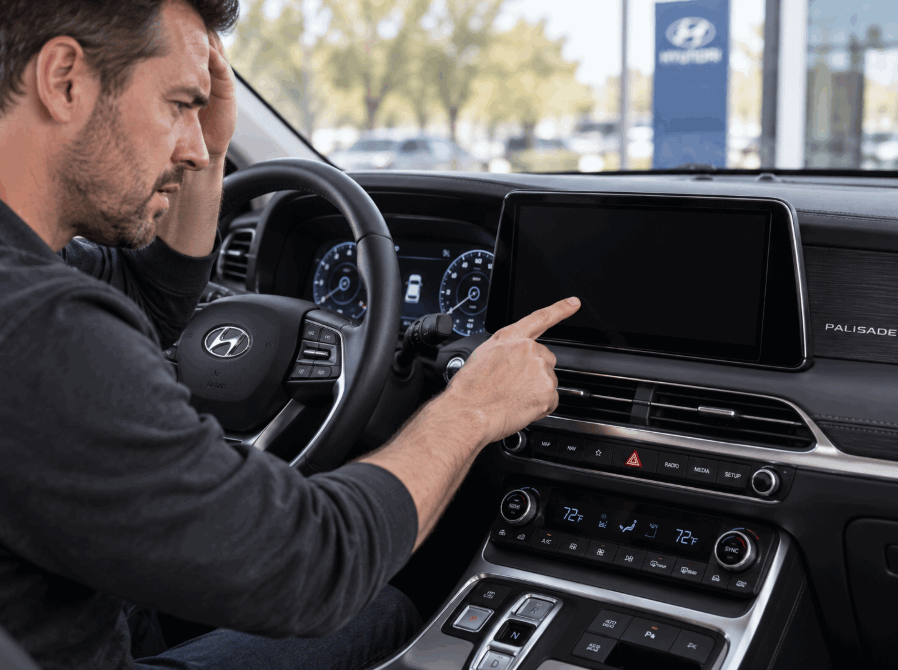
What causes a Hyundai Palisade screen to stop working?
A Hyundai Palisade screen can stop working because of software problems, electrical issues, or hardware failures. The infotainment system depends on several components working together. A failure in one component can prevent the display from turning on or responding correctly.
The most common causes of Hyundai Palisade screen problems include software glitches, weak battery voltage, blown fuses, outdated software, and damaged display components. Each problem creates different symptoms. Identifying the symptom helps determine the correct troubleshooting step.
Software glitches are one of the most common reasons for a Hyundai Palisade screen failure. The infotainment system can freeze during startup or stop responding after a temporary software error. A simple system restart can often restore normal operation when the issue comes from a minor software problem.
Battery issues can also affect the Hyundai Palisade display. The infotainment system needs stable electrical power to operate properly. A weak battery or low voltage condition can interrupt the startup process and cause the screen to remain black.
Electrical problems, including blown fuses or damaged power connections, can stop the screen from receiving power. The infotainment fuse protects the electrical circuit, so a failed fuse can disable the display while other vehicle functions continue working.
Outdated software and hardware failures can create more serious screen problems. An older infotainment version may develop compatibility issues with connected devices, while a damaged display panel or head unit may require professional diagnosis and repair.
How do you reset a Hyundai Palisade screen that is not working?
Resetting the Hyundai Palisade infotainment system is one of the first troubleshooting steps when the screen freezes, stays black, or stops responding. A system reset can clear temporary software errors and restart the connection between the display, head unit, and vehicle electronics.
A soft reset is the simplest method to restore the Hyundai Palisade screen. Most Hyundai Palisade models include a small reset button near the infotainment controls. Pressing this button with a small pointed object for several seconds forces the system to restart without deleting saved settings or personal data.
If the soft reset does not solve the problem, a factory reset may be required. A factory reset returns the infotainment system to its original settings and removes saved information, including paired Bluetooth devices, navigation settings, and customized preferences. This method helps when software conflicts continue after a basic restart.
Before performing a factory reset, check whether the problem comes from another source. A weak battery, blown fuse, or hardware failure can prevent the screen from working even after a reset. If the display remains black after restarting the system, further diagnosis may be necessary.
A Hyundai Palisade screen reset can solve many temporary software issues, but it cannot repair damaged electrical components or failed hardware. Understanding the difference between a software problem and a physical component failure helps prevent unnecessary repairs.
How can you troubleshoot a Hyundai Palisade screen before repair?
Troubleshooting a Hyundai Palisade screen before visiting a repair shop helps identify whether the problem comes from software, power supply, or hardware components. A structured inspection can solve simple issues without professional service and helps technicians diagnose more complex failures faster.
Start by checking the vehicle battery condition. The Hyundai Palisade infotainment system requires stable voltage to operate correctly. A weak or aging battery can interrupt the screen startup process and create symptoms such as a black display, delayed response, or system restart.
Restart the infotainment system before checking other components. A temporary software error can cause the screen to freeze or stop responding. Performing a soft reset allows the system to reload its software and restore normal communication between the display and the vehicle electronics.
Check connected devices such as smartphones, USB cables, and aftermarket accessories. Faulty connections can interfere with Apple CarPlay, Android Auto, or other infotainment functions. Disconnecting external devices helps determine whether the problem comes from the vehicle system or a connected device.
Inspect the vehicle fuse related to the infotainment system if the screen remains inactive. A damaged fuse can interrupt electrical power to the display. If the fuse appears normal and the screen still does not work, the issue may involve the head unit, wiring, or display hardware.
Check for available Hyundai software updates because outdated firmware can create compatibility problems and system errors. If the screen continues to fail after these steps, professional diagnosis may be required to identify internal electrical or hardware problems.
Why is my Hyundai Palisade touchscreen not responding?
A Hyundai Palisade touchscreen that does not respond usually indicates a software issue, touch sensor problem, or communication failure between the display and infotainment system. The touchscreen may freeze completely, respond slowly, or fail to recognize finger input even when the display remains active.
A temporary software glitch is one common reason for an unresponsive touchscreen. The infotainment system runs through internal software that controls touch commands, audio settings, navigation, and connected devices. When the system freezes, the screen may continue displaying information but ignore touch inputs.
Touchscreen hardware problems can also prevent normal operation. The display uses a touch digitizer to detect user commands, and damage to this component can stop the system from recognizing touch. Physical impact, internal electrical faults, or long term component wear can contribute to this type of failure.
Temperature conditions may also affect touchscreen performance. Extremely cold or hot environments can temporarily reduce electronic responsiveness. Allowing the vehicle cabin to return to a normal temperature can help determine whether the problem comes from environmental conditions or a deeper system failure.
Connected devices can create touchscreen problems in some situations. Faulty USB cables, unstable smartphone connections, or incompatible accessories can interfere with infotainment operation. Disconnecting these devices and restarting the system can help isolate the cause.
If the Hyundai Palisade touchscreen remains unresponsive after a reset and basic checks, the issue may involve the display hardware, head unit, or internal wiring. Professional diagnosis can identify whether the component requires repair or replacement.
Why is my Hyundai Palisade screen black but the radio still works?
A Hyundai Palisade screen that stays black while the radio continues working usually indicates a display or communication problem rather than a complete infotainment system failure. The audio system and display rely on connected but separate components, so one function can fail while another continues operating.
A display power problem is one possible cause of a black screen. The infotainment system may still receive commands and produce sound, but the screen may not receive enough power to show visual information. Checking the related fuse and electrical connections can help identify a power supply issue.
A software failure can also create a black screen condition. The infotainment system may freeze during startup and stop sending information to the display. In this situation, performing a soft reset can restart the system and restore normal screen operation.
The head unit can also cause display problems when it cannot communicate correctly with the screen. The head unit controls many infotainment functions, including audio, navigation, and smartphone connectivity. A communication failure between these components can leave the radio working while the display remains inactive.
A damaged display panel creates another possible cause. Internal screen faults, electrical damage, or component failure can prevent the display from turning on even when the rest of the infotainment system operates normally.
If the Hyundai Palisade screen remains black after a reset, battery check, and fuse inspection, the problem may require professional diagnosis. A technician can test the display, head unit, wiring, and electrical system to identify the failed component.
How can you prevent Hyundai Palisade infotainment screen problems?
Preventing Hyundai Palisade infotainment screen problems requires regular software maintenance, stable electrical power, and proper use of connected devices. The infotainment system depends on multiple electronic components, so maintaining each component helps reduce unexpected screen failures.
Keep the Hyundai Palisade software updated to improve system stability and compatibility. Hyundai releases software updates to fix known issues, improve system performance, and maintain compatibility with features such as Apple CarPlay and Android Auto. Installing available updates can reduce software related problems that affect screen operation.
Maintain good battery health because the infotainment system depends on consistent electrical power. A weak battery can create voltage fluctuations during vehicle startup and affect electronic components. Checking battery condition regularly helps prevent screen failures caused by unstable power supply.
Use reliable cables and accessories when connecting smartphones or external devices. Low quality USB cables or incompatible accessories can interrupt communication between the vehicle and connected devices. Removing faulty accessories can prevent unnecessary infotainment system errors.
Avoid forcing the touchscreen when it becomes slow or unresponsive. Repeatedly pressing a malfunctioning display can increase the risk of physical damage. Instead, restart the system and identify whether the problem comes from software, connectivity, or hardware.
Regular vehicle maintenance also helps protect the Hyundai Palisade infotainment system. Checking electrical connections, monitoring battery performance, and addressing warning signs early can reduce the chance of major screen failures and expensive repairs.
When should you take a Hyundai Palisade with a broken screen to a dealer?
You should take a Hyundai Palisade with a broken screen to a dealer when basic troubleshooting steps do not restore normal operation. A professional inspection becomes necessary when the problem involves electrical components, internal hardware, or repeated system failures.
Visit a Hyundai dealer if the screen remains black after performing a system reset. A successful reset should restart the infotainment system when the problem comes from a temporary software error. If the display stays inactive, the issue may involve the screen, head unit, wiring, or power supply.
Professional diagnosis is also recommended when the screen fails repeatedly. Frequent freezing, random shutdowns, or recurring touchscreen problems often indicate a deeper software or hardware issue that requires specialized testing.
Seek professional service when electrical symptoms appear with the screen problem. Warning signs include battery issues, fuse failures, power interruptions, or other electronic functions behaving abnormally. These symptoms may indicate a larger vehicle electrical problem rather than an isolated display failure.
A Hyundai dealer can perform advanced diagnostic tests, check infotainment system codes, install official software updates, and inspect replacement requirements. If your Hyundai Palisade remains under warranty, professional service can also help determine whether the repair qualifies for coverage.
A broken infotainment screen does not always require immediate replacement. However, when resets, software checks, and basic inspections fail, professional diagnosis provides the most accurate solution and prevents unnecessary repairs.