Few dashboard notifications are as common as the maintenance light on a Toyota Highlander. While this reminder is designed to help owners stay on top of routine service, it can sometimes create confusion, especially after an oil change or scheduled maintenance has already been completed. Many drivers expect the light to disappear automatically, only to find it still illuminated the next time they start their vehicle.
The good news is that resetting the maintenance light on a Toyota Highlander is usually a quick and straightforward process. Depending on the model year, the procedure may involve using the trip meter button, steering wheel controls, or the vehicle’s digital settings menu. Understanding the correct method for your specific Highlander can save you time, eliminate unnecessary trips to the dealership, and ensure that future maintenance reminders remain accurate.
In this guide, you will learn how to reset the maintenance light on Toyota Highlander models from every generation, including older vehicles and the latest models. We will also explain what the maintenance light actually means, how it differs from the check engine light, and what to do if the reminder does not reset properly. By the end of this article, you will have everything you need to keep your Toyota Highlander’s maintenance tracking system working correctly.
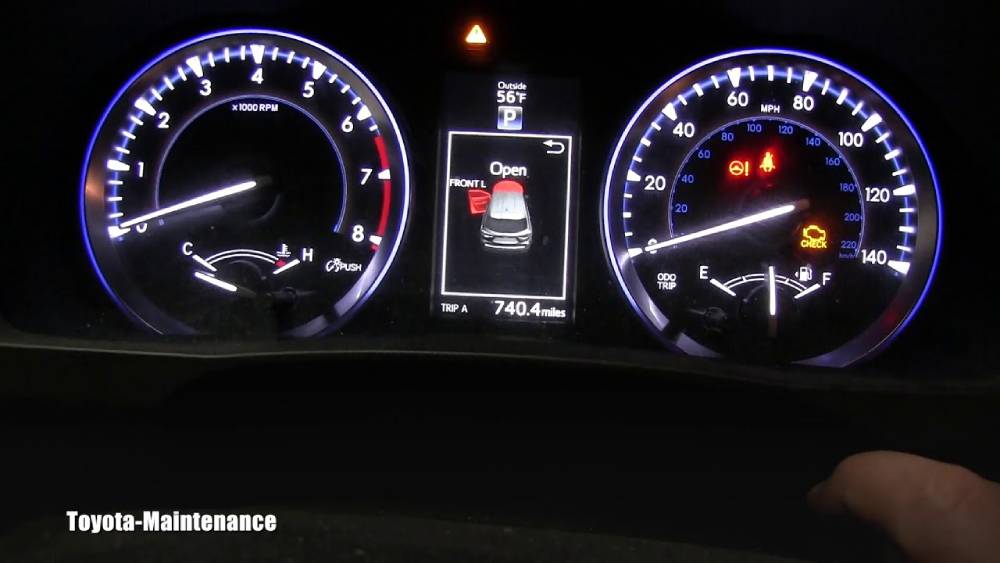
What Does the Maintenance Light Mean on a Toyota Highlander?
Many Toyota Highlander owners become concerned when they see the maintenance light appear on the dashboard. Fortunately, this warning is usually not an indication of a serious mechanical problem. Instead, it serves as a reminder that routine maintenance is due.
Toyota programs the maintenance reminder system to alert drivers at specific mileage intervals. In most Highlander models, the light appears approximately every 5,000 miles to remind owners to perform scheduled services such as tire rotations, oil changes, fluid inspections, and other preventive maintenance tasks.
One of the most common misconceptions is confusing the maintenance light with the check engine light. The maintenance light is simply a service reminder based on mileage and does not indicate a malfunction. The check engine light, on the other hand, signals that the vehicle’s onboard diagnostic system has detected a potential issue that may require immediate attention.
Common reasons the maintenance light appears include reaching the recommended oil change interval, completing a predetermined service mileage, or forgetting to reset the reminder after maintenance has already been performed. If your vehicle is operating normally and no other warning lights are present, the maintenance light is typically nothing to worry about.
Understanding the purpose of this indicator helps prevent unnecessary concern and allows you to maintain your Highlander according to Toyota’s recommended service schedule.
How to Reset the Maintenance Light on Toyota Highlander Models from 2001 to 2007
Owners of first generation Toyota Highlander models can reset the maintenance light using a simple procedure that takes less than a minute to complete.
Begin by turning the ignition switch to the OFF position. Locate the trip meter reset button on the instrument panel and press and hold it. While continuing to hold the button, turn the ignition key to the ON position without starting the engine.
Keep holding the trip reset button for several seconds. The odometer display will begin showing a series of dashes or a countdown sequence. This indicates that the vehicle is clearing the maintenance reminder data.
Once the countdown finishes, release the button and turn the ignition off. Wait a few moments before restarting the vehicle. If the procedure was completed correctly, the maintenance light should no longer appear on the dashboard.
Many drivers accidentally release the button too early or start the engine during the process, which prevents the reset from completing successfully. If the light remains on, simply repeat the procedure and ensure that the ignition is in the correct position throughout the process.
This reset method was designed for Toyota’s earlier maintenance reminder systems and remains one of the easiest procedures across all Highlander generations.
How to Reset the Maintenance Light on Toyota Highlander Models from 2008 to 2013
Toyota introduced slight changes to the maintenance reminder system in later Highlander models, making the reset process a little different from earlier vehicles.
Start by turning the ignition switch to the ON position without starting the engine. Use the trip button to cycle through the odometer display until Trip A appears on the screen. This step is important because the reset procedure will not work if the display is showing Trip B or the total mileage reading.
After selecting Trip A, turn the ignition off. Press and hold the trip reset button, then turn the ignition back to the ON position while continuing to hold the button.
A series of zeros or a countdown animation will appear on the display. Continue holding the button until the sequence completes and the normal odometer reading returns. Release the button and turn the ignition off.
Start the vehicle and verify that the maintenance light has disappeared. If the light remains illuminated, repeat the process carefully, making sure that Trip A was selected before beginning the reset.
This procedure clears the stored maintenance interval and allows the vehicle to begin tracking mileage again from zero. It ensures that future maintenance reminders appear at the appropriate service intervals, helping owners stay on schedule with recommended vehicle maintenance.
How to Reset the Maintenance Light on Toyota Highlander Models from 2014 to 2019
Toyota significantly upgraded the Highlander’s dashboard technology beginning with the 2014 model year. Instead of relying solely on the trip meter reset button, many vehicles in this generation allow drivers to reset the maintenance reminder through the Multi Information Display.
Start by turning the ignition on without starting the engine. If your Highlander uses a push button start system, press the Start button twice without pressing the brake pedal. Once the dashboard is fully illuminated, use the steering wheel controls to navigate through the information menus displayed on the instrument cluster.
Scroll to the Settings menu and look for the Vehicle Settings option. Within this menu, locate Scheduled Maintenance or Maintenance Reset, depending on your specific model year and trim level. Select the reset option and confirm your choice when prompted.
After confirmation, the system should display a message indicating that the maintenance data has been reset successfully. Turn the vehicle off and restart it to verify that the maintenance light no longer appears.
If you cannot find the maintenance reset option, consult your owner’s manual because menu structures may vary between trim levels and production years. In some cases, a software update or dashboard configuration may affect menu availability. Ensuring that the vehicle is in the correct ignition mode is also essential for accessing all settings.
This newer reset process offers a more user friendly experience and eliminates the need for button combinations commonly found in older Highlander models.
How to Reset the Maintenance Light on Toyota Highlander Models from 2020 to Present
Modern Toyota Highlander models feature advanced digital displays and updated vehicle settings that make resetting the maintenance reminder even easier.
Begin by placing the vehicle in accessory mode. For push button start models, press the Start button twice without touching the brake pedal. Once the digital instrument cluster is active, use the steering wheel controls to navigate through the menu system.
Access the Settings section and select Vehicle Settings. Within this menu, look for Maintenance Reset, Scheduled Maintenance, or a similar option depending on your vehicle’s software version. Highlight the reset function and select it.
The system will display a confirmation message asking whether you want to reset the maintenance reminder. Confirm your selection and wait for the completion message to appear. Once the reset is successful, turn the vehicle off and restart it.
For Highlander Hybrid models, the procedure is generally identical. However, some hybrid trims may display slightly different menu names or layouts. The overall process remains the same, requiring navigation through the vehicle settings menu and confirmation of the maintenance reset.
After restarting the vehicle, verify that the maintenance light has been cleared. If the light remains on, repeat the procedure and ensure that the reset was fully confirmed before exiting the menu.
The digital reset system introduced in newer Highlanders helps simplify routine maintenance tracking and provides a more intuitive experience for vehicle owners.
Why Your Toyota Highlander Maintenance Light Won’t Reset
Occasionally, drivers complete the reset procedure only to find that the maintenance light remains illuminated. This situation can be frustrating, especially after routine maintenance has already been performed.
One of the most common causes is using instructions intended for a different model year. Toyota has modified the reset process several times throughout the Highlander’s production history. Following the wrong procedure may prevent the system from clearing the maintenance reminder.
Another frequent issue is failing to complete every step of the reset sequence. Releasing a button too early, selecting the wrong trip meter display, or exiting the settings menu before confirming the reset can cause the procedure to fail.
In some cases, the maintenance reminder may reappear because the vehicle’s service interval was not properly reset after previous maintenance. Repeating the procedure carefully often resolves the problem.
Electronic glitches can also occur, particularly in vehicles equipped with advanced digital displays. A temporary software issue may prevent the dashboard from registering the reset command. Turning the vehicle off, waiting a few minutes, and attempting the procedure again may help.
If the maintenance light continues to stay on after multiple attempts, consult the owner’s manual or contact a qualified Toyota technician. Persistent warning indicators may require diagnostic equipment to identify underlying system issues and ensure the maintenance tracking system functions correctly.
What to Do If the Maintenance Light Keeps Coming Back
If the maintenance light returns shortly after being reset, it does not always mean there is a serious problem with your Toyota Highlander. In many cases, the issue can be resolved with a few simple checks.
First, verify that the maintenance reset procedure was completed correctly. Even a small mistake during the process can prevent the system from fully clearing the reminder. Repeat the reset steps carefully according to your specific model year.
Next, confirm that all scheduled maintenance has actually been completed. The maintenance reminder is designed to track service intervals, and resetting it without performing the recommended maintenance can make it difficult to keep accurate service records.
You should also check whether another service interval has become due. Some drivers reset the reminder after an oil change only to discover that another scheduled inspection is approaching. Reviewing your maintenance history can help determine whether additional service is required.
For vehicles equipped with advanced digital systems, a temporary software issue may occasionally cause the maintenance reminder to reappear. Restarting the vehicle and performing the reset again often solves the problem.
If the maintenance light continues to return despite multiple reset attempts, consider visiting a Toyota dealership or certified mechanic. Professional diagnostic equipment can verify that the maintenance tracking system is functioning properly and identify any underlying issues that may be affecting the dashboard display.
Toyota Highlander Maintenance Schedule Overview
Following Toyota’s recommended maintenance schedule is one of the best ways to keep your Highlander running reliably for years. Regular maintenance helps prevent costly repairs, improves fuel efficiency, and extends the lifespan of critical vehicle components.
The exact maintenance requirements may vary slightly depending on the model year, driving conditions, and whether the vehicle is equipped with a gasoline or hybrid powertrain. However, the following schedule provides a general overview of common service intervals.
| Mileage | Recommended Service |
|---|---|
| 5,000 Miles | Tire rotation, fluid inspection, brake inspection |
| 10,000 Miles | Engine oil and filter change, tire rotation |
| 15,000 Miles | Comprehensive vehicle inspection |
| 30,000 Miles | Major maintenance service, filter replacement |
| 60,000 Miles | Extended service and component inspection |
Routine maintenance offers several important benefits. It helps maintain engine performance, reduces the risk of unexpected breakdowns, improves safety, and preserves the vehicle’s resale value. Drivers who consistently follow Toyota’s maintenance schedule often experience fewer mechanical issues and lower long term ownership costs.
Whenever maintenance is completed, remember to reset the maintenance reminder so the system can accurately track the next service interval.
Frequently Asked Questions
How long does it take to reset the maintenance light on a Toyota Highlander?
In most cases, the entire process takes less than two minutes. Once you become familiar with the procedure for your model year, resetting the maintenance light can be completed in just a few simple steps.
Can I drive my Toyota Highlander with the maintenance light on?
Yes. The maintenance light is generally a service reminder rather than a warning of a mechanical failure. However, you should verify that the light is not a check engine light or another warning indicator requiring immediate attention.
Will disconnecting the battery reset the maintenance light?
Disconnecting the battery may temporarily clear certain vehicle settings, but it is not the recommended method for resetting the maintenance reminder. Using the official reset procedure ensures that the maintenance tracking system continues to function correctly.
Why does the maintenance light come back after I reset it?
The most common causes include an incomplete reset procedure, selecting the wrong menu option, or another maintenance interval becoming due. Repeating the process carefully usually resolves the issue.
Do all Toyota Highlander models use the same reset procedure?
No. Toyota has updated the maintenance reminder system over the years. Older models typically use the trip meter button, while newer vehicles often rely on digital dashboard menus and steering wheel controls.
What is the difference between the maintenance light and the check engine light?
The maintenance light is a scheduled service reminder based on mileage. The check engine light indicates that the vehicle’s onboard diagnostic system has detected a potential fault that may require inspection and repair.
Conclusion
Knowing how to reset the maintenance light on a Toyota Highlander is a valuable skill for any owner. Whether you drive an early first generation model or the latest Highlander equipped with a digital instrument cluster, the process is usually quick and straightforward when the correct procedure is followed.
The maintenance light serves as a helpful reminder to keep up with routine service, including oil changes, tire rotations, and scheduled inspections. After maintenance has been completed, resetting the reminder ensures that the system can accurately track future service intervals and continue providing timely notifications.
By understanding the reset procedures for different model years, you can save time, avoid unnecessary dealership visits, and maintain accurate maintenance records. More importantly, staying on top of regular maintenance helps improve vehicle reliability, fuel efficiency, and long term performance.
If you have followed the appropriate steps and the maintenance light still refuses to reset, consult your owner’s manual or seek assistance from a qualified Toyota technician. Addressing the issue promptly will help keep your maintenance tracking system functioning properly and ensure that your Toyota Highlander remains in excellent condition for many miles to come.