Knowing how to remote start Chevrolet Equinox helps drivers gain more comfort and control in daily use. The remote start feature in Chevrolet Equinox lets you start the engine from a distance so the cabin reaches a comfortable temperature before you enter the vehicle. This makes driving more convenient in both hot and cold weather.
Many drivers find this feature confusing at first because it works differently depending on the model year and the method used. Some vehicles use a key fob, while others support the MyChevrolet app for remote control. Each method follows specific steps that must be done correctly for the system to work.
The system also depends on safety conditions inside the vehicle. If a door is open or the system detects an error, remote start will not activate. These built-in rules protect the vehicle and ensure safe operation at all times.
In this guide, you will learn clear steps to use both the key fob and the mobile app. You will also understand why the system may fail and how to fix common problems quickly.
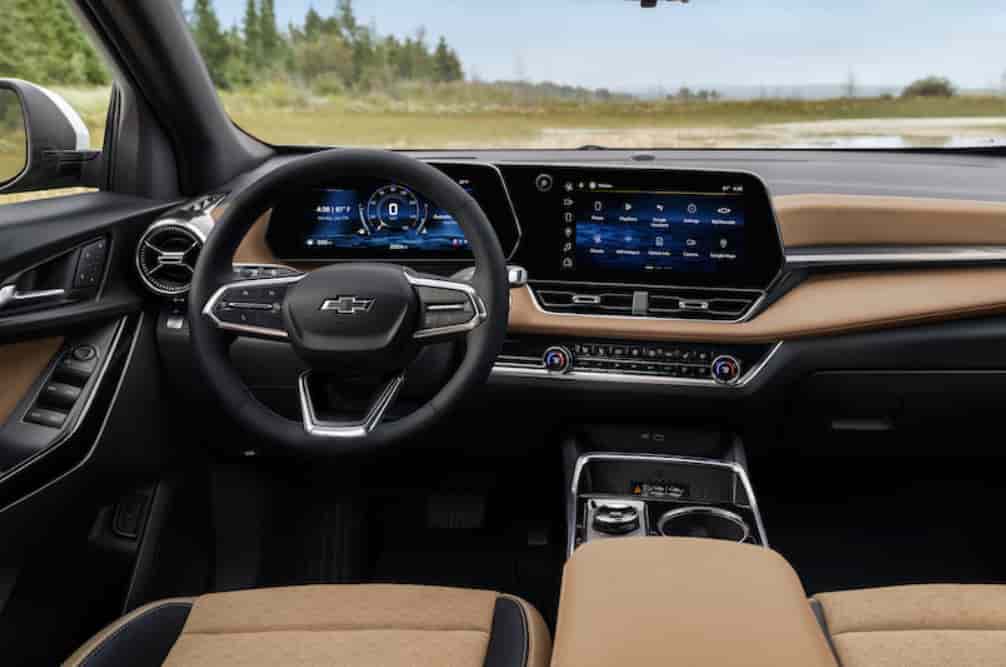
How to Remote Start Chevrolet Equinox Using Key Fob
The key fob method is the most direct way to remote start Chevrolet Equinox. It works without internet and does not require any mobile app. Most drivers prefer this method because it is fast and reliable when used correctly.
To start the vehicle, first make sure the car is fully locked. Press the lock button once on the key fob. This step confirms that the security system is active and ready for remote start. After that, press and hold the remote start button for a few seconds. The turn signals will flash to confirm that the engine has started successfully.
The system will keep the engine running for a limited time. In most cases, the vehicle runs for about ten to fifteen minutes before it shuts off automatically. This helps protect the engine and prevents unnecessary fuel use when no one is inside the car.
You can extend the remote run time by repeating the same process again. The system allows one extension in most Chevrolet Equinox models, depending on the year and configuration.
Range also plays an important role in how well the key fob works. The signal must reach the vehicle for the command to activate. Walls, distance, or interference can weaken the signal and prevent the start command from working. For best results, stay within a reasonable range and avoid obstacles between you and the vehicle.
This method works best when you need quick control without using a smartphone. It is simple, but it still depends on correct timing and proper vehicle conditions.
How to Remote Start Chevrolet Equinox Using MyChevrolet App
The MyChevrolet app gives drivers a more flexible way to remote start Chevrolet Equinox. It works through an internet connection, so you do not need to be close to the vehicle. This method is useful when you are far away but still want to control the car.
To use this feature, you first need to install the MyChevrolet app on your smartphone. After installation, log in with your GM account. You must also link your vehicle by entering the Vehicle Identification Number. This step connects the app to your Chevrolet Equinox and allows remote commands to work correctly.
Once setup is complete, open the app and select your vehicle from the dashboard. You will see a remote start option on the screen. Tap it once to send the command to the vehicle. The system will process the request and start the engine if all conditions are met. You will receive a confirmation message when the engine is running.
This method provides more control compared to the key fob. You can start the vehicle from almost anywhere as long as your phone has internet access. It also allows you to check vehicle status such as fuel level, lock status, and cabin temperature depending on the model year.
However, the system still follows safety rules. If the vehicle detects an issue such as an open door or an active warning light, the remote start command will not work. The app will show a notification explaining why the action failed.
The MyChevrolet app is ideal for daily use because it offers convenience and extra vehicle data. It also reduces dependence on physical range, making it more practical in real-world situations.
Why Remote Start May Not Work on Chevrolet Equinox
Remote start on Chevrolet Equinox is designed to be reliable, but it will not always activate in every situation. When the system fails, it usually follows built in safety rules or simple technical issues rather than a serious malfunction.
One of the most common reasons is a weak key fob battery. When the battery loses power, the signal becomes too weak to reach Chevrolet Equinox. In this case, the vehicle will not receive the remote start command even if you follow the correct steps.
Another frequent issue is an active warning light on the dashboard. If the engine check light is on, the system will disable remote start automatically. This is a safety measure that prevents the engine from starting when a potential problem is detected.
The system also checks all doors, the hood, and the trunk. If any of these are not fully closed, remote start will not work. Even a slightly open door can block the command. This happens because the vehicle prioritizes safety before convenience.
Temperature conditions can also affect performance. In extreme cold or hot weather, the system may limit or delay activation to protect engine components. In some cases, signal interference or distance issues can also stop the key fob from working properly.
For app users, the problem may come from internet connection issues. If the phone or vehicle loses connectivity, the MyChevrolet app cannot send the remote start command. Logging out or outdated app versions can also cause failures.
Understanding these causes helps you fix problems quickly without guessing. Most issues are simple and can be solved by checking basic conditions such as battery level, vehicle status, or connection quality.
Safety Features and System Limitations of Remote Start
The remote start system on Chevrolet Equinox is built with multiple safety layers to protect both the vehicle and the driver. It does not simply start the engine on command. Instead, it checks several internal conditions before allowing activation.
The system will automatically shut off the engine after a preset time if no one enters the vehicle. This prevents unnecessary fuel consumption and reduces engine wear. It also ensures the car does not remain running unattended for too long.
Another important safety rule is the key detection requirement. Even if the engine starts remotely, the vehicle will not shift into drive unless the key fob is inside the cabin. This prevents unauthorized driving and reduces theft risk.
The system also limits remote control functions while the engine is running. Drivers cannot change advanced driving settings through remote start. The system only allows basic climate control based on the last saved configuration before the vehicle was turned off.
In addition, remote start will not activate if the vehicle detects critical system errors. This includes engine warnings, emission system alerts, or electrical faults. These restrictions protect the engine from further damage and ensure safe operation.
Weather conditions and battery health can also affect system performance. In extreme temperatures or low battery situations, the system may delay or block activation to maintain stability.
Overall, these limitations are not design flaws. They are intentional safety mechanisms that help keep the vehicle secure, stable, and efficient in real-world conditions.
Conclusion
Learning how to remote start Chevrolet Equinox gives drivers a simple way to improve comfort and convenience in daily driving. The system allows you to prepare the cabin temperature before entering the vehicle, which is especially useful during hot summers or cold mornings. On Chevrolet Equinox, this feature works through both the key fob and the MyChevrolet app, giving users two flexible control options.
The key fob method is fast and does not require internet access. It works best for quick activation within range of the vehicle. The mobile app method provides more flexibility because it allows remote control from almost anywhere as long as the vehicle and phone are connected. Both methods follow the same safety logic built into the system.
It is important to remember that remote start is controlled by safety conditions. The system will not activate if it detects issues such as open doors, engine warnings, or weak battery signals. These restrictions are designed to protect the vehicle and ensure safe operation in all situations.
When users understand how the system works, they can avoid most common problems and use the feature more effectively. Simple checks like battery health, vehicle status, and app connectivity can solve many activation issues without difficulty.
Overall, remote start is a practical feature that adds real value to the driving experience. Once you understand its rules and limitations, you can use it confidently every day without confusion or errors.