Discovering that your Honda Wireless Charging Not Working issue appears just when you need your phone the most can be incredibly frustrating. You place your device on the charging pad, expect the battery icon to appear, yet nothing happens. In some cases, the charging indicator flashes briefly before turning off. In others, the phone starts charging but stops after only a few seconds. These problems are more common than many Honda owners realize, and they do not always indicate that the wireless charging system has failed.
Several factors can prevent a Honda wireless charger from working properly. Incorrect phone placement, incompatible devices, thick protective cases, excessive heat, software glitches, and even small metal objects left on the charging pad can interrupt the charging process. Because Honda wireless charging systems rely on precise alignment between the charging pad and the phone’s internal coil, even a slight shift in position may prevent a stable connection.
Fortunately, most charging problems can be resolved without replacing any parts. By following a logical troubleshooting process, you can quickly determine whether the issue originates from your smartphone, the wireless charging pad, or the vehicle itself. This guide explains the most common causes, provides practical solutions, and helps you understand when professional inspection is necessary. Whether you drive a Honda Accord, Civic, CR V, Pilot, Odyssey, or another model equipped with wireless charging, you will find the information needed to restore reliable charging performance.
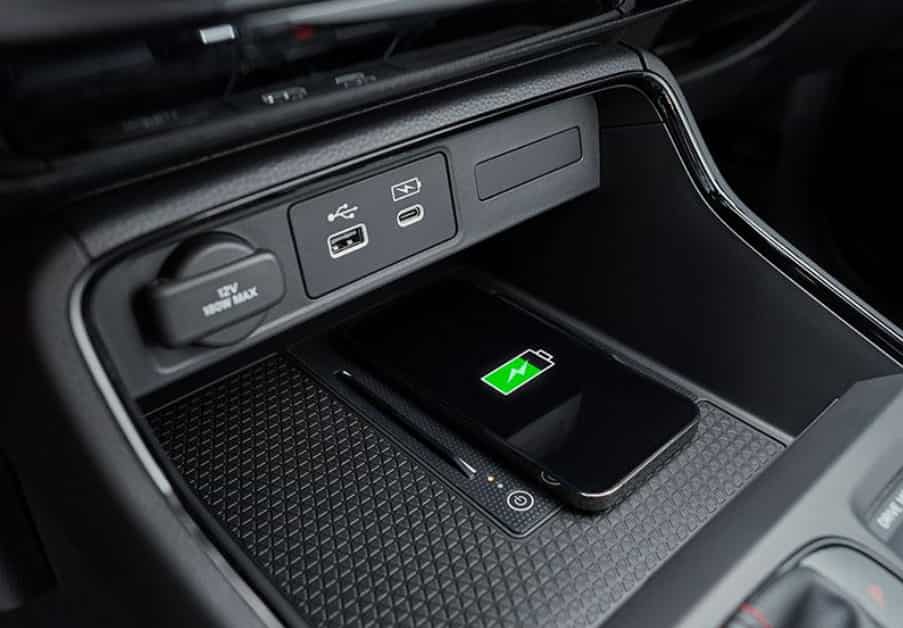
Why Is Honda Wireless Charging Not Working?
When your Honda wireless charging stops working, the cause is often simple. Most problems do not come from a damaged charging system. They usually happen because of phone placement, device compatibility, heat, or accessories.
Honda wireless chargers use Qi technology to transfer power to your smartphone. The system needs a close connection between the charging pad and the phone. Your phone must sit in the correct position. A small movement can break the connection.
Incorrect phone placement is one of the most common causes of Honda Wireless Charging Not Working. The charging coil inside your phone must match the coil inside the charging pad. If the phone sits too far left, right, forward, or backward, the charger may not detect the device.
Phone compatibility can also create charging problems. Some smartphones do not support Qi wireless charging. Others may have issues with certain software versions. A thick phone case can also block the charging signal. Magnetic rings, metal plates, and wallet cases may cause similar problems.
Heat can affect wireless charging performance as well. Your phone may stop charging when the temperature becomes too high. This protection feature helps prevent battery damage. Hot weather, direct sunlight, and heavy apps can increase phone temperature.
Sometimes, the problem comes from the Honda charging system itself. A faulty connection, electrical issue, or damaged charging module can stop the charger from working. However, these cases are less common.
The best troubleshooting approach starts with simple checks. Test the phone position first. Then remove accessories and check compatibility. If the problem continues, inspect the vehicle charging system for possible hardware issues.
The Phone Is Not Positioned Correctly on the Charging Pad
Incorrect phone placement is one of the most common reasons for Honda Wireless Charging Not Working. Wireless charging does not work like a wired charger. The phone must stay in the correct position to receive power from the charging pad.
Inside every compatible smartphone, a small charging coil receives energy from the vehicle charger. The Honda charging pad also contains a coil that sends power to the phone. These two components must align properly. When the phone sits outside the charging area, the system may fail to start or may charge inconsistently.
Many drivers experience this problem after placing a large smartphone on the pad. Bigger devices often have different coil positions. Camera bumps can also prevent the phone from sitting flat. As a result, the charging connection may become unstable while driving.
To fix this issue, place your phone in the center of the charging pad. Make sure the screen faces upward and the device sits flat. Avoid placing other items under the phone because they can create extra distance between the two charging coils.
You should also test the charger while the vehicle remains parked. Start with a simple position adjustment before trying other solutions. If the charger works after moving the phone, the system likely has no hardware problem.
Correct placement improves charging stability and prevents unnecessary troubleshooting. Before replacing parts or visiting a dealer, always check the phone position first. This simple step solves many Honda wireless charging problems within seconds.
The Phone Case or Accessories Are Blocking Wireless Charging
A phone case or accessory can easily cause Honda Wireless Charging Not Working problems. Many drivers assume that the vehicle charger has failed, but the real issue often comes from something attached to the smartphone.
Wireless charging requires a clear connection between the phone coil and the charging pad. Some cases create too much distance between these two components. Thick protective cases, rugged covers, and wallet cases can reduce charging performance or stop charging completely.
Magnetic accessories can also interfere with the charging process. Many phone users install magnetic rings, metal plates, or car mount attachments for convenience. However, these materials may block the wireless charging signal. The same problem can happen with credit cards or other metal objects stored inside a phone wallet case.
To identify whether the case causes the problem, remove all accessories from your phone. Place the device directly on the Honda charging pad and check the result. If charging starts normally, the phone case or accessory is the main cause.
Using a thin Qi compatible case can help prevent future problems. These cases protect your phone while allowing wireless charging signals to pass through more easily. You should also avoid placing extra items between the phone and the charging surface.
Testing without accessories is one of the fastest troubleshooting steps. It requires no tools and takes only a few seconds. In many cases, this simple check can restore normal wireless charging performance without any repair.
The Phone Does Not Support Qi Wireless Charging
Phone compatibility plays an important role when you troubleshoot Honda Wireless Charging Not Working issues. Honda wireless charging systems use Qi technology. This means your smartphone must include Qi wireless charging support to receive power from the charging pad.
Many modern smartphones support Qi charging, but some devices do not have this feature. Older models, entry level phones, and certain regional versions may lack wireless charging hardware. In these cases, the Honda charging pad cannot send power to the device.
Some users mistakenly believe that every smartphone can charge wirelessly because the vehicle has a built in charger. However, the charging system only works when both the vehicle and phone support the same wireless charging standard.
You can check your phone specifications to confirm Qi compatibility. Another simple method is testing the Honda charging pad with a different smartphone. Choose a device that supports Qi wireless charging. If the second phone works correctly, your original phone may not support the required technology.
Software can also affect compatibility. A phone may support Qi charging but experience problems after an operating system update. Restarting the device and installing the latest software version may help restore normal performance.
Before checking vehicle components, always confirm phone compatibility first. This step saves time and prevents unnecessary repairs. In many cases, the Honda wireless charger works correctly, but the smartphone does not have the right hardware or settings to receive power.
The Phone Is Overheating During Wireless Charging
Heat is another common reason behind Honda Wireless Charging Not Working problems. Wireless charging creates more heat than traditional wired charging because the system transfers energy through electromagnetic fields. When the temperature becomes too high, the phone may reduce charging speed or stop charging completely.
Modern smartphones include built in safety features that protect the battery from excessive heat. When the device detects high temperatures, it can pause wireless charging until the temperature returns to a safer level. This behavior does not always indicate a problem with the Honda charging system.
Several situations can increase phone temperature inside a vehicle. Hot weather, direct sunlight, and a warm cabin can make the phone overheat quickly. Running navigation apps, streaming videos, making calls, or using wireless connectivity features can also increase heat during charging.
A thick phone case can make the problem worse because it traps heat around the device. The charging pad and phone may both become warmer when heat cannot escape properly. Removing the case during charging can improve temperature control.
To solve this issue, remove the phone from the charging pad and allow it to cool down. Turn on the vehicle air conditioning if the cabin temperature is high. Close unnecessary apps and avoid charging the phone while it performs demanding tasks.
After the phone reaches a normal temperature, place it back on the charging pad. If charging resumes, the system works correctly. However, if the problem continues after the phone stays cool, you should check other possible causes such as compatibility or hardware issues.
Foreign Objects Are Interfering With the Charging Pad
Foreign objects can prevent your Honda wireless charger from working correctly. The charging pad needs direct contact with a compatible phone to transfer power efficiently. Small items placed between the phone and the charging surface can interrupt this process.
Many drivers use the storage area around the wireless charger for daily items. Coins, keys, cards, receipts, and other small objects can accidentally remain on the charging pad. Some of these items contain metal materials that interfere with the wireless charging signal.
Honda wireless charging systems may detect these objects as a safety risk. When the system finds unwanted materials, it may stop charging to prevent heat buildup or damage. In some cases, the charger may display a warning light. In other cases, the phone simply stops receiving power.
Cleaning the charging area is a simple way to solve this problem. Remove everything from the pad and check the surface carefully. Use a soft, dry cloth to remove dust or small particles that may affect the connection.
You should also check the back of your phone case. Some cases contain hidden metal plates or magnetic components. These materials may create charging problems even when the outside of the case looks normal.
After cleaning the charging pad, place only the phone on the surface. Make sure the device sits flat and remains centered. If charging works again, the foreign object caused the issue.
Regularly keeping the charging area clean helps maintain stable performance. It also reduces the chance of overheating and prevents unnecessary troubleshooting.
The Wireless Charging System Has Lost Power
When your Honda Wireless Charging Not Working issue continues after checking the phone, case, and charging surface, the vehicle power supply may be the cause. The wireless charging pad needs a stable electrical connection to operate correctly. Without proper power, the system cannot detect your phone or transfer energy.
A power related problem often appears in specific ways. The charging indicator may not turn on. The phone may show no response when placed on the pad. The charger may also stop working suddenly after operating normally for a long period.
Several factors can affect the charging system power supply. A blown fuse, loose electrical connection, damaged wiring, or faulty charging module can interrupt the power flow. These problems are less common than phone related issues, but they become more likely when multiple compatible phones fail to charge.
Before checking the vehicle hardware, try restarting the vehicle system. Turn the vehicle off completely, wait for a short period, and start it again. This process can reset temporary electronic issues that affect the charging function.
You can also check whether other vehicle features work normally. If the charging pad is the only feature with a problem, the issue may involve the charging system itself. If several electronic features show unusual behavior, the vehicle may have a wider electrical issue.
For fuse checks or electrical inspections, always follow the instructions in your Honda owner’s manual. Avoid replacing parts without confirming the actual cause. Incorrect repairs can create additional problems.
If the charging pad still has no power after basic checks, a Honda technician can test the electrical connection and charging module. Professional diagnosis helps identify whether the system needs repair or replacement.
Software Issues Can Affect Wireless Charging Performance
Software problems can also cause Honda Wireless Charging Not Working issues. Many drivers focus only on the charging pad or vehicle system, but the smartphone software controls many parts of the charging process. A temporary software error can prevent the phone from communicating correctly with the wireless charger.
Smartphones constantly manage battery temperature, charging speed, and power protection. After a system update, some devices may experience temporary compatibility problems. The phone may recognize the charging pad but fail to maintain a stable connection. In some cases, charging may start and stop repeatedly.
A simple restart can often solve minor software problems. Turn off your phone completely, wait a few seconds, and turn it back on. Then place the device on the Honda charging pad again and check the charging response.
Keeping your phone software updated can also improve charging performance. Manufacturers regularly release updates that fix battery management issues and improve device compatibility. However, if the problem appears immediately after an update, the software change may have affected wireless charging behavior.
You should also check battery protection settings on your phone. Some devices limit charging speed or pause charging under certain conditions. These features help protect battery health but may create confusion when testing wireless charging.
If your phone works with other wireless chargers but fails only inside your Honda, the vehicle system may require further inspection. However, if the phone fails on multiple chargers, the smartphone software or hardware is more likely the cause.
Testing software related issues is simple and does not require special tools. Restarting the phone, checking updates, and reviewing battery settings should always be part of your troubleshooting process.
The Honda Wireless Charging Module May Be Faulty
If you have checked your phone, accessories, temperature, and software, the Honda wireless charging module itself may have a problem. Although hardware failure is less common, it can happen after long term use, electrical issues, or physical damage inside the charging system.
The wireless charging module contains important components that control power transfer. These parts include the charging coil, control unit, and electrical connections. When one component fails, the charging pad may stop detecting your phone or may provide unstable charging performance.
A faulty module often shows clear signs. The charging indicator may not respond at all. The system may stop working with multiple Qi compatible phones. The charging pad may also work occasionally before failing completely.
Before replacing any parts, confirm that the problem does not come from the smartphone. Test another Qi compatible phone on the Honda charging pad. Remove all phone cases and accessories. Clean the charging surface and restart the vehicle system. These steps help eliminate simpler causes.
If several compatible phones fail under the same conditions, the vehicle charging system becomes the more likely source of the problem. A Honda technician can inspect the electrical connections and test the charging module to identify the exact failure point.
Replacing the wireless charging module may solve the issue, but repair decisions should come after proper diagnosis. Unnecessary part replacement can increase repair costs without fixing the actual problem.
A professional inspection becomes especially important when the vehicle remains under warranty. Honda service technicians can check available warranty coverage and recommend the correct repair method for your specific model.
What Do the Honda Wireless Charger Lights Mean?
The indicator light on your Honda wireless charger can provide useful information when you experience Honda Wireless Charging Not Working problems. Different light behaviors can help you understand whether the system detects your phone, finds an error, or stops charging for protection.
A normal charging process usually starts when you place a compatible phone on the charging pad. The indicator confirms that the system recognizes the device. If the light does not appear, the charger may not receive power or may not detect the phone correctly.
A blinking indicator often points to an unstable connection. The phone may not sit in the correct position, or an accessory may interfere with the charging signal. Repositioning the phone and removing the case can often restore normal operation.
An orange or amber indicator may appear when the system detects a charging problem. Common causes include foreign objects, excessive heat, or an unsupported device. Remove any items from the charging area and allow the phone to cool before testing again.
If the indicator turns off shortly after charging begins, the system may have lost the connection. This can happen when the vehicle moves, the phone shifts position, or the battery protection system limits charging.
Honda models may use different indicator colors and behaviors depending on the model year and equipment package. Therefore, you should always check your owner’s manual for the exact meaning of each signal.
Understanding the charging indicator helps you troubleshoot faster. Instead of replacing parts immediately, you can identify whether the problem comes from phone placement, temperature, compatibility, or the vehicle charging system itself.
How to Fix Honda Wireless Charging Not Working
Fixing Honda Wireless Charging Not Working issues does not always require professional service. In many cases, you can restore normal charging by checking a few simple factors first. A step by step approach helps you find the cause without spending money on unnecessary repairs.
Start by checking the phone position on the charging pad. Place the device in the center and make sure it sits flat. Move the phone slightly if the charger does not detect it. Small position changes can improve the connection between the phone coil and the charging pad.
Next, remove the phone case and any accessories. Thick cases, magnetic attachments, and metal components can block wireless charging signals. Test the phone without any cover to see if charging improves.
You should also clean the charging surface. Dust, small objects, and metal items can interfere with the charging process. Keep the pad clear and place only the phone on the charging area.
If the phone feels hot, allow it to cool before testing again. High temperatures can cause the phone to pause wireless charging. Reduce heat by turning on the vehicle air conditioning and closing unnecessary apps.
Restart both the phone and the vehicle system. Temporary software errors can affect charging performance. A simple restart can refresh the connection between the smartphone and the wireless charger.
Finally, test another Qi compatible phone if possible. This step helps determine whether the problem comes from the vehicle or the original device.
By following these checks in order, most Honda wireless charging problems can be identified quickly. Start with simple solutions before considering hardware repairs or professional inspection.
Honda Wireless Charging Not Working With an iPhone
Many Honda owners experience Honda Wireless Charging Not Working problems when using an iPhone. In most cases, the issue does not come from the vehicle. Instead, it usually relates to phone placement, accessories, heat, or iPhone settings.
iPhones use a specific internal charging coil location. The coil must align with the Honda charging pad to create a stable connection. Larger iPhone models may require more careful positioning because their camera design and size can affect how the device sits on the charging surface.
A protective case is another common cause of charging problems. Thick cases, magnetic accessories, and metal components can reduce charging performance. Some MagSafe compatible cases work correctly, but additional magnetic attachments may interfere with the charging signal.
Heat can also affect iPhone wireless charging. Features such as navigation, video playback, Bluetooth connections, and wireless CarPlay can increase power usage. When the iPhone becomes too warm, iOS may reduce or stop charging to protect the battery.
To troubleshoot an iPhone charging issue, remove the case first. Place the phone directly on the Honda charging pad and check whether charging starts. If the problem continues, restart the iPhone and install any available iOS updates.
You can also test the Honda charger with another Qi compatible device. This helps confirm whether the issue comes from the iPhone or the vehicle system.
In many cases, Honda wireless charging works correctly after adjusting the phone position or removing interference. Before visiting a dealer, try these simple checks to identify the actual cause.
Honda Wireless Charging Not Working With Samsung or Android Phones
Samsung and other Android users may also experience Honda Wireless Charging Not Working issues. Although many Android smartphones support Qi wireless charging, differences in device design, software, and accessories can affect charging performance.
The first thing to check is device compatibility. Most modern Samsung Galaxy models support wireless charging, but some Android phones do not include this feature. If your phone does not support Qi charging, the Honda wireless charging pad cannot provide power.
Phone placement can also create problems. Android devices come in many sizes and designs. Some models have larger camera modules or different internal coil positions. As a result, the phone may need precise positioning on the charging surface.
Accessories are another common cause. Thick cases, magnetic rings, metal plates, and wallet covers can block the charging signal. Remove all accessories and test the phone directly on the charging pad. This simple step can quickly identify whether the case causes the issue.
Android software settings may also affect wireless charging. Battery protection features can limit charging speed or pause charging under certain conditions. Restarting the phone and installing the latest software update can help resolve temporary problems.
Heat management is especially important for Android phones because some devices run demanding applications in the background. Navigation, gaming, video streaming, and wireless connections can increase temperature and reduce charging performance.
If your Android phone works with other wireless chargers but not in your Honda, check the vehicle charging pad. However, if the phone fails with multiple wireless chargers, the smartphone may have a hardware or software problem.
Testing another Qi compatible phone remains one of the fastest ways to identify the source of the issue.
Honda Accord Wireless Charging Not Working
Honda Accord owners may experience wireless charging problems for several reasons. The charging system in the Accord is designed to provide convenient phone charging without cables, but small issues with the phone, accessories, or vehicle settings can interrupt performance.
One common cause of Honda Accord Wireless Charging Not Working is incorrect phone placement. The charging pad requires proper alignment between the phone and the internal charging coil. If the device moves while driving, the connection may become unstable. Large smartphones can create this issue because their charging coils may not match the center of the charging area.
Phone cases and accessories can also affect charging performance. Many Accord owners use protective cases with magnetic holders or metal attachments. These accessories may block the wireless charging signal. Removing the case and testing the phone directly on the charging pad can quickly identify the problem.
Temperature can create another challenge. When the cabin becomes hot, the phone may stop wireless charging to protect the battery. This often happens when drivers leave the vehicle in direct sunlight or use navigation apps during long trips.
Some Accord models may also experience charging problems after software changes or battery management updates. Restarting the phone and checking for system updates can help restore normal operation.
If the charging pad does not work with multiple Qi compatible phones, the issue may involve the vehicle system. Possible causes include electrical problems, a damaged charging module, or a connection issue.
Before visiting a Honda service center, test the simplest solutions first. Check phone position, remove accessories, clean the charging surface, and restart both the phone and vehicle. These steps solve many Honda Accord wireless charging issues without requiring repairs.
Honda Civic Wireless Charging Not Working
Honda Civic owners may face wireless charging problems when the phone does not connect properly with the charging pad. The system offers convenient cable free charging, but several factors can affect performance. In many cases, the solution involves simple adjustments rather than expensive repairs.
A common reason for Honda Civic Wireless Charging Not Working is incorrect phone placement. The charging coil inside the smartphone must align with the coil inside the vehicle charging pad. If the phone sits too far from the correct position, the system may not detect the device or may stop charging during the drive.
Phone size can also influence charging performance. Modern smartphones often have larger camera areas and different internal layouts. These designs can make proper alignment more difficult. Placing the phone carefully in the center of the pad can improve the connection.
Another possible cause involves phone cases and accessories. Thick covers, magnetic attachments, and metal components may reduce charging efficiency. Testing the phone without a case is one of the quickest ways to confirm whether accessories create interference.
Heat can affect Civic wireless charging as well. High cabin temperatures and heavy smartphone use can increase device temperature. When this happens, the phone may pause charging to protect the battery.
If basic troubleshooting does not solve the problem, test another Qi compatible phone. This step helps determine whether the issue comes from the smartphone or the vehicle charging system.
For Civic owners, most wireless charging problems come from placement, accessories, or temperature. Checking these areas first can restore normal charging performance and prevent unnecessary service visits.
Honda CR V Wireless Charger Not Working
Honda CR V owners often use wireless charging as a convenient way to keep their smartphones powered during daily trips. However, some drivers experience Honda CR V Wireless Charger Not Working issues when the phone does not charge, disconnects frequently, or stops after a few minutes.
The most common cause is phone positioning. The CR V wireless charging pad needs proper alignment with the smartphone charging coil. If the phone moves because of road vibration or sits outside the charging area, the system may lose the connection. Placing the device in the center of the pad usually improves charging stability.
Phone cases can also affect wireless charging performance. Many drivers use protective cases with magnetic accessories or metal components. These materials can interfere with the charging signal. Removing the case and testing the phone directly on the charging pad can quickly identify whether the accessory causes the issue.
Temperature is another important factor in CR V wireless charging problems. The vehicle interior can become very warm during sunny days. A hot phone may reduce charging speed or stop charging completely. Cooling the cabin and removing unnecessary apps can help maintain stable performance.
Software compatibility can also influence charging behavior. Both the smartphone operating system and vehicle electronics manage the charging process. Restarting the phone and checking for updates can resolve temporary connection problems.
If the charging pad fails with multiple Qi compatible phones, the issue may involve the vehicle system. A technician can inspect the charging module, wiring connections, and electrical supply.
Most CR V wireless charging problems have simple solutions. Checking placement, removing accessories, and managing heat should always come before considering repairs.
Honda Pilot Wireless Charging Not Working
Honda Pilot owners may experience wireless charging issues when their smartphone does not receive power from the charging pad. Since the Pilot is designed for family travel and longer journeys, a reliable charging system can be especially useful. However, several factors can affect wireless charging performance.
One common reason for Honda Pilot Wireless Charging Not Working is poor phone alignment. The wireless charging pad transfers energy through a connection between two charging coils. If the phone shifts during driving, the coils may no longer match correctly. This can cause slow charging, interrupted charging, or no charging at all.
Large smartphones can create additional challenges in the Pilot. Some devices have larger camera modules or different internal layouts. These design differences may prevent the phone from sitting perfectly flat on the charging surface.
Accessories can also reduce charging performance. Thick cases, magnetic mounts, metal plates, and wallet covers may block the wireless charging signal. Testing the phone without any accessories can quickly show whether the case creates the problem.
Heat is another factor that affects Pilot wireless charging. Long road trips, hot weather, and heavy smartphone use can increase device temperature. When the phone becomes too warm, it may pause charging to protect the battery.
If simple solutions do not work, test another Qi compatible smartphone. This step helps identify whether the problem comes from the phone or the vehicle charging system.
When multiple compatible phones fail to charge, the issue may involve the Pilot charging module or electrical connection. Professional inspection can confirm whether the system needs repair.
Most Honda Pilot wireless charging problems result from positioning, accessories, or temperature. Checking these areas first can save time and avoid unnecessary repair costs.
Honda Odyssey Wireless Charging Not Working
Honda Odyssey owners often rely on wireless charging during family trips and daily transportation. When the system stops working, it can become inconvenient, especially when passengers need to keep their phones charged during longer journeys. Fortunately, many Honda Odyssey wireless charging problems come from simple causes.
One common reason for Honda Odyssey Wireless Charging Not Working is incorrect phone placement. The charging pad needs proper alignment with the smartphone charging coil. If the phone moves around while driving, the connection may become unstable. Large phones can also create alignment problems because their charging coils may not match the center of the charging area.
Phone cases and accessories can create similar issues. Many families use protective cases, magnetic holders, or wallet covers. These items may interfere with wireless charging signals. Removing the case and placing the phone directly on the charging pad can help identify the cause.
Heat management is another important factor. The Odyssey cabin can become warm during hot weather, especially when parked outside. A phone that reaches high temperatures may reduce charging speed or stop charging completely. Cooling the cabin and reducing background apps can improve charging performance.
Software issues may also affect charging reliability. Smartphone updates, battery protection features, and temporary system errors can change how the device communicates with the charger. Restarting the phone often resolves minor connection problems.
If the wireless charger does not work with multiple Qi compatible phones, the vehicle system may need inspection. A technician can check the charging module and electrical connections.
Most Odyssey wireless charging problems do not require immediate replacement. Testing phone placement, accessories, temperature, and compatibility first can solve many issues quickly.
Why Does Honda Wireless Charging Start and Stop?
One frustrating symptom of Honda Wireless Charging Not Working is when the phone starts charging and then stops after a few seconds. This issue often makes drivers think that the charging pad has failed. However, the cause is usually related to connection stability, temperature, or phone settings.
The most common reason for interrupted charging is phone movement. Wireless charging requires accurate alignment between the phone and the charging pad. When the vehicle moves, road vibration can shift the device slightly. Even a small movement can break the connection between the two charging coils.
A phone case or accessory can create the same problem. Thick cases, magnetic attachments, and metal components may allow the phone to charge briefly before the connection becomes unstable. Removing these items can help confirm whether they cause the interruption.
Temperature can also trigger charging stops. When the phone becomes too hot, the battery protection system may pause wireless charging. This feature helps protect the battery from excessive heat. Hot weather, direct sunlight, and demanding applications can increase the chance of charging interruptions.
Software settings may affect charging behavior as well. Smartphones manage charging speed through battery protection features. Some devices reduce or stop wireless charging when they detect unusual conditions.
To fix this problem, start with simple checks. Place the phone in the center of the charging pad. Remove the case and accessories. Allow the phone to cool down if it feels warm. Then restart the device and test again.
If the phone continues to connect and disconnect with different Qi compatible devices, the Honda charging system may require further inspection. A technician can check the charging module and electrical connections to find the cause.
Why Is Honda Wireless Charging So Slow?
Slow charging is another common concern related to Honda Wireless Charging Not Working. Many drivers expect wireless charging to increase battery percentage quickly, but wireless charging usually works differently from a traditional cable connection.
Honda wireless charging systems are designed mainly for convenience. They help maintain battery levels during daily driving rather than provide the fastest possible charging speed. Wired charging often delivers more power, especially when using modern fast charging technology.
Several factors can reduce wireless charging speed. The first factor is heat. When the phone becomes warm, the device may automatically reduce charging power to protect the battery. This safety feature can make charging appear slower than expected.
Phone usage also affects charging performance. Navigation apps, video streaming, phone calls, Bluetooth connections, and wireless connectivity features consume battery power while charging. In some situations, the phone may receive power but maintain the same battery level because it uses energy as quickly as it receives it.
A phone case can also reduce charging efficiency. Thick materials create more distance between the charging coils. As a result, the charging process becomes less effective.
Phone placement matters as well. When the device does not sit in the optimal position, the charger may transfer less energy. Adjusting the phone position can improve charging performance.
If your Honda wireless charger works but charges slowly, the system may not have a fault. Check the phone temperature, remove unnecessary accessories, and reduce heavy applications during charging.
Understanding normal wireless charging behavior can prevent unnecessary repairs. A slower charging speed does not always mean that the Honda wireless charging system has failed.
Can Wireless Apple CarPlay or Android Auto Affect Charging?
Many drivers wonder whether wireless Apple CarPlay or Android Auto can cause Honda Wireless Charging Not Working problems. While these features do not directly disable the charging pad, they can affect overall phone performance during use.
Wireless connectivity requires continuous communication between the smartphone and the vehicle system. Features such as navigation, music streaming, calls, and voice assistants use additional battery power. When the phone consumes energy faster than the wireless charger provides it, the battery level may increase very slowly or remain unchanged.
Heat is another important factor. Running wireless CarPlay or Android Auto can increase phone temperature because the device handles multiple tasks at the same time. When the phone becomes too warm, the battery management system may reduce charging speed or pause charging temporarily.
Some drivers notice that the phone charges normally when the vehicle system is not using wireless connectivity. Then, charging becomes slower during navigation or long trips. This behavior does not always indicate a problem with the Honda charging pad. It often shows that the phone uses more power than the charger can replace.
To improve charging performance, reduce unnecessary background applications while driving. Keep the phone away from direct sunlight and remove thick cases that trap heat. If possible, allow the phone to cool before placing it on the charging pad.
If wireless charging stops completely while using Apple CarPlay or Android Auto, test the phone without these features active. This comparison helps determine whether the issue comes from phone workload or the vehicle charging system.
Wireless connectivity and wireless charging can work together, but performance depends on phone temperature, battery usage, and device compatibility.
When Should You Visit a Honda Dealer?
Most Honda Wireless Charging Not Working problems come from simple causes such as phone placement, accessories, or temperature. However, some situations require professional inspection. Knowing when to visit a Honda dealer can help you avoid unnecessary troubleshooting and prevent possible damage.
You should consider professional service when the charging pad does not work with multiple Qi compatible phones. Testing more than one device helps confirm that the issue does not come from your smartphone. If every compatible phone fails, the vehicle charging system may have a hardware problem.
Another warning sign is a charging pad that shows no response. If the indicator light does not turn on and the system does not detect any device, the problem may involve the power supply, electrical connection, or charging module.
You should also contact a dealer if the charger works only sometimes despite correct phone placement and no accessories. Frequent connection loss may indicate an internal issue that requires proper diagnosis.
Visible damage, unusual heat, or a burning smell should also receive immediate attention. These signs may point to an electrical problem. Avoid using the charging pad until a technician checks the system.
Warranty coverage is another reason to seek professional help. If your Honda remains within the warranty period, an authorized service center can inspect the system and determine available repair options.
Before visiting a dealer, prepare useful information about the problem. Note your Honda model, production year, phone model, charging behavior, and any warning indicators. This information helps technicians diagnose the issue faster.
Professional inspection becomes necessary when basic solutions no longer work. A proper diagnosis ensures that you repair the actual problem instead of replacing parts unnecessarily.
How Much Does It Cost to Fix a Honda Wireless Charger?
The repair cost for Honda Wireless Charging Not Working problems depends on the actual cause of the failure. Some issues require no repair at all, while others may need replacement parts or professional service. Understanding the possible costs can help you make a better decision before visiting a repair center.
Simple fixes usually cost nothing. Adjusting phone placement, removing a phone case, cleaning the charging pad, or restarting the phone only requires a few minutes. These solutions solve many wireless charging problems without any additional expense.
If the issue involves a vehicle fuse or electrical connection, the repair cost may vary depending on the Honda model and service location. A technician may need to inspect the electrical system before identifying the exact problem.
A damaged wireless charging module usually costs more because the repair involves replacement parts and labor. The final price depends on the vehicle model, trim level, part availability, and installation time. Newer Honda models may use different charging components, which can affect repair expenses.
Warranty coverage can significantly reduce costs. If the charging system fails because of a manufacturing issue and the vehicle qualifies for warranty service, Honda may cover inspection and repair expenses.
Before approving any repair, ask for a complete diagnosis. Replacing the charging module without confirming the cause can lead to unnecessary expenses. A proper inspection helps identify whether the problem comes from the phone, accessories, electrical system, or hardware.
In most cases, Honda wireless charging repairs are avoidable because many problems come from compatibility or usage habits. Testing simple solutions first can save both time and money.
How to Prevent Future Honda Wireless Charging Problems
Preventing Honda Wireless Charging Not Working issues is easier than fixing them after they appear. A few simple habits can help maintain stable charging performance and reduce the chance of connection problems during daily driving.
Start by using a compatible phone case. Thick cases, metal accessories, and magnetic attachments can interfere with wireless charging signals. A thin Qi compatible case allows better communication between the phone and the charging pad.
Keeping the charging surface clean is also important. Dust, small objects, and metal items can affect charging performance. Check the charging area regularly and remove anything that does not belong there.
Phone placement also plays an important role. Always place the device in the center of the charging pad before driving. A properly positioned phone creates a stronger connection and reduces charging interruptions caused by movement.
Temperature control can improve charging reliability. Avoid leaving your phone on the charging pad inside a hot vehicle for long periods. During warm weather, use the vehicle air conditioning and remove the phone case if the device becomes too warm.
You should also maintain updated software on your smartphone. System updates often improve battery management and device compatibility. Regular updates can reduce unexpected charging problems.
Avoid placing unnecessary objects near the wireless charger. Keys, coins, cards, and other metal items can create interference and may trigger charging protection features.
Finally, monitor changes in charging behavior. If the system starts disconnecting frequently or shows unusual warning signs, investigate the issue early. Small problems are often easier and less expensive to solve.
By following these simple steps, Honda owners can improve wireless charging performance and enjoy a more reliable experience on every drive.
Frequently Asked Questions
How do I reset my Honda wireless charger?
To reset your Honda wireless charger, turn off the vehicle completely and restart the system. Remove the phone from the charging pad before restarting. After the vehicle turns on again, place a Qi compatible phone on the charging surface and check if charging resumes.
If the problem continues, restart your smartphone as well. Temporary software issues can affect communication between the phone and the Honda charging system.
Why is my Honda wireless charger blinking orange?
A blinking orange light usually indicates a charging problem. Common causes include foreign objects, excessive heat, phone incompatibility, or an unstable connection.
Remove any objects from the charging pad and check the phone position. If the phone feels hot, allow it to cool before testing again. You should also remove thick cases or magnetic accessories.
Why does my phone charge for a few seconds and then stop?
A phone that starts charging and then stops usually has a connection issue. The phone may move out of position, overheat, or experience interference from accessories.
Place the phone in the center of the charging pad and remove the case. If the problem continues, test another Qi compatible phone to identify whether the issue comes from the device or the vehicle.
Does Honda wireless charging work with MagSafe cases?
Some MagSafe cases work with Honda wireless charging, but compatibility depends on the case design. Additional magnetic accessories, metal components, or thick materials may reduce charging performance.
For the best results, test the phone without the case first. A thin Qi compatible case usually provides better charging reliability.
Can a phone case stop Honda wireless charging?
Yes. A phone case can prevent Honda wireless charging from working correctly. Thick cases, wallet covers, and metal inserts can block the wireless charging signal.
Removing the case is one of the fastest ways to check whether the accessory causes the problem.
Why does my Honda wireless charger overheat my phone?
Wireless charging naturally produces heat during energy transfer. High cabin temperatures, direct sunlight, heavy applications, and thick cases can increase phone temperature.
When the phone becomes too warm, the battery protection system may reduce charging speed or stop charging temporarily.
Is Honda wireless charging covered under warranty?
Warranty coverage depends on the vehicle model, production year, warranty status, and cause of failure. If the charging system has a manufacturing defect, Honda may provide repair support.
Contacting a Honda dealer can help determine whether your vehicle qualifies for warranty service.
Can I replace the Honda wireless charging pad?
Yes, a Honda wireless charging pad can be replaced if the module fails. However, proper diagnosis should come first.
Many charging problems come from phone compatibility, accessories, or temperature. Confirming the cause before replacement can help avoid unnecessary repair costs.
Conclusion
When you experience Honda Wireless Charging Not Working problems, the solution is often easier than expected. In many cases, the issue does not come from a damaged charging system. Simple factors such as incorrect phone placement, incompatible accessories, excessive heat, or device compatibility can interrupt the charging process.
The best troubleshooting approach starts with basic checks. Place the phone correctly on the charging pad, remove the case, clean the charging surface, and confirm that the device supports Qi wireless charging. These steps can solve many common problems without requiring professional assistance.
If the wireless charger still does not work after testing different phones and removing possible sources of interference, the issue may involve the vehicle system. Electrical connections, the charging module, or internal components may require professional inspection.
Regular maintenance can also prevent future problems. Keep the charging area clean, avoid using unsuitable accessories, manage phone temperature, and monitor changes in charging performance.
A Honda wireless charger provides excellent convenience when it works correctly. By understanding the common causes and solutions, you can restore reliable charging and avoid unnecessary repairs.
Are you currently experiencing Honda Wireless Charging Not Working with a specific Honda model or smartphone? Share your vehicle model and phone type to identify the most likely cause.