GMC infotainment system problems can range from minor software glitches to hardware failures that affect navigation, media playback, smartphone connectivity, and vehicle settings. The most common symptoms include a black screen, an unresponsive touchscreen, repeated system reboots, Bluetooth pairing failures, Apple CarPlay or Android Auto connection issues, and a backup camera display that fails to appear. While some of these problems can be resolved with a simple reset or software update, others indicate a failing Human Machine Interface (HMI) module, damaged wiring, or power-related issues that require professional diagnosis.
Modern GMC vehicles rely on the infotainment system as a central interface for entertainment, communication, navigation, and driver assistance features. Because multiple electronic modules communicate through this system, a single fault can affect several functions at the same time. Identifying whether the issue originates from software, hardware, or electrical components is the first step toward an effective repair.
This guide explains the most common GMC infotainment system problems, their underlying causes, practical troubleshooting methods, and proven repair options. It also highlights which GMC models frequently experience these issues, when a software update is sufficient, and when replacing components such as the HMI module or display becomes the most reliable solution.
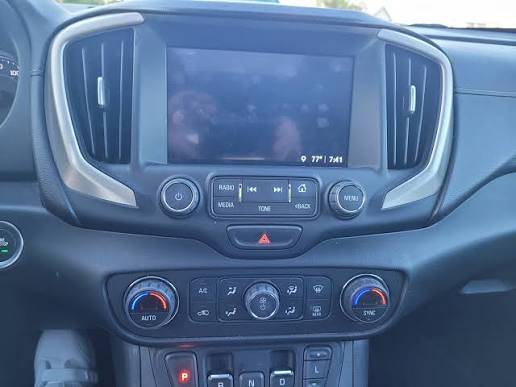
What are the most common GMC infotainment system problems?
GMC infotainment system problems typically appear as display, connectivity, audio, or software-related failures. While the symptoms vary, most issues originate from outdated software, communication errors between electronic modules, unstable power supply, or a failing Human Machine Interface (HMI) module. Identifying the exact symptom is the fastest way to narrow down the root cause.
Why does the infotainment screen go black?
A black infotainment screen usually indicates that the display is no longer receiving a video signal or that the infotainment software has stopped responding. In many cases, the screen itself is functional, but the HMI module or infotainment control module fails to complete its startup sequence.
A temporary software crash often causes the display to remain black after starting the vehicle. This issue may disappear after restarting the system or turning the vehicle off for several minutes. If the screen remains black consistently, the problem is more likely related to the HMI module, loose electrical connections, or a hardware failure inside the display assembly.
Vehicles affected by intermittent black screens may continue playing audio or responding to steering wheel controls even though nothing appears on the display. This symptom generally indicates that the operating system is still running while the graphical interface has failed.
Why does the touchscreen stop responding?
A touchscreen that stops responding is commonly caused by frozen infotainment software, excessive system memory usage, or digitizer failure. The display may continue showing menus normally while ignoring all touch inputs.
Software freezes usually occur after prolonged operation, interrupted software updates, or conflicts with connected smartphones running Apple CarPlay or Android Auto. Restarting the infotainment system often restores normal operation if the problem is software-related.
If touch functionality only fails in specific areas of the screen or never responds after multiple resets, the touchscreen digitizer may be damaged. Physical impact, excessive heat, or long-term wear can gradually reduce touch accuracy until replacement becomes necessary.
Why does the system keep restarting?
Repeated reboots indicate that the infotainment system cannot complete a stable operating cycle. Instead of remaining operational, the system repeatedly shuts down and reloads its software.
One common cause is corrupted firmware following an incomplete software update. Another possibility is unstable battery voltage during engine startup, preventing the infotainment module from receiving consistent power. In more severe cases, an internal HMI module failure can trigger continuous reboot loops that cannot be resolved through a standard reset.
If the reboot cycle occurs every time the vehicle starts, professional diagnostics are usually required to determine whether the issue is software corruption or hardware failure.
Why is there no audio from the infotainment system?
Audio loss can occur even when the touchscreen functions normally. Drivers may notice that radio stations, navigation prompts, phone calls, or media playback produce no sound despite normal screen operation.
Software communication failures between the infotainment system and the audio amplifier are a common cause. Incorrect audio source selection, Bluetooth conflicts, or temporary operating system errors may also interrupt sound output.
If every audio source remains silent after restarting the system, technicians typically inspect the amplifier, speaker wiring, radio module, and associated electrical circuits to identify hardware faults.
Why do Apple CarPlay and Android Auto disconnect?
Unexpected disconnections usually result from unstable USB connections, incompatible smartphone software, damaged cables, or outdated infotainment firmware.
Apple CarPlay and Android Auto require continuous communication between the smartphone and the infotainment system. Even brief interruptions caused by worn USB ports or low-quality cables can terminate the connection.
Updating both the smartphone operating system and the GMC infotainment software often resolves compatibility issues introduced by newer mobile software versions.
Why does Bluetooth fail to connect?
Bluetooth pairing failures generally occur because of corrupted pairing records, software conflicts, or compatibility issues between devices.
As more phones are paired with the vehicle over time, stored Bluetooth profiles can become corrupted or exceed available memory. Removing existing paired devices and creating a new connection often restores normal operation.
Persistent Bluetooth failures after deleting all paired devices may indicate a software issue requiring a firmware update or dealer reprogramming.
Why is the backup camera not displaying?
A backup camera that displays a black screen, delayed image, or error message may be caused by camera hardware failure, damaged wiring, communication errors, or infotainment software faults.
Because the backup camera image is processed through the infotainment display, failures in either system can prevent the video feed from appearing. Drivers should also determine whether other display functions continue working, as this helps distinguish between a camera issue and a complete infotainment failure.
Navigation problems often appear as incorrect vehicle positioning, slow route calculation, missing maps, or GPS signal loss.
These issues may result from outdated map databases, temporary GPS signal interference, software bugs, or antenna-related problems. If navigation accuracy deteriorates gradually while other infotainment functions operate normally, updating the navigation software or map data is often the first recommended step.
What causes GMC infotainment system problems?
Most GMC infotainment failures originate from five primary causes: outdated software, HMI module failure, unstable electrical power, faulty connectivity hardware, and damaged wiring or fuses. Determining which category the problem belongs to significantly reduces diagnostic time and unnecessary component replacement.
Can outdated software cause infotainment failures?
Yes. Outdated infotainment software is one of the most common causes of freezing screens, unexpected reboots, Bluetooth connectivity issues, and smartphone integration failures.
Software updates released by GMC frequently address operating system bugs, improve compatibility with newer mobile devices, and increase overall system stability. Vehicles that have not received firmware updates for several years are more likely to experience recurring infotainment problems.
Can the HMI module fail?
Yes. The Human Machine Interface (HMI) module is responsible for processing the graphical interface displayed on the infotainment screen. When this module begins to fail, symptoms may include black screens, repeated reboot loops, missing camera images, touchscreen failures, or complete system shutdown.
Unlike temporary software glitches, HMI hardware failures usually become more frequent over time and cannot be permanently corrected through resets alone.
Can low battery voltage affect the infotainment system?
Yes. Modern infotainment systems depend on stable electrical voltage during startup and normal operation. A weak battery, failing alternator, or poor electrical connection may interrupt communication between electronic control modules.
Drivers often notice infotainment issues after replacing the battery, during cold weather, or when the vehicle has remained parked for extended periods. Checking battery health is therefore an important early diagnostic step.
Can damaged USB ports or cables create connection issues?
Yes. Apple CarPlay and Android Auto require uninterrupted high-speed data transmission. Damaged USB ports, worn connectors, or uncertified charging cables can interrupt communication and cause repeated disconnections.
Replacing an inexpensive USB cable is often the simplest troubleshooting step before investigating more complex software or hardware problems.
Can wiring or fuse problems interrupt system operation?
Yes. Loose electrical connectors, damaged wiring harnesses, blown fuses, or corrosion can interrupt power delivery and communication between infotainment components.
Unlike software-related problems that usually affect specific functions, electrical faults may cause multiple features to fail simultaneously, including the display, radio, navigation, backup camera, and Bluetooth connectivity. When several systems stop working at the same time, inspecting the vehicle’s electrical circuits becomes a priority before replacing expensive electronic modules.
How can you diagnose GMC infotainment system problems?
Diagnosing a GMC infotainment system begins with identifying whether the problem affects a single feature or the entire system. A black screen, frozen display, or repeated reboot usually points to a system-wide issue, while problems limited to Bluetooth, navigation, or Apple CarPlay often indicate a software configuration or connectivity problem. Determining the scope of the failure helps eliminate unnecessary repairs and reduces diagnostic time.
Check whether the problem affects one feature or the entire system.
The first diagnostic step is determining which functions have stopped working. If the radio, touchscreen, navigation, backup camera, Bluetooth, and vehicle settings all fail simultaneously, the issue is likely related to the HMI module, infotainment control module, or the system’s power supply.
If only one feature fails while the rest of the system continues operating normally, the cause is usually more isolated. For example, Apple CarPlay disconnecting while Bluetooth audio works suggests a USB connection or smartphone compatibility issue rather than complete infotainment failure.
Recording exactly when the problem occurs also provides valuable diagnostic information. Some failures appear only after the vehicle has warmed up, while others occur immediately after startup or during smartphone connection.
Identify software symptoms versus hardware symptoms.
Software-related problems generally appear intermittently. The infotainment system may freeze, restart unexpectedly, respond slowly, or recover after restarting the vehicle. These symptoms often become less frequent after installing the latest software update or performing a factory reset.
Hardware failures are usually more consistent. A permanently black display, touchscreen dead zones, continuous reboot loops, or complete loss of display output despite normal audio operation often indicate defective electronic components rather than software bugs.
A useful diagnostic approach is observing whether the symptoms change over time. Software issues frequently occur under specific conditions, while hardware failures usually become progressively worse regardless of vehicle operation.
Modern GMC infotainment systems rely on stable battery voltage for communication between multiple electronic control modules. A weak battery, deteriorating alternator, or loose battery terminals may interrupt system startup and trigger unexpected infotainment behavior.
Battery voltage should be inspected before replacing expensive electronic components. Voltage drops during engine cranking can cause the infotainment system to reboot repeatedly or fail to initialize.
The infotainment-related fuses should also be inspected for damage or poor contact. Although blown fuses are less common than software failures, they can completely disable the display, radio, or associated control modules.
Look for software updates or Technical Service Bulletins.
Software updates are among the most effective solutions for recurring infotainment problems. GMC periodically releases firmware revisions that improve system stability, fix compatibility issues, and resolve known operating system bugs affecting specific vehicle models.
Owners should also determine whether their vehicle is covered by a Technical Service Bulletin (TSB). Unlike a safety recall, a TSB provides dealership repair procedures for commonly reported issues and often includes updated diagnostic methods or software revisions developed after the vehicle entered production.
If the symptoms closely match those described in an applicable TSB, following the manufacturer’s recommended repair procedure typically produces better results than replacing parts through trial and error.
Test Bluetooth, USB, and smartphone compatibility.
Many infotainment complaints originate outside the vehicle itself. Damaged charging cables, incompatible smartphones, outdated mobile operating systems, or unsupported applications can all interfere with normal operation.
Testing multiple smartphones and replacing the USB cable with a certified data cable helps determine whether the problem lies with the vehicle or the connected device. If one phone consistently connects while another repeatedly disconnects, updating the phone’s operating system or resetting its Bluetooth profile may resolve the issue without further vehicle repairs.
How do you fix GMC infotainment system problems?
The correct repair depends on the underlying cause of the failure. Software glitches can often be resolved without replacing components, while hardware defects usually require professional diagnosis and replacement of failed modules. Following a structured troubleshooting process reduces repair costs and prevents unnecessary replacement of functioning parts.
Restart the infotainment system.
Restarting the infotainment system is the simplest corrective action and should always be attempted before more advanced repairs. A restart clears temporary software errors, resets communication between electronic modules, and reloads the operating system.
If the display becomes responsive after restarting but the problem returns regularly, the issue is likely related to software stability rather than permanent hardware failure.
Perform a factory reset.
A factory reset restores the infotainment system to its original configuration by removing stored user preferences, Bluetooth pairings, navigation history, and customized settings.
This procedure is particularly effective when repeated software crashes occur after configuration changes or unsuccessful smartphone pairing attempts. Because all personalized settings are erased, drivers should reconnect their devices and reconfigure preferences after the reset is complete.
Update the infotainment software.
Installing the latest GMC infotainment software addresses known bugs, improves compatibility with newer smartphones, and enhances overall system reliability.
Vehicles operating on outdated firmware are more likely to experience touchscreen freezing, Bluetooth pairing failures, navigation errors, and Apple CarPlay or Android Auto instability. Keeping the software current also reduces the likelihood of future operating system conflicts.
Reconnect Apple CarPlay or Android Auto.
If smartphone integration stops working, remove the existing vehicle profile from the phone and delete the paired device from the infotainment system before establishing a new connection.
Restarting both the smartphone and the infotainment system before reconnecting often clears temporary communication errors. Drivers should also verify that both devices are running their latest software versions to maximize compatibility.
Inspect USB ports and charging cables.
USB cables experience frequent bending, twisting, and connector wear, making them one of the most common causes of unstable smartphone connections.
Using a manufacturer-certified data cable instead of a charging-only cable improves communication reliability. The USB port should also be inspected for dust, debris, bent connector pins, or physical damage that could interrupt data transmission.
Reset Bluetooth pairing.
Corrupted Bluetooth pairing records may prevent automatic reconnection after software updates or smartphone replacement.
Deleting all previously paired devices from both the infotainment system and the smartphone allows a completely new pairing process. This eliminates stored configuration errors that often persist even after restarting the vehicle.
Replace a failed HMI module when necessary.
If repeated software updates, resets, and electrical inspections fail to resolve persistent black screens, reboot loops, or complete display failures, the Human Machine Interface (HMI) module may require replacement.
Because the HMI module manages the graphical interface and communication between multiple infotainment components, its failure can affect navigation, audio, smartphone connectivity, and the backup camera simultaneously. Replacement normally requires programming with manufacturer-specific diagnostic equipment.
Visit a GMC dealer for advanced diagnostics.
Professional diagnosis becomes necessary when the infotainment system continues malfunctioning despite basic troubleshooting or when multiple electronic systems fail at the same time.
Dealership technicians have access to factory diagnostic software, Technical Service Bulletins, module programming tools, and manufacturer repair procedures that are unavailable to most independent repair facilities. Advanced diagnostics can identify communication faults between electronic control modules, detect hidden software errors, and determine whether component replacement or software reprogramming provides the most effective long-term solution.
Which GMC models commonly experience infotainment problems?
Infotainment issues have been reported across several GMC models, although the frequency and type of problem vary by model year, infotainment generation, and software version. Newer vehicles equipped with larger touchscreen displays and advanced connectivity features generally experience more software-related issues, while older systems are more likely to develop hardware failures as components age.
GMC Sierra
The GMC Sierra is one of the models most frequently associated with infotainment complaints. Owners commonly report black screens, frozen touchscreens, unexpected system reboots, intermittent backup camera failures, and Apple CarPlay connectivity problems.
Many of these issues are resolved through infotainment software updates released by GMC. However, vehicles that continue experiencing repeated reboot cycles or complete display failures after software updates may require HMI module replacement or additional electrical diagnostics.
GMC Yukon
The GMC Yukon features one of GMC’s most advanced infotainment platforms, integrating navigation, wireless smartphone connectivity, multiple user profiles, and numerous vehicle settings. While this improves functionality, it also increases software complexity.
Common complaints include delayed system startup, navigation freezing, Bluetooth pairing failures, voice recognition errors, and temporary loss of audio. Some owners also report intermittent failures of the surround-view camera system because camera functions communicate directly with the infotainment platform.
GMC Acadia
The GMC Acadia commonly experiences connectivity-related infotainment issues rather than complete hardware failures. Bluetooth pairing instability, Apple CarPlay disconnections, slow touchscreen response, and delayed audio playback are among the most frequently reported symptoms.
Software updates often improve system stability, especially on vehicles that have not received recent firmware revisions. If connectivity problems persist after updating both the vehicle software and smartphone operating system, technicians typically inspect the USB interface and communication modules.
GMC Terrain
Owners of the GMC Terrain frequently report touchscreen freezing, radio malfunctions, intermittent display blanking, and backup camera delays.
These symptoms often appear intermittently before becoming more consistent over time. If repeated software resets no longer restore normal operation, technicians generally inspect the infotainment control module, display connections, and battery voltage to identify the underlying cause.
GMC Canyon
The GMC Canyon shares infotainment technology with several other General Motors vehicles, meaning software-related issues may affect multiple models simultaneously.
Drivers commonly experience Bluetooth connection failures, touchscreen lag, USB communication problems, and occasional operating system freezes. Most of these issues improve after installing updated infotainment software, although older vehicles with persistent hardware faults may require replacement of the HMI module or display assembly.
How can you prevent future GMC infotainment system problems?
Preventive maintenance significantly reduces the likelihood of recurring infotainment failures. Although electronic components naturally wear over time, following several best practices helps maintain stable system performance and minimizes software conflicts.
Keep the infotainment software updated.
Installing software updates as they become available is the most effective way to prevent known operating system bugs. GMC periodically releases firmware updates that improve touchscreen responsiveness, smartphone compatibility, navigation accuracy, and overall system stability.
Drivers should check for available updates during scheduled maintenance or through GMC’s software update services, particularly after purchasing a used vehicle that may have missed previous updates.
Use certified USB cables.
Low-quality or damaged USB cables are one of the leading causes of Apple CarPlay and Android Auto connection failures. Certified data cables provide stable communication between the smartphone and the infotainment system while reducing unexpected disconnections.
Replacing worn cables before they fail completely is an inexpensive preventive measure that often eliminates recurring connectivity issues.
Maintain battery health.
The infotainment system depends on consistent electrical voltage throughout vehicle operation. Weak batteries, deteriorating alternators, or corroded battery terminals may interrupt communication between electronic modules and trigger software instability.
Routine battery testing during scheduled maintenance helps identify electrical problems before they begin affecting infotainment performance.
Avoid interrupting software updates.
Interrupting an infotainment software update by turning off the ignition, disconnecting the battery, or removing storage media may corrupt system files.
Allow every software installation to complete without interruption. If the vehicle requires the engine to remain running during the update process, follow the manufacturer’s instructions to avoid incomplete firmware installation.
Protect the touchscreen from physical damage.
The infotainment display is both an electronic component and a touch-sensitive input device. Excessive pressure, sharp objects, direct impacts, and prolonged exposure to extreme temperatures may shorten its service life.
Cleaning the screen with a microfiber cloth and manufacturer-approved cleaning products helps preserve touch sensitivity without damaging the display coating.
When should you replace the infotainment system instead of repairing it?
Repairing the infotainment system is usually more economical when the issue is limited to software corruption, minor electrical faults, or isolated component failures. However, complete replacement becomes the better long-term solution when multiple hardware components have deteriorated or repair costs approach the value of a replacement unit.
Repeated hardware failures
If the infotainment system continues experiencing black screens, reboot loops, or touchscreen failures after multiple software updates and repairs, recurring hardware deterioration is likely responsible.
Repeated replacement of individual components often costs more over time than installing a properly programmed replacement system.
Failed HMI module
A defective Human Machine Interface module can disable several infotainment functions simultaneously, including the display, navigation, smartphone connectivity, backup camera, and audio controls.
When diagnostic testing confirms internal HMI failure, replacing the module generally provides a more reliable solution than repeated software reprogramming.
Cracked or non-functional display
Physical damage to the touchscreen cannot be corrected through software updates or system resets.
Displays with cracked glass, severe dead zones, internal LCD damage, or complete touch failure normally require replacement of the display assembly.
Water damage
Moisture entering the dashboard can damage electronic circuits, wiring connectors, and communication modules.
Unlike temporary electrical faults, corrosion caused by water intrusion continues spreading over time and may eventually affect multiple vehicle systems. Replacing damaged components is often the only dependable repair.
Repair costs exceed replacement value
When several infotainment components require replacement simultaneously, installing a complete replacement system may provide better reliability and lower long-term ownership costs.
Before authorizing major repairs, owners should compare the total cost of individual component replacement, labor, software programming, and future maintenance against the cost of a complete factory-approved replacement unit.
Frequently asked questions about GMC infotainment system problems
Why does my GMC screen stay black?
A black screen is most commonly caused by a frozen infotainment operating system, HMI module failure, display hardware malfunction, or interrupted power supply. Restarting the infotainment system and checking for software updates should be the first troubleshooting steps. If the display remains black while other vehicle functions continue operating normally, professional diagnosis is recommended.
How do I reset my GMC infotainment system?
Most GMC infotainment systems can be restarted using built-in reset procedures or by accessing the factory reset option through the Settings menu. A factory reset removes saved Bluetooth devices, user profiles, and customized settings, so drivers should reconnect their devices after the reset is complete.
Why is Apple CarPlay not working?
Apple CarPlay may stop working because of damaged USB cables, incompatible iPhone software, outdated infotainment firmware, disabled CarPlay settings, or communication errors between the smartphone and the vehicle. Updating both devices and creating a new connection usually resolves most compatibility issues.
Can I update GMC infotainment software myself?
Some GMC vehicles support owner-installed software updates, while others require updates to be performed by an authorized dealership. The available update method depends on the model year, infotainment generation, and software package installed in the vehicle.
Does disconnecting the battery reset the infotainment system?
Disconnecting the battery may temporarily restart the infotainment system by removing electrical power, but it does not permanently correct software corruption or hardware defects. If the same symptoms return after reconnecting the battery, additional diagnosis is necessary.
Is there a recall for GMC infotainment problems?
Not every infotainment issue is covered by a safety recall. Some problems are addressed through Technical Service Bulletins (TSBs), software updates, or warranty repairs that apply only to specific vehicle models, production dates, or VIN ranges. Owners should verify recall and TSB eligibility using their vehicle identification number through GMC or an authorized dealership.