A Dodge Uconnect system can stop working because of a software freeze, low or unstable battery voltage, a blown fuse, a connectivity error, or a faulty touchscreen or head unit. The exact cause depends on the symptoms. A completely black screen points toward a different set of problems than a working screen that cannot connect to Bluetooth or Apple CarPlay.
Start with the least invasive checks before replacing parts or performing a factory reset. Restarting the Uconnect system can clear a temporary software fault, while checking the vehicle battery and the correct Uconnect-related fuse can identify power problems. For phone connection issues, removing the existing Bluetooth pairing and reconnecting the device can help determine whether the fault comes from the phone or the Uconnect system.
Persistent symptoms require deeper diagnosis. A Uconnect system that repeatedly reboots, remains completely unresponsive, loses power, or continues malfunctioning after basic troubleshooting may have a software, electrical, display, or head-unit fault that requires professional inspection.
This guide explains the common causes of Dodge Uconnect problems, how to diagnose them from their symptoms, which fixes you can try yourself, and when the problem should be inspected by a technician.
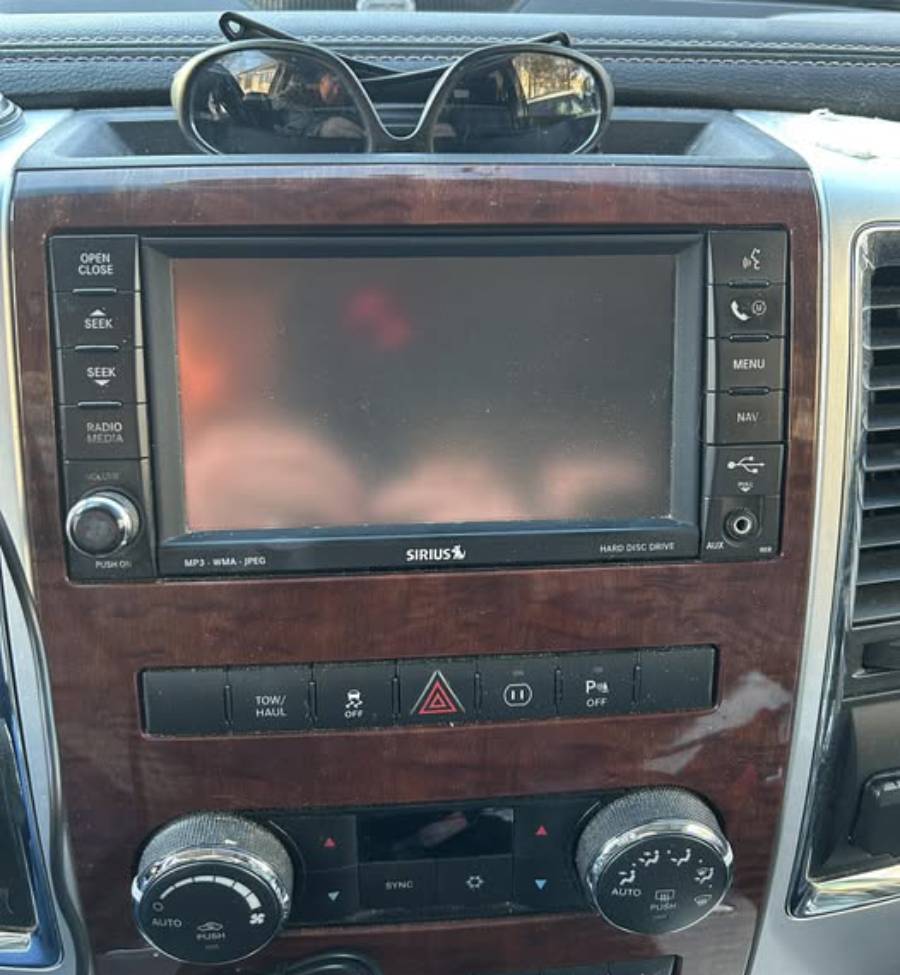
Why Is My Dodge Uconnect Not Working?
A Dodge Uconnect system may stop working because of six main problems: a temporary software freeze, corrupted or outdated software, low or unstable battery voltage, a blown fuse or interrupted power supply, a touchscreen or head-unit fault, or a Bluetooth and smartphone connectivity problem. The symptom is the first clue to determining which cause is most likely. A black screen with no audio suggests a different failure path from a touchscreen that works normally but cannot connect to a phone.
Temporary software problems can make the Uconnect screen freeze, stop responding to touch, restart unexpectedly, or fail to load certain functions. Infotainment systems depend on software to coordinate the display, audio, navigation, phone integration, and vehicle settings. When a software process fails to start or stops responding, part or all of the Uconnect interface may become unavailable even though the hardware still receives power. Restarting the system is therefore one of the first troubleshooting steps when the failure appears suddenly and no other electrical problems are present.
Power problems can produce more severe symptoms. Uconnect depends on the vehicle’s electrical system for stable voltage, so low battery voltage, an interrupted electrical circuit, or a blown fuse can prevent the head unit from starting correctly. This is especially relevant when the display is completely black, the radio has no power, or other electronic systems are behaving abnormally at the same time. The vehicle battery and applicable fuse should be checked before assuming that the Uconnect head unit needs replacement.
Connectivity failures form a separate category. Uconnect may operate normally while Bluetooth, Apple CarPlay, Android Auto, or another phone-related function stops working. In this situation, the problem can originate from stored pairing information, the smartphone, its operating system, the USB connection, or the Uconnect software rather than from the entire infotainment unit. Identifying whether the whole system or only one function has failed prevents unnecessary resets and component replacement.
What Are the Most Common Signs of a Dodge Uconnect Problem?
The most common signs of a Dodge Uconnect problem include a black screen, a frozen touchscreen, repeated rebooting, unresponsive controls, loss of audio, Bluetooth connection failures, and Apple CarPlay or Android Auto connection problems. These symptoms should be treated as diagnostic clues rather than as diagnoses themselves because one symptom can have several possible causes.
A completely black Uconnect screen is one of the clearest examples. If the screen is black and the radio, controls, and other Uconnect functions also appear dead, the diagnostic path should include the unit’s power supply, vehicle voltage, and relevant fuse. If the screen is black but audio or other controls continue to work, the system is still receiving at least some power. The fault may therefore involve the display, software, or another part of the head unit rather than a complete loss of electrical power.
Freezing and repeated rebooting indicate a different failure pattern. A frozen screen means the unit has powered on but cannot respond normally, while a reboot loop means the system begins its startup sequence but cannot remain operational. Software instability can produce either symptom, but persistent restarting can also justify checking vehicle voltage and the head unit itself. The distinction matters because repeatedly resetting a unit with an underlying power or hardware fault will not correct the root cause.
Bluetooth and smartphone-integration failures are narrower symptoms. If the radio, touchscreen, and vehicle settings work but a phone will not connect, the Uconnect system has not failed completely. Troubleshooting should focus first on the phone connection, saved pairing data, USB connection where applicable, software compatibility, and the affected feature.
Can a Weak Battery Cause Dodge Uconnect to Stop Working?
A weak or unstable vehicle battery can contribute to Dodge Uconnect problems because the infotainment system requires a stable electrical supply to start and operate correctly. Low voltage can interfere with the startup or operation of electronic modules even when the battery retains enough charge to power some vehicle accessories.
Battery-related Uconnect problems are more plausible when infotainment symptoms occur alongside other electrical abnormalities. Examples include electronics resetting, lights behaving unusually, slow engine cranking, settings being lost, or several electrical features malfunctioning around the same time. In that situation, diagnosing only the touchscreen can miss a vehicle-level electrical problem that affects Uconnect as a secondary symptom.
The battery should not automatically be blamed for every frozen or black Uconnect screen. A malfunction confined to one infotainment function can originate from software, connectivity, a fuse, wiring, the display, or the head unit. The useful diagnostic question is whether the Uconnect failure occurs alone or together with evidence of unstable vehicle power. Checking battery condition and system voltage becomes more important when multiple electrical symptoms occur simultaneously.
How Do You Fix a Dodge Uconnect That Is Not Working?
Fix a Dodge Uconnect system by troubleshooting it in this order: restart the system, check the affected connection or feature, verify vehicle power, inspect the applicable fuse, check for software issues, and reset the system only when simpler fixes fail. This sequence separates temporary software and connectivity problems from electrical or hardware faults without immediately erasing settings or replacing components.
Start by identifying whether the entire Uconnect system has failed or only one feature has stopped working. A working touchscreen with failed Bluetooth requires connectivity troubleshooting, while a black screen with no radio or controls requires a power-related diagnostic path. This distinction reduces unnecessary troubleshooting because Bluetooth pairing will not restore a head unit that has lost electrical power, and replacing a fuse will not normally solve a phone-specific pairing problem.
Restart the system next when Uconnect has power but is frozen, slow, or unresponsive. Check the battery and electrical supply when the system is completely dead or when other vehicle electronics show abnormal behavior. Inspect the applicable fuse when the head unit appears to have lost power. Software troubleshooting and a factory reset should come later because they address system configuration or software faults rather than a failed power circuit or damaged component.
How Do You Restart a Dodge Uconnect System?
Restart the Dodge Uconnect system using the restart procedure specified for the Uconnect version installed in your vehicle. A restart shuts down and reloads the infotainment software without serving the same function as a factory reset. It is appropriate when the screen freezes, menus stop responding, or the system develops a temporary software error.
The exact restart method should not be assumed to be identical across every Dodge vehicle. Uconnect has been installed in different hardware and software configurations across Dodge models and model years, so a button combination that works on one version may not apply to another. Use the procedure specified for the vehicle’s model year and Uconnect system rather than repeatedly pressing an unverified combination of controls.
A successful restart is diagnostically useful as well as corrective. If Uconnect operates normally after rebooting and the problem does not return, a temporary software fault is more likely than a permanent hardware failure. If the system freezes again, repeatedly reboots, or cannot complete startup, continue diagnosing the underlying software, voltage, or head-unit problem instead of repeatedly restarting it.
How Do You Reset Dodge Uconnect?
Reset Dodge Uconnect only after basic troubleshooting fails, and distinguish a normal restart from a factory reset before proceeding. A restart reloads the operating system, while a factory reset returns supported settings to their default state and may remove stored information such as paired phones and user preferences.
Use a factory reset when the system remains operational enough to access its settings but persistent configuration or software behavior cannot be corrected through a restart and feature-specific troubleshooting. The reset procedure varies according to the Uconnect generation, software version, Dodge model, and model year. Follow the instructions for the exact system installed in the vehicle instead of treating one generic reset procedure as universal.
A factory reset is not an appropriate solution for every Uconnect failure. It cannot restore electrical power through a blown fuse, repair damaged wiring, correct unstable vehicle voltage, or physically repair a failed display or head unit. If the Uconnect screen is completely dead, establish that the system has adequate power before treating the problem as a settings issue.
How Do You Check the Uconnect Fuse?
Check the Uconnect-related fuse by locating the correct circuit in the owner’s manual or fuse diagram for your exact Dodge model and model year, then inspect the specified fuse for failure. Do not rely on a universal Uconnect fuse number because fuse locations and circuit assignments can differ between vehicles.
The fuse protects the electrical circuit from excessive current. When the applicable fuse opens, electrical power to the protected component is interrupted. A blown fuse can therefore produce symptoms such as a head unit that does not power on, but the exact symptom depends on how the vehicle’s infotainment circuits are configured.
Replace a failed fuse only with the specified type and amperage for that circuit. A replacement fuse that fails again indicates that the fuse itself may not be the root problem. Repeated fuse failure can point to an electrical fault that requires diagnosis rather than repeated fuse replacement.
Fuse inspection is most relevant when Uconnect appears completely unpowered. If the screen loads normally and only Bluetooth or another individual feature fails, the unit is already receiving power, making feature-specific troubleshooting more useful than starting with the main power circuit.
Can Updating Uconnect Software Fix the Problem?
A Uconnect software update can fix some software-related problems, including certain freezes, unexpected restarts, interface errors, and connectivity faults, but it cannot repair a failed electrical circuit or damaged hardware. Software updating should therefore follow symptom identification rather than being treated as a universal fix.
Software controls how the head unit handles the touchscreen interface, connected devices, infotainment functions, and communication between supported features. A software defect or corrupted operating state can cause a function to behave incorrectly even when the physical components remain operational. Installing an applicable update can correct the problem when the update specifically addresses the software behavior affecting the system.
Confirm that an update applies to the specific vehicle and Uconnect configuration before installing it. Uconnect systems differ by vehicle, model year, hardware generation, and installed software, so update compatibility matters. The update process should also be completed without interrupting the required vehicle power conditions because an interrupted installation can create additional software problems.
Software updating becomes a less likely solution when the unit shows signs of a physical or electrical failure. A completely dead head unit with no power, a repeatedly blown fuse, visible display damage, or an electrical fault affecting multiple vehicle systems requires diagnosis of the corresponding hardware or power source rather than repeated software updates.
How Do You Fix a Black Dodge Uconnect Screen?
Fix a black Dodge Uconnect screen by first determining whether the head unit has lost power or whether only the display has stopped working. Check whether the radio, audio, steering-wheel controls, or other Uconnect functions still respond. If the entire unit appears dead, check vehicle power and the applicable fuse before treating the problem as a touchscreen failure.
A black screen can result from a temporary software freeze, interrupted power, a blown fuse, unstable vehicle voltage, a display fault, or a head-unit problem. These causes produce similar visible symptoms but require different repairs. For example, restarting the system may recover a display that went black because the software stopped responding, but a restart cannot restore power through an open electrical circuit.
Start with a restart when the system shows evidence that it still has power. If the entire unit is unresponsive, check whether other vehicle electronics are showing abnormal behavior and verify the vehicle battery condition. The applicable infotainment fuse should then be identified from the owner’s manual or fuse diagram for the exact Dodge model and model year. Do not substitute a higher-amperage fuse or assume that one fuse number applies to every Dodge vehicle.
A black screen that remains after the system has adequate power, the correct fuse is intact, and an appropriate restart has been attempted requires deeper diagnosis. The fault may involve the display, internal head-unit electronics, wiring, or software that cannot complete the normal startup process. At this stage, professional diagnosis is more appropriate than repeatedly resetting the system.
Why Does the Uconnect Screen Go Black but the Radio Still Works?
A Uconnect screen that goes black while the radio still works indicates that the head unit is receiving at least some electrical power, so a complete loss of power is less likely. The diagnostic focus should shift toward the display, software, or the part of the head unit responsible for the touchscreen interface.
The distinction between a dead system and a dead display is important. When both the screen and audio stop working, the failure can involve the power supply or a circuit serving the entire unit. When audio continues playing, at least part of the infotainment system remains operational. This narrows the troubleshooting path even though it does not identify one specific failed component by itself.
Restart Uconnect first when the display suddenly turns black but other functions continue operating. A reboot can restore the interface when a temporary software process has stopped responding. If the screen repeatedly goes black after restarting, document when the failure occurs and whether it is associated with startup, phone connection, navigation, or another function. A repeatable failure pattern can help distinguish a software problem from an intermittent display or head-unit fault.
Do not assume that replacing the entire head unit is necessary solely because the screen is black. The display and other infotainment functions need to be evaluated together. Replacement becomes a reasonable consideration only after software, power, wiring, and other relevant causes have been excluded.
Why Does the Uconnect Screen Keep Freezing or Rebooting?
A Uconnect screen that repeatedly freezes or reboots can indicate software instability, unstable electrical power, or an internal head-unit fault. A single freeze that disappears after restarting is different from a system that enters a recurring reboot loop every time the vehicle is started.
Software is a primary troubleshooting target when the touchscreen loads normally before becoming unresponsive. Restarting the system clears its current operating state and can resolve a temporary fault. An applicable software update may be relevant when the same problem returns because updates can address specific operating or compatibility problems supported by that Uconnect configuration.
Electrical supply should be investigated when rebooting occurs alongside other electronic symptoms. The infotainment system must maintain adequate power while starting and operating. If voltage becomes unstable, electronic modules can reset rather than remain operational. Battery condition becomes especially relevant when the vehicle also shows slow starting, electronic resets, lost settings, or other signs of an electrical problem.
Persistent freezing after restart and applicable software troubleshooting increases the likelihood that deeper diagnosis is necessary. The same applies when Uconnect repeatedly begins its startup sequence but never reaches a stable operating state. Continuing to restart a system with an underlying electrical or hardware fault does not repair the cause and can delay the correct diagnosis.
Why Is Dodge Uconnect Bluetooth Not Working?
Dodge Uconnect Bluetooth may stop working because of incorrect pairing data, a phone-side Bluetooth problem, software incompatibility, or a fault affecting the Uconnect connectivity function. If the touchscreen, radio, and other Uconnect features continue working normally, troubleshoot the Bluetooth connection before treating the problem as a failure of the entire head unit.
Bluetooth pairing depends on both devices recognizing and storing the connection correctly. A problem with saved pairing information can prevent a previously connected phone from reconnecting even though Bluetooth remains enabled on both devices. Removing the existing pairing from Uconnect and the phone, restarting both devices, and creating a new pairing can eliminate stored connection data as the cause.
The smartphone can also be responsible for the failure. Check whether Bluetooth is enabled and whether the phone can connect normally to another Bluetooth device. If another compatible phone connects to Uconnect without the same problem, the original phone, its settings, or its software becomes a stronger diagnostic target. If multiple compatible phones fail in the same way, the Uconnect system deserves closer investigation.
Software compatibility should be considered when Bluetooth problems begin after a phone operating-system change or when other Uconnect connectivity functions become unstable. The troubleshooting goal is to isolate the failure. Testing the phone, stored pairing, and Uconnect separately provides more diagnostic value than repeatedly resetting the entire infotainment system.
How Do You Fix a Phone That Will Not Connect to Uconnect?
Fix a phone that will not connect to Uconnect by verifying Bluetooth, deleting the existing pairing from both devices, restarting the phone and Uconnect, and pairing them again. If the connection still fails, check device compatibility and applicable software before assuming that the Uconnect hardware is defective.
Start with the phone because Bluetooth must be active and available for pairing. Remove the Dodge or Uconnect connection stored on the phone, then remove the phone from the Uconnect paired-device list when the interface allows it. This clears the existing relationship from both sides rather than leaving one device with outdated pairing information.
Restart both devices before creating a new connection. Then place Uconnect and the smartphone into their appropriate pairing modes and follow the prompts displayed by the system. Confirm that the pairing information shown on both devices matches when the system requests verification. The exact menus and prompts can vary by Uconnect version, Dodge model, and model year.
Test a second compatible smartphone if pairing still fails. A second device provides a useful comparison: if it connects successfully, the first phone or its configuration is more likely to be responsible. If neither phone connects while other Uconnect functions work, investigate the infotainment system’s connectivity software and compatibility requirements.
Why Does My Phone Keep Disconnecting From Uconnect?
A phone can repeatedly disconnect from Uconnect because of unstable pairing data, phone software behavior, compatibility problems, or an intermittent Uconnect connectivity fault. Repeated disconnection differs from an initial pairing failure because the two devices successfully establish a connection before losing it.
First determine whether the disconnection affects one phone or every phone connected to the vehicle. A problem isolated to one device points toward that smartphone, its stored pairing, or its software configuration. The same failure across multiple compatible devices provides stronger evidence that the problem is on the Uconnect side.
Delete and recreate the Bluetooth pairing before performing a factory reset. This targets the connection directly while preserving unrelated Uconnect settings. Restarting both devices after removing the old pairing also ensures that the new connection begins from a fresh operating state.
Pay attention to when the disconnection occurs. For example, a connection that consistently fails immediately after pairing presents a different diagnostic pattern from one that operates normally and disconnects intermittently during use. Recording a repeatable pattern can help identify whether the failure is associated with the phone, a particular Uconnect function, or broader system instability.
Why Is Apple CarPlay or Android Auto Not Working on Dodge Uconnect?
Apple CarPlay or Android Auto may not work on Dodge Uconnect because of phone compatibility, connection settings, software, the USB cable or port on wired configurations, or a problem with the smartphone-integration function. If the Uconnect touchscreen and radio work normally, a CarPlay or Android Auto failure does not by itself mean that the complete head unit has failed.
Start by confirming that the vehicle’s Uconnect configuration and the connected smartphone support the feature being used. Uconnect hardware and feature availability differ across Dodge models, model years, and system versions. A troubleshooting procedure should therefore be based on the equipment actually installed in the vehicle rather than assuming every Dodge Uconnect system supports the same smartphone-integration functions.
Check the smartphone next. Restart it, verify the required connection settings, and reconnect it to Uconnect. For systems using a wired connection, inspect the cable and USB connection before resetting the infotainment system. A failed connection component between the phone and head unit can prevent CarPlay or Android Auto from launching even though both devices otherwise operate normally.
Software becomes relevant when the hardware connection is intact but smartphone integration remains unavailable or unstable. Check for applicable phone and Uconnect software requirements. If the problem started immediately after a software change, that timing is diagnostically useful and should be considered before replacing hardware.
Can the USB Cable or USB Port Cause CarPlay or Android Auto Problems?
A USB cable or USB port can cause Apple CarPlay or Android Auto problems on Uconnect systems that use a wired smartphone connection. The connection depends on a complete communication path from the smartphone through the cable and USB interface to the Uconnect head unit, so failure at one point can prevent the feature from starting.
Inspect the cable first when the phone charges intermittently, disconnects when the cable moves, or CarPlay or Android Auto repeatedly starts and stops. A cable can provide charging power while failing to maintain the data connection required by smartphone integration. Testing another suitable data-capable cable helps isolate the cable as a variable.
The USB port should be considered when multiple suitable cables produce the same failure. Check whether the port holds the connector securely and whether the vehicle has more than one USB connection with different functions. Use the connection designated for smartphone integration according to the vehicle’s equipment and documentation.
If another compatible phone and a known-working cable produce the same failure through the appropriate USB connection, the diagnostic focus can move further toward the vehicle-side USB interface, software, or Uconnect system. This step-by-step isolation prevents a complete Uconnect reset or head-unit replacement from being used to solve what may be a connection-path problem.
When Does a Dodge Uconnect Problem Need Professional Repair?
A Dodge Uconnect problem needs professional diagnosis when the system remains completely dead, repeatedly reboots after basic troubleshooting, loses power intermittently, repeatedly blows a fuse, or continues malfunctioning after appropriate restart, connection, software, and power checks. These symptoms can indicate an electrical, wiring, display, or internal head-unit problem that cannot be confirmed through basic user-level troubleshooting.
A completely unresponsive system deserves further diagnosis after its basic power supply has been checked. If the correct fuse is intact and the vehicle battery provides stable power but the head unit does not start, the failure may exist farther inside the electrical circuit or infotainment unit. A technician can test the relevant power, ground, wiring, connectors, and components instead of replacing parts based only on the visible symptom.
Repeated fuse failure is another reason to stop basic troubleshooting. A fuse is a protective device, so a replacement fuse that fails again can indicate an underlying electrical condition rather than a defective fuse. Repeatedly installing new fuses does not correct the cause of excessive current and can delay diagnosis of the circuit.
Professional diagnosis is also appropriate when the problem becomes persistent or affects several functions. For example, a Uconnect system that repeatedly freezes, reboots, loses audio, and fails to maintain phone connections after appropriate troubleshooting may require a more detailed evaluation than a single Bluetooth failure. Record the symptoms, when they occur, and which troubleshooting steps have already been attempted. This information can help a technician reproduce and isolate an intermittent fault.
Does a Broken Uconnect System Need a New Head Unit?
A malfunctioning Dodge Uconnect system does not automatically need a new head unit because software, vehicle power, fuses, wiring, connections, and individual display problems can produce symptoms that resemble head-unit failure. Replacement should follow diagnosis rather than serve as the first troubleshooting step.
The head unit becomes a stronger suspect when it receives the required electrical power but cannot start or operate correctly after other relevant causes have been excluded. Persistent boot failures, recurring internal system problems, or failures affecting multiple infotainment functions can justify further testing of the unit. The visible symptom alone, however, is insufficient to confirm that the complete assembly has failed.
A black screen demonstrates why diagnosis matters. A black display with functioning audio indicates a different operating state from a system with no display, no audio, and no response from any controls. Replacing the complete head unit in both cases without testing the system ignores the diagnostic information provided by the remaining functions.
Confirm the fault before purchasing a replacement unit. The correct repair can depend on the Dodge model, model year, Uconnect generation, installed equipment, and the component that actually failed. Professional diagnosis can determine whether the problem requires software service, electrical repair, display-related work, or replacement of the head unit itself.
How Can You Prevent Dodge Uconnect Problems?
You can reduce preventable Dodge Uconnect problems by maintaining a stable vehicle electrical system, keeping applicable software current, completing updates correctly, maintaining reliable phone connections, and investigating recurring symptoms before they develop into persistent failures. These measures cannot prevent every hardware failure, but they address several conditions involved in infotainment instability.
Maintain the vehicle battery and electrical system because Uconnect depends on stable electrical power. Pay attention when infotainment problems occur together with slow starting, electronic resets, lost settings, abnormal lighting behavior, or problems affecting other electrical systems. Multiple electrical symptoms provide more reason to inspect the vehicle’s power condition than an isolated Bluetooth connection failure.
Install software updates only when they apply to the specific Uconnect system and follow the required update procedure. Avoid interrupting an update once the installation process has begun. Uconnect hardware and software configurations vary by model and model year, so use information that matches the vehicle rather than an update or procedure intended for a different system.
Maintain the phone connection separately from the rest of the infotainment system. Remove obsolete paired devices when appropriate, use a reliable data-capable cable for wired smartphone integration, and investigate connection problems that repeatedly affect the same phone. Testing another compatible phone or cable can identify a device-side problem before Uconnect itself is reset.
Treat recurring failures as diagnostic information rather than normal behavior. A touchscreen that repeatedly freezes, a system that periodically reboots, or a connection that fails under the same conditions provides a repeatable pattern that can help identify the cause. Record when the problem occurs, which functions remain operational, and what restores the system. This creates a clearer diagnostic history if professional repair later becomes necessary.