A Tesla passenger door that does not open from outside is usually caused by a problem with the electronic locking system, door settings, software behavior, or a mechanical component failure. Unlike traditional vehicles, Tesla doors rely heavily on electronic controls, including the exterior door handle sensor, door latch system, and vehicle control modules.
The first step is to identify whether the issue comes from a simple setting problem or a component failure. Checking the Tesla touchscreen settings, unlocking through the Tesla App, restarting the vehicle system, and inspecting the door handle can resolve many cases without professional repair.
If these basic solutions do not restore normal operation, the problem may involve the door actuator, door latch, low-voltage battery, or door control module. Understanding how each part works helps determine whether the issue requires a simple adjustment or a Tesla Service appointment.
This guide explains the most common reasons why a Tesla passenger door is not opening from outside and provides step-by-step troubleshooting methods for Tesla Model 3, Model Y, Model S, and Model X owners.
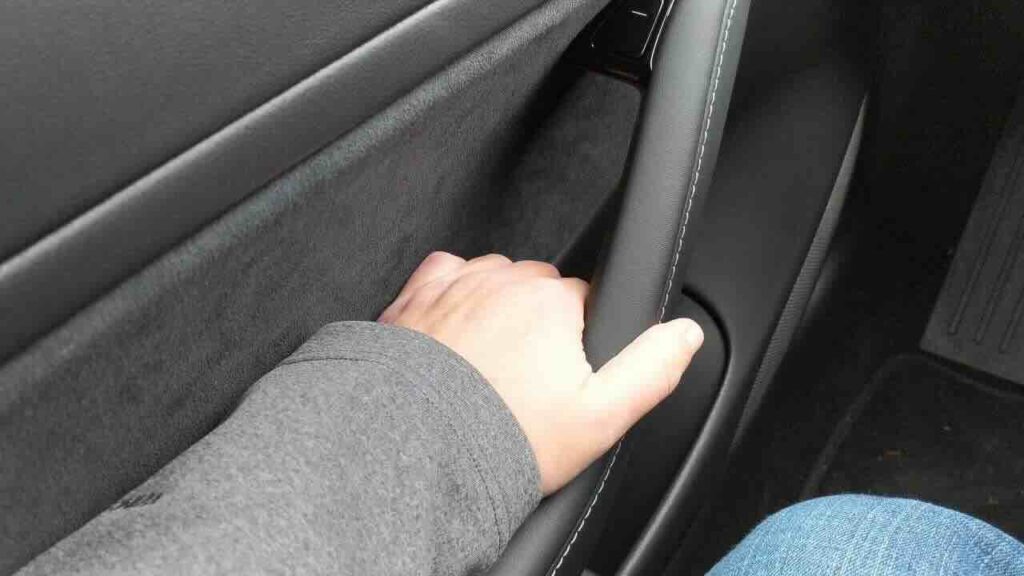
Why is the Tesla passenger door not opening from outside?
A Tesla passenger door that does not open from outside is usually caused by a problem with the electronic door system, including the lock settings, exterior door handle, door latch, actuator, or vehicle power supply. Tesla vehicles use electronically controlled doors, so a failure in one component can prevent the door from responding even when the vehicle unlocks normally.
The most common cause is an incorrect lock setting or a temporary software issue. Tesla owners should first check whether the vehicle is fully unlocked, whether Child Lock is enabled, and whether the Tesla touchscreen shows any warning related to the door system. A software glitch can interrupt communication between the vehicle computer and the door control module, causing the exterior handle to become unresponsive.
Mechanical failures are another possible cause. The exterior door handle contains sensors that detect when a user pulls the handle, while the door latch and actuator control the physical release mechanism. If the handle sensor, actuator, or latch fails, the door may remain locked from the outside even though other vehicle functions continue working normally.
A weak low-voltage battery can also affect door operation because Tesla relies on electrical power for many vehicle systems. When the battery voltage becomes unstable, symptoms may include delayed door response, unexpected warnings, or multiple electronic features behaving incorrectly.
This issue can occur on Tesla Model 3, Model Y, Model S, and Model X because all of these vehicles use electronic door control systems. Identifying whether the problem comes from software, settings, electrical power, or mechanical components helps determine the correct repair approach.
How do you fix a Tesla passenger door that won’t open from outside?
To fix a Tesla passenger door that will not open from outside, start with the simplest causes such as lock settings, software issues, and temporary system errors before checking mechanical components. Tesla doors depend on electronic communication between the vehicle computer, door control module, and locking mechanism, so a reset or setting adjustment can restore normal operation in many cases.
First, confirm that the vehicle is fully unlocked. Tesla vehicles can remain locked if the key card, phone key, or Tesla App does not complete the unlock command correctly. Open the Tesla App and verify the vehicle status before attempting to open the passenger door again. If the vehicle unlocks normally but the passenger door still does not respond, continue with the next checks.
Next, check the Child Lock setting in the Tesla touchscreen. Child Lock prevents rear doors from opening from the inside, but incorrect lock settings or user profile configurations can create confusion when diagnosing door access problems. Open the Controls menu, select Locks, and verify that the relevant locking settings match the intended use.
Restarting the Tesla touchscreen can resolve temporary software communication problems. Hold both steering wheel scroll buttons until the screen turns off and wait for the system to restart. This process refreshes the infotainment system and can restore communication between software controls and vehicle components.
If the problem continues, perform a full vehicle reboot. Turn the vehicle off through the touchscreen power-off option, avoid interacting with the car for several minutes, and allow the electronic systems to restart completely. A reboot can correct temporary firmware errors affecting door controls.
After completing these steps, test the exterior door handle again. If the passenger door remains unable to open from outside, the issue is more likely related to the door handle sensor, door latch, actuator, wiring, or low-voltage electrical system.
What should you check if the Tesla passenger door still does not open?
If the Tesla passenger door still does not open from outside after checking settings and restarting the vehicle, inspect the physical components that control the door release mechanism. The exterior door handle, door latch, actuator, and surrounding areas are the main parts that can prevent normal operation.
The exterior door handle is the first component to check because Tesla uses a sensor-based handle system instead of a traditional mechanical handle. When a driver pulls the handle, the sensor sends a signal to the vehicle control system, which activates the door release mechanism. If the sensor fails, the handle may move normally but the door will not unlock or open.
The door latch is another common failure point. The latch physically secures the door to the vehicle frame and releases when the electronic actuator receives the unlock command. Dirt, mechanical wear, or internal damage can prevent the latch from releasing even when the vehicle recognizes the unlock request.
The door actuator should also be inspected if the handle and latch appear normal. The actuator converts the electronic command from the vehicle system into mechanical movement that releases the door. A failed actuator often causes a situation where the door remains locked despite successful unlocking through the touchscreen, key card, or Tesla App.
Environmental conditions can also affect door operation. Ice buildup around the door seal, frozen handles, or debris near the latch area can restrict movement and prevent the door from opening. This issue is more common in cold climates where water can freeze around exterior door components.
The window position can also influence Tesla door operation because Tesla vehicles slightly lower the window when opening the door to release pressure from the seal. If the window mechanism or sensor has a problem, the door may not operate correctly.
If these physical checks do not identify the issue, the next step is to inspect the vehicle’s low-voltage electrical system and door control components, which manage communication between the vehicle computer and the passenger door.
Can a weak 12V battery stop a Tesla passenger door from opening?
A weak 12V battery can prevent a Tesla passenger door from operating correctly because the low-voltage electrical system powers important vehicle components, including door controls, sensors, and communication modules. Although Tesla vehicles use a high-voltage battery for driving, many electronic functions depend on the low-voltage system to operate reliably.
When the 12V battery begins to fail, the vehicle may show several warning signs before the passenger door stops working completely. Common symptoms include slow response from electronic components, unexpected alerts on the touchscreen, problems unlocking the vehicle, or multiple systems behaving incorrectly at the same time.
The passenger door depends on electrical communication between the vehicle computer, door control module, exterior door handle sensor, and actuator. If the low-voltage battery cannot provide stable power, these components may not receive or send signals correctly. As a result, the door may remain locked even when the vehicle appears to be unlocked.
A weak 12V battery problem is different from a mechanical door failure because it usually affects multiple electronic systems. For example, a failed door latch may only affect one door, while a low-voltage power issue can create several unrelated electrical problems throughout the vehicle.
Tesla owners should check for battery-related warnings on the touchscreen or Tesla App when diagnosing a passenger door problem. If the vehicle shows repeated low-voltage alerts, frequent electronic errors, or difficulty powering vehicle systems, the 12V battery should be inspected by Tesla Service or a qualified technician.
Replacing a weak 12V battery at the appropriate time can prevent unexpected failures and maintain reliable operation of Tesla’s electronic door system.
Can a Tesla software update cause the passenger door problem?
A Tesla software update can cause temporary passenger door problems if a firmware change affects communication between the vehicle computer and the electronic door control system. Tesla vehicles receive regular over-the-air updates that modify vehicle software, and some updates can temporarily change how different modules communicate with each other.
The most common software-related cause is a temporary firmware bug. The Tesla operating system controls many vehicle functions, including locking, unlocking, and communication with door components. If the software fails to send the correct command to the door control module, the passenger door may not respond when the exterior handle is pulled.
Driver Profile settings can also contribute to unexpected door behavior. Tesla vehicles store individual preferences for locks, mirrors, seats, and other features. If a profile has incorrect lock settings or fails to synchronize correctly after an update, the vehicle may behave differently from the driver’s normal configuration.
Door calibration issues can occur after software changes or system resets. Tesla’s electronic doors rely on sensors to determine the correct position of the window, latch, and release mechanism. If the system loses calibration, the vehicle may incorrectly detect the door position and prevent normal opening.
The first solution for a suspected software-related issue is to restart the Tesla touchscreen and perform a vehicle reboot. These procedures allow the vehicle computers to reload software processes and restore communication between electronic modules.
If the passenger door problem continues after a reboot and settings check, the issue is less likely to be caused by software alone. Persistent failures usually indicate a physical problem with the exterior door handle, door latch, actuator, wiring, or door control module.
When should you contact Tesla Service for a passenger door problem?
You should contact Tesla Service when the passenger door remains unable to open from outside after completing basic troubleshooting steps such as checking lock settings, restarting the system, and inspecting visible door components. Persistent door failures usually indicate a problem with a hardware component that requires professional diagnosis.
A failed door actuator is one of the most common reasons a Tesla passenger door requires service. The actuator controls the mechanical movement that releases the door latch after receiving an electronic command. When the actuator fails, the vehicle may unlock normally, but pulling the exterior door handle will not release the door.
The door control module is another component that may require professional repair. This module manages communication between the vehicle computer and the door system, including signals from the exterior door handle, latch, and actuator. A damaged module or communication failure can prevent the passenger door from responding correctly.
Electrical problems such as damaged wiring or connector issues also require technical inspection. The wiring system transfers power and data between vehicle computers and door components. A damaged connection can create intermittent failures where the door works sometimes and fails at other times.
Tesla Mobile Service is suitable for some door-related issues because technicians can diagnose and repair certain components without requiring the vehicle to visit a service center. However, complex problems involving structural components, extensive electrical repairs, or major door assembly replacement may require a Tesla Service Center appointment.
Before scheduling service, record the symptoms and troubleshooting steps already completed. Information such as whether the door opens from inside, whether the Tesla App can unlock the vehicle, and whether any warnings appear on the touchscreen helps technicians identify the cause faster.
If the vehicle is still under warranty, contacting Tesla Service early can prevent additional damage and ensure that repairs are handled according to Tesla’s service procedures.
How does Tesla’s electronic door system work?
Tesla’s electronic door system works through a combination of sensors, control modules, actuators, and mechanical locking components that communicate with the vehicle computer. Unlike traditional vehicles that use a direct mechanical connection between the exterior handle and door lock, Tesla uses electronic signals to control the door release process.
When a driver pulls the exterior door handle, the handle sensor detects the movement and sends a signal to the vehicle control system. The vehicle then verifies the lock status and sends a command to the door actuator to release the latch. This process happens within seconds and depends on multiple electronic components working together correctly.
The door latch is the mechanical component that physically holds the door closed. After receiving the release command, the actuator moves the latch mechanism so the door can open. If the latch becomes damaged, the actuator fails, or communication between components is interrupted, the door may remain closed even when the vehicle is unlocked.
Tesla doors also include safety sensors that monitor door position and window movement. The window slightly lowers when opening or closing in many Tesla models to reduce pressure on the window seal and allow proper door operation. If the vehicle detects an incorrect position or sensor reading, it may prevent normal operation to protect the door system.
Tesla vehicles include an emergency mechanical door release inside the cabin. This mechanism allows occupants to open the door manually if electronic controls fail. However, the exterior door operation still depends on the electronic system, which is why failures in sensors, modules, or power supply can affect opening from outside.
Understanding how Tesla’s electronic door system works helps owners identify whether a passenger door problem comes from software communication, electrical power, or a mechanical component failure.
How can you prevent Tesla passenger door problems?
Preventing Tesla passenger door problems requires maintaining the electronic systems, mechanical components, and power supply that control door operation. Regular checks can reduce the risk of failures involving the exterior door handle, door latch, actuator, and low-voltage battery.
Keeping Tesla software updated is one of the most important maintenance steps. Software updates improve vehicle functions and may include fixes for electronic control issues. Installing updates regularly helps ensure that the vehicle computer, door control modules, and other electronic components operate with the latest firmware.
Maintaining the low-voltage battery condition can also prevent unexpected door failures. A weak battery can affect multiple electronic systems because Tesla vehicles depend on stable low-voltage power for sensors, control modules, and locking mechanisms. Monitoring battery warnings and addressing electrical issues early reduces the chance of sudden door operation problems.
Cleaning the exterior door handle and latch area helps maintain reliable mechanical operation. Dirt, debris, ice, and moisture can interfere with the movement of door components or affect sensors that detect handle operation. This is especially important in cold climates where frozen water around the door seal can prevent normal opening.
Tesla owners should also test door operation after major software updates or system resets. Checking that exterior handles, interior releases, and locking functions work correctly allows problems to be identified before they become complete failures.
Avoid forcing a Tesla door handle when it does not operate normally. Applying excessive force can damage electronic sensors or mechanical components and may increase repair costs. Instead, check vehicle settings, restart the system, and inspect possible causes before attempting physical intervention.
Following these maintenance practices helps keep Tesla passenger doors operating correctly and reduces the likelihood of unexpected failures during daily use.
Frequently Asked Questions About Tesla Passenger Door Problems
Why does my Tesla passenger door open from inside but not outside?
A Tesla passenger door that opens from inside but not from outside usually indicates a problem with the exterior door handle system, exterior sensor, or electronic release mechanism. The interior release and exterior handle use different operating paths, so one side can work while the other side fails.
The most common causes include a faulty exterior door handle sensor, damaged wiring connection, or a problem with the actuator that receives signals from the outside handle. If the interior door release works normally, the main locking mechanism may still be functional, which helps narrow the diagnosis toward the exterior components.
Can I manually open a Tesla passenger door?
Tesla vehicles include an interior mechanical emergency release that allows passengers to open the door if electronic systems fail. This feature is designed as a safety backup when normal electronic controls are unavailable.
However, the exterior door handle does not operate through the same mechanical system. If the exterior handle, sensor, or electronic release mechanism fails, manually opening the door from outside is usually not possible without repairing the affected component.
Does cold weather affect Tesla door operation?
Cold weather can affect Tesla door operation because ice, moisture, and freezing temperatures can interfere with exterior handles, door seals, and latch mechanisms. Water that freezes around moving components can prevent the door from releasing normally.
In winter conditions, avoid forcing the door handle because excessive pressure can damage electronic sensors or mechanical parts. Removing ice buildup carefully and keeping door components clean helps maintain normal operation.
Will restarting Tesla fix a door problem?
Restarting a Tesla can fix some door problems caused by temporary software errors or communication issues between vehicle systems. A touchscreen restart or vehicle reboot refreshes electronic processes and may restore normal operation.
However, restarting will not repair physical failures such as a damaged door actuator, broken latch, faulty exterior handle sensor, or wiring problem. If the issue continues after a reboot, further inspection is required.
How much does Tesla charge to repair a passenger door?
The repair cost for a Tesla passenger door depends on the failed component, vehicle model, labor requirements, and whether the repair is covered by warranty. A simple sensor issue may require less work than replacing a door actuator, latch assembly, or control module.
Tesla owners should request a diagnostic assessment before approving repairs because the same symptom can result from different causes. Checking warranty coverage and using Tesla Service or Mobile Service can help determine the appropriate repair option.