Tesla Cabin Overheat Protection is a built-in feature designed to reduce excessive cabin temperatures when a parked vehicle is exposed to hot weather. By automatically activating the vehicle’s climate system or fan under specific conditions, it helps prevent the interior from reaching extreme temperatures that could damage certain cabin materials or make the vehicle uncomfortable when the driver returns. However, Tesla states that this feature is not intended to protect passengers, pets, or perishable items left inside the vehicle.
If Tesla Overheat Protection is not working, the cabin may become significantly hotter than expected, even when the feature appears to be enabled. In many cases, the issue is caused by incorrect settings, low battery level, operating limitations, software updates, or problems with the vehicle’s climate control system rather than a serious hardware failure.
This guide explains why Tesla Overheat Protection may stop working, the most common causes behind the problem, and the most effective troubleshooting steps. You will also learn how battery level, software updates, ambient temperature, and HVAC performance affect the feature, as well as when it is appropriate to contact Tesla Service for further diagnosis.
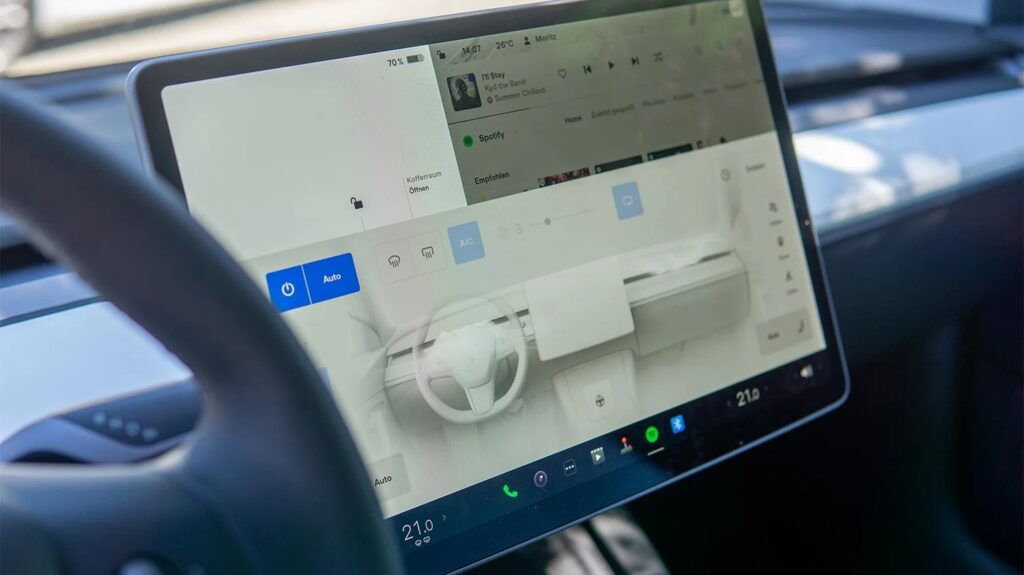
Why is Tesla Overheat Protection not working?
Tesla Overheat Protection may stop working because one or more operating conditions required by the system are not met. Unlike a feature that runs continuously, Cabin Overheat Protection only activates under specific circumstances, including sufficient battery charge, compatible climate control settings, and high cabin temperatures. If any of these conditions are not satisfied, the feature may not turn on even though it appears to be enabled.
Cabin Overheat Protection continuously monitors the interior temperature after the vehicle is parked. When the cabin temperature exceeds the selected threshold, the system automatically activates the fan or air conditioning, depending on the configured mode, to reduce heat buildup. The feature operates only for a limited period after the vehicle is parked and automatically shuts down once that operating window expires or battery conservation becomes necessary.
One of the first signs that Overheat Protection is not working is an unusually high cabin temperature after the vehicle has been parked in direct sunlight. Drivers may also notice that the climate system never activates, the cabin continues heating despite the feature being enabled, or the Tesla mobile app shows no cooling activity while the vehicle is parked.
It is also important to understand that Cabin Overheat Protection is designed to improve cabin comfort and reduce excessive heat inside the vehicle, not to maintain a constant interior temperature throughout the day. The system is not intended to function like Keep Climate On or Dog Mode, both of which actively maintain a user-selected cabin temperature for different purposes.
In many situations, what appears to be a malfunction is actually normal system behavior. Low battery level, expiration of the operating time, moderate outdoor temperatures, or disabled climate settings can all prevent the feature from activating. Understanding these operating limitations makes it easier to determine whether the problem requires simple adjustments or professional diagnosis.
What are the most common causes of Tesla Overheat Protection not working?
Tesla Overheat Protection can stop working for several different reasons, but most issues are related to system settings, operating limitations, or the vehicle’s climate control system rather than a major hardware failure. Understanding the root cause helps determine whether the problem can be resolved with a simple adjustment or requires professional service.
Cabin Overheat Protection is turned off
The most common cause is that Cabin Overheat Protection has been disabled in the vehicle settings. Drivers may accidentally turn the feature off after changing climate preferences, installing a software update, or resetting vehicle settings. Before troubleshooting further, open Controls > Safety > Cabin Overheat Protection and confirm that the feature is enabled.
Tesla also allows different operating modes depending on the vehicle model and software version. If the selected mode does not use air conditioning, the cabin temperature may still rise significantly on extremely hot days, leading drivers to believe the feature is not working.
The battery level is too low
Cabin Overheat Protection is designed to preserve battery energy. The feature automatically stops operating when the high-voltage battery falls below Tesla’s minimum battery threshold, which is typically around 20%. This limitation prevents excessive battery drain while the vehicle is parked.
If the battery state of charge is low, the climate system will not activate even if the cabin temperature exceeds the configured limit. Charging the vehicle above the minimum threshold usually restores normal operation without requiring additional troubleshooting.
The operating time has expired
Many Tesla owners expect Cabin Overheat Protection to cool the cabin throughout the entire day. In reality, the feature only operates for a limited period after the vehicle is parked. Once this operating window expires, Tesla automatically disables the function to conserve battery power.
If you return to the vehicle several hours later and find the cabin extremely hot, this does not necessarily indicate a malfunction. The system may have already reached its maximum operating duration and shut down as designed.
Climate control or HVAC system problems
Cabin Overheat Protection relies on the same heating, ventilation, and air conditioning (HVAC) system used during normal driving. If the air conditioning compressor, blower motor, heat pump, refrigerant system, or climate control electronics are not functioning properly, the feature cannot cool the cabin effectively.
Typical symptoms include weak airflow, warm air blowing from the vents despite cooling being requested, unusual noises from the HVAC system, or climate-related warning messages on the touchscreen. These issues usually require inspection because they affect more than just Cabin Overheat Protection.
Software bugs after an update
Tesla regularly improves vehicle features through over-the-air software updates, but new firmware can occasionally introduce temporary bugs. Some owners report that Cabin Overheat Protection becomes unavailable, activates inconsistently, or fails to start immediately after installing a new software version.
Restarting the vehicle and checking for newer software releases often resolves temporary firmware issues. If multiple owners experience the same behavior after an update, Tesla typically addresses the problem through a future OTA patch.
Faulty cabin temperature sensor
Cabin Overheat Protection depends on accurate temperature readings to determine when cooling should begin. If the cabin temperature sensor reports incorrect values, the vehicle may believe the interior is cooler than it actually is and never activate the climate system.
A faulty sensor may also cause inconsistent temperature readings in the Tesla mobile app or unusual climate control behavior during normal driving. Persistent sensor-related issues generally require professional diagnostics because calibration or component replacement may be necessary.
How to fix Tesla Overheat Protection not working?
Fixing Tesla Overheat Protection begins with verifying that the feature is configured correctly before investigating software or hardware issues. Most problems can be resolved without replacing components, especially when the cause is related to settings, battery limitations, or temporary software behavior.
Check Cabin Overheat Protection settings
Start by confirming that Cabin Overheat Protection is enabled on the vehicle. Open Controls > Safety > Cabin Overheat Protection and verify that the feature is turned on. Depending on your Tesla model and software version, you may have the option to use No A/C or On. Selecting On allows the air conditioning system to cool the cabin when necessary, while No A/C uses only the ventilation fan and provides much less cooling during extremely hot weather.
If you recently installed a software update, review the settings again because some vehicle preferences may change after major firmware releases. Verifying the configuration takes only a few minutes and eliminates one of the most common causes of the problem.
Check the battery charge level
Cabin Overheat Protection automatically stops operating when the battery level falls below Tesla’s minimum operating threshold, which is typically around 20%. This behavior is intentional because Tesla prioritizes driving range and battery health over cabin cooling while the vehicle is parked.
If your battery charge is close to the minimum threshold, charge the vehicle and test the feature again on a warm day. Many drivers mistakenly assume the system has failed when it has simply been disabled to conserve energy.
Test the climate control system
Since Cabin Overheat Protection depends on the vehicle’s climate control system, verify that the air conditioning operates normally during regular driving. Set the cabin temperature to a low value and confirm that cold air flows from the vents within a few minutes.
If the airflow is weak, the air remains warm, or unusual noises are coming from the HVAC system, the problem may involve the A/C compressor, blower motor, refrigerant level, or heat pump. These issues affect both everyday climate control and Cabin Overheat Protection.
Restart the vehicle
Temporary software glitches can prevent climate-related features from operating correctly. Perform a soft reboot by pressing and holding both steering wheel scroll buttons until the touchscreen restarts. After the reboot, allow the vehicle to complete startup and verify that Cabin Overheat Protection is still enabled.
If the issue persists, park the vehicle, lock the doors, and let it enter sleep mode for approximately 15 to 20 minutes before testing the feature again. This process refreshes additional vehicle systems that are not restarted during a touchscreen reboot.
Install the latest Tesla software
Tesla regularly releases over-the-air updates that improve vehicle performance and resolve known software issues. Open Controls > Software and check whether a newer firmware version is available. Installing the latest update may resolve problems affecting Cabin Overheat Protection, climate control, or battery management.
If the issue began immediately after a software update and no new version is available, monitor future releases because Tesla frequently distributes maintenance updates to address recently discovered bugs.
Check for service alerts
Open the Tesla mobile app and inspect the touchscreen for active warning messages related to the climate control system, battery, or sensors. Diagnostic alerts can provide valuable information about the source of the problem and help determine whether professional repairs are required.
If multiple vehicle systems report faults at the same time, the issue is more likely to involve a shared electrical component or control module than Cabin Overheat Protection alone.
Contact Tesla Service
Schedule a Tesla Service appointment if Cabin Overheat Protection still does not activate after confirming the settings, charging the battery, restarting the vehicle, updating the software, and verifying that the climate control system operates correctly.
Professional diagnosis is recommended if the air conditioning fails to cool the cabin, climate-related warning messages continue to appear, the cabin temperature sensor reports inaccurate readings, or the HVAC system produces unusual sounds. Tesla technicians can inspect the cooling system, verify sensor accuracy, diagnose electrical faults, and replace defective components when necessary.
Does low battery affect Tesla Overheat Protection?
Yes. Battery level is one of the most important factors that determines whether Tesla Cabin Overheat Protection will operate. To protect driving range and battery health, Tesla automatically limits or disables certain convenience features when the battery charge falls below a predefined threshold. As a result, Cabin Overheat Protection may not activate even if the cabin temperature rises significantly.
Tesla generally disables Cabin Overheat Protection when the battery state of charge drops to approximately 20% or lower. Although the exact threshold may vary depending on the vehicle model and software version, the system always prioritizes preserving enough energy for driving over cooling the cabin while the vehicle is parked.
This behavior is intentional and should not be considered a malfunction. For example, if a vehicle is parked outdoors on a hot summer afternoon with only 18% battery remaining, the cabin temperature may exceed 120°F (49°C), yet the air conditioning will not start because the system is protecting the remaining battery capacity.
If you suspect that low battery is preventing Cabin Overheat Protection from working, charge the vehicle above the recommended threshold and test the feature again under similar weather conditions. If the system operates normally after charging, the issue was caused by battery protection rather than a fault in the climate control system.
Drivers who regularly leave their Tesla parked for extended periods in hot environments should maintain an adequate battery charge before leaving the vehicle. This simple practice allows Cabin Overheat Protection to operate as intended while reducing unnecessary battery-related interruptions.
Why did Tesla Overheat Protection stop working after a software update?
Tesla Overheat Protection may stop working after a software update because the new firmware can temporarily affect climate control settings, modify system behavior, or introduce software bugs. While Tesla uses over-the-air updates to improve vehicle performance, some owners experience temporary issues immediately after installing a new software version.
One common reason is that certain vehicle settings are reset or modified during major firmware updates. After installing new software, verify that Cabin Overheat Protection is still enabled and that the preferred operating mode has not changed. This simple check resolves many cases where the feature appears to stop working unexpectedly.
Software updates may also require vehicle systems to complete background initialization before all functions operate normally. During this period, climate-related features may behave differently until the software finishes configuring internal processes. Restarting the vehicle after the update can help refresh the operating system and restore normal functionality.
In some cases, the issue is caused by a temporary firmware bug rather than incorrect settings. If multiple Tesla owners report the same problem after installing a specific software version, Tesla typically investigates the issue and distributes a corrective over-the-air update. Monitoring release notes and installing the latest firmware is often the fastest way to resolve update-related problems.
If Cabin Overheat Protection worked normally before the update and stopped functioning immediately afterward, first restart the vehicle, verify the feature settings, and confirm that the battery charge exceeds the minimum operating threshold. If the problem continues for several days and no newer software is available, scheduling a Tesla Service appointment is recommended to determine whether the issue is software-related or caused by a hardware fault.
Can weather affect Tesla Overheat Protection?
Yes. Weather conditions can directly affect how Tesla Cabin Overheat Protection performs because the system relies on the vehicle’s climate control system to reduce excessive cabin temperatures. Although the feature is designed for hot environments, extremely high temperatures, strong sunlight, and high humidity can reduce cooling efficiency and make the cabin feel hotter than expected.
Extremely hot weather
Cabin Overheat Protection is not designed to maintain a comfortable interior temperature throughout the day. Instead, it attempts to prevent the cabin from reaching extreme temperatures by cooling it when the temperature exceeds the activation threshold.
On very hot days, especially when outside temperatures exceed 100°F (38°C), the air conditioning system may struggle to remove heat as quickly as it enters the cabin through the windows and roof. As a result, the interior temperature may remain relatively high even though the feature is operating normally.
Direct sunlight
Vehicles parked in direct sunlight absorb a significant amount of solar heat through the windshield, panoramic glass roof, and side windows. Interior surfaces such as the dashboard, steering wheel, and seats can become much hotter than the surrounding air, increasing the workload on the climate control system.
Using a windshield sunshade, parking in shaded areas, or selecting covered parking can substantially reduce heat buildup and improve the effectiveness of Cabin Overheat Protection.
High humidity
High humidity reduces the efficiency of air conditioning because part of the cooling capacity is used to remove moisture from the air before lowering the cabin temperature. In humid climates, drivers may notice that Cabin Overheat Protection requires more time to reduce the interior temperature than it does in dry conditions.
This behavior is normal and does not necessarily indicate a problem with the HVAC system.
Garage versus outdoor parking
Where the vehicle is parked also affects system performance. A Tesla parked inside a well-ventilated garage is exposed to less direct solar radiation than one parked outdoors, allowing Cabin Overheat Protection to maintain lower interior temperatures with less energy consumption.
Conversely, vehicles parked on asphalt under direct afternoon sunlight experience much greater heat gain, making it more difficult for the climate system to keep cabin temperatures below the selected threshold.
When should you contact Tesla Service?
Most Cabin Overheat Protection issues can be resolved by verifying the settings, charging the battery, restarting the vehicle, or installing the latest software update. If the feature still does not operate after completing these troubleshooting steps, the problem may involve the HVAC system, temperature sensors, or another hardware component that requires professional diagnosis.
Contact Tesla Service if the air conditioning fails to produce cold air during normal driving. Since Cabin Overheat Protection depends on the same climate control system, an A/C malfunction will usually prevent the feature from cooling the cabin while the vehicle is parked.
Professional service is also recommended if the cabin temperature sensor reports unrealistic readings, the touchscreen displays climate control or HVAC warning messages, or the vehicle repeatedly reports system faults after software updates. These symptoms often indicate sensor failures, electrical faults, or control module problems that cannot be corrected through software troubleshooting alone.
If Cabin Overheat Protection worked normally in the past but stopped functioning after a windshield replacement, HVAC repair, collision, or other vehicle service, Tesla technicians should inspect the related components to verify that every sensor and climate control module is operating correctly.
Before scheduling service, note the outside temperature, battery level, software version, and the circumstances under which the problem occurs. Recording screenshots of warning messages and documenting whether the issue happens consistently or only under certain conditions can help technicians diagnose the problem more efficiently.
Frequently Asked Questions
Does Cabin Overheat Protection protect pets?
No. Tesla clearly states that Cabin Overheat Protection is not intended to protect children, pets, or passengers left inside the vehicle. The feature only reduces excessive cabin temperatures within its operating limits and should never be relied upon as a safety system. If a pet remains inside the vehicle, Dog Mode is the appropriate feature because it actively maintains a user-selected cabin temperature while displaying a message on the center screen for people outside the vehicle.
Does Cabin Overheat Protection drain the battery?
Yes, but battery consumption is generally modest because the feature operates only under specific conditions and for a limited period. The exact amount of energy used depends on outside temperature, cabin temperature, climate control mode, and how long the cooling system remains active. Tesla automatically disables the feature when the battery charge falls below its minimum operating threshold to preserve driving range.
Can you control Cabin Overheat Protection from the Tesla app?
The Tesla mobile app allows drivers to monitor vehicle status and remotely control climate functions, but Cabin Overheat Protection itself is configured through the vehicle’s settings. If immediate cooling is required before returning to the vehicle, drivers can remotely activate climate control through the app instead of waiting for Cabin Overheat Protection to respond automatically.
Which Tesla models support Cabin Overheat Protection?
Cabin Overheat Protection is available on most modern Tesla vehicles, including the Model 3, Model Y, Model S, and Model X, although available operating modes and software features may vary depending on the model year and installed firmware version. Keeping the vehicle updated with the latest Tesla software ensures access to the newest improvements and bug fixes related to climate control and thermal management.
Conclusion
Tesla Cabin Overheat Protection is designed to reduce excessive cabin temperatures, but it only works when specific operating conditions are met. If the feature is not working, the problem is often caused by disabled settings, low battery charge, temporary software issues, HVAC system problems, or the feature’s built-in operating limitations rather than a serious hardware failure.
Following a systematic troubleshooting process can help identify the root cause more efficiently. Start by verifying that Cabin Overheat Protection is enabled, confirm the battery level is above the minimum operating threshold, test the climate control system, restart the vehicle, and install the latest Tesla software update. If the feature still fails to activate after completing these steps or you notice climate control warnings, inaccurate temperature readings, or persistent HVAC issues, schedule a Tesla Service appointment for a professional diagnosis.
To better understand related Tesla climate features, you may also find our guides on Tesla Cabin Overheat Protection, Tesla Climate Control Not Working, and Tesla Software Update Issues helpful.