Tesla Park Assist helps drivers detect nearby obstacles and maneuver safely when parking by using the vehicle’s camera system and, on older models, ultrasonic sensors (USS). When the feature stops working or displays messages such as “Park Assist Unavailable”, parking becomes more difficult because the vehicle can no longer provide accurate distance visualization or obstacle detection. This issue may appear after a software update, during poor weather conditions, when cameras are dirty or blocked, or because the system requires camera calibration.
This guide explains how to fix Tesla Park Assist not working with a step-by-step troubleshooting process suitable for Tesla Model 3, Model Y, Model S, and Model X. You will learn how to identify the most common causes, perform basic checks, determine whether the problem is related to Tesla Vision or hardware, and understand when the issue can be resolved at home versus when professional service is required.
By following the troubleshooting sequence in this article, you can eliminate simple causes first, avoid unnecessary service appointments, and restore Park Assist functionality more efficiently. The guide also explains how software updates, camera calibration, environmental conditions, and Tesla Vision influence the accuracy and availability of the parking assistance system.
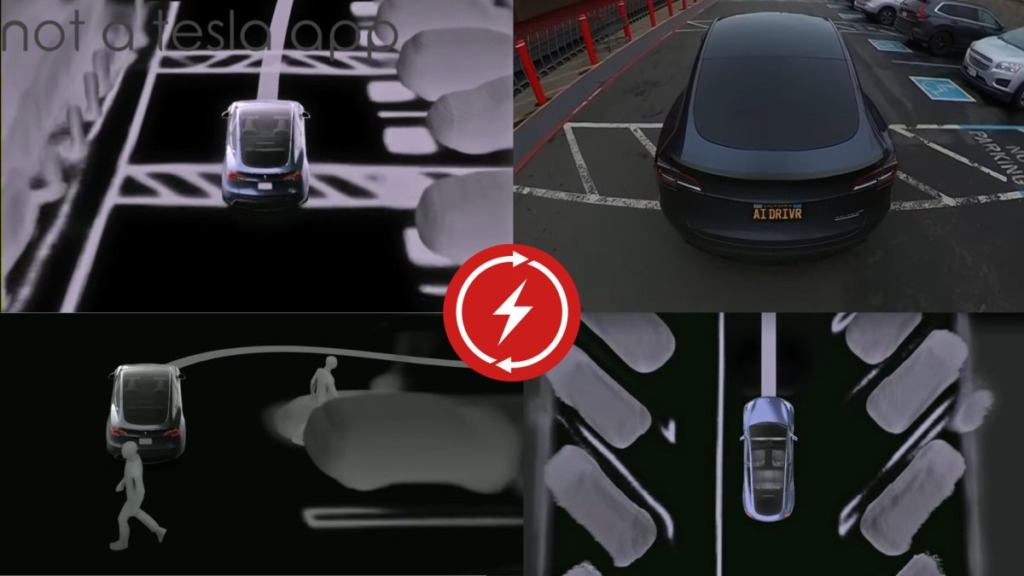
Why is Tesla Park Assist not working?
Tesla Park Assist usually stops working because the vehicle cannot accurately detect its surroundings or process visual data required for parking assistance. The problem is most commonly related to obstructed cameras, incomplete camera calibration, software issues, or environmental conditions that reduce the performance of the Tesla Vision system. In some cases, the warning disappears automatically after the underlying issue is resolved, while persistent warnings may indicate a hardware fault that requires professional diagnosis.
Tesla vehicles equipped with Tesla Vision rely on multiple exterior cameras to identify nearby objects and estimate distances during parking maneuvers. Unlike older models that used ultrasonic sensors (USS), newer vehicles depend primarily on computer vision algorithms. If one or more cameras cannot provide reliable image data, Park Assist may become unavailable or deliver inaccurate obstacle detection.
Drivers often notice the problem when messages such as “Park Assist Unavailable” appear on the touchscreen or when parking distance visualization disappears while reversing or maneuvering at low speeds. Depending on the cause, the system may stop working temporarily after starting the vehicle, following a software update, or during adverse weather conditions.
The issue can affect Tesla Model 3, Model Y, Model S, and Model X, but the causes vary depending on the vehicle’s hardware configuration. Older vehicles equipped with ultrasonic sensors may experience sensor-related failures, whereas newer Tesla Vision models are more likely to encounter camera visibility, calibration, or software-related issues.
Understanding the root cause is the first step toward restoring normal operation. In most situations, the problem can be identified by checking the cameras, reviewing recent software updates, and confirming whether camera calibration has completed before considering hardware repairs.
What are the most common causes of Tesla Park Assist not working?
Several conditions can prevent Tesla Park Assist from operating correctly. The six most common causes are dirty or blocked cameras, poor weather conditions, incomplete camera calibration, software bugs, temporary system glitches, and hardware failures. Identifying the correct cause before attempting repairs saves time and helps avoid unnecessary service appointments.
Dirty or blocked cameras
Dirty camera lenses are one of the most common reasons Park Assist becomes unavailable. Dust, mud, road salt, water spots, or insect residue can reduce image quality enough for Tesla Vision to stop estimating distances accurately. Even a small obstruction on the front, rear, or side repeater cameras can trigger warning messages. Cleaning every camera with a clean microfiber cloth and water is often enough to restore normal operation.
Poor weather and low visibility
Heavy rain, snow, dense fog, and direct sunlight can reduce the cameras’ ability to recognize obstacles. Unlike ultrasonic sensors, Tesla Vision depends on clear visual information to calculate object distance. When visibility drops below the level required by the system, Park Assist may temporarily disable itself until driving conditions improve.
Camera calibration is incomplete
Tesla automatically recalibrates its cameras after certain software updates, windshield replacements, camera replacements, or factory resets. During the calibration process, Park Assist and other driver assistance features may remain unavailable. The system usually completes calibration after driving on well-marked roads under good lighting conditions, although the required driving distance varies depending on road and traffic conditions.
Software bugs after an update
A firmware update can occasionally introduce temporary software issues that affect Tesla Vision features. Some drivers notice that Park Assist stops working immediately after installing a new software version even though the cameras are clean and functioning normally. Restarting the vehicle or waiting for a later software patch often resolves update-related bugs.
Temporary system glitches
Like any computer-controlled feature, Tesla Park Assist can experience temporary communication errors between onboard modules. These glitches may appear after restarting the vehicle, waking it from sleep, or switching between driving modes. Performing a soft reboot usually restores normal operation if no underlying hardware problem exists.
Hardware failure
Hardware faults are less common but are the most serious cause of Park Assist failure. A damaged camera, loose wiring connection, malfunctioning control module, or impact to the front or rear of the vehicle can prevent the system from processing environmental data correctly. If Park Assist remains unavailable after cleaning the cameras, completing calibration, restarting the vehicle, and installing the latest software, the vehicle should be inspected by Tesla Service for diagnostic testing.
How to fix Tesla Park Assist not working?
Fixing Tesla Park Assist starts with the simplest checks before moving to advanced diagnostics. In most cases, the issue is caused by dirty cameras, temporary software glitches, or incomplete camera calibration rather than permanent hardware damage. Following the troubleshooting steps in order increases the chance of restoring the system without visiting a Tesla Service Center.
Restart the vehicle
A temporary software glitch can interrupt communication between Tesla Vision and the vehicle’s driver assistance systems. Performing a soft reboot clears temporary errors and reloads system processes. Press and hold both steering wheel scroll buttons until the touchscreen turns black and the Tesla logo appears. After the vehicle finishes restarting, drive for several minutes and check whether Park Assist becomes available again.
If a touchscreen reboot does not resolve the issue, park the vehicle, exit, lock the doors, and allow the car to enter sleep mode for approximately 15 to 20 minutes before driving again. This process resets additional vehicle modules that are not restarted during a standard touchscreen reboot.
Clean every exterior camera
Tesla Vision depends entirely on clear camera images to detect obstacles. Dirt, road salt, mud, water spots, condensation, or insect residue can reduce image quality enough to disable Park Assist. Inspect the front camera near the windshield, the rear camera above the license plate, and both side repeater cameras mounted on the front fenders.
Clean each camera using a microfiber cloth and clean water or a lens-safe cleaner. Avoid abrasive cloths, paper towels, or chemical solvents because they may damage the protective lens coating. After cleaning, drive the vehicle for several minutes to allow the system to verify camera visibility.
Complete camera calibration
Park Assist may remain unavailable while Tesla recalibrates its cameras. Calibration commonly starts after installing a software update, replacing a windshield, replacing a camera, or resetting vehicle settings. During this period, several driver assistance features may be temporarily disabled.
Drive on well-marked roads during daylight whenever possible and maintain normal driving speeds. The vehicle automatically collects visual data and completes calibration without driver intervention. Once calibration finishes successfully, Park Assist should become available again.
Install the latest Tesla software
Software bugs occasionally affect Tesla Vision after a firmware release. Open Controls > Software to check whether a newer update is available. Installing the latest version may resolve known issues that Tesla has already corrected through subsequent releases.
If the problem started immediately after an update and no newer version is available, monitor future software releases because Tesla frequently distributes bug fixes through over-the-air updates.
Check Service Mode
If Park Assist still does not work after completing the previous steps, Service Mode can help identify camera or hardware faults. Diagnostic information may display camera communication errors, calibration failures, or other system warnings that are not visible during normal vehicle operation.
Because Service Mode provides advanced diagnostic functions, avoid changing settings unless instructed by Tesla. The information displayed is most useful for confirming whether professional repairs are required.
Contact Tesla Service
Schedule a Tesla Service appointment if Park Assist remains unavailable after restarting the vehicle, cleaning every camera, completing camera calibration, and installing the latest software. Persistent warning messages, damaged cameras, failed calibration, or repeated system errors usually indicate a hardware issue that cannot be resolved through software troubleshooting. Tesla technicians can perform detailed diagnostics, verify camera alignment, and replace faulty components when necessary.
Why does Tesla Park Assist stop working after a software update?
A software update can temporarily disable Tesla Park Assist because the vehicle may need to recalibrate its cameras, apply new Tesla Vision algorithms, or recover from a firmware bug introduced in the latest release. Although most updates improve system performance, some drivers experience temporary issues immediately after installing new software.
Camera recalibration after an update
Many Tesla software updates modify how Tesla Vision processes visual information. After installation, the vehicle may require camera recalibration before Park Assist becomes fully functional again. During this period, the touchscreen may display messages indicating that certain driver assistance features are temporarily unavailable.
Calibration is completed automatically while driving. Choosing roads with clear lane markings, adequate lighting, and steady traffic conditions helps the system collect visual data more efficiently. Until calibration finishes, Park Assist, Autosteer, and other vision-based features may remain unavailable.
Temporary firmware bugs
Not every Park Assist issue after an update is caused by calibration. Occasionally, a firmware release contains software bugs that affect obstacle detection, parking visualization, or communication between Tesla Vision and other onboard systems. These problems typically affect a limited number of vehicles and are often acknowledged by Tesla after drivers begin reporting similar symptoms.
If Park Assist stopped working immediately after installing new software and no hardware issues are present, restarting the vehicle and waiting for a subsequent over-the-air update are usually the most effective solutions. Tesla regularly releases maintenance updates to address bugs discovered after major software rollouts.
Changes to Tesla Vision features
Tesla continues to improve Tesla Vision through software updates, which means Park Assist behavior can change over time. New versions may adjust obstacle detection accuracy, parking visualization, warning distances, or feature availability. Drivers transitioning from ultrasonic sensors (USS) to Tesla Vision may notice differences in how the system estimates distances, especially in tight parking spaces or challenging lighting conditions.
Because Tesla Vision relies entirely on camera data, environmental conditions have a greater impact on performance than they did on vehicles equipped with ultrasonic sensors. As a result, some drivers interpret these behavioral changes as a malfunction when they are actually the result of updated software logic.
What to do if the problem started after an update
If Park Assist stopped working immediately after a software update, first verify whether camera calibration is still in progress. Next, clean every exterior camera and restart the vehicle to eliminate temporary software glitches. If the warning remains after several driving sessions and no newer software version is available, check the Tesla mobile app for service notifications or schedule a diagnostic appointment with Tesla Service. Persistent issues that continue across multiple software versions may indicate a hardware problem rather than a firmware-related bug.
Can weather or dirty cameras affect Tesla Park Assist?
Yes. Weather conditions and dirty cameras are two of the most common reasons Tesla Park Assist becomes temporarily unavailable. Because Tesla Vision relies on camera images instead of ultrasonic sensors on newer models, any condition that reduces image quality can significantly affect the system’s ability to detect obstacles and estimate distances accurately.
Rain, snow, and fog
Heavy rain, snowfall, and dense fog reduce visibility by limiting the amount of detail captured by the cameras. Water droplets or snow accumulation on the camera lenses can partially block the field of view, while fog reduces image contrast, making it more difficult for Tesla Vision to distinguish objects from the surrounding environment.
In these situations, the vehicle may display “Park Assist Unavailable” or temporarily disable parking visualization until visibility improves. Once the weather clears and the cameras have an unobstructed view, the system typically resumes normal operation without requiring additional troubleshooting.
Direct sunlight and low-light conditions
Lighting conditions also influence Tesla Vision performance. Direct sunlight shining into a camera lens may create glare or lens flare, reducing the system’s ability to recognize nearby objects. Conversely, poorly lit parking garages, dark roads, or nighttime environments with limited ambient lighting can decrease image quality and make obstacle detection less reliable.
Although Tesla continuously improves its computer vision algorithms through software updates, no camera-based system can completely eliminate the effects of challenging lighting conditions.
Dirty camera lenses
Road grime, dust, mud, pollen, insect residue, and road salt are frequent causes of Park Assist problems. Even a thin layer of dirt on one camera can reduce image clarity enough for Tesla Vision to disable parking assistance as a safety precaution.
Drivers should regularly inspect all exterior cameras, especially after driving in rain, snow, or on unpaved roads. Cleaning the lenses before assuming a software or hardware fault is one of the simplest and most effective troubleshooting steps.
How to clean Tesla cameras safely
Use a clean microfiber cloth lightly dampened with water or a lens-safe cleaning solution to wipe each camera lens gently. Avoid using abrasive materials, paper towels, or strong chemical cleaners because they can scratch the protective lens coating or leave residue that further reduces visibility.
After cleaning every camera, drive the vehicle for several minutes so Tesla Vision can verify image quality. If the warning disappears, the issue was most likely caused by obstructed camera views rather than a hardware malfunction. However, if Park Assist remains unavailable after cleaning and driving, continue with software troubleshooting or schedule a diagnostic inspection with Tesla Service.
How is Tesla Vision different from ultrasonic sensors?
Tesla Vision and ultrasonic sensors (USS) perform the same primary function of assisting drivers during parking, but they use different technologies to detect obstacles. Ultrasonic sensors measure distance by emitting sound waves, while Tesla Vision estimates distance by analyzing images captured by multiple exterior cameras using artificial intelligence.
How Tesla Vision works
Tesla Vision uses cameras positioned around the vehicle to create a visual understanding of the surrounding environment. The system identifies curbs, vehicles, pedestrians, walls, poles, and other objects through computer vision algorithms. It then estimates the distance between the vehicle and nearby obstacles to generate parking visualizations and warning alerts.
Because Tesla Vision depends entirely on image recognition, its performance is directly influenced by camera quality, lighting conditions, and environmental visibility. Dirty lenses, heavy rain, fog, or poor lighting can reduce detection accuracy or temporarily disable Park Assist until the cameras regain a clear view.
How ultrasonic sensors work
Ultrasonic sensors detect nearby objects by sending high-frequency sound waves and measuring the time required for the reflected signal to return. This technology measures physical distance directly and is generally unaffected by darkness or low-light environments.
However, ultrasonic sensors have limitations. Soft materials, irregular surfaces, or very narrow objects may reflect sound inconsistently, reducing measurement accuracy. The sensors also have a limited detection range and cannot recognize the visual characteristics of surrounding objects.
Key differences between Tesla Vision and USS
Tesla Vision provides richer environmental awareness because it recognizes the type of obstacle instead of measuring only its distance. The system can identify vehicles, bicycles, pedestrians, traffic cones, and road markings while supporting additional driver assistance features such as Autopilot and Full Self-Driving.
Ultrasonic sensors are generally more consistent when measuring distances in poor weather or complete darkness because they are not affected by lighting conditions. Tesla Vision, on the other hand, performs best when cameras have an unobstructed view and sufficient lighting.
Tesla continues improving Tesla Vision through over-the-air software updates, allowing obstacle recognition and distance estimation to improve without replacing hardware. In contrast, the performance of ultrasonic sensors is largely fixed after installation.
Which system is more reliable?
Neither system is universally better in every situation. Ultrasonic sensors offer highly consistent short-range distance measurements, while Tesla Vision provides a broader understanding of the vehicle’s surroundings and supports advanced autonomous driving features.
For everyday parking, Tesla Vision performs effectively under normal driving conditions. However, if the cameras become dirty, blocked, or affected by adverse weather, Park Assist may become unavailable until visibility improves. This is why regular camera maintenance and software updates are essential for vehicles that rely exclusively on Tesla Vision.
When should you contact Tesla Service?
Most Park Assist problems can be resolved by cleaning the cameras, restarting the vehicle, completing camera calibration, or installing the latest software update. If the warning message remains after completing these steps, the problem is more likely related to hardware, camera alignment, or an internal system fault that requires professional diagnosis.
Schedule a Tesla Service appointment if “Park Assist Unavailable” continues to appear for several days, camera calibration never completes, or Park Assist stops working after a collision or windshield replacement. Physical damage to a camera housing, cracked lenses, loose wiring, or water intrusion can prevent Tesla Vision from operating correctly and cannot be repaired through software troubleshooting.
Service is also recommended if multiple driver assistance features fail simultaneously. For example, if Park Assist, Autosteer, Lane Departure Avoidance, and Traffic-Aware Cruise Control all become unavailable at the same time, the underlying issue may involve a shared camera, control module, or vehicle communication network rather than the parking assistance system alone.
Before visiting Tesla Service, record when the warning first appeared, note whether it started after a software update or weather event, and take screenshots of any warning messages displayed on the touchscreen. Providing this information helps technicians reproduce the issue more quickly and reduces diagnostic time.
In most cases, Tesla Service can verify camera alignment, run hardware diagnostics, identify software faults, and replace defective components if necessary. Prompt diagnosis is recommended because a malfunctioning camera system can affect multiple safety and driver assistance features beyond Park Assist.
Does restarting Tesla fix Park Assist?
Restarting a Tesla can fix Park Assist if the problem is caused by a temporary software glitch rather than a hardware failure. A reboot refreshes the vehicle’s operating system and restores communication between Tesla Vision, the touchscreen, and other driver assistance modules. Although it does not repair damaged cameras or faulty components, it is one of the first troubleshooting steps recommended before scheduling service.
A soft reboot restarts the infotainment system by pressing and holding both steering wheel scroll buttons until the touchscreen turns black and the Tesla logo appears. After the restart is complete, drive the vehicle for several minutes to determine whether Park Assist becomes available again.
If the warning persists, allow the vehicle to enter sleep mode by parking, locking the doors, and leaving it undisturbed for approximately 15 to 20 minutes. This process resets additional vehicle systems that remain active during a standard touchscreen reboot. If Park Assist is still unavailable after both procedures, the issue is likely related to camera calibration, software, or hardware rather than a temporary system error.
How long does Tesla camera calibration take?
Tesla camera calibration usually completes after driving between 20 and 100 miles (32 to 160 kilometers) under suitable conditions. The exact distance varies because the system collects visual data continuously and only finishes calibration after gathering enough information from different driving environments.
Calibration progresses more quickly when driving on well-marked roads during daylight with clear lane markings and moderate traffic. Consistent vehicle speed and favorable weather also improve the quality of the visual data used by Tesla Vision.
Calibration may take longer if the vehicle is driven primarily on poorly marked roads, in heavy traffic, during nighttime, or in adverse weather. Frequent short trips may also delay completion because the system has fewer opportunities to collect consistent camera data.
While calibration is in progress, Park Assist and other vision-based features such as Autosteer may remain unavailable. Once calibration reaches 100%, these functions are automatically restored without requiring any additional action from the driver.
Does Tesla Park Assist work without ultrasonic sensors?
Yes. Newer Tesla vehicles use Tesla Vision instead of ultrasonic sensors to provide Park Assist. Rather than measuring distance with sound waves, Tesla Vision estimates the position of nearby objects using images captured by multiple exterior cameras and advanced computer vision algorithms.
Tesla introduced this change to simplify vehicle hardware and improve the system through over-the-air software updates. As Tesla Vision continues to evolve, parking visualization and obstacle detection can be enhanced without installing new physical components.
Although Tesla Vision performs well in most driving conditions, its performance depends on clear camera visibility. Dirty lenses, poor lighting, heavy rain, snow, or fog can reduce detection accuracy more than they would on vehicles equipped with ultrasonic sensors. Regular camera cleaning and keeping the vehicle updated with the latest software help maintain the best possible performance.
Frequently Asked Questions
Intermittent Park Assist warnings are usually caused by temporary environmental conditions rather than permanent faults. Rain, fog, direct sunlight, dirty camera lenses, or incomplete camera calibration can prevent Tesla Vision from processing reliable visual data. Once conditions improve, the warning often disappears automatically.
Does replacing a camera require recalibration?
Yes. Replacing an exterior camera requires Tesla to recalibrate the camera system so Tesla Vision can accurately determine distances and recognize surrounding objects. Until calibration is complete, Park Assist and other driver assistance features may remain unavailable or operate with limited functionality.
Can Full Self-Driving affect Park Assist?
Full Self-Driving and Park Assist share several cameras and processing components. A software issue affecting Tesla Vision can influence both systems simultaneously. However, enabling or disabling Full Self-Driving does not normally cause Park Assist to stop working unless an underlying camera or software problem is present.
Can third-party accessories interfere with Park Assist?
Yes. Accessories that block or partially cover cameras, such as oversized license plate frames, decorative covers, wraps extending over camera housings, or improperly installed aftermarket equipment, can reduce image quality and interfere with Tesla Vision. After installing accessories near any exterior camera, verify that each lens has a completely unobstructed field of view.
Can a low 12V battery or low-voltage system cause Park Assist to fail?
Yes. A weak low-voltage battery or an electrical fault can affect multiple electronic control modules, including those responsible for Tesla Vision and driver assistance features. If Park Assist becomes unavailable together with other system warnings, have the vehicle inspected promptly to prevent additional electrical issues.