Tesla charging equipment not recognized error happens when a Tesla vehicle cannot properly detect or communicate with the connected charging device. This problem does not always mean the vehicle battery or charging system has failed. In most cases, the cause comes from a connection issue, damaged charging equipment, incompatible hardware, unstable power supply, or a temporary software communication problem.
The Tesla charging system depends on multiple components working together, including the charging port, connector, cable, external power source, and vehicle software. A failure in any component can interrupt the communication process between the Tesla vehicle and the charger, preventing normal charging.
To fix Tesla charging equipment not recognized errors, owners should first check the physical connection, inspect the charging equipment, restart the vehicle system, and test whether the problem comes from the charger or the vehicle. This troubleshooting process helps identify common issues before requesting professional service.
This guide explains the main causes of Tesla charging equipment recognition problems, the steps to fix the error, how to identify faulty components, and how to prevent future charging interruptions.
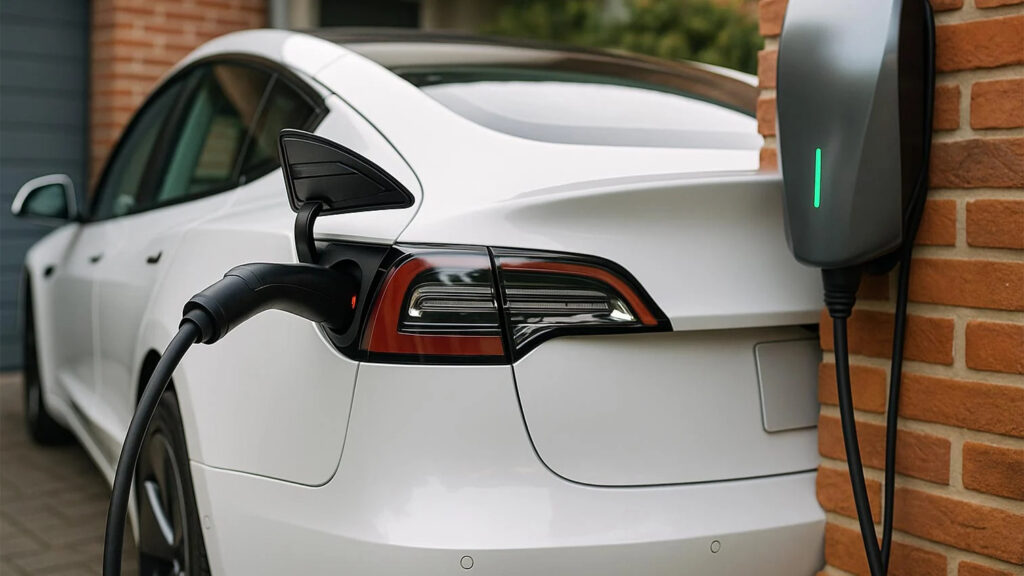
Why is my Tesla not recognizing charging equipment?
Tesla does not recognize charging equipment when the vehicle cannot establish a proper connection or communication with the charger. The Tesla charging system requires coordination between the charging port, connector, cable, power source, and vehicle software before charging can begin. When one component fails to communicate correctly, the vehicle may display charging errors or refuse to start the charging process.
The most common causes of Tesla charging equipment recognition problems are connection failures, damaged charging hardware, incompatible equipment, unstable electricity supply, and temporary software issues. These problems affect different parts of the charging process, from the physical connection between the connector and charging port to the digital communication between the vehicle and charging device.
A loose or incomplete charging connection is one of the most frequent reasons Tesla cannot detect charging equipment. The charging connector contains electrical contacts and communication components that allow the vehicle to identify the charger. If the connector is not fully inserted, the contacts are dirty, or the connection is interrupted, Tesla may not receive the necessary signals to begin charging.
Charging cable condition also affects equipment recognition. A damaged cable, bent connector pin, moisture inside the charging port, or debris around the connection area can prevent reliable communication between the charger and the vehicle. For example, a Tesla owner may connect the cable correctly but still receive a charging error because the connector cannot maintain a stable electrical connection.
Power supply problems can also cause Tesla charging equipment recognition errors. Home charging equipment depends on a stable electrical source, including the outlet, circuit breaker, wiring, and charger hardware. If the power supply is interrupted or outside the expected operating range, the charging equipment may fail to communicate with the Tesla vehicle.
This issue is common with home charging setups because the problem may not come from the Tesla itself. A tripped circuit breaker, faulty outlet, or incorrect installation can make a working Tesla charger appear unavailable. Testing the charging equipment with another power source helps determine whether the issue comes from the electrical system or the vehicle.
Charging equipment compatibility is another possible cause of recognition failures. Tesla vehicles support specific charging standards, including Tesla charging connectors and approved adapters. When owners use third-party charging equipment, incorrect adapters, or incompatible connectors, the vehicle may fail to identify the charging device.
Compatibility problems often occur when switching between different charging networks or using older charging accessories. Checking whether the charger, adapter, and Tesla vehicle support the same charging standard is an important troubleshooting step before replacing hardware.
Software communication problems can temporarily prevent Tesla from recognizing charging equipment. Tesla vehicles use software to control charging functions, monitor safety conditions, and communicate with external charging devices. A temporary software error may interrupt this communication even when the charger and cable are functioning correctly.
Restarting the vehicle system or installing available software updates can resolve some recognition issues. However, repeated charging failures after software troubleshooting may indicate a hardware problem involving the charging port, connector, or charging equipment.
How do I fix Tesla charging equipment not recognized error?
You can fix Tesla charging equipment not recognized errors by checking the physical connection, testing the charging hardware, restarting the vehicle system, and verifying equipment compatibility. The troubleshooting process should start with the simplest causes before moving to advanced checks because most charging recognition problems come from connection failures or temporary communication issues.
The first step is to disconnect the charging connector completely and inspect both the connector and Tesla charging port. Check for visible damage, dirt, moisture, or foreign objects that may prevent the charging equipment from making proper contact. A clean and secure connection allows the vehicle and charger to exchange the electrical and communication signals required to begin charging.
Reconnect the charging equipment firmly to restore the connection between the Tesla vehicle and charger. The connector should be inserted completely until the vehicle detects the charging device. If the Tesla still does not recognize the equipment, remove the connector again, wait several seconds, and reconnect it to restart the connection process.
This step is effective because Tesla charging systems perform an identification process whenever charging equipment is connected. The vehicle checks the connector status, safety conditions, and communication signals before allowing power delivery. A weak connection can interrupt this process and trigger a charging recognition error.
Testing another charging source helps determine whether the problem comes from the charger or the Tesla vehicle. If the Tesla charges normally with another charging device, the original charger, cable, or electrical supply is likely the source of the problem. If multiple chargers fail to connect, the issue may involve the vehicle charging port, software, or internal charging system.
For example, a Tesla owner using a home Wall Connector can test the vehicle at a Supercharger station or another compatible charger. If charging works elsewhere, replacing or repairing the home charging equipment may solve the problem without requiring vehicle service.
Restarting the Tesla vehicle system can resolve temporary software communication errors. Tesla vehicles rely on software to manage charging functions, monitor safety conditions, and communicate with external charging devices. A temporary software issue may prevent the vehicle from recognizing a charger even when all hardware components work correctly.
Owners can perform a vehicle restart through the touchscreen system or power cycle process recommended by Tesla. After restarting, reconnect the charging equipment and check whether the vehicle detects the charger. Software-related recognition errors are usually temporary and may disappear after the system refreshes.
Checking charging equipment compatibility prevents recognition problems caused by unsupported hardware. Tesla vehicles support specific charging standards and adapters, and using incompatible equipment may prevent successful communication between the charger and vehicle.
Owners should verify that the charging cable, adapter, and charging station are designed to work with their Tesla model. This is especially important when using third-party EV chargers, J1772 adapters, or charging equipment from different manufacturers.
Updating Tesla software can also improve charging equipment recognition reliability. Tesla regularly releases software updates that modify vehicle functions, including charging communication and compatibility features. An outdated software version may create problems when connecting to newer charging equipment.
However, software updates cannot repair physical damage such as a broken charging port, damaged cable, or faulty charger hardware. If the recognition error continues after basic troubleshooting and software updates, professional inspection may be required.
How can I determine whether the Tesla charger or vehicle causes the problem?
You can determine whether the Tesla charger or the vehicle causes the problem by testing the charging equipment, checking the vehicle response, and comparing results across different charging sources. Identifying the source of the failure prevents unnecessary replacement of working components and helps owners choose the correct repair solution.
The first diagnostic step is to test the Tesla with another compatible charging device. If the vehicle charges successfully with a different charger, the original charging equipment, cable, adapter, or electrical supply is likely responsible for the problem. If the Tesla fails to recognize multiple chargers, the issue may be related to the vehicle charging system.
Testing the charging equipment with another Tesla vehicle can confirm whether the charger is functioning correctly. A working charger should be recognized by another compatible Tesla when connected properly. If another Tesla also fails to detect the equipment, the charger or power source likely has a fault.
This method is especially useful for home charging equipment such as Tesla Wall Connector or Mobile Connector. Owners can identify whether the problem comes from the vehicle or charger without immediately scheduling a service appointment.
Checking Tesla touchscreen alerts helps identify vehicle-side charging problems. Tesla vehicles display charging-related messages when they detect issues with the charging system. These messages may indicate problems with the connector, power supply, charging speed, or communication between the vehicle and charger.
Owners should review the exact warning message because different errors point to different causes. For example, a power-related message suggests checking the electrical source, while repeated charging port errors may indicate a vehicle hardware problem.
Inspecting the charging port can reveal physical problems that prevent equipment recognition. The charging port contains electrical contacts and sensors responsible for detecting and communicating with charging equipment. Damage, contamination, or moisture in this area can interrupt the recognition process.
A Tesla charging port problem usually appears across different charging stations. If multiple chargers fail to connect and the vehicle shows repeated charging errors, professional inspection may be necessary to check the charging hardware.
A systematic testing process helps separate charger problems from vehicle problems. Owners should avoid replacing expensive components before confirming the source of failure. Testing another charger, checking equipment indicators, reviewing vehicle alerts, and inspecting physical connections provide enough information to identify the most likely cause.
Can Tesla software updates fix charging equipment recognition problems?
Tesla software updates can fix some charging equipment recognition problems when the issue comes from vehicle software communication rather than physical hardware failure. Tesla vehicles use software to manage charging functions, communicate with charging equipment, monitor safety conditions, and control power delivery. A temporary software error can interrupt this communication and prevent the vehicle from detecting a connected charger.
The charging process depends on continuous data exchange between the Tesla vehicle and the charging device. The vehicle must identify the connector, confirm charging conditions, and verify that the external power source is safe before accepting energy. If software fails to process these signals correctly, Tesla may display a charging error even when the charger and cable are working normally.
Installing the latest Tesla software version can improve charging compatibility and resolve temporary recognition errors. Tesla regularly releases firmware updates that modify vehicle functions, including charging performance, communication protocols, and compatibility with newer charging equipment.
For example, a Tesla vehicle may fail to recognize a recently updated charging station because its software does not properly support the latest communication requirements. After installing an available update, the vehicle may restore normal communication with the same charging equipment.
Restarting the Tesla system can remove temporary software glitches that affect charging detection. A system restart refreshes vehicle software processes and allows the charging system to initialize again when the connector is reattached.
However, software troubleshooting only addresses digital communication problems. A software update cannot repair physical issues such as a damaged charging port, broken connector, faulty cable, or defective charging station. If the Tesla continues showing recognition errors after restarting and updating software, the problem is more likely related to hardware components.
Repeated charging recognition failures may require professional diagnosis. When multiple compatible chargers fail to connect and software solutions do not resolve the issue, Tesla service technicians may need to inspect the charging port, internal charging components, and vehicle communication system.
Identifying whether the failure comes from software or hardware helps owners avoid unnecessary repairs. Software-related errors usually appear temporarily and can improve after updates or resets, while hardware problems typically continue across different charging environments.
When should I contact Tesla Service for charging equipment problems?
You should contact Tesla Service when charging equipment recognition problems continue after basic troubleshooting or when the issue involves damaged hardware, electrical risks, or repeated charging failures. Some charging problems can be solved by reconnecting the cable, restarting the vehicle, or checking compatibility, but persistent failures may indicate a deeper issue with the charging system.
A Tesla owner should request professional inspection when the vehicle fails to recognize multiple compatible chargers. Testing different charging stations helps confirm whether the problem is isolated to one charger or connected to the vehicle itself. If the same error appears across different charging environments, the vehicle charging system may require technical diagnosis.
Physical damage to charging components requires professional evaluation. The charging port, connector, and internal charging components contain electrical parts that control power transfer and communication. Damage to these components can affect charging safety and prevent reliable operation.
Signs that require attention include visible damage to the charging port, melted connector areas, unusual heat during charging, burning smells, or repeated charging interruptions. These symptoms may indicate electrical problems that should not be repaired through simple troubleshooting.
Electrical warning messages are another reason to contact Tesla Service. Tesla vehicles monitor charging conditions and display alerts when they detect abnormal voltage, current, temperature, or communication issues. These warnings help protect the battery system and prevent unsafe charging conditions.
Ignoring repeated electrical warnings can lead to more serious charging failures. Professional diagnosis allows technicians to identify whether the issue comes from the charging port, onboard charger, battery management system, or external charging equipment.
Charging failures that repeatedly occur after software updates and resets usually require hardware inspection. Software troubleshooting can solve temporary communication errors, but it cannot repair damaged cables, faulty connectors, defective charging stations, or internal vehicle components.
Before contacting Tesla Service, owners should collect useful information, including the charging equipment type, error messages shown on the touchscreen, charging locations tested, and whether the problem occurs with every charger. This information helps technicians diagnose the issue faster and reduces unnecessary testing.
What Tesla charging equipment types should owners know?
Tesla owners should understand the main charging equipment types because compatibility between the vehicle and charger directly affects charging performance and equipment recognition. Tesla vehicles can charge through different solutions, including Tesla Wall Connector, Tesla Mobile Connector, Supercharger stations, and compatible third-party charging equipment.
Each charging option has different installation requirements, charging speeds, and connection methods. Understanding these differences helps owners choose suitable equipment and avoid recognition problems caused by incompatible chargers or incorrect adapters.
Tesla Wall Connector is the primary home charging solution for Tesla vehicles. It is designed for permanent installation and provides faster charging compared with standard household outlets. The Wall Connector connects directly to the home’s electrical system and communicates with the Tesla vehicle through the charging connection.
Home charging problems often occur when the Wall Connector installation, electrical supply, or connection hardware has an issue. A properly installed Wall Connector should consistently recognize compatible Tesla vehicles and provide stable charging performance.
Tesla Mobile Connector provides a flexible charging option for owners who need portable charging equipment. Unlike a permanently installed charger, the Mobile Connector allows drivers to charge from different power outlets when the correct adapters are available.
The charging speed depends on the power source and adapter being used. For example, a standard household outlet provides slower charging compared with a dedicated high-power outlet. Incorrect adapters or damaged cables can prevent the Tesla vehicle from recognizing the charging equipment.
Tesla Supercharger stations provide high-speed charging through Tesla’s dedicated charging network. Superchargers are designed for long-distance travel and use powerful charging systems that communicate directly with Tesla vehicles.
When a Tesla fails to recognize a Supercharger, the cause is less likely to be basic compatibility because Superchargers are designed specifically for Tesla vehicles. Possible causes include charging station faults, vehicle communication problems, or temporary network issues.
Third-party EV charging equipment can work with Tesla vehicles when the correct charging standards and adapters are used. Many non-Tesla charging stations support Tesla vehicles through compatible connectors or adapters, but differences in charging protocols can affect communication.
Owners using third-party chargers should confirm that the equipment supports their Tesla model and charging requirements. Using an unsupported adapter or incompatible charging station may cause the vehicle to reject the charging connection.
Understanding Tesla charging equipment types helps owners diagnose recognition errors more accurately. When a charging problem occurs, identifying the exact charger type is the first step toward determining whether the issue comes from compatibility, installation, hardware, or the vehicle itself.
How can I prevent Tesla charging equipment recognition errors?
You can prevent Tesla charging equipment recognition errors by maintaining the charging hardware, using compatible equipment, and keeping the vehicle software updated. Regular maintenance reduces connection failures, protects charging components, and improves communication between the Tesla vehicle and charging system.
Charging equipment recognition depends on multiple components working together, including the connector, cable, charging port, power supply, and software system. Preventing problems requires attention to each part instead of focusing only on the vehicle.
Keeping charging connectors and ports clean helps maintain a stable connection between Tesla and charging equipment. Dirt, dust, moisture, and debris can interfere with the electrical contacts inside the connector and charging port. Even small particles can prevent the vehicle from receiving accurate communication signals from the charger.
Owners should inspect charging connections regularly, especially when using outdoor charging equipment. Cleaning the connector area and keeping the charging port protected from contamination helps reduce connection interruptions and recognition failures.
Protecting charging cables from physical damage extends equipment reliability. Charging cables are exposed to repeated handling, bending, and environmental conditions that can affect internal wiring and connector performance. A damaged cable may still appear functional but fail to maintain consistent communication with the Tesla vehicle.
Owners should avoid placing heavy objects on charging cables, pulling connectors by force, or storing cables in conditions that can cause damage. Proper cable handling reduces the risk of charging interruptions and equipment replacement costs.
Using compatible charging equipment prevents recognition problems caused by communication differences. Tesla vehicles are designed to work with specific charging standards, connectors, and approved adapters. Selecting equipment that matches the Tesla model and charging requirements improves charging reliability.
Before purchasing third-party charging equipment, owners should verify connector type, charging standard, power requirements, and Tesla compatibility. This step is especially important for home charging installations and public charging adapters.
Keeping Tesla software updated helps maintain charging system compatibility. Software updates can improve communication between Tesla vehicles and newer charging equipment while resolving temporary charging-related issues.
Owners should install available software updates and monitor charging performance after updates. Maintaining current software ensures that the vehicle can properly communicate with supported charging systems.
Regular inspection of home charging equipment helps identify problems before they interrupt charging. Owners should check the charger status indicators, electrical connections, and physical condition of the charging equipment.
Early detection of problems such as unusual heat, damaged connectors, or repeated charging interruptions allows owners to address issues before they become more serious. A consistent maintenance routine improves charging reliability and extends the lifespan of Tesla charging equipment.
How can Tesla owners maintain reliable charging performance?
Tesla owners can maintain reliable charging performance by combining proper equipment use, regular inspection, and early troubleshooting when charging problems appear. A reliable Tesla charging system depends on the condition of multiple components, including the charging port, connector, cable, charger, electrical supply, and vehicle software.
Charging equipment recognition errors are usually caused by connection problems, equipment compatibility issues, electrical interruptions, or temporary software communication failures. Identifying the correct cause before replacing components helps owners save time and avoid unnecessary repairs.
Maintaining clean connectors, protecting charging cables, using compatible charging equipment, and keeping Tesla software updated are the most effective ways to reduce charging interruptions. Owners should also monitor warning messages and charging behavior because repeated failures may indicate a hardware problem that requires professional inspection.
For Tesla owners, understanding how the charging system works makes troubleshooting more efficient. When a Tesla does not recognize charging equipment, checking the connection, testing another charger, and identifying whether the issue comes from the vehicle or charger are the key steps to restoring normal charging operation.
A consistent charging maintenance routine improves reliability, protects charging components, and supports a better long-term electric vehicle ownership experience.