The OnStar Light Red indicator often makes drivers feel worried when it suddenly appears in a GM vehicle. Most modern cars from General Motors now rely on digital systems that manage safety, communication, and diagnostics together. The OnStar system connects the vehicle to emergency services and remote support. When the system shows a red light, it signals that something needs attention right away.
Drivers of vehicles like Chevrolet and Cadillac often see this warning without clear explanation. This creates confusion because the issue may come from a simple connection error or a more serious system problem. The red light does not always mean danger, but it always means the system has detected an abnormal condition.
Understanding the OnStar Light Red meaning helps drivers react correctly and avoid unnecessary risk. The system plays an important role in vehicle safety and communication. Any disruption in its function can trigger alerts that appear on the dashboard. This article explains what the OnStar Light Red means, why it appears, and how you can fix it step by step on GM vehicles.
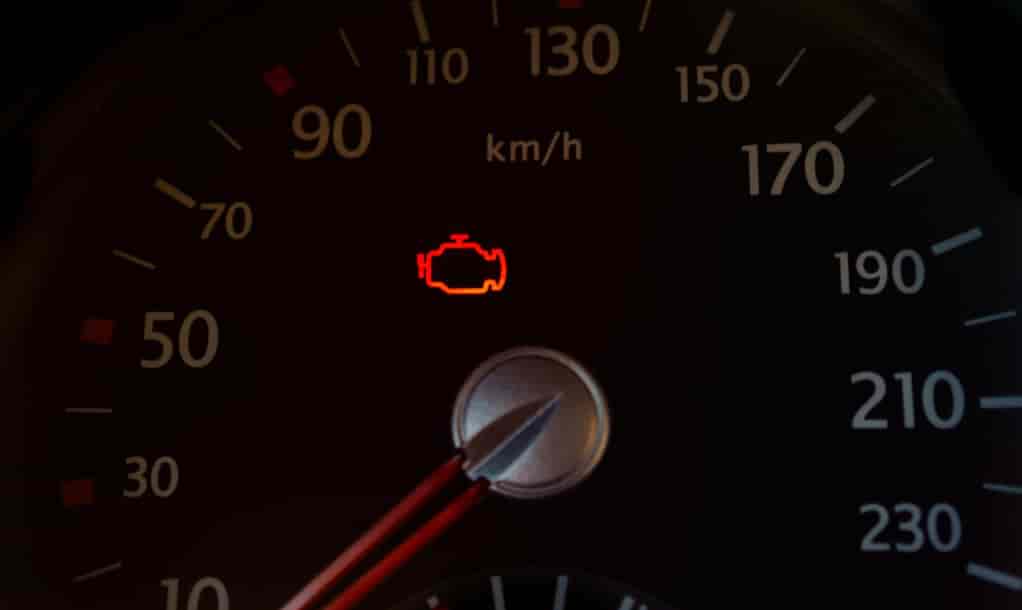
WHAT DOES ONSTAR LIGHT RED MEAN?
The OnStar Light Red indicator shows that the vehicle has detected a problem within its connected safety and communication system. This warning comes from the OnStar system, which continuously monitors vehicle status, network connection, and emergency readiness. When the system switches to red, it signals that one or more of these functions are not operating normally.
In many cases, the red light points to a communication issue between the vehicle and GM’s remote services. The system may lose connection due to weak signal, software interruption, or internal module errors. It can also appear when the system cannot confirm active service status. In some situations, the alert activates after a system update or when the vehicle restarts after a power disruption.
Drivers of Chevrolet and Cadillac vehicles may notice that the red light behaves differently depending on the model and software version. Some vehicles show a steady red indicator, while others display a flashing pattern. These differences reflect how each model handles diagnostics and alert communication.
The most important point is that the OnStar Light Red does not represent a single fixed error. Instead, it works as a general warning that the system needs attention. It tells the driver that the safety or connectivity layer inside the vehicle is not fully stable and should be checked to avoid further issues.
COMMON CAUSES OF ONSTAR LIGHT RED
The OnStar Light Red warning does not come from a single fault. It usually appears when the vehicle detects instability inside the connected system managed by the OnStar system. This system depends on software, hardware, and network communication working together in real time. When one part fails or becomes unstable, the red alert can activate.
One of the most common causes is a communication failure between internal modules and external services. The vehicle may lose connection to OnStar servers due to weak signal, temporary network interruption, or antenna issues. In this case, the system cannot confirm status updates and triggers a warning.
Another frequent cause relates to subscription or service status. If the OnStar service is inactive, expired, or not properly synced, the system may show a red indicator. This happens because the vehicle cannot validate access to emergency and remote features.
Electrical issues also play an important role. Low battery voltage or unstable power supply can interrupt system communication. When voltage drops, modules inside vehicles like Chevrolet and Cadillac may restart or lose synchronization, which leads to warning signals.
Software glitches represent another possible trigger. The infotainment system or telematics control unit may experience temporary errors after updates or system resets. These glitches often resolve after restarting the vehicle, but in some cases, they require a full system diagnostic.
In rare situations, hardware failure inside the communication module can also cause a persistent red light. When this happens, the system cannot recover on its own and needs professional inspection.
ALERTS AND WHAT THE SYSTEM IS TRYING TO TELL YOU
The OnStar Light Red indicator does more than signal a simple error. It communicates the current status of the vehicle’s safety and connectivity layer inside the OnStar system. Each alert behavior gives a different clue about what is happening inside the system and how serious the issue may be.
A solid red light often indicates that the system has detected a stable but important fault. This may relate to lost connectivity, inactive services, or internal module communication problems. In this state, the system still operates partially, but it cannot guarantee full functionality for emergency or remote features.
A flashing red light usually signals a more urgent condition. The system may be trying to reconnect or recover from a failure. This pattern often appears when the vehicle loses communication with OnStar servers or when a critical module temporarily stops responding. In some cases, it may also indicate that the system is actively attempting to restore emergency readiness.
Intermittent red activation can point to unstable behavior. The system may connect and disconnect repeatedly due to weak signal, software instability, or electrical fluctuations. This type of alert often appears in vehicles like Chevrolet and Cadillac when environmental or technical conditions affect system performance.
The key point is that each alert pattern reflects a different level of system stability. The OnStar Light Red indicator does not only show failure. It also shows how the system behaves while trying to maintain communication and safety functions. Understanding these patterns helps drivers respond correctly instead of reacting with unnecessary panic.
HOW TO FIX ONSTAR LIGHT RED ISSUE
When the OnStar Light Red indicator appears, you should treat it as a signal that the vehicle’s connected system needs a structured check. The goal is to restore stable communication and eliminate possible software or power issues inside the OnStar system.
The first step is to restart the vehicle completely. Turn off the engine, wait a few minutes, then restart it. This helps reset temporary software glitches and reinitialize internal modules. In many cases, the red light disappears after a full restart.
Next, check the vehicle battery condition. Low or unstable voltage often disrupts system communication. If the battery is weak, the system inside vehicles like Chevrolet and Cadillac may fail to maintain proper synchronization, which triggers alerts.
You should also verify the OnStar service status. If the subscription is inactive or not properly synced, the system cannot validate connectivity. This often leads to persistent red warnings even when the hardware is functioning correctly.
Another important step is resetting the infotainment system. A soft reset can clear temporary software conflicts that affect communication between modules. After resetting, allow the system a few minutes to reconnect to network services.
If the issue continues, check for available software updates. GM vehicles often receive system updates that improve stability and fix known bugs. Installing the latest update can resolve hidden software-related causes.
When none of these steps work, the problem may come from a deeper hardware or communication module failure. In this case, you should contact an authorized service center for a full diagnostic check.
WHEN YOU SHOULD BE CONCERNED
The OnStar Light Red indicator does not always point to a critical failure, but there are situations where you should take it seriously. The key factor is whether the warning appears together with other system issues inside the OnStar system or persists after basic troubleshooting.
You should be concerned when the red light stays on continuously even after restarting the vehicle. This often indicates a deeper communication or hardware problem that the system cannot recover from automatically. In this case, the vehicle may not fully support emergency or remote functions.
Another serious situation occurs when the red light appears together with loss of connectivity features. If services like emergency calling, remote diagnostics, or vehicle tracking stop working, the system may have a communication failure that requires immediate attention.
You should also pay attention if the red light appears alongside multiple dashboard warnings. This combination may suggest electrical instability or module failure affecting broader vehicle systems. In vehicles like Chevrolet and Cadillac, these symptoms can indicate issues in the central control or telematics unit.
A flashing or unstable red light that never stabilizes is another warning sign. It often means the system keeps trying to reconnect but cannot complete the process. This condition usually requires diagnostic tools to identify the root cause.
In general, you should not ignore a persistent OnStar Light Red indicator. Even if the vehicle still drives normally, the safety and communication system may not function as intended. Early diagnosis helps prevent more serious system failures.
PREVENTING ONSTAR LIGHT RED IN THE FUTURE
Preventing the OnStar Light Red indicator requires consistent vehicle maintenance and proper system management. The connected safety system inside the OnStar system depends on stable software, reliable power supply, and active service connectivity. When these elements stay in good condition, the system is less likely to trigger warning alerts.
One of the most effective ways to prevent issues is to keep the vehicle software up to date. Manufacturers regularly release updates that improve system stability and fix communication bugs. Vehicles from Chevrolet and Cadillac benefit from these updates because they help maintain smooth interaction between modules.
Battery health also plays an important role. A weak or unstable battery can interrupt system communication and cause random alerts. Regular battery checks help ensure that all electronic systems receive stable power during startup and operation.
Maintaining an active OnStar subscription is another key factor. If the service becomes inactive or disconnected, the system may lose synchronization and trigger warning indicators. Keeping the service properly managed reduces the risk of false alerts.
It is also useful to restart the infotainment system periodically. This helps clear temporary glitches and refresh internal communication between modules. Simple resets can prevent minor software conflicts from developing into persistent issues.
Finally, routine vehicle diagnostics at authorized service centers can help detect early signs of system instability. Early detection allows technicians to fix small issues before they affect the OnStar system and trigger the red warning.
CONCLUSION
The OnStar Light Red indicator is an important warning signal that reflects the status of the connected safety and communication system inside modern GM vehicles. The OnStar system plays a central role in maintaining emergency services, remote diagnostics, and real time vehicle connectivity. When the red light appears, it indicates that one or more of these functions are not operating as expected.
In most cases, the issue does not come from a single failure but from a combination of factors such as software glitches, weak battery condition, service interruption, or communication errors. Vehicles like Chevrolet and Cadillac may show this warning under different conditions depending on system configuration and usage environment.
Understanding the meaning, causes, and alert patterns helps drivers respond correctly instead of reacting with unnecessary concern. Simple actions such as restarting the system, checking battery health, and verifying service status often resolve the issue. However, persistent or combined warnings should always be inspected by professionals to ensure full system safety.
Overall, the OnStar Light Red indicator should be treated as a helpful diagnostic message rather than a random error. When drivers understand how the system works, they can maintain better control over vehicle safety and avoid unexpected disruptions in connected services.