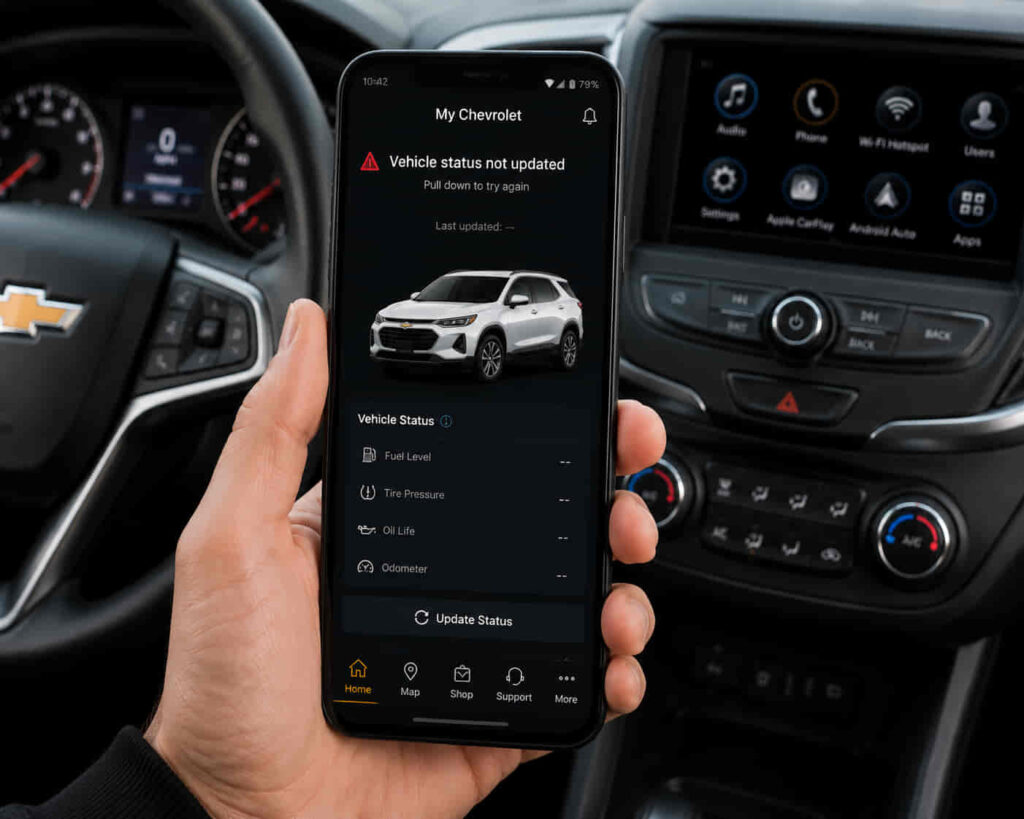
The My Chevrolet App not updating vehicle status is usually caused by a synchronization problem between the mobile application, Chevrolet Connected Services, the vehicle communication system, or the user account. When this issue happens, Chevrolet owners may see outdated information or missing data such as fuel level, mileage, vehicle location, tire pressure information, or remote feature status.
There are 10 proven ways to fix My Chevrolet App vehicle status update problems, starting with application refresh steps and continuing through account, network, smartphone, and vehicle connection checks. The correct solution depends on where the communication failure occurs because vehicle status information passes through multiple systems before appearing inside the app.
The vehicle sends information through its connected communication system, Chevrolet Connected Services processes the data, and the My Chevrolet App displays the latest available information on the user’s smartphone. A failure at any stage can prevent the app from showing current vehicle details.
This guide explains why the My Chevrolet App may not update vehicle status and how to restore synchronization between the app, Chevrolet services, and the vehicle. By checking each possible cause systematically, users can identify whether the problem comes from the application, smartphone settings, account connection, or vehicle communication system.
Why Is My Chevrolet App Not Updating Vehicle Status?
The My Chevrolet App does not update vehicle status when the communication process between the vehicle, Chevrolet Connected Services, and the mobile application is interrupted. The most common causes are connection failures, outdated app data, account synchronization problems, vehicle communication delays, and temporary Chevrolet service issues.
Vehicle status information does not move directly from the car to the smartphone. The update process requires multiple systems working together. The vehicle collects information such as fuel level, mileage, diagnostic data, and location. This information is transmitted through the vehicle’s connected communication system, processed by Chevrolet Connected Services, and then displayed inside the My Chevrolet App.
A failure in any part of this system can create outdated information. For example, the app may open normally but continue showing an old fuel level because the vehicle data has not synchronized with Chevrolet services. In another situation, the app may display a connection error because the smartphone cannot communicate with the Chevrolet platform.
An outdated My Chevrolet App version is one of the main reasons vehicle status updates fail. Mobile applications require regular updates to maintain compatibility with new smartphone operating systems, improve security, and fix communication problems. When users continue using an older version, the application may have difficulty retrieving current vehicle information.
The smartphone itself can also affect vehicle status updates. Android and iOS devices manage application permissions, background activity, and network access to protect battery life and user privacy. If the My Chevrolet App cannot run in the background or access required permissions, it may fail to refresh vehicle data automatically.
Account synchronization is another important factor. The My Chevrolet App must be connected to the correct Chevrolet account associated with the vehicle. If ownership information, account credentials, or Connected Services activation status changes, the application may lose access to updated vehicle information.
Temporary Chevrolet Connected Services problems can also prevent updates. Because vehicle status depends on communication with Chevrolet’s service platform, server interruptions or delayed processing can make the app display older information even when the smartphone and vehicle are working correctly.
How Do You Fix My Chevrolet App Not Updating Vehicle Status?
The My Chevrolet App vehicle status update problem can be fixed by restoring communication between the smartphone, Chevrolet account, Connected Services platform, and vehicle system. The most effective solutions include refreshing the application, checking connectivity, updating software, verifying permissions, and rebuilding the connection between the app and the vehicle.
Before applying advanced troubleshooting steps, users should identify whether the issue affects all vehicle information or only specific features. For example, if fuel level, mileage, and vehicle location are all outdated, the problem is usually related to synchronization. If only one feature fails, the issue may involve a specific vehicle service or permission setting.
Refresh the My Chevrolet App to request new vehicle data
Refreshing the My Chevrolet App can restore vehicle status updates when the application has not received the latest information from Chevrolet Connected Services. A manual refresh forces the application to request new vehicle data instead of displaying previously stored information.
The My Chevrolet App does not continuously receive every vehicle update instantly. Vehicle information is transferred through connected services at specific communication intervals, meaning a short delay can occur between an action performed on the vehicle and the information appearing in the application.
Closing the app completely and opening it again creates a new connection session. This process removes temporary application states that may prevent the app from requesting updated vehicle information. A simple restart is often effective when the vehicle status appears frozen but other Chevrolet services remain active.
Users should also verify that the vehicle has recently been operated or connected to the network. A vehicle that has remained inactive for an extended period may not immediately send updated information because connected systems may enter a reduced communication state to conserve power.
Check Chevrolet Connected Services connection
Chevrolet Connected Services is responsible for transferring vehicle information between the vehicle and the My Chevrolet App. A missing or inactive Connected Services connection can prevent the application from receiving current vehicle status data.
The My Chevrolet App depends on a complete communication chain. The vehicle must send information successfully, Chevrolet Connected Services must process the data, and the application must retrieve and display the information. A failure at any stage creates outdated vehicle information.
Users should confirm that their Chevrolet account is linked to the correct vehicle and that connected services are active. A vehicle added under a different account, a recently changed ownership record, or an inactive service connection can interrupt synchronization.
Connection problems can also occur after vehicle ownership changes, account updates, or smartphone replacements. These situations may require reconnecting the vehicle through the My Chevrolet App to restore the relationship between the account and vehicle data.
Fix My Chevrolet App vehicle status problems caused by internet issues
The My Chevrolet App requires a stable internet connection to retrieve vehicle information from Chevrolet servers. Weak mobile data, unstable Wi-Fi, or network restrictions can prevent the application from receiving updated vehicle status.
Vehicle status updates are cloud-based, meaning the smartphone must communicate with Chevrolet’s online services before displaying new information. If the phone has limited connectivity, the app may continue showing older data even though the vehicle has already transmitted new information.
Testing the application on a different network can help identify connection problems. For example, switching from mobile data to Wi-Fi can reveal whether poor cellular coverage is preventing successful communication.
Users should also check whether VPN applications, battery-saving settings, or background data restrictions are limiting the My Chevrolet App. These settings can interrupt communication between the application and Chevrolet Connected Services, especially when the app is not actively open.
How Do You Update and Reconnect the My Chevrolet App to Fix Vehicle Status Problems?
Updating and reconnecting the My Chevrolet App can restore vehicle status updates when outdated software or synchronization failures prevent the application from receiving new information. The most common solutions are installing the latest app version, clearing outdated app data, checking permissions, and reconnecting the vehicle with the Chevrolet account.
Update the My Chevrolet App to restore vehicle status synchronization
Updating the My Chevrolet App helps resolve vehicle status problems caused by outdated software. A current application version improves compatibility with smartphone operating systems and allows the app to communicate correctly with Chevrolet Connected Services.
Mobile applications require continuous updates because connected vehicle systems depend on secure communication between multiple platforms. An outdated app may still open normally but fail to retrieve information such as fuel level, mileage, vehicle location, or diagnostic status.
App updates also include bug fixes that address synchronization problems. For example, a previous version of the My Chevrolet App may contain an issue that prevents vehicle data from refreshing after a smartphone operating system update. Installing the latest version replaces older application files and restores compatibility.
Users should update the application through the official app store on their smartphone. After completing the update, signing out and signing back into the Chevrolet account can refresh the connection between the app and Chevrolet Connected Services.
Clear My Chevrolet App cache and stored data
Clearing cached data can fix vehicle status problems caused by corrupted temporary files. The My Chevrolet App stores temporary information to improve loading speed, but damaged cache files can prevent accurate vehicle synchronization.
Cache files help applications load frequently used information faster. However, these files can become outdated after app updates, system changes, or account modifications. When the stored data no longer matches the current application structure, the app may display incorrect vehicle information or fail to refresh status updates.
Removing cached data allows the My Chevrolet App to create new temporary files and establish a cleaner connection with Chevrolet services. This process is especially useful when the app shows old vehicle information even after the vehicle has been used recently.
On Android devices, users can clear the app cache through system settings. On iPhone devices, reinstalling the application is usually required because iOS does not provide the same direct cache-clearing option for individual applications.
Check My Chevrolet App permissions and background activity
The My Chevrolet App requires specific smartphone permissions to maintain reliable vehicle status updates. Location access, mobile data usage, notifications, and background activity settings allow the application to communicate with Chevrolet Connected Services properly.
Modern smartphones limit background application activity to improve battery efficiency. While these restrictions protect device performance, they can prevent connected vehicle applications from updating information when users are not actively using the app.
For example, if background activity is restricted, the My Chevrolet App may not refresh vehicle information until the user manually opens the application. This creates the impression that the vehicle status is not updating, even though the connection is functioning.
Allowing the required permissions helps maintain consistent communication between the smartphone and Chevrolet services. Users should review app settings after installing updates because operating system changes can sometimes reset application permissions.
Reconnect your Chevrolet vehicle with the My Chevrolet App
Reconnecting the vehicle restores synchronization when the relationship between the Chevrolet account, app, and vehicle becomes disconnected. A successful vehicle connection ensures that current vehicle information can move from the car to the My Chevrolet App.
The connection process depends on accurate account information and vehicle registration. If the vehicle was recently purchased, transferred between owners, or removed from an account, the application may no longer receive updated status information.
Reconnecting the vehicle creates a new communication link between the Chevrolet account and the vehicle system. This allows Chevrolet Connected Services to identify the correct vehicle and deliver updated information to the application.
Users should verify that the vehicle appears correctly inside the My Chevrolet App and that the account contains the correct vehicle information. If the vehicle remains disconnected after reconnecting, the issue may involve account activation or Chevrolet service availability.
Why Does My Chevrolet App Show Old Vehicle Information?
The My Chevrolet App shows old vehicle information when the latest data from the vehicle has not successfully synchronized with Chevrolet Connected Services. The main causes are delayed communication, vehicle inactivity, outdated app data, and temporary connection interruptions between the vehicle and the application.
Vehicle status information is not transferred instantly in every situation. The vehicle must collect current data, send it through its communication system, and allow Chevrolet Connected Services to process the information before the My Chevrolet App can display the updated status.
For example, a driver may turn off the vehicle after a trip but still see the previous fuel level or mileage inside the application. This does not always mean the app is broken. In many cases, the vehicle has not completed a new data transmission cycle.
Vehicle sleep mode can delay status updates
Vehicle sleep mode can delay My Chevrolet App updates because the vehicle reduces communication activity when it remains inactive. A parked Chevrolet vehicle may temporarily limit data transmission to preserve battery power, causing the app to display older information.
Connected vehicles balance real-time communication with energy management. Keeping all systems active continuously would consume additional power, so vehicle systems may reduce background communication when the car has not been used for a period of time.
When the vehicle becomes active again, such as after driving or starting the engine, it can reconnect with Chevrolet Connected Services and send updated information. Users may notice that fuel level, mileage, or vehicle status changes appear after the next successful synchronization.
Delayed Chevrolet server communication can affect vehicle information
Chevrolet Connected Services processes vehicle information before sending it to the My Chevrolet App. A delay in server communication can make the application display older vehicle data even when the vehicle itself is working correctly.
The communication process involves multiple stages, including vehicle data transmission, cloud processing, and smartphone retrieval. A temporary delay at any stage can prevent the latest information from appearing immediately.
Server-related delays usually affect multiple users or multiple connected features at the same time. For example, users may notice that vehicle status, remote commands, and notifications are all slower than normal. In these situations, restarting the app or changing phone settings may not solve the problem because the issue exists outside the smartphone.
Vehicle information can become outdated after account or device changes
Changes to the Chevrolet account, smartphone, or vehicle ownership information can interrupt data synchronization. The My Chevrolet App requires a consistent connection between the registered vehicle, Chevrolet account, and active mobile application session.
When users replace their smartphone, update account details, or transfer vehicle ownership, the connection between systems may need to be refreshed. If the app remains connected to outdated account information, vehicle status updates may stop appearing correctly.
Signing out and signing back into the My Chevrolet App can refresh account authentication. In more complex cases, reconnecting the vehicle or verifying Chevrolet Connected Services activation may be required to restore complete synchronization.
Read more: Chevrolet App Not Working on Android
How Do You Prevent My Chevrolet App Vehicle Status Update Problems?
Preventing My Chevrolet App vehicle status problems requires maintaining a reliable connection between the vehicle, Chevrolet Connected Services, the mobile application, and the smartphone. Regular app maintenance, correct device settings, and active account management reduce the risk of outdated vehicle information and synchronization failures.
Vehicle status updates depend on multiple connected systems working together. A problem may occur when the application becomes outdated, smartphone settings restrict background communication, or the connection between the vehicle and Chevrolet services becomes unstable. Maintaining each part of this system improves long-term reliability.
Keep the My Chevrolet App updated regularly
Keeping the My Chevrolet App updated prevents compatibility issues that can affect vehicle status synchronization. The latest app version contains software improvements, security updates, and bug fixes that help maintain communication with Chevrolet Connected Services.
Mobile applications frequently change to support new smartphone operating systems and connected vehicle features. Using an outdated version can create problems where the app opens normally but fails to display current vehicle information.
Regular updates also reduce the chance of errors after smartphone system updates. When Android or iOS receives major software changes, older applications may experience permission conflicts or communication problems.
Maintain proper smartphone settings for vehicle updates
Correct smartphone settings help the My Chevrolet App continue receiving and displaying vehicle information. The application needs access to essential features such as internet connectivity, notifications, location services, and background activity.
Restricting these functions may improve battery performance but can reduce application reliability. For example, disabling background activity can prevent the app from refreshing vehicle status until it is manually opened.
Users should review application permissions after major smartphone updates because operating system changes may modify existing settings. Keeping the necessary permissions active allows the app to maintain communication with Chevrolet Connected Services.
Keep Chevrolet account and vehicle information synchronized
A correctly synchronized Chevrolet account ensures that vehicle information reaches the right user. The My Chevrolet App requires accurate account registration and active Chevrolet Connected Services to display current vehicle status.
Account changes, vehicle ownership transfers, or service activation updates can interrupt synchronization. Users should confirm that the vehicle listed in the application matches the actual vehicle they want to monitor.
Maintaining accurate account information also improves access to connected features such as vehicle status updates, Remote Start, Remote Lock/Unlock, and vehicle diagnostics. When account information remains consistent, the application can retrieve vehicle data more reliably.
Check vehicle connectivity when updates become delayed
Vehicle connectivity plays an essential role in delivering current information to the My Chevrolet App. A connected vehicle system must successfully transmit data before the application can display updated status information.
If the vehicle frequently fails to update, users should consider whether the problem occurs after long periods of inactivity, in areas with weak cellular coverage, or after changes to the vehicle or account settings.
Maintaining regular vehicle use, keeping connected services active, and monitoring recurring synchronization delays can help identify problems before they become persistent. If vehicle status continues showing outdated information after all troubleshooting steps, Chevrolet Support may need to inspect the connected service connection.