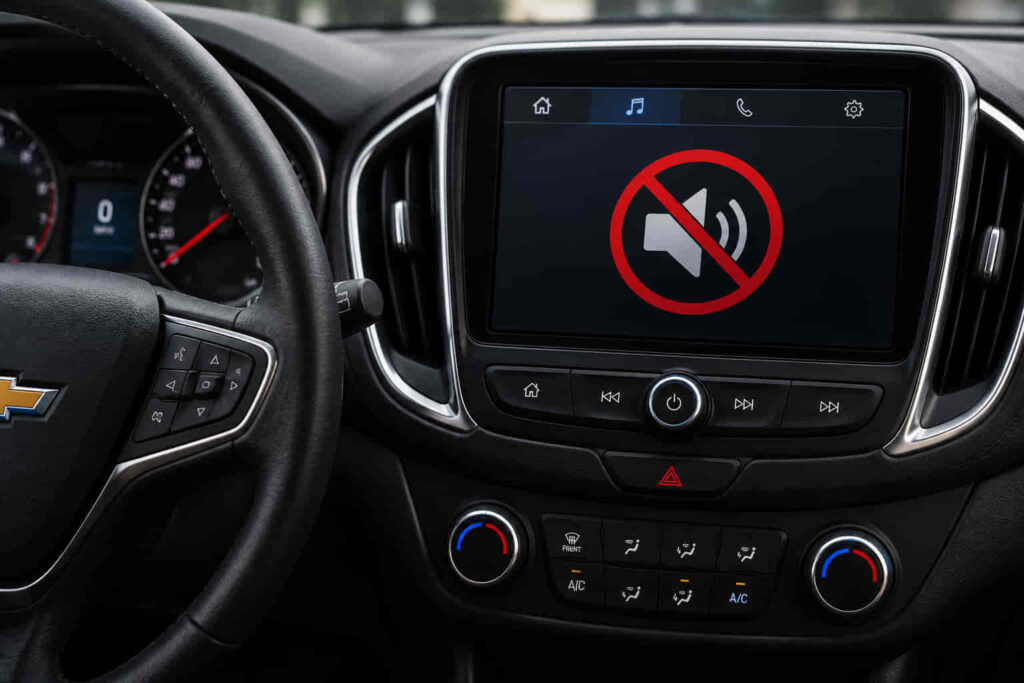
A Chevrolet audio system that suddenly stops working is more than a minor inconvenience because it affects navigation prompts, hands-free calling, media playback, and important vehicle alerts. The issue may appear in different ways. The radio powers on but produces no sound, Bluetooth connects without playing audio, only certain speakers work, or the entire infotainment system becomes unresponsive. Although these symptoms seem similar, they often originate from different components within the vehicle’s electrical and infotainment systems.
Modern Chevrolet vehicles rely on multiple modules working together to deliver audio. The infotainment unit communicates with amplifiers, speakers, control modules, wiring harnesses, and software through the vehicle network. A failure in any of these components can interrupt the audio signal even when the display, touchscreen, or radio interface appears to function normally. This is why replacing parts without diagnosing the actual cause often leads to unnecessary repair costs.
This guide explains the 12 most common reasons a Chevrolet audio system stops working, starting with the failures technicians encounter most frequently. Each section explains why the problem occurs, how to recognize its symptoms, and the most effective way to restore normal audio performance. By understanding these causes, Chevrolet owners can determine whether the issue is a simple fix, such as replacing a fuse or resetting the infotainment system, or a more complex electrical fault that requires professional diagnosis.
What are the most common reasons a Chevrolet audio system stops working?
The most common reasons a Chevrolet audio system stops working include a blown audio fuse, low battery voltage, infotainment software glitches, incorrect audio settings, Bluetooth conflicts, damaged speakers, amplifier failure, wiring problems, touchscreen module malfunctions, outdated system software, aftermarket stereo installation errors, and faults within the vehicle’s electronic control network. These issues account for the vast majority of no-audio complaints reported across Chevrolet models, including the Silverado, Equinox, Malibu, Tahoe, Traverse, Colorado, and Blazer.
Although every symptom leads to the same result—no sound from the speakers—the failure mechanism differs significantly between each cause. A blown fuse immediately cuts electrical power to the audio circuit, preventing the radio or amplifier from operating. In contrast, an infotainment software bug allows the screen and radio controls to function normally while interrupting digital audio processing. Likewise, damaged speakers prevent sound from being reproduced even though the head unit continues transmitting audio signals correctly. Understanding where the interruption occurs within the audio signal path is the fastest way to identify the defective component.
The diagnostic process should always begin with the simplest and highest-probability causes before moving to more advanced electrical testing. Experienced Chevrolet technicians typically verify battery voltage, inspect audio-related fuses, confirm audio settings, and restart the infotainment system before testing amplifiers, communication modules, or wiring harnesses. This structured approach reduces unnecessary component replacement and shortens repair time because many audio failures originate from basic electrical or software issues rather than expensive hardware defects.
The following sections examine each of the 12 most common causes in order of their likelihood, explaining how each problem affects the Chevrolet audio system, the warning signs that distinguish it from other failures, and the most effective repair method.
Is a blown audio fuse the most common reason for Chevrolet audio not working?
A blown audio fuse is the most common electrical reason a Chevrolet audio system suddenly stops working because it immediately interrupts the power supply to the radio, infotainment module, or external amplifier. When the fuse opens, the protected circuit can no longer receive electrical current, preventing the system from completing the audio signal path. In many Chevrolet models, this failure occurs without warning and may happen after a voltage spike, battery replacement, jump-start, short circuit, or an internal component drawing excessive current.
The symptoms of a blown audio fuse depend on which circuit the fuse protects. If the radio fuse fails, the infotainment screen may remain completely black or fail to power on. If the amplifier fuse blows, the display may continue working normally while no sound comes from any speaker. Certain Chevrolet vehicles separate the radio, amplifier, and accessory circuits into different fuses, meaning one failed fuse can disable audio while navigation, Bluetooth pairing, or touchscreen controls continue operating. This distinction often causes owners to suspect a software malfunction even though the problem originates from a simple electrical interruption.
The fuse itself is not the root cause of the failure. It functions as a protective device designed to sacrifice itself whenever electrical current exceeds the circuit’s safe operating limit. When excessive current flows because of damaged wiring, water intrusion, an amplifier fault, or an improperly installed aftermarket stereo, the fuse melts internally before expensive electronic components sustain permanent damage. Replacing the fuse restores power only if the abnormal electrical load no longer exists. If the new fuse blows immediately after installation, another component within the circuit is creating an overcurrent condition that requires further diagnosis.
Chevrolet places audio-related fuses in different fuse panels depending on the vehicle platform. Many Silverado, Tahoe, Suburban, and Colorado models locate infotainment and amplifier fuses inside the instrument panel fuse block or under the hood, while crossover models such as the Equinox, Traverse, Trailblazer, and Blazer may distribute audio protection across multiple fuse locations. Consulting the owner’s manual or the vehicle-specific fuse diagram ensures the correct fuse is inspected because similarly labeled circuits may perform different functions across production years.
Inspecting an audio fuse should always begin with a visual examination before replacing any component. A broken metal strip, dark discoloration, or melted housing usually indicates that the fuse has opened. However, visual inspection alone is not always reliable because microscopic breaks inside the fuse element are difficult to identify. Using a multimeter to verify continuity provides a more accurate diagnosis and prevents unnecessary replacement of functioning components. Professional technicians routinely perform this simple electrical test before investigating more complex failures involving the infotainment module or amplifier.
Replacing a blown fuse with one that has the correct amperage rating restores normal operation only when the overload was temporary. Installing a fuse with a higher amperage rating creates a serious safety risk because the wiring becomes the weakest point in the circuit instead of the fuse itself. Under continued overload conditions, excessive heat can damage connectors, melt insulation, or permanently destroy expensive control modules. For this reason, Chevrolet specifies precise fuse ratings for every protected circuit, and those specifications should never be altered during repair.
A blown fuse should therefore be viewed as the first checkpoint rather than the final diagnosis. If the replacement fuse survives and audio returns immediately, the interruption was likely isolated. If the replacement fails again or the audio system remains silent despite a healthy fuse, the fault usually lies deeper within the electrical network, such as the battery voltage supply, amplifier, infotainment software, communication modules, or wiring harness. Identifying those possibilities requires moving systematically through the remaining causes rather than replacing parts based on assumption alone.
Read more: Chevrolet App Not Working on iPhone
Can a dead or weak battery disable the Chevrolet audio system?
A weak or discharged battery can disable the Chevrolet audio system because every infotainment component depends on stable voltage to initialize, communicate, and process audio signals correctly. Modern Chevrolet vehicles no longer operate the radio as a standalone device. Instead, the infotainment head unit, Body Control Module (BCM), amplifier, instrument cluster, and other electronic modules communicate through the vehicle’s CAN bus network. When battery voltage drops below the required operating threshold, these modules may fail to boot correctly, lose synchronization, or enter a protective mode that prevents audio playback.
Low battery voltage often causes symptoms that appear unrelated to the battery itself. The infotainment screen may freeze during startup, reboot repeatedly, remain stuck on the Chevrolet logo, or display all normal menus while producing no sound. Bluetooth connections may establish successfully but fail to stream audio, steering wheel media controls may become unresponsive, and warning messages for unrelated electrical systems may appear simultaneously. Because these symptoms affect multiple electronic modules at once, they frequently indicate unstable system voltage rather than a defective radio or speaker.
Battery-related audio problems commonly develop after the vehicle has been parked for an extended period, during cold weather, or immediately after a battery replacement. A battery that has deteriorated with age may still contain enough power to start the engine but fail to provide consistent voltage during module initialization. Likewise, disconnecting or replacing the battery temporarily interrupts communication between electronic control modules. Until each module completes its initialization sequence and re-establishes communication across the network, the infotainment system may temporarily lose audio functions even though the display appears to operate normally.
The charging system also plays a critical role in maintaining infotainment performance. A healthy battery cannot compensate for a failing alternator that supplies inconsistent charging voltage while the engine is running. Voltage fluctuations caused by worn alternator components or poor battery terminal connections can interrupt communication between the infotainment module and amplifier, leading to intermittent audio loss that appears only while driving. Drivers often notice the sound cutting in and out, random system restarts, or audio returning after restarting the engine because voltage briefly stabilizes during the ignition cycle.
Diagnosing a battery-related audio issue requires evaluating the entire electrical supply rather than checking battery charge alone. Measuring battery voltage with the engine off and while the engine is running helps determine whether the battery and charging system operate within their expected ranges. Corroded battery terminals, loose ground connections, or damaged power cables should also be inspected because increased electrical resistance can reduce the voltage reaching sensitive infotainment modules even when the battery itself remains in good condition. Many intermittent audio failures are ultimately traced to poor electrical connections instead of defective entertainment components.
If the battery has recently been replaced, allowing the vehicle to complete its initialization process or performing an infotainment reset may restore normal operation without additional repairs. However, if audio problems continue after confirming stable battery voltage, proper charging output, and secure electrical connections, the fault usually lies elsewhere within the infotainment software, amplifier, communication network, or audio hardware. At that stage, further diagnosis should focus on the components responsible for generating and distributing the audio signal rather than the vehicle’s primary power supply.
Can software glitches mute the Chevrolet infotainment system?
Software glitches are one of the most common non-mechanical reasons a Chevrolet audio system stops working because the infotainment module relies on software to control every stage of audio processing. Unlike older vehicles that used a standalone radio, modern Chevrolet models integrate the infotainment system with multiple electronic control modules. The operating software manages media playback, Bluetooth communication, navigation prompts, voice commands, smartphone integration, amplifier control, and digital signal routing. When the software becomes unstable, the system may continue to power on normally while failing to output any sound.
Software-related audio failures usually develop after an interrupted system update, an unexpected voltage drop, corrupted temporary data, or a communication error between vehicle modules. During startup, the infotainment unit performs a sequence of initialization checks before establishing communication with the amplifier and other control modules through the CAN bus. If this initialization process is interrupted, the display may function normally while the digital audio channel never becomes active. As a result, the touchscreen responds to user input, radio stations change correctly, and Bluetooth devices remain connected, yet every audio source remains completely silent.
One characteristic that distinguishes a software problem from a hardware failure is the inconsistent nature of the symptoms. Audio may disappear after every engine start but return after restarting the vehicle. In other situations, sound functions correctly for several minutes before suddenly cutting out, or only specific features such as Apple CarPlay, Android Auto, or Bluetooth streaming lose audio while FM and AM radio continue operating normally. These inconsistent behaviors indicate that the software controlling media processing has become unstable rather than suggesting permanent damage to speakers or amplifiers.
Several Chevrolet models equipped with Chevrolet MyLink or newer GM Infotainment systems have experienced software-related audio concerns following firmware updates or battery disconnection. During these events, stored configuration data may not synchronize correctly after power is restored, causing communication failures between the infotainment module and amplifier. Because every electronic control unit depends on accurate software configuration to exchange data across the vehicle network, a minor software inconsistency can disable audio without generating obvious physical signs of failure.
Restarting the infotainment system is often the first corrective action because it forces the operating software to reload its communication processes. A simple system reboot clears temporary memory, terminates frozen background processes, and allows the audio controller to establish a fresh connection with the amplifier and connected devices. If the issue results from temporary software corruption rather than defective hardware, normal audio frequently returns after the restart sequence completes. This explains why many Chevrolet owners report that the sound begins working again after turning the vehicle off for several minutes or disconnecting the battery briefly.
When restarting the system fails to restore audio, checking for available software updates becomes the next logical step. Chevrolet periodically releases firmware revisions that improve infotainment stability, resolve communication bugs, and enhance compatibility with newer smartphones and connected services. Installing the latest approved software ensures that known programming defects affecting audio performance have been corrected. Vehicles serviced regularly at Chevrolet dealerships often receive these updates during scheduled maintenance, while other models may support over-the-air software updates depending on the infotainment platform and model year.
Persistent audio loss after software updates, infotainment resets, and system reboots usually indicates that the underlying problem extends beyond software alone. At that point, diagnosis should focus on hardware components responsible for transmitting or reproducing sound, including audio settings, Bluetooth routing, amplifiers, speakers, or the vehicle’s electrical communication network. Eliminating software as the source of the problem allows technicians to narrow the diagnosis efficiently and avoid replacing functioning electronic modules unnecessarily.
Can incorrect audio settings cause no sound?
Incorrect audio settings can completely mute a Chevrolet audio system even when every hardware component is functioning normally because the infotainment software controls how and where audio signals are delivered. Unlike electrical failures that interrupt power to the system, configuration errors prevent audio from reaching the intended output device or reduce the output level to zero. These settings can change after a software update, battery replacement, smartphone pairing, or accidental user input, making the problem appear as though the entire audio system has failed.
One of the most frequently overlooked settings is the audio source. The infotainment system continuously switches between FM radio, AM radio, SiriusXM, Bluetooth streaming, USB media, Apple CarPlay, Android Auto, and navigation prompts. If the selected source contains no active media or the connected device stops transmitting audio, the speakers remain silent even though the radio interface appears to operate normally. This situation commonly occurs when a smartphone disconnects unexpectedly while the infotainment system continues waiting for a Bluetooth audio stream that is no longer available.
Volume configuration can also create misleading symptoms. Modern Chevrolet infotainment systems maintain separate volume memory for different audio functions, including media playback, navigation guidance, phone calls, voice assistants, and notification alerts. Increasing the radio volume does not automatically increase Bluetooth call volume or navigation guidance. As a result, drivers often hear music normally while voice prompts remain silent, or experience the opposite condition where phone calls work correctly but media playback produces no sound. Because each audio channel stores independent settings, verifying only the master volume is rarely sufficient during diagnosis.
Another configuration that frequently contributes to audio complaints is the balance and fader adjustment. These controls determine how sound is distributed between the left and right speakers and between the front and rear of the cabin. If the balance is moved entirely toward one side or the fader is shifted completely to the rear, occupants seated elsewhere may believe the system has stopped working because little or no sound reaches their position. The issue becomes even more confusing when a damaged speaker coincides with an incorrect balance setting, effectively eliminating all audible output from the remaining functional speakers.
Chevrolet models equipped with premium Bose audio systems or advanced infotainment packages include additional digital sound processing features that influence audio behavior. Equalizer presets, surround sound processing, speed-sensitive volume adjustment, and customized user profiles all modify how audio is reproduced. Corrupted user profiles or synchronization errors between stored preferences and the infotainment software may occasionally restore default values incorrectly, resulting in muted outputs or abnormal sound levels after the vehicle starts. Switching to another driver profile or restoring factory audio settings often resolves these configuration conflicts without requiring hardware repairs.
Smartphone integration introduces another layer of audio routing that can interrupt playback. Apple CarPlay and Android Auto automatically determine whether media, voice calls, navigation instructions, or voice assistant responses should play through the vehicle speakers or remain on the connected device. If the audio output destination becomes misconfigured during connection or reconnection, music may continue playing on the smartphone while the Chevrolet infotainment display shows active playback without producing any sound. This behavior reflects an audio routing conflict rather than a failure of the speakers or amplifier.
Because configuration-related issues leave no visible physical evidence, they are often mistaken for hardware failures. Performing a systematic review of the audio source, output destination, volume levels, balance, fader, driver profile, and connected device settings eliminates many no-sound complaints within minutes. Professional technicians routinely complete these software checks before testing electrical circuits because configuration errors require no component replacement and represent one of the fastest problems to resolve. If every setting has been verified and audio still fails to return, attention should shift toward Bluetooth communication, amplifier operation, or other hardware-related causes capable of interrupting the audio signal.
Can Bluetooth or Apple CarPlay cause the audio to stop working?
Bluetooth, Apple CarPlay, and Android Auto can all prevent a Chevrolet audio system from playing sound because they dynamically control how audio is routed between the vehicle and connected mobile devices. Unlike traditional radio playback, smartphone integration depends on multiple communication protocols working simultaneously. The infotainment system must establish a stable data connection, identify the active media source, negotiate the correct audio profile, and route digital sound through the amplifier before any audio reaches the speakers. A failure at any stage of this process can leave the infotainment display fully operational while producing no audible output.
Bluetooth audio problems usually occur when the connection remains active but the media streaming profile fails to initialize correctly. Chevrolet infotainment systems use separate Bluetooth profiles for phone calls and media playback. A smartphone may connect successfully for hands-free calling while the Advanced Audio Distribution Profile (A2DP), which transmits music and other media, fails to activate. As a result, incoming calls play through the vehicle speakers normally, but Spotify, Apple Music, YouTube Music, or other streaming applications remain silent. This distinction often leads owners to suspect speaker failure even though the issue lies entirely within the wireless communication session.
Apple CarPlay and Android Auto introduce additional software layers that increase the complexity of audio routing. Once either platform becomes active, the infotainment system no longer manages media playback independently. Instead, the connected smartphone assumes responsibility for processing navigation guidance, voice assistant responses, phone calls, notifications, and entertainment audio before transmitting the final digital signal to the vehicle. If synchronization between the smartphone operating system and Chevrolet’s infotainment software becomes unstable, the audio stream may never reach the amplifier despite the touchscreen displaying active playback. Drivers frequently encounter situations where the music timer continues advancing, navigation maps operate normally, and voice commands respond correctly, yet the speakers remain completely silent.
Connection instability is another common contributor to intermittent audio loss. Wireless interference, outdated smartphone software, incompatible application versions, or damaged USB cables can interrupt communication between the mobile device and the infotainment module without completely disconnecting the session. Because modern Chevrolet infotainment systems prioritize maintaining the smartphone connection, they may continue displaying the CarPlay or Android Auto interface even after the audio transmission has failed. Disconnecting and reconnecting the device often restores communication temporarily because the system rebuilds the digital audio session from the beginning.
Software compatibility also plays an important role in maintaining reliable smartphone integration. Smartphone operating systems receive frequent updates that introduce new security features, revised Bluetooth protocols, and enhanced multimedia functions. If the Chevrolet infotainment firmware has not been updated to support these changes, communication inconsistencies may develop after a phone update even though the system functioned normally beforehand. Similar compatibility issues can occur when third-party media applications experience software bugs that interfere with audio playback while other applications continue operating without interruption.
Diagnosing smartphone-related audio issues requires isolating the source of the problem before replacing vehicle components. Testing the radio, SiriusXM, or a USB storage device helps determine whether the amplifier and speakers remain functional independently of Bluetooth or smartphone integration. If these built-in sources produce normal sound while Bluetooth, Apple CarPlay, or Android Auto remains silent, the fault almost always involves communication, software compatibility, or audio routing rather than a defective speaker or amplifier. Conversely, if every audio source fails simultaneously, the diagnosis should shift toward electrical components or infotainment hardware instead of the connected mobile device.
Resetting the Bluetooth connection, deleting previously paired devices, reconnecting the smartphone, updating both the mobile operating system and Chevrolet infotainment software, or restarting the infotainment module frequently resolves communication-related audio failures without requiring hardware replacement. When these corrective actions fail to restore sound, the investigation should move deeper into the vehicle’s audio hardware because the interruption is more likely occurring after the digital signal leaves the infotainment module. Components such as the speakers, amplifier, or wiring harness then become the next logical focus in the diagnostic process.
Can damaged speakers stop the sound?
Damaged speakers can stop a Chevrolet audio system from producing sound because they are the final components responsible for converting electrical audio signals into audible sound waves. Every signal generated by the infotainment unit and amplified by the audio system must ultimately pass through the speakers before reaching the occupants. If one or more speakers fail electrically or mechanically, the audio signal cannot be reproduced, regardless of whether the radio, Bluetooth, or infotainment system is operating correctly.
Speaker failures develop gradually in most cases rather than occurring suddenly. Every speaker contains a voice coil suspended within a magnetic field that moves a cone back and forth to generate sound. Continuous exposure to vibration, heat, moisture, dust, and high playback volumes gradually weakens these internal components. As the voice coil deteriorates or the cone material begins separating from its surround, the speaker loses its ability to reproduce sound accurately. Drivers often notice distortion, crackling, rattling, or intermittent audio long before complete speaker failure occurs.
The location and pattern of audio loss provide important clues during diagnosis. When only one speaker stops working, the problem is usually isolated to that individual speaker or its wiring. If every speaker on one side of the cabin becomes silent simultaneously, the fault is more likely related to shared wiring, amplifier output channels, or connector damage. Complete silence from all speakers rarely indicates that every speaker has failed at the same time. Instead, this symptom generally points toward a common upstream component such as the amplifier, infotainment module, or vehicle communication network.
Premium Chevrolet audio systems introduce another diagnostic consideration because they distribute sound through multiple speaker types rather than identical full-range drivers. Vehicles equipped with Bose premium audio packages may include tweeters, mid-range speakers, woofers, center-channel speakers, and subwoofers that operate on separate amplifier channels. A failure affecting only one amplifier channel can disable an entire group of speakers while leaving others fully operational. For example, low-frequency audio may disappear if the subwoofer channel fails, while navigation prompts continue playing through the front speakers. This uneven audio distribution often creates the impression of random speaker failure even though the speakers themselves remain functional.
Mechanical damage is not the only cause of speaker malfunction. Moisture entering door panels, corrosion at speaker connectors, damaged wiring inside flexible door boots, and loose electrical terminals can interrupt the audio signal before it reaches the speaker assembly. Door speakers are particularly vulnerable because the wiring harness repeatedly bends every time the door opens and closes. Over thousands of operating cycles, individual wires may fatigue internally and develop intermittent breaks that cause sound to cut in and out whenever the door changes position. This type of wiring failure closely resembles a defective speaker unless the circuit is tested systematically.
Aftermarket modifications can also contribute to speaker-related audio problems. Installing replacement speakers with incorrect impedance alters the electrical load seen by the factory amplifier. If the resistance falls outside the amplifier’s designed operating range, the amplifier may reduce output power or activate its internal protection circuitry to prevent overheating. In these situations, the newly installed speakers are not defective, but their electrical characteristics prevent the factory audio system from operating as intended. Using compatible components designed specifically for Chevrolet audio systems minimizes these compatibility issues.
Accurate speaker diagnosis requires confirming that an audio signal reaches the speaker before concluding that the speaker itself has failed. Professional technicians typically verify amplifier output, inspect wiring continuity, and test individual speakers using dedicated diagnostic equipment rather than replacing speakers based solely on the absence of sound. This systematic approach prevents unnecessary repairs because many apparent speaker failures originate elsewhere in the audio signal chain. If the speakers receive no signal despite remaining electrically functional, attention should shift to the amplifier, infotainment module, or communication network responsible for delivering audio throughout the vehicle.
Can a faulty amplifier cause no audio?
A faulty amplifier can completely disable a Chevrolet audio system because it is responsible for increasing low-level audio signals into signals powerful enough to drive the vehicle’s speakers. In Chevrolet models equipped with factory premium sound systems, the infotainment head unit does not send high-power audio directly to the speakers. Instead, it transmits a low-voltage digital or analog signal to a dedicated amplifier, which processes, amplifies, and distributes audio across multiple speaker channels. If the amplifier stops functioning, the audio signal never reaches the speakers even though the infotainment system, touchscreen, radio controls, and Bluetooth connection continue operating normally.
The amplifier serves as the bridge between the infotainment system and the speaker network. After the infotainment module decodes the selected audio source, whether FM radio, SiriusXM, Bluetooth, Apple CarPlay, Android Auto, or USB media, the signal is transferred to the amplifier through dedicated communication and power circuits. The amplifier then applies digital signal processing, balances audio frequencies, controls channel output, and delivers the appropriate power to each speaker. A failure at this stage interrupts the entire audio path, creating a situation where every media source appears functional but no sound is produced inside the cabin.
Amplifier failures generally develop because of electrical stress, excessive heat, moisture intrusion, or internal component degradation. Electronic circuits inside the amplifier operate continuously whenever the infotainment system is active, generating heat that must dissipate efficiently. Over time, repeated heating and cooling cycles can weaken solder joints, reduce capacitor performance, or damage integrated circuits responsible for audio amplification. Vehicles frequently exposed to humid environments or water leaks around the trunk, rear quarter panels, or under-seat amplifier locations are particularly susceptible to corrosion that gradually damages amplifier connectors and internal circuitry.
One characteristic symptom of amplifier failure is complete audio loss while every visual function remains unaffected. The touchscreen responds normally, radio stations change correctly, navigation maps continue updating, and Bluetooth devices connect without difficulty. Voice commands may even register successfully, yet every speaker remains silent. This occurs because the infotainment module continues processing digital information independently of the amplifier. The breakdown happens only when the system attempts to convert that information into an amplified audio signal capable of driving the speakers.
In some cases, amplifier deterioration progresses gradually rather than resulting in immediate silence. Drivers may first notice intermittent sound loss, sudden volume fluctuations, distorted bass, crackling speakers, or audio that disappears after several minutes of operation before returning once the vehicle cools down. These symptoms often indicate thermal instability inside the amplifier. As internal temperatures rise, damaged electronic components exceed their operating limits and activate protective shutdown mechanisms to prevent permanent failure. Once temperatures decrease, the amplifier temporarily resumes operation until excessive heat builds again.
Factory-installed premium audio systems found in Chevrolet models equipped with Bose sound systems rely even more heavily on amplifier performance because multiple speaker groups operate through independent amplifier channels. Separate outputs manage tweeters, mid-range speakers, woofers, center speakers, and subwoofers while digital signal processing optimizes sound quality throughout the cabin. A failure affecting one amplifier channel may disable only a specific group of speakers, whereas a complete amplifier malfunction silences the entire audio system. Understanding this distinction helps differentiate amplifier problems from isolated speaker failures during diagnosis.
Accurate amplifier diagnosis requires verifying that the unit receives proper battery voltage, ground, communication signals, and audio input before concluding that the amplifier itself has failed. An amplifier cannot produce sound if its power supply is interrupted by a blown fuse, damaged wiring harness, poor ground connection, or communication failure with the infotainment module. Professional technicians therefore confirm every supporting circuit before replacing the amplifier, since many apparent amplifier failures originate elsewhere within the vehicle’s electrical system. This structured diagnostic process prevents unnecessary replacement of one of the most expensive components in Chevrolet’s factory audio system.
If testing confirms that power, ground, communication, and audio input all remain within specification while the amplifier produces no output, replacement or professional repair becomes the appropriate solution. Continuing to troubleshoot speakers or infotainment software after verifying amplifier failure rarely restores audio because the interruption occurs at the stage where electrical signals are converted into usable speaker power. Eliminating amplifier faults before investigating downstream components significantly shortens diagnostic time and increases the likelihood of identifying the true cause of the Chevrolet audio system failure.
Can damaged wiring interrupt the Chevrolet audio system?
Damaged wiring can interrupt the Chevrolet audio system because every audio signal, power supply, and communication command travels through a network of electrical wires and connectors before reaching the infotainment module, amplifier, and speakers. Even when every electronic component is functioning correctly, a damaged wire or loose connector can break the circuit, increase electrical resistance, or disrupt communication between modules, preventing audio from being reproduced.
Unlike visible component failures, wiring problems are often intermittent and difficult to identify because the condition changes as the vehicle moves. Every time the engine vibrates, the suspension compresses, or a door opens and closes, the wiring harness flexes slightly. Over several years, repeated movement can fatigue copper conductors hidden beneath the insulation. The wire may appear intact from the outside while individual strands inside gradually fracture, creating an unstable electrical connection that causes the audio to cut in and out without warning.
Door wiring harnesses represent one of the most common locations for Chevrolet audio wiring failures. Front door speakers receive their power and audio signals through flexible rubber boots positioned between the door and the vehicle body. These harnesses bend thousands of times throughout the vehicle’s lifetime. As the insulation ages and copper conductors weaken, the circuit may temporarily disconnect whenever the door changes position. Drivers often notice that a speaker works with the door closed but becomes silent when opening the door, or vice versa. This behavior strongly indicates wiring fatigue rather than a defective speaker.
Connector-related problems can produce similar symptoms even when the wiring itself remains undamaged. Modern Chevrolet infotainment systems rely on multiple electrical connectors to link the head unit, amplifier, speakers, antennas, and body control modules. A partially seated connector, bent terminal, oxidized contact, or loose locking mechanism increases electrical resistance and interrupts signal transmission. Because digital audio communication depends on stable voltage and accurate data exchange, even a minor connector fault can prevent the amplifier from receiving valid audio information while every visible infotainment function continues operating normally.
Moisture intrusion significantly increases the likelihood of wiring failures. Water entering the cabin through damaged weather seals, clogged sunroof drains, leaking windshields, or compromised door barriers accelerates corrosion within electrical connectors and wire terminals. Corrosion forms an insulating layer between metal contacts, reducing conductivity and creating unstable communication across the audio network. Chevrolet vehicles that have experienced flooding or long-term exposure to humid environments often develop intermittent infotainment and audio issues that worsen over time as corrosion spreads through the electrical system.
Physical damage caused by rodents or improper repairs can also interrupt the audio circuit. Rodents frequently chew vehicle wiring insulation while seeking shelter inside the engine compartment or dashboard, exposing conductors and creating short circuits or open circuits. Likewise, poorly executed aftermarket installations may stretch, pinch, splice, or improperly secure factory wiring harnesses. These modifications increase the risk of broken conductors, electrical interference, and unreliable audio performance, particularly when aftermarket amplifiers, speakers, or remote start systems have been installed without following Chevrolet wiring specifications.
Because Chevrolet’s infotainment system depends on continuous communication between multiple electronic modules, damaged wiring affects more than speaker operation alone. A compromised communication circuit may simultaneously disable Bluetooth audio, steering wheel media controls, voice commands, backup camera audio alerts, or navigation guidance while the touchscreen itself remains responsive. These seemingly unrelated symptoms often share the same underlying electrical cause because every affected feature relies on the same communication network.
Diagnosing wiring faults requires a systematic electrical inspection rather than replacing individual audio components. Professional technicians verify circuit continuity, inspect connector integrity, measure voltage drop under load, and monitor communication signals throughout the wiring harness before condemning expensive modules such as the infotainment unit or amplifier. This methodical approach identifies hidden electrical failures that visual inspection alone cannot detect. If wiring integrity is confirmed throughout the audio circuit, attention should then shift toward the infotainment hardware itself, where internal module failures may prevent the system from processing and distributing audio correctly.
Can a touchscreen or infotainment module failure cause audio problems?
A touchscreen or infotainment module failure can completely disable the Chevrolet audio system because the infotainment module serves as the central controller responsible for processing, managing, and distributing every audio source throughout the vehicle. Unlike traditional car radios that simply transmitted analog signals to the speakers, modern Chevrolet infotainment systems operate as integrated control units that communicate with multiple electronic modules before audio reaches the amplifier. When the infotainment module malfunctions, the interruption occurs at the beginning of the audio processing chain, preventing every downstream component from receiving valid audio data.
The infotainment module performs significantly more functions than displaying menus on the touchscreen. It processes FM and AM radio signals, manages SiriusXM services, decodes Bluetooth audio streams, operates Apple CarPlay and Android Auto, controls voice recognition, generates navigation guidance, and exchanges data with the amplifier through the vehicle’s communication network. Every audio source passes through this module before being converted into a digital signal for playback. If the processor freezes, memory becomes corrupted, or communication software stops responding, the system may continue displaying the user interface while audio processing silently fails in the background.
One of the clearest indicators of infotainment module failure is the combination of multiple electronic symptoms occurring simultaneously. Rather than losing only radio audio, drivers may experience an unresponsive touchscreen, delayed menu transitions, frozen backup camera images, navigation that no longer updates correctly, voice commands that fail to respond, and Bluetooth devices that disconnect unexpectedly. These symptoms share the same root cause because they depend on the infotainment module’s operating system and processing hardware. When the central processor becomes unstable, every connected feature begins to degrade instead of only the audio output.
Not every infotainment failure results in a completely black display. In many Chevrolet vehicles, the screen continues functioning while internal software services responsible for audio processing stop communicating with the amplifier. The volume indicator changes normally, media playback appears active, and radio stations can still be selected, yet no sound reaches the speakers. This occurs because the graphical user interface and the audio processing engine operate as separate software functions within the infotainment module. A failure affecting only the audio service allows the display to remain responsive even though digital audio transmission has stopped.
Hardware deterioration inside the infotainment module can also contribute to long-term reliability issues. Continuous exposure to cabin heat, vibration, and repeated thermal expansion gradually stresses solder joints, memory chips, processors, and power management circuits. As these electronic components age, intermittent failures become increasingly common. The infotainment system may reboot without warning, freeze during startup, lose saved settings, or require multiple ignition cycles before functioning normally. These symptoms often become more frequent over time as internal electronic degradation progresses.
Communication failures between the infotainment module and other control units further complicate diagnosis. Chevrolet vehicles rely on high-speed data networks that allow electronic modules to exchange information continuously. If the infotainment controller loses communication with the amplifier, Body Control Module, or gateway module, audio playback may stop even though the touchscreen itself appears unaffected. In these situations, the underlying problem is not the speaker or amplifier but the inability of electronic modules to exchange the commands required for audio reproduction.
Because infotainment modules integrate hardware, software, and network communication into a single unit, diagnosis requires more than visual inspection. Professional technicians typically perform module scans using GM-compatible diagnostic equipment to identify communication faults, software errors, and internal module failures that cannot be detected through basic electrical testing alone. Diagnostic trouble codes stored within the infotainment controller often reveal whether the issue originates from corrupted software, interrupted communication, insufficient voltage, or failing internal electronics. This electronic diagnosis significantly reduces unnecessary replacement of speakers, amplifiers, or wiring that continue operating correctly.
When software resets, firmware updates, battery verification, and communication tests fail to restore normal audio operation, the infotainment module itself becomes the most likely source of the problem. Depending on the specific Chevrolet model and production year, the repair may involve reprogramming the module, installing updated firmware, repairing internal electronic components, or replacing the infotainment unit entirely. Confirming module failure before replacement is essential because it represents one of the most expensive components in the factory entertainment system, and many apparent infotainment failures ultimately originate from software instability or communication faults elsewhere in the vehicle’s electrical network.
How can you diagnose a Chevrolet audio system that is not working?
Diagnosing a Chevrolet audio system requires following the audio signal path from the power supply to the speakers instead of replacing components based on symptoms alone. Every audio source follows the same sequence: electrical power activates the infotainment system, the infotainment module processes the selected media, the amplifier increases the signal strength, the wiring delivers the signal to each speaker, and the speakers convert electrical energy into sound. Identifying the exact stage where this process stops is the fastest and most cost-effective way to determine the root cause.
The first step is verifying whether the problem affects every audio source or only one. Test the AM/FM radio, Bluetooth audio, Apple CarPlay or Android Auto, USB media, and navigation voice guidance individually. If every source produces no sound, the fault usually involves a shared component such as the fuse, battery voltage, amplifier, infotainment module, or communication network. If only Bluetooth or Apple CarPlay is silent while the radio plays normally, the issue is far more likely to involve smartphone connectivity, software compatibility, or media routing rather than a hardware failure.
Next, observe whether the infotainment system itself behaves normally. A responsive touchscreen, stable menus, working backup camera, and functioning steering wheel controls suggest that the infotainment module is still operating. In contrast, a frozen display, repeated system reboots, delayed screen responses, or missing menu functions indicate that the problem extends beyond audio playback and may originate within the infotainment controller itself. Because the infotainment module coordinates nearly every entertainment feature, widespread electronic symptoms usually point toward a software or hardware failure rather than a defective speaker.
Electrical power should then be verified before investigating expensive audio components. A weak battery, blown audio fuse, poor ground connection, or unstable charging voltage can interrupt infotainment operation long before permanent hardware damage occurs. Measuring battery voltage, confirming fuse continuity, and inspecting the primary ground connections eliminate several common causes that require only minor repairs. Many audio complaints are resolved after restoring stable electrical power without replacing the amplifier, speakers, or infotainment unit.
Once power integrity has been confirmed, attention should shift to the amplifier and speaker outputs. If the vehicle is equipped with a factory Bose premium sound system, the amplifier becomes a critical diagnostic checkpoint because every processed audio signal passes through it before reaching the speakers. An amplifier that receives power and communication but produces no output can silence the entire audio system even though the infotainment screen appears fully functional. If sound is missing from only one speaker or one side of the vehicle, inspecting speaker wiring and individual speaker circuits becomes more appropriate than replacing the amplifier.
The condition of the wiring harness should also be evaluated carefully. Loose connectors, damaged door harnesses, corrosion inside electrical terminals, and previous aftermarket modifications frequently interrupt audio signals without triggering obvious warning messages. Because these faults may occur only while the vehicle is moving or when a door changes position, intermittent audio problems often require physical inspection and electrical continuity testing instead of relying solely on visual observation.
Modern Chevrolet vehicles also store diagnostic information whenever electronic modules detect abnormal operating conditions. Using a professional scan tool capable of communicating with GM infotainment systems allows technicians to retrieve diagnostic trouble codes from the infotainment controller, amplifier, and related communication modules. These codes frequently identify software faults, communication interruptions, voltage irregularities, or internal hardware failures that cannot be confirmed through manual inspection alone. Reading stored diagnostic data before replacing components significantly improves diagnostic accuracy and reduces unnecessary repair costs.
Following this structured diagnostic sequence minimizes guesswork because each step either confirms or eliminates an entire category of possible failures. Beginning with the simplest checks, such as testing multiple audio sources and verifying electrical power, before progressing toward software diagnostics, amplifier testing, and module replacement prevents unnecessary repairs while increasing the likelihood of identifying the true cause of the Chevrolet audio system failure. A systematic approach consistently produces faster and more reliable results than replacing parts based solely on the absence of sound.
How do you fix a Chevrolet audio system that is not working?
Fixing a Chevrolet audio system requires correcting the specific fault that interrupts the audio signal rather than replacing parts at random. Because the audio system consists of interconnected electrical, software, and hardware components, there is no single repair that resolves every no-sound condition. The most effective solution depends on identifying whether the interruption occurs in the power supply, infotainment module, software, amplifier, wiring, or speakers. Addressing the root cause instead of the symptom not only restores audio more quickly but also prevents unnecessary replacement of expensive components.
The repair process should begin with the simplest and least expensive solutions. Restarting the infotainment system often clears temporary software errors that prevent audio processing from functioning correctly. In many Chevrolet models, cycling the ignition, allowing the system to shut down completely, or performing a factory infotainment reset restores normal communication between the head unit and the amplifier. If the issue appeared immediately after connecting a smartphone, deleting the Bluetooth pairing, reconnecting the device, or reconnecting Apple CarPlay or Android Auto may rebuild the audio session and restore sound without further repairs.
If software resets do not resolve the issue, the next step is verifying the vehicle’s electrical supply. Replacing a blown audio fuse, tightening a loose battery terminal, repairing a poor ground connection, or correcting low battery voltage frequently restores normal operation because every electronic module depends on a stable power source. Chevrolet infotainment systems are particularly sensitive to voltage fluctuations during startup. Even if the engine starts normally, insufficient voltage can prevent the infotainment controller or amplifier from initializing correctly, resulting in a silent audio system despite an otherwise functional display.
Software updates should also be considered whenever the infotainment system exhibits freezing, random reboots, Bluetooth instability, or intermittent audio loss. Chevrolet periodically releases firmware updates that improve compatibility with newer smartphones, resolve communication bugs, and enhance infotainment stability. Installing the latest approved software version can eliminate audio problems caused by programming errors rather than hardware defects. Likewise, keeping the smartphone operating system and media applications updated reduces compatibility conflicts with Apple CarPlay, Android Auto, and Bluetooth streaming.
When diagnosis identifies amplifier failure, replacement or professional repair becomes necessary because the amplifier is responsible for delivering sufficient power to every speaker. A defective amplifier cannot be restored through software updates or speaker replacement if its internal electronic circuits have failed. Likewise, damaged speakers that exhibit open voice coils, torn cones, or severe distortion should be replaced with components that match Chevrolet’s factory specifications. Installing incompatible aftermarket speakers with incorrect impedance can create new audio problems by placing excessive electrical load on the factory amplifier.
Electrical repairs become necessary when wiring damage interrupts the audio circuit. Broken conductors inside door harnesses, corroded connectors, loose terminals, or damaged communication wiring should be repaired or replaced before considering module replacement. Restoring proper electrical continuity often resolves intermittent sound loss that appears only while driving or when vehicle doors are opened and closed. Careful inspection of wiring is especially important in vehicles that have experienced water intrusion, collision repairs, or aftermarket electrical modifications because these conditions significantly increase the likelihood of hidden wiring faults.
If every supporting component operates correctly but the infotainment module continues failing to process or distribute audio, professional programming or module replacement may be required. Modern Chevrolet infotainment systems frequently require manufacturer-specific diagnostic equipment to install firmware updates, configure replacement modules, and synchronize communication with the vehicle’s electronic network. Simply installing another infotainment unit without proper programming may prevent the new module from functioning correctly or communicating with other control systems.
The most reliable repair strategy follows the same sequence used during diagnosis. Confirm stable electrical power, eliminate software issues, verify Bluetooth and smartphone connectivity, inspect wiring, test amplifier operation, evaluate speaker output, and replace major electronic components only after every supporting system has been verified. This systematic approach minimizes repair costs, avoids unnecessary parts replacement, and restores normal audio performance more efficiently than attempting multiple unrelated repairs. By resolving the underlying fault instead of treating the visible symptom, Chevrolet owners can ensure that the audio system remains reliable long after the immediate problem has been corrected.
Frequently Asked Questions
Why is my Chevrolet radio on but there is no sound?
A Chevrolet radio can display stations, respond to touch controls, and appear to function normally while producing no sound because the problem often occurs after the infotainment unit processes the audio. A failed amplifier, blown audio fuse, damaged wiring, software malfunction, or communication failure between electronic modules can interrupt the signal before it reaches the speakers. Testing multiple audio sources helps determine whether the issue affects the entire audio system or only one function.
Why did my Chevrolet audio suddenly stop working?
A Chevrolet audio system can stop working suddenly because of a software crash, battery voltage drop, blown fuse, amplifier failure, or temporary communication error between the infotainment system and other control modules. If the problem appears immediately after reconnecting the battery, updating a smartphone, or using Apple CarPlay or Android Auto, restarting the infotainment system and checking for software updates are good first steps before investigating hardware.
Can a weak battery affect the Chevrolet infotainment system?
Yes. Modern Chevrolet infotainment systems rely on stable battery voltage during startup. If battery voltage drops below the required operating range, the infotainment module or amplifier may fail to initialize correctly, causing the display to function while the speakers remain silent. Battery condition should always be verified before replacing audio components.
Does resetting the infotainment system fix audio problems?
A reset can resolve audio issues caused by temporary software glitches, corrupted memory, or interrupted communication between electronic modules. However, a reset will not repair damaged speakers, a failed amplifier, broken wiring, or other hardware faults. If the problem returns after resetting the system, further diagnosis is required.
Why does Bluetooth connect but no sound plays?
Bluetooth can connect successfully for phone calls while media audio remains unavailable because different Bluetooth profiles handle voice communication and music streaming. If the media streaming profile fails to establish correctly, the phone appears connected but music applications remain silent. Removing the paired device, reconnecting it, and updating both the smartphone and infotainment software often resolves this issue.
Can a blown fuse cause all speakers to stop working?
Yes. If the blown fuse supplies power to the infotainment module or external amplifier, every speaker can lose audio simultaneously. Checking the appropriate audio fuse should be one of the first diagnostic steps because it is quick, inexpensive, and often eliminates more serious causes.
How do I know if the amplifier is bad?
A faulty amplifier usually causes complete audio loss while the infotainment screen, radio controls, Bluetooth connection, and touchscreen continue operating normally. In premium Chevrolet audio systems, partial amplifier failure may also silence only certain speakers, such as the subwoofer or rear speakers. Confirming proper power, ground, and communication signals is essential before replacing the amplifier.
When should I take my Chevrolet to a dealership?
Professional diagnosis is recommended when software resets, fuse inspection, battery testing, and basic wiring checks fail to restore sound. A dealership or qualified repair facility has GM-compatible diagnostic equipment capable of scanning the infotainment module, amplifier, and communication network for manufacturer-specific fault codes. This allows technicians to identify software, hardware, and network issues that cannot be confirmed through visual inspection alone.
Read more: Chevrolet App Not Working on iPhone