Hyundai touch screen not working is one of the most frustrating infotainment problems for modern drivers. Today, the infotainment system does more than play music or radio. It controls navigation, Bluetooth, and many vehicle settings. Some models also connect it with driving assistance features. When the screen stops working, it affects both comfort and driving experience.
In vehicles from Hyundai Motor Company, the infotainment system combines software, hardware, and electrical components. This structure makes the system powerful but also complex. A failure can come from many sources. It may come from a software glitch, a firmware error, a weak electrical connection, or a damaged touchscreen panel.
Drivers often face different symptoms. The screen may freeze on startup. It may go completely black. It may stop responding to touch input. In some cases, the system restarts randomly while driving. Some users still hear audio, but the display stays off. These mixed symptoms make the problem harder to diagnose.
This guide helps you understand the real causes behind Hyundai touch screen not working issues. It also shows a clear step by step troubleshooting process. You will learn how to identify whether the issue comes from software, hardware, or electrical failure. You will also know when a simple reset is enough and when you need professional repair.
By the end of this guide, you will have a clear direction. You can decide whether to fix the issue yourself or take the vehicle to a service center with confidence.
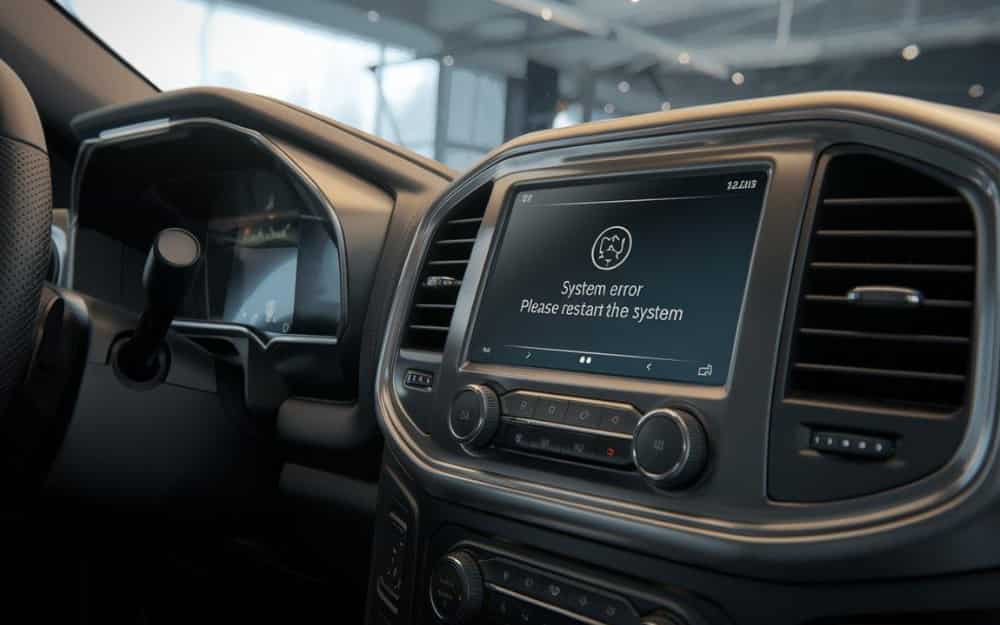
Common Symptoms of Hyundai Touch Screen Not Working
When a Hyundai touch screen stops working, it usually shows clear warning signs before a full failure happens. These symptoms help you identify whether the issue comes from software, hardware, or the electrical system. Understanding them early can save time and reduce repair costs.
One of the most common symptoms is a completely black screen. In this case, the infotainment system may still be running in the background, but the display does not show anything. Drivers often notice that audio still plays, but the screen stays off. This usually points to a display or power related issue.
Another frequent problem is a frozen screen. The system may get stuck on the Hyundai logo or a specific interface. When this happens, the touch function does not respond at all. The system looks active, but no input works. This is often linked to a software crash or firmware glitch.
Some users experience an unresponsive touch screen. The display shows content normally, but touch input does not register. You may tap multiple times without any reaction. This can indicate digitizer damage or calibration failure.
Lagging is another sign of a developing issue. The screen responds slowly to touch commands. Menus take longer to open, and navigation may delay. This often happens when the system memory is overloaded or the software becomes unstable.
Random rebooting can also occur. The system may restart while driving or switch off and on without warning. This usually signals instability in software or electrical supply.
In some cases, only certain functions fail. Bluetooth may disconnect, navigation may freeze, or radio controls may stop responding. These partial failures often point to software conflicts inside the infotainment system.
These symptoms often overlap. A single issue can create multiple signs at the same time. That is why correct diagnosis is important before attempting any fix.
Software Related Causes and Fixes
Many Hyundai touch screen problems come from software issues rather than physical damage. Modern infotainment systems rely heavily on operating software, so even a small glitch can affect the entire display and touch response.
One common cause is a temporary system crash. This often happens when the infotainment system runs too many background processes. The system may freeze, lag, or stop responding completely. In some cases, the screen stays on but no input works.
Firmware bugs are another frequent issue. The infotainment software inside vehicles from Hyundai Motor Company can develop errors after updates or long usage periods. A corrupted update or incomplete installation can lead to frozen screens, reboot loops, or black display problems.
Software conflicts can also trigger touch screen failure. When Bluetooth, navigation, and media apps run at the same time, the system may struggle to manage resources. This can result in slow response or sudden crashes.
To fix these issues, the first step is a soft reset. You can restart the infotainment system to clear temporary glitches. This often restores normal function without further action.
If the problem continues, a factory reset may help. This restores the system to original settings and removes corrupted data or incorrect configurations. However, you should back up important settings before doing this.
In some cases, a software update is required. Manufacturers often release updates to fix known bugs and improve system stability. Installing the latest firmware can resolve many recurring issues.
If the system still does not respond, disconnecting the car battery for a short time can help reset the electronic control unit. This method forces a full system reboot and clears deeper software errors.
Software issues are often easier to fix than hardware failures. That is why it is important to test these solutions before moving to more complex repairs.
Hardware and Electrical Causes
Not all Hyundai touch screen problems come from software. Many cases are linked to hardware damage or electrical instability. These issues are often more serious and usually require inspection or replacement of components.
A common hardware cause is a faulty touchscreen digitizer. The digitizer is the layer that detects touch input. When it fails, the display may still show images, but it does not respond to touch. This issue often appears gradually and gets worse over time.
Loose or damaged wiring can also cause the screen to stop working. The infotainment system depends on stable connections between the head unit, display, and vehicle power system. If a connector becomes loose or corroded, the screen may freeze, flicker, or go completely black.
Electrical issues are another major factor. A blown fuse in the infotainment circuit can cut power to the display. In this case, the screen will not turn on at all. Voltage instability from the car battery can also affect system performance and cause random shutdowns.
Heat and moisture can damage the display panel over time. High temperatures inside the car may weaken internal components. Moisture can also affect circuit boards and lead to permanent screen failure. These problems are more common in older vehicles or cars exposed to harsh conditions.
To diagnose hardware issues, you can start by checking the fuse box. A simple fuse inspection can quickly confirm whether the system is receiving power. Next, inspect visible wiring connections behind the head unit if accessible. If the screen shows partial response, it may indicate a digitizer or internal display fault.
Unlike software problems, hardware issues rarely fix themselves. If the screen remains unresponsive after resets and updates, physical repair or replacement is usually required.
Advanced Issues After Battery Change or Power Loss
Some Hyundai touch screen problems appear right after a battery replacement or sudden power loss. These cases confuse many drivers because the system worked normally before the interruption.
When the battery is disconnected or replaced, the infotainment system inside Hyundai Motor Company may lose temporary configuration data. This can trigger a system reset loop or cause the screen to stop responding. The system may also take longer to boot or freeze on the startup logo.
Another common issue is ECU synchronization failure. The infotainment system depends on communication with the vehicle’s electronic control unit. When power is cut suddenly, this communication can become unstable. As a result, the touch screen may not respond correctly or may show partial functionality.
Calibration loss is another possible cause. The system may lose touch alignment after a power reset. In this case, the screen still displays content, but touch input does not match the correct areas. This makes the system feel broken even though the hardware is still working.
In many cases, the system can recover on its own after a few restarts. Leaving the vehicle off for several minutes may allow the modules to stabilize. This simple step often resolves minor post battery replacement glitches.
If the issue continues, a full system reset may be required. This helps reinitialize the infotainment settings and restore proper communication between components. In some cases, a dealer level diagnostic tool is needed to complete recalibration.
If the screen remains unresponsive after all attempts, the issue may not be software related anymore. At that point, professional inspection becomes necessary to avoid further system errors.
When to Repair or Replace the Infotainment System
Not every Hyundai touch screen problem can be solved with a reset or software update. At some point, you need to decide whether to repair or replace the infotainment system. Making the right choice can save both time and money.
If the screen shows minor issues like lag, freezing, or occasional unresponsiveness, repair is usually enough. These problems often come from software errors or small electrical faults. In many cases, a reset or firmware update restores normal function.
However, if the screen stays black, shows no response after multiple resets, or fails to power on completely, the issue is more serious. This often indicates hardware failure in the display panel or internal circuit board. In these cases, repair may not be reliable in the long term.
Cost is another important factor. Repair is usually cheaper when the issue is limited to wiring, fuse replacement, or software correction. On the other hand, replacing the full head unit becomes more cost effective when multiple components fail at the same time.
Vehicles from Hyundai Motor Company often require dealer level diagnostics for accurate assessment. Service centers can run system tests to identify whether the issue comes from the screen, the control module, or the power supply system. This helps avoid unnecessary replacement.
Warranty coverage also plays a role. If your vehicle is still under warranty, many infotainment system failures may be repaired or replaced at no cost. This makes dealer inspection the safest option before spending money on third party repairs.
In general, you should try software fixes first. If the problem persists and affects basic screen functionality, replacement becomes the more reliable long term solution.
Conclusion
Hyundai touch screen not working issues can come from many different sources. Some problems are simple and temporary, while others are more serious and require technical repair. Understanding the difference helps you avoid unnecessary costs and reduces downtime.
Most cases start with software related issues. A system crash, firmware bug, or temporary glitch can cause freezing, lag, or unresponsive touch behavior. These problems often respond well to a soft reset, factory reset, or software update. In many situations, these steps restore normal function without further intervention.
Hardware and electrical issues are more complex. A damaged digitizer, faulty wiring, blown fuse, or unstable power supply can stop the screen from working completely. These problems usually do not improve with resets. They require inspection and sometimes replacement of components.
Power loss after battery replacement can also trigger system instability. The infotainment system inside Hyundai Motor Company may need time to recalibrate and reinitialize communication between modules. In some cases, a full diagnostic scan is necessary to restore proper operation.
The key to solving this problem is a step by step approach. Start with simple software fixes, then move to electrical checks, and finally consider hardware repair if needed. This method helps you identify the root cause instead of guessing.
If your Hyundai touch screen still does not work after all troubleshooting steps, the safest option is to visit an authorized service center. Professional diagnosis ensures the system is repaired correctly and prevents further damage.
By following this guide, you can understand your infotainment system better and make confident decisions when problems occur.