Replacing your Honda Pilot battery should be a simple job. However, many owners discover a new problem as soon as they start the vehicle. The radio may display CODE, show an ERROR message, freeze on a black screen, or stop working completely. As a result, many drivers search for how to reset Honda Pilot radio without code because they want a quick and safe solution.
Some radio problems are easier to fix than you might think. A frozen infotainment system often needs a simple restart. A temporary software issue may disappear after a proper reset. However, an older Honda Pilot uses an anti theft radio system to protect the vehicle. After a battery replacement or power loss, the radio may ask for the original security code. In this case, no reset procedure can remove the protection permanently.
For that reason, you should identify the exact problem before trying any solution. A frozen screen requires different steps than a radio that displays CODE. Likewise, an ERROR message usually points to a different issue. Understanding these differences saves time and helps you avoid unnecessary troubleshooting.
This guide explains how to reset Honda Pilot radio without code using safe and legitimate methods. You will learn how to restart a frozen radio, reset the infotainment system, find the radio serial number, and recover the correct security code when necessary. You will also discover how to solve the most common radio problems after a battery replacement. By the end of this guide, you will know which method works best for your Honda Pilot.
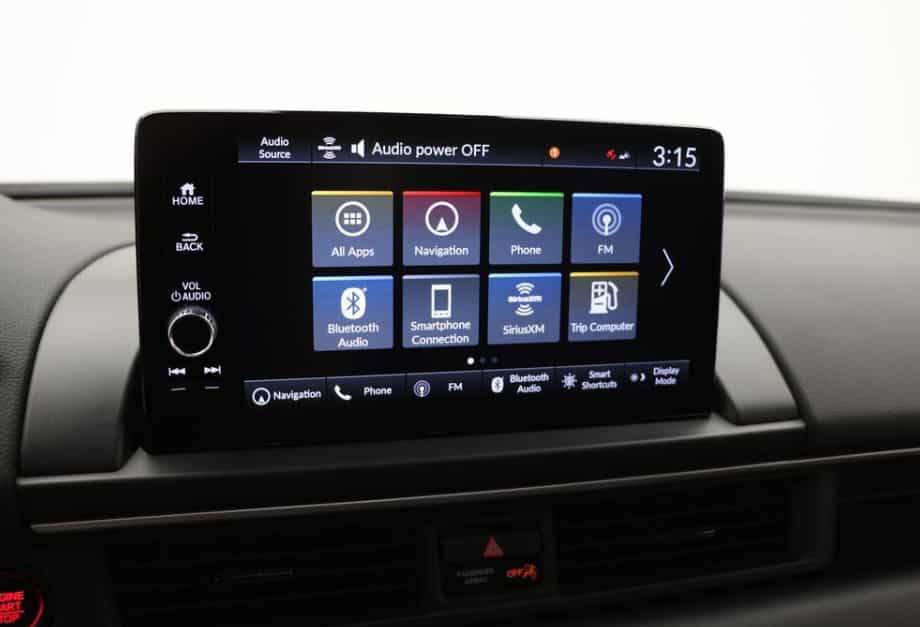
Can You Reset a Honda Pilot Radio Without the Code?
Yes, but the answer depends on the problem. You can reset a frozen Honda Pilot radio without entering a security code in many cases. A simple restart often fixes software glitches, touchscreen freezes, or temporary audio issues. However, an older Honda Pilot radio that displays CODE uses an anti theft security system. In that situation, you must enter the correct code before the radio will work again.
Many drivers believe a factory reset can remove the security lock. Unfortunately, that is not how the system works. Honda designed the anti theft feature to protect the radio after a battery replacement or power loss. Because of this protection, no button combination or reset procedure can permanently bypass the security code on supported models.
The first step is to identify the message on the screen. A frozen display usually points to a software problem. A CODE message indicates that the radio has lost power and now requires verification. An ERROR message often appears after several incorrect code attempts. Once you know which message your Honda Pilot shows, you can choose the correct solution instead of wasting time on methods that do not match the problem.
In short, you can reset many Honda Pilot radio issues without a code. However, you cannot unlock an anti theft protected radio without the correct security code. The following sections explain how to identify your problem and apply the safest solution for your specific Honda Pilot.
Identify What Your Honda Pilot Radio Is Displaying
Before you reset the radio, check the message on the display. This simple step helps you avoid unnecessary troubleshooting. Different messages point to different problems, so the correct solution depends on what you see on the screen.
The Screen Is Frozen or Black
A frozen or black screen usually indicates a software issue instead of a security problem. The infotainment system may stop responding after a battery replacement, low battery voltage, or an interrupted startup. In most cases, a simple restart restores normal operation. You should try this method before disconnecting the battery or searching for a radio code.
The Display Says CODE
A CODE message means the anti theft system has activated. This commonly happens after the battery loses power or someone disconnects it during maintenance. The radio now waits for the original security code before it will operate again. In this case, resetting the system alone will not unlock the radio.
The Display Says ERROR
The ERROR message usually appears after someone enters the wrong code several times. The radio blocks additional attempts to protect the system from unauthorized access. Instead of guessing another number, verify the radio serial number and obtain the correct security code before trying again.
The Radio Has Power but No Sound
Sometimes the radio turns on, but no sound comes from the speakers. This problem may result from muted audio, incorrect input selection, Bluetooth settings, a blown fuse, or an amplifier issue. Because the display works normally, the security code often has nothing to do with this type of problem.
Method 1: Perform a Soft Reset on the Honda Pilot Radio
A soft reset is the safest way to fix a frozen Honda Pilot radio. It does not erase your personal settings or damage the infotainment system. In many cases, this simple process restores normal operation after a temporary software glitch or power interruption. Try this method before disconnecting the battery or looking for the radio security code.
Step 1: Park the Vehicle Safely
Park your Honda Pilot on a level surface and shift the transmission into Park. Turn off unnecessary electrical accessories such as the air conditioner, heated seats, and phone chargers. Keeping the electrical load low helps the infotainment system restart correctly.
Step 2: Turn Off the Audio System
Press the power button or volume knob to switch off the radio. Wait for about thirty seconds before touching any other controls. This short pause allows the system to complete any background processes.
Step 3: Restart the Vehicle
Turn off the engine completely and remove the key if your model uses a traditional ignition. If your Honda Pilot has a push button start system, switch the vehicle completely off. Wait for one to two minutes, then start the engine again. This restart often clears temporary software issues.
Step 4: Press and Hold the Power Button
Turn on the audio system and press the power button for several seconds. Some Honda Pilot models restart the infotainment system automatically after you hold the button. Others display a prompt asking whether you want to reboot the audio system. Follow the instructions on the screen if this message appears.
Step 5: Check the Radio Functions
After the system restarts, test every major function. Listen to an FM station, connect a Bluetooth device, and check the USB connection if your vehicle has one. If your Honda Pilot supports Apple CarPlay or Android Auto, confirm that both systems connect normally. Finally, test the steering wheel audio controls to make sure everything responds as expected.
When a Soft Reset Does Not Work
A soft reset cannot solve every problem. If the display still shows CODE, the anti theft system remains active and requires the correct security code. If the screen stays black or continues to freeze, the issue may involve the infotainment software, the battery, a blown fuse, or another electrical component. In that case, continue with the next troubleshooting method to narrow down the cause.
Method 2: Reset the Radio by Disconnecting the Battery
Disconnecting the battery can restart the Honda Pilot electrical system. This method may fix temporary software problems that a soft reset cannot solve. However, it can also activate the anti theft feature on older models. If your radio later displays CODE, you will need the correct security code before you can use the audio system again.
Prepare Before You Disconnect the Battery
Take a few minutes to prepare before you begin. Make sure the engine is off and remove the key if your vehicle uses a traditional ignition. If your Honda Pilot has a push button start system, switch the vehicle completely off. Wear protective gloves and use the correct wrench for the battery terminal. It is also a good idea to save important settings if your model allows it.
Step 1: Open the Hood
Release the hood latch from inside the cabin. Raise the hood and secure it with the support rod if your vehicle uses one. Locate the battery and identify the negative terminal. It usually has a black cable and a minus symbol.
Step 2: Disconnect the Negative Battery Cable
Loosen the nut on the negative terminal with the proper wrench. Lift the cable away from the battery and keep it away from the terminal. This prevents the cable from making accidental contact while you wait.
Step 3: Wait for the System to Reset
Leave the battery disconnected for about five to ten minutes. During this time, the vehicle can clear temporary electrical faults stored in memory. Avoid pressing buttons inside the cabin while the battery remains disconnected.
Step 4: Reconnect the Battery
Reconnect the negative battery cable and tighten the terminal securely. Make sure the connection feels firm and does not move. A loose terminal can cause voltage problems and lead to additional electrical issues.
Step 5: Start the Vehicle
Start the engine and allow the vehicle to idle for a few minutes. Turn on the radio and check whether it responds normally. Test the touchscreen, audio controls, Bluetooth connection, and other features to confirm that everything works correctly.
What Happens After Reconnecting the Battery
Some Honda Pilot models restore normal operation immediately. Others may ask you to reset the clock, power windows, or other personal settings. Older vehicles may display CODE on the radio screen because the anti theft system detects the power loss. If this happens, continue with the next section to learn how to recover the correct security code.
When You Should Avoid This Method
Do not disconnect the battery if you suspect the battery itself has failed or if the terminals show heavy corrosion. You should also avoid this method when the radio already displays an ERROR message after several incorrect code attempts. In these situations, disconnecting the battery rarely fixes the problem. Instead, identify the radio serial number and retrieve the correct code before trying again.
Method 3: Reactivate a Newer Honda Pilot Radio Without Entering a Code
Many newer Honda Pilot models can restore the audio system without asking you to enter a security code. Instead of using a traditional anti theft code, these vehicles often reactivate the infotainment system after a simple restart. The exact procedure depends on the model year and audio system, but the steps below work for many recent Honda Pilot models.
Step 1: Turn the Vehicle On
Start the engine or switch the vehicle to the ON position. A stable power supply helps the infotainment system complete the restart process. If the battery is weak, charge or replace it before continuing.
Step 2: Turn On the Audio System
Press the power button once and wait for the display to respond. Do not press multiple buttons at the same time. Give the system a few moments to complete its startup sequence before moving to the next step.
Step 3: Press and Hold the Power Button
Press and hold the audio power button for several seconds. Many Honda Pilot models display a message asking whether you want to restart the system. Confirm the restart if the prompt appears. The screen may turn black for a short time before the Honda logo appears again.
Step 4: Wait for the Restart to Finish
Allow the infotainment system to complete the reboot without interruption. Avoid turning off the engine or pressing additional controls during this process. The restart may take a minute, depending on the software version installed in your vehicle.
Step 5: Confirm That Everything Works
After the system finishes restarting, test every major function. Check the FM and AM radio, Bluetooth audio, USB playback, navigation, Apple CarPlay, and Android Auto if your vehicle supports these features. Also confirm that the touchscreen responds normally and that the steering wheel controls work as expected.
If the Radio Still Does Not Work
If the audio system remains unresponsive, look for any message on the display. A CODE message usually indicates that the radio requires the original security code. An ERROR message often points to repeated incorrect code attempts. A black or frozen screen may suggest a software or hardware problem instead. Identifying the message helps you choose the correct solution and avoids unnecessary troubleshooting.
Why This Method Works
Modern Honda Pilot infotainment systems rely more on software than older radio units. A restart can reload system files, restore communication between electronic modules, and clear temporary software errors. As a result, many minor problems disappear without replacing parts or performing complex repairs. If the restart does not solve the issue, the next step is to identify the radio serial number and retrieve the correct security code when required.
Method 4: Find the Honda Pilot Radio Serial Number
Finding the radio serial number is an important step if your Honda Pilot asks for a security code. Honda uses this unique number to identify the original audio unit installed in the vehicle. Once you have the serial number, you can request the correct radio code through Honda or an authorized dealership. Taking a few minutes to locate this information can save you from unnecessary repairs and repeated troubleshooting.
The easiest place to start is your vehicle paperwork. Many Honda Pilot owners find the radio code or serial number inside the owner’s manual, maintenance records, or the original delivery documents. Some vehicles also include a small sticker inside the glove compartment that lists the radio code. Check these locations carefully before trying more advanced methods.
If you cannot find the information in your documents, try displaying the serial number directly on the radio. On many older Honda Pilot models, turn the ignition to the ON position until the radio displays CODE. Next, switch the radio off. Press and hold the preset 1 and preset 6 buttons, then press the power button while holding both buttons. The screen may display the complete serial number or split it into two parts. Write every character exactly as it appears to avoid mistakes later.
Newer Honda Pilot models may use a different infotainment system and may not support this button combination. In that case, the serial number may only be available through the system settings or on a label attached to the radio unit. Once you have the serial number, record it together with your VIN and keep both numbers in a safe place. You will need them when requesting the correct security code from Honda.
Method 5: Retrieve the Correct Honda Pilot Radio Code
Once you have the radio serial number, the next step is to retrieve the correct security code. This code unlocks the factory radio after it loses power because of a battery replacement, battery failure, or electrical repair. Using the correct code is the safest and most reliable way to restore your Honda Pilot audio system. It also prevents unnecessary error messages that can appear after repeated incorrect attempts.
Before requesting the code, gather all the required information. You will usually need the vehicle identification number, also known as the VIN, along with the radio serial number. In some situations, Honda may also ask for proof of ownership to confirm that you own the vehicle. Preparing these details in advance makes the process much faster and helps avoid delays.
If your Honda Pilot still has the original factory radio, you can request the security code through Honda’s official radio code recovery service or by visiting an authorized Honda dealership. These sources provide the correct code based on your vehicle information. Avoid using random code generators or unofficial websites because they may provide inaccurate results or request personal information that is not necessary.
After receiving the correct code, enter each digit carefully by using the radio preset buttons or the touchscreen, depending on your Honda Pilot model. Double check every number before confirming your entry. Several incorrect attempts can trigger an ERROR message and temporarily lock the radio. If the code does not work, verify that you recorded the correct serial number and VIN. You should also confirm that the radio is the original unit installed in the vehicle. If everything matches and the problem continues, contact an authorized Honda dealer for additional assistance.
What to Do When Your Honda Pilot Radio Displays ERROR
Seeing an ERROR message on your Honda Pilot radio can be frustrating, especially after entering what you believe is the correct security code. In most cases, this message appears because the radio has received several incorrect code attempts. The anti theft system temporarily locks the unit to prevent unauthorized access. Fortunately, this does not always mean the radio is damaged. A careful approach can help you restore normal operation.
The first thing you should do is stop entering random numbers. Every incorrect attempt increases the chance of extending the lockout period. Instead, verify that you have the correct radio serial number and VIN. Even one incorrect digit can generate the wrong security code. If you copied the serial number from the display, compare it again with the original information before requesting another code.
Next, check whether the radio installed in your Honda Pilot is the original factory unit. Some used vehicles receive replacement radios during previous repairs. If the radio has been replaced, the original code linked to the VIN may no longer work. In this situation, Honda or an authorized dealership can help identify the correct code by checking the serial number on the replacement unit.
If you are confident that the code is correct but the ERROR message remains, leave the radio alone and consult the owner’s manual for your specific model year. Different Honda Pilot models may follow different recovery procedures after multiple incorrect attempts. Once the system allows another attempt, enter the verified code carefully without rushing. If the radio still refuses to unlock, contact an authorized Honda dealer for further diagnosis. A technician can confirm the radio information, inspect the electrical system, and determine whether the problem involves the security system or the radio hardware itself.
Common Mistakes to Avoid When Resetting a Honda Pilot Radio
Many Honda Pilot owners make simple mistakes while trying to restore their radio. These errors often waste time and may create additional problems. Understanding what to avoid can help you reset the radio safely and improve your chances of fixing the issue on the first attempt.
One of the most common mistakes is entering random security codes. Many drivers hope they will eventually guess the correct number. Unfortunately, this approach rarely works. Every incorrect attempt increases the risk of triggering an ERROR message and temporarily locking the radio. Instead of guessing, verify the radio serial number and request the correct code through official channels.
Another mistake is disconnecting the battery before identifying the real problem. A battery reset may clear a temporary software issue, but it can also activate the anti theft system on older Honda Pilot models. As a result, you may create an additional problem that requires the security code before the radio will work again.
Some owners also rely on unofficial websites that promise free radio codes. While a few online tools may appear helpful, many provide inaccurate information or request unnecessary personal details. Using an incorrect code can delay the recovery process and increase the chance of another lockout. Official Honda resources remain the safest option for retrieving the correct code.
It is also important to remember that not every Honda Pilot uses the same radio system. Button combinations, menu layouts, and reset procedures vary by model year and trim level. A method that works on an older vehicle may not work on a newer infotainment system. Before following any instructions, confirm that they match your specific Honda Pilot.
Finally, avoid removing dashboard panels unless you have the proper tools and experience. Modern dashboard components contain delicate clips, electrical connectors, and sensitive trim pieces. A small mistake can lead to broken parts or expensive repairs. If you cannot locate the serial number or the radio continues to malfunction after trying the recommended solutions, professional assistance is usually the safest and most cost effective choice.
Frequently Asked Questions
Can I reset a Honda Pilot radio without the security code?
Yes, but it depends on the problem. If the radio freezes because of a temporary software issue, a soft reset or infotainment system restart may restore normal operation without entering a security code. However, if the display shows CODE after the battery loses power, the anti theft system requires the correct security code before the radio will work again.
Why does my Honda Pilot radio ask for a code after replacing the battery?
Honda includes an anti theft feature in many factory radios. When the battery is disconnected or completely discharged, the radio loses power and activates this security function. The system requests the original code to confirm that the radio remains in the correct vehicle and has not been stolen.
Where can I find my Honda Pilot radio code?
The radio code may appear inside the owner’s manual, the maintenance booklet, or on a sticker placed inside the glove compartment. If you cannot find it, use the radio serial number and your VIN to request the correct code through Honda or an authorized Honda dealership.
How do I find the radio serial number?
Many older Honda Pilot models allow you to display the serial number by using the radio controls. Some newer models store the information inside the infotainment system or on a label attached to the radio unit. If you cannot locate the number, an authorized Honda dealer can usually retrieve it for you.
Will disconnecting the battery reset the radio?
Disconnecting the battery may restart the infotainment system and clear temporary software issues. However, it can also activate the anti theft feature on older Honda Pilot models. If this happens, the radio will request the original security code before it becomes usable again.
Can a factory reset remove the CODE message?
No. A factory reset restores software settings and deletes personal data stored in the infotainment system. It does not disable the anti theft feature or remove the security code requirement. If the radio displays CODE, you must enter the correct code to unlock it.
Why does the radio display ERROR after I enter the code?
The ERROR message usually appears after several incorrect code attempts. Double check the radio serial number, verify the VIN, and confirm that you received the correct security code. If the problem continues, the radio may have been replaced in the past or require professional diagnosis.
Do all Honda Pilot models require a radio code?
No. Older Honda Pilot models commonly require a security code after a power loss. Many newer models use updated infotainment systems that can reactivate automatically or restart through the power button. The exact procedure depends on the model year, trim level, and factory audio system.
Can I use an online radio code generator?
Many websites claim to generate Honda radio codes, but their accuracy varies. Some may request unnecessary personal information or provide incorrect results. To avoid additional problems, retrieve the code through Honda’s official resources or an authorized dealership whenever possible.
When should I visit a Honda dealer?
You should contact an authorized Honda dealer if the radio continues to display CODE or ERROR after following the recommended steps. Professional assistance is also helpful if you cannot find the radio serial number, suspect the radio has been replaced, or believe the infotainment system has a hardware or software fault.
Conclusion
Learning how to reset a Honda Pilot radio without code starts with identifying the exact problem. A frozen screen, a software glitch, and an anti theft lock may look similar at first, but each one requires a different solution. Choosing the correct method saves time and helps you avoid unnecessary repairs or repeated troubleshooting.
In many situations, a simple soft reset or infotainment system restart is enough to restore normal operation. If your Honda Pilot displays CODE after a battery replacement, you should locate the radio serial number and retrieve the correct security code through Honda or an authorized dealership. Entering random numbers or following unverified online advice can create additional problems and extend the recovery process.
Regular battery maintenance and keeping a record of your radio code, VIN, and serial number can prevent future frustration. These details are easy to store and can save valuable time if the radio loses power again.
We hope this guide has helped you understand how to reset a Honda Pilot radio without code safely and correctly. If you have experienced a different radio issue or discovered another solution that worked for your Honda Pilot, share your experience in the comments. Your advice may help other owners solve the same problem more quickly and with greater confidence.