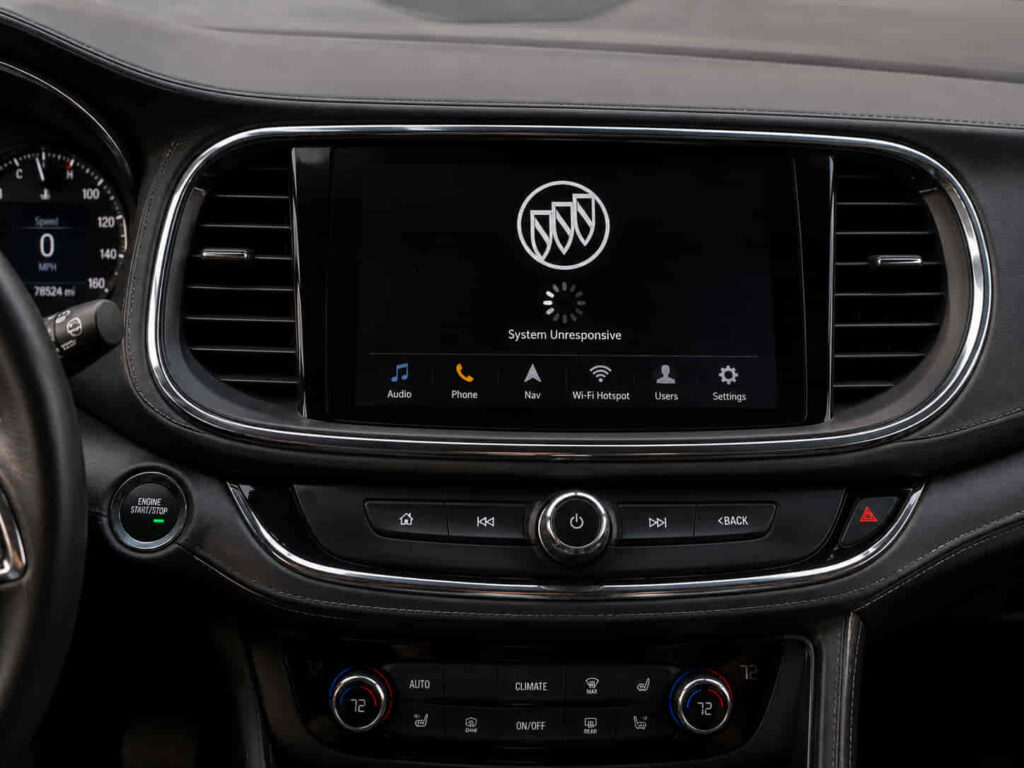
Buick Infotainment System Problems occur when the vehicle’s digital entertainment and connectivity system cannot perform normal functions such as displaying information, connecting smartphones, controlling audio, or responding to user commands. The infotainment system is an important electronic platform that combines touchscreen controls, Bluetooth, Apple CarPlay, Android Auto, navigation, and vehicle information features into one interface.
Modern Buick vehicles rely heavily on software and electronic communication, which means infotainment problems are not always caused by physical component failures. A frozen screen, failed smartphone connection, missing audio, or slow response may result from software glitches, outdated firmware, communication errors, or unstable electrical power.
Common issues can affect different parts of the system. Some drivers experience a completely black display, while others may notice that the touchscreen does not respond, Bluetooth disconnects repeatedly, or Apple CarPlay fails to recognize a connected device. These problems can occur on different Buick models because the infotainment system shares similar software and electronic components across the vehicle lineup.
Understanding the source of the problem is important because a software issue may only require a reset or update, while a hardware failure may require replacement of the display unit or control module. Replacing expensive components without proper diagnosis can lead to unnecessary repairs.
This guide explains how the Buick Infotainment System works, the most common problems, why they occur, how to diagnose failures, how to reset the system, and when professional repair is required.
How Does the Buick Infotainment System Work?
The Buick Infotainment System works by combining hardware components, software platforms, and communication networks to provide entertainment, connectivity, and vehicle information through a central digital interface. The system acts as a communication hub that connects the driver with audio features, smartphone applications, navigation functions, and other vehicle-related information.
The main component users interact with is the touchscreen display, which provides access to menus, settings, audio controls, and connected devices. Behind the display, the infotainment control module processes commands and manages communication between different features, including Bluetooth, USB connections, Apple CarPlay, and Android Auto.
The software platform controls how the system responds to user inputs and manages compatibility with external devices. Because modern Buick infotainment systems rely on software, updates and firmware improvements are important for maintaining system stability and correcting known issues.
The infotainment system also communicates with other vehicle modules through the vehicle’s electronic network. This allows the system to display information such as vehicle settings, warnings, and connected features. A communication problem between modules can affect infotainment performance even when the display hardware itself is functioning correctly.
Electrical stability is another important factor. The infotainment system requires consistent voltage from the vehicle’s electrical system to operate properly. Battery problems, voltage fluctuations, or electrical interruptions can cause unexpected resets, frozen screens, or temporary system failures.
For example, a Buick vehicle with a healthy touchscreen but repeated system reboots may have a software or communication problem rather than a damaged display.
What Causes Buick Infotainment System Problems?
The most common causes of Buick Infotainment System Problems include software glitches, outdated firmware, smartphone compatibility issues, electrical instability, faulty hardware components, and communication failures between vehicle modules. Since the system combines software and electronics, identifying the correct cause requires understanding how each part affects overall operation.
Software glitches are one of the most frequent causes of infotainment problems. Temporary errors in the operating system can cause the screen to freeze, applications to stop responding, or the system to restart unexpectedly. These issues may appear after software updates, device connections, or extended system use.
Outdated firmware can also create compatibility problems. Smartphone technology changes frequently, and older infotainment software may not communicate correctly with newer versions of mobile operating systems. This can result in failed Apple CarPlay, Android Auto, Bluetooth, or USB connections.
Electrical problems can affect infotainment performance because the system depends on stable power. A weak battery, charging system issue, or interrupted power supply can cause the infotainment module to restart or lose stored settings.
Hardware failures may involve the touchscreen display, control module, radio unit, or internal electronic components. These problems are usually more persistent and may continue even after software resets or updates.
Communication errors between vehicle modules can also create infotainment issues. Since the system connects with multiple electronic systems in the vehicle, a failure in another module or network connection may affect how the infotainment system operates.
For example, a Buick infotainment screen that works normally but repeatedly loses Bluetooth connection may have a software compatibility issue, while a completely unresponsive display may require hardware diagnosis.
Read more: Buick Enclave Liftgate Not Working
What Symptoms Indicate a Buick Infotainment System Failure?
A Buick Infotainment System failure can cause problems with the touchscreen, audio system, smartphone connectivity, and overall system responsiveness. The symptoms depend on whether the issue comes from software, electrical supply, communication errors, or physical hardware damage.
One of the most common symptoms is a frozen or unresponsive touchscreen. The display may remain visible but fail to respond to touch commands, preventing the driver from changing settings, controlling audio, or accessing connected features. This problem often occurs when the infotainment software experiences a temporary operating error.
A black screen is another frequent issue. In this situation, the infotainment system may still be running internally, but the display does not show information. A black screen can result from software failures, power interruptions, display problems, or communication issues between the screen and control module.
Bluetooth, Apple CarPlay, and Android Auto connection failures are also common symptoms. The system may fail to recognize a smartphone, disconnect repeatedly, or lose connection after working normally. These problems are often related to software compatibility, outdated firmware, or device communication errors.
Audio-related problems can include no sound, delayed audio response, or radio features that stop working. Since the infotainment system controls multiple audio functions, a problem with the control module or software can affect the entire sound system.
Unexpected system restarts are another sign of instability. The screen may turn off and restart while driving, especially when the system encounters a software conflict or power supply interruption.
For example, a Buick vehicle where the screen freezes only after connecting a smartphone may have a software compatibility issue, while a system that remains completely black regardless of input may require display or module inspection.
How Do You Diagnose Buick Infotainment System Problems?
Diagnosing Buick Infotainment System Problems requires checking software operation, connected devices, electrical supply, and communication between vehicle modules. Because infotainment failures can come from different sources, replacing components without testing may not solve the actual problem.
The first diagnostic step is usually restarting the infotainment system and checking whether the issue is temporary. A simple system restart can resolve minor software errors caused by temporary memory or processing problems.
The connected devices should also be tested. Smartphone compatibility, Bluetooth pairing information, USB cables, and mobile device settings can all affect how Apple CarPlay, Android Auto, and other connectivity features operate.
Software version verification is another important step. An outdated infotainment system may contain known bugs or compatibility problems that have already been corrected through manufacturer updates.
The vehicle’s electrical system should also be checked because unstable voltage can affect electronic modules. A weak battery or charging system problem can cause unexpected resets, frozen screens, or communication failures.
For more complex issues, diagnostic scanning may be required to check communication between the infotainment module and other vehicle control systems. Fault codes can help identify whether the problem is related to the display, control module, wiring, or network communication.
Physical inspection may also be necessary when the issue involves hardware. Loose connectors, damaged wiring, or failed electronic components can prevent the infotainment system from operating correctly.
For example, if a Buick infotainment system continues restarting after a factory reset and software update, scanning the vehicle modules can help determine whether the control unit itself is failing.
How Do You Reset Buick Infotainment System?
Resetting a Buick Infotainment System can resolve temporary software problems, connection errors, and system freezes when the underlying hardware is functioning correctly. A reset refreshes system operation and allows the infotainment module to restart its software processes.
A soft reset is often the first approach because it does not remove saved information or user settings. This process allows the system to restart and clear temporary software errors that may prevent normal operation.
A power cycle can also help when the infotainment system becomes frozen or unresponsive. Removing the temporary electrical state allows the module to restart and rebuild communication with connected systems.
A factory reset is a more complete solution that restores the infotainment system to its original settings. This process removes saved devices, preferences, and connection information, so it is usually used when simpler resets do not resolve repeated software problems.
After resetting the system, connected devices may need to be paired again. Bluetooth connections, smartphone integration settings, and user preferences must be configured again to restore normal operation.
However, resetting cannot repair damaged hardware. If the touchscreen, display unit, control module, or wiring has failed, the problem will return after reset because the physical cause remains unresolved.
For example, a Buick infotainment system that stops connecting to Bluetooth after a software error may work normally after reset, while a screen with permanent display failure will require hardware repair.
When Does Buick Infotainment System Need Software Update or Repair?
A Buick Infotainment System needs a software update when problems are caused by firmware limitations, compatibility issues, or known software errors, while hardware repair is required when physical components cannot function correctly. Determining the difference between software and hardware problems is important because the repair approach and cost can be completely different.
Software updates are commonly used to improve system stability, fix bugs, and increase compatibility with newer smartphone operating systems. A Buick infotainment system that frequently disconnects from Apple CarPlay, loses Bluetooth connection, or experiences random freezes may benefit from updated software.
Firmware updates can also correct communication problems between the infotainment module and other vehicle systems. Since modern Buick vehicles use interconnected electronic modules, outdated software may create unexpected behavior across multiple functions.
However, software updates cannot fix physical component failures. If the touchscreen has damaged internal electronics, the display unit is defective, or the infotainment control module has failed, replacement or hardware repair may be necessary.
Wiring problems can also require physical repair. Loose connectors, damaged harnesses, or poor electrical connections can interrupt communication between the infotainment system and vehicle network.
Professional diagnosis is important when problems continue after basic troubleshooting. Repeated failures after reset or software updates usually indicate that the issue involves hardware, electrical connections, or deeper communication problems.
For example, a Buick infotainment system that freezes occasionally and improves after an update likely has a software issue, while a screen that remains completely inactive after updates may require display or module replacement.
How Much Does Buick Infotainment System Repair Cost?
The cost of repairing Buick Infotainment System Problems depends on whether the issue involves software, connectivity, electrical components, display hardware, or the infotainment control module. A simple software correction may require minimal service, while hardware replacement can involve significantly higher costs.
Software-related repairs are usually less expensive because they involve updating firmware, resetting the system, or correcting configuration problems. These solutions can resolve many temporary glitches without replacing physical components.
Connectivity problems may require diagnosis of smartphone settings, USB connections, Bluetooth pairing, or system compatibility. In many cases, the repair involves configuration rather than replacing parts.
Hardware repairs are generally more expensive because components such as touchscreen displays, infotainment modules, or audio control units require replacement and installation. These components are integrated into the vehicle’s electronic system and may require programming after installation.
Electrical diagnosis can also affect repair costs. If the problem comes from wiring, connectors, or power supply issues, technicians may need additional time to locate and repair the source of the failure.
The vehicle model year can influence repair complexity because newer Buick vehicles often use more advanced infotainment platforms with greater integration between software and vehicle systems.
For example, a Buick vehicle with a Bluetooth connection issue may only need software adjustment, while a vehicle with a failed touchscreen display may require component replacement and additional programming.
How Can You Prevent Buick Infotainment System Problems?
Preventing Buick Infotainment System Problems requires maintaining updated software, using compatible devices, protecting the vehicle’s electrical system, and addressing early warning signs before failures become more serious. Since infotainment systems depend on both software and electronic hardware, proper maintenance improves long-term reliability.
Keeping the infotainment software updated helps reduce compatibility issues and improves system stability. Updates often address connection problems, performance issues, and known software errors that affect daily operation.
Using compatible smartphones, quality USB cables, and properly configured Bluetooth connections can also reduce communication failures. Many connectivity problems occur because of outdated phone software, damaged cables, or incorrect device settings.
Maintaining the vehicle’s battery and charging system is also important because infotainment modules require stable electrical power. Voltage fluctuations can cause unexpected restarts, frozen screens, or communication errors between electronic systems.
Drivers should also avoid ignoring repeated warning signs. A system that frequently freezes, disconnects, or restarts may indicate an underlying issue that requires attention before it develops into a larger electronic failure.
Regular vehicle maintenance and early diagnosis help keep the Buick infotainment system operating correctly and reduce unnecessary repair expenses.
For example, a Buick owner who updates software regularly, maintains battery health, and resolves connection problems early can reduce the chance of major infotainment failures.