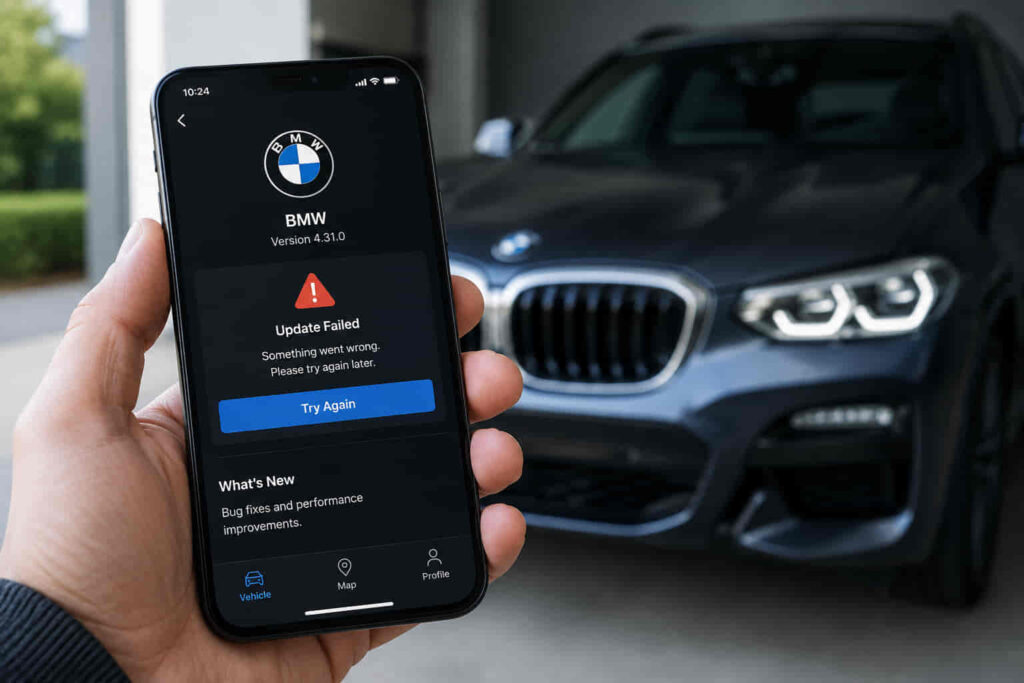
The My BMW App may not update when your phone has a connectivity problem, new vehicle data has not synchronized, the BMW ID is not communicating correctly with the vehicle, phone settings restrict the app, or a vehicle-side or connected-service issue interrupts data exchange. An app that displays old information therefore does not automatically mean the My BMW App itself has failed. The interruption can occur at several points between the smartphone, BMW connected services, and the vehicle.
There are 7 main reasons your BMW App may stop updating or continue showing old vehicle information. Identifying where the communication process is interrupted is more effective than immediately reinstalling the app or repeatedly refreshing it. A phone with a working internet connection can still display stale information if the vehicle has not supplied new data, while a correctly connected vehicle cannot update the app normally when the smartphone or account connection prevents data synchronization.
Troubleshooting should therefore follow the same path used to deliver vehicle information: check the smartphone and app connection, determine whether vehicle data is being synchronized, verify the account-to-vehicle relationship, and then consider vehicle connectivity or BMW connected services. This approach helps separate a temporary BMW App refresh problem from an account, vehicle, or service-side issue that requires a different fix.
Can a Poor Internet Connection Stop the BMW App From Updating?
A poor or unavailable internet connection can stop the My BMW App from updating because the app needs network access to retrieve current vehicle information from BMW connected services. When the smartphone cannot maintain a usable mobile-data or Wi-Fi connection, the app may continue displaying previously received information even though the user opens or refreshes it.
This happens because refreshing the app and obtaining new vehicle data are separate actions. Opening the My BMW App can display information already stored from an earlier synchronization, while retrieving a newer vehicle status requires communication beyond the app itself. A weak or interrupted connection can therefore create the appearance that the BMW App is working normally while information such as the displayed vehicle status remains unchanged.
The connection should be tested before treating stale data as an app malfunction. If other internet-dependent functions on the smartphone are also unavailable or unstable, restoring the phone’s network connection is the logical first action. Switching between an unreliable Wi-Fi network and a functioning mobile-data connection can also help determine whether the update problem is associated with the phone’s current internet access rather than the BMW vehicle.
A working smartphone connection does not prove that the entire BMW data connection is functioning correctly. If the phone has reliable internet access but the My BMW App still shows old information, the next diagnostic point is the vehicle-data side of the communication chain. Repeatedly refreshing or reinstalling the app is unlikely to solve a problem caused by vehicle information that has not yet synchronized.
Can Delayed Vehicle Data Make the BMW App Show Old Information?
Delayed vehicle data can make the My BMW App show old information even when the app and smartphone are functioning normally. The information displayed in the app depends on vehicle data being made available through the connected system, so opening the app does not by itself force every displayed value to become current immediately.
The important distinction is between an app refresh and a vehicle-data update. An app refresh requests or displays available information, while a vehicle-data update depends on newer information becoming available from the vehicle side of the system. If the latest available vehicle status is older than the user’s current interaction with the app, refreshing the screen can continue to show that same status rather than creating new vehicle data.
This distinction helps explain why an owner may see a functioning My BMW App but believe it is not updating. The app may open correctly, the BMW ID may remain signed in, and other app functions may still be accessible while specific vehicle information remains unchanged. In that situation, the stale information is a synchronization symptom rather than sufficient evidence that the application itself has failed.
The timing of the displayed vehicle status can provide useful diagnostic context when that information is available in the interface. If the status reflects an earlier vehicle-data update, repeatedly closing and reopening the app does not address the source of the delay. The next step is to determine whether the account and vehicle remain connected correctly and whether the vehicle can communicate through the relevant BMW connected services. This diagnostic order separates a delayed data update from a smartphone connection or application problem.
Can a BMW ID or Vehicle Connection Problem Stop the App From Updating?
A BMW ID or vehicle connection problem can stop the My BMW App from updating because vehicle information must be associated with the correct account before it can be displayed through the app. A working internet connection alone is therefore not enough. The app must also recognize the user’s BMW ID and its relationship with the relevant vehicle.
This account-to-vehicle relationship creates a different type of failure from a simple refresh delay. The smartphone may have reliable internet access and the My BMW App may open normally, but current vehicle information can still be unavailable when the expected account and vehicle connection is not functioning correctly. In this situation, repeatedly switching between Wi-Fi and mobile data does not address the actual communication problem.
The vehicle displayed in the app provides useful diagnostic context. If the expected BMW is missing, the account information appears incorrect, or the update problem started after an account or vehicle-association change, the BMW ID connection should be checked before troubleshooting deeper vehicle-side problems. The objective is to confirm that the app is requesting information for the correct vehicle through the correct account rather than assuming that stale data automatically indicates a software failure.
The communication chain can be viewed as BMW ID → associated BMW vehicle → connected services → My BMW App. A problem in this relationship can interrupt access to current vehicle information even when the phone itself functions normally. Once the account and vehicle association has been confirmed, a BMW App that still does not update should be investigated for smartphone restrictions, app-related problems, vehicle connectivity, or service-side issues.
Can Phone Permissions or Settings Prevent the BMW App From Updating?
Phone settings can interfere with My BMW App updates when the operating system restricts network access or app activity required for a relevant connected function. The effect depends on the smartphone, operating system, app version, and function being used, so a permission should not be blamed simply because vehicle data appears old.
Mobile-data restrictions are one example of a phone-level condition that can affect communication. If the My BMW App is prevented from using the available network connection, it cannot exchange information normally while relying on that connection. Background activity settings can also affect how an app behaves when it is not actively open, although a stale vehicle status should not automatically be attributed to background restrictions because the source of the delay may still be the vehicle or connected service.
Permissions should be evaluated according to the function that is failing. Location access, notifications, and other operating-system permissions perform different roles, and enabling every permission indiscriminately is not a precise troubleshooting method. The stronger approach is to determine which My BMW App function is affected and then confirm that the smartphone settings required for that function have not been restricted.
A phone-setting problem becomes less likely when the My BMW App has the necessary access, the smartphone has a stable internet connection, and other account functions operate normally. If vehicle information remains stale under those conditions, attention should move to the app’s software state and the vehicle side of the communication process. This order avoids repeatedly changing smartphone settings when the actual BMW App update problem originates elsewhere.
Read more: Is a BMW Extended Warranty Worth It
Can an Outdated or Malfunctioning My BMW App Cause Update Problems?
An outdated or temporarily malfunctioning My BMW App can contribute to update problems when the application cannot communicate or process available vehicle information correctly. This possibility becomes more relevant after smartphone connectivity, BMW ID, and basic account-to-vehicle association have been checked. An app-related problem should therefore be diagnosed as one part of the communication chain rather than assumed to be the cause of every stale vehicle status.
Application software changes over time alongside smartphone operating systems and BMW connected functions. An older app version can behave differently from the version currently intended for the phone’s operating environment. Updating the My BMW App is therefore a reasonable troubleshooting action when an update is available, particularly when the problem affects the application itself rather than one isolated piece of vehicle data. However, updating the app cannot correct a vehicle that is not providing new information or a service-side interruption that prevents synchronization.
Temporary application state can create a similar symptom. The app may open while a function does not respond as expected or previously received information remains displayed. Closing and reopening the application can be useful in this situation because it starts a new app session without immediately changing account or vehicle settings. If normal operation returns afterward, the problem was more consistent with a temporary application issue than a persistent vehicle communication failure.
Reinstalling the My BMW App is a more disruptive troubleshooting step and should not be the first response to old vehicle information. Reinstallation addresses the local application installation; it does not repair vehicle connectivity, create new vehicle data, or resolve a BMW connected-service problem. If an updated and restarted app still displays stale information while the phone and BMW ID connection are functioning correctly, the next diagnostic point is the vehicle’s ability to communicate.
Can a BMW Vehicle Connectivity Problem Stop the App From Refreshing?
A BMW vehicle connectivity problem can prevent the My BMW App from displaying current information because the app cannot show newly synchronized vehicle data when that data has not been communicated from the vehicle side. This explains why a smartphone with reliable internet access and a correctly functioning app can still show an old vehicle status.
The update process involves more than a direct connection between the phone and the car. Vehicle information must move through the relevant connected system before it becomes available to the My BMW App. A disruption on the vehicle side can therefore leave previously synchronized information visible in the app even though refreshing the smartphone application itself works normally. In this case, stale data is the visible symptom, while the communication interruption occurs earlier in the data path.
Vehicle-side connectivity becomes a stronger diagnostic possibility when the smartphone has reliable internet access, the correct BMW ID and vehicle are present, and the app itself operates normally but current vehicle information remains unavailable. The same reasoning applies when multiple attempts to refresh the app return the same older status. Repeated refreshing only requests information that is available to the application; it cannot independently force the vehicle to transmit new data.
The distinction between app connectivity and vehicle connectivity prevents unnecessary troubleshooting. Reinstalling the app, changing unrelated phone permissions, or repeatedly signing in cannot resolve every vehicle-side communication problem. Once phone, app, and account issues have been reasonably excluded, persistent stale vehicle information should shift attention toward vehicle communication and the connected services responsible for transferring that information. If the vehicle appears able to communicate normally but the data still does not reach the app, a BMW service-side issue becomes the next relevant cause to investigate.
Can BMW Connected Services Cause the App to Stop Updating?
BMW connected services can cause the My BMW App to stop updating when a service-side interruption prevents current vehicle information from reaching the application. In this situation, the smartphone, BMW ID, app installation, and vehicle may appear to function normally while the app continues displaying older data because the interruption occurs within the connected-service path.
This type of problem is important to distinguish from a phone or app failure. Vehicle information does not depend solely on a direct exchange between the smartphone and the BMW. The connected system forms part of the communication path between the vehicle and the My BMW App. If information cannot move through that path normally, repeatedly refreshing the app does not create new vehicle data.
A service-side problem becomes more plausible after the other major failure points have been excluded. The phone has a stable internet connection, the correct BMW ID and vehicle are associated with the app, relevant smartphone restrictions have been checked, and the application itself opens and functions normally. If current vehicle information remains unavailable despite those conditions, continuing to reinstall the app or change unrelated phone settings provides diminishing troubleshooting value.
The appropriate response is to avoid repeatedly resetting components that are already working. Allow time for a temporary service interruption to resolve and determine whether normal synchronization returns. If the BMW App continues showing stale information while phone, account, app, and vehicle connectivity appear normal, the problem may require confirmation or assistance through BMW support rather than additional changes to the smartphone.
Why Is My BMW App Updating Some Information but Not Other Data?
The My BMW App can update some information while other data remains unchanged because partial synchronization is different from a complete loss of communication. When at least part of the application receives or displays current information, the symptom indicates that the entire BMW App connection has not necessarily failed.
Different information displayed within the app can depend on different data states, connected functions, and update events. For this reason, one current value does not prove that every displayed vehicle value was refreshed at the same moment. Likewise, one stale value does not prove that the entire application is offline. The specific information that is outdated should be identified before the owner starts changing account or smartphone settings.
This distinction narrows the diagnostic scope. If the application opens, recognizes the correct vehicle, and some connected information behaves normally, a complete BMW ID or smartphone internet failure becomes less consistent with the symptom. Attention can instead move toward the specific vehicle data that remains stale and whether newer information has actually been synchronized for that function.
Partial updates should therefore be diagnosed by comparing what is working with what is not. Treating every stale value as a complete My BMW App failure can lead to unnecessary sign-outs, reinstalls, or setting changes. The objective is to determine whether the problem affects the application as a whole or only the availability of a particular piece of vehicle information.
Why Does My BMW App Show an Old Vehicle Status?
The My BMW App can show an old vehicle status when the latest vehicle information available to the app has not been replaced by a newer synchronized status. Opening the application at the current time does not necessarily mean every displayed value represents a vehicle update generated at that same moment.
This happens because the time the user views information and the time the underlying vehicle information was last updated are different events. The application can retrieve or display the most recently available status while that status still reflects an earlier vehicle-data update. Repeatedly opening the app can therefore produce the same information when no newer status has become available.
An old vehicle status should first be treated as a data-freshness problem rather than immediate proof of an app failure. When the interface provides information indicating when a status was last updated, that context can help determine whether the data is genuinely stale. The next diagnostic question is then why newer vehicle information has not reached the connected system.
If the status remains old after subsequent vehicle use and reasonable synchronization opportunities, check the communication chain rather than focusing only on the refresh control. A persistent stale status can originate from the account relationship, vehicle connectivity, application state, or connected services. Identifying the point at which new information stops moving is more useful than repeatedly requesting the same available status.
Why Is My BMW App Not Syncing With My Car?
The My BMW App may not sync with the car when communication is interrupted between the smartphone application, BMW connected services, account relationship, and the vehicle. Synchronization therefore depends on a communication chain rather than one isolated connection between the phone and the BMW.
This explains why the same visible symptom can have several underlying causes. A phone without usable internet access can prevent the app from retrieving information, while an account-association problem can affect access even when the phone is online. The smartphone and account can also work correctly while the vehicle has not communicated newer data. A connected-service interruption can create another failure point between otherwise functioning components.
The most efficient troubleshooting method is to follow this communication path instead of performing fixes in random order. Confirm that the phone can access the internet and that the app recognizes the correct BMW ID and vehicle. Then determine whether the application itself appears functional and whether current vehicle information is becoming available. When those elements work but synchronization remains unsuccessful, vehicle connectivity or the connected-service layer becomes more relevant.
This sequence also prevents destructive troubleshooting from being performed too early. Signing out, removing a vehicle, reinstalling the app, or changing multiple phone settings at once can make it harder to identify the original failure point. BMW App synchronization should be diagnosed from the phone toward the vehicle and connected services so each communication layer can be excluded before moving to the next.
Should You Reinstall the My BMW App If It Is Not Updating?
Reinstalling the My BMW App should not be the first fix when vehicle information is not updating because reinstalling only addresses the application installed on the smartphone. It cannot create new vehicle data, restore vehicle-side connectivity, or directly resolve an interruption within BMW connected services.
A restart or available app update is less disruptive when the symptom suggests a temporary application problem. Reinstallation becomes more logical after smartphone connectivity, the BMW ID and vehicle association, and basic app functionality have already been checked. At that point, reinstalling can help determine whether the local application installation contributes to the problem.
The diagnostic value of reinstalling is limited when the same stale vehicle information appears because no newer data is reaching the app. Installing a fresh copy of the application does not change the source data available through the connected system. If the problem persists immediately after reinstalling, repeating the process is unlikely to provide additional information and troubleshooting should move to another part of the communication chain.
For this reason, reinstalling is best treated as an app-level troubleshooting step rather than a universal BMW App fix. Its usefulness depends on evidence that the problem originates locally on the smartphone. Vehicle communication and service-side problems require different actions.
When Should You Contact BMW About an App Update Problem?
Contact BMW support when the My BMW App continues to show outdated or unavailable vehicle information after phone connectivity, account association, app functionality, and basic vehicle communication have been reasonably checked. Persistent problems at this stage are less likely to be solved by repeatedly refreshing or reinstalling the application.
The escalation point depends on where troubleshooting stops producing a user-controlled action. A smartphone connectivity problem can be addressed at the phone level, while an app-state problem may respond to restarting or updating the application. An incorrect account relationship requires attention to the BMW ID and associated vehicle. When these areas appear correct but the vehicle still cannot provide current information through the connected system, further investigation may require support beyond the smartphone.
The pattern of the failure can help when seeking assistance. A complete synchronization failure provides different diagnostic context from one stale vehicle value, and a problem that affects several connected functions differs from a temporary delay in one status. Identifying what stopped updating, whether the correct vehicle remains associated with the account, and which troubleshooting steps have already been completed makes escalation more precise.
The final diagnostic sequence is phone connectivity → BMW ID and vehicle association → My BMW App state → vehicle communication → BMW connected services. Once the user-controlled stages have been checked and the BMW App still does not update, continued random resets add little diagnostic value. Escalating the persistent communication problem is the appropriate next step.