Few things are more frustrating than getting into your Jeep Patriot, turning the key, and discovering that the radio isn’t working. Whether the screen stays black, the speakers produce no sound, or the system suddenly stops responding, a faulty radio can make every drive less enjoyable. While it may seem like a major electrical problem, the good news is that many Jeep Patriot radio issues have simple causes and can often be fixed without replacing the entire head unit.
If your Jeep Patriot radio is not working, you’re not alone. Owners commonly report problems such as the radio failing to power on, frozen displays, intermittent sound, Bluetooth connectivity issues, or complete audio loss. These symptoms can result from something as simple as a blown fuse or a weak battery, but they may also point to damaged wiring, software glitches, or an aging radio system.
This comprehensive troubleshooting guide will walk you through the most common causes of Jeep Patriot radio problems and provide practical, step-by-step solutions you can try at home. You’ll learn how to inspect the radio fuse, perform a system reset, check the wiring, identify signs of a failing head unit, and determine whether repair or replacement is the better option. We’ll also cover estimated repair costs, preventative maintenance tips, and answer the most frequently asked questions from Jeep Patriot owners.
By the end of this guide, you’ll have a clear understanding of why your Jeep Patriot radio is not working and the most effective ways to restore your vehicle’s audio system quickly, safely, and cost-effectively.
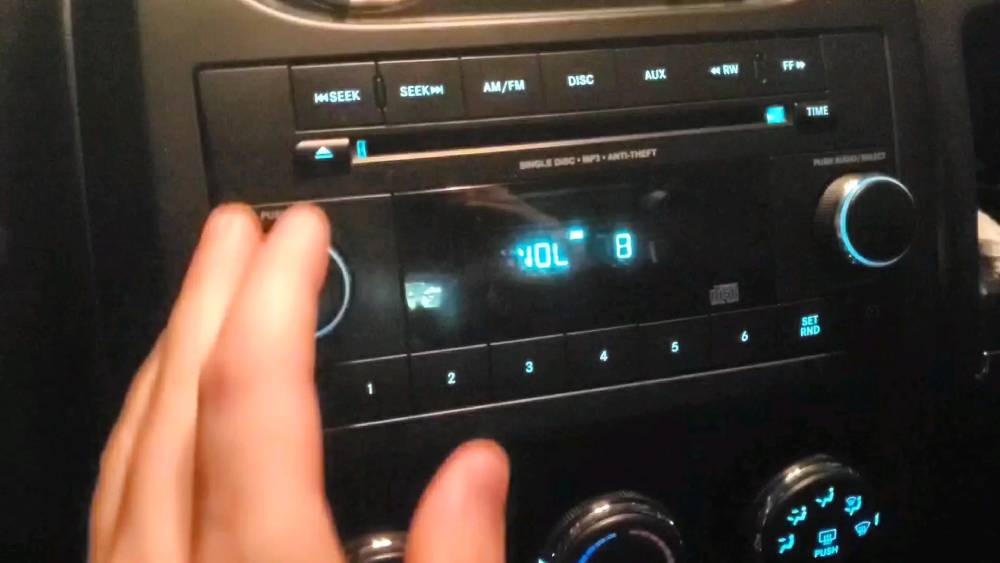
Common Symptoms of a Jeep Patriot Radio Not Working
A malfunctioning radio does not always mean the entire head unit has failed. The symptoms can vary depending on whether the problem comes from the fuse, battery, wiring, speakers, antenna, software, or the radio itself. Identifying exactly what the system is doing can help you narrow down the cause before removing dashboard panels or purchasing replacement parts.
The Radio Will Not Turn On
One of the most common complaints is a radio that appears completely dead. The screen remains black, the buttons do not illuminate, and no sound comes from the speakers.
This symptom often points to a loss of electrical power. A blown fuse, weak battery, damaged power wire, poor ground connection, or disconnected wiring harness may prevent the radio from starting. However, an internal head unit failure can produce the same result.
Before assuming the radio needs replacement, check whether other electrical accessories are behaving normally. If the interior lights are dim, the engine cranks slowly, or dashboard electronics reset unexpectedly, the battery or charging system may be involved.
The Display Works, but There Is No Sound
Sometimes the radio screen operates normally, stations change, and the volume indicator moves, but no audio comes from the speakers. This can be especially confusing because the head unit appears to be functioning.
Start by checking the mute setting, volume level, balance, and fade controls. A setting that sends all sound to one damaged speaker can make the entire system seem silent.
If the settings are correct, the problem may involve a loose speaker connection, damaged wiring, failed amplifier, or internal audio circuit. On vehicles equipped with an amplified sound system, a failed amplifier or missing amplifier power signal can eliminate sound from every speaker.
The Radio Turns On and Off Randomly
A radio that shuts down, restarts, or loses its presets may be experiencing inconsistent voltage. Loose battery terminals, a weak battery, poor grounding, damaged wiring, or an alternator problem can interrupt the power supply.
Pay attention to when the issue occurs. If the radio restarts when you drive over bumps, a loose connector may be responsible. If it happens when the headlights, air conditioning, or rear defroster are turned on, the electrical system may be struggling under additional load.
Random restarts can also occur when the head unit overheats or develops an internal circuit fault.
The Screen Is Frozen or the Buttons Do Not Respond
A frozen screen usually indicates a temporary software problem or an aging radio processor. The display may remain on one station, ignore button inputs, or become stuck on the startup screen.
Turning the ignition off and restarting the vehicle may restore normal operation temporarily. If the problem repeatedly returns, a radio reset, power cycle, software service, or head unit replacement may be necessary.
Avoid pressing several buttons rapidly when the system is already frozen. This rarely solves the problem and can make it harder to determine which controls are functioning.
The Radio Has Static or Poor Reception
Static, weak signals, or the inability to receive certain stations usually points toward the antenna system rather than the main radio power supply.
Possible causes include a loose antenna cable, corroded connector, damaged antenna base, broken mast, or internal tuner problem. If Bluetooth, AUX, or another audio source sounds clear while AM or FM reception remains poor, the antenna circuit becomes the most likely suspect.
Reception can also be affected by location, weather, nearby electrical interference, and aftermarket accessories. Test several stations in an open area before replacing components.
Bluetooth, AUX, or USB Does Not Work
If AM and FM radio operate normally but an external input fails, focus on that specific feature.
Bluetooth problems may be caused by an old pairing record, incompatible device, software glitch, or a full list of stored devices. Delete the connection from both the phone and the radio, restart both devices, and pair them again.
For AUX or USB issues, inspect the cable and port for damage, dirt, or looseness. Try a second cable and another compatible device before concluding that the radio input is defective.
The Speakers Crackle or Cut Out
Crackling, distortion, or intermittent sound can indicate a damaged speaker, loose speaker wire, poor connection, or amplifier problem. The issue may become more noticeable at higher volume because additional power causes a weak connection or damaged speaker cone to distort.
Use the balance and fade controls to isolate each speaker. If the noise comes from only one location, that speaker or its wiring should be inspected first. If every speaker cuts out simultaneously, the head unit, amplifier, power supply, or main wiring connection may be responsible.
Quick Symptom Guide
| Symptom | Likely Cause | First Check |
|---|---|---|
| Radio has no power | Fuse, battery, wiring, head unit | Inspect the fuse and battery |
| Display works but no sound | Settings, speakers, amplifier | Check mute, balance, and fade |
| Radio restarts randomly | Low voltage or loose connection | Inspect battery terminals |
| Frozen screen | Software or internal radio fault | Restart or reset the radio |
| Weak AM or FM reception | Antenna or tuner problem | Inspect the antenna connection |
| Bluetooth will not connect | Pairing or software problem | Delete and pair the device again |
| One speaker crackles | Speaker or local wiring damage | Isolate it with balance and fade |
| All speakers cut out | Amplifier, head unit, or power issue | Check system power and connections |
What Causes a Jeep Patriot Radio to Stop Working?
Several electrical and mechanical problems can cause a Jeep Patriot radio to stop working. Some are inexpensive and easy to correct, while others require dashboard disassembly or professional diagnosis.
A Blown Radio Fuse
A blown fuse is one of the first things to check when the radio has no power. Fuses protect electrical circuits by breaking the connection when excessive current flows through them.
A fuse can fail because of a temporary power surge, damaged wire, incorrect aftermarket installation, moisture exposure, or an internal short circuit. If a newly installed fuse blows again quickly, do not continue replacing it. Repeated fuse failure indicates an unresolved electrical problem.
Jeep documentation warns owners to replace a blown fuse only with one of the same amperage rating. Installing a higher rated fuse or substituting another material can damage wiring and create a fire risk. Fuse assignments may vary by model year and equipment, so the vehicle specific manual and fuse box label should be checked before replacement.
A Weak or Disconnected Battery
The radio depends on stable battery voltage. A weak battery may still start the vehicle while causing electronic accessories to freeze, reset, or operate unpredictably.
Battery problems are especially likely if the radio issue began after the vehicle sat unused, required a jump start, received a new battery, or experienced corroded terminals. Disconnecting the battery can also erase presets and trigger security or initialization procedures on some radio configurations.
Check that both battery terminals are clean, tight, and free of corrosion. A multimeter can help confirm whether the battery and charging system are providing suitable voltage.
Loose or Damaged Wiring
The wiring harness behind the radio carries power, ground, speaker signals, and communication data. If a connector becomes loose, the radio may lose power, restart over bumps, or stop sending sound to the speakers.
Wiring problems are more common after dashboard repairs or aftermarket stereo installation. Poorly crimped connectors, twisted wires, incompatible adapters, and weak ground points can create intermittent faults that are difficult to diagnose.
Rodent damage, moisture, corrosion, and previous collision repairs can also affect the radio wiring.
A Faulty Ground Connection
An electrical component needs a reliable ground path to operate correctly. A loose, corroded, or damaged ground connection can cause a radio to remain dead, produce static, restart randomly, or behave differently when other accessories are used.
Ground problems may not be visible from the front of the radio. Testing voltage drop between the ground wire and a known good chassis ground is often more useful than relying only on visual inspection.
An Internal Head Unit Failure
The radio itself can fail because of age, heat, vibration, moisture, damaged circuit boards, or worn internal components. Warning signs include a permanently black display, repeated rebooting, unresponsive controls, overheating, or a burning smell.
An internal failure becomes more likely after the fuse, battery, wiring, ground, speakers, and external connections have been tested.
Before purchasing a replacement, confirm that the replacement radio is compatible with the vehicle. Depending on the radio type and equipment, installation may require an adapter, programming, or security related setup.
Speaker or Amplifier Failure
A damaged speaker usually affects one audio channel, although wiring faults can affect several speakers. A failed amplifier can cause complete audio loss while the radio display continues to work.
If the vehicle has an amplified audio system, confirm that the amplifier is receiving power, ground, and a turn on signal. Replacing the head unit will not restore sound if the actual fault is in the amplifier circuit.
Software or Control Module Problems
Electronic glitches can cause the display to freeze, Bluetooth to stop connecting, buttons to become unresponsive, or the system to restart.
A simple ignition cycle or controlled power reset may clear a temporary fault. Persistent problems may require professional scanning, software service, or replacement of the affected component.
Antenna Damage
The antenna receives AM and FM signals and sends them to the tuner. A loose or damaged antenna connection can produce static, weak reception, or complete signal loss while other audio sources continue to work normally.
If the radio receives no stations after recent bodywork, windshield work, dashboard service, or antenna replacement, inspect the antenna cable and connector.
Step-by-Step Troubleshooting Guide
Diagnosing a Jeep Patriot radio should begin with the simplest and least expensive checks. Following a logical order reduces the risk of replacing a working component.
Step 1: Record the Exact Symptoms
Before touching any wiring, note exactly what the radio is doing.
Check whether the screen illuminates, whether the clock or station information appears, whether buttons respond, and whether sound is missing from one speaker or every speaker. Test AM, FM, Bluetooth, AUX, and USB separately when available.
Also note whether the radio failed suddenly or gradually. A sudden total power loss often suggests a fuse, connector, or power supply issue. Gradual distortion or intermittent operation may point toward a speaker, wiring connection, or internal radio failure.
Step 2: Inspect the Radio Fuse
Turn the vehicle off and remove the key before inspecting the fuse.
Locate the appropriate fuse center and identify the radio related fuse using the fuse box cover, owner information, or diagram for the exact model year. Do not rely on a fuse number taken from another Jeep Patriot year because fuse positions and equipment can differ.
Remove the fuse with a proper fuse puller and inspect the metal element. A broken or burned element indicates failure. A test light or multimeter can provide a more reliable result because some damaged fuses are difficult to identify visually.
Replace the fuse only with one that has the same amperage rating. Jeep guidance specifically warns against using a higher amperage fuse or makeshift conductive material.
If the new fuse blows again, stop testing and locate the short circuit before installing another fuse.
Step 3: Check the Battery and Terminals
Inspect the battery terminals for looseness, corrosion, or damaged cables. Clean and tighten them when necessary, following appropriate battery safety procedures.
With the engine off, a fully charged conventional automotive battery commonly measures around 12.6 volts. A much lower reading may indicate that the battery is discharged or deteriorating. With the engine running, the voltage should normally rise as the charging system operates.
Voltage alone does not confirm battery health, so a load test may be needed when starting performance or electrical behavior remains inconsistent.
Step 4: Restart or Reset the Radio
Begin with a normal ignition restart. Turn the vehicle off, open the driver door, allow the electronic systems to shut down, and restart the vehicle.
If the radio remains frozen, a controlled power reset may help. One approach is to remove the correct radio fuse temporarily and reinstall it. Another is to disconnect the negative battery cable, but this should be done carefully because it may erase saved settings and affect other electronic systems.
Always use the procedure appropriate for the vehicle and radio configuration. Jeep user guides note that separate radio manuals may apply to specific systems, which is another reason to check the documentation for the installed unit.
Step 5: Review Audio Settings
Confirm that the radio is not muted and the volume is raised to a normal level.
Center the balance and fade settings so sound is directed to all speakers. Disable any unusual sound processing settings and test several sources.
If one source works and another does not, the fault is probably limited to the failed input. For example, clear Bluetooth audio with poor FM reception suggests an antenna problem rather than a speaker problem.
Step 6: Test Each Speaker
Use the balance and fade controls to send sound to each speaker individually.
Listen for silence, crackling, buzzing, or distortion. A single silent speaker may have a failed voice coil, damaged connector, or broken wire. Several silent speakers may indicate a shared wiring problem or amplifier fault.
Avoid testing at maximum volume because high output can worsen speaker damage.
Step 7: Inspect the Wiring Harness
Removing the radio trim and head unit may require model specific tools and procedures. Disconnect the battery when appropriate before working with exposed electrical connectors.
Inspect the harness for loose plugs, bent terminals, corrosion, overheated plastic, damaged insulation, and poor aftermarket connections. Check that the ground wire is secure.
Do not probe data communication wires carelessly. Modern vehicle electronics can be damaged by incorrect testing methods.
Step 8: Inspect the Antenna Connection
If the radio has power and other audio sources work, inspect the antenna cable.
Make sure the connector is fully seated at the rear of the radio. Check the external antenna and base for looseness, corrosion, or physical damage. If possible, test the radio with a known good antenna before replacing the tuner or head unit.
Step 9: Look for Signs of Head Unit Failure
After the external power supply, fuse, battery, wiring, speakers, amplifier, antenna, and settings have been checked, evaluate the radio itself.
Signs of internal failure include:
- A screen that remains black despite confirmed power and ground
- Repeated rebooting
- Controls that remain unresponsive after a reset
- Excessive heat
- A burned smell
- Internal clicking or unusual noises
- Failure across every audio source
A professional technician can test the power, ground, data communication, and audio outputs before replacement. This is often less expensive than purchasing the wrong component.
Step 10: Decide Between Repair and Replacement
Minor connector or solder problems may be repairable, but an aging factory radio with repeated failures may not be worth rebuilding.
An aftermarket unit can add Bluetooth, touchscreen controls, Apple CarPlay, Android Auto, or improved audio features. However, installation may require a compatible wiring harness, antenna adapter, mounting kit, and interface module.
Choose components designed for the Jeep Patriot and avoid cutting the factory harness whenever possible. A reversible installation is easier to troubleshoot and reduces the risk of future electrical problems.
Jeep Patriot Radio Fuse Location
One of the first components you should inspect when your Jeep Patriot radio stops working is the radio fuse. A blown fuse is a simple and inexpensive problem that can completely disable the audio system. Fortunately, checking the fuse only takes a few minutes and requires minimal tools.
The Jeep Patriot uses multiple fuse boxes depending on the model year. Most vehicles have a Totally Integrated Power Module (TIPM) located in the engine compartment near the battery, while some electrical circuits are also protected by an interior fuse panel. The exact location of the radio fuse varies by production year and trim level, so you should always refer to the owner’s manual or the fuse diagram printed inside the fuse box cover before removing any fuse.
To inspect the fuse, switch the ignition off and remove the key. Open the appropriate fuse box and identify the radio or infotainment fuse using the diagram. Carefully remove the fuse with a fuse puller or a pair of plastic fuse pliers.
A healthy fuse will have an unbroken metal strip running through its center. If the strip is melted or separated, the fuse has failed and should be replaced with another fuse of exactly the same amperage rating. Never install a higher-rated fuse because doing so may damage the wiring or increase the risk of an electrical fire.
If the replacement fuse blows immediately after installation, the problem is likely caused by a short circuit elsewhere in the electrical system. In this situation, repeatedly replacing the fuse will not solve the issue. Instead, the wiring, connectors, or radio itself should be inspected for damage.
While checking the fuse, take a few moments to inspect the surrounding terminals for corrosion, moisture, or signs of overheating. Burn marks, melted plastic, or discolored terminals may indicate a larger electrical issue that requires professional diagnosis.
Because Jeep Patriot fuse assignments changed slightly during the vehicle’s production years, always verify the correct fuse location before performing any repairs. This simple precaution can save time and prevent unnecessary troubleshooting.
How to Reset a Jeep Patriot Radio
If the fuse is intact and the radio still refuses to operate correctly, performing a reset may restore normal functionality. Software glitches, temporary communication errors, or voltage fluctuations can occasionally cause the radio to freeze or become unresponsive.
Several reset methods are available depending on the type of radio installed in your Jeep Patriot.
Method 1: Restart the Vehicle
The easiest solution is also the quickest. Turn the ignition completely off, remove the key, open the driver’s door for several seconds, then restart the vehicle. This allows many onboard control modules to shut down completely before powering back up.
If the issue was caused by a temporary software error, the radio may begin working normally after the restart.
Method 2: Disconnect the Battery
If a normal restart does not help, disconnecting the negative battery cable can reset the radio’s memory.
Turn the engine off before disconnecting the battery. Leave the battery disconnected for approximately ten to fifteen minutes so any stored electrical charge inside the radio can dissipate. Reconnect the battery securely and start the vehicle.
Keep in mind that disconnecting the battery may erase saved radio presets, clock settings, and other electronic memory. Some aftermarket radios may also require additional setup after power is restored.
Method 3: Remove the Radio Fuse
Another common reset method involves temporarily removing the radio fuse.
After turning off the ignition, remove the correct radio fuse and wait several minutes before reinstalling it. This interrupts power to the radio without disconnecting the entire battery and may resolve certain software-related issues.
Always confirm that the fuse is installed firmly after completing the reset.
Method 4: Factory Reset
Some radio models provide a factory reset option within the settings menu. If your radio still responds to touch or button inputs, navigate to the system settings and restore the unit to its default configuration.
A factory reset removes stored Bluetooth devices, saved radio stations, audio preferences, and certain customized settings. It should generally be considered after simpler troubleshooting methods have failed.
Method 5: Software Update
Although most Jeep Patriot factory radios do not receive frequent software updates, some later systems or replacement head units may have firmware improvements available.
If your radio repeatedly freezes, loses Bluetooth connectivity, or behaves unpredictably, check with your local Jeep dealership or the radio manufacturer to determine whether a software update is available.
If every reset method fails to restore operation, the problem is likely hardware-related rather than software-related.
When Should You Replace the Radio?
Not every radio problem requires replacing the entire head unit. Many issues can be repaired by replacing a fuse, repairing damaged wiring, cleaning electrical connections, or resetting the system. However, there comes a point when replacement becomes the more practical and cost-effective solution.
One of the clearest signs that replacement is necessary is complete hardware failure. If the radio receives proper power and ground but still refuses to turn on, the internal electronics may have failed beyond economical repair.
A permanently black display is another warning sign. If the screen never illuminates despite confirming that the fuse, battery, and wiring are functioning correctly, the display circuitry or internal processor may have failed.
Repeated rebooting is another indication of an aging head unit. While occasional software glitches can often be corrected with a reset, constant restarting usually points to deteriorating internal components.
Water damage should also be taken seriously. Moisture entering the dashboard can corrode circuit boards, electrical connectors, and internal components. Even if the radio temporarily begins working again after drying out, corrosion often continues to spread over time, eventually causing complete failure.
Physical damage caused by impact, excessive heat, or electrical overload may also justify replacement. Burned circuit boards, melted connectors, or a noticeable burning odor indicate significant internal damage that is rarely worth repairing.
Cost is another important consideration. If professional diagnosis and repair approach the price of a replacement unit, installing a new radio often provides better long-term value. Modern aftermarket stereos offer features that were unavailable on many original Jeep Patriot systems, including Apple CarPlay, Android Auto, larger touchscreens, backup camera compatibility, improved Bluetooth performance, hands-free calling, navigation, and enhanced sound quality.
When selecting a replacement radio, choose a unit specifically designed to fit the Jeep Patriot. Using the correct dash installation kit, wiring harness adapter, antenna adapter, and steering wheel control interface can significantly simplify installation while preserving factory functions.
Although many experienced DIY enthusiasts successfully install aftermarket radios at home, owners who are unfamiliar with automotive electrical systems may benefit from professional installation. Proper installation reduces the likelihood of wiring errors and helps ensure reliable long-term performance.
OEM vs. Aftermarket Radio: Which Is the Better Choice?
If your factory radio has failed beyond repair, one of the biggest decisions you’ll face is whether to replace it with another OEM unit or upgrade to an aftermarket stereo. Both options have advantages and disadvantages, and the right choice depends on your budget, desired features, and long-term plans for your Jeep Patriot.
OEM Radio
An Original Equipment Manufacturer (OEM) radio is designed specifically for the Jeep Patriot. It matches the factory dashboard, connects directly to the original wiring, and preserves the vehicle’s stock appearance.
Many owners prefer an OEM replacement because installation is generally straightforward. The radio fits perfectly without requiring dashboard modifications, and compatibility with the factory wiring harness is usually excellent.
Another advantage is reliability. Since the unit was designed for the vehicle, it is less likely to experience compatibility issues with existing electrical components.
However, factory radios also have limitations. Older Jeep Patriot models typically lack modern features such as Apple CarPlay, Android Auto, wireless Bluetooth streaming, high-resolution touchscreens, and advanced navigation. Purchasing a used OEM radio may also mean installing another component that has already experienced years of wear.
Aftermarket Radio
An aftermarket stereo offers significantly more features than most factory units.
Modern head units commonly include Apple CarPlay, Android Auto, larger HD touchscreens, voice control, navigation, Bluetooth audio streaming, USB charging, multiple camera inputs, equalizer controls, and compatibility with premium sound systems.
For drivers who spend a lot of time on the road, these upgrades can dramatically improve convenience and entertainment.
Many aftermarket systems also deliver higher audio quality thanks to improved internal amplifiers and expanded sound tuning options.
The primary disadvantage is installation complexity. Most aftermarket radios require additional accessories such as:
- Dash installation kit
- Vehicle-specific wiring harness
- Antenna adapter
- Steering wheel control interface
- CAN Bus adapter for certain models
Choosing high-quality installation components is just as important as selecting the radio itself. Poor wiring adapters or incorrect installation techniques can create electrical problems that mimic the symptoms of a failing factory radio.
OEM vs. Aftermarket Comparison
| Feature | OEM Radio | Aftermarket Radio |
|---|---|---|
| Factory Appearance | Excellent | Good with installation kit |
| Installation Difficulty | Easy | Moderate |
| Apple CarPlay | Usually No | Yes (many models) |
| Android Auto | Usually No | Yes (many models) |
| Bluetooth Features | Basic | Advanced |
| Navigation | Limited | Excellent |
| Audio Quality | Standard | Usually Better |
| Upgrade Potential | Limited | Excellent |
| Cost | Moderate | Varies by features |
If maintaining an original factory appearance is your highest priority, an OEM replacement is a solid option. If you want modern technology and improved functionality, an aftermarket stereo is usually the better long-term investment.
Jeep Patriot Radio Repair Cost
Repair costs vary depending on the actual cause of the problem. Fortunately, many radio issues are inexpensive to fix if diagnosed early.
Replacing a blown fuse is typically the least expensive repair. A replacement fuse generally costs only a few dollars, making it the first thing every owner should inspect.
Battery-related problems can range from cleaning corroded terminals to replacing the battery itself. If the charging system is responsible for the issue, alternator repairs may increase the total cost.
Wiring repairs vary considerably because labor is often the largest expense. Accessing damaged wiring behind the dashboard requires removing interior trim panels, which can increase repair time.
Speaker replacement costs depend on how many speakers have failed and whether factory or premium aftermarket speakers are installed.
If the factory head unit has failed, replacing it with another OEM radio is often more expensive than repairing minor electrical problems but may still cost less than installing a premium aftermarket multimedia system.
Professional installation charges depend on the complexity of the job and whether additional wiring adapters or interface modules are required.
The following table provides approximate repair costs that Jeep Patriot owners may encounter.
| Repair | Estimated Cost |
|---|---|
| Replace Radio Fuse | $5–20 |
| Battery Service | $80–250 |
| Wiring Repair | $100–300 |
| Speaker Replacement | $80–400 |
| OEM Radio Replacement | $250–700 |
| Aftermarket Stereo | $150–900+ |
| Professional Installation | $100–300 |
These figures are estimates only. Actual pricing varies by location, labor rates, vehicle model year, and the components selected.
Before authorizing an expensive repair, ask the technician to confirm that the radio itself has failed. Replacing the head unit will not solve the problem if the actual cause is a damaged wiring harness, faulty amplifier, or poor electrical connection.
Preventing Future Radio Problems
Although some electronic failures are unavoidable as a vehicle ages, many Jeep Patriot radio problems can be prevented through regular maintenance and careful use.
Keeping the vehicle’s electrical system in good condition is one of the most effective preventive measures. A healthy battery and properly functioning charging system provide stable voltage for every electronic component, including the radio.
Inspect the battery terminals periodically and remove any corrosion that begins to form. Loose battery connections can create intermittent voltage drops that affect sensitive electronics.
If you frequently install aftermarket accessories such as amplifiers, lighting systems, dash cameras, or power inverters, ensure they are wired correctly and protected by appropriate fuses. Poor-quality electrical modifications are a common source of radio problems.
Avoid exposing the dashboard to excessive moisture. Water entering through a leaking windshield, clogged sunroof drain, or damaged door seal can eventually reach wiring connectors and electronic modules.
When cleaning the interior, never spray liquid cleaners directly onto the radio faceplate. Instead, spray the cleaner onto a microfiber cloth before wiping the surface.
If dashboard panels have recently been removed for repairs, verify that every electrical connector has been fully seated before reassembling the interior.
Whenever a fuse blows, replace it only with one of the correct amperage rating. Installing an oversized fuse may temporarily restore operation, but it removes the circuit’s designed protection and can lead to severe wiring damage.
Finally, address small electrical problems early. Flickering displays, occasional audio dropouts, or intermittent Bluetooth issues often become more expensive repairs if ignored for months or years.
Frequently Asked Questions
Why did my Jeep Patriot radio suddenly stop working?
A sudden radio failure is commonly caused by a blown fuse, weak battery, loose wiring connection, or temporary software glitch. Less frequently, the problem may result from an internal head unit failure or damaged electrical components.
Can a weak battery cause radio problems?
Yes. Low battery voltage can prevent the radio from starting properly, cause random restarts, erase presets, or create other unusual electronic behavior. Always verify battery condition before replacing the radio.
Why does my radio have power but no sound?
If the display functions normally but there is no audio, the problem may involve muted settings, incorrect balance or fade controls, damaged speakers, amplifier failure, or loose speaker wiring.
How do I reset my Jeep Patriot radio?
You can usually begin by restarting the vehicle. If that does not work, try disconnecting the battery for several minutes or temporarily removing the radio fuse. Some radio models also include a factory reset option within the settings menu.
Which fuse controls the radio?
The radio fuse location depends on the model year and equipment installed in your Jeep Patriot. Always consult the owner’s manual or the fuse diagram inside the fuse box cover before replacing any fuse.
Is it worth replacing the factory radio?
If the original head unit has failed completely or lacks features you use every day, replacing it with a modern aftermarket stereo can significantly improve convenience, sound quality, and smartphone integration.
Can I install an aftermarket radio myself?
Many experienced DIY owners successfully install aftermarket stereos using vehicle-specific installation kits and wiring adapters. However, professional installation is recommended if you are unfamiliar with automotive electrical systems.
Conclusion
A Jeep Patriot radio not working can be frustrating, but it does not always mean the radio itself has failed. In many cases, the issue can be traced to a blown fuse, weak battery, loose wiring connection, faulty speaker, or temporary software glitch. Starting with these simple inspections can save both time and money while avoiding unnecessary replacement of expensive components.
Following a logical troubleshooting process is the best way to identify the root cause. Begin by checking the fuse, verifying battery voltage, inspecting electrical connections, resetting the radio, and testing each audio source individually. Only after these basic steps have been completed should you consider replacing the head unit.
If replacement becomes necessary, both OEM and aftermarket radios offer viable solutions. An OEM unit preserves the original appearance of your Jeep Patriot, while an aftermarket stereo can provide modern features such as Apple CarPlay, Android Auto, improved Bluetooth connectivity, navigation, and enhanced sound quality.
Regular maintenance of your vehicle’s electrical system, prompt attention to minor warning signs, and proper installation of aftermarket accessories can help prevent many future radio problems.
Have you experienced a different Jeep Patriot radio issue that wasn’t covered in this guide? Share your symptoms, repair experience, or troubleshooting tips in the comments below. Your experience may help other Jeep Patriot owners diagnose and fix their audio system more quickly.