Imagine rushing to your car in the morning only to discover that your Toyota Digital Key suddenly stops working. The doors will not unlock, the engine refuses to start, and the Toyota app keeps showing connection errors. For many Toyota owners, this frustrating situation has become increasingly common as digital vehicle technology becomes more advanced.
Toyota Digital Key was designed to simplify everyday driving by allowing users to unlock, lock, and start their vehicles directly from their smartphones. While the feature offers convenience and modern connectivity, it is not always flawless. Drivers frequently report issues such as Bluetooth pairing failures, authentication errors, app syncing problems, remote start malfunctions, and sudden disconnections after software updates.
These problems can quickly become stressful, especially when you are locked out of your vehicle, dealing with poor mobile signals, or relying entirely on your smartphone instead of carrying a physical key. In some cases, even a simple phone update can interrupt the Digital Key system unexpectedly.
In this guide, we will explore the most common Toyota Digital Key problems and solutions, explain why these issues happen, and show you practical troubleshooting steps that can help restore your vehicle access quickly and safely.
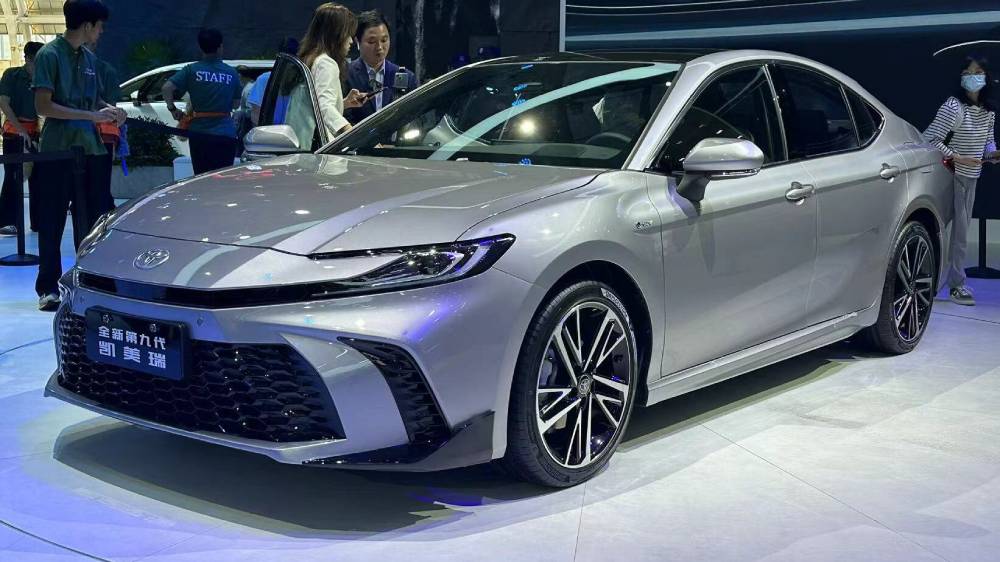
Toyota Digital Key Not Connecting to the Vehicle
One of the most common complaints among Toyota owners is that the Digital Key suddenly fails to connect to the vehicle. This issue often appears without warning and can leave drivers unable to unlock or start their cars using the Toyota app.
In many situations, the root cause is related to Bluetooth connectivity. If Bluetooth is disabled, unstable, or blocked by phone settings, the vehicle may not recognize the smartphone as an authorized key. Weak internet connections can also interfere with the authentication process, especially when the Toyota app attempts to verify account credentials through Connected Services.
Another common reason involves outdated software. Older versions of the Toyota app or smartphone operating systems may create compatibility issues that prevent successful communication between the phone and vehicle. Some users also accidentally disable location permissions or background app activity, which can interrupt Digital Key functionality.
To fix this problem, start by restarting Bluetooth on your smartphone. Next, close and reopen the Toyota app before attempting to reconnect. Updating both the Toyota app and your phone’s operating system can also solve many hidden software conflicts. It is equally important to confirm that your Toyota Connected Services subscription remains active because expired subscriptions may disable Digital Key features entirely.
Many drivers become frustrated because the issue appears random, but in reality, most connection failures are caused by simple permission or software settings rather than major vehicle defects.
Toyota Digital Key Pairing Failed
Another frustrating issue occurs when the Toyota Digital Key fails during the pairing process. Drivers may see error messages such as “Pairing Failed” or “Unable to Connect to Vehicle,” even after following setup instructions carefully.
This problem often happens after switching to a new smartphone or attempting to add multiple devices to the same Toyota account. In some cases, previously connected devices remain stored in the system and create conflicts during the authentication process. Bluetooth interruptions, unstable internet connections, or incomplete account verification can also prevent successful pairing.
Some Toyota owners experience this issue after resetting their phones or reinstalling the Toyota app. Because Digital Key technology depends heavily on secure account synchronization, even a small interruption during setup may cause the entire pairing process to fail.
To solve this issue, first remove any previously connected devices from the Toyota app and vehicle settings. Restart both the smartphone and the vehicle infotainment system before attempting the pairing process again. Make sure Bluetooth, Wi Fi, and location services are fully enabled during setup. If your phone uses battery optimization features, temporarily disable them because aggressive power saving modes can interrupt background authentication.
Drivers often panic when the Digital Key disappears after changing phones, especially if they no longer carry a physical key. For this reason, Toyota owners should always keep a backup key available during major software updates or device replacements.
Toyota App Authentication Error
Authentication errors are another major source of frustration for Toyota Digital Key users. These errors usually appear when the Toyota app cannot verify the user account or establish secure communication with Toyota servers.
In some situations, the issue is caused by incorrect login credentials or expired passwords. Other times, Toyota servers may experience temporary outages or maintenance periods that interrupt account verification. Drivers may also encounter authentication failures if the app cache becomes corrupted after repeated login attempts or software updates.
The most obvious sign of this issue is when the Toyota app repeatedly asks users to sign in again, even after entering the correct information. Some drivers also report seeing endless loading screens or receiving messages stating that account verification could not be completed.
To troubleshoot authentication problems, begin by resetting your Toyota account password and logging in again. Clearing the app cache or reinstalling the Toyota app can also remove corrupted temporary files that may interfere with secure login sessions. If the issue continues, checking Toyota server status through official support channels may help confirm whether the problem is widespread.
Authentication failures can feel especially stressful when drivers rely entirely on smartphone access instead of carrying physical keys. While many issues are temporary, repeated login failures should never be ignored because they may indicate larger account synchronization problems within the Connected Services system.
Digital Key Stops Working After Software Update
Many Toyota owners notice that their Digital Key suddenly stops functioning after updating their smartphone operating system or the Toyota app itself. Although software updates are intended to improve performance and security, they can sometimes create unexpected compatibility issues between the phone and the vehicle.
One of the most common causes is that system updates automatically reset important permissions such as Bluetooth access, location tracking, or background app activity. Without these permissions, the Toyota app may no longer communicate properly with the vehicle. Some users also experience temporary bugs when the latest app version is not fully optimized for certain smartphone models.
The problem becomes even more frustrating because the Digital Key may appear to work intermittently. Drivers may unlock the car successfully one moment and then lose access completely a few hours later. This inconsistency often causes confusion and leads many users to believe that the vehicle itself has a hardware defect.
To fix the issue, start by checking all app permissions manually. Ensure that Bluetooth, location services, mobile data, and background activity are enabled for the Toyota app. Reinstalling the application can also refresh corrupted files created during the update process. In some cases, updating the vehicle infotainment system may be necessary to restore compatibility with the newest mobile operating systems.
Software related Digital Key problems continue to increase as smartphones receive more frequent updates each year. Drivers who depend heavily on digital access should always verify app functionality immediately after installing major system updates.
Toyota Digital Key Battery Drain Problems
Battery drain is another issue commonly reported by Toyota Digital Key users, particularly among drivers who leave the Toyota app running continuously in the background. While the feature provides convenience, constant Bluetooth communication and background synchronization can consume significant smartphone battery power throughout the day.
Many users notice unusually fast battery loss after enabling Digital Key services for the first time. The problem may become worse in areas with weak mobile signals because the app repeatedly attempts to reconnect to Toyota servers and maintain communication with the vehicle. Certain smartphone settings can also intensify the issue, especially when multiple connectivity features operate simultaneously.
Drivers often become frustrated because they rely on their smartphones not only for vehicle access but also for navigation, communication, and work related tasks. A drained phone battery can suddenly leave users unable to access their vehicles entirely if they do not carry a physical key.
To reduce battery consumption, begin by disabling unnecessary background app refresh settings. Adjust Bluetooth scanning permissions and activate battery optimization modes when possible. Updating the Toyota app regularly is also important because newer versions may include performance improvements that reduce energy usage.
Although battery drain may seem like a minor inconvenience at first, it can become a serious problem during long trips or emergencies where smartphone access is critical for vehicle operation.
Vehicle Does Not Recognize Smartphone Key
Some Toyota owners experience situations where the vehicle fails to recognize the smartphone as a valid Digital Key even though the app appears connected and operational. This issue can be confusing because all systems may appear normal while the car still refuses to unlock or start.
One common cause involves NFC positioning problems. Many Toyota vehicles require the smartphone to be placed close to a specific sensor area for secure authentication. If the phone is held incorrectly or too far away, the system may fail to detect the key signal. Thick phone cases, magnetic accessories, and low smartphone battery levels can also interfere with NFC communication.
In other situations, the problem may result from temporary Bluetooth synchronization failures between the vehicle and smartphone. Drivers often assume the Digital Key is completely broken when the issue is actually related to signal interference or positioning errors.
To troubleshoot this problem, remove any thick protective phone cases and hold the device closer to the vehicle’s NFC detection area. Make sure the smartphone battery remains above twenty percent because some devices automatically limit NFC and Bluetooth functionality during low power conditions. Restarting both the phone and the vehicle system may also help refresh the connection.
This issue can feel particularly stressful in crowded parking lots or unfamiliar locations where drivers expect instant vehicle access. Understanding how NFC detection works can help reduce confusion and prevent unnecessary panic when the Digital Key temporarily fails to respond.
Toyota Remote Start Not Working with Digital Key
Remote start is one of the most convenient features connected to Toyota Digital Key technology, but many drivers become frustrated when the function suddenly stops working without explanation. In some cases, the app appears connected normally while the remote start command simply fails to activate the engine.
One of the most common causes is an expired Toyota Connected Services subscription. Since remote start depends on cloud based communication between the smartphone and vehicle, inactive subscriptions can disable access even when other Digital Key functions continue operating normally. Weak cellular signals may also interrupt communication, especially in underground parking garages or remote locations with limited coverage.
Vehicle safety conditions can also prevent remote start activation. Toyota systems are designed to block remote ignition if the doors are unlocked, the hood is open, or certain warning indicators are active. Some drivers mistakenly assume the Digital Key is malfunctioning when the vehicle is actually protecting itself through built in safety protocols.
To troubleshoot this issue, first confirm that your Connected Services subscription remains active within the Toyota app. Check that all vehicle doors are locked properly and ensure the fuel level and battery condition are sufficient for remote operation. Restarting the app and reconnecting the Digital Key may also restore communication between the phone and vehicle.
Remote start failures can become especially frustrating during extreme weather conditions when drivers depend on the feature to cool or warm the cabin before entering the vehicle. Keeping both the app and vehicle software updated can significantly improve system reliability over time.
When You Should Visit a Toyota Dealer
While many Toyota Digital Key problems can be solved through simple troubleshooting, some issues require professional diagnosis from an authorized Toyota dealer. Ignoring persistent system failures may eventually lead to larger connectivity or hardware related problems that cannot be resolved through the app alone.
One major warning sign is repeated authentication failure even after resetting the app, smartphone, and account credentials multiple times. Drivers should also seek professional assistance if the vehicle consistently fails to recognize authorized devices or if Digital Key functions disappear entirely from the infotainment system.
In some situations, the issue may involve deeper communication problems within the vehicle’s electronic control systems. Damaged Bluetooth modules, infotainment software corruption, or malfunctioning sensors can prevent the Digital Key from operating correctly regardless of smartphone settings. These technical failures usually require specialized diagnostic equipment available only at certified Toyota service centers.
Some owners make the mistake of repeatedly resetting the system every day in hopes of temporary fixes. While occasional resets are harmless, excessive troubleshooting attempts can create additional synchronization conflicts and make the issue harder to diagnose later.
Visiting a Toyota dealer may seem inconvenient, but professional inspection can save drivers significant time and frustration, especially when software patches or hardware replacements are necessary. If the Digital Key problem continues for several days despite multiple troubleshooting attempts, professional assistance is often the safest and fastest solution.
Frequently Asked Questions About Toyota Digital Key Problems
Why is my Toyota Digital Key not working?
The most common causes include Bluetooth connection issues, outdated Toyota app versions, expired Connected Services subscriptions, disabled phone permissions, or temporary server related authentication failures. In many situations, restarting the app and reconnecting the Digital Key can solve the problem quickly.
How do I reset my Toyota Digital Key?
Open the Toyota app and remove the currently paired Digital Key device from your account settings. Restart both your smartphone and vehicle infotainment system before beginning the setup process again. Ensure that Bluetooth, location services, and internet connectivity remain enabled during pairing.
Does Toyota Digital Key require internet access?
Yes, internet access is often required for account authentication and cloud based communication features. Some limited functions may continue through Bluetooth or NFC temporarily, but stable internet connectivity improves overall reliability and synchronization.
Can I use Toyota Digital Key on multiple phones?
Certain Toyota models allow multiple authorized devices, but setup limitations may vary depending on the vehicle and Connected Services plan. Too many connected devices can occasionally create synchronization conflicts during authentication.
Why did my Digital Key stop working after an iPhone or Android update?
Software updates sometimes reset Bluetooth permissions, background activity settings, or app compatibility features. Reinstalling the Toyota app and manually re enabling permissions usually resolves the issue.
Is Toyota Connected Services required for Digital Key features?
In most cases, yes. Toyota Connected Services supports cloud authentication, remote communication, and Digital Key synchronization. If the subscription expires, some Digital Key functions may stop working entirely.
Conclusion
Toyota Digital Key technology has transformed the way drivers interact with their vehicles by offering greater convenience, faster access, and smartphone based control. Instead of relying solely on traditional physical keys, drivers can unlock doors, start engines, and manage vehicle functions directly from their mobile devices. However, like many advanced technologies, the system is not completely free from occasional technical problems.
From Bluetooth connection failures and pairing errors to authentication issues and software update conflicts, Toyota Digital Key problems can quickly become frustrating when they interrupt daily routines. Many drivers experience stress when they suddenly lose vehicle access or cannot rely on remote features during emergencies or bad weather conditions. Fortunately, most of these issues can be solved through simple troubleshooting steps such as updating the Toyota app, checking smartphone permissions, reconnecting Bluetooth, or verifying Connected Services subscriptions.
Understanding the root causes behind these common Digital Key problems allows Toyota owners to respond more confidently and avoid unnecessary panic. In many situations, small software adjustments or connectivity fixes can restore full functionality within minutes without requiring expensive repairs or dealership visits.
As Toyota continues expanding digital vehicle technology, occasional connectivity issues will likely remain part of the ownership experience. Staying informed about common Toyota Digital Key problems and solutions can help drivers maintain reliable access and enjoy the convenience that smart vehicle technology was designed to provide.
Have you experienced Toyota Digital Key issues recently? Share your experience and troubleshooting tips in the comments to help other Toyota owners solve their problems faster.