Tesla not recognizing a charger is one of the most common charging issues Tesla owners encounter. The problem occurs when the vehicle fails to detect a charging connector after it is plugged in, preventing a charging session from starting. In most cases, the cause is not a failed battery. Instead, the issue usually originates from the charging equipment, the vehicle’s charging system, the power supply, or the communication process between these components.
Tesla verifies every charging connection before electricity flows into the battery. During this process, the charge port, charging connector, onboard charger (OBC), Battery Management System (BMS), and charging equipment exchange information to confirm that charging can begin safely. If any part of this sequence fails, the vehicle may display messages such as “Unable to Charge” or “Check Charging Equipment”, or it may simply fail to recognize the charger.
This guide explains why your Tesla is not recognizing a charger, how the charging detection process works, the most common causes of the problem, and the steps to diagnose and fix it. It also explains when the issue can be resolved at home and when it indicates a hardware fault that requires Tesla Service.
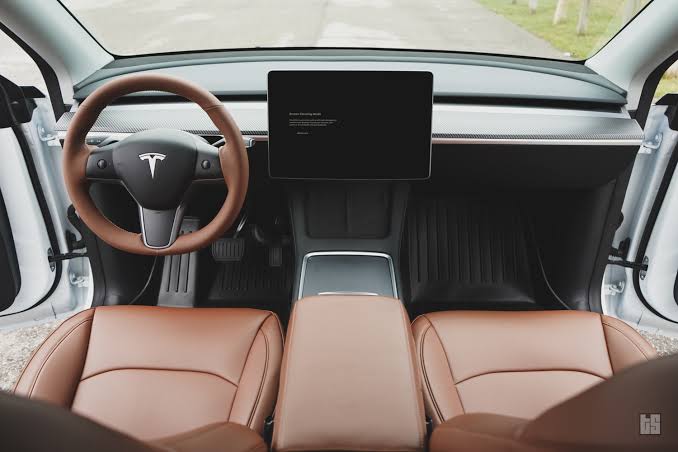
Why Is My Tesla Not Recognizing the Charger?
A Tesla may fail to recognize a charger because the charging equipment, vehicle, or power supply cannot complete the communication required to start a charging session. Before electricity reaches the battery, the vehicle verifies that the charger, connector, and charging system are functioning correctly. If this verification fails, charging will not begin, even if the connector is fully inserted.
The most common causes fall into five categories:
- Charging equipment problems, such as a faulty Wall Connector, Mobile Connector, Supercharger, or charging cable.
- Vehicle-related faults, including a dirty or damaged charge port, a malfunctioning onboard charger (OBC), or a charge port hardware issue.
- Power supply issues, including a tripped circuit breaker, unstable voltage, or insufficient power at the charging source.
- Software and communication failures caused by outdated firmware, temporary system glitches, or interrupted communication between the vehicle and the charger.
- Environmental factors, such as moisture, debris, corrosion, or extremely low temperatures that interfere with the charging connection.
Although these issues produce the same symptom—a Tesla that does not recognize the charger—they require different solutions. Replacing the charging cable will not resolve a software communication error, and restarting the vehicle will not fix a damaged charge port. Identifying which part of the charging system has failed is the first step toward an effective repair.
In most situations, the fastest way to narrow down the cause is to determine where the failure occurs. If your Tesla cannot recognize multiple chargers at different locations, the problem is more likely to originate from the vehicle. If the vehicle charges normally with another charger, the charging equipment or power source is the more likely cause. This simple comparison eliminates many possible faults before more advanced troubleshooting begins.
How Does Tesla Detect a Charger?
Tesla recognizes a charger through a communication sequence that takes place before electrical power is delivered to the battery. Plugging the connector into the charge port does not immediately start charging. Instead, the vehicle and the charging equipment verify that the connection is safe, stable, and compatible. If any step in this process fails, the charging session is canceled before current begins flowing.
The process starts when the charging connector is inserted into the charge port. The connector establishes an electrical communication link with the vehicle to identify the charger type, confirm that the connector is fully seated, and verify that the charging equipment is ready to supply power. At the same time, the charge port lock engages to secure the connector and prevent it from being removed during charging.
Once the initial connection is established, the Battery Management System (BMS) and the Onboard Charger (OBC) evaluate whether charging can begin. The BMS checks battery conditions such as voltage, temperature, and charging limits, while the OBC confirms that the incoming power meets the vehicle’s charging requirements. If either system detects an abnormal condition, Tesla blocks the charging session to protect the battery and electrical components.
Only after these checks are completed does the charging equipment energize the connector and begin delivering electricity. This verification process usually takes only a few seconds, but it depends on continuous communication between the charger and the vehicle. A damaged charging cable, contaminated charge port, unstable power supply, incompatible adapter, or software communication error can interrupt the handshake before charging starts, causing the vehicle to appear as though it does not recognize the charger.
Understanding this sequence makes troubleshooting more efficient. Because Tesla validates the connector, charging equipment, vehicle systems, and power source before allowing current to flow, the failure point can often be identified by testing each component one at a time rather than assuming the battery or charger has failed.
How Does Tesla Detect a Charger?
Tesla recognizes a charger through a communication sequence that takes place before electrical power is delivered to the battery. Plugging the connector into the charge port does not immediately start charging. Instead, the vehicle and the charging equipment verify that the connection is safe, stable, and compatible. If any step in this process fails, the charging session is canceled before current begins flowing.
The process starts when the charging connector is inserted into the charge port. The connector establishes an electrical communication link with the vehicle to identify the charger type, confirm that the connector is fully seated, and verify that the charging equipment is ready to supply power. At the same time, the charge port lock engages to secure the connector and prevent it from being removed during charging.
Once the initial connection is established, the Battery Management System (BMS) and the Onboard Charger (OBC) evaluate whether charging can begin. The BMS checks battery conditions such as voltage, temperature, and charging limits, while the OBC confirms that the incoming power meets the vehicle’s charging requirements. If either system detects an abnormal condition, Tesla blocks the charging session to protect the battery and electrical components.
Only after these checks are completed does the charging equipment energize the connector and begin delivering electricity. This verification process usually takes only a few seconds, but it depends on continuous communication between the charger and the vehicle. A damaged charging cable, contaminated charge port, unstable power supply, incompatible adapter, or software communication error can interrupt the handshake before charging starts, causing the vehicle to appear as though it does not recognize the charger.
Understanding this sequence makes troubleshooting more efficient. Because Tesla validates the connector, charging equipment, vehicle systems, and power source before allowing current to flow, the failure point can often be identified by testing each component one at a time rather than assuming the battery or charger has failed.
How Do You Fix a Tesla That Does Not Recognize a Charger?
The most effective way to fix a Tesla that does not recognize a charger is to troubleshoot the charging system in a logical sequence. Start with the components that are easiest to inspect, then move toward software diagnostics and hardware-related checks. This approach helps eliminate common causes before assuming the vehicle requires professional repair.
1. Inspect the Charge Port
Begin by examining the charge port for contamination or physical damage. Dirt, sand, moisture, corrosion, or bent pins can prevent the connector from establishing a reliable communication link with the vehicle.
Use a flashlight to inspect the charge port carefully. If you notice dust or loose debris, remove it with compressed air or a soft, non-conductive brush. If the pins appear bent, burned, or corroded, avoid forcing another charging attempt, as doing so may damage both the vehicle and the charging connector.
2. Check the Charging Connector and Cable
Inspect the charging connector before assuming the vehicle is at fault. A worn connector, damaged cable, or loose internal wiring can interrupt the communication handshake even if the charger still powers on.
Look for cracked plastic, bent pins, discoloration from overheating, or signs of excessive wear. If you are using a Mobile Connector or Wall Connector, ensure the cable is fully connected and has not been pinched or stretched. The quickest verification is to try a different charging cable or use another charging station.
3. Test a Different Charger
Testing another charger is the fastest way to determine where the fault originates. If your Tesla recognizes another charger immediately, the original charging equipment or power source is likely responsible. If the vehicle fails to recognize multiple compatible chargers, the issue is more likely within the vehicle itself.
Whenever possible, compare results using different charging methods, such as a Wall Connector, Mobile Connector, Destination Charger, or Supercharger. This process significantly reduces the number of possible causes before deeper troubleshooting begins.
4. Restart the Vehicle
A temporary software glitch can prevent the charging system from completing the connection sequence. Restarting the vehicle reloads several control modules involved in charging and may restore normal operation.
Allow the vehicle to remain parked for a few minutes after restarting before attempting another charging session. If the charger is recognized after the restart, the issue was likely caused by a temporary communication error rather than a hardware failure.
5. Reboot the Touchscreen
Rebooting the touchscreen can resolve charging-related software issues without affecting vehicle settings or stored data. The touchscreen manages several vehicle functions, including communication with charging equipment.
Press and hold both scroll wheels on the steering wheel until the Tesla logo appears. After the system finishes restarting, reconnect the charger and check whether the charging session begins normally.
6. Install the Latest Software Update
Keeping Tesla software up to date helps resolve known charging bugs and improves compatibility with charging equipment. Tesla regularly releases firmware updates that address communication issues, charging performance, and system reliability.
Check for available software updates through the vehicle’s touchscreen or the Tesla mobile app. If an update is available, install it before continuing additional troubleshooting.
7. Reset or Inspect the Charging Equipment
If the vehicle still cannot recognize the charger, inspect the charging equipment and its power supply. A charger that has entered a fault state or lost power cannot complete the charging handshake.
Verify that circuit breakers have not tripped, indicator lights show normal operation, and the charger is receiving power. Many home charging systems can be reset by cycling power at the breaker before reconnecting the vehicle.
8. Contact Tesla Service
Schedule a Tesla Service appointment if the vehicle consistently fails to recognize every compatible charger after completing the previous checks. Persistent charging failures across multiple charging locations often indicate a problem with the onboard charger (OBC), charge port assembly, wiring harness, or another component within the vehicle’s charging system.
Before contacting Tesla Service, note any error messages displayed on the touchscreen, identify which chargers were tested, and record when the problem occurs. Providing this information helps technicians diagnose the issue more efficiently and may reduce repair time.
What Tesla Error Messages Can Help Diagnose Charging Problems?
Tesla charging error messages indicate where the charging process failed, helping narrow the diagnosis to the charging equipment, power supply, or vehicle. While the wording may vary slightly by software version and vehicle model, the messages below are among the most common when a Tesla does not recognize a charger.
Check Charging Equipment
“Check Charging Equipment” usually indicates that the vehicle cannot establish or maintain communication with the charging equipment. The problem often originates outside the vehicle rather than with the battery itself.
This message commonly appears when:
- The Wall Connector or Mobile Connector has developed a fault.
- The charging cable or connector is damaged.
- The charging adapter is not fully seated.
- The charging station has entered a fault state.
- The power supply is unstable or unavailable.
The first troubleshooting step is to disconnect the charger, inspect the connector for dirt or damage, and test the vehicle with another compatible charger. If the message only appears with one charger, the charging equipment is likely the cause.
Unable to Charge
“Unable to Charge” means the charging session cannot begin or has stopped because one or more charging requirements were not met. Unlike the previous message, this alert can be triggered by either the charging equipment or the vehicle.
Possible causes include:
- A failed communication handshake.
- Battery temperature outside the acceptable charging range.
- Software communication errors.
- Onboard charger (OBC) faults.
- Charge port hardware problems.
If this message appears with every charging station, especially after restarting the vehicle and updating the software, the issue is more likely related to the vehicle’s charging system.
Charging Equipment Not Ready
“Charging Equipment Not Ready” indicates that the charger has not entered an operational state. The vehicle is waiting for the charging equipment to supply power but does not receive confirmation that the charger is ready.
This message is commonly associated with:
- A charger that is still initializing.
- A tripped circuit breaker.
- Loss of electrical power.
- Internal charger faults.
- Public charging stations that are temporarily offline.
Testing another charging station is usually the quickest way to determine whether the problem lies with the charging equipment.
Charge Port Error
A charge port error usually indicates a problem with the vehicle’s charging hardware rather than the external charger. The vehicle may detect that the connector cannot lock properly or that the electrical contacts are not functioning as expected.
Common causes include:
- A damaged charge port.
- Bent or contaminated charging pins.
- A failed charge port locking mechanism.
- Internal wiring or connector damage.
Inspect the charge port carefully for visible damage. If the connector cannot lock securely or the error appears regardless of which charger is used, the vehicle should be inspected by Tesla Service.
How Should You Interpret These Messages?
No single error message confirms the exact component that has failed. Tesla displays these alerts to identify the stage where charging stopped, not necessarily the defective part. The most accurate diagnosis comes from combining the error message with practical testing.
For example, if “Check Charging Equipment” disappears when using another charger, the original charging equipment is likely defective. If “Unable to Charge” appears at home, at a public AC charger, and at a Supercharger, the vehicle itself becomes the primary suspect. Comparing results across multiple chargers, adapters, and locations provides a far more reliable diagnosis than relying on the dashboard message alone.
When Should You Contact Tesla Service?
You should contact Tesla Service if your vehicle consistently fails to recognize compatible chargers after basic troubleshooting or if there are signs of a hardware failure. Most charging issues are caused by the charging equipment, power supply, or temporary software problems. However, persistent failures across multiple charging locations often indicate a fault within the vehicle’s charging system.
Schedule a service appointment if your Tesla cannot recognize any compatible charger, including a Wall Connector, Mobile Connector, Destination Charger, and Supercharger. When every charging method produces the same result, the likelihood of a vehicle-side hardware issue increases significantly.
You should also seek professional diagnosis if the charge port is physically damaged. Bent charging pins, a broken locking mechanism, burn marks, corrosion, or water intrusion can prevent the vehicle from establishing a safe charging connection. Continuing to use a damaged charge port may worsen the problem or damage the charging connector.
Repeated charging failures after installing the latest software update and restarting the vehicle are another indicator that the issue is unlikely to be caused by firmware. If the same error messages continue to appear after testing multiple chargers, further inspection is required.
Another warning sign is intermittent charging that becomes progressively worse. For example, the vehicle may initially recognize the charger after several attempts but eventually stop charging altogether. This pattern can indicate a failing onboard charger (OBC), deteriorating electrical connections, or a charge port component approaching the end of its service life.
Before visiting Tesla Service, gather as much diagnostic information as possible. Record the exact error message displayed on the touchscreen, identify every charger and adapter you tested, note whether the issue occurs at one location or multiple charging stations, and document any unusual behavior such as clicking sounds, failure of the charge port latch, or charging sessions that stop unexpectedly. These details help technicians isolate the fault more efficiently and reduce unnecessary diagnostic time.
In most cases, professional inspection is recommended when basic troubleshooting no longer changes the outcome. Attempting repeated charging sessions with a suspected hardware fault is unlikely to resolve the issue and may increase wear on the charging connector or charge port.
How Can You Prevent Tesla Charging Recognition Problems?
Regular maintenance and proper charging habits significantly reduce the likelihood of charger recognition issues. While some hardware failures are unavoidable, most charging interruptions result from contamination, damaged accessories, outdated software, or preventable wear.
Follow these best practices to improve charging reliability:
- Keep the charge port clean. Inspect the port regularly and remove dust, sand, leaves, or other debris that could interfere with the charging connection.
- Protect charging equipment from moisture. Although Tesla charging components are designed for outdoor use, keeping connectors clean and dry reduces the risk of corrosion and poor electrical contact.
- Inspect charging cables and adapters periodically. Replace accessories that show cracked housings, bent pins, overheating, or excessive wear before they cause charging failures.
- Install Tesla software updates promptly. Firmware updates often improve charging stability, compatibility, and communication between the vehicle and charging equipment.
- Use compatible and certified charging accessories. Genuine Tesla equipment or certified third-party accessories are more likely to maintain reliable communication with the vehicle.
- Avoid unnecessary strain on charging cables. Do not sharply bend, twist, or pinch charging cables, as internal conductor damage may not be visible from the outside.
Following these maintenance practices helps reduce unexpected charging interruptions and extends the lifespan of both the vehicle’s charging system and its accessories.
Frequently Asked Questions
Why does my Tesla recognize one charger but not another?
This usually indicates that the problem is related to the charging equipment rather than the vehicle. The charger may have a communication fault, unstable power supply, damaged connector, or incompatible adapter.
Can a software update fix charging recognition problems?
Yes. Tesla software updates occasionally resolve charging communication bugs, improve compatibility with charging equipment, and address known firmware issues. Installing the latest available update is a recommended troubleshooting step before assuming a hardware failure.
Does cold weather prevent Tesla from recognizing a charger?
Cold weather itself does not usually prevent charger recognition, but ice, condensation, or frozen charge port components can interfere with the connection. Allowing the charge port to thaw and ensuring the connector is fully seated often resolves the issue.
Can a damaged charging adapter cause this problem?
Yes. A damaged J1772 or CCS adapter can interrupt communication between the charging equipment and the vehicle, preventing Tesla from initiating a charging session. Testing with another compatible adapter is an effective way to verify the cause.
Conclusion
Most Tesla Sentry Mode recording issues can be resolved without professional repairs. In the majority of cases, the root cause is a faulty or incompatible storage device, an incorrect recording configuration, or a temporary software issue rather than a failure of the vehicle’s cameras.
When troubleshooting, start with the simplest checks first. Verify that the USB drive or SSD is recognized, confirm it is formatted correctly with the required TeslaCam folder, review your Sentry Mode settings, and install any available software updates. Following this sequence helps identify the cause quickly while avoiding unnecessary service appointments or hardware replacements.
If Sentry Mode still fails to save events after completing these steps, the issue is more likely related to the camera system or another hardware component that requires diagnosis by Tesla Service.
To keep your vehicle ready to capture important security footage, use a high-endurance storage device, maintain adequate free space, and test Sentry Mode periodically to ensure recordings are being saved correctly.
If you’re looking to learn more about Tesla’s security and recording features, explore our guides on Tesla Sentry Mode, Tesla Dashcam, and how to format a USB drive for Tesla to improve recording reliability and get the most from your vehicle’s built-in camera system.