Tesla not entering Sleep Mode is usually caused by active vehicle systems, frequent communication requests, or features that continue running after the car is parked. Sleep Mode is an important energy management state that allows a Tesla vehicle to reduce background activity and minimize unnecessary battery consumption when it is not being driven.
A Tesla that stays awake for long periods can experience higher battery drain because systems such as Sentry Mode, Cabin Overheat Protection, Tesla mobile app connections, or third-party monitoring applications may continue interacting with the vehicle. In most cases, this behavior does not indicate a battery failure but results from specific settings or connected services preventing the vehicle from entering its low-power state.
This guide explains why a Tesla does not enter Sleep Mode, which features and connections commonly keep the vehicle awake, and how to fix the issue through practical troubleshooting steps. It also covers how Sleep Mode affects battery consumption and what Tesla owners can do to prevent unnecessary energy loss while the vehicle is parked.
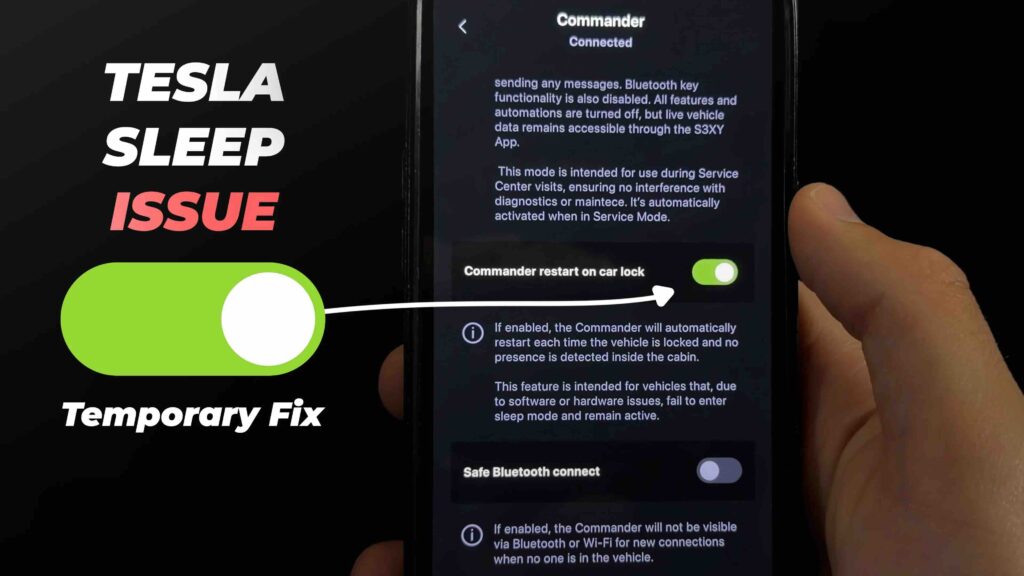
Why is my Tesla not entering Sleep Mode?
Tesla does not enter Sleep Mode when one or more vehicle systems continue operating after the car is parked. Sleep Mode is Tesla’s low-power state that reduces background activity, limits communication processes, and helps preserve battery energy when the vehicle is not being used.
Tesla vehicles are designed to remain connected and responsive through features such as the Tesla mobile app, remote commands, security monitoring, and scheduled functions. When these systems continue requesting information from the vehicle or controlling specific components, the car remains in an awake state instead of reducing power consumption.
A Tesla that stays awake for an extended period does not necessarily indicate a battery problem. The vehicle is usually responding to an active feature, software process, or external connection. Identifying which system prevents Sleep Mode is the first step to reducing unnecessary battery drain.
The time required for a Tesla to enter Sleep Mode varies depending on vehicle activity and settings. A vehicle that has no active requests, no monitoring features running, and no connected applications typically enters a lower-power state after a period of inactivity. However, frequent app checks, background services, or active security features can repeatedly wake the vehicle.
Sleep Mode is important because Tesla vehicles contain multiple electronic systems that consume energy even when the car is parked. These systems include communication modules, computers, sensors, and battery management components. When the vehicle remains awake continuously, these components continue using energy instead of entering a reduced consumption state.
For Tesla owners, understanding the difference between an awake vehicle and a sleeping vehicle helps diagnose unexpected battery loss. A parked Tesla with normal settings should minimize unnecessary energy use, while a vehicle that stays awake requires checking active features and connected services.
What causes a Tesla to stay awake instead of entering Sleep Mode?
A Tesla stays awake instead of entering Sleep Mode when vehicle features, connected services, or background processes continue communicating with the car. The most common causes include Tesla app activity, Sentry Mode, third-party monitoring applications, scheduled vehicle functions, and climate protection settings.
The Tesla mobile app is one of the most frequent reasons a vehicle remains awake. Every time an owner opens the app to check battery level, location, charging status, or vehicle temperature, the car may need to communicate with Tesla servers and activate its systems. Frequent app checks prevent the vehicle from remaining inactive long enough to enter Sleep Mode.
For example, checking the Tesla app several times throughout the day while the vehicle is parked can repeatedly wake the vehicle. This behavior is normal because Tesla prioritizes remote access and real-time information, but continuous communication increases standby energy consumption.
Sentry Mode prevents Tesla from entering Sleep Mode because it keeps security systems active. When Sentry Mode is enabled, Tesla uses external cameras, sensors, and computing systems to monitor activity around the vehicle. These components require continuous power, so the vehicle remains in an active state instead of reducing energy consumption.
Sentry Mode is useful for vehicle security, but it significantly changes how the vehicle manages energy while parked. Owners who want maximum battery preservation during long parking periods should evaluate whether continuous surveillance is necessary.
Third-party Tesla applications can also keep the vehicle awake by repeatedly requesting vehicle data. Applications such as Tesla monitoring tools, fleet tracking platforms, and smart home integrations may connect to the vehicle even when the owner is not actively using them.
These services often provide features such as battery monitoring, charging history, location tracking, or automated controls. However, frequent background communication can prevent Tesla from reaching Sleep Mode because the vehicle continues responding to external requests.
Cabin Overheat Protection can delay Sleep Mode because Tesla continues monitoring interior temperature conditions. This feature uses sensors and climate systems to protect the cabin from excessive heat after the vehicle is parked.
Although Cabin Overheat Protection improves comfort and protects interior components, it requires the vehicle to remain partially active. Owners in hot climates may notice higher standby energy consumption when this feature is enabled for extended periods.
Other scheduled features can also affect Sleep Mode. Scheduled Charging, Scheduled Departure, climate controls, and software-related processes may temporarily keep the vehicle awake because Tesla needs to prepare for a planned action.
Bluetooth connections and nearby devices can contribute to unnecessary vehicle activity as well. When connected devices frequently interact with the vehicle, Tesla may interpret these requests as a reason to maintain communication rather than enter a low-power state.
Understanding these causes helps Tesla owners identify why their vehicle remains awake. In most cases, Sleep Mode problems are related to active settings or connected services rather than a failure of the vehicle’s battery system.
How do I fix a Tesla that is not entering Sleep Mode?
You can fix a Tesla that is not entering Sleep Mode by identifying the active feature or connection preventing the vehicle from becoming inactive. The troubleshooting process starts with checking common causes such as app activity, security features, connected services, and vehicle settings before performing more advanced resets.
The first step is to check the Tesla mobile app usage. Avoid opening the app repeatedly after parking because each request can wake the vehicle and restart the inactivity period required for Sleep Mode. If multiple people have access to the Tesla account, check whether another user is frequently monitoring or controlling the vehicle remotely.
The next step is to disable features that require continuous vehicle activity. Turn off Sentry Mode when security monitoring is not required, especially during long parking periods. Disable Cabin Overheat Protection if protecting the cabin temperature is not necessary. Review Scheduled Charging, Scheduled Departure, and climate settings to confirm that no automated function is keeping the vehicle active.
Third-party applications should also be disconnected during troubleshooting. Applications that monitor battery percentage, location, charging status, or driving statistics may repeatedly communicate with Tesla servers. Removing these connections temporarily helps determine whether an external service is preventing Sleep Mode.
Restarting the Tesla system can resolve Sleep Mode problems caused by temporary software processes. Tesla vehicles use multiple computers and software systems to control energy management, connectivity, and vehicle functions. A temporary software issue may prevent the vehicle from correctly transitioning into a low-power state.
To restart the vehicle, Tesla owners can perform a touchscreen reboot by holding both steering wheel scroll buttons until the display restarts. This process refreshes the vehicle interface and can resolve minor software-related issues without affecting stored vehicle settings.
For persistent issues, a full power cycle may help reset vehicle communication systems. This involves turning off the vehicle through the Controls menu, waiting several minutes without interacting with the car, and allowing the systems to shut down completely before restarting.
Updating Tesla software can fix Sleep Mode issues when the problem is caused by a software bug. Tesla regularly releases software updates that improve vehicle performance, energy management, connectivity, and system stability.
Owners should check the Software tab in the Tesla touchscreen to confirm whether a new update is available. Keeping Tesla software current reduces the risk of outdated processes interfering with normal vehicle behavior.
If a Tesla continues staying awake after disabling features, disconnecting external applications, rebooting the vehicle, and updating software, the issue may require professional diagnosis. Tesla Service can review vehicle logs and identify abnormal activity that prevents normal energy management behavior.
Does a Tesla not sleeping drain the battery?
A Tesla that does not enter Sleep Mode can increase battery consumption because more vehicle systems remain active while the car is parked. When a Tesla stays awake, components such as communication modules, computers, sensors, and background software processes continue using energy instead of switching to a lower-power state.
Battery drain caused by a vehicle staying awake is commonly known as standby drain or vampire drain. This happens because Tesla vehicles are designed to maintain connectivity and provide remote access, but continuous activity requires energy from the high-voltage battery.
A sleeping Tesla reduces unnecessary power usage by limiting background operations. The vehicle can still maintain essential battery management functions, but it avoids running systems that are only needed when the owner interacts with the car or when specific features are enabled.
The amount of battery loss depends on which systems remain active. A Tesla with only basic connectivity enabled usually consumes less energy than a vehicle running Sentry Mode, Cabin Overheat Protection, or multiple connected applications.
Tesla vampire drain becomes a problem when energy loss continues for extended periods without the vehicle being used. A small amount of battery consumption while parked is normal because Tesla must monitor important systems, maintain battery health, and remain available for remote commands.
However, excessive drain indicates that one or more features are preventing the vehicle from entering an efficient resting state. For example, a Tesla parked at an airport for several days may lose significantly more battery if Sentry Mode remains active compared with a vehicle that enters Sleep Mode normally.
Weather conditions can also affect parked battery consumption. Cold temperatures require additional energy for battery management and thermal control, while hot temperatures may activate protective systems such as Cabin Overheat Protection.
The Tesla app and external monitoring tools can further increase battery usage by repeatedly communicating with the vehicle. Each communication request can wake the vehicle computer and delay the transition back to Sleep Mode.
Understanding the difference between normal standby consumption and excessive battery drain helps owners decide when troubleshooting is necessary. A Tesla should use minimal energy while parked, and persistent high consumption usually indicates an active feature, connection, or software process that needs adjustment.
How much battery does a Tesla lose while parked?
A Tesla normally loses a small amount of battery while parked because the vehicle continues managing essential systems, but excessive battery loss usually indicates active features preventing efficient Sleep Mode operation. The amount of energy consumed depends on vehicle settings, environmental conditions, connectivity, and how frequently the vehicle is accessed.
A Tesla in normal Sleep Mode uses minimal energy because most non-essential systems reduce activity. The vehicle continues monitoring battery health, maintaining communication capability, and managing important electrical components, but it avoids running systems that require continuous power.
Battery loss increases when Tesla features remain active while the vehicle is parked. Sentry Mode is one of the largest contributors because it keeps cameras, sensors, and computer systems operating continuously. Owners who leave Sentry Mode enabled for several days may notice a significant reduction in battery percentage compared with a vehicle that enters Sleep Mode normally.
Cabin Overheat Protection can also increase parked battery consumption because Tesla monitors cabin temperature and may activate cooling systems under certain conditions. This feature is useful in hot environments, but it requires additional energy compared with a completely inactive vehicle.
Temperature is another factor affecting parked battery loss. Cold weather can increase energy consumption because Tesla must regulate battery temperature to maintain performance and protect the high-voltage battery. Extremely hot conditions can also increase consumption when thermal management systems operate to control vehicle temperature.
A Tesla experiencing excessive battery drain while parked should be checked for active features, frequent communication, or software activity. The owner should compare battery usage under different conditions to identify the source of energy loss.
For example, if battery consumption decreases after disabling Sentry Mode, the security system was likely the main cause. If battery drain continues after all major features are disabled, the vehicle may require further software diagnostics or service inspection.
Monitoring energy usage through the Tesla touchscreen provides useful information about how the vehicle consumes power. The Energy app can help owners identify driving consumption, parked consumption, and features that contribute to battery usage.
Maintaining proper Sleep Mode behavior helps preserve battery range and reduces unnecessary charging cycles. While Tesla vehicles are designed to remain connected and intelligent even when parked, efficient energy management depends on minimizing unnecessary background activity.
Which Tesla features should I disable to improve Sleep Mode?
Disabling unnecessary Tesla features can help the vehicle enter Sleep Mode faster by reducing background activity and communication requests. Tesla includes many intelligent features designed for convenience, safety, and remote access, but some of these functions require continuous power when the vehicle is parked.
Sentry Mode is the first feature Tesla owners should evaluate when trying to improve Sleep Mode behavior. Sentry Mode keeps external cameras and monitoring systems active to detect potential security events around the vehicle. While this feature improves protection against theft or damage, it prevents the vehicle from entering a low-energy resting state.
For long-term parking situations, such as leaving a Tesla at an airport or storage location, disabling Sentry Mode can significantly reduce unnecessary battery consumption. Owners should balance security needs with energy preservation depending on the parking environment.
Cabin Overheat Protection is another feature that may delay Sleep Mode. This function monitors cabin temperature and activates climate control when conditions exceed a selected threshold. It helps protect passengers and interior materials from extreme heat, but it requires the vehicle to remain partially active.
Tesla owners in moderate climates or situations where cabin temperature protection is unnecessary can disable this feature to allow lower standby consumption. However, drivers in very hot environments should consider the trade-off between energy savings and interior temperature protection.
The Tesla mobile app and third-party monitoring applications should also be reviewed. Apps that frequently request vehicle information can repeatedly wake the car and prevent normal Sleep Mode behavior.
Owners should disconnect unnecessary third-party services when troubleshooting battery drain. Applications that track charging history, location, or vehicle statistics are useful tools, but excessive background communication can increase energy consumption while parked.
Scheduled features should also be checked because automated actions can keep the vehicle prepared for future activity. Scheduled Charging, Scheduled Departure, and climate settings may require Tesla to remain active at specific times.
Disabling unnecessary scheduled functions helps the vehicle remain inactive when no immediate operation is required. Owners who rarely use these features can turn them off temporarily to determine whether they are contributing to Sleep Mode problems.
Always Connected settings, Bluetooth connections, and nearby devices can also influence vehicle activity. These connections are designed to improve convenience, but they create additional communication points between the vehicle and external devices.
Optimizing Tesla settings does not mean disabling every available feature. The goal is to identify which functions are necessary and which ones create unnecessary background activity. A properly configured Tesla should maintain essential functions while still entering Sleep Mode when parked.
How can I prevent Tesla Sleep Mode problems in the future?
You can prevent Tesla Sleep Mode problems by reducing unnecessary vehicle activity, managing connected services, and regularly checking energy-consuming features. A Tesla is designed to balance remote accessibility with energy efficiency, but incorrect settings or excessive connectivity can prevent the vehicle from entering its low-power state.
The first prevention method is controlling Tesla app usage. Frequently checking the vehicle status after parking can repeatedly wake the car and delay Sleep Mode. Owners should avoid opening the app unnecessarily when the vehicle does not require monitoring.
Managing third-party applications is another important step. Apps that collect Tesla data in real time, including battery status, location history, or charging information, may continuously communicate with the vehicle. Disconnecting unused applications reduces unnecessary background requests and allows the vehicle to remain inactive for longer periods.
Regularly reviewing Tesla settings helps maintain efficient battery management while parked. Owners should check features such as Sentry Mode, Cabin Overheat Protection, Scheduled Charging, and Scheduled Departure to ensure each function matches their actual needs.
For example, a Tesla parked safely inside a private garage may not need Sentry Mode running continuously. Disabling unnecessary security monitoring in this situation allows the vehicle to enter Sleep Mode and reduces battery consumption.
Keeping Tesla software updated is also important because vehicle energy management depends on software-controlled systems. Updates may include improvements to connectivity, battery management, and vehicle standby behavior.
Battery monitoring habits can help identify Sleep Mode problems before they become significant. Owners should review Energy Consumption information and compare battery usage during similar parking periods. A sudden increase in parked energy consumption can indicate that a feature, application, or software process is keeping the vehicle active.
Proper charging habits also support efficient Tesla energy management. Maintaining appropriate charging levels and avoiding unnecessary charging cycles helps preserve battery performance while making it easier to identify unusual energy loss.
A Tesla that regularly enters Sleep Mode should maintain predictable parked battery consumption. By controlling connected services, optimizing vehicle settings, and monitoring energy usage, owners can reduce unnecessary drain and maintain better long-term battery efficiency.
When should I contact Tesla Service for Sleep Mode problems?
You should contact Tesla Service for Sleep Mode problems when the vehicle continues staying awake after common troubleshooting steps fail or when excessive battery drain suggests a deeper system issue. Most Sleep Mode problems are caused by settings, connected applications, or normal vehicle activity, but persistent issues can indicate software or hardware-related problems that require professional diagnosis.
The first situation that requires Tesla Service support is when the vehicle remains awake after disabling unnecessary features. If Sentry Mode, Cabin Overheat Protection, third-party applications, scheduled functions, and unnecessary connections have been turned off but the vehicle still does not enter Sleep Mode, Tesla technicians may need to review vehicle activity logs.
Tesla vehicles record information about system operations, connectivity events, battery management, and software behavior. Service technicians can use diagnostic tools to identify which component or process continues consuming energy while the vehicle is parked.
Excessive battery drain is another reason to request professional assistance. A small amount of battery loss while parked is normal, but a significant decrease without active features requires further investigation.
For example, if a Tesla loses a large percentage of battery overnight while parked with Sentry Mode disabled and no connected applications active, the issue may not be caused by normal standby consumption. A diagnostic review can determine whether the cause is related to software processes, battery management systems, or another vehicle component.
Owners should also contact Tesla Service when Sleep Mode problems appear together with other warning signs. These signs include repeated software errors, unusual touchscreen behavior, connectivity problems, unexpected battery warnings, or problems with vehicle communication systems.
Software-related issues are another possible reason for professional support. Tesla vehicles rely heavily on software to control energy management, connectivity, and vehicle states. A software update may resolve some issues, but repeated failures after updates indicate that additional diagnosis may be necessary.
Before contacting Tesla Service, owners should prepare useful information about the problem. This includes the vehicle model, software version, battery drain pattern, parking duration, active features, and troubleshooting steps already completed.
Providing detailed information helps Tesla technicians identify patterns more quickly and reduces unnecessary diagnostic steps. A clear record of when the vehicle stays awake and how much energy it consumes provides valuable context for service evaluation.
A Tesla that occasionally remains awake is usually related to normal vehicle activity. However, continuous Sleep Mode failure combined with abnormal battery consumption requires professional inspection to protect battery performance and maintain reliable vehicle operation.
Tesla Not Entering Sleep Mode: Causes and Fixes
Tesla not entering Sleep Mode is usually caused by active vehicle features, connected services, or background processes that prevent the car from reducing energy consumption. In most cases, owners can resolve the issue by checking Tesla app activity, disabling unnecessary features, disconnecting third-party applications, and reviewing vehicle settings.
Sleep Mode plays an important role in Tesla energy management because it allows the vehicle to reduce unnecessary system activity while maintaining essential battery functions. When a Tesla remains awake for extended periods, features such as Sentry Mode, Cabin Overheat Protection, scheduled functions, or external connections may increase parked battery consumption.
Maintaining efficient Sleep Mode behavior requires balancing convenience features with energy preservation. Security monitoring, remote access, and automated functions provide important benefits, but they should be configured according to actual usage needs.
If a Tesla continues staying awake after common troubleshooting steps, unusual battery drain or repeated software issues may require Tesla Service diagnosis. Professional inspection helps identify whether the cause is related to software behavior, connectivity systems, or vehicle energy management components.
Understanding how Tesla Sleep Mode works allows owners to manage battery usage more effectively, reduce unnecessary drain, and maintain better long-term vehicle efficiency.