Tesla charging pad not working is usually caused by a problem with phone compatibility, charging alignment, power connection, software issues, or a faulty wireless charging module. The Tesla wireless charging pad is designed to provide convenient phone charging inside the vehicle, but it depends on multiple components working correctly between the car, charging system, and mobile device.
Before replacing the charging pad or contacting Tesla Service, owners should check several common causes that can prevent wireless charging from working. A phone that does not support Qi charging, a thick phone case, incorrect phone placement, or a temporary vehicle software issue can stop charging without indicating a hardware failure.
This guide explains why a Tesla charging pad stops working and provides a step-by-step troubleshooting process to identify and fix the problem. It covers compatibility checks, charging pad tests, software solutions, and signs that indicate the wireless charger may require replacement. By following these steps, Tesla owners can determine whether the issue comes from the phone, the charging setup, or the vehicle’s charging system.
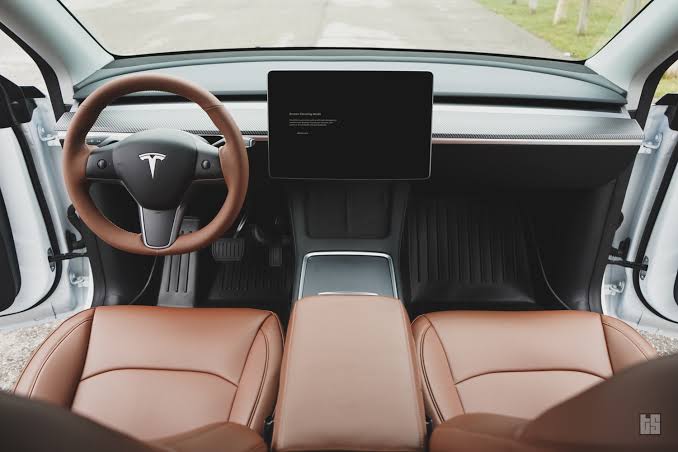
Why Is My Tesla Charging Pad Not Working?
Tesla charging pad not working is usually caused by five main reasons: phone compatibility issues, incorrect phone placement, interference from phone accessories, Tesla software problems, and wireless charging hardware failures. The Tesla wireless charging pad requires both the vehicle charging system and the mobile device to work correctly, so a failure in any part of this connection can stop charging.
The first issue to check is phone compatibility. Tesla wireless charging pads use the Qi wireless charging standard, which means the connected smartphone must support Qi charging technology. Phones without built-in wireless charging capability will not receive power from the charging pad, even if the pad itself is functioning normally. For example, some older smartphone models require a wireless charging adapter before they can work with Tesla’s integrated charger.
The second common cause is incorrect phone positioning. Wireless charging works through electromagnetic induction between a charging coil inside the pad and a coil inside the smartphone. When these coils are not aligned properly, the charging connection becomes weak or stops completely. This problem is more common when the phone is placed at an angle, moved during driving, or positioned with the charging coil away from the center area of the pad.
Phone cases and accessories can also prevent Tesla charging pads from working. Thick protective cases, metal plates used for vehicle mounts, magnetic accessories, and some MagSafe-compatible cases can block or reduce wireless power transfer. Removing the case and placing the phone directly on the charging surface is one of the fastest ways to determine whether an accessory is causing the issue.
Software problems represent another possible cause. Tesla vehicles rely on software-controlled systems to manage many interior functions, including charging features. A temporary firmware issue, incomplete update process, or vehicle system error can cause the wireless charger to stop responding even when the hardware remains functional.
Hardware failure is less common but requires attention when basic troubleshooting does not solve the problem. A damaged charging module, faulty power connection, or internal component failure can prevent the pad from delivering power to any compatible device. Testing the charging pad with multiple phones helps determine whether the problem belongs to the vehicle or the smartphone.
How Do You Troubleshoot a Tesla Charging Pad That Is Not Working?
To troubleshoot a Tesla charging pad that is not working, check the phone compatibility, charging position, accessories, power connection, and vehicle system before assuming the wireless charger is damaged. A step-by-step inspection helps identify whether the problem comes from the smartphone, charging environment, or Tesla hardware.
The first step is to confirm that the phone supports wireless charging. Tesla charging pads use Qi technology, so the device must have a built-in Qi charging receiver. Testing the phone on another wireless charger can confirm whether the phone itself has a charging problem. If the phone does not charge on any Qi-compatible charger, the issue is likely related to the device rather than the Tesla charging pad.
The second step is to remove anything that may interfere with wireless power transfer. Thick protective cases, metal rings, magnetic mounts, and card holders can block the connection between the charging coil inside the phone and the coil inside the charging pad. Place the phone directly on the charging surface without accessories and check whether charging starts.
The third step is to adjust the phone position on the Tesla charging pad. Wireless charging requires alignment between two electromagnetic coils. Even a small shift can reduce charging efficiency or stop charging completely. The phone should sit flat on the charging area with the internal charging coil positioned above the Tesla pad’s charging coil.
Testing the charging pad with another compatible phone is an effective way to isolate the problem. If another Qi-enabled smartphone charges normally, the Tesla charging pad is likely working correctly and the original phone has a compatibility or hardware issue. If multiple compatible phones fail to charge, the problem may involve the vehicle charging system.
The next step is checking the vehicle system. Tesla vehicles control many functions through integrated software modules, meaning a temporary system error can affect interior features. Restarting the vehicle system and installing available software updates can resolve some charging-related problems caused by software conflicts.
If these troubleshooting steps do not restore charging, the charging pad may have a hardware problem. A faulty wireless charging module, damaged connection, or internal electrical failure can prevent power transfer. At this stage, professional inspection is usually required to determine whether repair or replacement is necessary.
How Do You Fix a Tesla Charging Pad That Is Not Charging?
To fix a Tesla charging pad that is not charging, start with simple solutions such as adjusting phone placement, removing accessories, restarting the vehicle system, and checking software updates before considering hardware replacement. Most wireless charging problems are caused by connection issues between the phone and charging pad rather than a complete charging system failure.
The first solution is to reposition the phone on the charging pad. Wireless charging depends on accurate alignment between the charging coil inside the phone and the coil inside the Tesla charging surface. Moving the phone slightly or placing it in the center of the pad can restore the connection. This solution is especially effective when the phone charges intermittently or stops charging when the vehicle moves.
The second solution is to remove objects that interfere with wireless charging. Phone cases with metal components, magnetic mounts, wallet attachments, and thick protective covers can reduce the strength of the charging signal. Testing the phone without a case provides a simple way to confirm whether an accessory is blocking power transfer.
The third solution is to restart the Tesla vehicle system. Tesla vehicles use integrated software to control many functions, and temporary software errors can affect features such as the wireless charging pad. A system restart can refresh vehicle modules and restore normal operation when the issue is caused by a temporary software conflict.
Updating Tesla software is another potential solution. Firmware updates often improve vehicle functions, fix system errors, and modify how internal components communicate. If the charging pad stopped working after a software update or vehicle configuration change, checking for newer software versions can help determine whether the issue is software-related.
If these solutions do not restore charging, the problem may involve the charging hardware. A damaged wireless charging module, faulty internal connection, or power supply issue can prevent the pad from transferring energy. When the charging pad fails with multiple compatible phones and continues failing after software troubleshooting, inspection or replacement of the charging component may be required.
Why Does Tesla Wireless Charging Stop Working After a Software Update?
Tesla wireless charging can stop working after a software update because vehicle features depend on communication between software modules and hardware components. A firmware update changes how different systems inside the vehicle operate, and a temporary software conflict can affect functions such as the wireless charging pad.
Software-related charging problems usually appear when the charging pad worked normally before an update but stops responding afterward. In this situation, the hardware may still be functional, but the vehicle system may fail to recognize or properly control the charging module. Restarting the vehicle system allows Tesla’s internal computers to reload their processes and can resolve temporary communication errors.
Tesla vehicles use multiple electronic control systems that manage interior features, power distribution, and connectivity functions. The wireless charging pad depends on these systems to receive power and regulate charging performance. If a software update changes system behavior or creates an unexpected error, the charging pad may temporarily stop providing power even though no physical damage exists.
Checking for additional software updates is an important troubleshooting step because manufacturers often release updates to correct previous software problems. If Tesla identifies an issue affecting specific vehicle functions, a later firmware version may include improvements or bug fixes that restore normal operation.
However, a software update is not always the cause of a charging failure. If the charging pad continues to fail after restarting the vehicle and installing the latest available software, the issue may involve the charging hardware, phone compatibility, or power connection. Testing with another Qi-compatible phone helps separate software-related problems from physical component failures.
Why Is My Tesla Charging Pad Charging Slowly or Disconnecting?
Tesla charging pad charging slowly or disconnecting usually happens because of phone positioning, overheating protection, charging limitations, or compatibility problems between the smartphone and wireless charger. A charging pad does not only need to provide power; it also needs to maintain a stable connection between the vehicle charging system and the device.
The first cause is incorrect phone alignment. Wireless charging performance depends on the position of the charging coils inside the phone and the charging pad. When these coils are not aligned correctly, the charging signal becomes weaker, which can result in slow charging or repeated connection interruptions. Placing the phone flat and centered on the Tesla charging pad helps maintain a stable power transfer.
Overheating is another common reason Tesla wireless charging may slow down or stop temporarily. Wireless charging generates heat because electrical energy is transferred through electromagnetic fields. When the phone temperature becomes too high, the device may reduce charging speed or stop charging to protect the battery. This situation is more likely during hot weather, long drives, or when the phone is running demanding applications while charging.
Phone cases and accessories can also reduce charging performance. A thick case increases the distance between the charging coils, while metal components can interfere with electromagnetic energy transfer. Removing unnecessary accessories can improve charging efficiency and prevent unexpected disconnections.
Charging speed can also depend on the limitations of the wireless charging system and the smartphone itself. Wireless charging generally provides lower power output compared with direct cable charging, and some devices may regulate charging speed based on battery temperature, battery condition, or software settings. For example, a phone with an older battery may reduce charging performance to protect long-term battery health.
If the Tesla charging pad repeatedly disconnects even with different compatible phones, the issue may indicate a problem with the vehicle charging system. Consistent failures across multiple devices suggest that the charging pad, power connection, or internal module may require further inspection.
When Should You Replace a Tesla Wireless Charging Pad?
A Tesla wireless charging pad should be replaced when it fails to charge multiple compatible devices, does not respond after troubleshooting, or shows signs of physical damage. Replacement is usually the final step after confirming that the problem is not caused by phone compatibility, positioning, accessories, or software issues.
The first sign that replacement may be necessary is when the charging pad fails with different Qi-compatible phones. Testing multiple devices removes the possibility that the issue comes from a single smartphone. If several phones cannot receive power from the Tesla charging pad while working correctly on other wireless chargers, the vehicle charging component may be the source of the problem.
Another indicator is that the charging pad remains inactive after software troubleshooting. Restarting the vehicle system and installing available software updates can resolve temporary software-related failures. However, if the charging pad continues to show no response after these steps, the internal charging module or power connection may have developed a fault.
Physical damage can also require replacement. Cracks, liquid exposure, damaged charging surfaces, or loose internal connections can affect the electromagnetic components responsible for wireless power transfer. These issues are different from temporary charging interruptions because they usually continue regardless of phone changes or system resets.
Tesla owners should also consider professional inspection when the charging pad stops working repeatedly. A technician can determine whether the failure comes from the wireless charger module, electrical connection, or another vehicle system component. Replacing the charging pad without identifying the exact cause may not solve the problem if another part of the charging system is responsible.
The replacement cost depends on the Tesla model, charging pad version, labor requirements, and whether the owner chooses an official Tesla component or an aftermarket alternative. Original equipment replacement usually provides better compatibility with the vehicle system, while third-party options may offer different features or pricing.
What Other Charging Options Can Tesla Owners Use?
Tesla owners can use several alternative charging options when the wireless charging pad is not working, including USB-C charging ports, wired charging cables, and third-party wireless charging accessories. These alternatives provide different charging speeds and reliability depending on the device, vehicle model, and charging equipment.
USB-C charging ports are one of the most reliable alternatives because they provide a direct electrical connection between the vehicle and smartphone. Unlike wireless charging, cable charging does not depend on coil alignment, phone cases, or electromagnetic signal transfer. This makes USB-C charging a practical option for drivers who need consistent power delivery during longer trips.
Wired charging can also provide faster charging performance compared with many wireless charging systems. Direct cable connections allow the phone to receive power more efficiently because less energy is lost through wireless transmission. For example, a smartphone that charges slowly on a wireless pad may reach a higher charging speed when connected directly through a USB-C cable.
Third-party wireless charging accessories provide another option for Tesla owners who want to replace or supplement the built-in charging pad. These products may include upgraded charging surfaces, adjustable designs, or additional compatibility features. However, owners should verify that aftermarket accessories are designed for their specific Tesla model and support the required wireless charging standard.
Tesla charging solutions are part of the broader vehicle ownership experience, where convenience, reliability, and compatibility affect daily use. Understanding different charging options helps owners continue charging their devices even when the integrated wireless charging pad requires troubleshooting or repair.
A Tesla charging pad failure does not always require immediate replacement. By understanding alternative charging methods and the causes behind wireless charging problems, owners can choose the most suitable solution based on their vehicle condition and daily charging needs.
How Can You Keep Your Tesla Charging Pad Working Properly?
Keeping a Tesla charging pad working properly requires maintaining compatibility between the vehicle charging system, smartphone, and charging environment. Regular checks of phone placement, accessories, software updates, and charging conditions can prevent many common wireless charging problems.
The most effective maintenance step is using compatible devices and keeping the charging surface clear. Removing thick cases, metal accessories, and unnecessary attachments helps maintain a stable connection between the phone and the wireless charging pad. Correct phone placement also improves charging consistency because wireless power transfer depends on accurate alignment between charging coils.
Tesla owners should also keep the vehicle software updated because wireless charging functions depend on communication between different vehicle systems. Installing available updates and restarting the vehicle when problems occur can resolve temporary software-related issues before professional inspection is needed.
When a Tesla charging pad stops working, the problem is usually caused by a connection issue rather than immediate hardware failure. Following a structured troubleshooting process helps identify whether the cause is the smartphone, accessories, software, or charging module. If the charging pad fails with multiple compatible devices after all troubleshooting steps, replacement or professional service may be the appropriate solution.
Understanding how Tesla wireless charging works allows owners to maintain the feature effectively and choose the right charging alternative when problems occur.