A Tesla charger blinking green when not plugged in is usually a normal operating status, not a hardware fault. In most cases, the green LED indicates that the charger is powered on, in standby mode, or ready to start a charging session when a compatible Tesla vehicle is connected. However, if the blinking pattern changes unexpectedly or is accompanied by charging failures, connection issues, or other warning lights, it may point to a software, power supply, or hardware problem that requires troubleshooting.
Understanding what the green indicator means is the first step to avoiding unnecessary repairs. Tesla Wall Connectors and Mobile Connectors use LED light patterns to communicate their operating status, making the indicator one of the quickest ways to determine whether the charger is functioning correctly. A blinking green light by itself does not always indicate the same condition, as its meaning can vary depending on the charger model, firmware version, and recent activity, such as a power restoration or software update.
This guide explains why your Tesla charger may blink green even when it is not connected to a vehicle, how to distinguish normal standby behavior from a potential fault, and the steps you can take to diagnose and resolve the issue safely. It also covers situations where the blinking light signals a problem that should be inspected by Tesla Support or a qualified electrician.
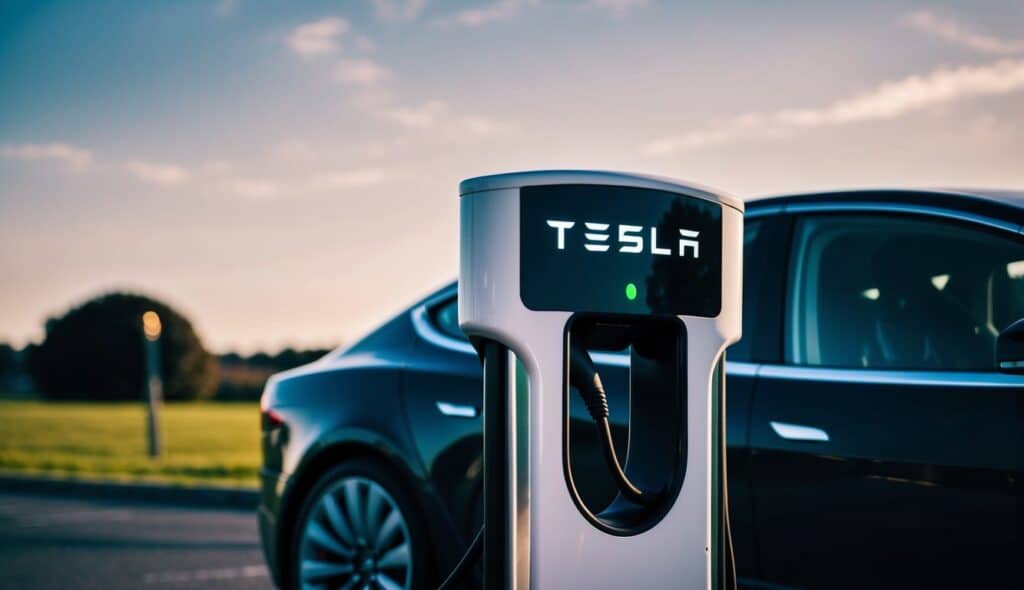
Is It Normal for a Tesla Charger to Blink Green When Not Plugged In?
Yes, a Tesla charger blinking green when not plugged into a vehicle is usually normal. A flashing green LED commonly indicates that the charger has power, has completed its startup process, and is waiting for a vehicle to begin a charging session. This standby state allows the charger to detect a compatible Tesla automatically when the charging connector is inserted.
Tesla chargers rely on LED indicators to communicate their operating status instead of using a display screen. When the charger is idle, the LED continues to provide visual feedback that the unit is powered and ready. On most Tesla Wall Connectors, a green blinking pattern does not indicate a fault unless it is accompanied by charging failures, unexpected interruptions, or another warning color such as red.
The exact behavior may vary depending on the charger model. A Tesla Wall Connector, Universal Wall Connector, or Mobile Connector can display slightly different LED patterns because each model uses different firmware and hardware revisions. Firmware updates may also adjust the blinking sequence without affecting the charger’s normal operation, which means a green flashing light that appears after an update is not necessarily a sign of malfunction.
Although a blinking green light is typically expected, you should pay attention to other symptoms. If the charger cannot detect your vehicle, stops charging shortly after connection, repeatedly restarts, or displays additional warning lights, the issue may involve the power supply, Wi-Fi communication, firmware, or internal hardware rather than the LED itself. In these situations, checking the complete LED status pattern is more reliable than judging the blinking green light alone.
Why Is Your Tesla Charger Blinking Green Without Being Plugged In?
A Tesla charger can blink green while not plugged in for several normal and technical reasons. In most cases, the charger is simply indicating that it has power and is ready to accept a charging connection. However, software updates, startup routines, temporary power interruptions, and communication events can also trigger a flashing green LED without indicating a fault.
The charger is in standby mode
Standby mode is the most common reason for a blinking green light. After receiving power, the Tesla Wall Connector remains active even when no vehicle is connected. Instead of turning the LED off, the charger continues flashing green to indicate that it is operational and waiting for a charging request. This behavior reduces connection time because the charger is already initialized when the vehicle is plugged in.
The charger is completing a startup sequence
The LED may blink green immediately after electricity is restored following a power outage, breaker reset, or initial installation. During startup, the charger performs internal checks on its electronics, communication modules, and safety systems before entering normal operation. If the blinking returns to its regular standby pattern within a short period, no further action is usually required.
A firmware update has recently been installed
Tesla periodically releases firmware updates that improve charging performance, network connectivity, and compatibility with new vehicle software. After an update, the charger may restart automatically and display a blinking green LED while completing background initialization. In some cases, users notice a different blinking rhythm because Tesla has updated the LED behavior rather than because a fault has developed.
The charger is reconnecting to Wi-Fi
Many Tesla Wall Connectors use a Wi-Fi connection to receive firmware updates and communicate with Tesla services. If the wireless network becomes temporarily unavailable or the charger reconnects after the router restarts, the LED may continue blinking green while communication is restored. This process normally completes automatically without affecting the charger’s ability to charge a vehicle.
The charger detected a temporary power interruption
Short voltage fluctuations or a brief breaker interruption can cause the charger to restart. After power returns, the unit repeats its normal initialization process before returning to standby mode. If power interruptions occur frequently, inspect the dedicated charging circuit, breaker, and electrical connections, as repeated restarts may eventually interrupt charging sessions.
A blinking green light by itself is not enough to confirm that a Tesla charger is malfunctioning. The LED should always be evaluated together with the charger’s ability to detect a vehicle, begin charging, and maintain a stable charging session. If charging works normally, the flashing green indicator is generally part of the charger’s standard operating behavior rather than a warning sign.
How to Fix a Tesla Charger Blinking Green When Not Plugged In?
If your Tesla charger keeps blinking green when it is not plugged into a vehicle, start by confirming whether the LED pattern represents normal standby operation or an actual charging issue. A blinking green light alone rarely indicates a fault, so troubleshooting should focus on whether the charger can detect a vehicle and complete a charging session successfully.
1. Compare the LED pattern with Tesla’s normal operating status
Begin by observing the blinking pattern for one to two minutes. If the charger remains powered, responds normally when a vehicle is connected, and starts charging without interruption, the green LED is most likely indicating standby mode. Many Tesla Wall Connectors continue blinking while waiting for a charging request, so no repair is necessary when charging performance remains normal.
If the blinking pattern changes to red, blue, or turns off unexpectedly, continue troubleshooting because the charger may be reporting a communication, hardware, or power-related issue rather than normal operation.
2. Inspect the power supply and circuit breaker
Verify that the dedicated charging circuit is supplying stable power. Check whether the circuit breaker has partially tripped, loose electrical connections are present, or recent power outages have affected the charger. Even brief voltage interruptions can restart the Wall Connector and cause the LED to blink green while it completes its startup sequence.
If the breaker trips repeatedly, avoid resetting it multiple times without identifying the underlying cause. Repeated trips may indicate wiring problems, an overloaded circuit, or an electrical fault that should be inspected by a qualified electrician.
3. Restart the Tesla Wall Connector
A simple restart resolves many temporary software and communication issues. Turn off the charger at the dedicated circuit breaker, wait approximately 30 to 60 seconds, and restore power. Allow the charger several minutes to complete its initialization before checking the LED status again.
Restarting clears temporary software processes without changing user settings or charging configurations. If the charger returns to a normal blinking green standby state and charges your vehicle correctly, no additional action is usually required.
4. Check the Wi-Fi connection and firmware version
Tesla Wall Connectors rely on Wi-Fi to receive firmware updates and maintain software reliability. If the charger recently lost network connectivity or completed a firmware update, it may continue blinking green while background services finish initializing.
Open the Tesla app or the Wall Connector management interface, if available, to verify that the charger is connected to Wi-Fi and running the latest firmware version. Updating outdated firmware can resolve compatibility issues, communication errors, and unexpected LED behavior.
5. Test the charger with your Tesla vehicle
Connect your vehicle and monitor whether the charging session starts normally. If the charging port locks the connector, charging begins immediately, and power delivery remains stable, the blinking green light was most likely a normal standby indicator rather than a warning.
If the vehicle fails to recognize the charger, repeatedly starts and stops charging, or displays charging error messages, the issue may involve the charging cable, vehicle charging port, firmware compatibility, or internal charger components.
6. Reset the charger if Tesla recommends it
If all previous steps fail and the charger continues behaving abnormally, perform a factory reset only by following Tesla’s official instructions for your specific Wall Connector model. Resetting restores configuration settings and may resolve persistent software problems, but it also requires reconnecting the charger to Wi-Fi and reconfiguring installation settings afterward.
Avoid performing repeated factory resets as a first troubleshooting step. If the blinking green light persists after a reset and charging problems continue, professional diagnosis is more appropriate than additional software resets.
When Does a Blinking Green Light Indicate a Problem?
A blinking green Tesla charger may indicate a problem only when it is accompanied by charging failures, repeated restarts, or other abnormal behavior. The LED itself is not a reliable indicator of a fault because a flashing green light is commonly used during standby mode. Instead, evaluate whether the charger can consistently detect your vehicle, start charging, and maintain a stable charging session.
If the charger continues blinking green but never recognizes the charging connector after it is plugged into the vehicle, the problem may involve the charging cable, connector handle, charging port, or internal communication between the vehicle and the charger. Dirt, moisture, or physical damage inside the connector can also prevent the charging handshake from completing successfully.
Repeated charging interruptions are another sign that the blinking green light should not be ignored. If charging begins normally but stops after a few seconds or minutes, the charger may be detecting unstable voltage, overheating, ground fault protection events, or communication errors. Frequent interruptions usually indicate a problem beyond the LED status and require additional diagnosis.
Unexpected charger restarts also deserve attention. If the LED repeatedly cycles through its startup sequence without anyone using the charger, the Wall Connector may be losing power intermittently. Loose wiring, an aging circuit breaker, voltage fluctuations, or an overloaded electrical circuit can all cause automatic restarts. If this behavior occurs regularly, the electrical installation should be inspected before further troubleshooting.
Another warning sign is when the blinking green LED changes to a different color during operation. A transition from green to red typically indicates that the charger has detected an internal fault or electrical protection event. Blue, white, or completely dark LEDs may also represent communication or configuration states depending on the Wall Connector model. Whenever multiple LED colors appear together with charging failures, the complete LED pattern should be checked instead of focusing only on the green blinking light.
When Should You Contact Tesla Support?
You should contact Tesla Support if troubleshooting does not restore normal charging or if the charger displays persistent abnormal behavior. A blinking green light alone rarely requires professional service, but repeated charging failures or hardware-related symptoms should not be ignored.
Request technical assistance if the charger cannot detect any Tesla vehicle after verifying the charging cable and vehicle charging port. This symptom may indicate an internal communication failure, damaged connector electronics, or hardware that requires specialized diagnostic equipment.
Professional support is also recommended when the charger repeatedly trips the dedicated circuit breaker, restarts several times each day, overheats during normal charging, or continues displaying abnormal LED patterns after a power cycle and firmware update. These conditions may involve electrical faults that cannot be resolved through software troubleshooting alone.
If your Wall Connector is still covered by Tesla’s warranty, avoid opening the enclosure or attempting internal repairs. Unauthorized modifications may affect warranty coverage and create additional safety risks. Instead, document the LED pattern, record any error messages shown in the Tesla app, note the charger model and firmware version, and provide this information when contacting Tesla Support. Accurate details allow the support team to identify the problem more quickly and determine whether remote troubleshooting, firmware updates, replacement parts, or an on-site inspection is required.
What Do Tesla Charger LED Colors Mean?
Tesla chargers use LED indicators to communicate their operating status. Understanding each LED color helps you determine whether the charger is functioning normally, preparing to charge, or reporting a fault. Although the exact blinking pattern may vary slightly between Wall Connector generations, the color meanings are generally consistent.
| LED Color | Typical Meaning | Action Required |
|---|---|---|
| Blinking Green | Charger is powered on and waiting for a vehicle or preparing for charging | No action if charging works normally |
| Solid Green | Vehicle is connected and charging normally or charging session is active | No action required |
| Blue | Charger is communicating with the vehicle or waiting for authorization and connection | Wait for charging to begin or verify vehicle connection |
| Red | Charger has detected a fault such as overheating, electrical protection, or hardware failure | Review Tesla troubleshooting steps and contact Tesla Support if the issue persists |
| White | Charger is starting up, configuring, or completing initialization depending on the model | Wait until initialization finishes |
| No Light | No power or the charger is not operating | Check the power supply, circuit breaker, and electrical connections |
Rather than relying only on the LED color, always compare it with the charger’s actual behavior. For example, a blinking green light accompanied by successful charging is considered normal, while the same blinking pattern combined with repeated charging failures should be investigated further.
How Can You Prevent Tesla Charger Problems?
Most Tesla charger issues can be prevented through routine inspection, proper installation, and regular software maintenance. Preventive maintenance reduces unexpected charging interruptions and helps extend the service life of both the charger and its electrical components.
Install the charger on a dedicated circuit that matches Tesla’s electrical requirements. An undersized circuit, loose wiring, or overloaded electrical panel can cause voltage fluctuations that lead to charger restarts or interrupted charging sessions.
Keep the Wall Connector connected to a stable Wi-Fi network whenever possible. Firmware updates frequently include bug fixes, compatibility improvements, and charging optimizations that improve long-term reliability.
Inspect the charging cable and connector regularly for dirt, moisture, corrosion, or physical damage. Keeping the connector clean helps maintain reliable communication between the charger and the vehicle while reducing wear on the charging contacts.
Protect the charger from unnecessary environmental exposure. Although Tesla Wall Connectors are designed for indoor and outdoor installation, excessive moisture, direct impacts, or damaged cable management can shorten the lifespan of external components.
Monitor charging performance periodically instead of waiting for a fault to occur. If charging speed changes significantly, charging sessions stop unexpectedly, or new LED patterns appear, investigate the issue early before it develops into a larger electrical or hardware problem.
Frequently Asked Questions
Can I use my Tesla charger if it keeps blinking green?
Yes. If the charger starts and completes charging normally after the vehicle is connected, a blinking green light usually indicates standby mode and does not prevent normal operation.
Does a blinking green Tesla charger use electricity?
Yes, but only a very small amount. The charger consumes standby power to keep its electronics, communication system, and safety monitoring active while waiting for a vehicle connection.
Can Wi-Fi problems cause the green light to blink?
Wi-Fi connectivity can influence charger behavior during firmware updates or network reconnection, but it is rarely the sole reason a charger continues blinking green. Most chargers remain fully capable of charging even if the wireless connection is temporarily unavailable.
Should I reset my Tesla charger?
Reset the charger only after basic troubleshooting steps such as checking the power supply, restarting the unit, and verifying firmware have failed. A factory reset should not be the first solution because it removes configuration settings and requires the charger to be configured again.
Is the blinking green light different on the Mobile Connector and Wall Connector?
Yes. Both chargers use green LEDs to indicate readiness, but the blinking sequence and operating behavior can differ because the Mobile Connector and Wall Connector use different hardware designs and firmware. Always interpret the LED pattern according to the documentation for your specific Tesla charger model.