Many Hyundai drivers notice their car locks the doors automatically. This feature can feel inconvenient when you want full control over locking and unlocking. At the same time, the system exists to improve safety and reduce the chance of leaving doors unlocked while driving.
Hyundai builds the auto lock function into its electronic control system. It works with sensors, smart key detection, and internal vehicle settings. The system locks doors based on driving conditions or key proximity without requiring manual input.
However, many drivers want to disable this behavior. They search for a Hyundai auto lock disable method because they prefer manual control. This guide explains how the system works and how you can change or turn off the auto lock settings in different Hyundai models. It also helps you avoid common mistakes when adjusting vehicle settings.
By the end of this guide, you will understand how the auto lock feature works, where to find the settings, and how to disable or adjust it safely.
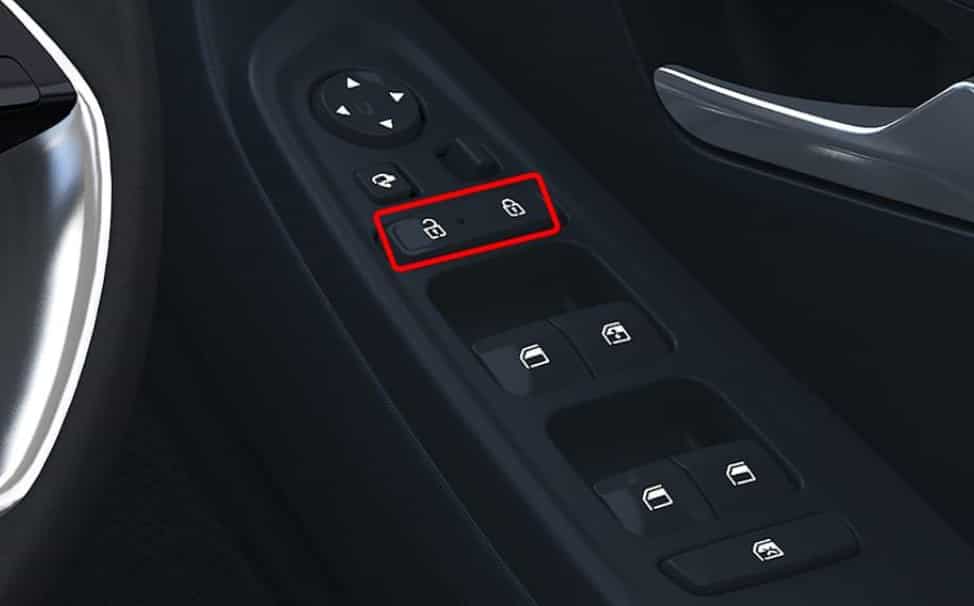
What Is Hyundai Auto Lock System
The Hyundai auto lock system is part of the vehicle’s electronic control system. It manages how and when the doors lock or unlock during use. The system is built to improve safety and support everyday driving convenience.
Hyundai integrates this function into the Body Control Module. This module processes signals from different parts of the car. It receives input from door sensors, the smart key system, and vehicle speed data. Based on these signals, it decides when to activate the door lock.
The system works with the smart key to detect the position of the key. If the key is inside the vehicle, the system may keep the doors unlocked. If the key moves outside a certain range, the system can trigger locking behavior depending on settings.
In many cases, the system also reacts to driving conditions. When the vehicle starts moving, it can activate automatic locking to increase passenger safety. This reduces the risk of doors opening during driving or at traffic stops.
Overall, the Hyundai auto lock system combines multiple safety signals into one automated function. It removes the need for manual locking in many situations, but it still allows some level of customization depending on the model and configuration.
Why Hyundai Auto Lock Activates Automatically
The Hyundai auto lock system activates based on specific driving conditions. These conditions are programmed into the vehicle’s electronic control logic. The goal is to improve safety and reduce manual actions from the driver.
One of the main triggers is vehicle movement. When the car reaches a certain speed, the system locks all doors automatically. This helps prevent doors from opening during driving and increases passenger protection.
Another trigger comes from gear changes. When the driver shifts from park to drive, the system may activate the lock function. This behavior supports safe driving by ensuring doors stay secure once the vehicle starts moving.
The smart key system also affects locking behavior. The car detects the presence of the key through proximity signals. If the key moves outside the detection range, the system may respond by locking or unlocking the doors depending on configuration.
Different Hyundai models may use different trigger rules. Sedans like Elantra may have simpler logic, while SUVs like Tucson or Santa Fe may include more advanced safety conditions. These variations depend on factory settings and regional requirements.
Overall, automatic activation happens because the system continuously evaluates driving status, gear position, and key location. It then applies locking rules to match safety priorities.
Hyundai Auto Lock Disable Methods
Hyundai provides several ways for drivers to adjust or disable the auto lock function depending on the vehicle model, production year, and infotainment system. In most modern vehicles, the settings are available directly through the digital display, while older models rely on the instrument cluster and steering wheel controls. The purpose of these options is to let drivers customize door lock behavior without interfering with core safety functions.
The most common method is using the infotainment system. Drivers can access the vehicle settings menu on the touchscreen and navigate to the door or convenience section. Inside this area, there is usually an option related to auto door lock or speed based locking. When this option is turned off, the vehicle will stop locking the doors automatically based on driving speed or gear changes. This method is the easiest and most widely used way to perform a Hyundai auto lock disable adjustment.
For models without a touchscreen system, the instrument cluster provides access to similar settings. Drivers can use steering wheel buttons to enter the vehicle settings menu. From there, they can locate door settings or convenience settings. Depending on the model, options for auto lock and auto unlock behavior can be modified or disabled. Although the interface is different, the function remains similar and still allows customization of locking behavior.
In some Hyundai vehicles, the smart key system also influences auto locking behavior. The vehicle detects the key through proximity signals and may automatically lock or unlock doors depending on its configuration. Adjusting these settings can reduce automatic locking activity, but it may not fully disable the system in all models due to built in safety design.
Model-Specific Guide
The Hyundai auto lock behavior is not identical across all models. Each vehicle line uses slightly different software settings and control logic. This means the steps for a Hyundai auto lock disable process can vary depending on whether you drive a sedan, SUV, or newer smart key equipped model.
In the Hyundai Elantra, most versions allow access to auto lock settings through the infotainment screen or instrument cluster. Drivers can usually find door settings under the vehicle menu and turn off speed based locking or automatic door lock features. However, the exact menu name may differ depending on the model year and software version.
In the Hyundai Tucson, the system is often more advanced due to its SUV configuration and updated electronic architecture. The vehicle may include additional convenience settings that control when doors lock or unlock based on gear position or speed. Drivers can still adjust these options through the vehicle settings menu, but some versions may limit full deactivation for safety reasons.
In the Hyundai Santa Fe, the auto lock system is integrated with a more advanced smart key and safety system. This model often includes multiple layers of control, including proximity detection and driving condition triggers. Users can modify settings through the infotainment system, but complete disabling may not be available in all configurations.
Across all models, Hyundai designs the system to balance convenience and safety. This means some level of automatic locking may always remain active depending on factory programming and regional safety regulations.
Can You Fully Disable Hyundai Auto Lock
In most Hyundai vehicles, you cannot fully remove the auto lock system. The feature is deeply integrated into the Body Control Module and works as part of the vehicle’s safety architecture. This means Hyundai designs it to stay partially active even when you adjust user settings.
When you try a Hyundai auto lock disable setup, what you are actually doing is changing the behavior, not deleting the function. You can stop speed based locking in many models, or reduce automatic locking triggers such as gear shift or key proximity. However, the system may still activate under certain safety conditions that cannot be fully turned off.
The main reason for this limitation is safety compliance. Hyundai includes auto lock behavior to prevent accidental door opening during driving and to improve passenger protection. In many regions, these functions are also tied to regulatory requirements, which limits how much control drivers can remove from the system.
Another factor is system dependency. The smart key system, door actuators, and electronic control unit all rely on shared logic. If auto lock was completely disabled, it could affect other functions like automatic unlock, crash response unlocking, or anti theft behavior.
Because of these design constraints, most Hyundai models only allow partial customization. Drivers can adjust timing, trigger conditions, or sensitivity, but the core locking logic usually remains active in the background for safety and system stability.
Common Problems After Disabling Auto Lock
After changing auto lock settings, some Hyundai drivers may notice unexpected behavior. These issues usually come from system limits or incorrect configuration rather than actual system failure. Understanding these problems helps you avoid confusion after applying a Hyundai auto lock disable setup.
One common issue is that the doors no longer lock automatically while driving. This can feel convenient at first, but it may reduce safety if the driver forgets to lock the doors manually. In some cases, the system may still lock inconsistently depending on speed or gear changes, which can create confusion during use.
Another possible issue involves the smart key system. After adjusting settings, the vehicle may respond differently to key proximity. For example, automatic unlocking may become slower or less consistent. This happens because locking and unlocking logic are connected in the same control system.
Some drivers also report that settings reset after a system restart or software update. This is common in Hyundai vehicles where the Body Control Module restores factory defaults to maintain stability. When this happens, the auto lock feature may reactivate without warning.
In rare cases, central locking synchronization issues can appear. This may cause one door to behave differently from others. These situations usually require a system reset or reconfiguration through the vehicle settings menu.
Overall, most problems are not serious and can be corrected by reviewing the settings or restoring default configuration when needed.
Troubleshooting Hyundai Auto Lock Issues
If the auto lock system does not behave as expected after adjustments, you can follow several basic troubleshooting steps. These steps help restore normal function and ensure the vehicle settings are applied correctly.
The first step is to reset the vehicle settings. Many Hyundai models allow you to restore factory settings through the infotainment system or instrument cluster menu. This action clears custom configurations and returns the door lock system to its original state. After resetting, you can reapply the Hyundai auto lock disable settings more carefully.
The second step is to check the smart key system. A weak battery in the key fob can affect how the vehicle detects proximity signals. When detection is unstable, the auto lock behavior may become inconsistent. Replacing the key battery often resolves this issue quickly.
The third step is to inspect the vehicle for software updates. Hyundai occasionally releases system updates that improve body control module performance. If the software is outdated, it may cause delays or conflicts in locking behavior. Updating the system can stabilize auto lock functions.
If the issue continues, you may need to inspect the fuse related to the central locking system. A partially damaged or loose fuse can cause irregular locking behavior across doors. In more complex cases, a diagnostic scan at a service center may be required to check the Body Control Module for errors.
These steps usually resolve most issues without requiring major repairs or part replacement.
Safety Considerations Before Disabling Auto Lock
Before applying any Hyundai auto lock disable settings, it is important to understand the safety role of this feature. The automatic locking system is designed to protect passengers while driving and reduce the risk of accidental door opening. When you change or reduce this function, you also change part of the vehicle’s safety behavior.
One key consideration is anti theft protection. Auto lock helps secure the vehicle when it is in motion or when the smart key is not detected inside the cabin. If you disable or reduce this function, the vehicle may remain unlocked in situations where automatic protection would normally activate. This can increase security risks, especially in crowded or public parking areas.
Another important factor is passenger safety. Automatic locking helps prevent doors from being opened unintentionally by passengers, especially children. Without this feature, the driver must remember to lock the doors manually every time the vehicle starts moving. This adds responsibility and increases the chance of human error.
You should also consider system balance. The Hyundai locking system is connected to other safety functions, including crash response unlocking and smart key detection. Changing lock behavior may affect how smoothly these systems interact in certain situations.
For these reasons, many drivers choose to adjust settings instead of fully disabling them. This approach allows more control while still keeping essential safety functions active. It is recommended to test any changes carefully in a safe environment before relying on them in daily driving conditions.
Alternative Custom Settings
Instead of fully disabling the auto lock system, many Hyundai drivers choose to adjust it for better balance between comfort and safety. This approach is often more practical because the system is designed to maintain certain protections even when settings are changed.
One useful adjustment is changing the lock timing. Some Hyundai models allow you to delay when the doors lock after the vehicle starts moving. This reduces the feeling of immediate automatic locking while still keeping the safety function active.
Another option is modifying speed based locking behavior. In certain models, you can set a higher speed threshold before the doors lock. This gives you more flexibility during short trips or low speed driving in urban areas.
You can also adjust the auto unlock function. Some vehicles allow doors to unlock automatically when the engine is turned off or when the gear is shifted to park. This improves convenience without fully removing the auto lock system.
The smart key settings can also be fine tuned. Depending on the model, you may be able to adjust how sensitive the vehicle is to key proximity. This helps reduce unexpected locking or unlocking behavior when moving around the car.
Overall, these custom settings provide a balanced solution. They keep essential safety functions active while giving you more control over how the Hyundai auto lock system behaves in daily use.
Conclusion
The Hyundai auto lock system is designed to improve safety and convenience by automatically locking the doors based on driving conditions and smart key detection. While this feature works well for most users, some drivers prefer more manual control, which leads them to search for a Hyundai auto lock disable solution.
Throughout this guide, you learned how the system operates, why it activates, and how it is integrated into key vehicle components such as the Body Control Module and smart key system. You also saw that most Hyundai vehicles do not allow full removal of the feature. Instead, they provide adjustable settings that let you change locking behavior based on your preference.
In many cases, the best approach is not complete deactivation but careful adjustment. You can modify timing, speed triggers, and unlock behavior to create a setup that feels more comfortable while still keeping essential safety functions active. This balance helps you avoid security risks while improving everyday usability.
Before making any changes, it is always important to understand how your specific Hyundai model is configured. Small differences between models can affect available options and system behavior.
If you want more control, start by exploring your vehicle settings and testing changes gradually. This ensures that your adjustments remain safe, stable, and suitable for real driving conditions.