Resetting Uconnect on a Ram 1500 can fix temporary problems such as a frozen touchscreen, an unresponsive display, Bluetooth connection failures, or infotainment software glitches. There are two main reset methods: a soft reset that reboots the Uconnect system and a factory reset that restores applicable settings to their default state. A soft reset is the better first step when the system has a temporary software or interface problem because it is less disruptive than restoring factory settings.
The exact reset procedure depends on the Uconnect system installed in the Ram 1500. Different model years can use different Uconnect generations, touchscreen interfaces, and physical controls, so a button combination or menu path that works on one truck should not automatically be applied to every Ram 1500.
This guide explains how to soft reset and factory reset Uconnect on a Ram 1500, how to determine which reset method to use, and what settings may be affected. It also covers what to do when the Uconnect screen is frozen or the system still does not work after a reset.
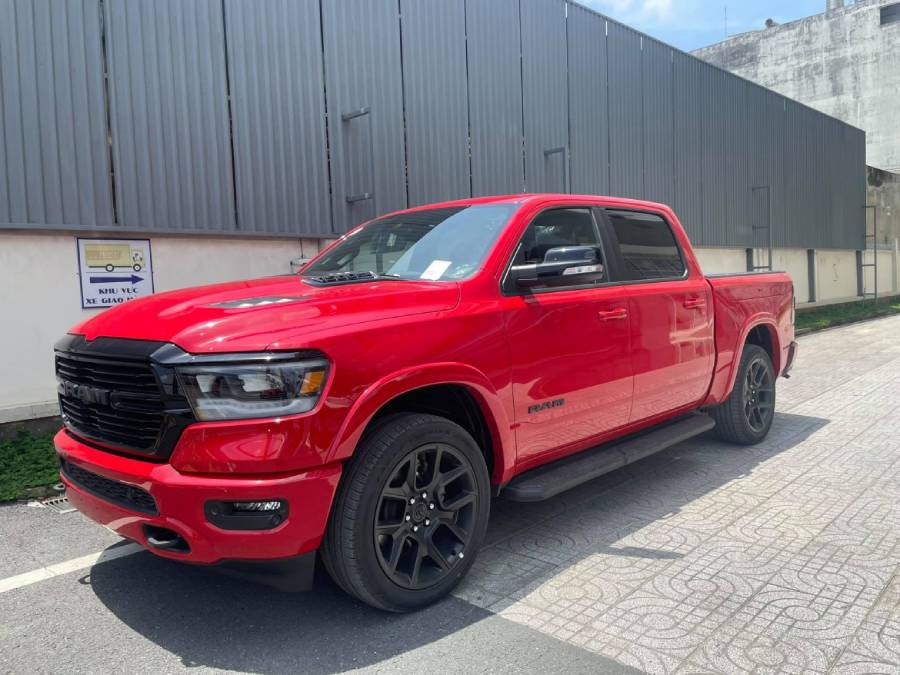
How Do You Reset Uconnect on a Ram 1500?
You can reset Uconnect on a Ram 1500 by performing either a soft reset or a factory reset, depending on the problem you need to fix. A soft reset restarts the infotainment system and is the appropriate first step for temporary software problems. A factory reset is more extensive because it restores applicable Uconnect settings to their default configuration.
Start with a soft reset when Uconnect freezes, the touchscreen stops responding, Bluetooth fails to connect, the display behaves incorrectly, or another temporary infotainment problem appears. Restarting the system allows Uconnect software processes to shut down and load again without intentionally restoring all user settings to factory defaults. This makes a soft reset the less disruptive troubleshooting option.
Use a factory reset when a normal reboot does not solve the problem or when you specifically need to restore the system’s applicable settings to their factory configuration. Because a factory reset can affect saved preferences and connected-device information, check the settings and information you want to retain before starting the process.
The exact procedure is not identical across every Ram 1500. Ram trucks have used different Uconnect generations, screen configurations, physical controls, and software interfaces. Identify the Uconnect system installed in your truck before following a button combination or touchscreen menu path intended for a specific version.
What Is the Difference Between a Soft Reset and Factory Reset on Ram 1500 Uconnect?
A soft reset restarts Uconnect, while a factory reset restores applicable system settings to their default configuration. The two procedures therefore serve different troubleshooting purposes. A soft reset is designed to reload the operating system after a temporary malfunction, whereas a factory reset makes broader changes to the system configuration.
The distinction matters because restarting an infotainment system and restoring its settings are not equivalent actions. If the touchscreen freezes because a software process has stopped responding, rebooting the system may be sufficient. Restoring factory settings would make broader changes without necessarily providing an additional benefit for a temporary glitch.
A practical troubleshooting sequence is to use the least disruptive applicable reset first. Start with a soft reset for a temporary Uconnect malfunction. Consider a factory reset when the problem remains after the reboot or when restoring the system’s configuration is specifically required.
What Does a Uconnect Soft Reset Do?
A Uconnect soft reset shuts down and restarts the infotainment system without intentionally returning the entire system configuration to factory defaults. Its primary purpose is to reload Uconnect after a temporary software or interface malfunction.
Restarting clears the current operating state and allows the infotainment software to initialize again. This can be relevant when the display freezes, touchscreen input stops responding, an interface function fails to load correctly, or a connectivity feature develops a temporary software problem. The mechanism is similar to rebooting another computerized device: the current software session ends and a new session begins.
A soft reset should not be treated as a guaranteed repair for every Uconnect problem. A recurring black screen, repeated startup failure, electrical fault, damaged hardware, or persistent software problem can remain after the reboot because restarting the system does not repair the underlying component or electrical condition.
What Does a Uconnect Factory Reset Do?
A Uconnect factory reset restores applicable system settings to their factory-default configuration. It is a more disruptive procedure than a soft reset because the objective is not simply to restart the software but to remove applicable configuration changes made during use.
Depending on the Uconnect version and reset option available, restoring factory settings can affect stored preferences or information associated with connected devices. For this reason, record important settings and check the reset confirmation displayed by the system before proceeding. The exact data affected should be determined from the Uconnect version installed in the specific Ram 1500 rather than assumed to be identical across every generation.
Factory resetting is most useful when restoring the configuration itself is part of the troubleshooting process. It should not automatically be the first response to every frozen screen, Bluetooth interruption, or temporary interface problem because a soft reset provides a less disruptive first troubleshooting step.
Which Uconnect Reset Should You Try First?
Try a soft reset first when your Ram 1500 has a temporary Uconnect software, touchscreen, audio, or connectivity problem. Move to a factory reset when the soft reset does not resolve the problem and restoring the applicable system settings is an appropriate next troubleshooting step.
For example, a touchscreen that suddenly freezes during normal operation is a reasonable case for attempting a soft reset first. The immediate problem is an unresponsive operating state, so restarting Uconnect directly addresses that state without unnecessarily restoring the system configuration.
Use a factory reset more selectively. Before performing one, determine whether the problem actually requires restoring default settings and identify what information may need to be configured again afterward. This soft-reset-first sequence reduces unnecessary changes while still providing a clear escalation path when a simple reboot is insufficient.
How Do You Soft Reset Uconnect on a Ram 1500?
To soft reset Uconnect on a Ram 1500, use the reboot procedure specified for the Uconnect version installed in your truck and allow the infotainment system to shut down and restart completely. Do not assume that one button combination works on every Ram 1500 because the available controls and reboot procedures differ between Uconnect systems.
Before starting, place the vehicle in a safe stationary position and identify the Uconnect system and controls in the truck. Some Ram 1500 configurations use physical knobs alongside the touchscreen, while other configurations rely more heavily on touchscreen menus and system-specific controls. The owner’s manual for the vehicle and documentation for the installed Uconnect system should take priority over a generic reset combination.
Once the correct reboot method has been identified, initiate the soft reset and allow Uconnect to complete its restart without repeatedly pressing controls. The display may temporarily turn off or change while the system reloads. Wait until the normal Uconnect interface returns before testing the function that originally failed.
After the restart, test the original symptom rather than immediately performing another reset. If Bluetooth was the problem, reconnect or test the paired phone. If the touchscreen was frozen, check touchscreen response. If the interface or audio system malfunctioned, reproduce the action that previously triggered the issue. A successful reboot should be evaluated by whether the original problem has disappeared.
Do not repeatedly soft reset Uconnect when the same fault returns immediately after every reboot. A recurring problem indicates that the restart is addressing the symptom rather than its underlying cause. The next troubleshooting step can involve checking the applicable software version, connected devices, vehicle power conditions, or professional diagnostics depending on the symptoms.
How Do You Factory Reset Uconnect on a Ram 1500?
You can factory reset Uconnect on a Ram 1500 by opening the system settings, locating the applicable reset or restore option, and confirming that you want to return the selected settings to their defaults. The exact menu names and options depend on the Uconnect generation installed in the truck, so the procedure should be matched to the specific system rather than applied universally to every Ram 1500.
A factory reset is different from restarting Uconnect because it changes the system configuration instead of simply reloading the current software session. This makes it appropriate when restoring default settings is part of the troubleshooting process. It also means the procedure can affect information or preferences that the owner has configured since using the vehicle.
Do not use a factory reset as the automatic first solution for every Uconnect malfunction. Restart the system first when the problem appears to be a temporary software or interface failure. Move to a factory reset when the reboot does not resolve the problem and restoring the applicable settings is a reasonable next troubleshooting step.
What Should You Check Before Factory Resetting Uconnect?
Check your paired devices, saved preferences, radio settings, navigation-related information, and other personalized Uconnect settings before starting a factory reset. The exact information affected depends on the Uconnect generation and the reset option selected, so review the confirmation message displayed by the system before approving the reset.
Bluetooth pairing is particularly important because Uconnect can contain connections to one or more phones. If the applicable reset removes these connections, the phones will need to be paired with the system again. The same principle applies to other personalized connectivity settings associated with supported smartphone functions.
Record radio presets and other frequently used preferences when losing them would create an inconvenience. A factory reset is intended to restore applicable configuration values, which means personalized values within the reset scope can be replaced by defaults.
Navigation settings also require attention on systems equipped with navigation. Do not assume that every reset option removes the same navigation information. Check the description shown by Uconnect and the documentation for the installed system to determine which settings are included in the selected reset.
How Do You Restore Uconnect to Factory Settings?
Restore Uconnect to factory settings by entering the system’s settings menu, selecting the applicable reset or restore function, reviewing what the function changes, and confirming the operation. Allow Uconnect to complete the process before attempting to configure the system again.
The general sequence contains 5 steps:
- Turn on the Ram 1500 and allow Uconnect to load completely.
- Open the Uconnect settings or vehicle settings interface.
- Locate the applicable reset, restore, or factory-default option available on that Uconnect version.
- Review the displayed warning and confirm the reset when you understand which settings will be affected.
- Allow Uconnect to finish the reset and reload before restoring your personal settings.
The menu path should not be treated as identical across Uconnect 3, Uconnect 4, and Uconnect 5. Interface design, available functions, and terminology can change between generations. Follow the menu labels displayed by the installed system and use the vehicle owner’s manual or applicable Uconnect documentation when the expected reset option is not present.
After the factory reset finishes, test Uconnect before restoring every previous setting. Check the touchscreen, audio functions, Bluetooth, and the feature that originally caused the problem. Testing the system in its reset state helps determine whether the previous configuration was associated with the malfunction.
Reconfigure paired phones and personal preferences only after confirming that the system is operating normally. If the same problem returns before the previous configuration has been restored, the cause is less likely to be limited to a personalized setting and may require additional troubleshooting.
Does the Uconnect Reset Procedure Change by Ram 1500 Model Year?
Yes, the Uconnect reset procedure can change between Ram 1500 model years because different trucks can use different Uconnect generations, touchscreen layouts, physical controls, and software interfaces. Model year therefore provides useful context, but the installed Uconnect system is the more direct factor for determining which reset procedure to follow.
Ram 1500 infotainment technology has changed across vehicle generations. A reset instruction that depends on specific physical buttons or knobs cannot be assumed to work on a truck whose Uconnect configuration uses different controls. Likewise, a factory-reset menu path can change when the software interface changes.
The relationship can be understood as model year → installed Uconnect system → available controls and interface → applicable reset procedure. This is why identifying the infotainment system is an important step before following instructions found for another Ram 1500.
How Do You Identify the Uconnect System in Your Ram 1500?
Identify the Uconnect system in your Ram 1500 by checking the vehicle documentation, infotainment system information, screen configuration, and available Uconnect settings. The owner’s manual and system information provide a stronger basis for choosing reset instructions than screen size alone.
Screen appearance can help distinguish configurations, but it should not be the only identifier. Two infotainment systems can share similar visual features while using different software versions or available functions. Vehicle documentation can provide the information needed to connect the truck’s configuration with the appropriate Uconnect instructions.
When searching for model-specific instructions, include the model year and Uconnect generation when known. For example, troubleshooting a specific Uconnect version on a particular Ram 1500 model year produces a narrower context than searching only for “Ram 1500 radio reset.”
Can You Use the Same Reset Method on Uconnect 3, Uconnect 4, and Uconnect 5?
Do not assume that Uconnect 3, Uconnect 4, and Uconnect 5 use the same reset method. These generations differ in hardware, software interfaces, available menus, and vehicle integrations, so a procedure should be verified for the installed system before it is performed.
A physical-control reboot method is relevant only when the required controls and software behavior exist on that configuration. Similarly, a touchscreen factory-reset procedure depends on the reset functions provided in that system’s menus. Using instructions for the wrong generation can result in the procedure doing nothing or opening a function unrelated to the intended reset.
The safest sequence is to identify the Ram 1500 model year, determine the installed Uconnect system, and then match the reset procedure to that configuration. This approach is more reliable than treating “Uconnect reset” as one universal procedure for every Ram 1500.
When Should You Reset Uconnect on a Ram 1500?
Reset Uconnect on a Ram 1500 when the infotainment system develops a temporary software, touchscreen, audio, or connectivity problem that does not disappear during normal operation. Common reasons include a frozen touchscreen, an unresponsive interface, intermittent display problems, Bluetooth connection failures, audio malfunctions, and smartphone-integration problems.
A reset is most appropriate when the symptoms indicate that the Uconnect software or current operating session has stopped functioning correctly. Restarting the system forces the current session to close and allows Uconnect to initialize again. For example, a touchscreen that remains frozen even though the rest of the truck operates normally can justify a soft reset because the failure is isolated to the infotainment interface.
Bluetooth problems can also justify a reset after basic connection checks have failed. A temporary communication problem between Uconnect and a paired phone can prevent the device from connecting correctly even when Bluetooth is enabled on both devices. Restarting Uconnect reloads the infotainment system before the phone connection is tested again.
Apple CarPlay or Android Auto problems should not automatically lead to a factory reset. First check the phone, cable or wireless connection, applicable permissions, and pairing status. A Uconnect soft reset becomes a logical troubleshooting step when those basic conditions are correct but the smartphone-integration feature remains unavailable.
Repeated problems require a different approach. If Uconnect freezes again shortly after every restart, a reset is only temporarily removing the symptom. Persistent failures can require additional checks involving Uconnect software, connected devices, vehicle power, hardware, or professional diagnostics.
Does Resetting Uconnect Delete Bluetooth, Radio, or Personal Settings?
Whether a Uconnect reset deletes Bluetooth connections, radio presets, or personal settings depends on the type of reset and the Uconnect system installed in the Ram 1500. A soft reset is intended to reboot the system, while a factory reset is intended to restore applicable settings to their default state.
A soft reset should therefore be distinguished from a factory reset when considering data loss. Restarting the operating session does not have the same purpose as restoring factory settings. This distinction is one reason a soft reset is the preferred first step for temporary software problems.
A factory reset requires more preparation because personalized information within the scope of the selected reset can be returned to default values. Bluetooth pairing information, radio preferences, user-configured options, and other saved settings should be checked before the reset is confirmed.
The exact effect should be verified on the installed Uconnect version rather than generalized across all Ram 1500 trucks. Different Uconnect generations can provide different reset functions, and a menu option that restores one group of settings does not necessarily have the same effect as another reset option.
Does a Soft Reset Delete Bluetooth Pairings?
A soft reset is designed to restart Uconnect rather than intentionally erase Bluetooth pairings. Its function is to end the current software session and reload the infotainment system without performing a factory restoration.
After the reboot, check whether the previously paired phone reconnects. If Bluetooth was the original problem, test the connection before deleting the phone and creating a new pairing. This separates a temporary Uconnect software failure from a problem with the saved Bluetooth relationship.
If the phone remains paired but cannot connect, additional Bluetooth troubleshooting may be required. Removing and pairing the device again is a separate troubleshooting action and should not be presented as an inherent part of every Uconnect soft reset.
Does a Factory Reset Delete Saved Uconnect Settings?
A factory reset can restore applicable saved Uconnect settings to their defaults, so review the selected reset function before confirming it. The exact settings affected depend on the Uconnect generation and the factory-reset or restore option available in that system.
Record settings that would be inconvenient to recreate. Examples include frequently used radio presets, connected-device information, and personalized infotainment preferences when those items fall within the scope of the reset.
The confirmation screen is important because it provides context for the operation being performed. Do not approve a factory-reset option solely because another Ram 1500 owner used the same procedure on a different Uconnect system.
How Do You Reset Uconnect When the Ram 1500 Screen Is Frozen?
Reset a frozen Ram 1500 Uconnect system with the applicable physical-control reboot procedure when the touchscreen cannot be used and that procedure is supported by the installed Uconnect version. A frozen touchscreen prevents normal menu navigation, so a touchscreen-based reset option is not useful until the interface responds again.
First determine whether the problem is limited to the touchscreen or whether the entire infotainment system has stopped operating. A display that shows an image but does not respond to touch represents a different symptom from a screen that remains completely black with no apparent system activity. This distinction helps determine whether a software reboot is an appropriate first troubleshooting step.
Use only the physical-control combination documented for the installed Uconnect system. Ram 1500 configurations differ in their physical knobs, buttons, touchscreen controls, and software behavior. A button combination intended for one Uconnect generation should not be treated as a universal reset command.
After initiating the supported reboot, allow the system to complete the restart. The screen can temporarily turn off while Uconnect reloads. Do not repeatedly activate the controls during this process because the objective is to allow the current operating session to terminate and the system to initialize normally.
Test the touchscreen after the normal interface returns. Open a basic menu, change an infotainment setting, and check the function that was active when the screen stopped responding. If the touchscreen operates normally after the restart and the problem does not return, the failure was consistent with a temporary software or interface malfunction.
Do not continue performing repeated resets when the touchscreen freezes again immediately or remains black after the supported reboot procedure. A persistent failure can extend beyond the current software session and requires additional troubleshooting rather than another identical reset.
What Should You Do If Uconnect Does Not Work After a Reset?
Check the Uconnect software, connected devices, vehicle power supply, and infotainment hardware if Uconnect still does not work after a reset. A reset can correct a temporary software state, but it cannot repair every condition that causes a frozen screen, connection failure, repeated reboot, or unresponsive infotainment system.
Start by checking whether the original symptom changed after the reset. A system that restarts successfully but still cannot connect to one phone requires a different diagnostic path from a Uconnect display that remains completely black. Identifying the remaining symptom prevents unrelated troubleshooting steps from being applied to the problem.
Disconnect external devices when the failure involves connectivity. A paired phone, USB device, cable, or smartphone-integration connection can introduce a separate variable into the troubleshooting process. Test Uconnect without the affected device connected, then reconnect it after confirming that the infotainment system itself operates normally.
Persistent failures should not be treated as evidence that another identical reset will solve the problem. If Uconnect repeatedly freezes, reboots, loses functions, or fails to start, investigate the underlying software, electrical, or hardware condition.
Should You Check for a Uconnect Software Update?
Check for an applicable Uconnect software update when the system continues to experience software-related problems after a reset. Restarting reloads the software already installed in the vehicle; it does not replace that software with a newer version.
This distinction explains why repeated resets can fail to correct a persistent software problem. If the installed software contains an issue addressed by an applicable update, restarting the same version leaves that version in place. The update path should therefore be checked when the symptoms continue after normal reboot troubleshooting.
Identify the vehicle and installed Uconnect system before applying an update. Software compatibility matters because infotainment updates are designed for specific vehicle and system configurations. Follow the applicable manufacturer instructions rather than installing software intended for a different Uconnect generation.
Test the original problem again after an applicable update has been completed successfully. For example, if Bluetooth repeatedly disconnected before the update, reconnect the same device and verify whether the connection remains stable. This creates a direct comparison between the original symptom and the system’s behavior after the software change.
Should You Check the Ram 1500 Battery or Electrical System?
Check the Ram 1500 battery and electrical system when Uconnect has repeated power-related symptoms such as unexpected shutdowns, repeated restarts, intermittent operation, or failure to power on. The infotainment system depends on a stable electrical supply, so a reset cannot correct an underlying power-delivery problem.
Low or unstable voltage can affect electronic modules differently from a temporary Uconnect software freeze. This is why the symptom pattern matters. A screen that loses power repeatedly can require electrical diagnosis rather than repeated software resets.
Battery condition is only one part of this diagnostic path. Connections, fuses, wiring, power distribution, and infotainment hardware can also be relevant depending on the symptoms and vehicle configuration. Do not replace components based solely on the assumption that a black Uconnect screen proves the battery is defective.
Electrical diagnosis should become a higher priority when other vehicle electronics also behave abnormally. Multiple electronic symptoms provide a broader context than an isolated touchscreen problem and can indicate that the fault is not confined to the Uconnect software.
When Should a Ram Dealer or Technician Diagnose Uconnect?
Have Uconnect professionally diagnosed when the system remains unavailable after the appropriate reset, repeatedly freezes or reboots, develops persistent electrical symptoms, or shows signs of an infotainment hardware failure. These conditions indicate that basic reboot troubleshooting has not resolved the underlying problem.
Professional diagnosis is particularly appropriate when the screen remains black and unresponsive, the system cannot complete its startup sequence, or the same malfunction returns immediately after each successful reboot. Repeating the same reset under these conditions provides little diagnostic value because the failure is persistent.
A technician can investigate components and conditions that a software reset cannot repair. Depending on the symptoms, this can include power and ground conditions, wiring, related modules, connections, infotainment hardware, and applicable software issues.
Record the symptoms before seeking diagnosis. Note when the problem occurs, whether the vehicle has just started, which functions stop working, whether Uconnect reboots by itself, and whether another device is connected when the failure appears. A repeatable symptom gives the diagnostic process more useful information than a general statement that Uconnect “doesn’t work.”
How Can You Prevent Repeated Uconnect Problems on a Ram 1500?
Reduce repeated Uconnect problems by keeping applicable software current, maintaining reliable device connections, addressing vehicle power problems, and diagnosing recurring failures instead of repeatedly resetting the system. These actions target conditions associated with infotainment operation rather than treating every malfunction as an isolated software freeze.
Keep the installed Uconnect software at an appropriate version for the specific Ram 1500 configuration. Software maintenance is relevant because a soft reset reloads the existing software but does not update it. Verify compatibility before performing any software update.
Maintain clean smartphone connections when Bluetooth, Apple CarPlay, or Android Auto is involved. Remove obsolete device pairings when appropriate, use functioning cables for wired connections, and verify phone-side permissions and settings. For example, a damaged USB cable can produce repeated smartphone-integration failures even when Uconnect itself operates correctly.
Address recurring power symptoms rather than compensating for them with repeated resets. Unexpected Uconnect shutdowns, spontaneous reboots, or simultaneous electrical problems elsewhere in the truck justify checking the vehicle’s electrical condition. Stable power is a basic operating requirement for the infotainment system.
Track recurring symptoms when the cause is not immediately apparent. Record the feature being used, connected device, vehicle operating condition, and behavior immediately before the failure. If the same conditions repeatedly trigger the problem, that pattern can help distinguish a software issue from a device, electrical, or hardware problem.
Most importantly, treat a Uconnect reset as a troubleshooting procedure rather than routine maintenance. A soft reset is useful for clearing an isolated temporary malfunction, while a factory reset restores applicable settings when configuration restoration is required. A Ram 1500 that needs frequent Uconnect resets has a recurring problem that should be identified rather than continually masked by rebooting the system.