A GMC touch screen that goes crazy is typically caused by a faulty digitizer, infotainment software glitches, electrical issues, or physical damage to the display assembly. The problem often appears as ghost touches, random button presses, automatic radio station changes, unexpected volume adjustments, or apps opening without driver input. While these symptoms are frustrating, they do not always mean the entire touchscreen needs replacement.
Because the GMC infotainment system combines hardware, software, and multiple electronic control modules, identifying the root cause is the first step toward an effective repair. A software bug may be resolved with a system reset or firmware update, whereas a failing digitizer or damaged wiring usually requires component replacement. Replacing the display without proper diagnosis can increase repair costs without solving the underlying issue.
This guide explains how to identify the symptoms of a malfunctioning GMC touchscreen, diagnose whether the problem is software- or hardware-related, apply proven troubleshooting methods, estimate repair costs, and determine when professional service is necessary. You’ll also learn which GMC models are more likely to experience ghost touch issues, whether warranty or Technical Service Bulletins (TSBs) may apply, and how to reduce the risk of the problem returning after repair.
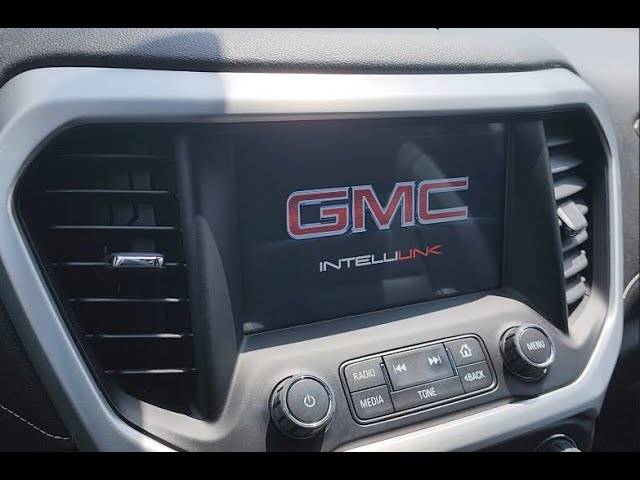
What Does It Mean When a GMC Touch Screen Goes Crazy?
A GMC touch screen that goes crazy is experiencing unintended touch inputs, commonly known as ghost touch. Instead of responding only when the driver touches the display, the screen registers false inputs on its own. These phantom commands can interrupt navigation, media playback, climate controls, and other infotainment functions, making the system difficult or even unsafe to use while driving.
Ghost touch typically develops gradually before becoming a persistent problem. Many owners first notice the infotainment system selecting random menu options, changing radio stations, adjusting the volume automatically, or opening applications without any physical contact. As the condition worsens, the display may become partially or completely unresponsive because legitimate touch commands are overridden by continuous false inputs.
Unlike a frozen display or a completely black screen, ghost touch indicates that the touchscreen is still receiving electrical signals but is interpreting them incorrectly. This distinction is important because it often points toward a failing digitizer, unstable electrical communication, or infotainment software issues rather than a failed LCD panel.
What Is Ghost Touch?
Ghost touch occurs when the touchscreen detects touch events that never happened. Every touchscreen contains a digitizer layer that converts finger contact into electrical signals. When this layer begins to deteriorate or receives unstable electrical input, it can generate false coordinates that the infotainment system interprets as legitimate touches.
The digitizer is one of the most common failure points because it operates continuously whenever the vehicle is running. Heat cycles, prolonged sun exposure, aging adhesive, manufacturing defects, and moisture intrusion can gradually reduce its accuracy. Once the digitizer starts producing incorrect signals, the infotainment system responds exactly as if someone were repeatedly touching the display.
In many GMC vehicles, ghost touch may begin with occasional phantom presses before progressing to constant screen activity. Because the problem often becomes more frequent over time, early diagnosis can prevent unnecessary replacement of additional components.
What Symptoms Indicate a Touchscreen Malfunction?
Several symptoms can indicate that the touchscreen itself—not another vehicle system—is malfunctioning. Recognizing these signs helps narrow the diagnosis before replacing expensive components.
Common symptoms include:
- Random button presses without driver input
- Radio stations changing automatically
- Volume increasing or decreasing by itself
- Navigation destinations opening unexpectedly
- Apple CarPlay or Android Auto disconnecting after false screen inputs
- Menus opening and closing repeatedly
- Touch commands responding in the wrong location
- Delayed or completely unresponsive touch input
- Continuous beeping caused by repeated phantom selections
The severity varies from occasional interruptions to constant screen activity that makes the infotainment system nearly impossible to operate. If these symptoms continue after restarting the vehicle, the issue is more likely to involve the touchscreen hardware or infotainment electronics than a temporary software glitch.
Which GMC Models Experience This Problem Most Often?
Ghost touch has been reported across multiple GMC models equipped with touchscreen infotainment systems, although the frequency varies by model year and display generation.
Models commonly associated with owner reports include:
- GMC Sierra
- GMC Yukon
- GMC Acadia
- GMC Terrain
- GMC Canyon
The issue is not necessarily caused by the vehicle itself but by components within the infotainment system, including the touchscreen digitizer and display assembly. Vehicles that spend significant time in hot climates or direct sunlight may experience accelerated wear because repeated thermal expansion places additional stress on the touchscreen layers. Owners should therefore diagnose the actual component failure instead of assuming every model suffers from the same underlying defect.
What Causes a GMC Touch Screen to Go Crazy?
Most GMC touchscreen problems originate from one of five categories: a failing digitizer, infotainment software faults, environmental damage, electrical problems, or unstable system voltage. Identifying which category is responsible significantly reduces unnecessary repair costs.
Because the infotainment system integrates hardware, software, and multiple electronic modules, several different failures can produce nearly identical symptoms. A systematic diagnosis is therefore more effective than replacing parts based solely on the visible behavior of the display.
Can a Faulty Digitizer Cause Ghost Touch?
Yes. A defective touchscreen digitizer is the most common cause of ghost touch. The digitizer converts physical touch into digital coordinates. When it begins to fail, it generates incorrect touch locations that the infotainment system processes as legitimate commands.
Digitizer failure usually develops because of age, repeated heating and cooling cycles, manufacturing defects, adhesive separation, or physical wear. Since the LCD panel can continue displaying images normally while the digitizer fails independently, many drivers mistakenly believe the entire display assembly is defective.
Typical signs of a failing digitizer include increasingly frequent phantom touches, touch commands registering in the wrong position, and intermittent periods where the display temporarily returns to normal before failing again.
Can Outdated Infotainment Software Trigger Random Inputs?
Yes. Software bugs can occasionally produce touchscreen behavior that resembles hardware failure. Corrupted firmware, incomplete software updates, or communication errors between infotainment modules may cause menus to freeze, restart unexpectedly, or register incorrect commands.
Unlike hardware failures, software-related issues often appear after an update, battery replacement, or electrical interruption. They may also disappear temporarily after restarting the infotainment system or performing a factory reset before returning later.
Updating the infotainment software should therefore be one of the first troubleshooting steps because it is inexpensive and may resolve known system bugs without replacing any hardware.
Can Moisture or Heat Damage the Touchscreen?
Yes. Excessive heat and moisture can shorten the lifespan of touchscreen components. High cabin temperatures place continuous stress on adhesives, digitizer layers, flexible ribbon cables, and electronic circuits. Over several years, repeated expansion and contraction may cause the touchscreen to lose calibration or develop intermittent electrical faults.
Moisture creates a different risk. Water entering through damaged seals, interior condensation, or liquid spills can interfere with capacitive touch detection and corrode electronic connectors. Even a small amount of corrosion may create unstable electrical signals that resemble ghost touch.
Vehicles parked outdoors in regions with intense summer temperatures generally experience greater long-term stress on infotainment displays than vehicles stored in covered parking or climate-controlled garages.
Can Loose Wiring or Poor Grounding Create Touchscreen Issues?
Yes. Loose wiring and poor grounding can interrupt communication between the touchscreen and the infotainment system, resulting in ghost touch symptoms or intermittent screen failures. The GMC infotainment system relies on stable electrical connections between the display assembly, HMI module, radio module, and vehicle wiring harness. A loose connector or corroded ground point can introduce electrical noise that causes the touchscreen to register false inputs.
Electrical connection problems often develop after years of vehicle vibration, previous dashboard repairs, collision damage, or exposure to moisture. A partially connected wiring harness may continue working most of the time before producing random faults that are difficult to reproduce consistently.
Drivers experiencing wiring-related problems may notice the touchscreen works normally on some trips but begins acting erratically after driving over rough roads or when the cabin temperature changes. These inconsistent symptoms usually indicate an unstable electrical connection rather than a permanently damaged touchscreen.
Inspecting the wiring requires removing dashboard trim to check connectors for looseness, bent pins, corrosion, or damaged insulation. If the wiring appears intact but communication errors continue, further diagnosis of the HMI module or radio module may be necessary.
Can Electrical Voltage Fluctuations Affect the Infotainment System?
Yes. Unstable vehicle voltage can interfere with the operation of the GMC infotainment system. Modern infotainment systems depend on a consistent power supply to process touchscreen inputs, communicate with control modules, and operate multimedia functions. Low battery voltage or charging system problems can temporarily disrupt these processes.
A weak battery, aging alternator, poor battery terminals, or excessive voltage drops may cause the infotainment system to reboot unexpectedly, freeze, lose touchscreen responsiveness, or register incorrect touch commands. Although voltage fluctuations rarely damage the touchscreen itself, they can produce symptoms that closely resemble hardware failure.
Voltage-related problems often become more noticeable during engine startup, cold weather, or when multiple electrical accessories operate simultaneously. Drivers may observe that the touchscreen behaves normally after the engine has been running for several minutes because the charging system restores stable voltage.
Before replacing expensive infotainment components, technicians typically test battery condition, charging voltage, and ground integrity. Correcting an electrical supply problem may eliminate touchscreen symptoms without replacing the display assembly.
How Can You Diagnose the Problem?
A systematic diagnosis is the most effective way to determine whether the GMC touchscreen problem originates from software, hardware, or the vehicle’s electrical system. Replacing the touchscreen without identifying the root cause can significantly increase repair costs while leaving the original problem unresolved.
The diagnosis should begin with the simplest and least expensive possibilities before progressing to component replacement. This approach reduces unnecessary repairs and provides a logical process for identifying the failed component.
How Do You Determine Whether the Problem Is Software or Hardware?
The easiest way to distinguish software from hardware issues is to observe how the problem behaves after restarting or resetting the infotainment system. If ghost touch disappears temporarily after a reboot or software update but returns later, the problem may involve corrupted software or communication between electronic modules.
If the touchscreen continues pressing buttons randomly immediately after restarting the system, the fault is more likely related to the digitizer, display assembly, or electrical hardware. Persistent phantom touches that occur regardless of software updates generally indicate a physical component failure.
Comparing touchscreen behavior under different operating conditions also helps narrow the diagnosis. A problem that appears only after the cabin becomes hot may indicate thermal stress affecting the digitizer, while a fault present at every startup often points toward permanent hardware deterioration.
What Warning Signs Indicate a Failing Digitizer?
A failing digitizer usually produces increasingly frequent false touch inputs before complete failure occurs. Unlike software glitches that may disappear after restarting the vehicle, digitizer failures generally become more severe over time.
Common warning signs include touches registering in incorrect locations, menus opening automatically, volume changing without driver input, and repeated phantom presses concentrated in one area of the screen. Some displays may respond normally for several minutes before random inputs begin occurring continuously.
As the digitizer deteriorates further, legitimate touch commands become less accurate because false electrical signals interfere with the driver’s input. Eventually, the display may become almost impossible to operate despite the LCD continuing to produce a clear image.
How Can You Inspect Wiring and Connectors?
A visual inspection of the infotainment wiring can identify loose connectors, corrosion, or physical damage that affects touchscreen performance. Before removing dashboard panels, disconnecting the vehicle battery helps reduce the risk of accidental electrical damage.
Once access is available, inspect every connector leading to the display assembly, HMI module, and radio module. Look for bent terminals, corrosion, broken locking clips, damaged insulation, or connectors that are not fully seated. Even minor corrosion can increase electrical resistance and interrupt communication between infotainment components.
If no visible damage is present, technicians may perform continuity and voltage tests using diagnostic equipment to verify that every circuit operates within the manufacturer’s specifications.
When Should Diagnostic Tools Be Used?
Professional diagnostic tools should be used when basic troubleshooting fails to identify the problem. Modern GMC vehicles store diagnostic information within multiple electronic control modules that cannot be accessed through visual inspection alone.
Factory-level scan tools can identify communication faults, software errors, module failures, and abnormal operating conditions affecting the infotainment system. They also verify whether software updates, module programming, or component replacement is required.
Professional diagnostics become particularly valuable when ghost touch occurs alongside additional symptoms such as backup camera failures, Bluetooth connectivity problems, navigation errors, or repeated infotainment system reboots because these combinations may indicate broader communication issues within the vehicle network.
How Do You Fix a GMC Touch Screen That Is Going Crazy?
The correct repair depends entirely on the root cause identified during diagnosis. Some problems can be resolved in minutes through software procedures, while others require replacing damaged hardware components.
Beginning with low-cost troubleshooting methods minimizes unnecessary expenses and ensures that major repairs are only performed when simpler solutions have failed.
How Do You Restart the Infotainment System?
Restarting the infotainment system is the quickest way to eliminate temporary software glitches. Many temporary touchscreen problems result from software processes becoming unresponsive rather than permanent hardware damage.
Depending on the GMC model, restarting may involve pressing and holding the infotainment power button for several seconds or following the manufacturer’s reset procedure. After the system reboots, verify whether ghost touch symptoms have disappeared before continuing additional repairs.
Although restarting rarely fixes a failing digitizer, it can restore normal operation when temporary software conflicts are responsible.
How Do You Perform a Factory Reset?
A factory reset restores the infotainment system to its default software configuration. This procedure removes saved settings, paired Bluetooth devices, navigation preferences, and user profiles that may contribute to software instability.
A factory reset is recommended when ghost touch begins shortly after a software update, configuration change, or unexplained infotainment malfunction. If the problem disappears after resetting but gradually returns, additional software diagnosis or hardware inspection should be performed.
Drivers should back up important settings whenever possible because restoring factory defaults permanently erases customized infotainment preferences.
How Do You Update the Infotainment Software?
Installing the latest infotainment software can correct known bugs that affect touchscreen performance. Manufacturers periodically release firmware updates to improve stability, compatibility, security, and communication between electronic modules.
Software updates may be installed through over-the-air updates on supported vehicles or by visiting a GMC dealership where technicians install the latest approved software version. After updating, monitor touchscreen performance for several days because intermittent software issues may not reappear immediately.
If ghost touch continues after installing the newest firmware, the failure is more likely related to hardware than outdated software.
When Should the Touchscreen Digitizer Be Replaced?
The digitizer should be replaced when ghost touch persists despite software updates, resets, and electrical inspections. Since the digitizer is responsible for detecting touch input, replacing it directly addresses the most common hardware cause of phantom touches.
Some display assemblies allow the digitizer to be replaced separately, reducing repair costs. Other infotainment systems integrate the digitizer with the LCD panel, requiring replacement of the complete display assembly instead.
Replacing only the failed component whenever possible provides the most cost-effective repair while restoring accurate touchscreen operation.
When Does the Entire Display Need Replacement?
The complete display assembly should be replaced when multiple touchscreen components have failed or when the display has suffered physical damage. Cracked screens, failed LCD panels, widespread digitizer failure, internal moisture damage, or severe electronic faults often make complete replacement more practical than repairing individual components.
Although replacing the full display assembly costs more than replacing a digitizer alone, it restores every integrated component to factory operating condition and typically provides the highest long-term reliability, especially on older vehicles with extensive touchscreen wear.
How Much Does It Cost to Repair a GMC Touch Screen?
The cost to repair a GMC touch screen ranges from less than $100 for minor software fixes to more than $1,500 for a complete infotainment system replacement. The final price depends on the failed component, vehicle model, labor rates, and whether original equipment manufacturer (OEM) or aftermarket parts are used.
Replacing hardware before confirming the root cause can significantly increase repair costs. For this reason, a proper diagnosis should always precede any parts replacement.
Software Repair Cost
Software-related repairs are usually the least expensive solution. If the issue is caused by outdated firmware or corrupted system settings, updating the infotainment software or performing a factory reset may restore normal operation without replacing any hardware.
Many GMC dealerships perform software updates during routine service visits or warranty repairs. Vehicles equipped with over-the-air update capability may receive software improvements without requiring dealership intervention.
Typical cost: $0–$200, depending on warranty coverage and dealership labor charges.
Digitizer Replacement Cost
Replacing the touchscreen digitizer is generally more affordable than replacing the complete display assembly. If the LCD screen still produces a clear image and only the touch layer has failed, replacing the digitizer can restore full touchscreen functionality while reducing repair expenses.
The repair involves removing the dashboard trim, separating the damaged digitizer from the display assembly, installing the new component, and testing touchscreen calibration. Not every GMC infotainment system supports separate digitizer replacement, so compatibility depends on the model and display design.
Typical cost: $250–$700, including parts and labor.
Complete Display Replacement Cost
A complete display replacement becomes necessary when the LCD panel, digitizer, or internal electronics have sustained extensive damage. This repair replaces the entire touchscreen assembly and may also require software programming to ensure compatibility with the vehicle’s electronic modules.
Complete replacement is commonly recommended after severe physical damage, liquid intrusion, or repeated hardware failures affecting multiple display components.
Typical cost: $700–$1,500+, depending on the GMC model, display size, and replacement part availability.
Dealer vs. Independent Repair Shop
Both GMC dealerships and independent repair shops can repair infotainment systems, but each option offers different advantages.
A GMC dealership has direct access to factory diagnostic equipment, official software updates, OEM replacement parts, and manufacturer technical service information. This makes dealerships the preferred choice for vehicles still covered by the factory warranty or requiring module programming.
Independent repair shops often provide lower labor rates and may offer rebuilt or aftermarket display assemblies at a lower cost. Experienced automotive electronics specialists can also repair individual touchscreen components instead of replacing the complete assembly, potentially reducing repair expenses.
Owners should compare warranty coverage, repair experience, diagnostic capability, and total cost before selecting a repair provider.
Can You Fix the Problem Yourself?
Some GMC touchscreen problems can be resolved at home, while others require specialized tools and professional equipment. Understanding which repairs are suitable for DIY owners helps avoid unnecessary damage to the infotainment system.
Repairs Safe for DIY Owners
Several troubleshooting steps can be performed without disassembling the dashboard.
Safe DIY repairs include:
- Restarting the infotainment system.
- Performing a factory reset.
- Installing available software updates.
- Cleaning the touchscreen with a microfiber cloth.
- Inspecting battery terminals for corrosion.
- Checking vehicle battery voltage.
- Inspecting accessible fuses related to the infotainment system.
These procedures require minimal tools and present little risk when performed according to the vehicle owner’s manual.
Repairs That Require Professional Service
Hardware repairs involving the touchscreen or electronic control modules should generally be performed by qualified technicians. Modern GMC infotainment systems integrate multiple electronic components that require careful handling during removal and installation.
Professional service is recommended when replacing:
- Touchscreen digitizer
- LCD display assembly
- HMI module
- Radio module
- Wiring harnesses
- CAN Bus communication components
These repairs may require dashboard disassembly, electronic programming, calibration, or factory diagnostic equipment. Improper installation can create additional communication faults or permanently damage electronic modules.
Which GMC Models Are Most Commonly Affected?
Ghost touch complaints have been reported across several GMC models equipped with touchscreen infotainment systems, although the frequency varies by model year and hardware generation.
Models most frequently discussed by owners include:
- GMC Sierra
- GMC Yukon
- GMC Acadia
- GMC Terrain
- GMC Canyon
The presence of ghost touch in these models does not necessarily indicate a manufacturing defect affecting every vehicle. Driving conditions, climate, maintenance history, software version, and component age all influence the likelihood of touchscreen failure.
Owners experiencing persistent touchscreen issues should verify whether their specific model year has known service bulletins or updated replacement components before authorizing major repairs.
Does GMC Cover Ghost Touch Problems Under Warranty?
Warranty coverage depends on the vehicle’s age, mileage, warranty status, and the specific cause of the failure.
If the infotainment system fails while the vehicle remains within the factory bumper-to-bumper warranty, GMC may repair or replace defective components at no cost to the owner. Vehicles protected by an extended warranty may also qualify for coverage, depending on the policy terms.
Even after the factory warranty expires, owners should ask a dealership whether a Technical Service Bulletin (TSB) applies to their vehicle. A TSB does not automatically provide free repairs, but it supplies technicians with manufacturer-approved diagnostic procedures and recommended repair methods for known issues.
Before paying for a replacement touchscreen, provide the dealership with the vehicle identification number (VIN) so they can verify warranty eligibility, software campaigns, recalls, or applicable service bulletins.
How Can You Prevent Your GMC Touch Screen From Failing Again?
Although no touchscreen lasts forever, proper maintenance can significantly reduce the risk of premature failure.
Keep the infotainment software updated whenever GMC releases new firmware because updates often improve system stability and correct known software defects.
Avoid exposing the vehicle to excessive interior temperatures for extended periods. Parking in shaded areas, using windshield sunshades, or storing the vehicle indoors helps reduce thermal stress on the touchscreen and internal electronic components.
Clean the display only with a soft microfiber cloth and cleaners specifically approved for automotive touchscreens. Harsh chemicals, abrasive materials, or excessive pressure can gradually damage protective coatings and reduce touchscreen sensitivity.
Maintain a healthy electrical system by replacing weak batteries before they begin causing voltage instability. Periodically inspecting battery terminals and charging system performance also helps ensure the infotainment system receives a consistent power supply.
If ghost touch symptoms begin appearing, diagnose the issue promptly rather than continuing to operate the vehicle with an unstable touchscreen. Early repairs often prevent additional damage and reduce overall repair costs.
Frequently Asked Questions
Can a weak battery cause ghost touch?
Yes. A weak battery can create unstable voltage that interferes with infotainment system operation. Although it rarely damages the touchscreen itself, insufficient voltage may trigger system resets, frozen screens, or intermittent false touch inputs.
Does disconnecting the battery fix the problem?
Sometimes. Disconnecting the battery resets several electronic systems and may temporarily clear software-related faults. If ghost touch returns shortly afterward, the underlying cause is likely a hardware failure or recurring software issue.
Can cold weather affect the touchscreen?
Yes. Extremely low temperatures can temporarily reduce touchscreen responsiveness and slow LCD performance. However, persistent ghost touch usually indicates a hardware or electrical problem rather than normal cold-weather behavior.
Is ghost touch dangerous while driving?
Yes. Random touchscreen inputs can distract the driver by changing navigation routes, adjusting audio settings, or displaying unexpected menus while the vehicle is moving. Drivers should avoid interacting with a malfunctioning infotainment system until the issue has been diagnosed and repaired.
How long does touchscreen replacement take?
Most touchscreen replacements require between one and three hours, depending on the GMC model, dashboard design, software programming requirements, and whether only the digitizer or the complete display assembly is being replaced.