If you’ve ever found yourself annoyed by your GMC Terrain’s Auto Stop feature, you’re certainly not alone. While General Motors introduced the Automatic Engine Stop/Start system to improve fuel economy and reduce emissions, many drivers feel that the constant engine shutdown and restart make daily driving less comfortable. Whether you’re waiting at a traffic light, crawling through rush-hour traffic, or making frequent stops around town, the system can sometimes feel more frustrating than beneficial.
Common complaints include a slight delay when accelerating from a stop, noticeable engine vibrations during restarts, and reduced air conditioning performance while the engine is temporarily off. Although these issues are generally considered normal operation, they’re enough to make many GMC Terrain owners search for ways to disable the feature.
The challenge is that GMC does not provide a factory option to permanently turn off Auto Stop. Pressing the Auto Stop button only disables the system for the current drive cycle, meaning you’ll need to press it again every time you start the vehicle. As a result, many owners begin looking for more convenient long-term solutions.
In this comprehensive guide, you’ll learn how to disable Auto Stop on a GMC Terrain using both temporary and permanent methods. We’ll explain how the system works, compare the available solutions, discuss their advantages and disadvantages, and help you choose the safest and most practical option for your driving needs. Whether you own a 2018 model or the latest GMC Terrain, this guide will provide everything you need to know before deciding to disable the Auto Stop system.
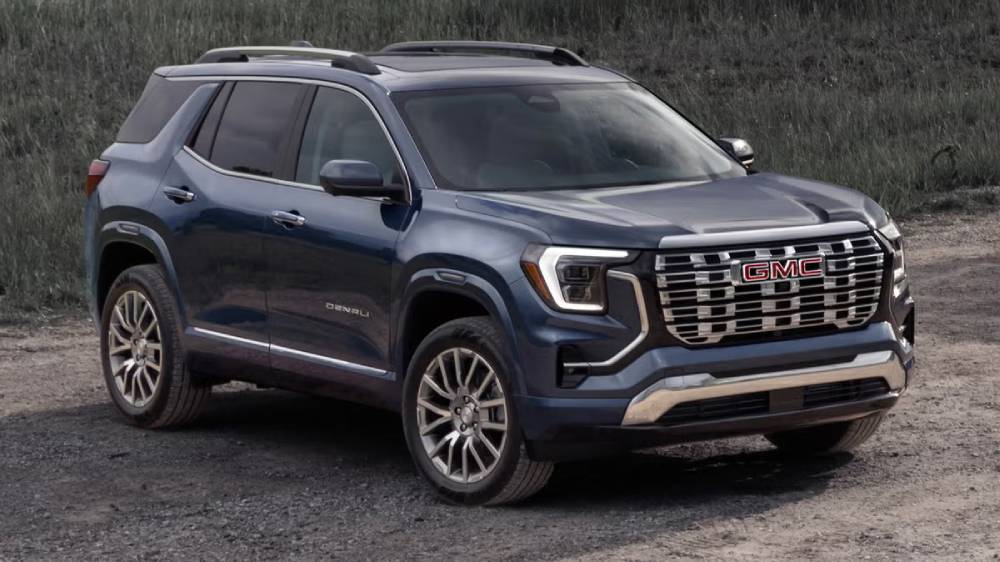
What Is GMC Terrain Auto Stop?
The GMC Terrain Auto Stop system is part of the vehicle’s Automatic Engine Stop and Start technology. Its main purpose is to reduce fuel consumption and emissions when the SUV is temporarily stationary. When the vehicle comes to a complete stop, such as at a red light or in heavy traffic, the system may automatically shut off the engine. As soon as the driver releases the brake pedal, the engine restarts so the vehicle can move again.
The process happens automatically and usually requires no input from the driver. When the system activates, the tachometer may display “AUTO STOP” instead of showing a normal engine idle speed. Most electrical features, including the infotainment system, exterior lights, and safety technology, continue operating while the engine is off.
However, Auto Stop does not activate every time the GMC Terrain stops. The vehicle’s computer evaluates several conditions before shutting down the engine. Battery charge, engine temperature, cabin temperature, climate control demand, steering input, brake pressure, and vehicle operating conditions can all affect whether the system activates.
For example, the engine may continue running when the battery needs additional charging, the engine has not reached its normal operating temperature, or the air conditioning system requires more power to maintain the selected cabin temperature. Auto Stop may also remain unavailable when the driver’s door is open, the seat belt is unfastened, the vehicle is on a steep incline, or certain driving modes are active.
The technology is designed to operate without causing damage during normal use. Vehicles equipped with Auto Stop generally use components designed for more frequent restart cycles, including a reinforced starter system, an advanced battery, and an electronic control strategy that monitors vehicle conditions.
Even so, some drivers dislike the sensation of the engine shutting down and restarting. The brief vibration, change in cabin noise, or slight pause before acceleration may make the system feel intrusive, especially during frequent city driving.
Understanding how the feature works is important before attempting a GMC Terrain Auto Stop disable method. The system is integrated with multiple vehicle controls, so the safest solutions usually involve the factory button or a compatible device rather than disconnecting sensors or modifying essential wiring.
Why Do Drivers Want to Disable Auto Stop?
Many GMC Terrain owners want to disable Auto Stop because they prefer a more consistent and predictable driving experience. Although the system is designed to save fuel during periods of idling, the real-world benefit can feel less important to drivers who find the frequent shutdowns uncomfortable.
One of the most common complaints is the noticeable restart when the brake pedal is released. Even when the system operates correctly, drivers may feel a vibration or hear the engine restart. In slow traffic, the SUV may repeatedly shut down and restart within a short period. This cycle can become frustrating during daily commuting, especially in crowded urban areas.
Acceleration response is another concern. When a driver needs to move quickly from a stop, the small delay between releasing the brake and receiving full engine power may feel inconvenient. The delay is usually brief, but it can be noticeable when entering an intersection, making a turn, or responding to changing traffic conditions.
Climate comfort is also a major reason people search for ways to turn off the system. While the engine is stopped, the air conditioning compressor may not operate in the same way it does while the engine is running. On a hot day, some drivers notice reduced cooling performance while waiting at a long traffic light. The engine may restart automatically if the cabin temperature rises, but the change in airflow can still be uncomfortable.
Some owners are also concerned about long-term wear. They worry that frequent engine restarts could place additional stress on the starter, battery, or related components. Auto Stop equipped vehicles are designed to handle more restart cycles than conventional vehicles, but the concern remains common, particularly among drivers who plan to keep their GMC Terrain for many years.
Other drivers simply prefer full control over when the engine turns off. They may not want the engine to stop while parking, waiting briefly at an intersection, or maneuvering through heavy traffic. For these owners, pressing the disable button after every startup becomes another step in their routine.
The desire to disable Auto Stop does not always mean the system is malfunctioning. In many cases, it is a matter of personal preference. A driver who spends most of the time on highways may barely notice the feature, while someone who regularly drives through stop-and-go traffic may experience it dozens of times during one trip.
This difference explains why the keyword GMC Terrain Auto Stop disable attracts so much attention. Drivers are not necessarily trying to repair the vehicle. They are searching for a practical way to make the Terrain behave more consistently with their preferred driving style.
Can You Turn Off Auto Stop Permanently from the Factory?
On GMC Terrain models equipped with a factory Auto Stop disable button, drivers can usually deactivate the feature for the current ignition cycle. After starting the vehicle, the driver presses the button marked with the Auto Stop symbol. A light or dashboard message may appear to confirm that the system has been disabled.
The main limitation is that this setting normally resets when the vehicle is turned off. The next time the GMC Terrain is started, Auto Stop may become active again. The driver must press the button after every startup to keep the engine running at traffic lights and other stops.
For many owners, this temporary solution is sufficient. Pressing one button takes only a moment, does not require any modification, and preserves the vehicle’s factory configuration. It is also the lowest-risk method because it uses the control provided by the manufacturer.
However, drivers who forget to press the button may become frustrated when the engine shuts off unexpectedly at the first long stop. This is why many owners look for a permanent GMC Terrain Auto Stop disable option.
In most cases, there is no standard menu setting that allows the driver to permanently save the disabled preference. The system is designed to return to its default operating state after a new ignition cycle. A dealership may also be unable or unwilling to permanently deactivate it through normal factory settings.
Some owners explore alternative methods, including Auto Stop eliminator modules, custom programming, unusual driving modes, or modifications to vehicle sensors. These solutions do not all work in the same way, and their risks vary significantly.
A compatible Auto Stop eliminator usually does not remove the system from the vehicle. Instead, it remembers the driver’s preferred button setting or automatically sends the same command that would occur if the driver pressed the factory button. This approach can provide the convenience of a permanent preference while allowing the feature to be turned back on when needed.
Custom tuning or electronic programming may provide deeper control, but it can create additional concerns. Software changes could affect diagnostics, emissions-related functions, dealership service, or warranty discussions. Disconnecting batteries, hood sensors, or other components is also not recommended because those parts may serve additional safety and monitoring functions.
The most appropriate solution depends on the driver’s priorities. Owners who want zero modification should continue using the factory button. Those who want the vehicle to remember their preference may consider a compatible plug-and-play module. Drivers considering programming changes should first understand the technical, legal, and warranty implications.
Before installing any product, verify the exact GMC Terrain model year, trim, engine, connector type, and device compatibility. A module designed for one model year may not work correctly with another. Careful product selection is essential because the vehicle’s electronics can change between generations and production years.
Method 1: Use the Auto Stop Button
The easiest way to disable Auto Stop on a GMC Terrain is by using the factory-installed Auto Stop button. Most newer models equipped with the Automatic Engine Stop/Start system include a dedicated button on the center console or dashboard. The button is typically identified by an “A” surrounded by a circular arrow.
After starting the engine, simply press the Auto Stop button before driving. A message or indicator light on the instrument cluster will confirm that the Auto Stop system has been disabled for the current drive cycle. Once disabled, the engine will continue idling normally when the vehicle comes to a complete stop, eliminating the repeated shutdown and restart that many drivers find distracting.
This method has several advantages. It requires no modifications, costs nothing, and does not affect the vehicle’s warranty because it uses the factory control exactly as intended. It is also the safest option since it leaves all of the vehicle’s electronic systems untouched.
The biggest drawback is convenience. The system automatically resets each time the ignition is turned off. If you forget to press the button after restarting your GMC Terrain, Auto Stop will become active again at the first traffic light or stop sign. Drivers who commute every day often find this repetitive process frustrating, which is why many eventually look for a more permanent solution.
If you only occasionally find the feature annoying, using the factory button remains the best and most risk-free method.
Method 2: Use Tow/Haul or Drive Modes (If Equipped)
Certain GMC Terrain trims and powertrain configurations offer selectable drive modes that can influence how the Auto Stop system behaves. Depending on the model year, switching to a specific driving mode may reduce or temporarily prevent Auto Stop from activating under certain conditions.
For example, some vehicles equipped with Tow/Haul Mode prioritize engine responsiveness and transmission performance over maximum fuel economy. Because of this, the Auto Stop system may remain inactive while Tow/Haul Mode is engaged. Other models may respond differently when Sport Mode, Off-Road Mode, or All-Wheel Drive modes are selected.
It is important to understand that this behavior is not guaranteed across every GMC Terrain model. General Motors has updated the software controlling the Engine Stop/Start system several times over the years, and the available drive modes vary by trim level and model year. A method that works on a 2019 Terrain may not produce the same results on a 2024 or 2025 model.
Another limitation is that drive modes are designed for specific driving situations rather than permanently disabling Auto Stop. Using Tow/Haul Mode during normal city driving simply to avoid Auto Stop may alter transmission shift points, increase engine speed, and slightly reduce fuel economy.
Before relying on this approach, consult your owner’s manual to determine whether your GMC Terrain includes selectable drive modes and whether they affect the Auto Stop system. Even if this method works for your vehicle, it should be viewed as a temporary convenience rather than a permanent solution.
Method 3: Install an Auto Stop Eliminator Device
For drivers who want their GMC Terrain to remember the Auto Stop setting automatically, an Auto Stop Eliminator device is one of the most popular aftermarket solutions. These plug-and-play modules are specifically designed to save the driver’s preference without requiring the Auto Stop button to be pressed every time the vehicle starts.
Unlike ECU tuning or custom programming, an Auto Stop Eliminator typically connects to an existing factory connector behind the dashboard. Installation usually takes only a few minutes with basic hand tools, and many products require no wire cutting, soldering, or permanent vehicle modifications.
Once installed, the module remembers the last selected Auto Stop setting. If the driver disables Auto Stop before shutting off the engine, the module automatically restores that preference the next time the vehicle is started. From the driver’s perspective, the system behaves as though the vehicle permanently remembers the previous setting.
This solution offers several advantages. It provides a seamless driving experience, eliminates the need to press the factory button after every startup, and can usually be removed without leaving permanent changes to the vehicle. Many high-quality modules are also designed to work without triggering diagnostic trouble codes or dashboard warning lights.
However, there are still a few considerations before purchasing one. Compatibility is critical because GMC Terrain electronics differ by model year, engine type, and trim level. Always verify that the module specifically supports your vehicle before installation.
Although these devices are generally considered low-risk compared to ECU programming, they are still aftermarket accessories. Some dealerships may ask that the device be removed before diagnosing unrelated electrical issues. Buyers should also purchase products from reputable manufacturers that provide clear installation instructions, software updates if necessary, and customer support.
For many GMC Terrain owners, an Auto Stop Eliminator represents the ideal balance between convenience, ease of installation, and preserving the vehicle’s original configuration. It delivers the closest experience to a permanent factory setting without requiring complex software modifications.
Method 4: ECU Programming or Custom Tuning
Some GMC Terrain owners consider ECU programming or custom tuning as a way to permanently disable the Auto Stop system. Unlike a plug-and-play module that simply remembers your preferred setting, ECU tuning changes the software parameters that control how various vehicle systems operate.
Professional tuning shops may be able to modify the engine control module or body control module to prevent the Auto Stop feature from activating. Depending on the tuning software used, the change may appear seamless, allowing the engine to remain running every time the vehicle comes to a stop.
Although this method can provide a true long-term solution, it is also the most invasive option. Reprogramming factory software may affect other vehicle functions, trigger diagnostic issues, or interfere with future software updates installed by a dealership. If the manufacturer releases an important calibration update, the custom tune may need to be removed or reinstalled afterward.
Another important consideration is emissions compliance. In some regions, modifying emissions-related software may violate local regulations or cause the vehicle to fail inspections. Since the Engine Stop/Start system contributes to reducing fuel consumption and emissions, altering its operation may have legal implications depending on where the vehicle is registered.
Cost is another factor. Professional ECU tuning typically costs significantly more than purchasing an Auto Stop Eliminator. In addition, not every tuning company offers software specifically designed for GMC Terrain models equipped with the latest engine management systems.
For these reasons, ECU programming is generally recommended only for experienced enthusiasts who fully understand the potential consequences. Most everyday drivers looking for additional convenience will find that a plug-and-play memory module offers a simpler, safer, and more practical solution.
Will Disabling Auto Stop Void Your Warranty?
One of the most common questions GMC Terrain owners ask is whether disabling the Auto Stop system will void the vehicle’s factory warranty. The answer depends on the method used and whether the modification can be shown to have caused a particular problem.
Using the factory Auto Stop button has no impact on warranty coverage because the feature is designed by General Motors to be temporarily disabled during a drive cycle. Pressing the button simply uses a function already built into the vehicle.
Aftermarket Auto Stop Eliminator modules occupy a middle ground. Since most of these devices are plug-and-play and can be removed without permanently altering the vehicle, they generally present less risk than software modifications. However, if a dealership determines that an aftermarket device directly caused an electrical malfunction, warranty coverage for that specific repair could potentially be questioned.
ECU programming and custom software modifications carry greater warranty concerns. Because factory calibration files have been altered, dealerships may detect the changes during diagnostic procedures or software updates. If a failure is linked to the modified software, warranty claims related to that issue may be denied.
Vehicle owners should also remember that warranty laws differ between countries and regions. In many places, manufacturers cannot automatically cancel an entire vehicle warranty simply because an aftermarket part has been installed. Instead, they typically need to demonstrate that the modification contributed to the specific failure being repaired.
Before installing any aftermarket product, review your warranty documentation, consult your local dealership if necessary, and purchase products from reputable manufacturers that provide clear compatibility information. Taking these precautions can help reduce the risk of unexpected warranty disputes while still allowing you to enjoy a more personalized driving experience.
Pros and Cons of Disabling Auto Stop
Before deciding on a GMC Terrain Auto Stop disable solution, it is important to carefully evaluate both the benefits and the potential drawbacks. The best choice depends on your driving habits, personal preferences, and willingness to modify the vehicle.
Many drivers appreciate the smoother driving experience that comes from keeping the engine running at every stop. There is no restart vibration, no hesitation when accelerating away from traffic lights, and no interruption in cabin comfort caused by changes in air conditioning performance. Drivers who spend long periods in stop-and-go traffic often notice the greatest improvement in overall driving satisfaction.
Another advantage is improved consistency. Whether you are parking, making quick turns, or navigating congested intersections, the engine remains ready to deliver immediate power without waiting for the Auto Stop system to restart it. Some owners simply prefer knowing exactly how the vehicle will respond every time they press the accelerator.
On the other hand, disabling Auto Stop may slightly increase fuel consumption because the engine continues idling whenever the vehicle is stationary. While the additional fuel used during individual stops is relatively small, the difference can become more noticeable for drivers who frequently encounter heavy urban traffic.
Environmental impact should also be considered. The Auto Stop system was developed to reduce unnecessary engine idling, lower fuel consumption, and decrease vehicle emissions. Permanently disabling the feature means giving up these intended environmental benefits.
Drivers who choose aftermarket solutions should also accept the responsibility of selecting high-quality products that are fully compatible with their specific GMC Terrain model year. Installing an incompatible device or using unsupported software modifications may create unnecessary electrical or diagnostic issues.
The table below summarizes the main advantages and disadvantages.
| Advantages | Disadvantages |
|---|---|
| Smoother driving experience | Slight increase in fuel consumption |
| Faster throttle response from a stop | Reduced emissions benefits |
| More consistent air conditioning performance | Some aftermarket solutions involve additional cost |
| No need to tolerate repeated engine restarts | Software modifications may affect warranty or future updates |
| Greater driver control over vehicle behavior | Compatibility varies by model year and trim |
Ultimately, there is no single solution that fits every GMC Terrain owner. Drivers who value simplicity may be perfectly satisfied with the factory Auto Stop button, while those seeking maximum convenience often prefer a memory module that automatically restores their preferred setting. ECU programming should generally be reserved for owners who understand the technical, legal, and warranty implications before making permanent software changes.
Frequently Asked Questions
Can I permanently disable Auto Stop on my GMC Terrain?
GMC does not provide a factory setting that permanently disables the Auto Stop system. The built-in Auto Stop button only turns the feature off for the current drive cycle, and it automatically resets the next time the vehicle is started. If you want the vehicle to remember your preference, an aftermarket Auto Stop Eliminator is generally the most convenient solution.
Does disabling Auto Stop damage my GMC Terrain?
No. Disabling the Auto Stop feature itself does not damage the engine or transmission when performed using approved methods such as the factory button or a high-quality plug-and-play memory module. However, improper wiring modifications or unsupported ECU programming could create electrical or software-related issues.
Is the Auto Stop system bad for the engine?
The Auto Stop system is designed by General Motors to operate safely under normal driving conditions. Vehicles equipped with this technology use heavy-duty starters, advanced batteries, and sophisticated engine management software to withstand frequent restart cycles. Although some drivers remain concerned about long-term component wear, the system is engineered specifically for repeated engine restarts.
Will disabling Auto Stop improve performance?
Disabling Auto Stop does not increase horsepower or torque. Instead, it improves the driving experience by eliminating the brief delay that occurs when the engine restarts after a complete stop. Many drivers feel the vehicle responds more smoothly and predictably, especially in heavy traffic or at busy intersections.
Can a dealership permanently turn off Auto Stop?
In most cases, GMC dealerships cannot permanently disable the Auto Stop feature through factory software settings. The system is part of the vehicle’s emissions and fuel economy strategy, and dealerships generally do not offer permanent deactivation as a standard service.
Which GMC Terrain model years have Auto Stop?
The Automatic Engine Stop/Start system is commonly found on second-generation GMC Terrain models beginning with the 2018 model year. Availability may vary depending on the engine, trim level, and market, so owners should consult their owner’s manual or dealership to verify whether their specific vehicle includes the feature.
Is an Auto Stop Eliminator worth buying?
For drivers who dislike pressing the Auto Stop button every time they start the vehicle, an Auto Stop Eliminator can be a worthwhile investment. It provides a more convenient driving experience by automatically remembering your preferred setting without requiring permanent changes to the factory wiring or software. Before purchasing, always verify compatibility with your vehicle’s model year and trim level.
Conclusion
The GMC Terrain’s Auto Stop system was developed to improve fuel efficiency and reduce emissions, but it is not a feature that every driver enjoys. While some owners appreciate the potential fuel savings, others find the repeated engine shutdowns and restarts disruptive during daily driving. Fortunately, there are several effective ways to manage the system depending on your preferences.
If you simply want a temporary solution, using the factory Auto Stop button is the safest and easiest option. Drivers looking for greater convenience often choose an Auto Stop Eliminator that automatically remembers the last selected setting. For experienced enthusiasts, ECU programming may offer a more permanent solution, although it comes with additional technical, legal, and warranty considerations.
Before making any modifications, consider how you use your GMC Terrain, review your warranty coverage, and select products specifically designed for your vehicle’s model year. Choosing the right solution can help you enjoy a smoother, more predictable driving experience while minimizing unnecessary risks.
Whether you own a 2018 GMC Terrain or one of the latest models, understanding your available options makes it easier to decide which GMC Terrain Auto Stop disable method best fits your needs. By comparing the advantages, limitations, and long-term implications of each approach, you can confidently choose the solution that provides the ideal balance of convenience, reliability, and peace of mind.
If you found this guide helpful, explore our other GMC Terrain maintenance and troubleshooting articles for expert tips on improving performance, extending vehicle life, and getting the most out of your SUV.