A weak or dead battery can leave your GMC Acadia stranded at the worst possible moment. Whether your engine cranks slowly, the battery warning light appears on the dashboard, or your vehicle refuses to start altogether, knowing how to perform a GMC Acadia battery replacement can save you both time and money.
Fortunately, replacing the battery on a GMC Acadia is a task that many vehicle owners can complete with basic tools and a little preparation. By following the correct procedure, you can avoid damaging sensitive electrical components, ensure reliable engine starts, and extend the life of your vehicle’s charging system.
This comprehensive guide covers everything you need to know about GMC Acadia battery replacement, including the warning signs of a failing battery, the battery location for different model years, the tools you’ll need, and a detailed step-by-step replacement process. You’ll also learn how to choose the correct replacement battery, understand the average replacement cost, troubleshoot common issues after installation, and discover maintenance tips to maximize battery life.
Whether you’re replacing the battery yourself for the first time or simply researching the process before visiting a repair shop, this guide will help you complete the job safely, confidently, and correctly.
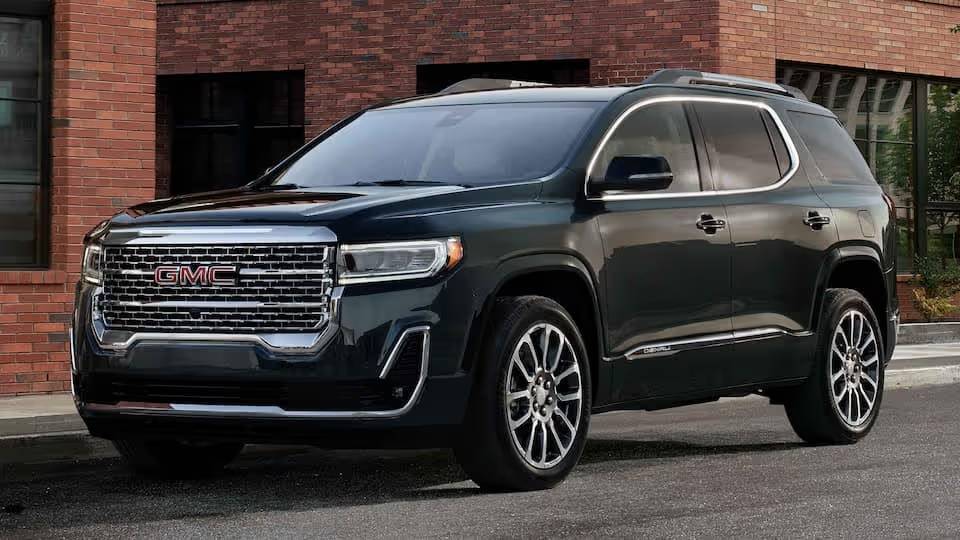
When Does a GMC Acadia Battery Need Replacement?
A GMC Acadia battery rarely fails without giving some warning. The problem is that many drivers overlook the early symptoms until the vehicle refuses to start. Recognizing these signs can help you schedule a GMC Acadia battery replacement before you become stranded at home, at work, or in a parking lot.
Most automotive batteries last approximately three to five years, although actual battery life depends on the climate, driving habits, battery quality, and condition of the charging system. Extremely hot weather can accelerate internal corrosion, while freezing temperatures reduce the battery’s available starting power. Frequent short trips can also shorten battery life because the alternator may not have enough time to restore the energy used during startup.
Slow Engine Cranking
One of the most common signs of a weak battery is a slow engine crank. When you press the start button or turn the key, the engine may sound sluggish and take longer than usual to start.
This symptom often becomes more noticeable during cold mornings. A battery may still start the vehicle in warm weather but struggle when temperatures drop. If the engine repeatedly cranks slowly, have the battery and charging system tested as soon as possible.
Clicking Noise When Starting
A rapid clicking sound usually means the battery does not have enough power to engage the starter properly. The sound comes from the starter relay or solenoid repeatedly attempting to operate.
A single jump start may get the engine running, but it does not solve the underlying problem. If the clicking noise returns after the vehicle has been driven, the battery may no longer hold a sufficient charge. The alternator and battery cables should also be inspected before replacing the battery.
Dim Headlights and Interior Lights
A weakening battery may cause the headlights, dashboard lights, or interior lights to appear dimmer than normal. You may also notice that the lights brighten after the engine starts or when the engine speed increases.
This can indicate low battery voltage, loose cable connections, terminal corrosion, or an alternator problem. Testing the system is important because replacing a healthy battery will not correct a defective charging component.
Electrical Accessories Malfunction
Modern GMC Acadia models depend on stable battery voltage to operate numerous electronic systems. A weak battery can affect the infotainment display, power windows, door locks, climate controls, driver assistance features, and remote key functions.
You might notice warning messages appearing temporarily or electronic features behaving unpredictably. Low voltage can create several seemingly unrelated symptoms, so checking the battery is often a sensible first diagnostic step.
Battery or Charging System Warning Light
The battery shaped warning light does not always mean the battery itself has failed. It usually indicates a problem within the charging system. Possible causes include a weak alternator, damaged wiring, a loose connection, or a worn accessory drive belt.
Do not ignore this warning. If the alternator is not charging correctly, the vehicle may continue running only until the remaining battery power is depleted. A complete charging system test should be performed before buying a replacement battery.
Swollen or Damaged Battery Case
Excessive heat, overcharging, or internal battery damage can cause the case to swell, crack, or leak. A damaged battery should not be handled more than necessary because it may contain corrosive acid and could release flammable gas.
Wear gloves and safety glasses when inspecting the battery. Do not attempt to recharge a battery that is visibly swollen, leaking, or severely damaged. Professional replacement is the safer option in this situation.
Frequent Jump Starts
Needing one jump start because the lights were accidentally left on does not necessarily mean the battery must be replaced. However, repeated jump starts are a strong sign that the battery cannot retain a charge or that the vehicle has another electrical problem.
Possible causes include an aging battery, a parasitic electrical drain, poor terminal connections, or a failing alternator. Testing these components before completing a GMC Acadia battery replacement can prevent the new battery from developing the same problem.
Tools and Supplies Needed for GMC Acadia Battery Replacement
Preparing the correct tools before starting will make the replacement process safer and more efficient. The exact socket sizes and access procedure can vary by model year and configuration, so consult the owner’s manual for your specific Acadia before removing any components. GMC provides downloadable manuals and guides for its vehicles through its official support portal.
Basic Hand Tools
You will typically need a ratchet, socket set, and extension. A 10 mm socket is commonly used for battery terminal fasteners, but the battery hold down hardware may require a different size.
An extension can be especially useful when the hold down bracket is positioned near the bottom of the battery tray. Keep each fastener in a safe container so it does not fall into the engine compartment or become lost.
Safety Gloves and Eye Protection
Automotive batteries contain corrosive material and can produce flammable gases. Wear protective gloves and safety glasses throughout the replacement procedure.
Remove metal jewelry such as rings, bracelets, and watches before working near the terminals. A metal object that touches the positive terminal and a grounded vehicle component at the same time can create a dangerous short circuit.
Battery Terminal Cleaning Supplies
Corrosion around the terminal connections increases electrical resistance and can cause starting problems even when the battery is healthy. A battery terminal brush and an approved terminal cleaning solution can help remove buildup before the new battery is installed.
After cleaning, make sure the terminals and cable ends are dry. A thin application of battery terminal protectant can help reduce future corrosion.
Replacement Battery
The replacement battery must match the specifications required for your exact model year, engine, and equipment package. Important specifications include physical group size, terminal orientation, cold cranking amps, reserve capacity, and battery construction.
Some GMC Acadia models equipped with automatic stop and start technology may require an enhanced flooded battery or an absorbent glass mat battery. Stop and start systems monitor battery condition as part of their operation, making the correct battery type especially important.
Do not select a battery based only on whether it physically fits in the tray. An incorrect battery may provide insufficient starting power, interfere with the hold down bracket, or perform poorly with the vehicle’s electrical demands.
Memory Saver
A memory saver is optional. It supplies temporary power to certain vehicle systems while the battery is disconnected. This may preserve some radio settings, clock settings, and electronic memory functions.
However, a memory saver must be used correctly. Improper connection can damage electrical components. Owners who are unfamiliar with the device can safely complete the replacement without it, although some settings may need to be restored afterward.
Battery Carrier or Lifting Strap
Automotive batteries are heavy and can be difficult to lift from a confined location. A battery carrier or lifting strap provides a more secure grip and reduces the risk of dropping the battery.
Keep the battery upright during removal and transport. Do not place it on its side, even when the case appears sealed.
GMC Acadia Battery Location by Model Year
Finding the battery can be one of the most confusing parts of a GMC Acadia battery replacement. The location and access procedure can differ between generations, model years, engines, and equipment configurations. Always confirm the procedure in the owner’s manual for the exact vehicle being serviced.
First Generation GMC Acadia, 2007 to 2016
On many first generation GMC Acadia models, the main battery is not positioned in the traditional open area near the front of the engine compartment. It is commonly located beneath the floor behind the front passenger seat.
Access generally requires moving the passenger seat forward and removing or lifting the floor cover over the battery compartment. Depending on the model year and interior configuration, additional trim or retaining hardware may need to be removed.
This location protects the battery from some engine compartment heat, but it also makes access less obvious for first time owners. Before beginning, clear objects from the passenger area and protect the interior surfaces from dirt or accidental contact with the old battery.
The vehicle may still have remote positive and negative connection points under the hood for jump starting or electrical testing. These remote points should not be mistaken for the location of the main battery.
Because access details vary, consult the manual before removing the floor panel or seat related components. GMC’s official 2016 Acadia guide also directs owners to the complete owner’s manual for detailed vehicle information.
Second Generation GMC Acadia, 2017 and Newer
On many second generation GMC Acadia models, the battery is located in the engine compartment, often beneath a protective cover and near other intake or electrical components. The exact arrangement can vary depending on the engine and model year.
Access may require removing the battery cover, repositioning a duct, or releasing nearby fasteners. Do not force plastic components because clips and tabs can become brittle over time.
Some newer models have automatic stop and start technology and more advanced battery monitoring. These systems increase the importance of installing a battery with the correct technology and electrical rating.
The official 2022 GMC Acadia owner’s manual notes that vehicle features can vary according to optional equipment and model configuration. This is why year specific instructions should take priority over generalized tutorials.
How to Confirm the Battery Location
The most reliable method is to enter the vehicle year, make, and model on GMC’s manuals and guides page, then download the correct owner’s manual. Search the document for terms such as “battery,” “vehicle battery,” or “jump starting.”
You can also check the existing battery label before purchasing a replacement. Record its group size, cold cranking amp rating, reserve capacity, and battery type. If the installed battery does not appear original, confirm the specifications through the owner’s manual, a professional parts catalog, or a GMC service center rather than relying on the old label alone.
Correctly identifying the battery location and specification before taking the vehicle apart reduces frustration, prevents unnecessary component removal, and helps ensure that the new battery fits securely.
How to Replace a GMC Acadia Battery
Replacing the battery in a GMC Acadia is a straightforward task when performed carefully. Before beginning, park the vehicle on a level surface, engage the parking brake, switch off the ignition, and remove the key or key fob from the vehicle. Make sure all electrical accessories are turned off to prevent unnecessary power draw during the replacement process.
Step 1: Locate the Battery
Open the hood or access the battery compartment depending on your GMC Acadia’s model year. If your battery is covered by a plastic protective cover, remove it to expose the battery terminals and hold down bracket.
Inspect the battery and surrounding area for corrosion, loose cables, or signs of damage before disconnecting anything.
Step 2: Disconnect the Negative Battery Cable
Always disconnect the negative terminal first. This is an important safety step because it reduces the risk of creating a short circuit while working on the positive terminal.
Use the appropriate socket or wrench to loosen the terminal clamp. Carefully lift the cable away from the battery and position it where it cannot accidentally touch the battery terminal.
Step 3: Disconnect the Positive Battery Cable
After removing the negative cable, loosen the positive terminal clamp and remove it from the battery.
Avoid allowing metal tools to contact both the positive terminal and any metal part of the vehicle simultaneously, as this can create sparks and damage electrical components.
Step 4: Remove the Battery Hold Down Bracket
Most GMC Acadia models use a hold down bracket at the base of the battery to secure it during vehicle operation.
Remove the retaining bolt and carefully lift out the bracket. Place the hardware somewhere safe so it can be reused during installation.
Step 5: Lift Out the Old Battery
Automotive batteries are heavy and should always be lifted using both hands or a battery carrying strap.
Keep the battery upright at all times to prevent electrolyte leakage. If corrosion or dirt is present inside the battery tray, clean the area before installing the new battery.
Step 6: Clean the Battery Terminals
Inspect both battery cable ends for corrosion.
Use a battery terminal cleaning brush to remove any white or blue deposits. Clean terminals provide better electrical contact and help ensure reliable starting performance.
If necessary, wipe the battery tray clean and inspect it for rust or damage.
Step 7: Install the New Battery
Carefully lower the replacement battery into the tray while ensuring the positive and negative terminals face the correct direction.
Verify that the battery sits flat in the tray before reinstalling the hold down bracket.
Tighten the retaining hardware securely without overtightening.
Step 8: Connect the Positive Terminal
Reconnect the positive battery cable first.
Tighten the terminal clamp until it is secure. The connection should not move when gently twisted by hand.
A loose terminal can cause intermittent starting problems and charging issues.
Step 9: Connect the Negative Terminal
Reconnect the negative battery cable and tighten the terminal clamp.
This should always be the final electrical connection made during installation.
Apply a battery terminal protectant if available to help reduce future corrosion.
Step 10: Verify Proper Operation
Start the engine and confirm that it cranks normally.
Check for any warning lights on the instrument cluster and verify that the headlights, radio, climate controls, power windows, and infotainment system operate correctly.
If the engine starts normally and all electrical systems function properly, the GMC Acadia battery replacement is complete.
Choosing the Right Replacement Battery for a GMC Acadia
Selecting the correct replacement battery is just as important as installing it properly. Using a battery with incorrect specifications can reduce starting performance, shorten battery life, and create compatibility issues with the vehicle’s electrical system.
Battery Group Size
Battery group size refers to the battery’s physical dimensions, terminal configuration, and mounting style.
Many GMC Acadia models use an H6 or Group 48 battery, although the correct specification varies by model year, engine, and optional equipment.
Always verify the required group size using the owner’s manual or a trusted parts catalog before purchasing a replacement.
Cold Cranking Amps
Cold Cranking Amps, commonly abbreviated as CCA, measure a battery’s ability to start the engine in cold temperatures.
A battery with a higher CCA rating generally performs better during winter conditions, but installing a battery with significantly lower CCA than recommended may result in difficult starting.
Choose a battery that meets or exceeds the manufacturer’s minimum specification.
Reserve Capacity
Reserve Capacity indicates how long the battery can continue supplying electrical power if the alternator stops charging.
A higher reserve capacity provides additional protection during unexpected charging system failures and helps support modern electronic features.
AGM vs Flooded Battery
Some GMC Acadia models equipped with automatic stop and start technology require an Absorbent Glass Mat battery.
AGM batteries offer several advantages including improved vibration resistance, longer service life, faster charging, and better performance during repeated engine restarts.
Standard flooded batteries remain suitable for many earlier Acadia models that were not designed for AGM technology.
Never replace an AGM battery with a conventional flooded battery unless the manufacturer specifically approves the substitution.
Recommended Battery Brands
Several manufacturers produce high quality replacement batteries for the GMC Acadia.
ACDelco is often the preferred choice because it is closely associated with General Motors vehicles and is designed to meet original equipment specifications.
Interstate Batteries are known for dependable performance and wide availability across North America.
DieHard batteries provide strong starting power and competitive warranty coverage.
Optima AGM batteries offer excellent durability for drivers who frequently encounter extreme temperatures or demanding driving conditions.
Odyssey batteries are recognized for premium construction, exceptional reserve capacity, and long service life, making them an excellent option for owners seeking maximum reliability.
When comparing batteries, consider warranty coverage, manufacturing date, reserve capacity, and cold cranking amps instead of focusing only on purchase price.
GMC Acadia Battery Replacement Cost
The cost of a GMC Acadia battery replacement depends on several factors, including the model year, battery type, labor rates, and where the work is performed.
DIY Battery Replacement Cost
Replacing the battery yourself is usually the most affordable option.
A quality replacement battery typically costs between $180 and $350, depending on the brand, battery technology, and warranty period.
If you already own basic hand tools, your only significant expense will be the battery itself.
Even if you need to purchase a socket set, battery terminal cleaner, and protective gloves, the total investment is often lower than paying for professional installation.
Professional Replacement Cost
Independent repair shops generally charge between $250 and $450, including labor and the battery.
Dealership pricing is often slightly higher because genuine OEM batteries and factory trained technicians are used.
Some dealerships may also perform a charging system inspection and battery health test as part of the replacement service.
Factors That Affect Replacement Cost
Several variables influence the total cost of replacing a GMC Acadia battery.
Newer vehicles equipped with automatic stop and start systems often require more expensive AGM batteries.
Premium battery brands with longer warranties usually cost more than economy models.
Regional labor rates also vary significantly, especially between urban and rural areas.
Additional repairs such as replacing corroded battery terminals, damaged cables, or a failing alternator will increase the final repair bill.
Although purchasing the least expensive battery may seem appealing, investing in a high quality replacement often results in longer service life, improved reliability, and fewer unexpected breakdowns over time.
Common Problems After GMC Acadia Battery Replacement
After completing a GMC Acadia battery replacement, you may notice that certain vehicle functions behave differently than before. In most cases, these issues are temporary and occur because the vehicle’s electronic modules lose stored memory when power is disconnected. Understanding these common situations can help you determine whether the behavior is normal or if further diagnosis is necessary.
Radio and Infotainment Settings Reset
One of the first things many owners notice is that the radio presets, clock, audio settings, or Bluetooth connections have been erased.
Simply reset the clock, reconnect your mobile device, and save your preferred radio stations. Most infotainment systems return to normal operation after the initial setup.
Power Window Auto Function Stops Working
The automatic up and down feature on the power windows may stop working after the battery has been disconnected.
This usually happens because the window control module must relearn the fully open and fully closed positions.
To reset the feature, completely lower the window and continue holding the switch for several seconds. Then raise the window completely and continue holding the switch for another few seconds. Repeat the procedure for each affected window if necessary.
Engine Idle Feels Different
Some drivers notice that the engine idles slightly higher than normal immediately after reconnecting the battery.
This is generally expected because the engine control module must relearn idle speed and fuel trim values.
Driving the vehicle under normal conditions for approximately 20 to 50 miles usually allows the system to complete its relearning process.
Battery Warning Light Remains On
If the battery warning light stays illuminated after installing the new battery, do not assume the replacement battery is defective.
Possible causes include a faulty alternator, damaged battery cables, loose terminal connections, a slipping serpentine belt, or a charging system fault.
Use a digital multimeter to verify charging voltage. A properly functioning charging system typically produces approximately 13.5 to 14.8 volts while the engine is running.
If the charging voltage falls outside this range, the alternator or charging circuit should be inspected by a qualified technician.
Vehicle Will Not Start After Battery Replacement
If the engine does not crank after installing the new battery, perform the following checks before assuming the battery is defective.
Confirm that both battery terminals are fully seated and securely tightened.
Verify that the positive and negative cables have not been accidentally reversed.
Inspect the battery hold down bracket to ensure the battery is properly positioned.
Check the battery voltage using a multimeter.
If everything appears correct but the vehicle still does not start, inspect the starter, main fuses, and ignition system.
Corrosion Appears Shortly After Installation
Corrosion can develop if the battery terminals were not completely cleaned before installation or if the terminal clamps are loose.
Clean the terminals using a battery cleaning brush and apply a corrosion prevention spray or dielectric protectant.
Routine inspection every few months can prevent corrosion from affecting electrical performance.
Tips to Make Your New GMC Acadia Battery Last Longer
A quality replacement battery is an investment. Proper maintenance can help maximize its lifespan and reduce the likelihood of unexpected failures.
Drive the Vehicle Regularly
Vehicles that remain parked for extended periods often experience battery discharge.
Driving your GMC Acadia for at least 20 to 30 minutes once or twice each week allows the alternator to recharge the battery and maintain proper voltage.
Avoid Frequent Short Trips
Short trips place significant demand on the battery because each engine start consumes a large amount of electrical energy.
If the engine is shut off before the alternator has enough time to recharge the battery, the battery gradually loses capacity over time.
Whenever possible, combine several short trips into one longer drive.
Keep Battery Terminals Clean
Inspect the battery terminals periodically for corrosion or loose connections.
Clean away any buildup before it becomes excessive, and ensure both cable clamps remain tight.
Clean terminals improve electrical conductivity and reduce unnecessary strain on the starter and charging system.
Turn Off Electrical Accessories
Before shutting off the engine, switch off headlights, interior lighting, heated seats, climate control, and other high power accessories whenever practical.
Reducing electrical load during startup decreases battery stress and contributes to longer battery life.
Test the Battery Annually
Once the battery reaches approximately three years of age, schedule a battery health test every year.
Many automotive parts retailers perform battery and charging system tests at little or no cost.
Early testing can identify declining battery performance before complete failure occurs.
Inspect the Charging System
A healthy battery depends on a properly functioning alternator.
If the alternator produces too little voltage, the battery may never reach full charge.
If it produces excessive voltage, overcharging can shorten battery life and damage internal components.
Routine charging system inspections help protect both the battery and other electrical components.
Protect the Battery from Extreme Temperatures
Very hot weather accelerates internal chemical deterioration, while extremely cold weather reduces available starting power.
Whenever possible, park the vehicle inside a garage or shaded area to minimize temperature related stress.
Drivers living in regions with severe winters should consider installing a battery with a higher Cold Cranking Amp rating if recommended for their vehicle.
Replace the Battery Before Complete Failure
Waiting until the battery fails completely can leave you stranded and place additional stress on the starter motor.
If the battery consistently tests weak or is approaching the end of its expected service life, replacing it proactively is usually more convenient and cost effective.
Frequently Asked Questions
How long does a GMC Acadia battery last?
Most GMC Acadia batteries last between three and five years. Actual lifespan depends on climate, driving habits, maintenance, battery quality, and the condition of the charging system.
Can I replace a GMC Acadia battery myself?
Yes. Most owners with basic mechanical experience and common hand tools can safely replace the battery by following the correct procedure and observing standard safety precautions.
What size battery does a GMC Acadia use?
Battery size varies by model year and engine. Many GMC Acadia models use a Group 48 or H6 battery, but you should always verify the correct specification in the owner’s manual or with a trusted parts supplier before purchasing a replacement.
Should I choose an AGM battery?
If your GMC Acadia was originally equipped with an AGM battery, especially models featuring automatic stop and start technology, replacing it with another AGM battery is strongly recommended.
Do I need to program the vehicle after replacing the battery?
Most GMC Acadia models do not require extensive programming after a battery replacement. However, certain settings such as the clock, radio presets, and power window auto functions may need to be restored.
Why is my battery dying so quickly?
A battery that repeatedly loses its charge may indicate a failing alternator, parasitic electrical drain, loose battery cables, excessive corrosion, or simply an aging battery that can no longer hold sufficient capacity.
Can a weak battery damage the alternator?
Yes. A severely discharged or failing battery forces the alternator to work harder in an attempt to maintain system voltage. Over time, this additional workload can shorten alternator life.
Is it worth replacing the battery myself?
For many owners, the answer is yes. Performing a DIY GMC Acadia battery replacement can save labor costs while providing a better understanding of the vehicle’s electrical system. As long as proper safety procedures are followed and the correct replacement battery is installed, it is a practical maintenance task for most experienced DIY enthusiasts.
Conclusion
A successful GMC Acadia battery replacement is more than simply installing a new battery. It begins with recognizing the early warning signs of battery failure, selecting the correct replacement, following proper installation procedures, and maintaining the charging system to ensure long term reliability.
Whether you own an early first generation model with its battery mounted beneath the passenger floor or a newer Acadia with an under hood battery, careful preparation and attention to detail can make the replacement process safe and straightforward. Using the correct battery group size, maintaining clean terminal connections, and periodically testing both the battery and alternator will help prevent unexpected starting problems and extend the life of your vehicle’s electrical system.
By following the recommendations in this guide, you can confidently perform a GMC Acadia battery replacement, reduce maintenance expenses, and keep your SUV ready for daily commuting, family road trips, and every journey in between. If you found this guide helpful, consider sharing it with other GMC Acadia owners or exploring our additional maintenance tutorials for expert tips on keeping your vehicle running at its best.